


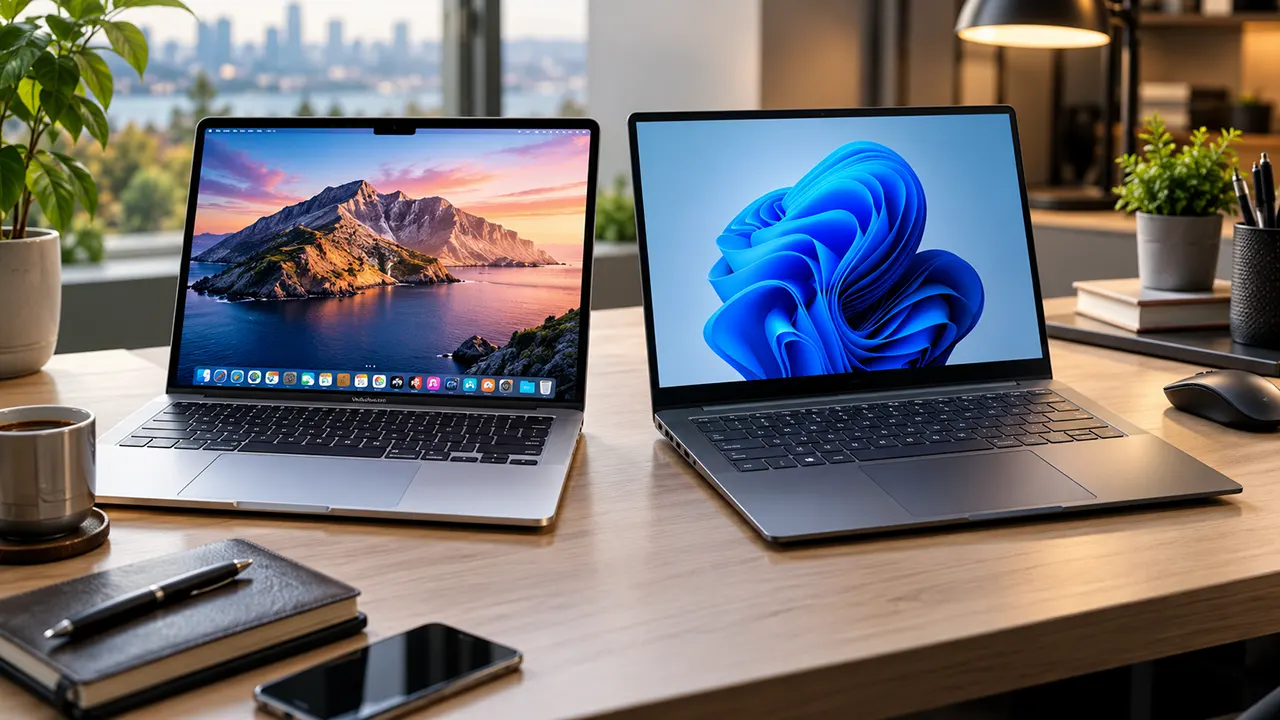
A Windows laptop is generally the better choice for gaming, hardware flexibility, specialist software and wider price options. A MacBook is a strong choice for battery efficiency, creative workflows, portability and Apple device integration. Neither platform wins every category. Your budget, software requirements and daily workload should determine which one you buy.
Choosing between a Windows laptop and a MacBook is not as simple as comparing processor speeds or looking at their designs. Both platforms have changed significantly in 2026. Apple continues to develop its M-series processors, while Windows manufacturers offer new Intel, AMD and Snapdragon-powered laptops.
For example, the MacBook Air M5 competes with premium Windows ultrabooks, while Dell’s redesigned XPS lineup brings new competition in the thin-and-light category. Budget buyers also have more options following the introduction of Apple’s MacBook Neo.
In this guide, we’ll compare Windows laptops and MacBooks across performance, operating systems, software compatibility, battery life, gaming, upgradeability and long-term ownership costs. We’ll also look at different workloads and price levels to help you make a practical buying decision.
Affiliate disclosure: IT Phobia may earn a commission when you purchase through qualifying affiliate links in this article. This does not affect our editorial recommendations.
Windows vs. macOS: Which Operating System Is Better?
Windows and macOS offer different approaches to everyday computing. Windows 11 focuses on flexibility, broad hardware support and compatibility with a wide range of applications. macOS focuses on Apple’s integrated hardware and software experience, consistent interface and connection with other Apple devices.
Neither operating system is universally better. The right choice depends on how you use your computer.
Windows 11: Flexibility and Compatibility
Windows 11 is available across laptops from Dell, HP, Lenovo, ASUS, Acer, Microsoft and other manufacturers. You can choose from budget notebooks, business laptops, gaming machines and powerful mobile workstations.
Its biggest advantage is flexibility. You can choose different processors, graphics cards, displays, memory configurations and physical designs.
Windows 11 version 26H1 also arrived in 2026 for selected new hardware, initially supporting devices powered by Qualcomm Snapdragon X2 processors. Microsoft explains that this release is not an ordinary in-place upgrade for existing Windows 11 24H2 and 25H2 computers. Microsoft Support
Windows is particularly useful if you depend on:
- Business applications designed specifically for Windows.
- Specialized engineering and industrial software.
- Legacy desktop applications.
- Advanced hardware customization.
- PC gaming and dedicated graphics cards.
However, Windows laptops do not all deliver the same experience. A budget laptop with an entry-level processor and limited memory will behave very differently from a premium workstation.
macOS Tahoe 26: Simplicity and Apple Integration
macOS Tahoe 26 is Apple’s current major Mac operating system in 2026. It introduces a redesigned interface, expanded Spotlight capabilities, additional Continuity experiences and further Apple Intelligence features. Apple Support
Apple develops macOS specifically for Mac hardware. This allows the company to optimize its operating system around its own processors, memory architecture and other components.
Mac users also benefit from features such as:
- AirDrop for wireless file sharing.
- Handoff for continuing supported tasks across Apple devices.
- iCloud synchronization.
- Universal Clipboard.
- Continuity features for supported iPhone and iPad workflows.
One important consideration is compatibility. Some professional applications, business tools and older programs may only work on Windows or may offer different features on macOS.
Windows vs. macOS: Quick Comparison
| Feature | Windows 11 | macOS Tahoe 26 |
|---|---|---|
| Hardware choices | Extensive | Apple Mac computers only |
| Customization | Extensive | More controlled |
| Gaming support | Strong | Limited selection |
| Business software | Broad compatibility | Good, but application-dependent |
| Apple integration | Limited | Excellent |
| Android integration | Strong with supported tools | More limited |
| Hardware upgrades | Model-dependent | Very limited |
| User experience | Varies by manufacturer | More consistent |
| Professional software | Broad selection | Strong creative and development support |
The important distinction: Windows gives you more hardware choices, but macOS offers a more controlled experience across Apple’s product lineup.
Performance Comparison: Windows Laptops vs. MacBooks
Processor performance is one of the biggest considerations when buying a laptop. However, comparing an Intel Core Ultra processor directly with an Apple M5 chip using specifications alone will not tell you which laptop performs better.
Both platforms use different processor architectures and power-management systems.
Intel, AMD and Snapdragon vs. Apple Silicon
Windows laptops use processors from several manufacturers.
| Processor family | Common use |
|---|---|
| Intel Core Ultra Series 3 | Premium productivity and performance |
| AMD Ryzen AI | Productivity, multitasking and graphics |
| Qualcomm Snapdragon X2 | Efficient Windows laptops and AI workloads |
| NVIDIA GeForce RTX | Gaming, rendering and GPU-intensive applications |
Apple uses its own M-series processors, including the M5, M5 Pro and M5 Max families.
The M5 combines CPU and GPU processing with a Neural Engine and unified memory architecture. The MacBook Air M5, for example, has a 10-core CPU, an 8-core or 10-core GPU and 153GB/s memory bandwidth. Apple Support+1
The practical difference is that Apple controls both its processors and operating system, while Windows manufacturers can select from several processor platforms.
Everyday Performance and Multitasking
For everyday tasks, both platforms offer excellent performance.
Browsing, document editing, video calls, email, spreadsheets and streaming do not require an expensive professional laptop.
The amount of memory, processor generation, storage speed and application requirements often matter more than the operating system.
For example, a 16GB Windows laptop can be a better purchase for multitasking than an entry-level MacBook with 8GB memory, depending on the applications involved.
AI Workloads and Local AI Applications
AI computing is becoming an important part of laptop purchasing decisions.
Apple integrates its Neural Engine into Apple silicon processors. Windows laptops offer different AI hardware configurations, including NPUs in Copilot+ PCs and dedicated GPUs in more powerful systems.
These technologies support different workloads:
- On-device AI features.
- Image and video processing.
- Local language models.
- Background noise removal.
- AI-assisted productivity applications.
However, an NPU does not automatically make a laptop better for every AI task. Software support, available memory, GPU performance and model compatibility matter.
If you plan to run local AI models, check the model’s memory requirements and hardware support before purchasing.
Performance Under Heavy Workloads
For demanding workloads such as 3D rendering, large video projects and complex simulations, compare the complete laptop rather than its processor name.
Cooling, power limits and GPU configuration can significantly affect sustained performance.
A Windows laptop with an NVIDIA RTX GPU may be a better option for certain GPU-intensive applications. A MacBook Pro with an M5 Pro or M5 Max can be attractive for professional creative workflows optimized for Apple silicon.
MacBook vs. Windows Laptop for Work
The best work laptop depends on your profession and the applications you need.
A business professional using Microsoft Excel has different requirements from a video editor working with large 4K projects. A programmer may also need a different environment from someone who mainly uses web applications.
Office Productivity and Business Applications
Both platforms support Microsoft 365 applications, including Word, Excel, PowerPoint and Outlook.
Mac users can also access Google Workspace, Slack, Zoom and many other popular business applications.
Windows is often the safer choice when a company depends on specialized desktop software, Windows-only applications or established enterprise management systems.
Before purchasing a MacBook for business, check whether your employer supports macOS and whether all required applications offer the same functionality.
Programming and Software Development
Both Windows and macOS are capable development platforms.
macOS is attractive to developers who work with Unix-based tools, web development environments and Apple’s development ecosystem. It also provides a native environment for developing applications for iPhone, iPad and Mac.
Windows offers Visual Studio, VS Code, Windows Subsystem for Linux (WSL) and extensive hardware choices.
For developers who need Linux containers, virtualization or specific Windows development tools, the best option depends on the exact software stack.
One important detail is processor architecture. Windows on ARM can run many x86 and x64 applications through Prism emulation, but certain drivers and low-level tools require native ARM64 support. Microsoft Learn+1
Graphic Design and Photo Editing
MacBooks are popular among creative professionals because of their displays, Apple silicon performance and compatibility with major creative applications.
Adobe Photoshop, Illustrator and Lightroom are available on both platforms.
Windows laptops offer more hardware choices, including configurations with powerful NVIDIA graphics cards and larger displays.
For designers, compare display color accuracy, resolution, brightness and supported color spaces. These specifications can be more important than the operating system.
Video Editing and Professional Creative Work
Both platforms support professional video editing.
MacBooks offer Final Cut Pro and optimized versions of popular creative applications. Windows laptops support Adobe Premiere Pro, DaVinci Resolve and other professional editing tools.
For demanding projects, a dedicated GPU can make a substantial difference, especially when software uses GPU acceleration.
My recommendation: Choose a MacBook if your creative applications work well with Apple silicon and you value portability. Choose a Windows workstation if your workflow requires a specific NVIDIA GPU, Windows-only software or a more configurable hardware setup.
Laptop Battery Life Comparison: Which Lasts Longer?
Battery life is no longer an automatic MacBook victory.
Apple silicon MacBooks are known for efficient power consumption, but recent Windows laptops using Intel Core Ultra and Qualcomm Snapdragon processors have become competitive.
An independent comparison published by Tom’s Guide in August 2026 provides a useful example.
The publication tested laptops using continuous Wi-Fi web browsing with screen brightness set to 150 nits.
| Laptop | Tested battery life |
|---|---|
| MacBook Pro 16-inch M5 Pro | 21h 10m |
| Dell XPS 14 2026 | 20h 41m |
| Dell 14S 2026 | 20h 41m |
| MacBook Pro 14-inch M5 | 18h |
| Lenovo IdeaPad Slim 3x | 16h 29m |
| MacBook Air M5 | Approximately 15h 30m |
Source: Tom’s Guide, 2026 battery testing. Tom’s Guide
These results show that premium Windows laptops can compete directly with MacBooks.
However, these figures come from a controlled web-browsing test. They should not be treated as guaranteed working hours.
Why Battery Results Vary Between Configurations
Several factors influence laptop battery life:
- Display technology: OLED screens can consume more power depending on brightness and displayed content.
- Processor: Different Intel, AMD, Qualcomm and Apple processors have different power characteristics.
- Refresh rate: Higher refresh rates can increase power consumption.
- Graphics: Dedicated GPUs can use considerably more power under heavy workloads.
- Software: Background applications and system settings affect runtime.
For example, a Windows gaming laptop with a dedicated RTX GPU may have significantly shorter battery life during gaming than during office work.
If battery life is your main priority, compare independent tests of the exact models you are considering. Do not rely only on advertised maximum battery hours.
Gaming: Windows Laptop vs. MacBook
Windows laptops remain the stronger choice for most PC gamers.
The main reason is the gaming ecosystem. Windows supports a much wider selection of PC games, gaming hardware and accessories.
Game Compatibility and Availability
Platforms such as Steam, Xbox Game Pass and other PC gaming stores provide extensive Windows game libraries.
Mac gaming has improved, and Apple silicon offers capable graphics performance. However, many popular PC games still do not have native macOS versions.
Some games may work through compatibility tools or virtualization, but performance and compatibility can vary.
Dedicated GPUs vs. Integrated Graphics
Gaming performance depends heavily on the graphics hardware.
Windows laptops are available with NVIDIA GeForce RTX and AMD Radeon graphics. These configurations are suitable for demanding games, 3D rendering and other GPU-intensive applications.
MacBooks use integrated Apple GPU hardware within their processors.
This is efficient for many applications, but it does not offer the same range of dedicated gaming GPU configurations available in Windows laptops.
Casual Gaming vs. Demanding AAA Games
A MacBook can be suitable for casual games, supported native titles and some demanding games optimized for macOS.
However, if you regularly play modern AAA games, use competitive multiplayer titles or need high refresh-rate gaming, a Windows gaming laptop is usually the more practical purchase.
For example, the ASUS ROG Zephyrus G14 is worth considering if you want a compact gaming laptop with dedicated NVIDIA graphics.
Software Compatibility: Windows vs. macOS
Software compatibility can be more important than benchmark scores.
Before choosing a platform, make a list of the applications you use for work, education and entertainment.
Microsoft 365 and Everyday Applications
Microsoft 365 is available on both Windows and macOS.
However, some advanced features, integrations and business workflows may differ between versions.
If you depend on Excel macros, specialized add-ins, legacy Office workflows or Windows-specific business applications, verify compatibility before purchasing a MacBook.
Professional and Specialist Software
Many popular creative applications support both operating systems.
However, certain professional tools are platform-specific.
Examples include:
- Final Cut Pro for macOS.
- Some Windows-only engineering and industrial applications.
- Software that requires specific hardware drivers.
- Applications designed for particular GPU architectures.
This is particularly important for engineers, architects, researchers and enterprise users.
Windows on ARM and Application Compatibility
Windows laptops powered by Snapdragon processors use ARM architecture.
Microsoft’s Prism emulation technology allows many traditional x86 and x64 applications to run on Windows on ARM.
However, not everything works automatically. Hardware drivers, security software, certain virtualization tools and applications requiring specific low-level components may need native ARM64 support.
If you plan to purchase a Snapdragon-powered Windows laptop, check the compatibility of your essential applications and peripherals first. Microsoft Learn+1
Hardware, Upgradeability and Repairability
Windows laptops offer more hardware variety, but that does not mean every Windows laptop is upgradeable.
Some premium Windows ultrabooks use soldered memory and have limited internal expansion. Others provide replaceable RAM, SSDs and batteries.
MacBooks generally have more restrictive upgrade options.
RAM and Storage Upgrades
Apple silicon MacBooks use unified memory integrated into the system architecture. You cannot upgrade the memory after purchase.
This makes choosing the right configuration important.
For Windows laptops, upgradeability depends on the specific model.
Consider two examples:
- Dell XPS 14: Its 2026 configurations use soldered memory, limiting future RAM upgrades.
- Framework Laptop 13 Pro: Its LPCAMM2 memory design and modular construction offer a more upgrade-friendly approach.
Framework introduced the Laptop 13 Pro in April 2026, with DIY configurations starting at $1,199 and prebuilt configurations starting at $1,499.
Repair Costs and Hardware Lifespan
Repair costs depend on the component, warranty, manufacturer and availability of replacement parts.
MacBooks have tightly integrated hardware, which can make certain repairs more complicated or expensive.
Some Windows laptops are easier to repair, particularly models designed with replaceable components.
However, a thin Windows ultrabook may be just as difficult to repair as a MacBook.
Before purchasing, check:
- Manufacturer warranty.
- Battery replacement options.
- SSD replacement support.
- RAM upgrade options.
- Availability of replacement parts.
- Repair documentation.
Buying tip: If you plan to keep your laptop for five or more years, consider purchasing sufficient RAM and storage from the beginning. Do not assume that future upgrades will always be possible.
Total Cost of Ownership: Which Offers Better Value?
The purchase price is only one part of laptop ownership.
A complete comparison should include memory, storage, accessories, software, repairs and resale value.
Initial Purchase Price
Apple’s MacBook Neo has made the entry-level Mac market more competitive.
Here are some relevant US starting prices from 2026:
| Laptop | Starting price |
|---|---|
| Apple MacBook Neo | $599 |
| Dell XPS 13 (2026) | $699.99 |
| Apple MacBook Air 13-inch M5 | $1,099 |
| Apple MacBook Air 15-inch M5 | $1,299 |
| Apple MacBook Pro 14-inch M5 | $1,699 |
| Framework Laptop 13 Pro DIY | $1,199 |
Sources: Apple, Dell and Framework official announcements and product listings.
These are starting prices, not equivalent configurations. Retail promotions, upgrades and regional taxes can change the final purchase price.
The MacBook Neo is particularly interesting for budget buyers, but its base configuration has 8GB unified memory and 256GB storage. It should not be treated as equivalent to a 16GB premium Windows laptop.
Accessories and Software Expenses
Both platforms may require additional purchases.
For example, you may need:
- An external monitor.
- A USB-C hub or docking station.
- An external SSD.
- A wireless keyboard and mouse.
- Professional software subscriptions.
- Cloud storage.
Some Windows laptops include more physical ports, while certain thin-and-light models require adapters.
Check the port selection before purchasing accessories.
Resale Value and Long-Term Ownership
MacBooks often have strong resale demand, but the actual resale price depends on model, age, condition, configuration and market demand.
Windows laptops vary significantly because there are many manufacturers and product categories.
A premium business laptop may retain its value differently from an entry-level consumer notebook.
There is no universal winner for total ownership cost. Compare the purchase price, configuration and expected maintenance expenses of the actual models.
Apple vs. Windows Device Ecosystems
Your other devices can influence your laptop decision.
If you already own an iPhone, iPad and Apple Watch, a MacBook offers convenient integration.
If you use Android phones, Windows PCs and Microsoft services, a Windows laptop may fit your existing setup better.
iPhone, iPad and Mac Integration
Apple’s ecosystem provides features such as AirDrop, Handoff, Universal Clipboard and iCloud synchronization.
For example, you can copy text on an iPhone and paste it on a supported Mac. You can also transfer files between Apple devices using AirDrop.
These features can make everyday workflows more convenient.
Android and Windows Integration
Windows supports Android integration through Microsoft Phone Link and compatible Android devices.
Depending on the phone and supported features, users can access notifications, messages, photos and other connected functions.
Windows also works with Microsoft OneDrive, Microsoft 365 and other cloud services.
You do not need to use an Android phone to enjoy Windows, but the platform provides more flexibility across different manufacturers.
Cloud Services and Cross-Device Workflows
Both platforms support popular cloud services, including Google Drive, Dropbox and Microsoft OneDrive.
Your choice should depend on where your files, applications and existing workflows are already stored.
Switching operating systems does not automatically require changing your cloud storage provider.
Windows Laptop vs. MacBook: Pros and Cons
The following comparison highlights the main purchasing trade-offs.
Windows Laptop
Advantages
- Extensive hardware and price options.
- Wider PC gaming compatibility.
- More choices for dedicated graphics.
- Broad compatibility with business and specialist software.
- Greater potential for RAM and storage upgrades on selected models.
- Flexible hardware configurations.
Disadvantages
- Quality and performance vary significantly by manufacturer.
- Some premium models have soldered memory.
- Software and driver experiences can vary.
- Battery life differs considerably between models.
- Some laptops include unnecessary manufacturer software.
MacBook
Advantages
- Efficient Apple silicon processors.
- Strong battery performance on many models.
- Consistent hardware and software integration.
- Excellent Apple device connectivity.
- Strong creative application support.
- Generally consistent build quality across the lineup.
Disadvantages
- Limited hardware customization.
- Memory and storage cannot be upgraded internally after purchase.
- Some Windows-only applications are unavailable.
- Limited choice of dedicated GPU configurations.
- Gaming compatibility is more restricted.
- Upfront configurations can become expensive.
Windows Laptop vs. MacBook: Which Should You Buy in 2026?
The best laptop is the one that supports your daily work without forcing you to pay for hardware you do not need.
Here are my recommendations by user type.
| User type | Recommended platform | Main reason |
|---|---|---|
| College students | Either | Depends on software and budget |
| Office professionals | Either | Microsoft 365 supports both |
| Programmers | Either | Depends on development environment |
| Video editors | Either | Depends on software and GPU needs |
| Graphic designers | Either | Both support major creative applications |
| PC gamers | Windows | Wider game and GPU support |
| Business users | Windows or Mac | Depends on company software |
| Budget-conscious buyers | Windows or MacBook Neo | Compare configuration and price |
| iPhone users | MacBook | Strong Apple integration |
| Users needing upgrades | Selected Windows models | More modular hardware options |
Best for Students
A MacBook Air is a strong option for students who need portability, long battery life and productivity applications.
However, a Windows laptop may be better if your university requires specialized engineering software, Windows applications or particular hardware.
Budget-conscious students should also compare the MacBook Neo with Windows laptops offering 16GB RAM.
Best for Office Professionals
Both platforms work well for office productivity.
If your employer uses Windows-only business applications or requires specific enterprise tools, choose Windows.
If you mainly use browsers, email, Microsoft 365 and video conferencing, either platform can work.
Best for Programmers
MacBooks are attractive for developers who work with Apple’s ecosystem, Unix-based development tools and cross-platform applications.
Windows is particularly useful for developers who need Visual Studio, Windows-specific environments, WSL or specialized enterprise software.
Choose according to your development stack rather than general platform popularity.
Best for Designers and Video Editors
Both platforms support professional creative applications.
MacBook Pro models are worth considering for Apple-optimized workflows. Windows laptops with dedicated NVIDIA graphics can be more suitable for GPU-intensive applications.
Check the application’s system requirements before purchasing.
Best for Gamers
Windows is the clear recommendation for most gamers.
The wider game library, dedicated GPU choices and gaming hardware ecosystem make it more practical for demanding PC games.
A MacBook is better suited to users who prioritize productivity and only play supported games occasionally.
Best for Business Users
Business users should prioritize software compatibility, IT management, security policies and support requirements.
Windows may be preferable in organizations built around Microsoft enterprise infrastructure and Windows-specific applications.
MacBooks can be excellent business machines in organizations that support Apple devices and cloud-based workflows.
Best for Budget-Conscious Buyers
Do not automatically assume that Windows is cheaper.
The MacBook Neo starts at $599, while the Dell XPS 13 starts at $699.99. However, their base configurations differ, particularly in memory and storage.
Compare the complete configuration rather than the advertised starting price.
Frequently Asked Questions
1. Is a Windows laptop better than a MacBook?
A Windows laptop is generally better for gaming, hardware flexibility and compatibility with many specialized applications. A MacBook is attractive for portability, battery efficiency and Apple ecosystem integration. Neither is universally better. Your software requirements and budget should determine the purchase.
2. Is a MacBook worth the extra money in 2026?
A MacBook can justify its price if you value its hardware, software integration, battery performance and creative application support. However, a Windows laptop may provide better value when you need dedicated graphics, more memory or specific professional software. Compare equivalent configurations before deciding.
3. Can you use Microsoft Office on a MacBook?
Yes. Microsoft 365 applications, including Word, Excel, PowerPoint and Outlook, are available for macOS. However, certain advanced features and integrations can differ from their Windows counterparts. Check compatibility if your work depends on complex Excel macros or specialized business add-ins.
4. Can a MacBook run Windows 11?
Apple silicon MacBooks do not support Boot Camp. However, virtualization software such as Parallels Desktop can run supported versions of Windows 11 ARM. Compatibility depends on the Windows application, drivers and virtualization environment. This is not identical to running Windows natively on a PC.
5. Which laptop lasts longer?
Laptop lifespan depends on build quality, battery condition, maintenance, software support and workload. MacBooks and premium Windows laptops can both provide several years of useful service. Check manufacturer support policies, repair options and replacement battery availability before purchasing.
6. Is a MacBook good for programming?
Yes. MacBooks support popular development tools, programming languages, terminal environments and Apple’s application development ecosystem. Windows laptops are equally capable for many development tasks and may be preferable for Windows-specific applications, Visual Studio workflows or certain enterprise environments.
7. Which is better for gaming, Windows or macOS?
Windows is generally better for PC gaming because it supports a much larger selection of games, dedicated gaming GPUs and PC gaming accessories. macOS supports a growing selection of games, but compatibility remains more limited for many demanding PC titles.
8. Can you upgrade RAM on a MacBook?
No. Apple silicon MacBooks use integrated unified memory that cannot be upgraded after purchase. You must choose the required memory configuration when buying. Some Windows laptops allow RAM upgrades, but many modern ultrabooks also use soldered memory. Always check the exact model’s specifications.
Make Your Decision Based on Your Workload
The Windows laptop vs. MacBook decision should not be about brand loyalty. It should be about choosing a computer that fits your work, software, budget and long-term requirements.
If gaming, hardware flexibility and specialist Windows applications matter most, start with Windows laptops. If portability, Apple integration and an efficient creative workflow matter more, consider a MacBook.
Before purchasing, compare at least two models with similar memory, storage and display configurations. Check independent performance and battery tests, then verify software compatibility.
Your next laptop should solve your computing needs, not create new limitations.
For more laptop comparisons and buying advice, explore the laptop guides on IT Phobia.

Belayet Hossain is a Senior Tech Expert and Certified AI Marketing Strategist. Holding an MSc in CSE (Russia) and over a decade of experience since 2011, he combines traditional systems engineering with modern AI insights. Specializing in Vibe Coding and Intelligent Marketing, Belayet provides forward-thinking analysis on software, digital trends, and SEO, helping readers navigate the rapidly evolving digital landscape. Connect with Belayet Hossain on Facebook, Twitter, Linkedin or read my complete biography.