


Published on: 04/11/2025 | Updated on: November 4, 2025
Learn how to fix your iPhone charger with these proven, essential steps. We cover common problems and simple solutions to get your iPhone charging again quickly and safely.
Is your iPhone charger not working? It’s a common problem that stops your phone from powering up. This can be frustrating when you need your phone charged. But don’t worry, most iPhone charger issues have simple fixes. This guide will help you diagnose and fix your charger. We’ll walk you through easy steps. You’ll learn to identify the problem and solve it. Let’s get your iPhone charging again.
Why Isn’t My iPhone Charger Working?
Your iPhone charger might not be working for several reasons. It could be a problem with the cable itself. The charging port on your iPhone might be dirty. Sometimes, the power adapter is the issue. Even software glitches can affect charging. We will look at each of these possibilities.
Common iPhone Charger Problems and Symptoms
Many symptoms show your iPhone charger isn’t working. You might see a “This accessory may not be supported” message. Your iPhone might not show the charging icon. It might charge very slowly. Or it might stop charging altogether. Sometimes, the cable feels loose in the port. These signs tell us something is wrong.
Essential Tools for Fixing Your iPhone Charger
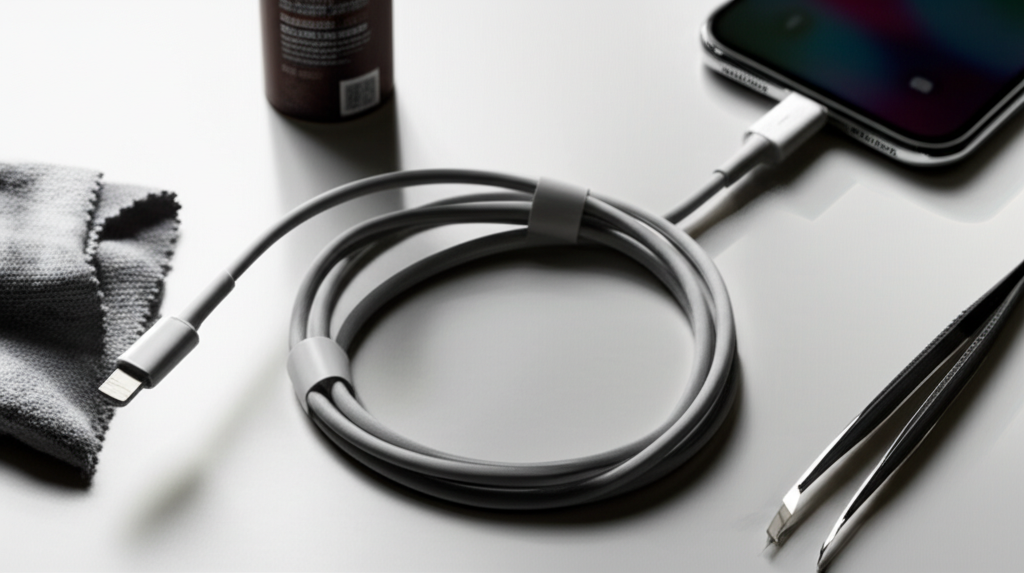
You don’t need many special tools. Most fixes are DIY. A clean, dry microfiber cloth is helpful. You might need a soft-bristled brush. Compressed air can also be useful. For more advanced fixes, a small toolkit with precision screwdrivers might be needed. Always ensure you have good lighting.
Step-by-Step Guide: How to Fix Your iPhone Charger
Here’s a detailed breakdown of how to fix your iPhone charger. Follow these steps carefully.
1. Inspect the Charging Cable

Your iPhone’s Lightning cable is often the culprit. Look for any signs of damage. Check for frayed wires. See if the connectors are bent or dirty. Damaged cables should be replaced. This is the most common reason for charging issues.
2. Clean the Lightning Cable Connector
The metal end of the cable can get dirty. Dust and debris can build up. This prevents a good connection. Gently clean the connector with a dry cloth. Avoid using liquids or metal objects. A clean connection is vital for charging.
3. Inspect Your iPhone’s Charging Port
The port on your iPhone can also get dirty. Lint, dust, and grime can get stuck inside. This blocks the cable connection. Look inside the port with a flashlight. You’ll see if it’s dirty.
4. Clean Your iPhone’s Charging Port
To clean the port, use compressed air. Spray short bursts into the port. This helps blow out debris. You can also use a non-metallic tool. A wooden toothpick works well. Gently scrape out any visible dirt. Be very careful not to damage the pins inside. A clean port ensures a solid connection.
5. Test a Different Charging Cable
If cleaning doesn’t help, try another cable. Cables can wear out over time. Using a different, known-good cable helps isolate the problem. If the new cable works, your old one was the issue. Always use Apple-certified or MFi-certified cables. These are made to work well with iPhones.
6. Test a Different Power Adapter
The wall adapter might be faulty. Try using a different USB power adapter. Make sure it has enough power. Apple recommends 5W or higher adapters. If your iPhone charges with a new adapter, the old one was broken.
7. Test a Different Power Outlet
Sometimes the problem is the power outlet. Try plugging your charger into a different wall socket. You could also try a power strip. If the outlet is the issue, try a different one. This simple step can save you a lot of time.
8. Restart Your iPhone
A simple restart can fix many software glitches. It can sometimes resolve charging issues. Turn off your iPhone completely. Then, turn it back on. Try charging it again after restarting. This is a quick and easy troubleshooting step.
9. Update Your iPhone Software
Outdated software can sometimes cause problems. Make sure your iPhone has the latest iOS version. Go to Settings > General > Software Update. Install any available updates. Software updates often include bug fixes. These might resolve charging issues.
10. Check for Physical Damage to Your iPhone
Inspect your iPhone for any visible damage. Look at the charging port area. If your iPhone has been dropped or wet, it might have internal damage. This type of damage often requires professional repair.
When to Consider Professional Repair
If you’ve tried all these steps and your iPhone still won’t charge, it’s time for help. The problem might be with your iPhone’s internal charging components. This could be the logic board. Or the charging port itself might be damaged beyond simple cleaning.
Logic Board Issues: These are complex and require expert diagnosis.
Internal Port Damage: Physical damage to the port needs specialized tools to fix.
In these cases, it’s best to contact Apple Support. You can also visit an authorized Apple service provider. For DIY enthusiasts, consider professional repair shops. They have the skills and tools for intricate repairs. You can learn more about iPhone repairs at sites like iFixit.
Advanced Troubleshooting: Battery Health
Sometimes, the iPhone’s battery itself is the problem. Over time, batteries degrade. A worn-out battery might struggle to hold a charge. Or it might not accept a charge properly.
Check Battery Health:
Go to Settings > Battery > Battery Health. This screen shows your battery’s maximum capacity. If it’s significantly degraded, the battery might need replacing. Apple typically advises replacement if capacity drops below 80%.
Protecting Your iPhone Charger from Future Damage
Preventing future problems is key. Follow these tips to keep your charger working longer.
Use MFi-Certified Accessories: Always use Apple-certified or MFi (Made for iPhone) cables and chargers. These meet Apple’s quality standards. They are less likely to cause issues.
Handle Cables Gently: Avoid bending cables sharply. Do not pull on the cable itself to unplug it. Pull the connector instead.
Keep Connectors Clean: Regularly check and clean cable connectors and your iPhone’s port.
Avoid Extreme Temperatures: Don’t charge your iPhone in very hot or cold places. This can damage the battery and charging components.
* Use a Surge Protector: Protect your charger and iPhone from power surges. Use a surge protector for your wall adapter.
How to Fix iPhone Charger: A Summary of Proven Steps
| Step | Action | When to Use |
| :———————- | :—————————————————————— | :——————————————— |
| Inspect Cable | Look for fraying, cuts, or bent pins. | If charging suddenly stops working. |
| Clean Cable | Use a dry cloth on the metal connector. | If connection seems weak or intermittent. |
| Inspect Port | Check iPhone port for lint or debris using a flashlight. | If cable doesn’t fit snugly. |
| Clean Port | Use compressed air or a toothpick gently. | If debris is visible in the port. |
| Test Different Cable| Use a known-good, MFi-certified cable. | If the original cable shows no obvious damage. |
| Test Different Adapter| Use another Apple-certified or MFi-certified power adapter. | If you suspect the adapter is faulty. |
| Test Different Outlet| Plug into a different wall socket or power strip. | If multiple chargers fail at the same location.|
| Restart iPhone | Turn your iPhone off and then on again. | For any general charging or software glitch. |
| Update Software | Check for and install the latest iOS version. | If charging issues started after an update. |
Frequently Asked Questions about Fixing iPhone Chargers
Q1: My iPhone says “This accessory may not be supported.” What does this mean?
This message usually means the accessory (cable or charger) is not certified by Apple. It might be damaged or not compatible. Try using an Apple-certified or MFi-certified accessory.
Q2: Can I use any USB cable to charge my iPhone?
While many USB cables might fit, it’s best to use Apple-certified or MFi-certified Lightning cables. Non-certified cables might not charge correctly. They could even damage your iPhone.
Q3: My iPhone charges very slowly. How can I fix this?
Slow charging can be due to a damaged cable, a dirty port, or a low-power adapter. Try cleaning the port and using a different, higher-wattage adapter. Ensure your software is updated too.
Q4: Is it safe to clean my iPhone’s charging port with a paperclip?
No, it is not safe to use a metal paperclip. Metal can damage the sensitive pins inside the port. Use compressed air or a non-metallic tool like a wooden toothpick carefully.
Q5: How often should I replace my iPhone charging cable?
iPhone charging cables, especially the Lightning cable, can degrade over time. If you notice fraying, damage, or intermittent charging, it’s time for a replacement. Most users replace them every 1-2 years with regular use.
Q6: Can a faulty battery stop my iPhone from charging?
Yes, a severely degraded or faulty battery can prevent your iPhone from charging. Check your battery health in Settings. If capacity is very low, the battery may need professional replacement.
Final Words on How to Fix iPhone Charger
Fixing a broken iPhone charger is often straightforward. By systematically checking your cable, adapter, and iPhone’s port, you can usually find the problem. Simple cleaning and testing with different accessories can resolve most issues. Remember to always use certified accessories. Protect your gear from damage to ensure reliable charging. If you’ve tried all these steps, professional help might be needed. For more insights into mobile device care, explore our guides on iPhone battery optimization and common phone repair tools.

Belayet Hossain is a Senior Tech Expert and Certified AI Marketing Strategist. Holding an MSc in CSE (Russia) and over a decade of experience since 2011, he combines traditional systems engineering with modern AI insights. Specializing in Vibe Coding and Intelligent Marketing, Belayet provides forward-thinking analysis on software, digital trends, and SEO, helping readers navigate the rapidly evolving digital landscape. Connect with Belayet Hossain on Facebook, Twitter, Linkedin or read my complete biography.