
Published on: 01/10/2025 | Updated on: October 1, 2025
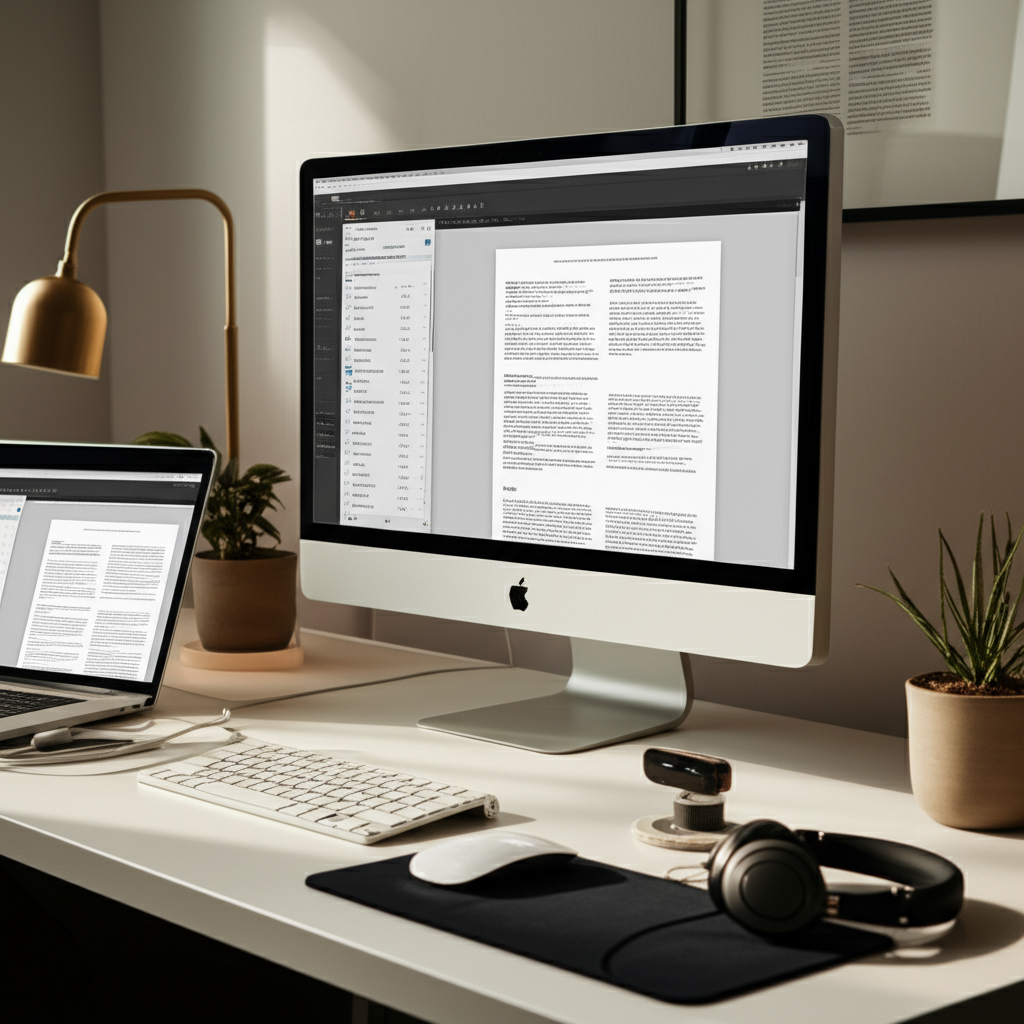
Discover the ultimate work from home setup essentials to boost your productivity, comfort, and well-being. This guide covers everything from ergonomic furniture to smart tech, ensuring your home office is a haven for success.
Setting up a comfortable and productive home office can feel like a daunting task, especially with so many options available. Juggling work, personal life, and creating a dedicated space can be challenging. You might find yourself asking, “Where do I even begin?” This guide is here to simplify that process. We’ll walk through each essential element, from the foundational pieces to the smart tech that can elevate your experience. Get ready to transform your home into your most efficient workspace yet.
Why Your Work From Home Setup Matters More Than Ever
A well-designed work from home setup is crucial for productivity and well-being. It helps delineate work and personal life, reducing distractions and fostering focus. Investing in the right tools and environment can significantly improve your efficiency and overall job satisfaction. Let’s explore why getting this right is a game-changer for remote professionals.
The Foundation: Ergonomics for Comfort and Health
Your physical comfort directly impacts your productivity and long-term health. A good ergonomic setup prevents strain, fatigue, and potential injuries, allowing you to focus on your tasks. Prioritizing these elements ensures you can work effectively for extended periods without discomfort.
The Ergonomic Chair: Your Throne of Productivity

An ergonomic chair is arguably the most critical component of your home office. It provides essential lumbar support, adjustable height, and armrests to maintain good posture throughout the day. Investing in a quality chair can prevent back pain and improve your focus by reducing physical distractions.
When choosing an ergonomic chair, look for these key features:
- Adjustable lumbar support: To match the natural curve of your spine.
- Seat height adjustment: To ensure your feet are flat on the floor and knees are at a 90-degree angle.
- Armrest adjustability: To support your forearms and reduce shoulder strain.
- Breathable material: For comfort during long work sessions.
- Swivel and tilt functions: For freedom of movement and dynamic sitting.
Consider chairs like the Herman Miller Aeron or Steelcase Leap, often lauded for their superior ergonomics and durability, though pricier options. Budget-friendly alternatives like the Hbada Ergonomic Office Chair offer good support for their price point. Your choice depends on your budget and specific needs, but don’t skimp here if possible.
The Desk: Your Command Center
Your desk should be the right height and size to accommodate your monitor, keyboard, mouse, and other essentials comfortably. An adjustable-height desk, or standing desk, offers the flexibility to switch between sitting and standing, which is beneficial for circulation and energy levels. This dynamic approach can significantly boost your workday vitality.
Key desk considerations include:
- Height: Ensure it allows your elbows to be at a 90-degree angle when typing.
- Surface area: Ample space prevents clutter and allows for organized workflow.
- Stability: A wobbly desk is a distraction and can be frustrating.
- Adjustability: Standing desks offer health benefits and combat sedentary work habits.
Popular standing desk brands include Fully and Uplift Desk, known for their robust build and customization options. For those seeking a more budget-conscious solution, consider manual crank standing desks or desk converters that sit atop your existing desk.
Monitor Placement: The Visionary’s View
Proper monitor placement is vital for preventing neck and eye strain. The top of your screen should be at or slightly below eye level, and it should be about an arm’s length away from you. Using monitor arms or stands can help you achieve the ideal positioning and free up desk space.
Achieving optimal monitor height can be done with:
- Monitor stands: Simple risers to elevate your screen.
- Adjustable monitor arms: For maximum flexibility in positioning and desk space.
- Stacking books or boxes: A temporary, budget-friendly solution.
Ergonomic guidelines suggest that the monitor should be centered in front of you, reducing the need to twist your neck. If you use multiple monitors, position the primary one directly in front and secondary ones at an angle. This thoughtful arrangement protects your posture and visual comfort.
Keyboard and Mouse: Your Digital Hands
An ergonomic keyboard and mouse can significantly reduce the risk of repetitive strain injuries like carpal tunnel syndrome. Look for keyboards with a split design or tenting capabilities, and mice that fit comfortably in your hand. These tools are designed to promote a more natural hand and wrist position.
Features to seek in ergonomic peripherals:
- Split keyboard design: Encourages a more natural wrist angle.
- Tenting capability: Allows the keyboard to be raised in the middle.
- Contoured mouse shape: Fits the natural curve of your palm.
- Vertical mouse options: For a handshake-like grip, reducing forearm pronation.
Brands like Logitech offer a range of ergonomic keyboards and mice, such as the MX Vertical mouse and Ergo K860 keyboard, that have received high praise for comfort and performance.
The Digital Core: Your Computer and Peripherals
Your computer is the engine of your home office, and choosing the right peripherals can enhance its performance and your overall experience. Selecting devices that align with your workflow and needs is paramount for seamless productivity.
Laptop vs. Desktop: Choosing Your Powerhouse
The choice between a laptop and a desktop depends on your need for portability versus raw power and upgradeability. Laptops offer flexibility to work from different locations, while desktops generally provide more performance for the price and easier expansion. Many professionals today opt for a laptop docked to external peripherals for the best of both worlds.
Consider these points when deciding:
- Portability: Do you need to work from coffee shops or different rooms?
- Performance Needs: Are you running demanding software or multitasking heavily?
- Budget: Desktops often offer better value for raw processing power.
- Upgradeability: Desktops are generally easier to upgrade components like RAM or storage.
For example, a MacBook Pro offers excellent performance and portability for creative professionals, while a custom-built PC or a Dell XPS desktop can provide superior power for data-intensive tasks.
External Monitor: Expanding Your Horizon
An external monitor, especially a larger one or a dual-monitor setup, can dramatically boost productivity. It provides more screen real estate for multitasking, allowing you to view multiple applications simultaneously without constant window switching. This visual real estate is a significant advantage for complex tasks.
Benefits of an external monitor:
- Increased multitasking efficiency.
- Reduced eye strain from smaller built-in screens.
- Better for detailed work like graphic design or coding.
Consider ultrawide monitors for an immersive experience or standard 27-inch displays for a balanced setup. For productivity, look for high resolution (QHD or 4K) and good color accuracy. Popular choices include Dell UltraSharp and LG UltraGear series.
Webcam and Microphone: Clear Communication is Key
In the era of virtual meetings, a high-quality webcam and microphone are essential for professional communication. Built-in laptop webcams often lack clarity, and their microphones can pick up background noise. Investing in dedicated peripherals ensures you present yourself professionally and communicate effectively.
Look for webcams with at least 1080p resolution and good low-light performance. For microphones, consider USB condenser microphones for clear voice capture, ideal for frequent calls and recordings. Brands like Logitech for webcams and Blue Yeti for microphones are industry standards.
Reliable Internet: The Unsung Hero
A stable and fast internet connection is non-negotiable for remote work. Slow or intermittent internet can lead to dropped calls, delayed file transfers, and overall frustration. Investing in a good internet plan and a reliable router is crucial for a seamless work experience.
To ensure optimal connectivity:
- Choose an internet plan with sufficient speed for your needs (e.g., fiber optic if available).
- Invest in a high-quality Wi-Fi router, potentially a mesh system for larger homes.
- Consider a wired Ethernet connection for maximum stability if your setup allows.
Many tech reviewers recommend mesh Wi-Fi systems like Eero or Google Nest Wifi for consistent coverage throughout your home.
Lighting and Ambiance: Setting the Mood for Focus
The right lighting can significantly impact your mood, energy levels, and ability to concentrate. Natural light is ideal, but supplementary lighting is often necessary to create a well-lit and inviting workspace. Good lighting reduces eye strain and can even improve your video call appearance.
Natural Light: Harnessing the Sun’s Power
Position your desk near a window to take advantage of natural light. It’s not only energy-efficient but also proven to boost mood and reduce eye fatigue. However, be mindful of glare on your screen, which can be mitigated with blinds or curtains.
Tips for using natural light effectively:
- Position your desk perpendicular to the window to avoid direct glare.
- Use sheer curtains or blinds to diffuse harsh sunlight.
- Clean your windows regularly for maximum light penetration.
Natural light is the most energy-efficient and mood-boosting option available.
Artificial Lighting: Illuminating Your Workspace
When natural light is insufficient, invest in good artificial lighting. An adjustable desk lamp provides task lighting, while ambient lighting can create a more comfortable atmosphere. Consider smart bulbs that allow you to control brightness and color temperature to suit your needs throughout the day.
Types of artificial lighting to consider:
- Desk Lamp: For focused task lighting. Look for adjustable brightness and position.
- Ambient Lighting: Floor lamps or overhead lights to illuminate the room.
- Smart Bulbs: Allow for remote control and color temperature adjustments.
Philips Hue and LIFX offer smart bulbs that can sync with your schedule or even your work tasks, creating a dynamic lighting environment.
Organization and Productivity Tools: Taming the Chaos
A cluttered workspace can lead to a cluttered mind. Implementing organizational systems and utilizing productivity tools can streamline your workflow and keep you on track. These tools are designed to help you manage tasks, collaborate, and stay focused.
Desk Organizers and Storage Solutions
Keep your desk tidy with drawers, shelves, cable management solutions, and pen holders. A well-organized desk reduces distractions and makes it easier to find what you need quickly. Think about vertical storage to maximize limited desk space.
Essential organizers include:
- Drawer units
- Shelving systems
- Cable clips and ties
- Pen and stationery holders
Brands like UGREEN offer excellent cable management solutions, while simple drawer units from IKEA can make a big difference.
Digital Tools for Productivity
Beyond physical organization, digital tools are essential for managing your workload. Project management apps, note-taking software, and cloud storage services can keep your digital life in order. These platforms facilitate collaboration and ensure your work is accessible from anywhere.
Key digital tools to explore:
- Task Management: Todoist, Asana, Trello.
- Note-Taking: Evernote, Notion, OneNote.
- Cloud Storage: Google Drive, Dropbox, OneDrive.
- Communication: Slack, Microsoft Teams.
Notion, in particular, has gained popularity for its all-in-one workspace capabilities, combining notes, databases, and project management.
Connectivity and Power: Staying Powered Up and Connected
Ensuring you have reliable power sources and seamless connectivity for all your devices is fundamental. Unexpected power outages or connectivity issues can halt your productivity instantly. Smart solutions can prevent these disruptions and keep your workflow uninterrupted.
Surge Protectors and UPS
A good surge protector is essential to safeguard your valuable electronics from power surges. For critical equipment, consider an Uninterruptible Power Supply (UPS) to provide battery backup during short power outages, giving you time to save your work and shut down properly.
Key benefits of these devices:
- Surge Protector: Protects against voltage spikes.
- UPS: Provides temporary battery power during outages.
- Combined Devices: Many offer both surge protection and battery backup.
Brands like APC and CyberPower are reputable for their reliable power protection solutions.
Docking Stations and Hubs
If you use a laptop, a docking station or USB hub can simplify your setup. It allows you to connect multiple peripherals (monitor, keyboard, mouse, external drives) with a single cable, transforming your laptop into a desktop-like experience. This declutters your workspace and streamlines connections.
Benefits of docking stations:
- Single-cable connection for all peripherals.
- More ports than a typical laptop.
- Simplified setup and breakdown of your workspace.
Thunderbolt 4 docks are ideal for high-speed data transfer and multiple display support, offering maximum versatility.
Smart Tech and AI Tools: Enhancing Your Workday
The integration of smart technology and AI tools can automate tasks, provide insights, and boost efficiency in surprising ways. These innovations are designed to simplify complex processes and enhance your overall work experience. Embracing them can give you a competitive edge.
AI-Powered Productivity Apps
AI is revolutionizing productivity with tools that can help with writing, scheduling, research, and even coding. These applications learn your habits and preferences to offer personalized assistance, saving you time and improving the quality of your output. From drafting emails to summarizing long documents, AI is becoming an indispensable work companion.
Examples of AI productivity tools:
- Writing Assistants: Grammarly, Jasper.ai.
- Scheduling Assistants: Calendly (with AI features), Clara Labs.
- Research Tools: Perplexity AI, Elicit.
Tools like Microsoft Copilot are integrating AI across entire suites of software, promising to redefine how we interact with our computers.
Smart Home Integration
While not directly work-related, smart home devices can indirectly improve your work-from-home experience. Smart lights can adjust automatically for optimal working conditions, smart plugs can manage device power, and smart assistants can handle quick tasks like setting timers or reminders without interrupting your flow.
Consider these smart home integrations:
- Smart Lighting: For adjustable ambiance and energy saving.
- Smart Plugs: To automate device power cycles.
- Voice Assistants: For hands-free task management.
Integrating these devices can create a more seamless and less distracting home environment, allowing for greater focus on work.
Comfort and Well-being: Beyond the Desk
Your work-from-home setup isn’t just about your desk; it’s about creating a holistic environment that supports your well-being. Taking breaks, staying hydrated, and ensuring a healthy atmosphere contribute to sustained productivity and prevent burnout.
Creating a Dedicated Workspace
Ideally, your workspace should be a separate room with a door you can close. This physical separation helps create a mental boundary between work and personal life. If a separate room isn’t possible, designate a specific corner or area solely for work.
Key principles for a dedicated space:
- Minimize personal items and distractions.
- Ensure good ventilation and air quality.
- Make it a space you enjoy being in.
Even a small, well-defined area can serve as an effective sanctuary for focus.
Hydration and Breaks
Keep a water bottle at your desk to encourage regular hydration, which is crucial for cognitive function. Schedule short, regular breaks to step away from your screen, stretch, and rest your eyes. These micro-breaks prevent fatigue and improve overall concentration.
A simple break strategy:
- Use the Pomodoro Technique (e.g., 25 minutes work, 5 minutes break).
- Get up and move around during breaks.
- Look at something distant to give your eyes a rest.
These small habits can have a profound impact on your energy levels and mental clarity throughout the day.
Future-Proofing Your Setup: Staying Ahead of the Curve
Technology evolves rapidly, and your work-from-home setup should be adaptable. Investing in versatile equipment and staying informed about emerging trends will ensure your workspace remains efficient and productive for years to come.
Choosing Versatile and Upgradeable Components
Opt for devices and components that offer flexibility and can be upgraded. For instance, a desktop computer with modular parts or a laptop with ample RAM and storage slots allows for future enhancements. This approach saves money and reduces electronic waste.
Consider the lifespan of your tech:
- Invest in quality over quantity.
- Look for devices with good software support and update policies.
- Prioritize components that are easily replaceable or upgradable.
This foresight ensures your setup remains relevant and powerful as your needs or technological advancements change.
Staying Updated on Tech Trends
Follow reputable tech blogs, review sites, and industry news to stay informed about the latest innovations in hardware, software, and AI tools. Understanding new trends can help you make informed decisions about future upgrades and integrations for your home office. This knowledge empowers you to make smarter investments.
Resources for staying updated:
- TechCrunch, The Verge, Ars Technica for industry news.
- YouTube channels like Linus Tech Tips or Marques Brownlee for reviews.
- Specific software documentation for updates on your tools.
Continuous learning about technology ensures your setup remains optimized and efficient.
Frequently Asked Questions (FAQ)
What is the most important piece of equipment for a work from home setup?
The most critical piece is often considered an ergonomic chair, as it directly impacts your physical health and comfort, which are foundational for sustained productivity.
How much should I budget for a work from home setup?
Budgets vary widely, but a reasonable starting point for essential ergonomics and decent tech might be $1000-$2000. You can scale up or down based on your needs and existing equipment.
Is a standing desk worth the investment?
Yes, a standing desk offers significant health benefits by reducing sedentary time, improving circulation, and boosting energy levels. The ability to alternate between sitting and standing is highly recommended for well-being.
Do I really need an external monitor?
While not strictly essential, an external monitor significantly enhances productivity for most users by providing more screen real estate for multitasking, reducing eye strain, and improving workflow efficiency.
How can I improve my home office lighting without spending a lot?
Utilize natural light as much as possible by positioning your desk near a window. Supplement with affordable desk lamps and consider smart bulbs for adjustable brightness and color temperature, which can be found at various price points.
What are some good AI tools for remote workers?
Popular AI tools include Grammarly for writing assistance, Notion AI for note-taking and organization, and various AI-powered research assistants like Perplexity AI to help with information gathering.
How do I keep my home office organized?
Use desk organizers, cable management solutions, and digital tools like project management apps and cloud storage. Regularly decluttering your physical and digital space is key.
Conclusion: Building Your Ideal Work From Home Setup
Creating the best work from home setup is an ongoing journey, not a destination. By prioritizing ergonomics, investing in reliable technology, and fostering a productive environment, you can build a workspace that supports both your professional success and personal well-being. Remember that the ideal setup is personal; adapt these recommendations to fit your unique needs, workflow, and budget. Start with the essentials, and gradually enhance your space as you discover what works best for you. Your ultimate work from home setup awaits, ready to empower your productivity and bring more balance to your life.

Belayet Hossain is a Senior Tech Expert and Certified AI Marketing Strategist. Holding an MSc in CSE (Russia) and over a decade of experience since 2011, he combines traditional systems engineering with modern AI insights. Specializing in Vibe Coding and Intelligent Marketing, Belayet provides forward-thinking analysis on software, digital trends, and SEO, helping readers navigate the rapidly evolving digital landscape. Connect with Belayet Hossain on Facebook, Twitter, Linkedin or read my complete biography.