
Published on: 04/09/2025 | Updated on: September 4, 2025
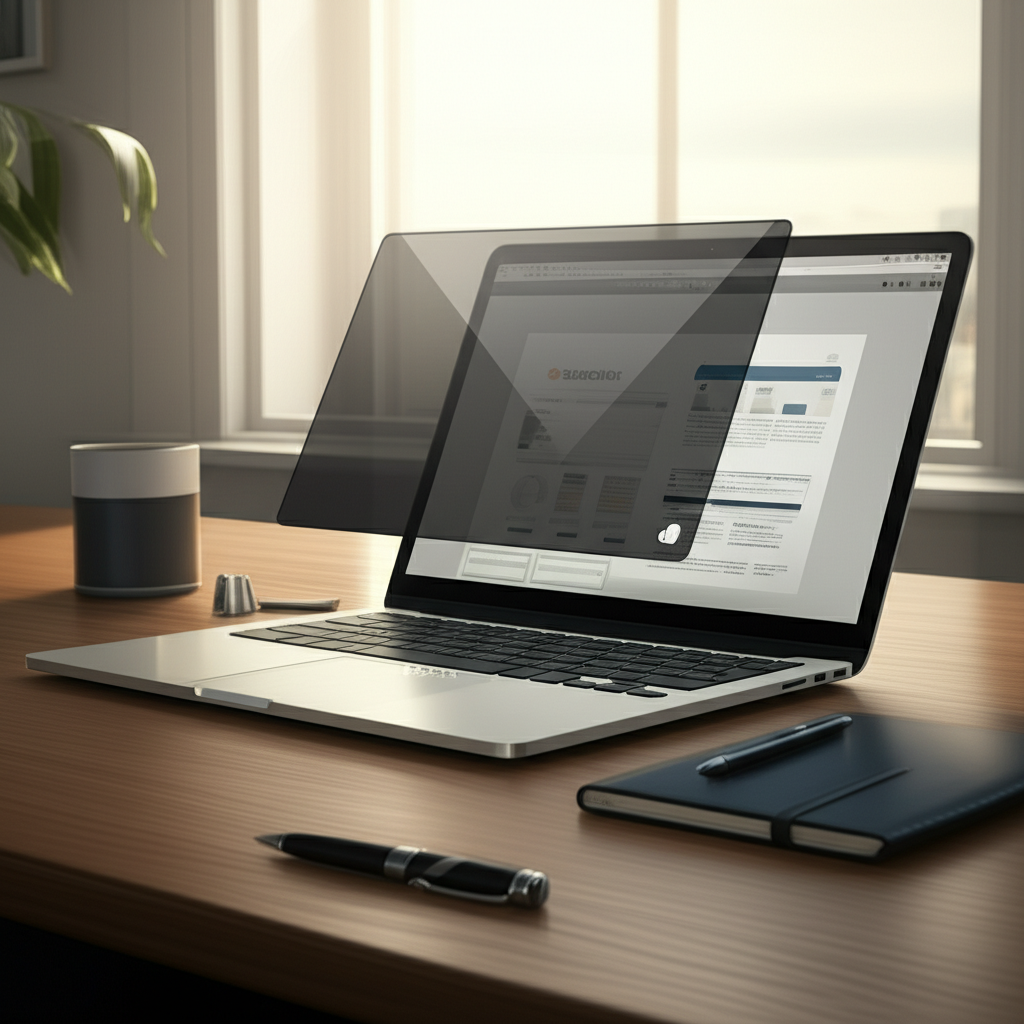
The 3M Monitor Privacy Filter is a crucial tool for safeguarding sensitive information on your screen from prying eyes, offering robust protection and proven security for professionals and everyday users alike.
In today’s increasingly digital world, our screens often display a wealth of personal and professional data, from confidential emails and financial reports to private messages and browsing history. The worry of someone glancing over your shoulder, whether in an office, a coffee shop, or even at home, is a common and frustrating concern. Thankfully, there are effective solutions to maintain your privacy. This guide will walk you through why a 3M Monitor Privacy Filter is an essential investment for your digital security, detailing its features, benefits, and how it provides proven protection.
Understanding the Need for Screen Privacy
In an era where information is currency, protecting what’s on your screen is more important than ever. Public spaces and even shared office environments present unique challenges to maintaining visual privacy. A simple glance from a stranger can inadvertently expose sensitive data, leading to potential security breaches or personal embarrassment.
This constant threat of visual eavesdropping makes proactive measures necessary for anyone who handles confidential information. Investing in a privacy solution like a 3M Monitor Privacy Filter offers peace of mind and tangible security against such risks.
What is a 3M Monitor Privacy Filter?
A 3M Monitor Privacy Filter is a thin, optical film designed to be applied to the surface of a computer monitor or laptop screen. Its primary function is to limit the viewing angle of the display, making the content visible only to the person directly in front of the screen. Anyone looking from a side angle will see a darkened or black screen, effectively preventing shoulder surfing.
These filters leverage advanced micro-louver technology, a hallmark of 3M’s innovation in optical films. This sophisticated design ensures that while your screen is private from the sides, you still enjoy a clear, crisp view directly head-on, without compromising visual quality.
The Science Behind 3M’s Privacy Technology
At the heart of every 3M Monitor Privacy Filter lies a proprietary microlouver system. This intricate network of tiny, precisely aligned vertical blinds is embedded within the filter’s layers. When light from your screen hits these louvers, they direct the light straight forward, within a narrow viewing angle, typically around 60 degrees.
Light emitted from the sides is blocked or diffused, rendering the screen invisible to anyone positioned off-center. This ingenious engineering provides effective privacy without the need for complex software or battery power, making it a simple yet powerful security tool.
Key Features and Benefits of 3M Monitor Privacy Filters
3M Monitor Privacy Filters are packed with features designed for both security and user experience. Beyond their core privacy function, these filters often include anti-glare coatings, scratch resistance, and are designed for easy application and removal. They are tailored to fit a wide range of monitor sizes and types, including laptops, desktops, and even touchscreens.
The benefits extend to enhanced productivity by reducing visual distractions and protecting sensitive data in high-traffic areas. They are an affordable and accessible way to upgrade your device’s security posture against common, yet significant, privacy threats.
Enhanced Data Security

The most significant benefit of a 3M Monitor Privacy Filter is the immediate enhancement to your data security. By preventing unauthorized viewing, you significantly reduce the risk of sensitive information, such as passwords, financial data, or proprietary company information, falling into the wrong hands.
This protection is invaluable in environments where confidentiality is paramount, such as open-plan offices, airports, or cafes. It ensures that only you, the intended viewer, can access the content on your screen.
Improved Focus and Productivity
Beyond preventing external snooping, the restricted viewing angle can also help you stay more focused on your work. By minimizing the visibility of your screen to peripheral viewers, you can reduce potential distractions that might arise from people walking by or looking towards your workstation.
This focused environment can lead to increased concentration, fewer errors, and ultimately, higher productivity throughout your workday. It creates a personal digital bubble that supports your concentration.
Scratch and Glare Protection
Many 3M Monitor Privacy Filters come with additional protective features. A common addition is a durable, scratch-resistant surface that helps protect your actual screen from minor abrasions and scuffs that can occur during daily use or cleaning. This can help maintain the pristine condition of your display.
Furthermore, some filters incorporate anti-glare properties. This reduces distracting reflections from overhead lights or windows, making your screen easier to view in brightly lit environments and reducing eye strain.
Easy Application and Removal
3M understands the importance of user-friendly design. Their privacy filters are typically engineered for straightforward application, often utilizing a system of adhesive strips or magnetic attachments that allow for easy mounting onto the monitor’s frame. This ensures a secure fit without damaging the screen or bezel.
The ease of removal is also a key consideration. If you need to share your screen with colleagues or simply want to remove the filter temporarily, most 3M filters can be detached and reattached without leaving residue, offering flexibility in how and when you use them.
Compatibility and Versatility
3M offers a vast range of privacy filters designed to fit virtually any screen size and type. Whether you’re using a compact laptop, a large desktop monitor, or even a tablet, there’s likely a 3M privacy filter specifically designed for your device. This broad compatibility ensures that you can secure your digital workspace regardless of your hardware.
This versatility makes the 3M Monitor Privacy Filter a universal solution for anyone seeking to protect their screen’s content across various devices and environments.
Choosing the Right 3M Monitor Privacy Filter for Your Needs
Selecting the correct 3M Monitor Privacy Filter involves considering a few key factors to ensure optimal performance and compatibility. The most crucial aspect is accurate measurement of your screen’s diagonal size and aspect ratio to ensure a perfect fit.
Beyond size, think about the specific environment where you’ll use the filter and whether you need additional features like anti-glare or touchscreen compatibility. Consulting 3M’s compatibility guides is a good starting point.
Sizing Your Monitor
Accurate sizing is paramount for effective privacy and aesthetics. You’ll need to measure the diagonal viewable area of your screen, excluding the bezel or frame. Most manufacturers list monitor dimensions, but a physical measurement with a tape measure ensures accuracy.
Ensure you select a filter that matches your screen’s exact dimensions. A filter that is too small will leave edges exposed, while one that is too large may not adhere properly or could obstruct the bezel.
Filter Types: Glossy vs. Matte
3M privacy filters generally come in two main finishes: glossy and matte. The glossy finish typically offers a slightly clearer image with vibrant colors, similar to your original screen. However, it can be more prone to glare from light sources.
The matte finish, on the other hand, is designed to reduce glare and reflections, providing a more comfortable viewing experience in brightly lit environments. It may slightly soften the image quality compared to a glossy finish, but the reduction in eye strain and improved readability in challenging lighting conditions is often worth the trade-off.
Touchscreen Compatibility
If you use a touchscreen device, it’s essential to choose a 3M Monitor Privacy Filter that is specifically designed for touchscreen compatibility. These filters are engineered to maintain the responsiveness and sensitivity of your touch input, ensuring that you can interact with your device seamlessly without compromising privacy.
Using a non-touchscreen compatible filter on a touchscreen device can lead to reduced touch accuracy, ghost touches, or a complete loss of touch functionality. Always verify compatibility before purchasing.
Installation Guide: Applying Your 3M Monitor Privacy Filter
Applying a 3M Monitor Privacy Filter is a straightforward process, but it requires care and attention to detail to ensure a bubble-free and perfect fit. Start by thoroughly cleaning your screen to remove any dust, smudges, or fingerprints that could become trapped under the filter.
Most kits come with cleaning cloths and instructions. Following these steps meticulously will guarantee a professional-looking result and optimal privacy performance.
Step-by-Step Application
- Clean the Screen: Use the provided microfiber cloth and cleaning solution (or a mild, screen-safe cleaner) to thoroughly clean your monitor’s surface. Ensure no dust or debris remains.
- Align the Filter: Carefully peel back a small portion of the adhesive backing from one edge of the filter. Align this edge precisely with the edge of your monitor’s screen.
- Smooth and Adhere: Slowly peel away the remaining backing while simultaneously smoothing the filter onto the screen with the microfiber cloth or a squeegee, working from the applied edge outwards. This helps to push out air bubbles.
- Secure the Filter: If your filter uses a magnetic attachment or tabs, ensure they are properly secured to the monitor’s frame. For adhesive strips, press down gently along the edges.
- Final Check: Inspect the filter for any trapped air bubbles or dust. Small bubbles can sometimes be worked out towards the edges.
Taking your time during the application process is crucial for a flawless finish. This careful installation ensures the filter performs as intended and looks clean on your device.
3M Monitor Privacy Filter vs. Software Solutions
While software privacy tools exist, such as screen dimming or blurring specific windows, they offer a different type of protection compared to a physical 3M Monitor Privacy Filter. Software solutions typically work by altering the display output or obscuring parts of the screen digitally.
Physical filters like those from 3M provide a more robust, hardware-based solution that is foolproof against visual eavesdropping, regardless of software glitches or user error. They are a reliable layer of defense.
Physical vs. Digital Protection
A physical privacy filter, such as the 3M Monitor Privacy Filter, offers a tangible barrier against visual intrusion. It directly manipulates how light is viewed, making it impossible for someone to see your screen from an angle, irrespective of what software is running or if the screen is even active.
Software privacy tools, while useful for certain digital security aspects, cannot prevent someone from physically seeing your screen’s content if they are looking directly at it from the side. The physical filter provides a layer of security that software alone cannot replicate.
Effectiveness in Different Environments
In busy public spaces or open-plan offices, a physical privacy filter is often more effective. It provides immediate and consistent protection against shoulder surfing, a common threat in such environments. The filter works regardless of ambient lighting conditions or the specific applications you are using.
Software solutions might require specific configurations or might not be effective if someone is viewing your screen from a very close side angle. The 3M Monitor Privacy Filter offers a reliable, always-on solution for consistent protection.
Maintaining and Caring for Your Privacy Filter
To ensure your 3M Monitor Privacy Filter continues to offer optimal privacy and clarity, proper care and maintenance are essential. Regular cleaning with the right materials will prevent smudges and maintain the filter’s optical properties.
Avoid using abrasive cleaners or cloths, as these can scratch the filter’s surface and compromise its effectiveness. Gentle cleaning ensures longevity and consistent performance.
Cleaning Best Practices
When cleaning your 3M Monitor Privacy Filter, always use a soft, lint-free microfiber cloth. You can lightly dampen the cloth with water or a specialized screen cleaner designed for electronic displays. Avoid spraying liquid directly onto the filter or screen; instead, apply it sparingly to the cloth.
Gently wipe the surface in a consistent direction, such as from top to bottom or side to side, to avoid streaking. For stubborn smudges, a gentle circular motion might be needed, but always with minimal pressure.
Storing Your Filter
If you need to remove your privacy filter temporarily, store it carefully to prevent damage. The original packaging or a protective sleeve is ideal. Ensure the filter is clean before storing it to prevent any dirt from adhering to the adhesive or magnetic strips.
Storing it flat and protected from dust and sharp objects will ensure it remains in good condition for reapplication. Proper storage maintains the integrity of the filter’s surface and adhesion.
Real-World Scenarios and User Experiences
Many professionals, from financial analysts to healthcare workers and even students in public libraries, rely on 3M Monitor Privacy Filters daily. User testimonials often highlight the significant increase in peace of mind they gain, knowing their sensitive data is shielded from view.
Common feedback points to the effectiveness of the privacy screen in preventing accidental data exposure in busy environments, reinforcing its value as a security essential.
Protecting Sensitive Work Data
For individuals working with confidential client information, financial reports, or proprietary research, the risk of data leakage is a constant concern. A 3M Monitor Privacy Filter acts as a crucial first line of defense against unauthorized viewing of this sensitive data, especially in shared workspaces.
This protection is not just about preventing casual observation but also about adhering to compliance standards and safeguarding business integrity. It’s a simple tool with significant professional implications.
Maintaining Personal Privacy
Beyond the workplace, personal privacy is equally important. Whether you’re managing personal finances, browsing social media, or communicating with friends and family, your digital interactions are often private. A privacy filter ensures that these activities remain unseen by those around you.
This is particularly relevant for individuals who travel frequently or work from public spaces, where visual privacy is often compromised. The filter offers a personal digital sanctuary.
Where to Purchase and Pricing Considerations
3M Monitor Privacy Filters are widely available through major online retailers like Amazon, Best Buy, and directly from the 3M website. You can also find them at many electronics stores and office supply outlets.
Pricing can vary depending on the screen size, specific features, and the retailer, but generally, they represent a cost-effective investment in digital security and peace of mind.
Cost vs. Value Proposition
The initial cost of a 3M Monitor Privacy Filter might range from $20 to $70 or more, depending on the size and type of filter. While this is an additional expense, the value it provides in terms of data protection, privacy, and enhanced focus is substantial.
Considering the potential costs associated with a data breach or identity theft, the investment in a privacy filter is remarkably low. It offers a high return on investment in security and peace of mind.
Frequently Asked Questions (FAQ)
Will a 3M Monitor Privacy Filter affect my screen’s brightness?
Yes, all privacy filters, including 3M’s, will slightly reduce screen brightness as part of their function. This is because the microlouver technology blocks light from certain angles. You may need to slightly increase your monitor’s brightness setting to compensate.
Can I use a 3M privacy filter on a curved monitor?
3M offers privacy filters for various monitor types, including some curved displays. However, it’s crucial to check the specific product details for compatibility with curved screens, as traditional flat filters are not suitable.
Are 3M privacy filters easy to remove and reapply?
Yes, most 3M privacy filters are designed for easy attachment and removal, often using reusable adhesive strips or magnetic strips. This allows you to take the filter off when needed without leaving residue.
Does a privacy filter protect against screen recording or hacking?
No, a physical privacy filter only protects against visual eavesdropping (shoulder surfing). It does not offer protection against digital threats like screen recording software or hacking attempts.
How do I know which size filter to buy?
You need to measure the diagonal of your screen’s viewable area (not including the bezel). Check the product description for the filter’s dimensions and ensure they match your screen size. 3M provides compatibility charts on their website.
Can I clean my 3M privacy filter with Windex or other glass cleaners?
It is not recommended to use Windex or harsh chemical cleaners on your 3M privacy filter. These can damage the microlouver technology or the anti-glare coating. Stick to specialized screen cleaners or a slightly damp microfiber cloth.
Conclusion: Securing Your Digital View
In conclusion, the 3M Monitor Privacy Filter stands out as an essential tool for anyone concerned about digital security and personal privacy. Its innovative microlouver technology offers proven protection against unwanted viewers, ensuring that your sensitive information remains confidential.
By understanding its features, choosing the right fit, and applying it correctly, you can significantly enhance your digital workspace’s security and enjoy greater peace of mind. Investing in a 3M Monitor Privacy Filter is a small step that provides robust protection for your valuable data in an increasingly connected world.

Belayet Hossain is a Senior Tech Expert and Certified AI Marketing Strategist. Holding an MSc in CSE (Russia) and over a decade of experience since 2011, he combines traditional systems engineering with modern AI insights. Specializing in Vibe Coding and Intelligent Marketing, Belayet provides forward-thinking analysis on software, digital trends, and SEO, helping readers navigate the rapidly evolving digital landscape. Connect with Belayet Hossain on Facebook, Twitter, Linkedin or read my complete biography.