
Published on: 01/09/2025 | Updated on: September 1, 2025
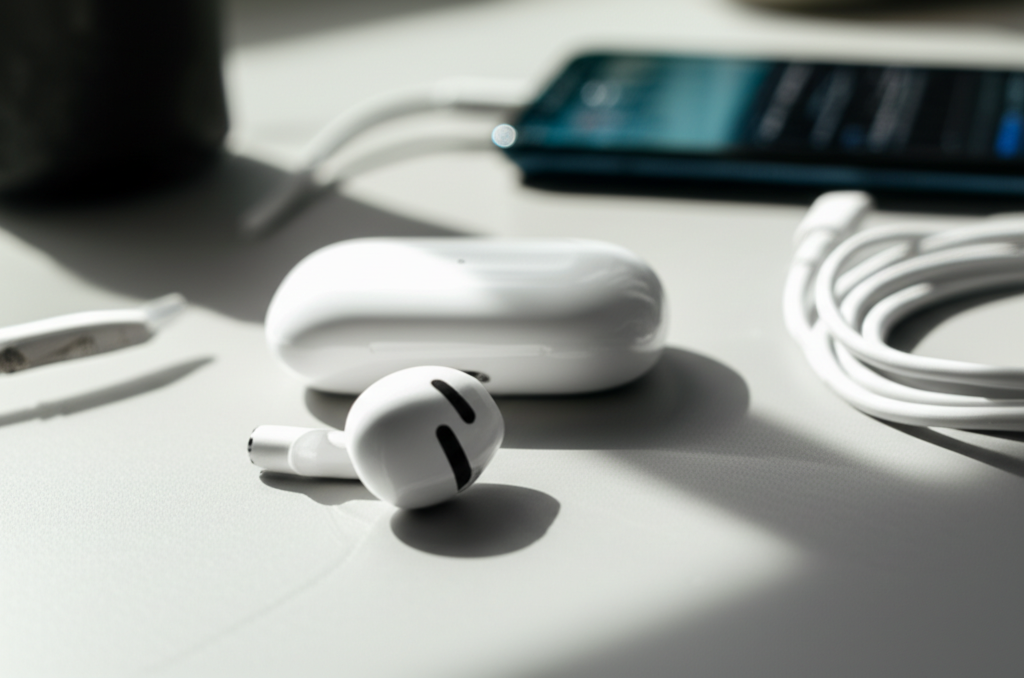
AirPods won’t reconnect? Don’t panic! This guide offers essential fixes and proven solutions to get your AirPods working again, covering simple resets to advanced troubleshooting.
AirPods are incredibly convenient, but what happens when they refuse to reconnect? It’s a frustrating moment when your favorite wireless earbuds suddenly become unresponsive, leaving you disconnected from your music, calls, or podcasts. This issue can stem from various sources, from simple software glitches to Bluetooth pairing problems. But before you consider them a lost cause, know that most reconnection issues are fixable with a few straightforward steps.
This comprehensive guide will walk you through everything you need to know to get your AirPods reconnected and working flawlessly again. We’ll start with the simplest solutions and move towards more in-depth troubleshooting, ensuring you can resolve the problem and get back to enjoying your audio experience. Let’s dive into how to fix your AirPods when they won’t reconnect.
Why Won’t My AirPods Reconnect? Common Causes
When your AirPods won’t reconnect, it’s usually due to a minor hiccup in the connection process. These can range from the AirPods not being properly charged or placed in their case, to software conflicts on your connected device, or even temporary Bluetooth interference. Understanding these common culprits is the first step toward a swift resolution.
Often, a quick check of battery levels or ensuring the AirPods are correctly seated in their charging case can resolve the issue. Sometimes, the problem lies with the device they are trying to connect to, such as an outdated operating system or a full Bluetooth device list. We’ll explore these scenarios and provide clear solutions.
The Quickest Fixes: Basic Troubleshooting Steps
Before diving into complex solutions, it’s always best to try the simplest fixes first. These often resolve the most common reasons why your AirPods won’t reconnect. They are quick, easy, and surprisingly effective for many users experiencing connectivity problems.
These initial steps are designed to refresh the connection and clear any minor software glitches. By ruling out these basic issues, you can quickly determine if a more involved solution is needed. Let’s begin with these essential first steps to get your AirPods back online.
1. Check AirPods and Case Battery Levels

Low battery is a primary reason AirPods might not connect or might disconnect unexpectedly. Ensure both your AirPods and their charging case have sufficient power. Place both AirPods in the charging case and close the lid for at least 30 seconds. Then, open the case near your iPhone or iPad to see the battery status.
If the battery is low, leave the AirPods in the charging case and connect the case to a power source using a Lightning cable or place it on a wireless charger. A fully charged case can recharge your AirPods multiple times, ensuring they are ready for use. Consistent charging habits prevent many connectivity woes.
2. Ensure AirPods Are Properly Seated in the Case
For AirPods to charge and be ready for pairing, they must be correctly placed in their charging case. Each AirPod has a specific spot, and they should sit snugly. Sometimes, a slight misalignment can prevent them from connecting or charging.
Gently remove and reinsert each AirPod, ensuring they click into place. You should see the charging indicator light on the case illuminate, signifying they are recognized and charging. This simple physical check can solve many AirPods won’t reconnect issues.
3. Restart Your Connected Device
Your iPhone, iPad, or Mac might be experiencing a temporary software glitch that’s interfering with Bluetooth connectivity. A simple restart can often clear these temporary issues and re-establish a proper connection with your AirPods. This is a fundamental troubleshooting step for most electronic devices.
To restart your iPhone or iPad, press and hold the side button and either volume button until the power off slider appears, then slide to power off. For Macs, click the Apple menu and select “Restart.” After your device powers back on, try reconnecting your AirPods.
4. Toggle Bluetooth Off and On
Sometimes, the Bluetooth connection itself needs a refresh. Turning Bluetooth off and then back on can force your device to re-scan for available devices and re-establish a clean connection with your AirPods. This is a quick and effective way to reset the wireless link.
On your iPhone or iPad, go to Settings > Bluetooth and toggle the switch off, wait a few seconds, and then toggle it back on. On a Mac, click the Bluetooth icon in the menu bar and select “Turn Bluetooth Off,” then “Turn Bluetooth On.” This simple action can resolve many AirPods won’t reconnect scenarios.
Advanced Troubleshooting for Persistent Connection Problems
If the basic fixes haven’t resolved the issue and your AirPods still won’t reconnect, it’s time to explore more advanced troubleshooting methods. These steps involve resetting connections and ensuring software is up-to-date, addressing deeper software conflicts or pairing data corruption.
These advanced techniques are designed to thoroughly reset the communication channels between your AirPods and your devices, clearing out any corrupted pairing information. By systematically working through these, you can pinpoint and fix the root cause of the problem.
5. Forget and Re-pair Your AirPods
When your AirPods won’t reconnect, the most effective solution is often to “forget” them from your device’s Bluetooth settings and then re-pair them. This process removes all old pairing data and creates a fresh connection. It’s like starting with a clean slate for your AirPods.
On your iPhone or iPad, go to Settings > Bluetooth. Tap the “i” icon next to your AirPods name, then select “Forget This Device.” Confirm your choice. For AirPods Pro and AirPods Max, you might see an option to “Disconnect” before being able to “Forget.”
Once forgotten, place both AirPods in the charging case, close the lid, wait 30 seconds, then open the lid. Press and hold the setup button on the back of the charging case until the status light flashes white. Hold the case near your iPhone or iPad and follow the on-screen prompts to reconnect. This is a crucial step when AirPods won’t reconnect.
6. Reset Your AirPods
Resetting your AirPods can resolve deeper software glitches that simple re-pairing might miss. This process essentially restores your AirPods to their factory default settings, clearing out any internal errors. It’s a more thorough reset than just forgetting them from your device.
To reset your AirPods (all generations, including AirPods Pro and AirPods Max), put both AirPods in the charging case and close the lid. Wait 30 seconds. Open the lid, then press and hold the setup button on the back of the case for about 15-20 seconds, until the status light flashes amber, then white. After the reset, you’ll need to re-pair them with your devices as described in the “Forget and Re-pair” section. This is a powerful solution when AirPods won’t reconnect.
7. Update Your Device’s Software (iOS, iPadOS, macOS)
Outdated operating systems can cause compatibility issues with newer Bluetooth firmware or features of your AirPods. Keeping your iPhone, iPad, or Mac’s software up-to-date is essential for seamless operation and connectivity. Apple frequently releases updates that include bug fixes and performance improvements.
On your iPhone or iPad, go to Settings > General > Software Update. If an update is available, download and install it. On your Mac, go to System Settings (or System Preferences) > General > Software Update. Ensure your devices are connected to Wi-Fi and have sufficient battery power before updating. An updated OS is key to resolving AirPods won’t reconnect issues.
8. Check for AirPods Firmware Updates
While AirPods automatically update their firmware when connected to a Wi-Fi network and charging in their case, sometimes this process can be interrupted. Ensuring your AirPods have the latest firmware can resolve connectivity bugs. There’s no manual way to force an update, but you can encourage it.
Place your AirPods in their charging case, ensure the case is charged, and leave them connected to Wi-Fi. You can also ensure your iPhone or iPad is connected to Wi-Fi and has the latest iOS version. After some time, the firmware should update automatically. You can check your current firmware version in Settings > Bluetooth, tap the “i” next to your AirPods, then tap “About.” This can be crucial if your AirPods won’t reconnect.
Troubleshooting Specific Devices and Scenarios
The methods for resolving AirPods won’t reconnect issues can vary slightly depending on the device you’re trying to connect to, such as a Windows PC or an Android phone. It’s important to consider the specific operating system and its Bluetooth capabilities.
Here, we’ll look at common challenges and solutions when connecting AirPods to non-Apple devices, which often require different approaches than connecting to an iPhone or Mac. Understanding these nuances can save you a lot of frustration.
9. Connecting AirPods to a Windows PC
Connecting AirPods to a Windows PC can sometimes be trickier than connecting to an Apple device. Windows’ Bluetooth drivers or management can be less seamless. If your AirPods won’t reconnect to your PC, start by ensuring Bluetooth is enabled on your computer.
Go to Settings > Devices > Bluetooth & other devices. Click “Add Bluetooth or other device,” then “Bluetooth.” Put your AirPods in the charging case, open the lid, and press and hold the setup button on the back until the light flashes white. Your AirPods should appear in the list. If they don’t, try updating your PC’s Bluetooth drivers via the manufacturer’s website or Device Manager. For persistent issues, forgetting and re-pairing them in Windows Bluetooth settings is recommended.
10. Connecting AirPods to an Android Device
Connecting AirPods to an Android device is generally straightforward, but issues can still arise. Similar to Windows PCs, ensuring Bluetooth is enabled and that your AirPods are in pairing mode is key. Android’s Bluetooth management is also different from iOS.
On your Android device, go to Settings > Connected devices > Connection preferences > Bluetooth. Make sure Bluetooth is on. Put your AirPods in their charging case, open the lid, and press and hold the setup button until the light flashes white. Your AirPods should appear under “Available devices.” Tap on them to pair. If AirPods won’t reconnect, try clearing the Bluetooth cache in your Android device’s app settings or forgetting the AirPods from the Bluetooth list and re-pairing.
11. Troubleshooting AirPods with Multiple Devices
If you use your AirPods with multiple devices (e.g., iPhone, iPad, Mac), they might sometimes connect to the wrong device or struggle to switch. While Apple’s Handoff feature is designed to make this smooth, it can occasionally falter.
To manually switch, disconnect your AirPods from the current device or turn off Bluetooth on that device. Then, open the AirPods case near the device you want to connect to and select them from the Bluetooth menu. If you have an Apple Watch, you can also manage connections from the Watch’s Settings app. Ensure “Automatic Switching” is enabled in your AirPods’ Bluetooth settings on each device for the best experience.
When to Seek Professional Help
If you’ve tried all the troubleshooting steps and your AirPods still won’t reconnect, or if you suspect a hardware issue, it might be time to contact Apple Support or visit an Apple Store. There could be a problem with the AirPods themselves or the charging case.
Apple offers excellent support for their products, and they can diagnose hardware faults and arrange for replacements if necessary. Don’t hesitate to reach out if your own troubleshooting efforts have been exhausted.
Frequently Asked Questions About AirPods Reconnection Issues
Here are answers to some common questions people have when their AirPods won’t reconnect.
What if my AirPods won’t reconnect to my iPhone after an update?
Try forgetting your AirPods from your iPhone’s Bluetooth settings and re-pairing them. Also, restart your iPhone.
Can I reset my AirPods without my iPhone?
Yes, you can reset your AirPods using the setup button on the charging case. You just need the case and the AirPods themselves.
Why do my AirPods keep disconnecting?
This can be due to low battery, interference, outdated software, or a faulty Bluetooth connection. Try the troubleshooting steps outlined above.
My AirPods won’t show up in Bluetooth settings, what do I do?
Ensure they are charged, in pairing mode (light flashing white), and close to your device. Try restarting your device and toggling Bluetooth.
How do I fix AirPods Pro static or connection drops?
Resetting your AirPods Pro, updating your device’s software, and ensuring a clean Bluetooth connection are the best first steps.
Can I use AirPods with my Mac if they won’t connect to my iPhone?
Yes, you can try pairing them with your Mac separately. If they won’t connect to either device, a reset is likely needed.
Conclusion: Getting Your AirPods Connected Again
Experiencing issues when your AirPods won’t reconnect can be frustrating, but as we’ve explored, there are many effective solutions. From simple battery checks and restarts to more advanced steps like resetting and re-pairing, you can almost always restore your AirPods’ connectivity. Always start with the easiest fixes and gradually move to more involved methods.
Keeping your device software updated and your AirPods firmware current are vital for ongoing stable performance. If all else fails, don’t hesitate to leverage Apple’s support resources. With these steps, you should be able to enjoy seamless audio from your AirPods once more.

Belayet Hossain is a Senior Tech Expert and Certified AI Marketing Strategist. Holding an MSc in CSE (Russia) and over a decade of experience since 2011, he combines traditional systems engineering with modern AI insights. Specializing in Vibe Coding and Intelligent Marketing, Belayet provides forward-thinking analysis on software, digital trends, and SEO, helping readers navigate the rapidly evolving digital landscape. Connect with Belayet Hossain on Facebook, Twitter, Linkedin or read my complete biography.