
Published on: 01/09/2025 | Updated on: September 1, 2025
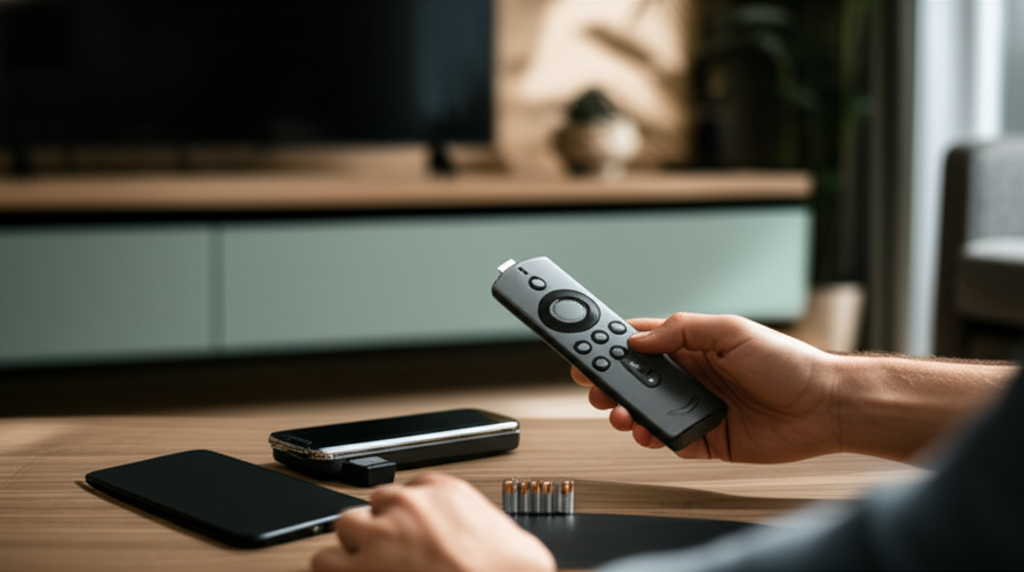
If your Amazon Fire Stick remote isn’t working, you’re not alone. This guide offers genius, step-by-step fixes for common and frustrating issues, ensuring you’re back to streaming in no time.
Experiencing a frozen screen or a remote that suddenly stops responding can be incredibly jarring when you’re just trying to relax with your favorite show. The Amazon Fire Stick is a fantastic gateway to endless entertainment, but a malfunctioning remote can quickly turn that convenience into a source of frustration. Don’t worry, though; most of the time, this is a simple fix that doesn’t require a replacement. I’m here to walk you through a series of effective troubleshooting steps, from the most basic checks to more advanced solutions, to get your Fire Stick remote working perfectly again.
Why Is My Fire Stick Remote Not Working?
When your Amazon Fire Stick remote suddenly stops responding, it can be a perplexing issue. Several common culprits, ranging from simple battery problems to software glitches or connectivity issues, are usually at play. Understanding these potential causes is the first step toward a swift resolution.
The Easiest Fixes First: Batteries and Re-pairing
Before diving into complex solutions, it’s crucial to tackle the most common and often overlooked reasons your Amazon Fire Stick not working with remote. Often, the issue is as simple as dead batteries or a lost connection that needs a quick re-pair.
1. Check and Replace the Batteries

This might sound obvious, but dead or weak batteries are the most frequent reason for a Fire Stick remote to stop working. Always start by replacing the existing batteries with a fresh, new pair. Ensure they are inserted correctly, paying close attention to the positive and negative terminal markings.
Step 1: Gently slide open the battery compartment on the back of your Fire TV remote.
Step 2: Remove the old batteries.
Step 3: Insert two new AAA alkaline batteries, making sure the positive (+) and negative (-) ends align with the corresponding symbols in the compartment.
Step 4: Close the battery compartment by sliding the cover back into place.
Step 5: Test the remote by pressing any button, like the Home button.
If new batteries don’t do the trick, the remote might have lost its pairing with the Fire Stick device.
2. Re-pair Your Fire TV Remote
Sometimes, the Bluetooth connection between your remote and the Fire Stick can be interrupted. Re-pairing the remote is a straightforward process that often resolves connectivity issues.
Step 1: Ensure your Fire Stick is powered on and connected to your TV.
Step 2: Bring your Fire TV remote within a few feet of the Fire Stick device.
Step 3: Press and hold the Home button on your remote for at least 10-20 seconds.
Step 4: You should see an on-screen notification confirming that the remote is paired or that a new remote has been detected.
Step 5: If the pairing is successful, you can now try using your remote to navigate the Fire Stick interface.
This simple re-pairing can often resolve situations where the Amazon Fire Stick not working with remote is due to a lost connection.
Troubleshooting Beyond the Basics
When the initial checks don’t resolve your Fire Stick remote issue, it’s time to explore other potential causes and solutions. These steps involve checking the Fire Stick device itself, its software, and even potential interference.
3. Restart Your Fire Stick Device
A simple restart can resolve many temporary glitches that might be preventing your remote from communicating with the Fire Stick. This is a common fix for various electronic devices and is often effective for streaming sticks too.
Step 1: Unplug the power adapter from your Fire Stick device or the wall outlet.
Step 2: Wait for at least 60 seconds. This ensures that the device completely powers down and clears any temporary memory issues.
Step 3: Plug the power adapter back in.
Step 4: Allow the Fire Stick to fully boot up. This may take a few minutes.
Step 5: Once the Fire Stick home screen appears, try using your remote again.
A quick reboot can often clear up minor software hiccups that might cause your Amazon Fire Stick not working with remote.
4. Check for Interference and Obstructions
Bluetooth devices, including your Fire TV remote, can be affected by physical obstructions or other electronic devices. Ensure there’s a clear line of sight between your remote and the Fire Stick, and minimize potential sources of interference.
Environment Check: Make sure there are no large metal objects or thick walls between the remote and the Fire Stick.
Other Devices: Minimize the presence of other wireless devices that operate on similar frequencies, such as microwaves, cordless phones, or other Bluetooth devices, as they can sometimes cause interference.
Proximity: Keep the remote relatively close to the Fire Stick, especially during initial setup or if you suspect a weak signal.
Addressing environmental factors can sometimes be the overlooked solution when your Amazon Fire Stick not working with remote.
Advanced Troubleshooting Steps
If the simpler methods haven’t worked, we can move on to more involved troubleshooting that addresses potential software conflicts or device-specific issues. These steps require a bit more attention but can be highly effective.
5. Reset Your Fire TV Remote to Factory Settings
If re-pairing didn’t work, a factory reset of the remote itself might be necessary. This process will erase any custom settings or corrupted data on the remote, returning it to its original state.
Step 1: Remove the batteries from your Fire TV remote.
Step 2: Press and hold the Left button on the directional pad, the Menu button (three horizontal lines), and the Back button simultaneously.
Step 3: Hold these buttons for at least 12-15 seconds.
Step 4: Release the buttons.
Step 5: Remove the batteries from the remote.
Step 6: Wait for 30 seconds.
Step 7: Reinsert the batteries.
Step 8: Bring the remote close to your Fire Stick and press the Home button to re-pair it.
This thorough reset can resolve deeper software issues causing your Amazon Fire Stick not working with remote.
6. Check and Update Fire TV Software
Outdated software on your Fire Stick can sometimes lead to compatibility issues with accessories like the remote. Ensuring your Fire TV operating system is up-to-date is a crucial troubleshooting step.
Step 1: Navigate to Settings on your Fire Stick.
Step 2: Select My Fire TV.
Step 3: Choose About.
Step 4: Select Check for Updates.
Step 5: If an update is available, download and install it. Your Fire Stick will restart automatically after the update.
Keeping your Fire TV software current is essential for optimal performance and compatibility, which can prevent issues like the Amazon Fire Stick not working with remote.
7. Check the Fire Stick Device Itself
Sometimes, the issue might not be with the remote but with the Fire Stick device. Ensuring the device is properly powered and its port is functioning correctly is important.
Power Connection: Verify that the power adapter is securely plugged into both the Fire Stick and the power source. Try plugging it directly into a wall outlet rather than a power strip, if possible, to rule out power supply issues.
HDMI Port: Ensure the Fire Stick is properly seated in the HDMI port on your TV. If you’re using an HDMI extender or adapter, try connecting the Fire Stick directly to the TV’s HDMI port to see if that resolves the problem.
Device Overheating: While less common, ensure the Fire Stick device isn’t overheating. If it feels excessively hot, unplug it and let it cool down before trying again.
A well-functioning Fire Stick is crucial for the remote to operate, so checking these aspects can help diagnose if the Amazon Fire Stick not working with remote is a device issue.
Alternative Control Methods
If your primary Fire TV remote remains unresponsive, don’t despair! Amazon offers excellent alternative ways to control your Fire Stick, allowing you to continue enjoying your content while you troubleshoot the main remote.
8. Use the Amazon Fire TV Remote App
The official Amazon Fire TV app for smartphones is a powerful and convenient alternative. It connects to your Fire Stick via Wi-Fi and provides full remote functionality, including voice search and a keyboard for easier text input.
Download: Search for “Amazon Fire TV” in your smartphone’s app store (Google Play Store for Android or Apple App Store for iOS).
Connect: Ensure your smartphone and Fire Stick are on the same Wi-Fi network.
Launch: Open the app and select your Fire TV device from the list. You may need to enter a code displayed on your TV screen.
Control: Once connected, you can use the app to navigate, play/pause, adjust volume, and even use voice commands.
The Fire TV app is an invaluable tool, especially when your physical Amazon Fire Stick remote not working with remote. You can even use it to perform some of the troubleshooting steps above, like checking for updates.
9. Use a USB Keyboard and Mouse
For a more direct input method, you can connect a USB keyboard and mouse to your Fire Stick. This is particularly useful for navigating menus, typing in search queries, or entering login credentials.
Compatibility: Most standard USB keyboards and mice will work, but some Fire TV models might require a USB OTG (On-The-Go) adapter if they only have a micro-USB port.
Connection: Plug the keyboard or mouse directly into the USB port on your Fire Stick (if available) or via an OTG adapter.
Usage: Once connected, you should be able to use the keyboard’s arrow keys and Enter key for navigation, and the mouse pointer for selection.
This method offers a reliable workaround, especially if you’re experiencing persistent issues with your Amazon Fire Stick not working with remote.
When All Else Fails: Consider a Replacement
If you’ve exhausted all troubleshooting steps and your remote still isn’t functioning, it might be time to consider a replacement. Fortunately, Amazon offers various remote options, including enhanced voice remotes and basic ones.
10. Replace Your Fire TV Remote
If your remote is physically damaged, or simply beyond repair, purchasing a new one is the most straightforward solution. Amazon provides official replacement remotes that are guaranteed to work with your Fire Stick.
Official Remotes: You can buy directly from Amazon’s website or through authorized retailers. Look for remotes specifically designed for your Fire TV model (e.g., Fire TV Stick Lite, Fire TV Stick 4K, Fire TV Cube).
Third-Party Remotes: While third-party remotes exist, it’s generally recommended to stick with official Amazon remotes for guaranteed compatibility and performance.
Pairing a New Remote: Once you receive your new remote, follow the pairing instructions mentioned earlier (press and hold the Home button) to connect it to your Fire Stick.
Replacing a faulty remote is often the quickest way to get back to uninterrupted streaming when your Amazon Fire Stick not working with remote persists.
Frequently Asked Questions (FAQ)
Q1: My Fire Stick remote isn’t working at all. What’s the first thing I should check?
A: Always start by checking and replacing the batteries. Ensure they are new and inserted correctly with the proper polarity.
Q2: How do I re-pair my Fire TV remote if it stops responding?
A: Bring the remote close to your Fire Stick, then press and hold the Home button for about 10-20 seconds until you see an on-screen notification that it’s paired.
Q3: Can I control my Fire Stick without the remote?
A: Yes, you can download and use the official Amazon Fire TV app on your smartphone, which functions as a full-featured remote control.
Q4: My Fire Stick remote works sometimes but not others. What could be the issue?
A: This could be due to weak batteries, interference from other electronic devices, or a need to restart both the remote and the Fire Stick device.
Q5: How do I factory reset my Fire TV remote?
A: For most Alexa Voice Remotes, press and hold the Left, Menu, and Back buttons simultaneously for at least 12-15 seconds, then remove and reinsert batteries and re-pair.
Q6: My Fire TV remote is not compatible with my Fire Stick. What should I do?
A: Ensure you have purchased a remote specifically designed for your Fire Stick model. If it’s an official Amazon remote and still incompatible, contact Amazon customer support.
Conclusion
Dealing with an Amazon Fire Stick not working with remote can be a temporary setback, but as we’ve explored, there are numerous effective solutions. From the simplest battery checks and re-pairing procedures to software updates, device restarts, and using alternative control methods like the Fire TV app, you have a comprehensive toolkit to get your streaming experience back on track. By systematically working through these genius fixes, you can usually resolve the issue quickly and efficiently, ensuring your Amazon Fire Stick remains the entertainment hub it’s meant to be.

Belayet Hossain is a Senior Tech Expert and Certified AI Marketing Strategist. Holding an MSc in CSE (Russia) and over a decade of experience since 2011, he combines traditional systems engineering with modern AI insights. Specializing in Vibe Coding and Intelligent Marketing, Belayet provides forward-thinking analysis on software, digital trends, and SEO, helping readers navigate the rapidly evolving digital landscape. Connect with Belayet Hossain on Facebook, Twitter, Linkedin or read my complete biography.