


Published on: 02/09/2025 | Updated on: September 2, 2025
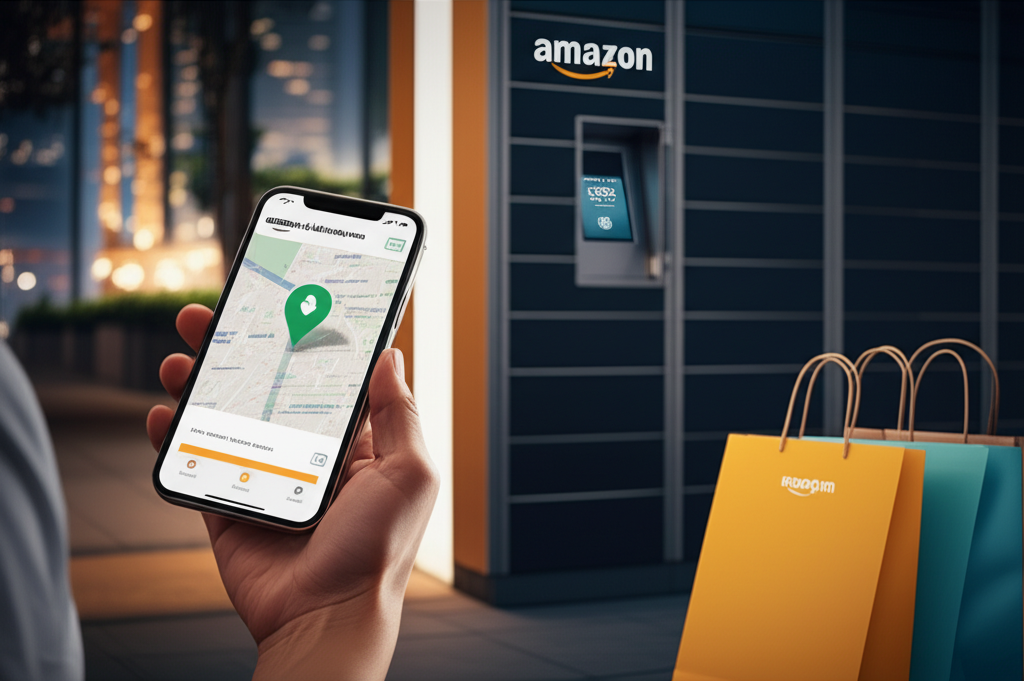
Find Amazon Locker Near Me: Your Ultimate Guide to Convenient Amazon Deliveries. Discover how to locate, use, and troubleshoot Amazon Lockers for secure and flexible package pickup. This guide covers everything you need to know for a seamless Amazon Locker experience, ensuring your packages are always within reach.
Navigating the world of online shopping often brings up one question: where will my package end up? For many, the answer is an Amazon Locker, a secure and convenient pickup point. But how do you find an “Amazon Locker near me” when you need one? This guide is designed to demystify the process, turning potential delivery frustration into effortless package retrieval. We’ll walk you through locating lockers, understanding how they work, and ensuring your Amazon shopping experience is as smooth as possible.
Why Choose an Amazon Locker for Your Deliveries?
Amazon Lockers offer a smart solution for modern delivery challenges. They provide security, flexibility, and often faster access to your items compared to traditional home delivery.
The Convenience Factor: Unlocking Flexible Deliveries

Amazon Lockers are strategically placed in high-traffic, accessible locations, making package pickup a breeze. Whether you’re on your commute, running errands, or simply out and about, finding a locker that fits your schedule is often easier than coordinating a home delivery. This flexibility is a game-changer for those with busy or unpredictable schedules.
Security Assured: Protecting Your Purchases
One of the primary benefits of using an Amazon Locker is the enhanced security it provides. Packages are stored in a secure, access-controlled unit, significantly reducing the risk of porch theft or missed deliveries. You receive a unique pickup code, ensuring only you can access your parcel.
How to Find an Amazon Locker Near Me: A Step-by-Step Approach
Locating an Amazon Locker is a straightforward process integrated directly into your Amazon shopping experience. By following these steps, you can easily find the most convenient locker for your needs.
Step 1: Initiate Your Amazon Purchase
Begin by browsing and adding items to your Amazon cart as you normally would. The locker functionality is an option during the checkout process.
Step 2: Select Delivery Options at Checkout
Proceed to checkout. On the delivery address page, you’ll see options to choose your delivery location.
Step 3: Discover Amazon Lockers on the Map
Look for the “Choose a delivery location” or “Pick up at an Amazon Locker” option. Clicking this will typically display a map interface.
Step 4: Utilize the Location Search Function
The map interface usually features a search bar. Enter your current location, a specific address, or even just your zip code to find nearby Amazon Lockers. The system will then display available lockers with their addresses.
Step 5: Choose Your Preferred Locker
Review the list or map of available Amazon Lockers. Consider factors like proximity to your home or work, operating hours, and reviews if available. Select the locker that best suits your needs.
Step 6: Confirm Your Locker Selection
Once you’ve chosen a locker, confirm your selection. It will then be added as your delivery destination for that order.
This systematic approach ensures you can easily integrate Amazon Locker pickups into your shopping habits, making package retrieval efficient and secure.
Understanding Amazon Locker Locations and Types
Amazon Lockers are more than just a delivery point; they represent a network of accessible and secure pickup points designed to fit your lifestyle.
The Classic Amazon Locker Network
These are the most common type of lockers, often found in retail stores, shopping centers, and public transportation hubs. They are easily identifiable by their distinctive blue and silver design.
Amazon Lockers in Retail Partnerships
Amazon collaborates with various retailers to host lockers within their stores. This offers a dual benefit: you can pick up your Amazon packages while shopping or running other errands.
Amazon Hub Counter: A Variation on the Theme
While not strictly “Lockers,” Amazon Hub Counters offer a similar pickup experience. These are staffed locations, often at local businesses like convenience stores or dry cleaners, where you can pick up your packages. The process is similar: you receive a code and collect your parcel from the counter.
Geographic Availability: Where Can You Find Them?
Amazon Lockers are widely available in major metropolitan areas and increasingly in suburban and rural locations. Their expansion is ongoing, aiming to provide convenient access to more customers.
The Amazon Locker Pickup Process: What to Expect
Picking up your Amazon package from a locker is designed to be a quick and intuitive experience, leveraging technology for security and ease.
Receiving Your Pickup Notification
Once your package arrives at the locker, Amazon will send you an email and often an app notification. This message contains a unique 6-digit code and a barcode for your pickup.
Locating the Specific Locker Unit
The notification will usually specify which locker unit your package is in, identified by a number. When you arrive at the locker bank, look for that particular unit.
Accessing the Locker Door
You’ll typically interact with a touchscreen interface on the locker bank. Enter your 6-digit pickup code or scan the barcode provided. The system will then automatically open the specific locker door containing your package.
Collecting Your Item(s)
Open the unlocked door, retrieve your package, and close the door. Some locker systems may require you to confirm pickup on the screen.
This streamlined process ensures that collecting your Amazon orders is a hassle-free part of your day.
What If Your Package Doesn’t Fit? Navigating Size Restrictions
Amazon Lockers are designed for a wide range of package sizes, but there are limitations. Understanding these restrictions helps prevent issues during checkout.
Standard Locker Dimensions
Most Amazon Lockers can accommodate packages up to 17 x 14 x 12 inches. This size is suitable for a vast majority of common Amazon orders, from books to small electronics.
Exceeding the Limits: What Happens?
If your order is too large or too heavy for a locker, Amazon will notify you during checkout. In such cases, you’ll need to select an alternative delivery address, such as your home or a different pickup location.
Avoiding Size Issues
When selecting a locker, Amazon’s system automatically checks if your cart’s contents will fit. If there’s any doubt, it will prompt you to choose another option. This proactive measure helps prevent disappointment upon arrival.
Troubleshooting Common Amazon Locker Issues
While the Amazon Locker system is generally reliable, occasional issues can arise. Knowing how to address them can save you time and frustration.
Issue: Locker Code Not Working
If your pickup code isn’t recognized, double-check that you’ve entered it correctly. Ensure you’re using the correct code for the specific locker bank. If the problem persists, contact Amazon customer service.
Issue: Locker Door Won’t Open
Verify that you’ve selected the correct locker unit number. Sometimes, a slight delay or a system glitch can occur. Try re-entering your code or using the barcode scan. If the door remains stubbornly shut, reach out to Amazon support for assistance.
Issue: Package Left in the Wrong Locker
Mistakes can happen, though they are rare. If you believe your package was placed in an incorrect locker unit, do not attempt to open it. Contact Amazon customer service immediately with the locker location and your order details.
Issue: Locker is Full or Out of Service
Occasionally, a locker bank might be full or temporarily out of service. Amazon usually tries to redirect your delivery to another nearby locker or a different pickup point. Always check your email for any updated delivery information.
Contacting Amazon Support for Locker Issues
Amazon customer service is your primary resource for any locker-related problems. You can typically reach them through the “Help” section on the Amazon website or app, where you can chat, call, or email.
Amazon Returns via Locker: A Seamless Process
Amazon Lockers aren’t just for receiving packages; they also offer a convenient way to return items. This service streamlines the often-dreaded return process.
Initiating a Return
Start your return as usual through your Amazon account. When prompted for a return method, select “Return to an Amazon Locker” or a similar option.
Generating Your Return Code
Amazon will provide you with a return code, similar to the pickup code, and often a barcode. You’ll also receive instructions on which locker bank to use.
Dropping Off Your Return
Take your securely packaged item to the designated locker. Use the provided code or barcode to open an available locker. Place the item inside and close the door.
Confirmation of Return
Once the locker is closed, the return is registered. You’ll receive a confirmation that your item has been dropped off. Amazon will process your refund once they receive and inspect the item at their facility.
This locker return system offers a secure and contact-free way to send items back, making the entire process efficient.
Comparing Amazon Locker with Other Delivery Options
Understanding how Amazon Lockers stack up against other delivery methods can help you choose the best option for each order.
Amazon Locker vs. Home Delivery
Home delivery offers the ultimate convenience of packages arriving at your doorstep. However, it requires someone to be present or risks theft and missed deliveries. Lockers offer enhanced security and flexibility but require you to travel to the pickup point.
Amazon Locker vs. Amazon Hub Counter
Both offer secure pickup, but Hub Counters are staffed, which can be helpful if you have questions or need assistance. Lockers are fully automated and often available 24/7, offering greater independence.
Amazon Locker vs. Package Receiving Services
Services like P.O. boxes or mail forwarding companies can receive packages. However, they often come with subscription fees and may not be as integrated with Amazon’s delivery network as lockers.
The best option depends on your personal schedule, security concerns, and proximity to these various pickup points.
The Future of Amazon Locker and Smart Deliveries
Amazon continues to innovate in delivery solutions, and the locker network is a key part of its strategy. Expect further expansion and integration with other smart technologies.
Increased Locker Network Density
Amazon is likely to continue expanding the number and geographic reach of its lockers. This means finding an “Amazon Locker near me” will become even easier in more locations.
Integration with Smart Home Technology
Future iterations might see tighter integration with smart home devices, allowing for even more seamless pickup notifications and potentially even remote unlocking for authorized users.
Enhanced Security Features
As technology evolves, so too will the security protocols for Amazon Lockers, potentially incorporating more advanced biometric or encryption methods.
The evolution of Amazon Lockers reflects a broader trend towards smart, secure, and customer-centric delivery solutions.
Frequently Asked Questions about Amazon Lockers
Here are answers to some common questions about using Amazon Lockers for your deliveries and returns.
Can I ship items to an Amazon Locker if they aren’t from Amazon?
Generally, Amazon Lockers are intended for packages shipped directly from Amazon. Sellers on Amazon who fulfill their own orders might have different shipping policies. It’s best to confirm with the seller or check Amazon’s guidelines.
How long do I have to pick up my package from an Amazon Locker?
You typically have three calendar days from when your package is delivered to the locker to pick it up. If you don’t collect it within this timeframe, Amazon will usually retrieve the package, issue a refund, and return the item to its seller.
Can I return items to any Amazon Locker?
Not all lockers accept returns. When initiating a return, Amazon will specify if a locker return is an option and will direct you to a locker location that accepts returns.
What happens if my package is too big for the locker?
If your order exceeds the locker’s size restrictions, Amazon will notify you during checkout and require you to select an alternative delivery address, such as your home address or another available pickup point.
Is there a fee for using Amazon Lockers?
Using Amazon Lockers for delivery is typically free. However, there might be fees associated with specific Amazon services that utilize lockers, but for standard Amazon.com orders, it’s a complimentary service.
Do I need to have the Amazon app to pick up my package?
While the Amazon app can provide notifications, you don’t necessarily need it to pick up your package. You will receive an email with a pickup code and barcode that you can use directly at the locker.
Conclusion: Your Go-To for Secure and Convenient Amazon Deliveries
Finding an “Amazon Locker near me” is more than just a convenience; it’s a smart strategy for secure and flexible package management. By understanding how to locate, use, and troubleshoot these handy pickup points, you can significantly enhance your online shopping experience. Whether you’re avoiding missed deliveries, protecting your purchases from theft, or simply preferring to pick up packages on your own schedule, Amazon Lockers offer a reliable solution. As Amazon continues to expand its locker network and integrate new technologies, these pickup points are set to become an even more integral part of our digital lives. So next time you shop on Amazon, consider selecting a locker—it might just be the most convenient delivery option yet.

Belayet Hossain is a Senior Tech Expert and Certified AI Marketing Strategist. Holding an MSc in CSE (Russia) and over a decade of experience since 2011, he combines traditional systems engineering with modern AI insights. Specializing in Vibe Coding and Intelligent Marketing, Belayet provides forward-thinking analysis on software, digital trends, and SEO, helping readers navigate the rapidly evolving digital landscape. Connect with Belayet Hossain on Facebook, Twitter, Linkedin or read my complete biography.