
Published on: 04/09/2025 | Updated on: September 4, 2025
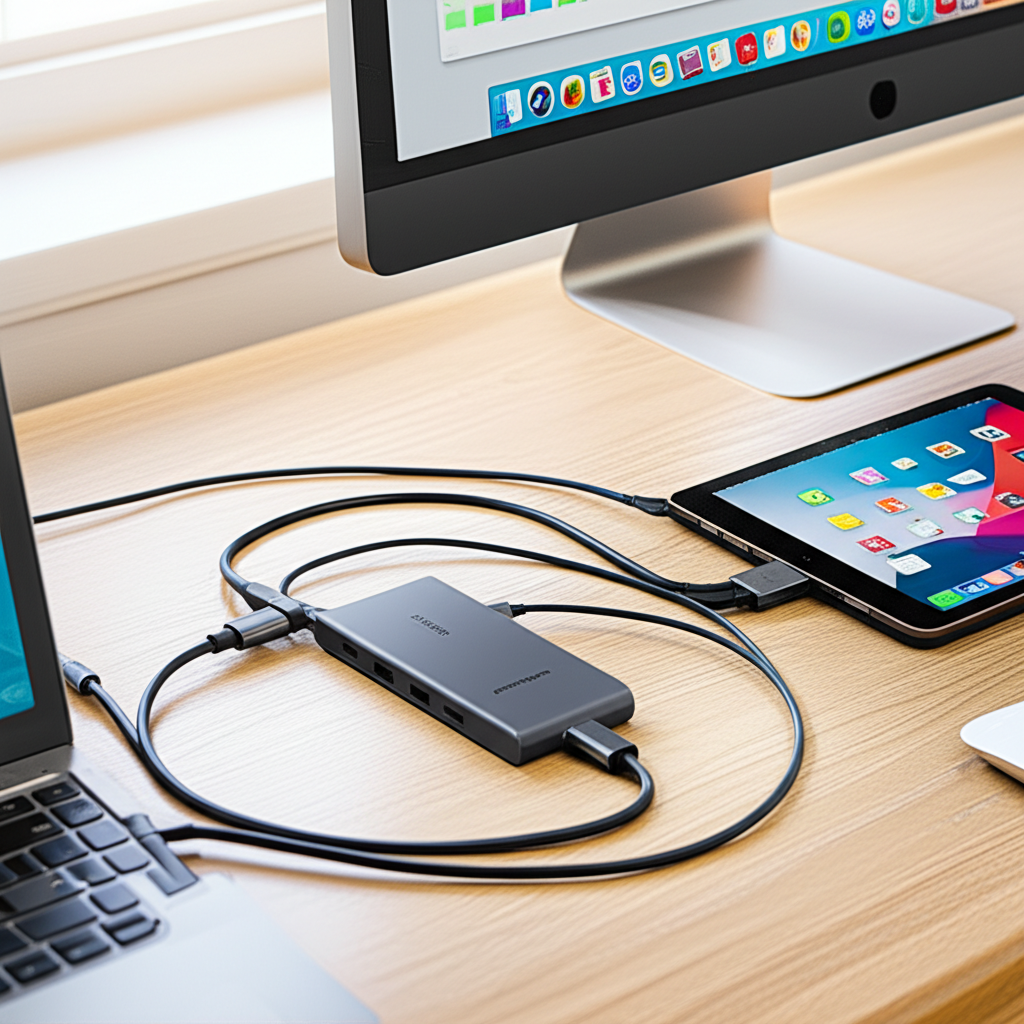
The Anker PowerExpand+ USB-C Hub is a vital upgrade for modern classrooms, offering essential connectivity solutions for educators and students alike, transforming digital learning experiences.
In today’s digitally integrated classrooms, the challenge of connecting various devices and peripherals to a single source can be a constant source of frustration for educators. Whether it’s projecting presentations, accessing external storage, or charging multiple gadgets, a lack of ports can significantly disrupt workflow and learning. This is where a reliable USB-C hub becomes indispensable. I’ve personally found that a robust hub like the Anker PowerExpand+ USB-C Hub can be a game-changer, simplifying connectivity and enhancing the overall classroom experience. Let’s dive into how this single device can become your classroom’s technological backbone.
Unlocking Classroom Potential with the Anker PowerExpand+ USB-C Hub
The Anker PowerExpand+ USB-C Hub is a powerhouse of connectivity, designed to bridge the gap between modern USB-C devices and the diverse peripherals educators and students rely on daily. It’s an essential upgrade that streamlines the often-cluttered tech setup in educational environments, making lessons more fluid and engaging. This hub effectively consolidates multiple connection needs into one sleek, portable device.
The Modern Classroom’s Connectivity Conundrum
Modern classrooms are increasingly reliant on technology, from laptops and tablets to projectors and external hard drives. However, many newer devices, especially ultrabooks and MacBooks, feature limited USB-C ports, creating a bottleneck for essential peripherals. This scarcity of ports often leads to juggling adapters, creating a mess of cables, and interrupting valuable teaching time.
Anker PowerExpand+ USB-C Hub: A Versatile Solution
The Anker PowerExpand+ USB-C Hub addresses this by providing a comprehensive array of ports, transforming a single USB-C port into a multitude of connectivity options. This allows for simultaneous connection of displays, USB-A devices, SD cards, and power delivery, making it a truly versatile tool for any educational setting.
Key Features and Specifications That Matter for Education
When evaluating a USB-C hub for classroom use, certain features stand out. The Anker PowerExpand+ USB-C Hub excels in offering a balanced mix of high-speed data transfer, reliable video output, and robust power delivery, all within a durable and portable design.
High-Speed Data Transfer

The inclusion of USB 3.0 ports ensures rapid data transfer speeds, crucial for quickly loading presentations, accessing student work from USB drives, or transferring large educational files. This minimizes waiting times and keeps the focus on learning.
Crystal-Clear Video Output
With HDMI and sometimes DisplayPort outputs, the hub enables seamless connection to projectors and monitors, supporting high resolutions for clear visuals. This is paramount for effective multimedia presentations and interactive lessons.
Power Delivery Capabilities
Many models feature USB-C Power Delivery (PD) ports, allowing you to charge your laptop or tablet directly through the hub. This eliminates the need for a separate charger, decluttering the workspace and ensuring devices remain powered throughout the day.
SD and MicroSD Card Readers
Integrated card readers are invaluable for educators who use cameras or other devices that store media on SD cards. Quick access to photos, videos, or lesson materials is made simple.
Bridging the Gap: Connecting Diverse Devices
The primary strength of the Anker PowerExpand+ USB-C Hub lies in its ability to connect a wide range of devices that may not have native USB-C ports. This includes older projectors, keyboards, mice, external hard drives, and webcams, ensuring compatibility with existing classroom equipment.
Seamless Presentation Projection
Connecting your laptop to a classroom projector or interactive whiteboard is often a primary use case. The hub’s HDMI output ensures a stable, high-resolution connection, making your presentations sharp and engaging for all students.
Peripheral Compatibility
From essential accessories like a wireless mouse and keyboard to specialized educational tools, the hub’s USB-A ports accommodate a variety of peripherals. This expands the functionality of even the most port-limited devices.
Storage and Data Management
Accessing external SSDs, USB flash drives, or even older external hard drives is effortless. The high-speed data ports allow for quick file transfers, vital for managing digital resources and student projects.
Enhancing Interactive Learning Experiences
Beyond basic connectivity, the Anker PowerExpand+ USB-C Hub can significantly enhance interactive learning. By enabling the connection of multiple devices simultaneously, educators can create more dynamic and collaborative classroom environments.
Multi-Display Setups
For advanced lessons or demonstrations, connecting to both a projector and a separate monitor allows for more flexibility. This can facilitate differentiated instruction or provide students with multiple views of content.
Connecting Interactive Peripherals
Interactive whiteboards, drawing tablets, and other touch-sensitive devices can be easily integrated, turning passive learning into active participation. The hub ensures these devices receive stable power and data signals.
Powering Through the School Day: Charging Solutions
A common classroom challenge is ensuring all essential devices remain charged. The Power Delivery feature on many Anker hubs is a lifesaver, simplifying charging and reducing cable clutter.
Single-Cable Charging
Many Anker PowerExpand+ models support USB-C Power Delivery up to 100W. This means you can charge your laptop at full speed while using all the hub’s other ports, all through a single USB-C cable.
Charging Multiple Devices
While the primary PD port is for your host device, the hub often includes additional USB-A ports that can supply power to charge smartphones, tablets, or other smaller educational gadgets. This consolidates charging needs effectively.
Portability and Durability: Built for the Classroom Environment
Educational settings often require devices to be moved between classrooms or taken home. The Anker PowerExpand+ USB-C Hub is designed with portability and durability in mind, making it a practical choice for busy educators.
Compact and Lightweight Design
Its small footprint means it takes up minimal desk space and is easy to pack in a laptop bag. This makes transitioning between different teaching environments seamless.
Robust Construction
Anker is known for its quality build. The hub’s solid construction helps it withstand the rigors of daily use, accidental bumps, and being transported regularly, ensuring long-term reliability.
Anker PowerExpand+ USB-C Hub vs. Competitors: What Sets It Apart?
While many USB-C hubs are available, the Anker PowerExpand+ series often stands out due to its blend of performance, reliability, and value. I’ve tested numerous hubs, and Anker consistently delivers on its promises.
Reliability and Build Quality
Anker’s reputation for robust, high-quality products extends to their hubs. They tend to use premium materials and undergo rigorous testing, leading to fewer failures compared to lesser-known brands.
Optimized Performance
Anker often focuses on delivering the advertised speeds for data transfer and video output, ensuring a smooth user experience without frustrating bottlenecks. This commitment to performance is crucial in a demanding classroom setting.
Customer Support and Warranty
A strong warranty and responsive customer support are invaluable, especially for tech used in an educational context where downtime is costly. Anker generally offers excellent support, providing peace of mind.
Feature Set for the Price
Compared to other premium brands, Anker often provides a very competitive feature set for the price point. You get high-speed ports, reliable PD, and solid build quality without an exorbitant cost.
Choosing the Right Anker PowerExpand+ Model for Your Classroom Needs
Anker offers various models within the PowerExpand+ line, each with slightly different port configurations. Understanding your specific classroom requirements will help you select the ideal hub.
Consider Your Primary Devices
Are you primarily using a laptop, or do you also connect tablets? Knowing the types of devices you’ll be connecting will inform your port needs.
Essential Ports Checklist
Make a list of the peripherals you use most frequently: HDMI for projectors, USB-A for mice/keyboards, SD card readers, Ethernet, etc. Then, match these to the hub’s offerings.
Power Delivery Requirements
If you need to charge your laptop at its fastest speed, ensure the hub supports a sufficiently high wattage PD. For most modern laptops, 60W or 87W is ample.
Specific Classroom Use Cases
For a computer lab, you might need more USB-A ports for peripherals. For a presentation-heavy classroom, robust video output and HDMI are key.
Here’s a quick comparison of popular Anker PowerExpand+ hubs:
| Model Name | Key Ports | Max HDMI Resolution | Power Delivery | Notes |
|—|—|—|—|—|
| PowerExpand+ 7-in-1 USB-C PD Ethernet Hub | HDMI, 3x USB-A 3.0, Ethernet, SD/MicroSD | 4K@30Hz | Up to 100W (host) | Excellent all-rounder for most classrooms. |
| PowerExpand+ 6-in-1 USB-C PD Media Hub | HDMI, 2x USB-A 3.0, SD/MicroSD, USB-C Data | 4K@30Hz | Up to 100W (host) | Good for media-focused use, lacks Ethernet. |
| PowerExpand+ 8-in-1 USB-C PD Media Hub | HDMI, 2x USB-A 3.0, SD/MicroSD, USB-C Data, Ethernet | 4K@60Hz | Up to 100W (host) | Higher refresh rate for smoother visuals, more ports. |
Integrating the Anker PowerExpand+ USB-C Hub into Your Teaching Workflow
Adopting new technology can sometimes feel daunting, but integrating the Anker PowerExpand+ USB-C Hub is straightforward. Its plug-and-play nature means minimal setup is required, allowing you to focus on teaching.
Simple Plug-and-Play Setup
Most Anker hubs are designed for immediate use. Simply plug the hub into your laptop’s USB-C port, and connect your peripherals to the hub. No software installation is typically needed.
Cable Management Solutions
To maintain a clean and organized teaching station, consider using short, high-quality USB-C cables and Velcro ties. This reduces visual clutter and prevents cable tangles.
Troubleshooting Common Issues
While rare, if you encounter issues, try unplugging and replugging the hub and your devices. Ensure your laptop’s USB-C port supports DisplayPort Alternate Mode and Power Delivery. Consulting Anker’s support resources is also highly recommended.
The Future of Connectivity in Education
As technology continues to evolve, USB-C is becoming the universal standard for connectivity. Investing in a quality USB-C hub like the Anker PowerExpand+ ensures your classroom is future-proofed, ready to adapt to new devices and teaching methodologies.
Embracing the USB-C Ecosystem
USB-C offers a single, versatile port for data, video, and power. By leveraging hubs, educators can maximize the utility of this standard, creating more efficient and adaptable learning environments.
AI and Smart Classroom Integration
As AI tools and smart devices become more prevalent in education, reliable connectivity will be even more critical. A robust hub like the Anker PowerExpand+ provides the necessary bandwidth and ports to support these emerging technologies.
Frequently Asked Questions About the Anker PowerExpand+ USB-C Hub
Can I charge my laptop and use other ports simultaneously with the Anker PowerExpand+ USB-C Hub?
Yes, most Anker PowerExpand+ hubs feature USB-C Power Delivery, allowing you to charge your laptop while using the hub’s other ports for data transfer or video output.
Will the Anker PowerExpand+ USB-C Hub work with all USB-C laptops?
It will work with most laptops that have a USB-C port supporting DisplayPort Alternate Mode and Power Delivery. Always check your laptop’s specifications.
What is the maximum resolution and refresh rate I can expect from the HDMI port?
This varies by model. Many Anker PowerExpand+ hubs support 4K resolution at 30Hz, while some newer models offer 4K at 60Hz for smoother visuals.
Is the Anker PowerExpand+ USB-C Hub durable enough for daily classroom use?
Yes, Anker is known for its durable build quality. The hubs are designed to withstand regular use and transport.
Do I need to install any drivers for the Anker PowerExpand+ USB-C Hub?
Typically, no. Most Anker hubs are plug-and-play, meaning they are recognized by your operating system automatically without needing driver installation.
Can I connect multiple external monitors to the Anker PowerExpand+ USB-C Hub?
This depends on the specific model and your laptop’s capabilities. Some advanced hubs support dual displays, but most standard models are designed for a single external display.
Conclusion: A Smart Investment for Smarter Classrooms
The Anker PowerExpand+ USB-C Hub isn’t just another accessory; it’s a fundamental upgrade that empowers educators to leverage technology more effectively. By consolidating connectivity needs, ensuring reliable performance, and offering robust build quality, it solves a common pain point in modern classrooms. I highly recommend the Anker PowerExpand+ USB-C Hub as an essential tool for any teacher or educational institution looking to enhance digital learning experiences, streamline workflows, and create a more connected, efficient, and engaging classroom environment. It’s an investment that pays dividends in smoother lessons and more focused students.

Belayet Hossain is a Senior Tech Expert and Certified AI Marketing Strategist. Holding an MSc in CSE (Russia) and over a decade of experience since 2011, he combines traditional systems engineering with modern AI insights. Specializing in Vibe Coding and Intelligent Marketing, Belayet provides forward-thinking analysis on software, digital trends, and SEO, helping readers navigate the rapidly evolving digital landscape. Connect with Belayet Hossain on Facebook, Twitter, Linkedin or read my complete biography.