
Published on: 07/09/2025 | Updated on: September 7, 2025
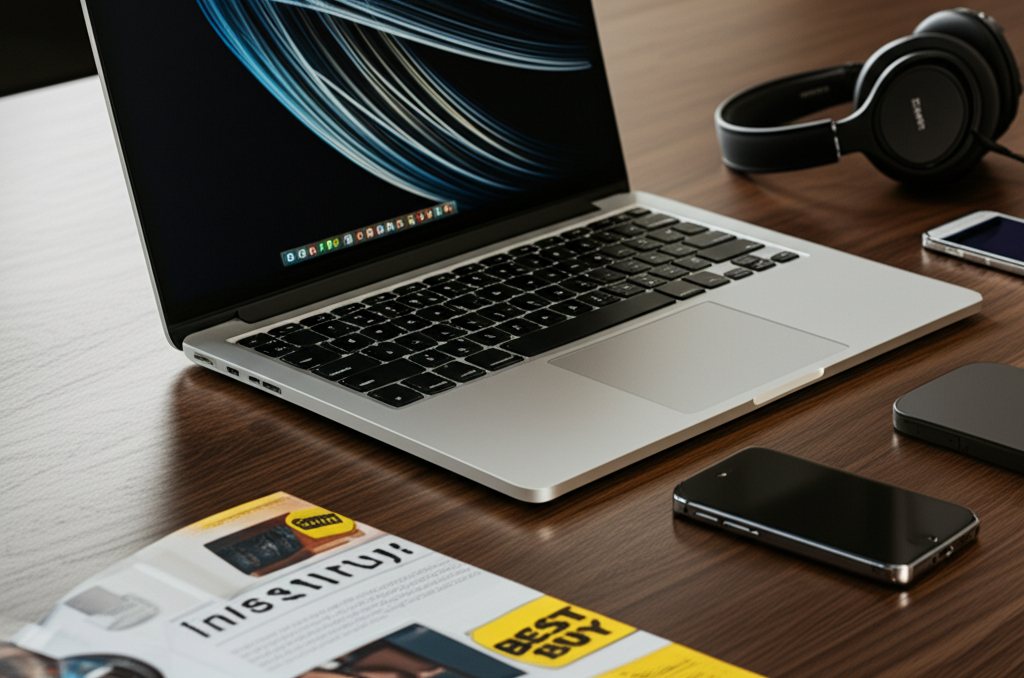
Buying a laptop at Best Buy can be a seamless experience with this essential guide. We’ll navigate the aisles (virtual or physical) to help you find the perfect device, covering everything from understanding your needs to maximizing your purchase.
Buying A Laptop At Best Buy: Your Essential Guide to Smart Tech Shopping
Navigating the vast sea of laptops can feel overwhelming, especially when you’re standing in a bustling electronics store like Best Buy. With countless brands, models, and confusing specifications, it’s easy to feel lost or make a choice you might later regret. But don’t worry, I’m here to be your trusted tech advisor. This guide will simplify the process, ensuring you walk out with the right laptop for your needs and budget.
Why Best Buy is a Top Choice for Laptop Purchases
Best Buy stands out as a premier destination for buying laptops due to its extensive selection and customer-focused approach. You’ll find a diverse range of brands, from budget-friendly options to high-end powerhouse machines, catering to every user and price point. Their knowledgeable staff can offer in-person assistance, and their competitive pricing often includes exclusive deals and bundles.
The sheer variety available at Best Buy makes it a convenient one-stop shop for all your computing needs. Whether you’re a student needing a portable device for classes or a professional requiring a robust workstation, Best Buy likely has a model that fits the bill. Their commitment to customer satisfaction, including easy return policies, further solidifies their position as a reliable retailer for significant tech purchases.
Understanding Your Laptop Needs: The Foundation of a Smart Purchase
Before you even step into Best Buy or browse their website, the most crucial step is understanding precisely what you need a laptop for. This self-assessment will save you time, money, and potential frustration. Think about your daily tasks, your budget, and any specific software you’ll be running.
Are you primarily using your laptop for web browsing, email, and word processing? Or do you need a machine capable of demanding tasks like video editing, graphic design, or gaming? Your intended use dictates the necessary processing power, RAM, storage, and graphics capabilities.
Consider portability as well. Will you be carrying your laptop around campus, to coffee shops, or on business trips frequently? If so, a lighter, more compact model with a longer battery life will be essential. Conversely, if the laptop will mostly stay on a desk, a larger screen and more powerful (potentially heavier) machine might be perfectly acceptable.
Deconstructing Laptop Specifications: What Really Matters
Laptop specifications can seem like a foreign language, but understanding a few key components will empower your buying decision. These are the core elements that determine a laptop’s performance and capabilities.
Processor (CPU): The Brains of the Operation

The processor is the engine of your laptop, handling all the calculations and instructions. For everyday tasks like browsing and document creation, an Intel Core i3 or AMD Ryzen 3 is usually sufficient. If you plan on multitasking, light photo editing, or some casual gaming, a Core i5 or Ryzen 5 offers a good balance of performance and price. For intensive tasks like video editing, gaming, or running virtual machines, you’ll want to look at Intel Core i7/i9 or AMD Ryzen 7/9 processors.
Random Access Memory (RAM): The Workspace for Multitasking
RAM is your laptop’s short-term memory, allowing you to run multiple applications simultaneously without slowdowns. 8GB of RAM is the minimum for a smooth experience with modern operating systems and applications. For more demanding users, 16GB is highly recommended, especially if you frequently switch between many programs or use memory-intensive software.
Storage: Where Your Data Lives
Storage capacity refers to how much data you can store on your laptop. There are two main types: Hard Disk Drives (HDDs) and Solid State Drives (SSDs). SSDs are significantly faster, making your laptop boot up quicker and applications load almost instantly. While HDDs offer more storage for less money, the performance boost from an SSD is well worth the investment for most users. Aim for at least a 256GB SSD, with 512GB or more being ideal for storing large files and many applications.
Graphics Card (GPU): For Visual Power
For most users, the integrated graphics processor (built into the CPU) is perfectly adequate for daily tasks and watching videos. However, if you’re a gamer, video editor, or graphic designer, a dedicated graphics card (GPU) from NVIDIA or AMD is essential. These discrete GPUs have their own memory and are designed for handling graphically intensive workloads.
Navigating the Brands and Models at Best Buy
Best Buy carries a wide array of laptop brands, each with its own strengths and target audience. Understanding these can help narrow down your choices significantly.
Dell: Known for reliability and a broad range of options, from the budget-friendly Inspiron to the powerful XPS and Alienware gaming laptops.
HP: Offers a diverse lineup with models like the Spectre (premium), Envy (mid-range), and Pavilion (budget-friendly), known for their stylish designs.
Lenovo: A strong contender with popular series like the ThinkPad (business-focused, durable) and Yoga (convertible, versatile).
Apple: The MacBook Air and MacBook Pro are premium choices for those within the Apple ecosystem, celebrated for their build quality, performance, and user-friendly macOS.
Acer: Often provides excellent value, with lines like the Aspire (general use) and Predator (gaming) offering competitive specs at attractive price points.
Asus: Popular for its innovative features and strong performance, especially in gaming with its ROG (Republic of Gamers) series and versatile Zenbook and VivoBook lines.
When you’re at Best Buy, look for display models to get a feel for the build quality and keyboard comfort. Don’t hesitate to ask sales associates about the differences between models you’re considering.
The Best Buy Experience: In-Store vs. Online Shopping
Both in-store and online shopping at Best Buy offer unique advantages when buying a laptop. Your choice depends on your personal shopping style and priorities.
In-Store Shopping: Hands-On Evaluation
Shopping in person allows you to physically interact with laptops. You can feel the keyboard, check the screen quality, assess the build materials, and get a sense of the laptop’s weight and size. This tactile experience is invaluable for making sure the device feels right in your hands.
Best Buy’s store associates can also provide immediate assistance, answer questions on the spot, and demonstrate features. This can be particularly helpful if you’re less tech-savvy or have very specific requirements. Seeing the actual colors and brightness of displays firsthand is also a significant benefit.
Online Shopping: Convenience and Wider Selection
Best Buy’s website offers an even wider selection than what might be available in a single store, often including online-exclusive deals. You can easily compare specifications side-by-side, read customer reviews, and take advantage of features like price tracking. Online shopping offers the ultimate convenience, allowing you to make your purchase from anywhere at any time.
Many online shoppers appreciate the ability to filter products based on detailed specifications, brand, price, and even customer ratings. Best Buy also offers various shipping and in-store pickup options, blending the convenience of online browsing with the accessibility of local pickup.
Understanding Operating Systems: Windows vs. macOS vs. ChromeOS
The operating system (OS) is the software that manages your laptop’s hardware and software resources. The choice of OS is a fundamental decision, and Best Buy offers options for all major platforms.
Windows: The Versatile Standard
Windows is the most widely used desktop operating system, offering vast software compatibility and hardware choices. It’s a solid all-around choice for most users, suitable for work, school, and entertainment. Most laptops at Best Buy run on Windows, giving you the broadest selection of devices.
Windows excels in gaming and offers the most flexibility for software installation and customization. Its familiar interface makes it easy for many users to adapt, and it supports a huge range of peripherals and accessories.
macOS: The Premium Ecosystem Choice
macOS is exclusive to Apple’s MacBook line. It’s renowned for its sleek interface, robust security features, and seamless integration with other Apple devices like iPhones and iPads. If you’re already invested in the Apple ecosystem, a MacBook offers an unparalleled user experience.
macOS is often favored by creative professionals for its powerful built-in applications and smooth performance in tasks like video editing and graphic design. While typically more expensive, MacBooks are known for their longevity and high resale value.
ChromeOS: Simplicity and Cloud Focus
ChromeOS, found on Chromebooks, is a lightweight operating system focused on web-based applications and cloud storage. Chromebooks are generally more affordable, boot up very quickly, and are excellent for basic tasks like web browsing, email, and using Google Workspace apps.
They are particularly popular with students and for users who primarily work online. However, ChromeOS has limitations when it comes to running traditional desktop software, though support for Android apps and Linux applications is expanding its capabilities.
Maximizing Your Budget: Finding Deals and Value
Buying a laptop doesn’t have to break the bank. Best Buy frequently offers promotions, and there are smart strategies to get the best value for your money.
Look for Sales and Open-Box Deals
Best Buy has regular sales events, especially around holidays like Black Friday, Cyber Monday, and back-to-school season. Keep an eye on their weekly ads and online flyers for discounts on popular models.
Additionally, explore Best Buy’s “Open-Box” section online or in-store. These are items that have been returned by customers, often in like-new condition, and are sold at a significant discount. They typically come with a warranty, offering great savings.
Consider Refurbished Laptops
Best Buy also offers certified refurbished laptops. These have been inspected, repaired (if necessary), and restored to full working order by the manufacturer or a certified third party. They provide a more budget-friendly way to acquire higher-end models.
Bundle Deals and Promotions
Often, Best Buy will bundle laptops with accessories like mice, keyboards, or software at a discounted price. Keep an eye out for these promotions, which can add significant value to your purchase. You might also find student discounts or special offers through specific affiliations.
Exploring Laptop Accessories and Protection Plans
Once you’ve chosen your laptop, consider the essential accessories and protection options available at Best Buy. These can enhance your experience and safeguard your investment.
Essential Accessories to Consider
Laptop Bag or Sleeve: Protects your laptop from scratches and bumps during transport. Choose one that fits your laptop’s size and your carrying needs.
Wireless Mouse: Can offer more comfort and precision than a trackpad, especially for extended work sessions.
External Keyboard: If you prefer a different typing experience or need a full-sized keyboard for a smaller laptop.
USB Hub or Docking Station: Expands the number of ports available on your laptop, useful for connecting multiple peripherals.
* External Hard Drive or Cloud Storage: For backing up important files and freeing up space on your laptop’s internal drive.
The Geek Squad Protection Plan: Worth It?
Best Buy’s Geek Squad offers protection plans that extend the manufacturer’s warranty and cover accidental damage (like drops or spills). For many, especially students or those prone to accidents, this plan can provide peace of mind. Weigh the cost of the plan against the potential repair or replacement cost of your laptop.
Carefully read the terms and conditions of any protection plan to understand what is covered and what is not. Sometimes, a credit card offering purchase protection can also provide similar benefits at no extra cost.
Making the Purchase: Tips for a Smooth Transaction
With your ideal laptop selected and accessories in mind, the final steps are about ensuring a smooth and confident purchase.
Ask Questions, Test Features
Don’t be afraid to ask Best Buy associates detailed questions about battery life, screen resolution, port availability, and warranty information. If you’re in-store, test out the keyboard, touchpad, and screen brightness. Ensure the laptop meets your comfort and usability expectations.
Check Return Policies
Familiarize yourself with Best Buy’s return policy before buying. Knowing the timeframe and conditions for returns can save you hassle if the laptop isn’t quite what you expected or if you encounter any issues. This policy is a critical safety net for such a significant purchase.
Consider In-Store Pickup vs. Delivery
If you order online, decide whether you prefer to have the laptop delivered to your home or pick it up at your local Best Buy store. In-store pickup can be faster and ensures you don’t miss a delivery, plus you can confirm the product is as expected immediately.
Frequently Asked Questions (FAQ)
What is the best laptop for students at Best Buy?
For students, a good balance of portability, battery life, and performance is key. Consider models like the HP Pavilion, Lenovo IdeaPad, or Acer Aspire for general use. If budget allows and you prefer macOS, a MacBook Air is an excellent, albeit pricier, option. Look for models with at least 8GB of RAM and a 256GB SSD.
Can I negotiate the price of a laptop at Best Buy?
While Best Buy doesn’t typically negotiate prices like a traditional electronics market, they do have competitive pricing and often run sales. You can get the best deals by looking for their advertised promotions, open-box items, or during major sale events like Black Friday.
How do I know if a laptop is powerful enough for my needs?
Evaluate your primary use. For basic tasks (browsing, email, documents), an Intel Core i3/Ryzen 3 with 8GB RAM is fine. For multitasking and moderate use (photo editing, some gaming), aim for an Intel Core i5/Ryzen 5 with 8GB-16GB RAM. For intensive tasks (video editing, high-end gaming), you’ll need an Intel Core i7/Ryzen 7 or higher with 16GB+ RAM and a dedicated graphics card.
What’s the difference between a touchscreen laptop and a 2-in-1 laptop?
A touchscreen laptop has a screen you can interact with using your finger or a stylus, but it still functions like a traditional laptop. A 2-in-1 laptop is more versatile; it can convert into a tablet, tent mode, or stand mode, offering greater flexibility for different uses beyond just typing.
Is it better to buy a laptop online or in-store at Best Buy?
Both have advantages. In-store lets you physically test devices and get immediate help. Online offers a wider selection, easier comparison, and convenience. Many people find success by researching online and then visiting a store to try out their top choices before making a final decision.
What does “open-box” mean at Best Buy?
“Open-box” items are products that have been returned by customers. They are usually in excellent condition, often just missing original packaging or having been briefly used. Best Buy inspects them, and they typically come with a warranty, offering significant savings over new models.
Should I buy the extended warranty (Geek Squad Protection) for my laptop?
It depends on your personal risk tolerance and the cost of the laptop. If you’re accident-prone or buying a very expensive device, the protection plan can offer valuable peace of mind against accidental damage and extended hardware issues. For budget laptops or if you’re very careful, you might decide against it.
Conclusion: Your Informed Laptop Purchase Awaits
Buying a laptop at Best Buy is an excellent choice, thanks to their vast selection, competitive pricing, and accessible shopping experience. By understanding your personal needs, deciphering key specifications, and exploring the available brands and operating systems, you can confidently find the perfect device. Remember to leverage Best Buy’s sales, consider open-box options for savings, and don’t forget essential accessories. With this guide, you’re well-equipped to make an informed decision and enjoy your new laptop for years to come.

Belayet Hossain is a Senior Tech Expert and Certified AI Marketing Strategist. Holding an MSc in CSE (Russia) and over a decade of experience since 2011, he combines traditional systems engineering with modern AI insights. Specializing in Vibe Coding and Intelligent Marketing, Belayet provides forward-thinking analysis on software, digital trends, and SEO, helping readers navigate the rapidly evolving digital landscape. Connect with Belayet Hossain on Facebook, Twitter, Linkedin or read my complete biography.