Close Menu
itphobia.comitphobia.com
  • Home
  • Free Tools
    • Free Readability Checker
    • Free Search Engine Index Checker
    • Free Meta Tag Checker
  • Services
    • Lead Generation
  • Blog

Subscribe to Updates

Get the latest creative news from FooBar about art, design and business.

loader

Email Address*

First Name

Last Name

What's Hot

How to Digital Detox in 2026 When AI Agents Are Always On

09/10/2026

Gemini Spark vs Microsoft Autopilot/Scout: Which AI Agent Is Better?

08/10/2026

Gemini Spark Agent: What It Is, What It Can Do, and How It Works

08/10/2026
Facebook X (Twitter)
itphobia.comitphobia.com
  • Home
  • Free Tools
    • Free Readability Checker
    • Free Search Engine Index Checker
    • Free Meta Tag Checker
  • Services
    • Lead Generation
  • Blog
itphobia.comitphobia.com
Home»Blog»How to view offline Outlook data file ost- Manual & Automated Methods

How to view offline Outlook data file ost- Manual & Automated Methods

Blog
outlook data file ost
Share
Facebook Twitter Pinterest Email
Published on: 18/07/2025 | Updated on: July 18, 2025

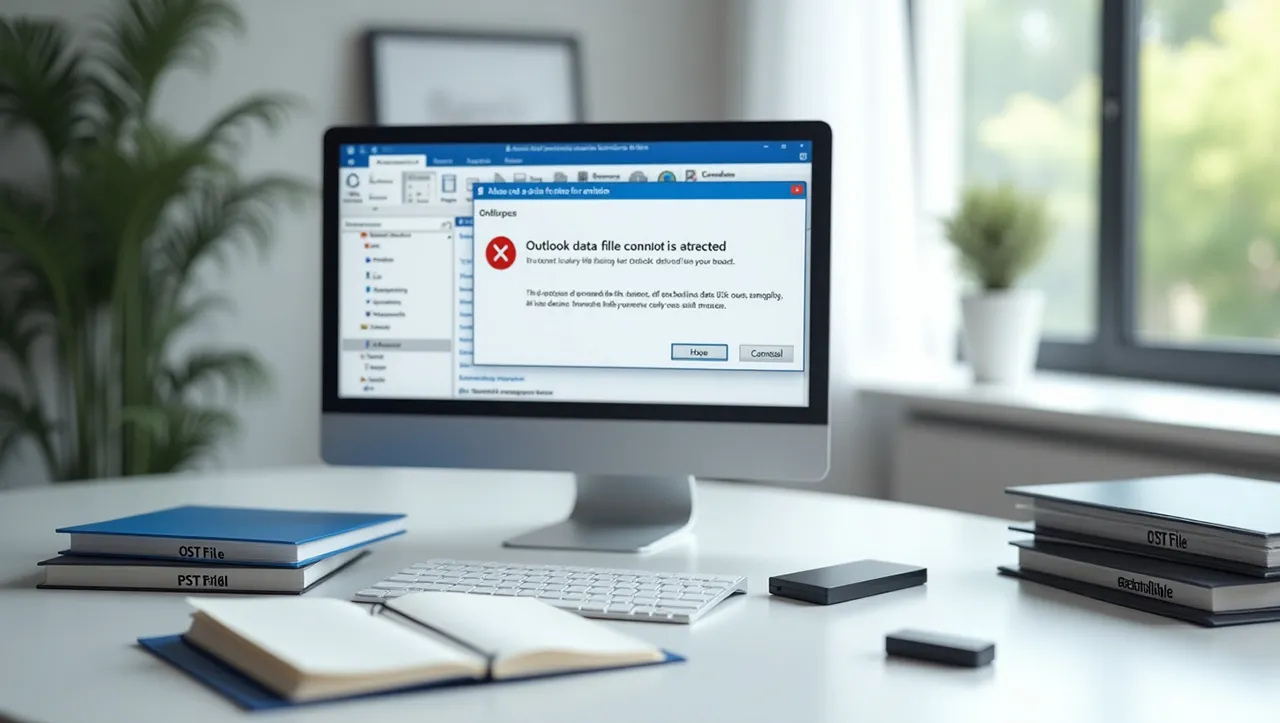
Outlook data file OST becomes prone to corruption if it exceeds its prescribed size limit. In such a case, it becomes difficult to access it through Outlook to view OST file data. So how can users extract their valuable data stored inside inaccessible OST files through Outlook? Let us try to find out.

When Outlook is used with Cached Mode On, all the data stored within the Microsoft Exchange mail account is saved on the local system for offline access. This offline replica of the Exchange account data is known as the Offline Storage Table file (OST file).

Outlook data file OST enables the users to work on their mailboxes in offline mode, even if the connectivity to the Exchange Server is temporarily unavailable. Once connectivity is restored, all changes made to the mailboxes are synchronized with the online accounts

Despite being a highly efficient email client, Outlook often faces issues because of problems with outlook data file OST. One of the key issues with OST files is that they may get corrupt if their size grows beyond a certain limit. File corruption can turn the data stored in such OST files inaccessible. As such, users need to devise strategies to overcome this problem and gain access to their valuable mailbox data.

Outlook data file OST Reaching a Maximum Size

Why does an OST file become oversized and what is the immediate solution to it?

  • The Outlook versions that came before Outlook 2002 used a data file format called ANSI. This came with a file size limitation of 2GB. This limit was exhausted in a few months’ time, especially with large attachments.
  • The later versions of the application used UNICODE data files, which had a file size limitation of 20 GB. But the same problem recurred due to regular usage, leading to size issues.
  • Having two versions of Outlook installed on the same device can hamper Outlook updates, ultimately leading to oversized files.

The immediate logical solution to the oversized OST is to delete the unwanted mail because the more mail exchanges happen the more space it occupies. However, this may not be practically feasible for all users since many conversations are important. Moreover, in most cases, even after deleting some of the emails, the error continues to exist. Thus to view an OST file that has exceeded its size limit in Outlook, some other workarounds are needed.

Converting Outlook data file OST to PST format – the only solution

Microsoft does not have any provision to allow viewing OST files in Outlook directly (without the involvement of Exchange). Thus, if an OST file has become corrupt or orphaned, it can become very difficult to open it in Outlook.

In such a scenario, the best and only feasible solution is to convert the OST file into PST format and import the resultant PST file into Outlook. This technique also serves to extract valuable information from a corrupt OST file and make it accessible to users.

Some of the easiest manual techniques to convert Outlook OST file to PST format are listed below.

Method 1: Use Outlook Archive Feature

This method is also known as “Archive Facility” and is used to move the data to the mailbox. The steps to be followed are:

1. Open Microsoft Outlook, click on the OST file and choose “Archive”
2. In the dialog box that appears, choose the file or folder that you would like to archive
3. Browse the required destination to store archived Outlook PST file
4. Now press “ok” for the process to commence

This is a manual method, and by using this, one can transfer all the offline storage table data to PST format and view it in MS Outlook. Please note that the Outlook address books cannot be viewed by using this method.

Method 2: Drag and Drop Mailbox Items

  • Open Microsoft Outlook
  • Under the Microsoft Outlook profile, create a new Outlook data file
  • To export Outlook PST file, drag and drop the whole mailbox folders

This method is very reliable, but its only drawback is that the entire inbox or address books, calendars, or sent items cannot be dragged all together. Hence, copy just one folder from the offline storage table to the personal storage table file and then proceed with another. This method takes a lot of time on manual drag and drops for individual folders.

Method 3: Use OST to PST Converter Software

Stellar Converter for OST provides an efficient and automated solution for converting OST files to PST format. The software extracts all emails, calendars, contacts, and other mailbox items from OST files and converts them into PST format.The software also converts encrypted and severely corrupt OST files into PST format.

Following a convenient 3-step approach of scanning, converting, and saving, this software helps you overcome the drawbacks of manual conversion methods and gain accessibility to your OST file data.

Simple recommendation

While OST files are handy, their management can easily get out of hand if proper attention is not paid on time. Though converting to PST format using manual methods is the best solution to overcome this issue, if manual techniques don’t work, you can always rely on an automated and efficient Stellar Converter for OST to resolve the problem.

Final words

Managing Outlook files is not always easy. If your Outlook data file cannot be accessed, you may lose important emails and contacts. This is why it’s smart to create a backup for Outlook emails often. Whether you’re saving Outlook emails or saving an Outlook email as a PDF, it helps you avoid data loss.

When Outlook stops working right, the issue may be with the OST file. If you see the error “Outlook data file cannot accessed,” the OST file may be broken or out of sync. In such cases, the best fix is to convert the OST file to PST. This process is often called OST to PST file conversion. It lets you open and move your data again.

You can use manual ways or software tools to switch from Outlook to PST or from Outlook to PST file. After that, you can use the PST file in Outlook again without issues. These PST files store all your emails, contacts, and calendar info.

If you need to move your data to another PC or Outlook account, you can also export Outlook emails and transfer Outlook email safely. Many users also need help with exporting contacts from Outlook. This is part of setting up a new email account or system.

So, to avoid errors and protect your data, be sure to:

  • Create a backup Outlook emails file often
  • Learn how to export Outlook emails, contacts, and calendars
  • Know how to convert Outlook data files from OST to PST
  • Use a trusted tool to create a working PST for Outlook
  • Use the right method to open the PST file to Outlook

With the right steps, you can fix errors fast and keep your data safe in Outlook.

Belayet Hossain
Belayet Hossain

Belayet Hossain is a Senior Tech Expert and Certified AI Marketing Strategist. Holding an MSc in CSE (Russia) and over a decade of experience since 2011, he combines traditional systems engineering with modern AI insights. Specializing in Vibe Coding and Intelligent Marketing, Belayet provides forward-thinking analysis on software, digital trends, and SEO, helping readers navigate the rapidly evolving digital landscape. Connect with Belayet Hossain on Facebook, Twitter, Linkedin or read my complete biography.

Share. Facebook Twitter Pinterest LinkedIn Tumblr Email

Recommened for You

How to Digital Detox in 2026 When AI Agents Are Always On

09/10/2026

Gemini Spark vs Microsoft Autopilot/Scout: Which AI Agent Is Better?

08/10/2026

Gemini Spark Agent: What It Is, What It Can Do, and How It Works

08/10/2026

Agentic Productivity in 2026: How AI Agents Are Changing the Way We Work

08/10/2026

Chrome’s Quantum-Resistant TLS Is On: What ML-KEM Protects and What It Doesn’t

07/10/2026

Passkeys in Chrome and Google Password Manager: How They Work and What Malware Can Still Do

07/10/2026

Leave a ReplyCancel reply

This site uses Akismet to reduce spam. Learn how your comment data is processed.

ANYpin Note Pod P1 AI Voice Recorder
Latest Updates
  • How to Digital Detox in 2026 When AI Agents Are Always On
  • Gemini Spark vs Microsoft Autopilot/Scout: Which AI Agent Is Better?
  • Gemini Spark Agent: What It Is, What It Can Do, and How It Works
  • Agentic Productivity in 2026: How AI Agents Are Changing the Way We Work
  • Chrome’s Quantum-Resistant TLS Is On: What ML-KEM Protects and What It Doesn’t
  • Passkeys in Chrome and Google Password Manager: How They Work and What Malware Can Still Do
  • Gemini 3.5 Flash: What Changed and Why Google Search Feels Different
  • How to Use Google AI Mode in 2026: A Step-by-Step Guide
  • Google AI Mode in 2026: What It Is, How to Use It, and How It Changes SEO
  • RAM Shortage 2026: Why DDR5 Prices and Laptop Prices Are Rising
All Categories
  • Blog (7,570)
    • Graphic Design (13)
    • How-To (5)
    • Internet & Telecom (23)
      • Email & Messaging (2)
        • Electronic Spam (1)
        • Text & Instant Messaging (1)
      • Web services (20)
        • Cloud Storage (3)
        • Search Engine Optimization & Marketing (8)
        • Web Design & Development (9)
    • IT Careers (2)
    • Java (1)
    • Jobs & Education (2)
      • Education (1)
        • Colleges & Universities (1)
    • Make Money (25)
    • Medical Devices & Equipment (1)
    • Metaverse (1)
    • More (70)
    • Operating Systems (1)
    • Science (6)
      • Computer Science (2)
      • Engineering & Technology (2)
        • Robotics (2)
      • Mathematics (1)
        • Statistics (1)
    • Shopping (2)
      • Consumer Resources (2)
        • Customer Services (1)
        • Identity Theft Protection (1)
    • Social Media (70)
    • Technology (7,258)
      • Business Technology (260)
        • Business Automation (1)
        • E-Commerce Technology (4)
          • E-Commerce Tools (1)
        • Enterprise Technology (13)
          • Data Management (7)
          • ERP (1)
          • Helpdesk & Customer Support Systems (1)
        • Industrial Technology (1)
          • Food Processing Technology (1)
        • Technology for Business (22)
          • Digital Transformation (2)
          • Hospitality Technology (1)
          • Outsourcing (1)
          • Small Business Tech (2)
      • Consumer Technology (1,747)
        • Autos & Vehicles (1)
          • Vehicle Codes & Driving Laws (1)
            • Vehicle Licensing & Registration (1)
        • Cameras (9)
        • Computers & Electronics (129)
          • Computer Hardware (9)
            • Computer Drives & Storage (3)
            • Computer Servers (1)
          • Computer Peripherals (2)
          • Computer Security (12)
            • Network Security (10)
          • Electronics & Electrical (4)
            • Electronic Components (2)
            • Power Supplies (2)
          • Networking (10)
            • Networking Equipment (1)
          • Programming (58)
            • Development Tools (2)
            • Scripting Languages (1)
        • Electronic Accessories (2)
        • Electronics Repair (16)
        • Gadgets & Accessories (61)
        • Home Automation (3)
        • Laptops & Computers (12)
        • Mobile & Smartphones (1,500)
          • iPhone (2)
        • Senior Living & Care Technology (1)
        • Tech Reviews & Buying Guides (55)
          • Desktop (6)
          • iPad (6)
          • Tablet (2)
        • TV & Video Equipment (2)
      • Digital Productivity & Home Office (2,178)
        • Desk Productivity Tech (2,177)
          • Desk Accessories (1)
          • Ergonomics & Comfort (1)
          • Tech Reviews (3)
            • Keyboards (2)
            • Monitor Stand (1)
        • Productivity (1)
      • Emerging Technology & Digital Security (169)
        • Artificial Intelligence (13)
          • AI Applications (2)
          • AI Tools (2)
          • Machine Learning (1)
        • Blockchain & Web3 (107)
          • Crypto (106)
          • NFTs (1)
        • Cybersecurity (40)
          • Identity Protection (1)
          • Online Security (1)
        • Data Science (5)
        • Future Technology (2)
          • Emerging Technology (2)
      • HealthTech (5)
      • Software & Apps (153)
        • Apps (24)
        • Business Software (10)
        • Communication & Social Apps (7)
          • Discord (7)
        • Educational Software (1)
        • Internet Software (3)
        • Monitoring Software (1)
        • Multimedia Software (4)
        • Operating Systems (1)
      • Tech support (141)
        • Android (20)
        • Apple Support (39)
          • iPhone (17)
        • Linux (3)
        • Windows (20)
          • Windows 11 (1)
        • Windows Phone (3)
      • Web, SEO & Digital Marketing (381)
        • Content & Blogging (72)
          • AI Content Tools (4)
          • Blogging (16)
          • Content (50)
        • Digital Marketing (211)
          • Affiliate Marketing (25)
          • Content Marketing (1)
        • SEO (90)
          • On-Page SEO (2)
          • Technical SEO (1)
        • Website Technology (27)
          • Domains (3)
          • Web Hosting (19)
          • Website Tools (5)
        • WordPress (12)
    • Travel & Transportation (4)
      • Hotels & Accommodations (1)
        • Vacation Rentals & Short-Term Stays (1)
      • Specialty Travel (1)
        • Business Travel (1)
      • Tourist Destinations (1)
        • Beaches & Islands (1)
    • Video (3)
    • Web Design (40)
    • Writers Resources (9)
  • Earn money (1)
Navigation
  • Blog
  • Subscribe now
  • Write For Us | Become A Contributor
  • Our Partners
  • Affiliate Disclaimer
  • Contact us
Follow us
  • Facebook
  • Twitter
  • Pinterest
  • YouTube
© 2015 - 2026 IT Phobia. All Rights Reserved.
  • Home
  • Tech Blogs Trending Now!
  • Write For Us | Become A Contributor
  • Privacy Policy
  • Terms of use

Type above and press Enter to search. Press Esc to cancel.