
Published on: 04/09/2025 | Updated on: September 4, 2025
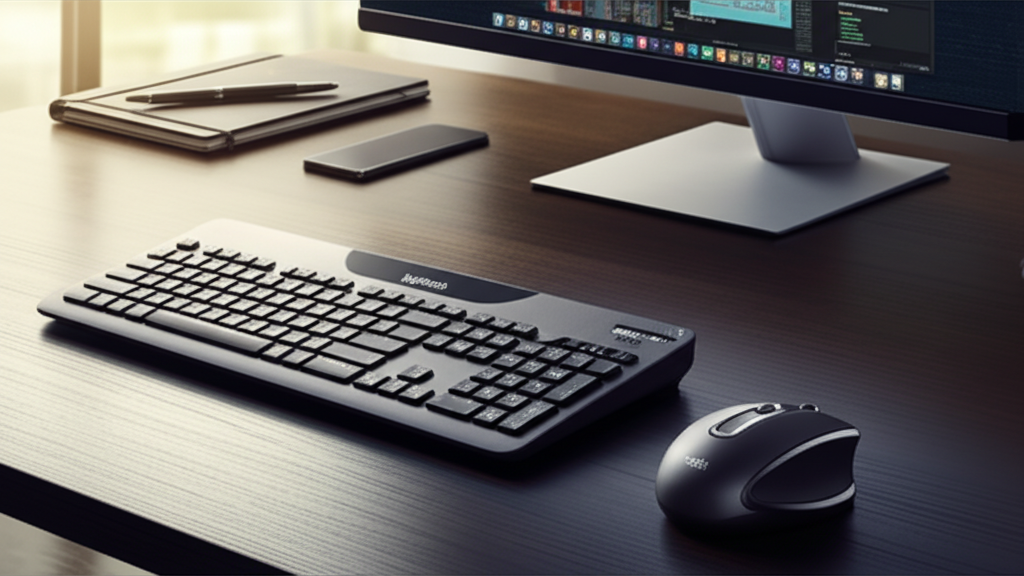
The Logitech MK850 Wireless Keyboard and Mouse Combo is your ultimate tool for seamless, comfortable, and efficient work, blending advanced features with ergonomic design for effortless productivity.
Tired of juggling devices and battling awkward setups that drain your energy and focus? Many of us experience this daily struggle, leading to reduced productivity and even discomfort. A clunky keyboard or an unresponsive mouse can turn a simple task into a frustrating ordeal. Thankfully, solutions exist that simplify your workflow and enhance your comfort. In this guide, I’ll walk you through why the Logitech MK850 Wireless Keyboard and Mouse Combo is a game-changer for anyone looking to elevate their productivity and well-being.
Logitech MK850: A Productivity Powerhouse
The Logitech MK850 Wireless Keyboard and Mouse Combo stands out as a premium solution for anyone seeking to streamline their digital life. It’s designed for individuals who spend significant hours at their computer and value both comfort and efficiency. This combo isn’t just about input devices; it’s about creating a more intuitive and enjoyable computing experience.
Unboxing the Logitech MK850: First Impressions and What’s Inside

Upon receiving the Logitech MK850 Wireless Keyboard and Mouse Combo, the packaging itself signals a premium product. Logitech has always been known for its sleek and functional design, and this combo is no exception. Inside, you’ll find the full-sized keyboard, the sculpted ergonomic mouse, a USB Unifying receiver, and the necessary documentation. The build quality feels robust, promising durability and a comfortable user experience right from the start.
The Keyboard: Designed for Comfort and Speed
The heart of the Logitech MK850 Wireless Keyboard and Mouse Combo is its keyboard, engineered for unparalleled comfort and typing efficiency. Its full-sized layout includes a dedicated number pad, essential for data entry tasks, and the keys are perfectly sculpted to fit your fingertips. The cushioned palm rest provides excellent wrist support, reducing strain during long typing sessions.
Key Features of the Logitech MK850 Keyboard
Contoured Keycaps: Designed to match the natural curve of your fingertips, guiding them to the right key.
Integrated Cushioned Palm Rest: Offers a comfortable resting place for your wrists, reducing fatigue.
Adjustable Tilt Legs: Allows you to find the perfect typing angle for maximum comfort.
Long-Lasting Battery: Enjoy months of use on a single set of batteries, minimizing interruptions.
Dedicated Media Controls: Easily manage music, videos, and volume with convenient buttons.
These features combine to create a typing experience that is both fast and remarkably comfortable, a true asset for anyone who types extensively. The thoughtful design elements of the Logitech MK850 Wireless Keyboard and Mouse Combo truly shine here.
The Mouse: Ergonomics Meets Advanced Functionality
Complementing the keyboard is the Logitech MX Master 3 mouse, which is part of the Logitech MK850 Wireless Keyboard and Mouse Combo. It boasts an advanced ergonomic design that fits naturally in your hand, supporting your palm and thumb. This design significantly reduces the risk of repetitive strain injuries, a common concern for many computer users.
Advanced Features of the Logitech MK850 Mouse
Sculpted Ergonomic Shape: Provides a comfortable and natural grip for long-term use.
Hyper-Fast Scrolling: Effortlessly glide through long documents or web pages with the scroll wheel.
Thumb Wheel: Enables horizontal scrolling, perfect for spreadsheets and wide documents.
Programmable Buttons: Customize buttons to your specific workflow, increasing efficiency.
Precision Tracking: Works on virtually any surface, ensuring smooth and accurate cursor movement.
The combination of ergonomic design and advanced features makes the mouse a joy to use, enhancing both speed and precision in your daily tasks. The Logitech MK850 Wireless Keyboard and Mouse Combo truly delivers on its promise of effortless interaction.
Seamless Multi-Device Connectivity: The Power of Logitech Flow
One of the standout features of the Logitech MK850 Wireless Keyboard and Mouse Combo is its ability to connect to and switch between multiple devices effortlessly. With Logitech Flow, you can pair up to three devices and seamlessly switch between them with a single button press on the keyboard or a gesture with the mouse. This is a lifesaver for professionals who work across different computers, operating systems, or even devices like tablets.
How Logitech Flow Enhances Your Workflow
Logitech Flow is more than just switching devices; it allows for true multi-computer control. You can copy text, images, and files from one computer and paste them onto another, regardless of the operating system. This feature drastically reduces the time spent transferring data manually or relying on cloud storage for simple copy-paste operations. It’s a testament to how smart technology can truly simplify complex workflows. For a deeper dive into Logitech’s multi-device capabilities, exploring their official product pages can be very insightful.
Battery Life and Durability: Built to Last
A significant advantage of the Logitech MK850 Wireless Keyboard and Mouse Combo is its impressive battery life. The keyboard can last up to 36 months, and the mouse up to 4 months on a single charge or set of batteries. This longevity means you can focus on your work without the constant worry of recharging or replacing batteries. The robust construction of both the keyboard and mouse also ensures they can withstand the rigors of daily use, making this combo a long-term investment in your productivity.
Logitech Options Software: Personalization at Your Fingertips
The Logitech MK850 Wireless Keyboard and Mouse Combo is fully supported by Logitech Options software, a powerful tool that allows for extensive customization. With Logitech Options, you can reassign keys, personalize mouse buttons, and fine-tune scrolling speed to match your preferences. This level of personalization ensures that the keyboard and mouse adapt to your unique working style, rather than you having to adapt to them. It’s about making your tools work for you, not the other way around.
Customizing Your Experience with Logitech Options
Key Remapping: Change the function of any key to suit your workflow.
Button Assignment: Assign specific actions or shortcuts to mouse buttons.
Gesture Control: Program custom gestures for the mouse to perform various tasks.
Application-Specific Settings: Create profiles that automatically adjust settings based on the active application.
This software elevates the Logitech MK850 Wireless Keyboard and Mouse Combo from a standard input device to a personalized productivity hub.
Ergonomics and Health: Investing in Your Well-being
The ergonomic design of the Logitech MK850 Wireless Keyboard and Mouse Combo is a critical factor for anyone concerned about their long-term health and comfort. The sculpted mouse and comfortable keyboard reduce strain on your wrists, hands, and arms. This focus on ergonomics can help prevent or alleviate conditions like carpal tunnel syndrome and tendonitis, allowing you to work more comfortably for longer periods. Investing in ergonomic peripherals is an investment in your overall well-being.
Logitech MK850 vs. Competitors: Why It Stands Out
When comparing the Logitech MK850 Wireless Keyboard and Mouse Combo to other offerings, its unique combination of features truly shines. While many brands offer wireless keyboard and mouse sets, few match Logitech’s dedication to ergonomic design, advanced customization through software like Logitech Options, and seamless multi-device switching via Logitech Flow. Other combos might be cheaper, but they often sacrifice comfort, features, or build quality.
Comparison Table: Logitech MK850 vs. Key Competitors
| Feature | Logitech MK850 Combo | Competitor A (e.g., Microsoft) | Competitor B (e.g., HP) |
| :———————- | :—————————————– | :————————————— | :————————————- |
| Ergonomic Design | Excellent (sculpted mouse, palm rest) | Good (often flatter mouse designs) | Varies, often basic ergonomic support |
| Multi-Device Switching | Yes (up to 3 devices, Logitech Flow) | Varies, some offer Bluetooth switching | Typically single device connection |
| Software Customization | Extensive (Logitech Options) | Basic customization options | Limited or no dedicated software |
| Battery Life (Keyboard) | Up to 36 months | Varies (often 12-24 months) | Varies (often 6-12 months) |
| Battery Life (Mouse) | Up to 4 months | Varies (often rechargeable, shorter life)| Varies (often rechargeable) |
| Connectivity | Unifying Receiver, Bluetooth | Often Bluetooth or proprietary dongle | Often proprietary dongle |
| Price | Premium | Mid-range | Budget to Mid-range |
The Logitech MK850 Wireless Keyboard and Mouse Combo offers a superior user experience for those who prioritize comfort, efficiency, and advanced features. Its comprehensive package justifies its premium positioning.
Is the Logitech MK850 Wireless Keyboard and Mouse Combo Worth the Investment?
For professionals, students, and anyone who spends a considerable amount of time at their computer, the Logitech MK850 Wireless Keyboard and Mouse Combo is an exceptionally worthwhile investment. The blend of ergonomic comfort, advanced features like Logitech Flow, and robust build quality translates directly into increased productivity and reduced physical strain. While the initial cost might be higher than basic alternatives, the long-term benefits in terms of efficiency, comfort, and durability make it a sound choice for enhancing your daily computing experience.
Optimizing Your Setup with the Logitech MK850
To truly unlock the potential of the Logitech MK850 Wireless Keyboard and Mouse Combo, consider how it fits into your overall workspace. Ensure your desk setup complements the ergonomic design. Proper monitor height and chair support are crucial for maximizing the benefits of the keyboard and mouse. Integrating this combo into a well-designed workspace will amplify its positive impact on your productivity and well-being.
The Future of Productivity: AI and Smart Devices
As we look towards the future, the integration of Artificial Intelligence (AI) into our devices is becoming increasingly prevalent. While the Logitech MK850 Wireless Keyboard and Mouse Combo is a masterclass in current human-computer interaction, future iterations might incorporate AI features. Imagine smart prediction for typing or adaptive ergonomic adjustments based on user patterns. These advancements, powered by AI tools and smart tech, promise to make our digital interactions even more seamless and intuitive. Staying updated on tech trends, including AI, is key to maintaining peak productivity.
Frequently Asked Questions about the Logitech MK850 Wireless Keyboard and Mouse Combo
Q1: Can I use the Logitech MK850 Wireless Keyboard and Mouse Combo with multiple computers at the same time?
A: Yes, you can connect up to three devices and switch between them easily using the Easy-Switch button on the keyboard and the gesture button on the mouse. The Logitech Flow software also allows for seamless file transfer between computers.
Q2: Is the Logitech MK850 Wireless Keyboard and Mouse Combo compatible with macOS?
A: Absolutely. The Logitech MK850 Wireless Keyboard and Mouse Combo is designed to be compatible with both Windows and macOS operating systems, offering a full range of functionality on both.
Q3: How do I install the Logitech Options software?
A: You can download the Logitech Options software directly from the official Logitech support website. Simply search for the MK850 combo and follow the installation instructions.
Q4: What type of batteries does the Logitech MK850 Wireless Keyboard and Mouse Combo use?
A: The keyboard typically uses 2 AAA batteries, and the mouse uses 1 AA battery. Both are included and offer exceptional battery life.
Q5: Can I customize the buttons on the mouse?
A: Yes, the Logitech Options software allows you to fully customize the buttons on the mouse, assigning specific functions or shortcuts to enhance your productivity.
Q6: Is the palm rest on the keyboard removable?
A: The cushioned palm rest is integrated into the keyboard design for optimal support and is not designed to be removed.
Conclusion: Elevate Your Productivity with the Logitech MK850
The Logitech MK850 Wireless Keyboard and Mouse Combo is more than just an input device; it’s a meticulously crafted tool designed to enhance your daily productivity and comfort. From its superior ergonomic design that safeguards your well-being to its advanced features like Logitech Flow for seamless multi-device management, this combo truly excels. The long-lasting battery life, robust build, and extensive customization options via Logitech Options software solidify its position as an essential for anyone serious about efficient and comfortable computing. If you’re looking to upgrade your workspace and streamline your digital life, the Logitech MK850 Wireless Keyboard and Mouse Combo is an investment that pays dividends in both performance and personal comfort.

Belayet Hossain is a Senior Tech Expert and Certified AI Marketing Strategist. Holding an MSc in CSE (Russia) and over a decade of experience since 2011, he combines traditional systems engineering with modern AI insights. Specializing in Vibe Coding and Intelligent Marketing, Belayet provides forward-thinking analysis on software, digital trends, and SEO, helping readers navigate the rapidly evolving digital landscape. Connect with Belayet Hossain on Facebook, Twitter, Linkedin or read my complete biography.