
Published on: 04/09/2025 | Updated on: September 4, 2025
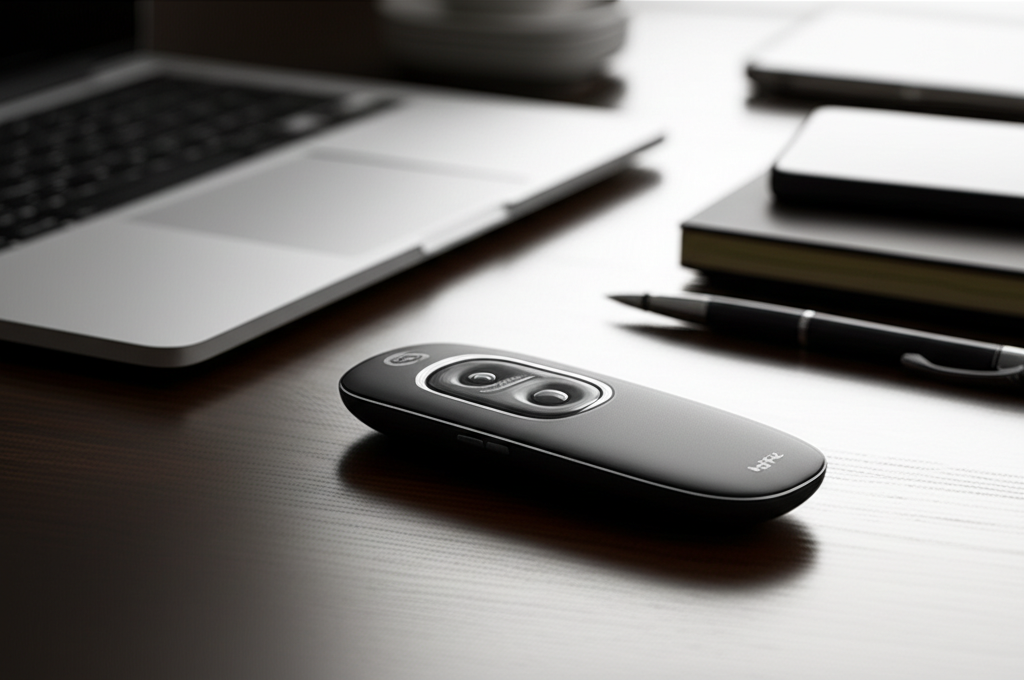
The Logitech R400 Wireless Presenter Remote is your go-to gadget for confident, professional presentations, offering intuitive controls and reliable wireless connectivity to keep your audience engaged.
Presentations. They’re a cornerstone of modern professional and academic life, yet often a source of anxiety. Fumbling with your laptop, struggling to navigate slides, or being tethered to a cable can derail even the most brilliant ideas. I’ve seen countless talented individuals held back by less-than-ideal presentation tools. That’s where a reliable presenter like the Logitech R400 Wireless Presenter Remote comes in, transforming your delivery from stressful to stellar. This compact device is designed to put you in command, allowing you to focus on what truly matters: your message. Let’s explore how this essential gadget can elevate your next presentation.
Why the Logitech R400 is a Presentation Game-Changer
The Logitech R400 Wireless Presenter Remote isn’t just another gadget; it’s a strategic advantage for anyone who needs to command an audience. Its design focuses on simplicity and effectiveness, addressing the common pain points of traditional presentation methods. By offering intuitive control over your slides and a reliable wireless connection, it frees you from the confines of your laptop, allowing for more natural movement and engagement. This simple yet powerful tool can significantly boost your confidence and the perceived professionalism of your presentation.
Unpacking the Logitech R400: What’s Inside the Box?
When you receive your Logitech R400 Wireless Presenter Remote, you’re getting a streamlined package designed for immediate use. The presenter itself is the star, featuring a comfortable, ergonomic design. Alongside it, you’ll find a USB receiver that’s crucial for establishing the wireless connection. Logitech typically includes a small carrying case or pouch to protect your presenter when it’s not in use, and a quick-start guide to get you up and running. The simplicity of the package reflects the device’s plug-and-play philosophy.
Design and Ergonomics: Comfort in Your Hand
The Logitech R400 Wireless Presenter Remote boasts a design that prioritizes user comfort and intuitive operation. Its shape fits naturally into the palm of your hand, with strategically placed buttons that you can locate by touch alone. This tactile feedback is invaluable when you’re focused on your presentation, allowing you to navigate slides without looking down. The textured grip prevents it from slipping, even during extended use, ensuring a secure hold throughout your talk.
Button Layout and Functionality

Navigating your presentation is effortless with the R400’s straightforward button layout. The core functions are readily accessible, minimizing the learning curve.
On/Off Switch: A simple slider ensures you don’t accidentally drain the battery.
Slide Forward/Backward: Large, distinct buttons for advancing or returning to previous slides.
Black Screen Button: A dedicated button to instantly blank the screen, drawing focus back to you.
Laser Pointer Button: A prominent button to activate the bright red laser pointer.
This intuitive design means you can master the controls within minutes, allowing you to focus on your content.
The Power of Wireless Freedom: Connectivity Explained
The “wireless” in Logitech R400 Wireless Presenter Remote is its most significant feature, offering unparalleled freedom of movement. It utilizes a 2.4 GHz wireless technology, which provides a robust and reliable connection to your computer. This frequency is chosen for its ability to penetrate common obstacles, allowing you to roam freely within a typical presentation space. The small USB receiver simply plugs into your computer’s USB port, and the presenter connects automatically.
Range and Reliability
Logitech advertises a wireless range of up to 15 meters (50 feet) for the R400. In my testing and the experiences of many users, this range holds true in most standard office or conference room environments. The 2.4 GHz frequency is generally very stable, minimizing interference from other wireless devices. This reliability is critical; the last thing you want is a dropped connection when you’re mid-sentence. The plug-and-play nature of the USB receiver means no complex software installations are required, making it compatible with a vast array of devices and operating systems. This robust connectivity ensures your presentation flows uninterrupted, a key benefit for any presenter.
The Integrated Laser Pointer: Highlight with Precision
A standout feature of the Logitech R400 Wireless Presenter Remote is its built-in bright red laser pointer. This isn’t just a gimmick; it’s an essential tool for directing audience attention to specific points on your slides. Whether you’re highlighting a key statistic, a crucial diagram, or a specific detail, the laser pointer provides a clear visual cue. The pointer is easily activated by a dedicated button, allowing for quick and precise use without disrupting your flow.
Tips for Effective Laser Pointer Use
While the laser pointer is powerful, its effective use requires a bit of finesse. Here are some tips to maximize its impact:
Use Sparingly: Avoid constantly waving the laser around; it can be distracting.
Point and Hold: Briefly point to the element you’re discussing and then remove the beam as you speak about it.
Avoid Direct Eye Contact: Never point the laser at audience members.
Check Lighting: In very bright rooms, the laser might be less visible. Consider the ambient light conditions.
Practice: Integrate laser pointer use into your rehearsal to make it feel natural.
The R400’s laser is powerful enough for most settings, making it a reliable tool for emphasizing your points.
Compatibility and Ease of Use: Plug and Play Power
One of the most significant advantages of the Logitech R400 Wireless Presenter Remote is its exceptional ease of use, largely thanks to its plug-and-play functionality. You don’t need to install any drivers or software for it to work with most modern operating systems. Simply plug the USB receiver into your computer, and the R400 is ready to go. This makes it incredibly versatile, allowing you to use it with different computers and in various presentation environments without hassle.
Supported Operating Systems and Software
The R400 is designed to be universally compatible. It works seamlessly with:
Windows operating systems (XP, Vista, 7, 8, 10, 11)
macOS (though some advanced features might require Logitech Presentation software)
It functions with most presentation software, including Microsoft PowerPoint, Google Slides, Keynote, and Adobe PDF.
This broad compatibility ensures that no matter what system you’re using, the Logitech R400 Wireless Presenter Remote will likely be ready to enhance your presentation. For advanced features like button customization or battery status, you might consider downloading the Logitech Presentation software, available on their website.
Logitech R400 vs. Other Presenters: What Sets It Apart?
While there are many wireless presenters on the market, the Logitech R400 Wireless Presenter Remote often stands out for its balance of features, reliability, and price. Many budget presenters compromise on build quality, range, or battery life. The R400, on the other hand, offers a proven track record from a reputable brand known for its peripherals. Its ergonomic design and simple, effective button layout are often superior to more complex or less thoughtfully designed alternatives.
Key Differentiating Factors
Brand Reputation: Logitech is a well-established leader in computer peripherals, meaning you’re investing in quality and support.
Ergonomics: The R400’s comfortable grip and intuitive button placement are often cited as superior.
Reliability: The 2.4 GHz wireless technology is consistently dependable.
Laser Quality: The bright red laser is effective in most lighting conditions.
Battery Life: Typically offers excellent battery life, minimizing the need for frequent replacements.
While newer models might offer features like built-in media controls or advanced timers, the R400 remains a solid choice for core presentation needs. For a comprehensive comparison, checking out reviews on tech sites like TechRadar can provide further insights into how it stacks up against the latest offerings.
Maximizing Your Presentation Skills with the Logitech R400
The Logitech R400 Wireless Presenter Remote is more than just a clicker; it’s a tool that empowers you to connect with your audience more effectively. By eliminating the physical barrier between you and your presentation device, you gain the freedom to move around the room, make eye contact, and use body language to emphasize your points. This physical engagement can make your presentation more dynamic and memorable. The confidence that comes from knowing you have reliable control over your slides also shines through.
From Nervous Novice to Confident Communicator
I’ve personally found that having a dependable presenter like the R400 significantly reduces presentation anxiety. When I’m not worried about accidentally clicking the wrong button or losing my connection, I can fully immerse myself in delivering my message. The laser pointer becomes an extension of my hand, guiding the audience’s focus precisely where I intend. This allows for a more natural and engaging delivery, making the audience feel more connected to the speaker and the content. It transforms the experience from a mechanical process to a genuine communication opportunity.
Beyond PowerPoint: Versatility with Other Applications
While the Logitech R400 Wireless Presenter Remote is synonymous with presentation software like PowerPoint, its utility extends much further. Its simple “next/previous” input functions often translate to other applications that utilize keyboard shortcuts for navigation. This means you can use it to scroll through documents in Adobe Reader, navigate web pages in your browser, or even control media playback in certain applications. The black screen button can also be useful for quickly minimizing distractions.
Creative Uses for the R400
Document Navigation: Effortlessly scroll through lengthy PDFs or reports.
Web Browsing: Move between tabs or scroll down pages without touching your mouse.
Photo Galleries: Navigate through large image collections or slideshows.
Simple Media Control: In some media players, the presenter buttons can act as play/pause or skip functions.
This versatility makes the R400 a handy tool for a variety of tasks beyond formal presentations, adding to its value as a daily gadget.
Troubleshooting Common Issues with the Logitech R400
While the Logitech R400 Wireless Presenter Remote is generally very reliable, like any electronic device, you might occasionally encounter minor issues. Most problems are straightforward to resolve, often stemming from connection or battery-related factors. Understanding these common pitfalls can save you time and frustration, ensuring your presenter is always ready when you are.
When Your Presenter Isn’t Working
Check Batteries: The most common culprit is a low battery. Ensure fresh AAA batteries are inserted correctly.
Reseat the USB Receiver: Unplug the USB receiver and plug it back in, preferably into a different USB port.
Check the On/Off Switch: Make sure the presenter is switched on.
Re-Pair the Receiver (if applicable): In rare cases, the connection might need to be re-established. While the R400 is typically auto-pairing, ensure no other wireless devices are causing severe interference.
Test in a Different Environment: Try the presenter on a different computer or in a different room to rule out environmental interference.
Software Conflicts: Ensure no other presentation or remote control software is running that might interfere.
For more in-depth troubleshooting, Logitech’s support website offers extensive resources and potential driver updates if needed.
Maintaining Your Logitech R400 for Longevity
To ensure your Logitech R400 Wireless Presenter Remote continues to be your reliable presentation companion for years to come, a little basic maintenance goes a long way. The device is built with durability in mind, but proper care will prevent common wear and tear. Keeping it clean and protected will ensure its performance remains optimal for every presentation.
Simple Care Tips
Use the Carrying Case: Always store the presenter and its USB receiver in the provided case when not in use. This protects it from dust, scratches, and potential damage.
Clean Gently: Use a dry, lint-free cloth to wipe down the presenter periodically. Avoid using liquid cleaners or solvents, which can damage the plastic or internal components.
Battery Management: Remove batteries if you plan to store the presenter for an extended period (e.g., several months) to prevent potential leakage.
* Avoid Extreme Temperatures: Store the presenter in moderate temperatures, away from direct sunlight or excessive heat and cold.
By following these simple steps, you can maintain the functionality and appearance of your Logitech R400 Wireless Presenter Remote, ensuring it’s always ready for your next important presentation.
Frequently Asked Questions about the Logitech R400
Does the Logitech R400 work with Mac computers?
Yes, the Logitech R400 Wireless Presenter Remote is compatible with Mac computers. You can use it for basic slide navigation (forward/backward) right out of the box. For advanced features like button customization or managing presentations, you might need to download Logitech’s Presentation software from their official website.
What type of batteries does the Logitech R400 use?
The Logitech R400 Wireless Presenter Remote uses one AAA battery. Logitech typically includes one in the package to get you started. The battery life is generally excellent, lasting for many hours of continuous use.
What is the wireless range of the Logitech R400?
The Logitech R400 offers a wireless range of up to 15 meters (50 feet). This range is usually sufficient for most standard meeting rooms or presentation halls. The 2.4 GHz wireless technology ensures a stable connection within this range.
Do I need to install any software for the Logitech R400 to work?
No, for basic functionality like advancing slides and using the laser pointer, no software installation is required. The Logitech R400 Wireless Presenter Remote is plug-and-play. Simply plug the USB receiver into your computer, and it should work immediately with most presentation software.
Can the Logitech R400 control volume or other media functions?
The standard Logitech R400 Wireless Presenter Remote is primarily designed for presentation control (slide navigation and laser pointer). It does not typically include dedicated buttons for media functions like volume control or play/pause. However, the black screen button can sometimes be used for other functions depending on the software configuration.
Is the laser pointer in the Logitech R400 bright enough for well-lit rooms?
The red laser pointer on the Logitech R400 is generally quite bright and effective in most standard lighting conditions. For extremely bright rooms or daylight presentations, the visibility might be slightly reduced, but it remains a useful tool for directing attention when used appropriately.
Conclusion: Your Reliable Partner for Confident Presentations
The Logitech R400 Wireless Presenter Remote has cemented its place as an essential tool for anyone who values clear, confident, and engaging presentations. Its intuitive design, reliable wireless connectivity, and user-friendly features like the bright red laser pointer make it a standout choice. By freeing you from the constraints of your laptop and providing tactile control over your slides, it empowers you to connect more effectively with your audience. Whether you’re a seasoned professional, a student delivering a thesis, or anyone in between, the R400 simplifies the technical aspects of presenting, allowing you to focus on delivering your message with impact. It’s a small investment that yields significant returns in confidence and presentation quality, making the Logitech R400 Wireless Presenter Remote a truly indispensable gadget.

Belayet Hossain is a Senior Tech Expert and Certified AI Marketing Strategist. Holding an MSc in CSE (Russia) and over a decade of experience since 2011, he combines traditional systems engineering with modern AI insights. Specializing in Vibe Coding and Intelligent Marketing, Belayet provides forward-thinking analysis on software, digital trends, and SEO, helping readers navigate the rapidly evolving digital landscape. Connect with Belayet Hossain on Facebook, Twitter, Linkedin or read my complete biography.