
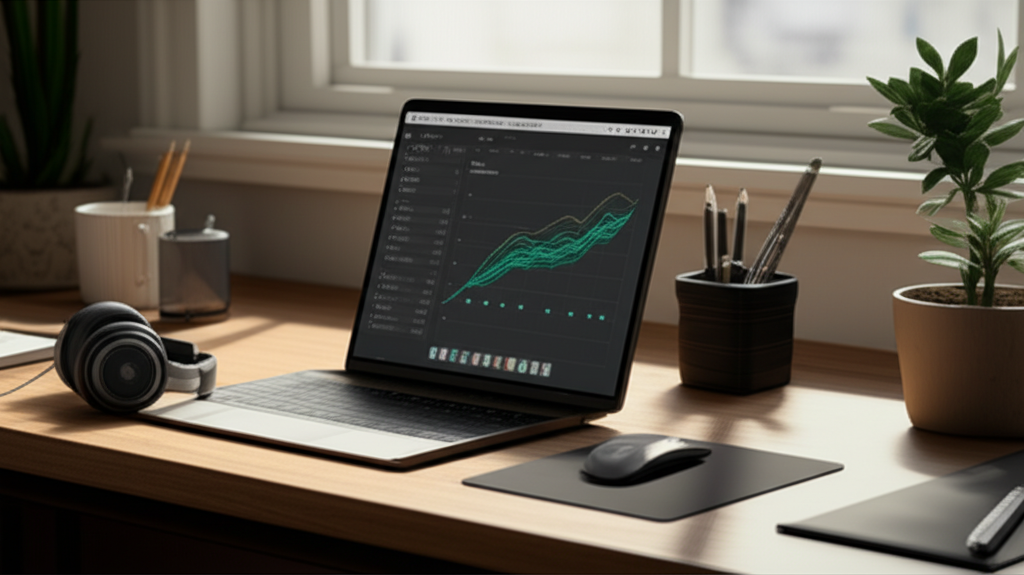
Published on: 08/11/2025 | Updated on: November 8, 2025
Boost your workspace with essential office desk productivity tools that simplify tasks, enhance comfort, and streamline your workflow for maximum efficiency.
Feeling overwhelmed by clutter or a slow workday? You’re not alone. Many of us struggle to make our desks work for us, not against us. A messy or unorganized desk can drain your energy and slow you down. But imagine a workspace that feels calm, efficient, and energizing. This guide will show you exactly how to achieve that. We’ll explore the latest office desk productivity tools and smart upgrades that can transform your daily grind into a productive flow. Get ready to discover breakthroughs that make a real difference.
What Are Office Desk Productivity Tools?
Office desk productivity tools are any devices, accessories, or software designed to improve efficiency and comfort at your workspace. They help you organize, manage tasks, and work more comfortably. These tools range from simple organizers to advanced ergonomic equipment.
These tools help you work smarter, not harder. They tackle common frustrations like clutter and discomfort. By using them, you can create a more focused and pleasant work environment.
Understanding Your Workspace Needs
Before buying any new gadget, think about what you really need. What slows you down? What causes discomfort? Answering these questions helps you choose the right office desk productivity tools.
Consider your daily tasks. Do you spend hours typing? Do you switch between many applications? Are you often looking for lost items? Pinpointing these issues is the first step to a better desk setup.
Ergonomic Essentials for Comfort and Health
Good ergonomics are crucial for long-term comfort and preventing strain. Investing in ergonomic office desk productivity tools means you can work longer without pain. This boosts both your well-being and your output.
The Ergonomic Keyboard and Mouse

A standard keyboard and mouse can lead to wrist and arm pain. Ergonomic versions are designed to keep your hands and wrists in a more natural position. This reduces strain and can prevent repetitive strain injuries.
Split Keyboards: These separate the keys into two halves. This allows your wrists and forearms to rest at a more comfortable angle.
Vertical Mice: They hold your hand in a handshake position. This reduces pronation of the forearm, which is a common cause of discomfort.
Choosing the right ergonomic input devices can significantly improve your comfort. It makes long typing sessions much more bearable.
Monitor Stands and Arms: Elevate Your View
Looking down at your monitor all day strains your neck and back. Monitor stands and arms lift your screen to eye level. This promotes better posture and reduces neck strain.
Single Monitor Arms: These attach to your desk and hold one monitor. They offer great flexibility in positioning.
Dual Monitor Arms: Ideal for those who use multiple screens. They keep your desk clear and allow for easy adjustment of both displays.
Proper monitor height is key to preventing neck pain. It also helps maintain focus by reducing the need to constantly look down.
Comfortable Seating: The Foundation of Productivity
Your chair is more than just a place to sit; it’s a vital part of your ergonomic setup. A supportive chair helps maintain good posture and prevents back pain. This is essential for extended work periods.
Look for chairs with adjustable height, lumbar support, and armrests. These features allow you to customize the fit to your body. A good chair makes a world of difference in your daily comfort.
Smart Desk Gadgets to Streamline Your Workflow
Beyond ergonomics, smart gadgets can automate tasks, improve organization, and make your workday smoother. These office desk productivity tools are designed for the modern professional.
Cable Management Solutions
Tangled cables create visual clutter and can be frustrating to deal with. Effective cable management keeps your desk tidy and makes it easier to plug and unplug devices. This small change can have a big impact on your sense of order.
Cable Sleeves: These wrap around bundles of cables to keep them together.
Cable Clips and Holders: Stick-on clips can route cables along the edge of your desk.
Under-Desk Trays: These hide power strips and excess cable length beneath your desk.
A clean cable setup reduces distractions. It also makes your workspace look much more professional.
Wireless Charging Pads and Hubs
Constantly searching for charging cables can interrupt your flow. Wireless charging pads and multi-port USB hubs simplify powering your devices. They keep your essential gadgets charged and ready to go.
Wireless Chargers: Simply place your compatible phone or earbuds on the pad.
USB Hubs: Connect multiple devices to your computer with a single cable. This reduces desk clutter and simplifies connectivity.
These tools ensure your devices are always powered up. This means fewer interruptions and a more seamless workflow.
Smart Lighting Solutions
Proper lighting is essential for reducing eye strain and boosting mood. Smart lighting options allow you to adjust brightness and color temperature to suit your needs. This creates an optimal working environment.
Desk Lamps with Adjustable Brightness: Control the light intensity to match the ambient conditions.
Color Temperature Adjustment: Switch between cool, energizing light and warm, relaxing light. This can affect your focus and mood.
Good lighting can make your workspace feel more comfortable. It can also help you stay focused throughout the day.
Organization and Decluttering Tools
A tidy desk leads to a tidy mind. These office desk productivity tools help you keep your workspace organized and free from distractions. Less clutter means more focus.
Desk Organizers and Trays
Simple organizers can make a huge difference. Pen holders, letter trays, and drawer organizers keep essential items within reach but neatly stored. This prevents items from piling up on your main work surface.
Vertical File Holders: Keep important documents upright and easy to access.
Drawer Inserts: Compartmentalize your drawers to keep small items sorted.
Desk Caddies: All-in-one solutions for pens, notepads, and other small supplies.
These organizers help establish a place for everything. This makes it easy to put things away and maintain order.
Digital Note-Taking and Whiteboarding Tools
Sometimes, the best way to capture ideas is on paper, but paper can get lost. Digital tools offer the best of both worlds. They provide a flexible space for brainstorming and note-taking.
Smart Notebooks: Write with a special pen, and your notes can be digitized and stored.
Digital Whiteboards: Large touch-sensitive screens for collaborative brainstorming.
Tablet Styluses: For digital drawing and writing directly on your tablet or laptop screen.
These tools reduce paper waste. They also make your notes searchable and easy to share.
Enhancing Focus and Minimizing Distractions
Distractions are a major productivity killer. Certain office desk productivity tools can help you create a focused environment. They create a mental barrier against interruptions.
Noise-Canceling Headphones
For open-plan offices or noisy home environments, noise-canceling headphones are a lifesaver. They create a personal sound bubble, allowing you to concentrate on your tasks. This is especially useful for deep work sessions.
Many modern headphones offer excellent noise cancellation. Some even have ambient sound modes. This lets you hear important announcements without removing them.
Focus Apps and Software
There’s a whole category of software designed to boost focus. These apps use techniques like the Pomodoro Timer or website blockers to help you stay on task. They train your brain to concentrate better.
Pomodoro Timers: Work in focused bursts (e.g., 25 minutes) followed by short breaks.
Website Blockers: Temporarily block access to distracting websites and social media.
Ambient Sound Apps: Play calming background sounds like rain or white noise.
These digital tools act as gentle nudges. They help you manage your time and attention effectively.
The Power of a Second Monitor
For many professionals, a second monitor is a game-changer. It dramatically increases your screen real estate. This allows you to see more information at once, reducing the need to constantly switch between windows.
Using a second monitor is particularly beneficial for tasks like coding, graphic design, or research. You can have your primary application open on one screen and reference materials on the other. This significantly speeds up workflows and reduces cognitive load.
A 2021 study by researchers at the University of Utah found that dual-monitor setups can improve productivity by up to 52%. This highlights the tangible benefits of this setup.
Workflow Enhancement Tools and Software
Beyond physical gadgets, software plays a huge role in desk productivity. These office desk productivity tools help manage tasks, collaborate, and automate processes.
Task Management and To-Do List Apps
Keeping track of tasks can be challenging. Task management apps help you organize your to-do lists, set deadlines, and prioritize your work. This ensures nothing falls through the cracks.
Popular options include Todoist, Asana, and Microsoft To Do. They offer features like project planning, team collaboration, and progress tracking. Choosing an app that fits your workflow is key.
Note-Taking and Knowledge Management Systems
For those who deal with a lot of information, a robust note-taking system is essential. Tools like Evernote, Notion, or Obsidian allow you to capture, organize, and retrieve information easily. They can become your personal second brain.
These systems go beyond simple notes. You can link ideas, create databases, and build a personal wiki. This is invaluable for research and complex projects.
Automation Tools
Automation can save you a significant amount of time. Tools like IFTTT (If This Then That) or Zapier can connect different apps and services. They automate repetitive tasks across your digital workflow.
For example, you could set up a rule to automatically save email attachments to cloud storage. Or, automatically add new leads from a form to your CRM. This frees up your time for more important work.
Creating a Personalized Productivity Hub
Your desk should be a reflection of your work style and needs. Personalizing your space with the right office desk productivity tools makes it an enjoyable and efficient place to be. Think about what inspires you and what helps you focus.
Adding plants, personal photos, or inspiring quotes can boost your mood. Ensure your lighting is comfortable and your chair is supportive. Every element contributes to your overall productivity and well-being.
Future Trends in Desk Productivity
The world of office desk productivity tools is always evolving. We’re seeing more integration of AI and smart home technology into workspaces. Expect desks that automatically adjust height, lighting that adapts to your circadian rhythm, and even AI assistants that manage your schedule.
The focus will continue to be on creating seamless, intuitive, and health-conscious work environments. The goal is to make technology work for you, effortlessly. This will further blur the lines between physical and digital productivity.
Frequently Asked Questions
What are the most important office desk productivity tools for a beginner?
For beginners, focus on ergonomic essentials like a comfortable chair and proper monitor height. Simple cable management and a basic desk organizer are also great starting points. These foundational elements make a big difference.
Can I really improve my productivity with just a few desk accessories?
Yes, absolutely. Even small changes like adding a monitor stand or using a cable management system can reduce distractions and discomfort. These improvements allow for better focus and a smoother workflow.
How much should I expect to spend on office desk productivity tools?
Costs vary widely. You can find effective organizers for under $20, while high-end ergonomic chairs or monitor arms can cost several hundred dollars. Start with your biggest pain points and invest there first.
Are smart desk gadgets worth the investment?
For many, yes. Smart gadgets like wireless chargers and noise-canceling headphones can significantly reduce daily friction. They automate small tasks and minimize interruptions, leading to substantial time savings.
How do I choose the right ergonomic keyboard and mouse?
Try to test them in person if possible. Look for options that feel natural for your hand size and typing style. Consider split keyboards or vertical mice if you experience wrist pain.
What is the best way to organize cables on my desk?
Use a combination of cable sleeves, clips, and under-desk trays. Bundling cables together with sleeves and routing them neatly with clips makes a big difference. Under-desk trays hide excess lengths and power strips.
Conclusion: Your Path to a More Productive Desk
Transforming your workspace with the right office desk productivity tools is an investment in yourself. From ergonomic adjustments that protect your health to smart gadgets that streamline your tasks, each upgrade contributes to a more efficient and enjoyable workday. Start by identifying your biggest frustrations and gradually incorporate tools that address them. A well-designed desk isn’t just about looking good; it’s about working better, feeling better, and achieving more. Explore these essential breakthroughs and create a workspace that empowers your productivity.
Stay updated with the latest in workspace technology by following us!

Belayet Hossain is a Senior Tech Expert and Certified AI Marketing Strategist. Holding an MSc in CSE (Russia) and over a decade of experience since 2011, he combines traditional systems engineering with modern AI insights. Specializing in Vibe Coding and Intelligent Marketing, Belayet provides forward-thinking analysis on software, digital trends, and SEO, helping readers navigate the rapidly evolving digital landscape. Connect with Belayet Hossain on Facebook, Twitter, Linkedin or read my complete biography.