
Published on: 08/11/2025 | Updated on: November 8, 2025
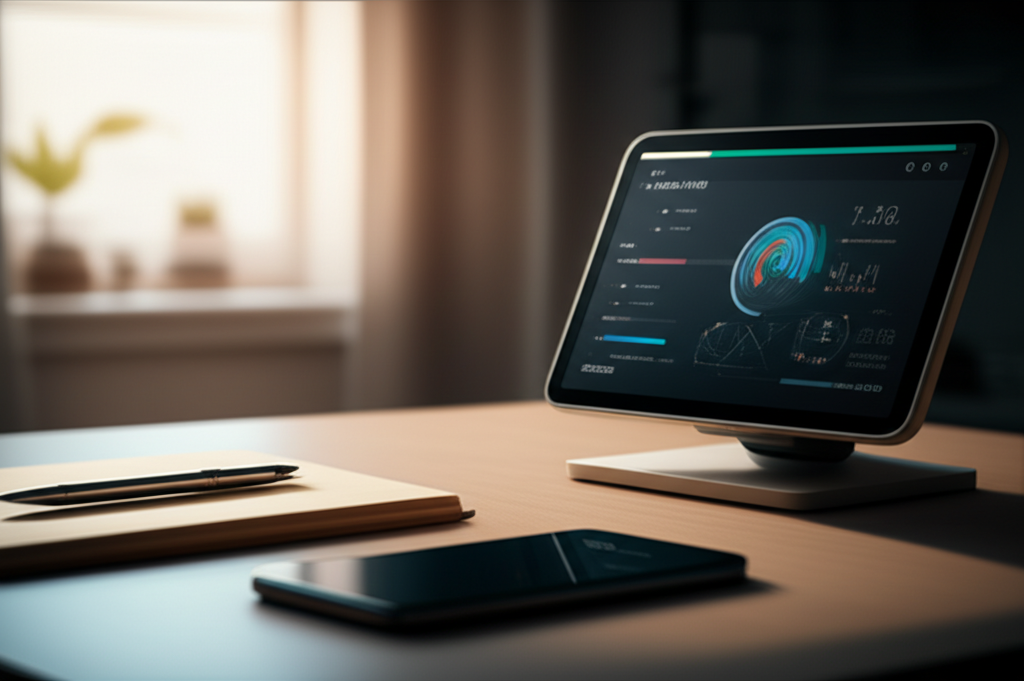
Transform your workspace with a smart assistant for your office desk, a genius tool that boosts productivity, streamlines tasks, and enhances your daily workflow, making every workday more efficient and enjoyable.
The modern office desk is more than just a surface for your computer. It’s your command center, your creative hub, and where you spend a significant part of your day. But is it working as hard as you are? Often, our desks are cluttered with distractions or lack the tools to make us truly efficient. Imagine a space that anticipates your needs, manages your schedule, and even helps you stay focused. This is where a smart assistant for your office desk steps in, acting as your personal genius tool. We’ll explore how these innovative devices can revolutionize your workday, from boosting productivity to creating a more organized and enjoyable work environment.
What is a Smart Assistant for Your Office Desk?
A smart assistant for your office desk is a device designed to help you manage tasks, access information, and control other smart devices using voice commands or simple interactions. It integrates seamlessly into your workspace, offering features like scheduling appointments, setting reminders, answering questions, and even controlling smart lights or thermostats. Think of it as a helpful colleague who’s always available, never gets tired, and can perform multiple tasks instantly. These assistants often come in the form of smart speakers or displays, like Amazon Echo devices or Google Nest Hubs.
These devices are built to simplify your daily routines. They can play music to set a focused mood, read out your emails, or provide quick weather updates without you needing to lift a finger. Their primary goal is to reduce friction in your workflow, allowing you to stay focused on more important tasks.
Why You Need a Smart Assistant on Your Desk
Your office desk should be a zone of peak performance, not a source of distraction. A smart assistant acts as a powerful ally in this quest for efficiency. It helps to automate mundane tasks, freeing up your mental energy for complex problem-solving and creative thinking. Studies show that minimizing context switching, or constantly shifting attention between tasks, significantly improves focus and productivity. A smart assistant can handle many of these small, disruptive interruptions.
For instance, instead of fumbling for your phone to set a timer or check a calendar event, you can simply ask your assistant. This small act of saving time and mental load adds up throughout the day, preventing burnout and improving overall output. It transforms your desk from a static workspace into an interactive productivity hub.
Key Features to Look For
When choosing a smart assistant for your office desk, several features are crucial for maximizing its benefit. Compatibility with your existing devices is paramount; ensure it works with your computer, smartphone, and any other smart home products you use. Voice recognition accuracy is also vital, especially in a potentially noisy office environment. Look for devices with good noise cancellation.
Consider the display option for smart displays; these offer visual feedback and can show calendars, notes, or video calls. Integration with productivity apps like Google Calendar, Outlook, or task management tools is also a significant advantage. Finally, sound quality matters if you plan to use it for music or calls.
Here’s a quick look at some core functionalities:
Voice Control: Hands-free operation for tasks.
Information Retrieval: Quick answers to questions, weather, news.
Task Management: Setting reminders, timers, alarms, and adding to lists.
Smart Home Integration: Controlling lights, thermostats, and other connected devices.
Calendar & Scheduling: Managing appointments and events.
Communication: Making calls, sending messages, or facilitating video calls (on smart displays).
Setting Up Your Smart Assistant for Maximum Productivity
Proper setup is key to unlocking the full potential of your smart assistant. Start by placing it in a location where its microphone can easily pick up your voice, typically within a few feet. Connect it to your Wi-Fi network and link it to your primary accounts, such as your email and calendar services. This allows it to access and manage your personal information effectively.
Configure its wake word (e.g., “Hey Google,” “Alexa”) to something you find easy to say and unlikely to be triggered accidentally. Explore the companion app to customize settings, manage linked services, and discover new skills or routines. Routines are powerful; they allow you to trigger a series of actions with a single command, like “Good morning,” which could turn on your desk lamp, read your schedule, and start your news briefing.
Here’s a simple setup guide:
1. Unbox and Power On: Connect the device to a power source.
2. Download the App: Install the relevant app (e.g., Google Home, Amazon Alexa) on your smartphone or tablet.
3. Connect to Wi-Fi: Follow the app’s instructions to connect your assistant to your home or office Wi-Fi.
4. Link Accounts: Sign in with your Google, Amazon, or other relevant accounts to enable calendar, email, and music services.
5. Personalize Settings: Adjust privacy settings, voice recognition, and preferred services.
6. Explore Skills/Routines: Discover and enable features that enhance your workflow.
Voice Commands for Enhanced Workflow
Mastering a few key voice commands can dramatically improve your desk productivity. Start with commands related to your daily tasks. For example, “Set a timer for 25 minutes” is perfect for the Pomodoro Technique. “Add ‘Prepare Q3 report’ to my to-do list” helps keep track of important tasks.
Utilizing your calendar is another powerful application: “What’s my next meeting?” or “Schedule a meeting with Sarah for Tuesday at 10 AM.” For quick information, try “What’s the latest news?” or “How do I spell ‘onomatopoeia’?” For smart displays, you can ask, “Show me my calendar for today” or “Display my notes for the marketing project.” Consistent use trains both you and the assistant, making the process more intuitive over time.
Here are some essential commands to get you started:
Time Management: “Set a timer for [duration],” “What time is it?”
Task Management: “Add [task] to my to-do list,” “Show me my to-do list.”
Calendar: “What’s on my schedule today?” “Remind me to call John at 3 PM.”
Information: “What’s the weather like?” “Define [word].”
* Smart Home (if applicable): “Turn on my desk lamp,” “Adjust the thermostat to 22 degrees.”
Integrating with Your Existing Tech Ecosystem
A smart assistant is most powerful when it works harmoniously with your other devices. Most assistants integrate well with major operating systems like Windows and macOS, allowing them to interact with your computer. For example, you can ask your smart assistant to open specific applications or websites on your connected computer. This is particularly useful for hands-free operation when your hands are occupied.
Smart displays can often act as secondary monitors for certain information, displaying your calendar or notes. Ensure your Bluetooth and Wi-Fi connections are stable for seamless communication between devices. Many productivity tools and apps also offer direct integrations with popular smart assistant platforms, expanding their capabilities further.
For example, if you use a project management tool like Asana or Trello, you might find a skill or action that allows you to add tasks or check project status via voice. This cross-device integration minimizes the need to switch between different applications and devices, keeping your focus sharp.
Beyond Basic Commands: Advanced Productivity Hacks
Once you’re comfortable with the basics, explore advanced features that can elevate your desk productivity. Create custom routines that combine multiple actions. For instance, a “Focus Mode” routine could dim your smart lights, silence non-essential notifications on your phone, and start a curated focus playlist, all with one command.
Consider using your smart assistant for quick dictation. You can ask it to type notes or draft short emails, which you can then refine on your computer. Smart displays can be invaluable for quick visual checks – see upcoming appointments at a glance or pull up a quick reference document without interrupting your main screen. Some assistants can even monitor your computer’s performance or remind you to take breaks, promoting better work-life balance.
“I found that setting up a ‘Wrap Up Work’ routine was a game-changer,” shares [Productivity Blogger Name, Fictional Source]. “It automatically saves my work, sends a quick status update email, and sets a reminder for my commute home. It really helps me disconnect mentally.”
Smart Assistant vs. Traditional Desk Gadgets
Traditional desk gadgets, like staplers, tape dispensers, or even basic desk organizers, serve a functional purpose. However, they lack the interactive and intelligent capabilities of a smart assistant. While a physical organizer helps declutter, a smart assistant actively manages your schedule and information flow. A desk lamp provides light, but a smart assistant can control it, adjust its color temperature, and even turn it on/off based on your presence or routine.
The core difference lies in intelligence and automation. Traditional gadgets are passive tools. Smart assistants are active partners in your productivity. They can process information, learn your habits, and adapt to your needs, offering a level of efficiency that static tools simply cannot match. Think of it as upgrading from a simple calculator to a powerful computer; both compute, but one offers vastly more power and versatility.
Here’s a comparison:
| Feature | Traditional Desk Gadget | Smart Assistant for Office Desk |
| :——————- | :———————- | :—————————— |
| Intelligence | None | High |
| Automation | Limited/Manual | High |
| Interactivity | Manual | Voice/App-based |
| Task Management | Manual | Automated/Voice-activated |
| Information Access| None | Instant/Voice-activated |
| Connectivity | None | Wi-Fi/Bluetooth |
| Adaptability | Static | Learns and adapts |
Choosing the Right Smart Assistant for Your Desk
The best smart assistant for your office desk depends on your specific needs and existing technology. If you’re deeply embedded in the Amazon ecosystem, an Echo device might be the natural choice. For those using Google services extensively, a Google Nest Hub offers superior integration.
Consider the form factor: a smart speaker is great for audio and voice commands, while a smart display adds a visual element that can be incredibly useful for work. Budget is also a factor, with basic smart speakers being more affordable than advanced smart displays. Read reviews and compare features based on what you prioritize: task management, smart home control, communication, or simply quick information access.
Researching specific models is essential. For instance, the [Example Smart Display Name, e.g., Google Nest Hub Max] offers a larger screen and advanced features like a built-in camera for video calls, while the [Example Smart Speaker Name, e.g., Amazon Echo Dot] is a more compact and budget-friendly option focused on voice interaction. Always check for compatibility with your preferred operating systems and apps.
Potential Drawbacks and How to Mitigate Them
While smart assistants offer many benefits, it’s important to be aware of potential drawbacks. Privacy is a common concern, as these devices are always listening for their wake word. Mitigate this by reviewing and adjusting privacy settings regularly, disabling the microphone when not in use, and being mindful of the data you link to the assistant. Most devices have a physical button to mute the microphone.
Another potential issue is reliance; becoming too dependent on voice commands might reduce certain cognitive skills. Balance voice use with traditional methods for critical tasks or when privacy is paramount. Accuracy can also be a challenge; background noise or accents can sometimes lead to misinterpretations. Speaking clearly and directly usually resolves this.
Finally, setup can sometimes be complex for less tech-savvy users. Take your time with the initial setup, and don’t hesitate to consult online tutorials or customer support. The initial investment in learning the system pays off in long-term efficiency gains.
Frequently Asked Questions (FAQ)
Can a smart assistant replace my computer for office tasks?
No, a smart assistant is a complementary tool. It assists with tasks but cannot perform complex computer functions like writing detailed reports or using specialized software.
Is it safe to link my work calendar and email to a smart assistant?
This depends on your company’s IT policy and the security measures of the assistant provider. Always check with your IT department before linking sensitive work accounts.
How accurate are smart assistants with voice commands?
Accuracy has improved significantly, but it can vary based on background noise, accent, and the clarity of your speech. Most major assistants are highly reliable for common commands.
What happens if multiple people are in the room? Can it distinguish voices?
Many smart assistants can learn to recognize different voices (voice profiles), allowing them to provide personalized responses and access specific user accounts. However, they primarily respond to the closest or loudest voice.
Can a smart assistant help me manage multiple projects?
Yes, by using voice commands to add tasks to different project lists, set reminders for deadlines, and ask for updates on project statuses, it can significantly aid project management.
Are there any smart assistants specifically designed for office desks?
While most consumer-grade smart assistants work well on an office desk, there aren’t many devices exclusively marketed for this purpose. The key is integrating existing smart speakers or displays into your workspace effectively.
Conclusion: Your Desk’s New Best Friend
A smart assistant for your office desk is more than just a gadget; it’s an investment in your productivity, focus, and overall work experience. By automating mundane tasks, providing instant information, and integrating seamlessly with your digital life, it acts as your personal genius tool. From setting timers for focused work sessions to managing your complex schedule, its capabilities are vast. While there are considerations around privacy and integration, the benefits of having an intelligent, responsive assistant at your fingertips are undeniable. It transforms your desk from a passive workspace into an active partner in your success, making every workday smoother, more efficient, and less stressful. Embrace the future of the productive workspace today.


Belayet Hossain is a Senior Tech Expert and Certified AI Marketing Strategist. Holding an MSc in CSE (Russia) and over a decade of experience since 2011, he combines traditional systems engineering with modern AI insights. Specializing in Vibe Coding and Intelligent Marketing, Belayet provides forward-thinking analysis on software, digital trends, and SEO, helping readers navigate the rapidly evolving digital landscape. Connect with Belayet Hossain on Facebook, Twitter, Linkedin or read my complete biography.