

Published on: 08/11/2025 | Updated on: November 8, 2025
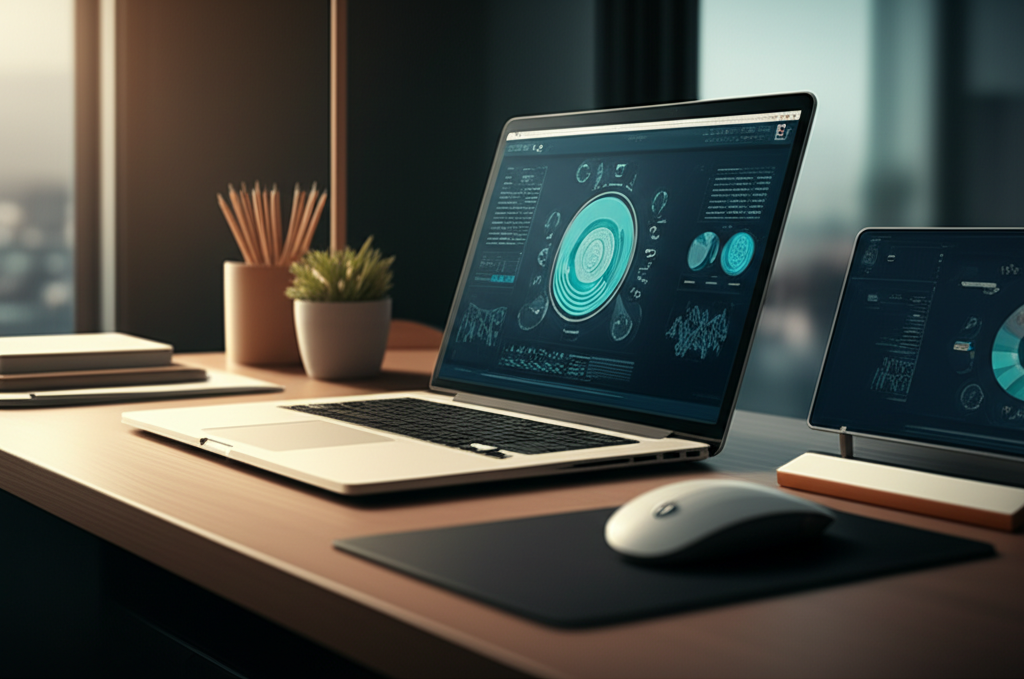
Workspace optimization tech is key to boosting productivity and comfort. These essential breakthroughs transform your desk into a high-performance zone, reducing strain and enhancing focus for better work and well-being.
The modern workspace is evolving. Whether you’re in a bustling office or a cozy home setup, optimizing your desk can feel overwhelming. Many of us struggle with clutter, discomfort, and distractions that chip away at our productivity. But what if there was a smarter way to work? This guide explores the essential workspace optimization tech that can transform your daily grind into a smooth, efficient, and enjoyable experience. Get ready to discover breakthroughs that enhance focus, comfort, and overall workflow.
Why Workspace Optimization Tech Matters
Workspace optimization tech is crucial for improving focus, reducing physical strain, and creating a more efficient work environment. It leverages smart tools and ergonomic principles to enhance both productivity and well-being.
A well-optimized workspace isn’t just about looking good; it’s about feeling good and working better. Poor desk setups can lead to fatigue, headaches, and even long-term health issues like back pain and carpal tunnel syndrome. Investing in the right tech and design principles can prevent these problems. It creates an environment where you can concentrate longer and perform at your best. Think of it as upgrading your command center for peak performance.
The Foundation: Ergonomic Essentials
Ergonomics is the science of designing workspaces to fit the people who use them. It’s the first and most important step in workspace optimization tech. Getting this right prevents discomfort and injury. It makes your desk a place you want to be.
Adjustable Monitor Arms

Monitor arms offer unparalleled flexibility in screen positioning, reducing neck and eye strain by allowing you to find the perfect viewing height and angle. This leads to a more comfortable and productive work session. They also free up valuable desk space.
You can easily move your monitor up, down, left, or right. This helps you maintain a natural posture. It reduces the need to crane your neck. Many arms support multiple monitors, further enhancing your setup. Look for arms that offer smooth adjustments and good stability.
Ergonomic Keyboards and Mice
Ergonomic keyboards and mice are designed to align with your body’s natural resting position, minimizing stress on your wrists, hands, and arms. This significantly reduces the risk of repetitive strain injuries. They promote healthier typing and mousing habits.
Split keyboards can help keep your wrists straight. Vertical mice support your hand in a handshake position. These are great for reducing pronation. They feel different at first but are worth the adjustment period. Many users report a significant reduction in wrist pain after switching.
Adjustable Standing Desks
Standing desks allow you to switch between sitting and standing throughout the day, promoting better circulation and reducing the negative health effects of prolonged sitting. This dynamic approach to work can boost energy levels and focus. It’s a cornerstone of modern ergonomic workspaces.
Most modern standing desks are electric and easy to adjust. You can set presets for your preferred sitting and standing heights. This makes transitioning seamless. Incorporating standing into your workday can also burn more calories. It’s a simple yet effective way to integrate more movement.
Supportive Seating
A good ergonomic chair is vital for spinal alignment and comfort during long work hours. It should support your lower back and allow for adjustable height, armrests, and recline. Proper seating prevents slouching and reduces pressure points.
Look for chairs with lumbar support that you can adjust. The seat depth should allow you to place your feet flat on the floor. Armrests should be at a height that allows your shoulders to relax. Investing in quality seating is investing in your long-term health.
Smart Gadgets for Enhanced Workflow
Beyond basic ergonomics, smart gadgets can automate tasks, reduce friction, and add convenience. These tools are designed to make your workday smoother and more efficient. They are key components of advanced workspace optimization tech.
Wireless Charging Pads and Docks
Wireless charging pads declutter your desk by eliminating tangled cables. They provide a convenient way to keep your devices powered up throughout the day. Simply place your compatible phone or earbuds on the pad.
Many charging pads can charge multiple devices simultaneously. Some even integrate with monitor stands or desk organizers. This is a simple upgrade that makes a big difference. It keeps your essential devices ready to go without fuss.
Smart Lighting Solutions
Smart lighting systems allow you to control brightness and color temperature, creating an optimal environment for focus or relaxation. This can reduce eye strain and improve mood. You can even schedule lighting changes to match your work rhythm.
Adjusting the color temperature can mimic natural daylight. This helps regulate your body clock. It can boost alertness during work hours. Dimmer, warmer light is better for winding down. Many smart bulbs connect to apps or voice assistants for easy control.
Productivity Hubs and Docks
Docking stations and hubs consolidate your connectivity needs, allowing you to connect multiple peripherals to your laptop with a single cable. This drastically reduces desk clutter and simplifies setup. They are essential for multi-device users.
These devices often provide extra USB ports, HDMI outputs, and Ethernet connections. Some even offer fast charging capabilities. A good dock transforms a laptop into a powerful desktop setup. It ensures all your essential tools are always connected.
Noise-Canceling Headphones
High-quality noise-canceling headphones create a personal oasis of calm, blocking out distractions and allowing for deep concentration. They are indispensable for open-plan offices or busy home environments. Immerse yourself in your work without interruption.
These headphones use technology to actively cancel ambient noise. This can significantly improve focus. Many models also offer excellent sound quality for music or calls. Look for comfortable designs for extended wear.
Cable Management: The Unsung Hero
Tangled cables are more than just an eyesore; they create clutter, make cleaning difficult, and can even pose a tripping hazard. Effective cable management is a foundational element of workspace optimization tech. It brings order to chaos.
Cable Sleeves and Ties
Cable sleeves and ties bundle unsightly cords together, creating a cleaner and more organized look. They are simple, inexpensive solutions that make a dramatic visual impact. Keep your cables neat and out of the way.
You can use Velcro ties, zip ties, or flexible sleeves. Sleeves often offer a more polished finish. They protect cables from damage too. This is an easy win for any workspace.
Under-Desk Cable Trays and Organizers
Mounting cable trays or organizers beneath your desk hides power strips and excess wiring. This completely clears your desktop and floor space. It’s a professional solution for serious cable management.
These trays attach with screws or strong adhesive. They provide a secure place for power bricks and surge protectors. It makes plugging and unplugging devices much easier. It also keeps everything accessible but out of sight.
Monitor Mounts with Integrated Cable Management
Many modern monitor arms include built-in channels or clips to route cables discreetly. This further reduces visible clutter. It integrates cable management directly into your display setup.
This feature streamlines the process of setting up your monitor. Cables run neatly along the arm, disappearing from view. It contributes to a clean, minimalist aesthetic. It’s a thoughtful design element for a tidy workspace.
Display Enhancements for Productivity
Your monitor is your primary window to the digital world. Optimizing your display setup can significantly boost productivity and reduce eye strain. These enhancements are critical for effective workspace optimization tech.
Ultrawide and Curved Monitors
Ultrawide and curved monitors offer an expanded field of view, allowing you to see more content at once. This is ideal for multitasking, creative work, and immersive experiences. They can eliminate the need for dual-monitor setups.
The curve on these monitors wraps around your field of vision. This reduces eye movement and can feel more natural. Ultrawide displays provide ample space for multiple application windows. It’s a powerful tool for demanding workflows.
Monitor Light Bars
Monitor light bars cast a focused light onto your desk surface without causing screen glare. They illuminate your immediate workspace, reducing eye strain in dimly lit conditions. This is perfect for late-night work sessions.
Unlike traditional desk lamps, they don’t take up desk space. They provide even, diffused lighting. Many offer adjustable brightness and color temperature. This is a subtle but impactful addition to your setup.
Blue Light Filters and Screen Protectors
Blue light filters and screen protectors can reduce eye strain and improve sleep quality by blocking harmful blue light emissions. They are essential for anyone spending long hours in front of a screen. Protect your eyes and improve your well-being.
These can be software-based or physical screen overlays. Physical filters are often more effective. They can also add a layer of scratch protection. Look for reputable brands offering effective filtering.
Input Devices: Precision and Comfort
Your keyboard and mouse are your primary tools for interaction. Choosing the right ones, especially ergonomic models, is crucial. These devices directly impact your comfort and efficiency. They are core to workspace optimization tech.
Mechanical Keyboards
Mechanical keyboards offer a superior typing experience with tactile feedback and customizable key switches. They can increase typing speed and accuracy. Many users find them more satisfying and less fatiguing.
Each key has its own mechanical switch underneath. These switches come in various types, offering different levels of clickiness, tactile bump, and resistance. Finding the right switch type is key to comfort. They are also known for their durability.
Vertical Mice and Trackballs
Vertical mice and trackballs provide alternative ways to interact with your computer, reducing wrist and arm strain. They are excellent options for individuals experiencing discomfort with traditional mice. Explore different input methods for better ergonomics.
Vertical mice keep your hand in a neutral handshake position. Trackballs allow you to move the cursor with your thumb or fingers. This minimizes arm movement. They require a slight learning curve but can offer significant relief.
Programmable Keyboards and Mice
Programmable devices allow you to assign custom shortcuts and macros to buttons or keys. This streamlines repetitive tasks and speeds up your workflow. Save time by automating common actions.
You can map complex command sequences to a single keystroke or button press. This is invaluable for software professionals, designers, and power users. It significantly reduces the need for manual input.
The Smart Desk Itself
The desk is the central hub of your workspace. Modern smart desks integrate technology directly into their design, offering advanced features for optimization. These are the ultimate tools in workspace optimization tech.
Integrated Power and Charging
Smart desks often feature built-in power outlets, USB ports, and wireless charging pads. This eliminates the need for external power strips and keeps charging accessible. Power management is seamlessly integrated.
These desks offer a clean, all-in-one solution for your power needs. You can plug in your devices directly at the desk surface. It simplifies your setup and reduces cable clutter significantly.
Built-in Cable Management Systems
Many smart desks incorporate sophisticated cable management channels, trays, and grommets. This ensures all wiring is neatly hidden. It contributes to a minimalist and organized aesthetic.
These integrated systems make routing and concealing cables effortless. They are designed to keep your workspace tidy and functional. It’s a key feature for a professional look.
Height Adjustability and Memory Presets
The hallmark of a smart desk is often its electric height adjustability. You can easily switch between sitting and standing. Memory presets allow you to save your preferred heights.
This feature promotes movement and reduces sedentary behavior. Setting up your perfect ergonomic positions is quick and easy. It makes transitioning between postures effortless throughout the day.
Enhancing Focus and Reducing Distractions
Beyond physical setup, workspace optimization tech can also address the mental aspect of productivity. Tools that help you focus and minimize distractions are invaluable.
Ambient Noise Machines
Ambient noise machines can mask distracting sounds with calming white noise, pink noise, or nature sounds. This creates a more focused and serene work environment. They are great for concentration.
Different sounds can have different effects. White noise is consistent and can block out sudden noises. Nature sounds can be more relaxing. Experiment to find what works best for you.
Focus Apps and Software
Productivity apps and software can block distracting websites and apps, enforce time management techniques like the Pomodoro Technique, and track your work habits. These digital tools help you stay on task. Take control of your digital distractions.
Apps like Freedom or Forest can temporarily block access to social media and other time-wasting sites. They encourage focused work sessions. Using them consistently can build better work habits.
Desk Organizers and Storage Solutions
Well-designed desk organizers and storage solutions keep your essential tools within reach but out of the way. This reduces visual clutter and makes it easy to find what you need. A tidy desk leads to a tidy mind.
Consider drawer inserts, pen holders, document trays, and monitor risers with storage. Vertical storage solutions are excellent for small desks. Keep frequently used items easily accessible.
Integrating Workspace Optimization Tech: A Step-by-Step Approach
Implementing workspace optimization tech doesn’t have to be an overnight overhaul. You can gradually build a more efficient and comfortable setup. Here’s a practical way to approach it.
1. Assess Your Current Setup:
Identify your biggest pain points. Are you experiencing neck pain? Is your desk cluttered? Do you get easily distracted?
Take a picture of your workspace. This can help you see areas for improvement objectively.
Consider how you use your space daily. What tools do you use most often?
2. Prioritize Ergonomics:
Start with essentials like a good chair and monitor height. Ensure your monitor is at eye level.
Invest in an ergonomic keyboard and mouse if you experience hand or wrist discomfort.
Consider an adjustable standing desk or a desk converter to introduce movement.
3. Tackle Cable Clutter:
Begin with simple cable ties and sleeves.
If your clutter is extensive, consider an under-desk cable management tray.
Look for monitor arms or desks with integrated cable management.
4. Add Smart Gadgets:
Introduce wireless charging for convenience.
Explore smart lighting to improve your environment.
Consider noise-canceling headphones for focus.
5. Organize and Declutter:
Invest in desk organizers that fit your workflow.
Digitize documents where possible to reduce paper clutter.
Develop a habit of tidying up at the end of each workday.
6. Refine and Iterate:
Your ideal workspace may change over time.
Continuously evaluate what’s working and what isn’t.
Don’t be afraid to try new tools or adjust your setup.
Case Study: Sarah’s Home Office Transformation
Sarah, a freelance graphic designer, was struggling with back pain and constant distractions in her home office. Her desk was a mess of cables and scattered papers. She decided to implement workspace optimization tech gradually. First, she invested in an adjustable standing desk and a high-quality ergonomic chair. Then, she added a dual monitor arm to position her screens perfectly. She used cable sleeves and an under-desk tray to hide all wires. Finally, she incorporated a smart lamp with adjustable color temperature and noise-canceling headphones. Within a month, Sarah reported a significant decrease in back pain and a noticeable increase in her ability to focus. Her productivity soared, and her workspace became a source of comfort and inspiration.
FAQ
What is the most important piece of workspace optimization tech?
The most crucial elements are ergonomic. This includes a supportive chair and properly positioned monitor. These prevent pain and improve posture during long hours.
How can I optimize my desk on a tight budget?
Start with simple, affordable solutions. Use books to raise your monitor. Buy cable ties and inexpensive desk organizers. Focus on posture adjustments and decluttering.
Is a standing desk worth the investment?
Yes, standing desks offer significant health benefits. They reduce risks associated with prolonged sitting. They can boost energy and focus. Many affordable converters are available.
How do I choose the right ergonomic keyboard?
Consider your hand size and typing style. Try different keyboard layouts like split or curved designs. Look for comfortable key travel and resistance. Many reviews compare switch types.
What’s the best way to manage cables on a desk?
Use cable sleeves, ties, or under-desk trays. Monitor arms with built-in management are also effective. The goal is to bundle and hide wires. This reduces clutter and improves aesthetics.
Can smart lighting really improve productivity?
Yes, adjustable lighting can significantly impact focus and mood. Mimicking natural daylight can boost alertness. Warmer tones can help you relax. It reduces eye strain in varied conditions.
Conclusion: Building Your Ultimate Workspace
Workspace optimization tech is a powerful enabler of productivity and well-being. By thoughtfully integrating ergonomic principles and smart tools, you can create a desk environment that supports your health and enhances your focus.
Transforming your workspace is an ongoing journey, not a destination. By understanding the core principles of workspace optimization tech, you can make informed decisions about the tools and setups that will best serve you. From essential ergonomic adjustments to smart gadgets that streamline your workflow, every step you take contributes to a more efficient, comfortable, and enjoyable work experience. Embrace these breakthroughs, experiment with what works for you, and build a workspace that empowers you to do your best work.
Want to learn more about creating your ideal workspace? Follow us for more expert tips and reviews on the latest productivity tech!

Belayet Hossain is a Senior Tech Expert and Certified AI Marketing Strategist. Holding an MSc in CSE (Russia) and over a decade of experience since 2011, he combines traditional systems engineering with modern AI insights. Specializing in Vibe Coding and Intelligent Marketing, Belayet provides forward-thinking analysis on software, digital trends, and SEO, helping readers navigate the rapidly evolving digital landscape. Connect with Belayet Hossain on Facebook, Twitter, Linkedin or read my complete biography.