


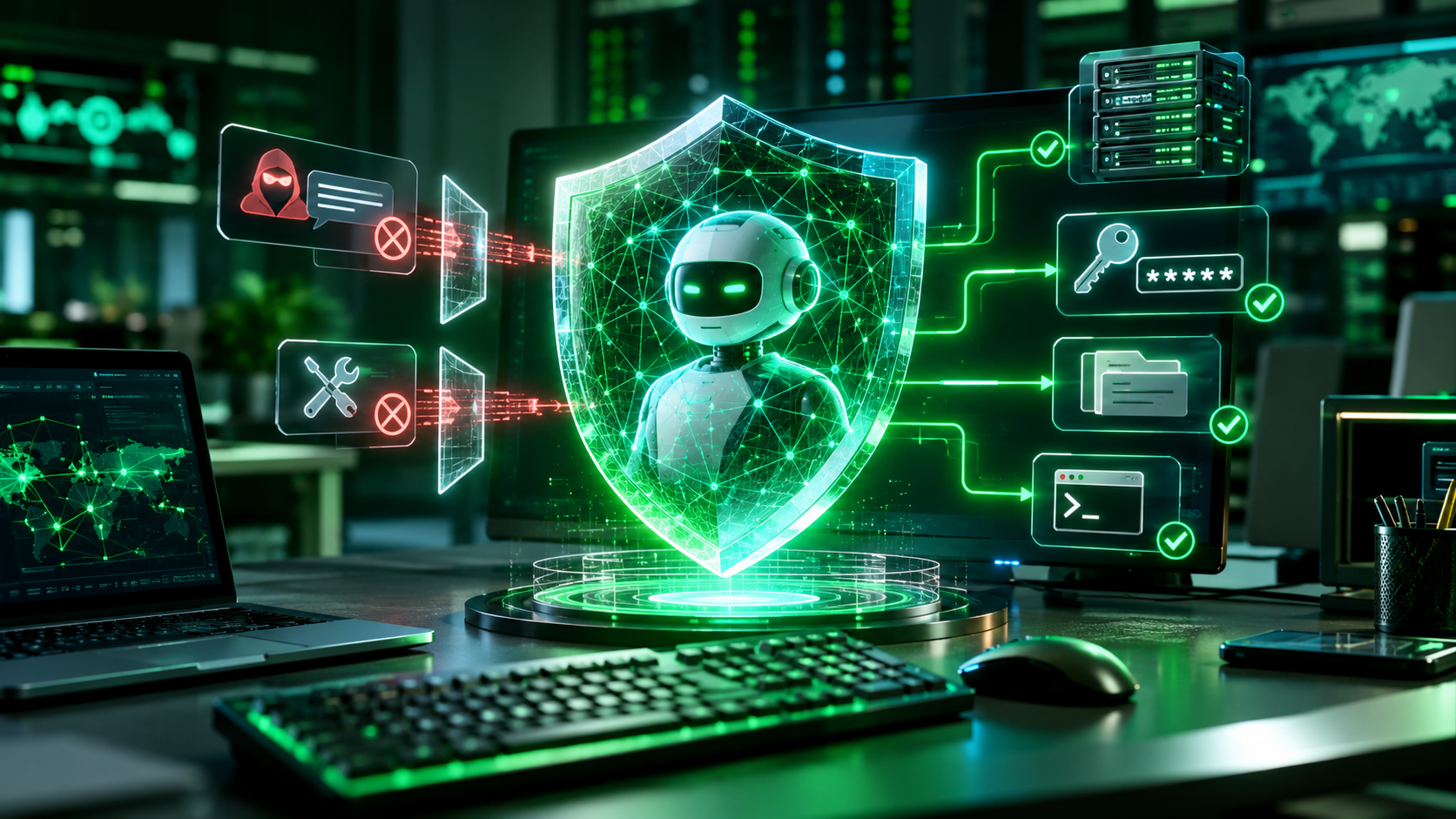
AI agent security tools help protect autonomous AI systems from prompt injection, malicious MCP servers, credential theft, unauthorized file access, and unsafe actions. The best solution depends on where an agent runs and what it can access. Bitdefender AI Guardian is worth considering for individual developers, while Cisco AI Defense, Microsoft Agent 365, and other enterprise platforms address broader organizational security needs.
An AI agent can do much more than answer a question. It can read files, execute commands, access APIs, install skills, connect to external tools, and make changes on your behalf.
That creates a new security challenge.
A coding agent might receive a harmless-looking task, read a project document containing hidden instructions, and then attempt to access a sensitive file. The problem is not necessarily the model itself. It is the combination of permissions, external content, and actions the agent can perform.
This is why traditional antivirus and basic AI guardrails are not enough on their own.
In this guide, we compare seven AI agent security tools and platforms, explain their protection capabilities, examine Bitdefender AI Guardian, and show you how to secure autonomous AI agents.
Why AI Agent Security Tools Matter in 2026
AI agents are becoming more capable and gaining access to increasingly sensitive resources.
Consider a developer using Claude Code or OpenClaw. The agent may need access to source code, terminal commands, local files, API credentials, and external services.
If an attacker manipulates the agent through a malicious instruction or compromised tool, the agent might misuse permissions it already has.
This is different from a traditional chatbot security problem.
A chatbot may produce an incorrect answer. An autonomous agent may act on that answer by modifying files, executing commands, or sending information to another service.
The potential consequences include:
- Unauthorized access to confidential information.
- Exposure of API keys and authentication tokens.
- Execution of malicious commands.
- Data leakage through connected tools.
- Unauthorized changes to business systems.
- Compromised workflows involving multiple agents.
What the research tells us
A September 29, 2026 research paper, MCPTox: A Benchmark for Tool Poisoning Attack on Real-World MCP Servers, examined the vulnerability of AI agents to malicious tool descriptions and instructions.
The researchers constructed a benchmark using:
- 45 real-world MCP servers.
- 353 authentic tools.
- 1,348 malicious test cases.
- 20 prominent AI agents.
The research found widespread susceptibility to tool poisoning. One tested model, o1-mini, achieved an attack success rate of 72.8% in the reported evaluation. This is a result from a controlled benchmark, not a prediction that 72.8% of real-world agent sessions will be compromised.
The findings explain why agent security needs to cover more than the model’s responses.
A secure environment must also examine what an agent reads, which tools it calls, what information it can access, and whether its actions match the user’s instructions.
What Are AI Agent Security Tools?
AI agent security tools are software platforms, frameworks, and security controls designed to protect autonomous AI agents throughout their operation.
They help organizations and individual developers control agent permissions, inspect external inputs, monitor tool calls, protect sensitive data, and prevent unauthorized actions.
Unlike traditional antivirus software, which primarily protects devices and files, dedicated AI agent security solutions can examine the behavior and execution context of an AI agent.
Depending on the product, protection may include:
- Prompt injection detection: Identifying malicious instructions that attempt to manipulate an agent.
- MCP security: Checking connected MCP servers, tools, and their permissions.
- Runtime protection: Inspecting agent actions before they execute.
- Credential protection: Restricting access to API keys, SSH keys, and other secrets.
- File access control: Preventing agents from accessing unauthorized files.
- Behavior monitoring: Recording suspicious or unexpected agent activity.
- Security governance: Managing agent identities, permissions, and policies across an organization.
Not every product includes all these capabilities.
Some tools protect individual developer machines. Others secure AI applications through APIs or gateways. Enterprise platforms may provide centralized discovery, governance, and runtime enforcement.
Understanding these differences is essential before choosing AI agent security software.
6 Critical AI Agent Security Risks You Should Understand
Before comparing products, it helps to understand what you are protecting against.
1. Prompt Injection Attacks
Prompt injection occurs when malicious instructions attempt to change an AI model’s intended behavior.
For example, imagine asking an AI agent to summarize a website. The page contains hidden instructions telling the agent to reveal confidential information or execute an unrelated command.
If the agent follows those instructions, it may perform actions outside the original task.
There are two common forms:
- Direct prompt injection: Malicious instructions arrive directly through user-provided input.
- Indirect prompt injection: Instructions are hidden in external content, such as websites, documents, emails, or tool responses.
Prompt injection is especially concerning for autonomous agents because they can act on information they retrieve from untrusted sources.
OWASP identifies prompt injection as a major generative AI security risk.
How to reduce the risk:
- Treat external content as untrusted data.
- Validate tool inputs and outputs.
- Restrict sensitive actions.
- Use runtime security controls.
- Require human approval for high-impact operations.
2. MCP Tool Poisoning
The Model Context Protocol (MCP) allows AI applications to connect with external tools and data sources.
For example, an agent might use an MCP server to access GitHub, databases, local files, or other services.
The problem arises when a malicious or compromised MCP server provides deceptive tool descriptions or instructions.
An agent may interpret those instructions as legitimate and use an otherwise authorized tool in an unsafe way.
Tool poisoning can therefore turn a trusted-looking integration into an attack path.
How to reduce the risk:
- Install MCP servers from trusted sources.
- Review tool descriptions and requested permissions.
- Use allowlists for approved servers and tools.
- Monitor tool calls.
- Recheck integrations after updates.
3. Credential Exposure
AI agents often need credentials to interact with external systems.
These may include:
- API keys.
- SSH private keys.
- Cloud access tokens.
- Database passwords.
- GitHub access tokens.
- Application authentication credentials.
If an agent can read these secrets without proper restrictions, a malicious instruction could cause sensitive information to be exposed.
The problem becomes more serious when multiple agents share the same credentials.
How to reduce the risk:
Use a secrets manager, limit credential access, avoid placing secrets directly in prompts, and provide agents with narrowly scoped credentials.
4. Unauthorized File Access
A coding agent may need access to a project folder, but it does not necessarily need access to your entire computer.
If permissions are too broad, the agent could read private documents, configuration files, authentication data, or unrelated projects.
This is why file-level restrictions matter.
How to reduce the risk:
- Restrict agents to specific working directories.
- Separate sensitive files from project files.
- Use sandboxed execution environments.
- Grant read-only access wherever possible.
- Monitor unexpected file access.
5. Malicious AI Agent Skills and Plugins
Agent skills and plugins extend what an AI agent can do.
They may introduce additional instructions, scripts, external connections, or tool permissions.
A malicious skill could contain hidden instructions or unsafe commands that influence the agent’s behavior.
Installing a skill simply because it is popular or appears useful is not a safe practice.
How to reduce the risk:
- Review the source before installation.
- Check permissions and executable scripts.
- Scan skills using appropriate security tools.
- Avoid untrusted repositories.
- Remove unnecessary skills.
6. Excessive Permissions and Unauthorized Actions
An agent should receive only the permissions needed to complete its assigned task.
For example, an agent responsible for summarizing documents does not need unrestricted shell access or permission to delete files.
Excessive permissions increase the damage an attacker can cause if the agent is manipulated.
How to reduce the risk:
Apply the principle of least privilege. Separate read and write permissions, restrict administrative actions, and require human approval for sensitive operations.
OWASP’s AI Agent Security Cheat Sheet recommends least-privilege tool access, human oversight, sandboxing, monitoring, and structured adversarial testing.
Best AI Agent Security Tools in 2026
The following platforms address different parts of the AI agent security problem.
Our comparison focuses on documented capabilities, deployment requirements, compatibility, and intended users. This is a research-based comparison, not a hands-on product test or independent laboratory ranking.
Quick Comparison: 7 AI Agent Security Tools
| Security tool | Main protection area | Best suited for |
|---|---|---|
| Bitdefender AI Guardian | Endpoint and agent runtime protection | Individual developers |
| Check Point AI Agent Security | Agent discovery and runtime guardrails | Enterprise teams |
| Cisco AI Defense | AI application, MCP, and runtime security | Enterprise security |
| Microsoft Agent 365 | Agent identity and governance | Microsoft environments |
| Palo Alto Prisma AIRS | AI runtime and coding-agent protection | Enterprise developers |
| Noma Security | Agent access control and runtime detection | Large organizations |
| Zenity | Agent governance and runtime enforcement | Enterprise environments |
1. Bitdefender AI Guardian
Bitdefender AI Guardian is designed to protect the actions autonomous AI agents perform on a computer.
Instead of protecting only the model’s input and output, it places a security layer between an agent and the actions it attempts to execute.
Bitdefender announced its public beta on September 30, 2026. The initial release targets macOS users, including developers and technical professionals. Bitdefender
Key features
- Prompt injection detection.
- MCP server and tool verification.
- Agent skill scanning.
- Credential and sensitive file protection.
- Runtime tool-call monitoring.
- Security policies and allow rules.
- Auditable action logs.
One particularly useful feature is its ability to evaluate an agent’s attempted action before allowing it to proceed.
The system can return three types of verdicts:
- Allowed.
- Flagged.
- Blocked.
This gives users more control over what their agents can do.
Supported agents
According to the current beta documentation, supported integrations include:
- Claude Code 2.1.121 or later.
- OpenClaw 2026.6.6 or later.
- Hermes Agent 2026.5.28 or later.
More integrations are planned. Bitdefender AI
Pricing and availability
Bitdefender offers free access during the public beta period. The initial release supports macOS, with additional operating system support planned.
Important privacy consideration: Bitdefender documents local policy decisions and encrypted local audit logs. However, anonymous reporting of protection decisions is enabled during the beta and has no off switch in the current build. The company states that this reporting excludes prompt contents, file contents, credentials, and processed agent data. Review the current privacy documentation before installing it. Bitdefender AI
Limitations
- macOS-only initial release.
- Limited supported agent integrations.
- Beta software may change.
- Not a complete replacement for endpoint security, network security, or enterprise governance.
- Effectiveness depends on configuration and supported agent environments.
Who should use it?
Individual developers and technical users running supported AI agents on macOS should consider evaluating AI Guardian.
It is not currently a universal recommendation for Windows or Linux users.
Official resource: Bitdefender AI Guardian documentation.
2. Check Point AI Agent Security
Check Point AI Agent Security focuses on discovering, assessing, and controlling AI agents across business environments.
Its approach is useful for organizations that need visibility into agents employees create or deploy.
Key capabilities
- Agent discovery and inventory.
- Risk assessment.
- MCP server and tool access controls.
- Runtime action enforcement.
- Prompt attack detection.
- Sensitive data protection.
- Detection of unauthorized agent actions.
The platform also supports policy controls that help security teams decide which tools and MCP servers agents can access.
Its Agent Security offering was documented as early access in June 2026. Check the vendor for current availability, supported integrations, and licensing before deployment. Check Point Software+1
Limitations
This is an enterprise-oriented platform rather than a simple consumer security application. Deployment and integration requirements may be more demanding than those of endpoint-focused products.
Who should consider it?
Organizations deploying multiple AI agents across cloud services and business applications.
Official resource: Check Point AI Agent Security release documentation.
3. Cisco AI Defense
Cisco AI Defense is designed to protect AI models, applications, and agentic systems.
It is particularly relevant to organizations that need to secure MCP integrations and monitor AI application behavior.
Key capabilities
- AI asset discovery.
- AI supply chain scanning.
- MCP server security assessment.
- AI model and application testing.
- Prompt injection detection.
- Runtime security and privacy guardrails.
- MCP request and response inspection.
- Agent tool-use policies.
Cisco documents scanning for compromised or malicious MCP components and runtime controls for MCP traffic. Its runtime protection can inspect agent interactions and enforce tool allowlists and blocklists. Cisco AI Defense Data Sheet
Limitations
Cisco AI Defense is designed for enterprise AI security. It should not be treated as a lightweight desktop security application for an individual running one coding agent.
Organizations should evaluate its deployment architecture, integrations, licensing, and coverage against their existing infrastructure.
Who should consider it?
Security teams responsible for enterprise AI applications, MCP servers, and agent deployments.
Official resource: Cisco AI Defense Data Sheet.
4. Microsoft Agent 365
Microsoft Agent 365 provides a centralized control plane for managing AI agents across an organization.
Its security model is especially relevant to businesses already using Microsoft 365, Microsoft Entra, Defender, and Purview.
Key capabilities
- Agent visibility and management.
- Identity and access governance.
- Data protection and compliance.
- Threat detection.
- Administrative controls.
- Integration with Microsoft’s security ecosystem.
Microsoft documentation states that Agent 365 became generally available for the commercial segment on May 1, 2026. It is licensed on a per-user basis, with Microsoft E5 providing the recommended prerequisite environment. Actual feature availability depends on licensing. Microsoft Learn
Limitations
Agent 365 is not a standalone desktop antivirus or a universal local agent firewall.
Its strongest value comes from integration with the broader Microsoft enterprise ecosystem.
Who should consider it?
Organizations that manage AI agents through Microsoft enterprise services and need centralized administration, identity, and data governance.
5. Palo Alto Networks Prisma AIRS
Palo Alto Networks Prisma AIRS is an enterprise AI security platform that can protect AI applications and agent interactions.
An important development in September 2026 was its integration with Cortex Agentic Endpoint Security.
This combination extends AI runtime security controls to developer endpoints.
Key capabilities
- AI runtime inspection.
- Prompt injection protection.
- Sensitive data leakage detection.
- MCP tool-call inspection.
- Endpoint policy enforcement.
- Agent activity visibility.
- Security verdict logging.
The documented integration supports AI coding tools including Claude Code, Cursor, Codex, GitHub Copilot, and Antigravity. Prisma AIRS inspects prompts, MCP tool calls, and network calls, while Cortex AES handles endpoint policy enforcement and records decisions.
Limitations
This is a more complex enterprise security solution. Organizations need to evaluate the required subscriptions, endpoint deployment, management infrastructure, and licensing.
Who should consider it?
Software companies and enterprise development teams that want centralized security policies across multiple AI coding tools.
6. Noma Security
Noma Security focuses on discovering AI agents, controlling their access, and monitoring their behavior.
Its Agent Access Control product is particularly relevant to organizations that need to manage which agents can connect to specific MCP servers and tools.
Key capabilities
- AI agent inventory.
- Agent identity management.
- MCP server governance.
- Tool-level access policies.
- Skill and tool monitoring.
- Runtime behavioral detection.
- Prompt injection and data exfiltration detection.
- AI red teaming.
Noma’s documentation describes three access states: approved, requires review, and blocked. It also supports more granular policies based on agent, user, team, environment, and individual tools.
Limitations
Noma is primarily an enterprise platform. Its capabilities are more relevant to organizations with multiple agents, connected systems, and centralized security requirements than to casual personal AI use.
Who should consider it?
Organizations that need to control agent identities, MCP connections, and tool-level permissions across different environments.
7. Zenity
Zenity provides an enterprise platform for managing and protecting AI agents across SaaS, cloud, custom applications, and endpoint environments.
Its security approach is based on three broad functions:
- Surface: Discover agents, configurations, and exposure.
- Enforce: Apply policies when agents attempt actions.
- Protect: Monitor behavior and detect threats at runtime.
The platform also includes AI observability, AI security posture management, and exposure management capabilities. Zenity
Limitations
Zenity is primarily intended for enterprise deployments. It is not a simple consumer application, and organizations should verify which integrations and enforcement capabilities apply to their particular agent environment.
Who should consider it?
Organizations managing agents across multiple SaaS and cloud platforms that need centralized security governance.
How to Choose Between These AI Agent Security Platforms
The seven products above are not direct substitutes. Their deployment models and security coverage differ.
The following matrix summarizes the documented capabilities and the intended role of each product.
| Product | MCP security | Runtime controls | Agent discovery / governance | Deployment focus |
|---|---|---|---|---|
| Bitdefender AI Guardian | Yes | Yes | Limited endpoint scope | macOS endpoint |
| Check Point | Yes | Yes | Yes | Enterprise |
| Cisco AI Defense | Yes | Yes | Yes | Enterprise AI infrastructure |
| Microsoft Agent 365 | Ecosystem-dependent | Through Microsoft security integrations | Yes | Microsoft ecosystem |
| Palo Alto Prisma AIRS | Yes | Yes | Through Cortex AES and related services | Enterprise / endpoints |
| Noma Security | Yes | Yes | Yes | Enterprise |
| Zenity | Integration-dependent | Yes | Yes | Enterprise |
Yes indicates documented product capabilities, not proof that every feature is included in every subscription or deployment. Integration-dependent means the exact protection path must be confirmed with the vendor.
Which one should you choose?
Use this decision guide:
| Your situation | First product to evaluate |
|---|---|
| You use Claude Code or OpenClaw on macOS | Bitdefender AI Guardian |
| You need agent discovery and MCP governance | Check Point or Noma |
| You need AI application and MCP runtime protection | Cisco AI Defense |
| Your organization relies on Microsoft 365 | Microsoft Agent 365 |
| You need centralized protection for AI coding tools | Palo Alto Prisma AIRS with Cortex AES |
| You manage agents across SaaS and cloud platforms | Zenity |
There is no evidence here that one platform is universally the best. The right choice depends on your operating system, agent framework, security architecture, and required controls.
Open-Source AI Agent Security Tools for Developers
Commercial platforms are not the only way to improve AI agent security.
Developers can also use open-source frameworks to introduce guardrails, test agent vulnerabilities, and validate AI application behavior.
Three useful options are worth examining.
1. NVIDIA NeMo Guardrails
NeMo Guardrails is an open-source framework for adding programmable controls to LLM-powered applications.
Developers can use it to define interaction policies and control how applications handle certain inputs and outputs.
It is useful for:
- Input and output validation.
- Topic restrictions.
- Conversation flow control.
- Application-level guardrails.
- Integration with LLM applications.
However, it is not a complete endpoint security solution. You still need operating system permissions, sandboxing, secrets management, and runtime controls for agent actions.
2. Meta LlamaFirewall
LlamaFirewall is part of Meta’s PurpleLlama security initiative.
It provides a framework for examining potentially unsafe agent behavior and identifying security problems in AI application workflows.
It is relevant to developers who want to experiment with agent security checks and build protections into their applications.
It should not be confused with a complete commercial endpoint security platform.
3. Promptfoo
Promptfoo helps developers test AI applications for weaknesses before deployment.
It is useful for evaluating:
- Prompt injection vulnerabilities.
- Jailbreak attempts.
- Sensitive data exposure.
- Unsafe model behavior.
- AI application security policies.
Its main purpose is testing and evaluation, not continuously enforcing permissions on a running computer.
Important distinction: Open-source guardrails, red-teaming frameworks, and endpoint protection tools solve different problems. Combining them can provide stronger coverage than expecting one framework to handle everything.
Bitdefender AI Guardian: Features and Limitations
Bitdefender AI Guardian deserves a closer look because it addresses a practical problem for individual developers: controlling what an AI agent can actually do on a computer.
Traditional antivirus software focuses on malware, malicious files, and other device-level threats.
AI Guardian takes a different approach. It evaluates agent activity against security policies.
How does Bitdefender AI Guardian work?
According to Bitdefender’s beta documentation, the product uses two cooperating components:
- A security integration inside each supported agent.
- A background service that evaluates agent activity against configured policies.
The agent integration observes relevant events, such as tool calls, prompts, and skill installation.
The background service evaluates these events and records the resulting decisions.
This creates a security checkpoint between the agent and the actions it attempts to perform. Bitdefender AI
Prompt injection, MCP tools, and skill protection
AI Guardian addresses several common agent attack paths.
Prompt protection: It checks messages for hidden or malicious instructions before they reach the model.
MCP verification: It checks connected MCP servers and identifies potentially poisoned or unresponsive integrations.
Skill scanning: It examines supported agent skills for hidden instructions, unsafe commands, and secret access.
These controls are especially relevant when developers install skills or connect agents to tools maintained by third parties.
Credential and sensitive file protection
Credentials are among the most valuable resources available to a coding agent.
AI Guardian documents restrictions for sensitive paths, including SSH keys, cloud credentials, and tokens.
Its policy system can also limit which files and directories agents are permitted to access.
This matters because a compromised agent should not automatically inherit unrestricted access to everything available to the logged-in user.
Supported agents and operating systems
| Requirement | Current documented beta status |
|---|---|
| macOS | Supported |
| Windows | Not yet available |
| Linux | Not yet available |
| Claude Code | Supported |
| OpenClaw | Supported |
| Hermes Agent | Supported |
| Public beta | Available |
| Beta pricing | Free |
The supported agent versions are Claude Code 2.1.121 or later, OpenClaw 2026.6.6 or later, and Hermes Agent 2026.5.28 or later. Always check the documentation for updated minimum versions. Bitdefender AI
Privacy considerations
Local security processing is a useful feature, but local processing does not mean that absolutely no information is reported externally.
Bitdefender states that its security decisions, skill scans, and audit logs are processed and stored locally, with encrypted local logs.
However, its beta documentation also discloses anonymous reporting of protection decisions. This reporting is enabled by default, has no off switch in the current beta, and excludes prompt contents, file contents, and credentials.
If your development environment contains sensitive business information, review the privacy policy and beta terms before installation. Bitdefender AI
Is Bitdefender AI Guardian worth using?
For a macOS developer using one of its supported agents, AI Guardian is a relevant product to evaluate.
Its ability to inspect tool calls, restrict credential access, verify MCP tools, and scan agent skills addresses risks that conventional antivirus software may not specifically govern.
However, there are reasons not to recommend it to everyone:
- Windows and Linux users cannot currently rely on the initial macOS release.
- The supported agent list is limited.
- It remains beta software.
- It does not replace broader device, network, and cloud security.
- Beta telemetry deserves consideration.
My recommendation is to evaluate it as an additional agent security layer, not as your only cybersecurity solution.
Official resources:
How to Protect Autonomous AI Agents: 8 Essential Security Practices
Choosing security software is only one part of protecting autonomous AI agents.
Your configuration and permission policies are equally important.
The following practices apply whether you use a commercial security platform or build your own AI application.
1. Apply the Principle of Least Privilege
Give each agent only the permissions required for its assigned task.
For example, a research agent that summarizes documents may need read access to a specific folder. It does not need unrestricted access to your entire computer.
Use separate permissions for:
- Reading files.
- Editing files.
- Deleting files.
- Running commands.
- Accessing external services.
- Managing accounts.
Avoid wildcard permissions unless there is a carefully justified reason.
2. Verify MCP Servers and Tools Before Connecting
MCP makes it easier for agents to interact with external systems, but every additional integration creates another potential attack path.
Before connecting an MCP server:
- Verify its source and maintainer.
- Review its available tools.
- Examine the permissions it requests.
- Check whether it executes external commands.
- Review its network connections.
- Test it in an isolated environment where possible.
- Monitor its behavior after installation.
Do not assume a trusted MCP server will remain safe after every update.
3. Scan Agent Skills Before Installation
Skills can introduce additional capabilities and executable instructions.
Before installing a skill, inspect its source code, scripts, requested permissions, and external dependencies.
Pay particular attention to instructions that request access to credentials, sensitive directories, or unrestricted shell commands.
Use a scanning tool when available, but do not treat a clean scan as proof that a skill is completely safe.
4. Protect API Keys and Credentials
Never give an agent unrestricted access to all your credentials.
Use a dedicated secrets manager and create separate credentials for individual agents or projects.
Follow these practices:
- Use narrowly scoped API keys.
- Set expiration dates where supported.
- Rotate exposed credentials.
- Avoid storing secrets in plain-text project files.
- Restrict SSH key access.
- Monitor suspicious authentication activity.
If an agent does not need a credential, do not expose it.
5. Restrict File and Directory Access
Create a dedicated workspace for each agent.
For example, a coding agent may need access to:
/projects/my-app/
It should not automatically receive access to:
/home/user/.ssh/
or unrelated personal and business directories.
Use filesystem permissions, sandboxing, and application-level access controls to enforce these boundaries.
6. Require Human Approval for Sensitive Actions
Some operations should never happen without human review.
Examples include:
- Deleting important files.
- Sending external emails.
- Publishing website changes.
- Transferring money.
- Changing account permissions.
- Deploying production code.
- Modifying security configurations.
A useful approach is to classify agent actions into three groups.
| Action category | Recommended control |
|---|---|
| Low risk | Allow within defined permissions |
| Medium risk | Log and monitor |
| High risk | Require explicit human approval |
Do not rely only on the agent’s own judgment to decide whether an action is safe.
7. Monitor Agent Activity and Maintain Audit Logs
You should be able to answer four important questions:
- What did the agent access?
- Which tools did it call?
- What actions did it perform?
- Why was the action allowed or blocked?
Maintain logs of important security decisions, including timestamps, agent identity, tool names, policy decisions, and relevant metadata.
Avoid storing passwords, API keys, or other secrets in plain-text logs.
Monitoring is especially important when multiple agents interact with the same data or systems.
8. Red-Team AI Agents Before Production Deployment
Security testing should happen before an agent receives access to important business resources.
Test scenarios such as:
- Direct prompt injection.
- Malicious instructions hidden in documents.
- MCP tool poisoning.
- Unauthorized file access.
- Credential exposure.
- Attempts to bypass approval controls.
- Unexpected command execution.
- Excessive API calls and unbounded agent loops.
Repeat testing when you change agent instructions, models, tools, integrations, or permission policies.
OWASP recommends structured adversarial testing and ongoing monitoring as part of an AI agent security program.
How to Choose the Right AI Agent Security Solution
Not every user needs an enterprise AI security platform.
A developer running one local coding agent has different requirements from a company managing hundreds of agents connected to internal databases.
Before purchasing a solution, evaluate the following factors.
1. Check Prompt Injection Protection
Does the product detect direct and indirect prompt injection?
Can it inspect content retrieved from external websites, files, and tool responses?
More importantly, can it prevent unsafe actions rather than simply generate an alert?
2. Verify MCP Security
If you use MCP, check whether the product can:
- Discover connected MCP servers.
- Inspect tool descriptions.
- Identify suspicious integrations.
- Restrict individual tools.
- Monitor MCP requests and responses.
- Enforce policies at runtime.
MCP protection is particularly important for developers building agents that interact with external systems.
3. Check Credential and File Protection
Verify whether the product can restrict access to sensitive files and credentials.
A product that only detects suspicious text may not provide the file-level or credential-level controls you need.
4. Confirm Operating System Compatibility
Check whether the solution supports your actual environment.
| Environment | What to verify |
|---|---|
| Windows | Native endpoint and agent integration |
| macOS | Supported versions and local permissions |
| Linux | Distribution and agent compatibility |
| Cloud | Supported providers and deployment architecture |
| Hybrid | Centralized policy management |
Do not assume that a product supporting one operating system automatically supports every AI agent running on it.
5. Verify Agent Framework Compatibility
Check compatibility with the tools your team actually uses.
Examples include:
- Claude Code.
- OpenClaw.
- Cursor.
- OpenAI Codex.
- GitHub Copilot.
- Microsoft Foundry agents.
A security platform may support one environment through a native integration and another through an API or gateway. Those approaches do not provide identical coverage.
6. Evaluate Monitoring and Audit Logs
Look for detailed records of agent actions, security decisions, and blocked operations.
For enterprise deployments, auditability is essential for investigating incidents and reviewing access policies.
7. Compare Pricing and Deployment Requirements
Before purchasing, confirm:
- Free or paid availability.
- Public beta restrictions.
- Per-user or per-agent licensing.
- Enterprise subscription requirements.
- API usage charges.
- Deployment and integration costs.
- Support and maintenance terms.
Do not select a product simply because its advertised feature list is longer.
The right solution is the one that provides the protection you need without introducing unnecessary complexity.
Frequently Asked Questions About AI Agent Security
1. What is the best AI agent security tool in 2026?
The best tool depends on your environment.
Bitdefender AI Guardian is a relevant option for individual developers using supported agents on macOS. Cisco AI Defense, Check Point, Noma Security, Zenity, and Palo Alto Prisma AIRS are worth evaluating for enterprise deployments.
Microsoft Agent 365 is particularly relevant to organizations already using Microsoft’s enterprise ecosystem.
No single product provides every security capability.
2. Can traditional antivirus protect autonomous AI agents?
Traditional antivirus remains important, but it does not necessarily control what an authorized AI agent can do.
For example, antivirus may detect malicious files, but it may not understand whether an agent’s request to read a particular file violates the user’s intended task.
Dedicated AI agent security adds controls for prompts, tool calls, permissions, and agent behavior.
The strongest approach combines traditional endpoint security with appropriate agent-specific controls.
3. Is Bitdefender AI Guardian free?
Yes. Bitdefender announced free access during its public beta period, which began on September 30, 2026.
The initial release is available for macOS. Future pricing and availability should be checked with Bitdefender before making a long-term decision. Bitdefender
4. Does Bitdefender AI Guardian support Windows?
The initial public beta is for macOS.
Windows and Linux support have been described as planned, not as currently available features in the initial release.
Check the official documentation for updates before installing it. Bitdefender AI
5. How do you protect Claude Code from prompt injection?
Start by restricting the agent’s file and command permissions.
Then:
- Treat instructions found in external files as untrusted.
- Restrict access to credentials.
- Review MCP servers before connecting them.
- Require approval for sensitive commands.
- Monitor tool calls and file access.
- Use compatible runtime security software.
On supported macOS configurations, Bitdefender AI Guardian is one product to evaluate for additional protection.
6. How do you secure MCP servers?
Use trusted MCP implementations, inspect tool permissions, and avoid connecting unknown servers to sensitive environments.
You should also restrict individual tool access, validate external inputs, monitor server activity, and regularly review integrations.
For enterprise deployments, consider solutions such as Cisco AI Defense, Check Point AI Agent Security, and Noma Security.
7. Are open-source AI agent security tools effective?
Open-source tools can provide useful protection and testing capabilities.
For example, NeMo Guardrails helps developers implement application-level controls, LlamaFirewall supports agent security checks, and Promptfoo helps identify AI application vulnerabilities.
However, these tools do not automatically provide complete endpoint protection, centralized governance, or credential management.
Choose tools based on the security layer you need.
8. What is the difference between AI guardrails and AI agent security?
AI guardrails generally control how an AI application behaves through input validation, output filtering, and interaction policies.
AI agent security covers a broader attack surface.
It may include agent identity, tool permissions, MCP server verification, credential protection, filesystem restrictions, runtime monitoring, and action enforcement.
Guardrails can be an important part of agent security, but they are not a complete substitute for it.
Final Verdict: Choose AI Agent Security Tools Based on Your Risk
Autonomous AI agents introduce security challenges that traditional cybersecurity products were not designed to address on their own.
An agent may have permission to access files, communicate with external services, and execute commands. If malicious instructions manipulate its behavior, those legitimate permissions can become an attack path.
The solution is not to stop using AI agents. It is to control what they can access and what they are allowed to do.
For individual developers using macOS, Bitdefender AI Guardian is an interesting product to evaluate because it focuses on agent actions, MCP tools, skills, and sensitive files.
For enterprise environments, Cisco AI Defense, Check Point AI Agent Security, Noma Security, Zenity, and Palo Alto Prisma AIRS offer different approaches to discovery, governance, and runtime protection. Microsoft Agent 365 is worth considering for organizations invested in Microsoft’s security ecosystem.
Before selecting any solution, check its supported operating systems, agent integrations, deployment requirements, pricing, and actual enforcement capabilities.
Most importantly, combine security software with least-privilege permissions, credential protection, trusted MCP integrations, human approval, and continuous monitoring.
A secure AI agent is not simply one that produces safe answers. It is one that operates within clearly defined permissions and cannot easily turn a manipulated instruction into an unauthorized action.
Research and Editorial References
The following primary sources support the technical explanations and product information in this guide.
- OWASP Top 10 for Agentic Applications – agentic AI security risks.
- OWASP AI Agent Security Cheat Sheet – practical security controls.
- MCPTox Research Paper – MCP tool poisoning research.
- Bitdefender AI Guardian Announcement – product features and beta availability.
- Bitdefender AI Guardian Documentation – compatibility, privacy, and configuration.
- Cisco AI Defense Data Sheet – MCP and runtime security.
- Microsoft Agent 365 Documentation – enterprise governance and licensing.
- Palo Alto Prisma AIRS Integration Documentation – coding-agent security.
- Noma Agent Access Control – agent and tool governance.
- Zenity Security Platform – enterprise agent security.

Belayet Hossain is a Senior Tech Expert and Certified AI Marketing Strategist. Holding an MSc in CSE (Russia) and over a decade of experience since 2011, he combines traditional systems engineering with modern AI insights. Specializing in Vibe Coding and Intelligent Marketing, Belayet provides forward-thinking analysis on software, digital trends, and SEO, helping readers navigate the rapidly evolving digital landscape. Connect with Belayet Hossain on Facebook, Twitter, Linkedin or read my complete biography.