

Published on: 26/09/2025 | Updated on: September 26, 2025
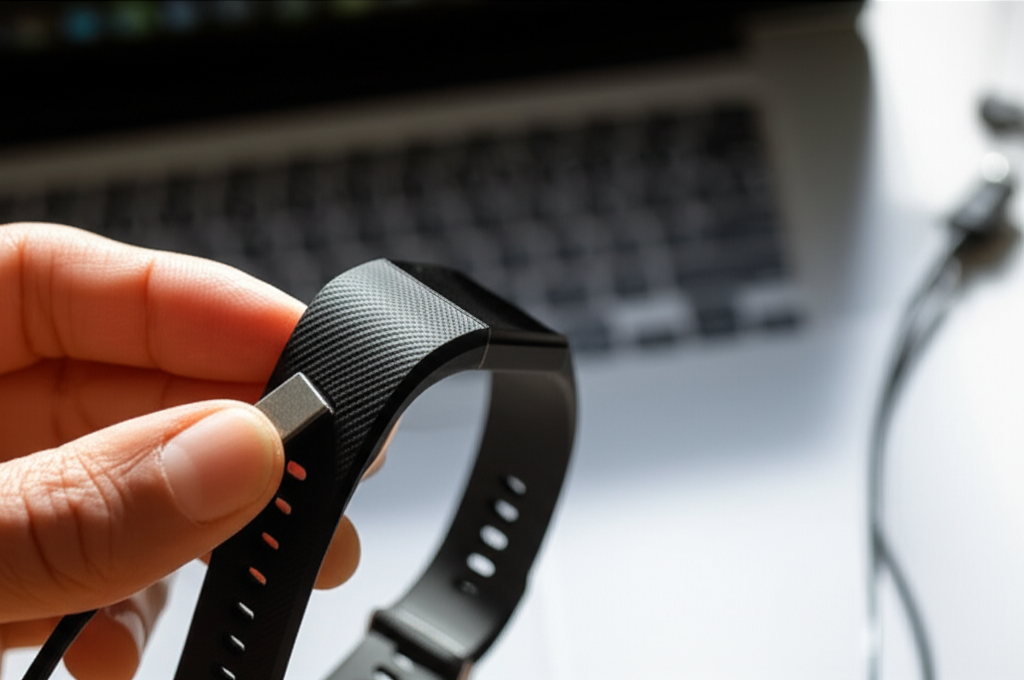
Restarting your Fitbit Charge HR is a simple fix for common glitches, helping you get back to tracking your fitness and health without missing a beat. This guide offers straightforward, step-by-step instructions to resolve issues and ensure your device is functioning optimally.
The Fitbit Charge HR is a popular fitness tracker, loved for its ability to monitor heart rate and activity. However, like any electronic gadget, it can sometimes encounter minor software hiccups. These might manifest as a frozen screen, unresponsiveness, or a failure to sync with the Fitbit app. Experiencing these issues can be frustrating, but thankfully, a restart is often all that’s needed to bring your device back to life. This essential guide will walk you through precisely how to restart your Fitbit Charge HR, ensuring you can get back to enjoying its full functionality quickly and easily. We’ll cover the common reasons why a restart might be necessary and provide clear, actionable steps.
Why Might Your Fitbit Charge HR Need a Restart?
Your Fitbit Charge HR might require a restart for a variety of reasons, usually stemming from minor software glitches or temporary communication issues. These problems are rarely serious and can often be resolved with a quick reboot. Understanding these common triggers can help you preemptively address issues and maintain your device’s smooth operation.
Common scenarios include the device freezing or becoming unresponsive, a persistent Bluetooth connectivity problem with your phone, or if certain features like heart rate tracking stop working correctly. Sometimes, after a firmware update, a restart can help ensure all new features are properly integrated. It’s also a good first troubleshooting step before contacting customer support.
Understanding the Fitbit Charge HR Restart Process
The Fitbit Charge HR is designed with a straightforward restart mechanism, which is essentially a soft reset. This process doesn’t erase any of your personal data, such as steps, calories burned, or sleep logs. Instead, it clears temporary memory and reboots the device’s operating system, much like restarting a computer or smartphone. This is a crucial distinction from a factory reset, which would wipe all your settings and data.
Knowing that your data remains safe makes attempting a restart a low-risk, high-reward troubleshooting step. It’s designed to be user-friendly, meaning you won’t need any special tools or technical expertise to perform it. The simplicity of the process is one of its biggest advantages for everyday users.
Step-by-Step Guide: How to Restart Fitbit Charge HR
Performing a restart on your Fitbit Charge HR is a surprisingly simple process that requires minimal interaction with the device itself. Unlike many modern smartwatches that have on-screen menus for restarting, the Charge HR relies on a physical button combination. Following these steps carefully will ensure you successfully reboot your tracker.
Here’s the exact method you need to follow:
1. Locate the Button: Find the single physical button on the side of your Fitbit Charge HR. This button is your primary interface for interacting with the device beyond the touchscreen.
2. Press and Hold the Button: Press and hold down the button. You’ll need to keep it held for a significant amount of time, typically around 10-15 seconds.
3. Observe the Screen: Continue holding the button until you see the Fitbit logo appear on the screen, followed by a version number. This indicates the device is shutting down and restarting.
4. Release the Button: Once the logo and version number appear, you can release the button.
5. Wait for Boot-Up: Allow the device a minute or two to fully boot up and re-establish its connection with your paired smartphone or computer.
This straightforward procedure is the key to resolving many common issues. If the screen is frozen, this method will force a system refresh.
Troubleshooting a Frozen Fitbit Charge HR Screen
A frozen screen is one of the most common reasons users search for how to restart their Fitbit Charge HR. When your tracker’s display is unresponsive to touches or button presses, it can feel like the device is completely dead. Fortunately, the restart procedure we’ve outlined is specifically designed to overcome this kind of software freeze.
By holding down the side button for an extended period, you force the device’s processor to shut down and then initiate a fresh startup sequence. This effectively bypasses any software processes that might have become stuck, allowing the Fitbit Charge HR to return to a functional state. It’s a quick way to bring your tracker back from an unresponsive state without losing any valuable data.
Addressing Syncing Issues with a Fitbit Charge HR Restart
One of the primary functions of a Fitbit is to sync your activity data with the Fitbit app on your smartphone or computer. If you notice that your data isn’t updating, or your device is having trouble connecting to Bluetooth, a restart can often resolve these syncing problems. This is because the Bluetooth connection and data transfer processes can sometimes encounter minor software conflicts.
A reboot clears the temporary connections and processes involved in syncing. After the restart, your Fitbit Charge HR will attempt to re-establish a fresh connection with your phone. This often resolves persistent Bluetooth pairing issues or data transfer errors, ensuring your fitness journey is accurately logged.
What to Do If a Restart Doesn’t Solve the Problem
While a restart is an effective solution for many common Fitbit Charge HR issues, it’s not a magic bullet for every problem. If you’ve followed the restart procedure and your device is still unresponsive, not syncing, or exhibiting other unusual behavior, it’s time to consider other troubleshooting steps. Don’t get discouraged; there are still ways to get your tracker working again.
The next steps usually involve checking for software updates, ensuring your Fitbit app is up to date, and verifying your Bluetooth settings on your phone. If these don’t help, it might indicate a more significant hardware issue or a persistent software bug. In such cases, reaching out to Fitbit’s customer support is the recommended course of action.
When to Consider a Factory Reset (and How to Do It)
A factory reset is a more drastic troubleshooting step than a simple restart. It involves returning your Fitbit Charge HR to its original out-of-the-box settings, which means all your personal data and preferences will be erased. You should only consider a factory reset as a last resort, after trying a restart and other troubleshooting methods, or if you plan to sell or give away your device.
Unfortunately, the Fitbit Charge HR model does not have an easily accessible factory reset option directly on the device itself. This functionality was more common in later models. If you suspect a deep software issue that a restart can’t fix, your best course of action is to contact Fitbit Support. They can guide you through any available advanced reset procedures or advise on potential hardware issues.
Maintaining Your Fitbit Charge HR for Optimal Performance
Keeping your Fitbit Charge HR in good working order involves more than just knowing how to restart it. Regular care and attention can help prevent many issues from arising in the first place. Simple maintenance practices can extend the life of your device and ensure it consistently performs at its best.
Here are some tips for maintaining your Fitbit Charge HR:
Keep it Clean: Regularly wipe down your tracker with a damp, lint-free cloth, especially the sensors on the back, to ensure accurate heart rate readings.
Avoid Extreme Temperatures: Do not expose your Charge HR to extreme heat or cold, as this can damage the battery and internal components.
Charge Properly: Use only the official charging cable provided by Fitbit. Avoid overcharging, which can degrade battery health over time.
Update Regularly: Ensure your Fitbit app and device firmware are up to date. Updates often contain bug fixes and performance improvements.
* Handle with Care: While durable, avoid dropping your Fitbit or subjecting it to significant impacts.
By following these simple maintenance tips, you can minimize the need for troubleshooting and enjoy your Fitbit Charge HR for longer.
Frequently Asked Questions About Restarting Fitbit Charge HR
Here are some common questions users have about restarting their Fitbit Charge HR, answered in a beginner-friendly way.
Q1: Will restarting my Fitbit Charge HR delete my data?
A1: No, a restart is a soft reboot that clears temporary memory. It will not delete your recorded steps, calories, sleep data, or other personal information.
Q2: My Fitbit Charge HR screen is black. Can a restart fix this?
A2: Yes, if the screen is black due to a software freeze, holding the side button until the Fitbit logo appears will force a restart and should resolve the issue. Ensure the device has some charge.
Q3: How often should I restart my Fitbit Charge HR?
A3: You generally only need to restart your Fitbit Charge HR if you experience issues like freezing, syncing problems, or unresponsiveness. Regular restarts are not necessary.
Q4: What’s the difference between a restart and a factory reset?
A4: A restart is a simple reboot that keeps your data. A factory reset erases all data and settings, returning the device to its original state. The Charge HR doesn’t have an easy on-device factory reset.
Q5: My Fitbit Charge HR is still not working after a restart. What should I do next?
A5: If a restart doesn’t solve the problem, try ensuring your Fitbit app is updated, checking your phone’s Bluetooth, and if problems persist, contact Fitbit Support for further assistance.
Q6: Can I restart my Fitbit Charge HR without a computer?
A6: Yes, the restart process for the Fitbit Charge HR is performed directly on the device itself using its physical button and does not require a computer.
Final Words on Reviving Your Fitbit Charge HR
Navigating the occasional software glitch with your Fitbit Charge HR doesn’t have to be a daunting task. We’ve explored how to restart your Fitbit Charge HR using its simple button-press method, a crucial first step in troubleshooting many common issues like frozen screens or syncing difficulties. Remember, this process is designed to be user-friendly and data-safe.
By understanding when and how to perform this essential reboot, you can quickly get your tracker back to accurately monitoring your health and fitness goals. If a restart doesn’t resolve your problem, don’t hesitate to explore further troubleshooting or reach out to Fitbit’s dedicated support team. With a little know-how, your Fitbit Charge HR can be back in action in no time, continuing to be a valuable companion on your wellness journey.


Belayet Hossain is a Senior Tech Expert and Certified AI Marketing Strategist. Holding an MSc in CSE (Russia) and over a decade of experience since 2011, he combines traditional systems engineering with modern AI insights. Specializing in Vibe Coding and Intelligent Marketing, Belayet provides forward-thinking analysis on software, digital trends, and SEO, helping readers navigate the rapidly evolving digital landscape. Connect with Belayet Hossain on Facebook, Twitter, Linkedin or read my complete biography.