


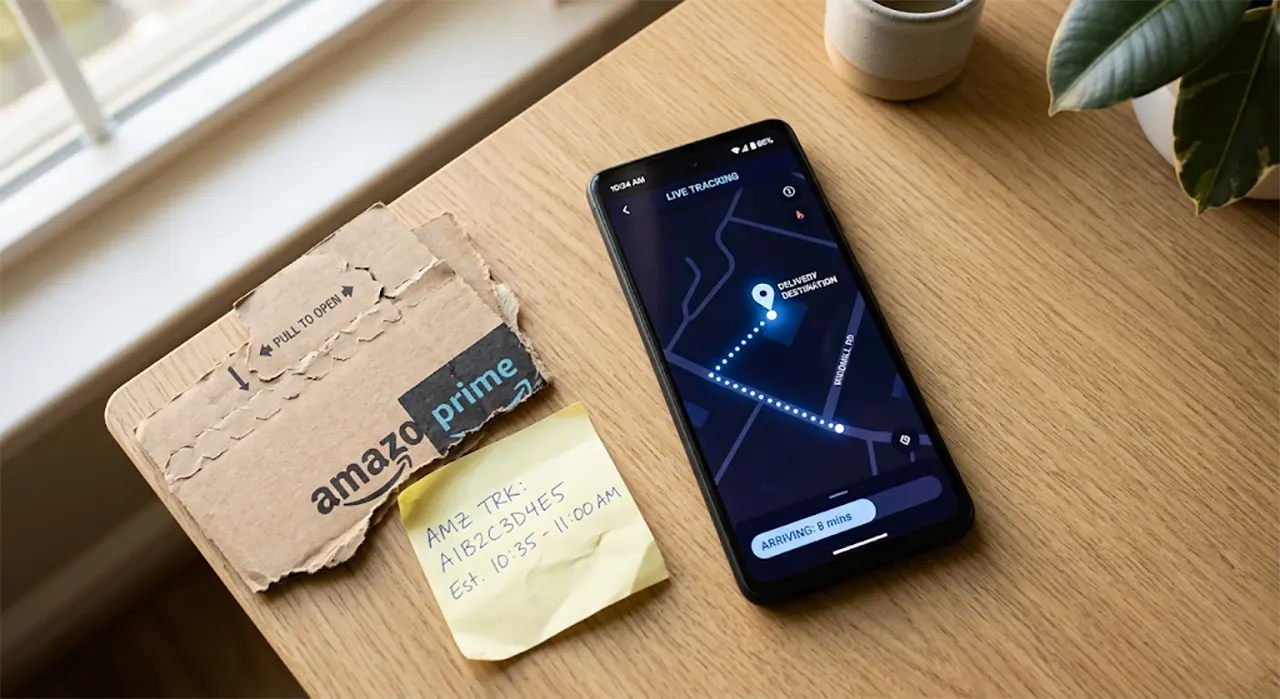
Stop clicking blindly through your Amazon account. Understanding the anatomy of your Amazon tracking number gives you total control over your deliveries. Whether you are waiting on a crucial package or trying to intercept a surprise gift, knowing exactly how to read and use these tracking IDs eliminates the guesswork. Before you can track anything, you need to locate your order in your Amazon order history.
What Is an Amazon Tracking Number?
An Amazon tracking number is a unique alphanumeric code assigned to a shipment. You use this code to see exactly where your package is located, what carrier is handling it, and when it will arrive at your address.
Unlike a simple order confirmation number, the tracking number connects directly to the physical scanning infrastructure of shipping carriers. Every time your package moves through a sorting facility or gets loaded onto a delivery truck, the carrier scans this number to update your order status.
Amazon does not use just one shipping company. The platform relies on a complex web of carriers, including USPS, UPS, FedEx, and their own in-house delivery network. The prefix of your tracking number instantly tells you who is handling your package.
🔍 The Two Types of Numbers You Will See
- 📦 Order Number: A 17-digit number (e.g., 114-1234567-1234567). This identifies your purchase transaction. You cannot use this number to track a physical package on external carrier websites.
- 🚚 Tracking ID: A carrier-specific string (e.g., TBA123456789 or 1Z999AA10123456784). This is the only number that works on tracking websites to show your package’s physical location.
How to Find and Use Your Amazon Tracking Number
You can locate your tracking ID directly within your Amazon account. The platform displays this information on both the mobile app and the desktop website, though the steps differ slightly. Once you have the ID, you can use it on Amazon’s site or third-party tools.
Locating Your Tracking ID on the Website
Finding your tracking number on a desktop browser takes only a few clicks. You must navigate to your order dashboard to see the live tracking links.
- 1Log into your Amazon account and hover over the “Account & Lists” menu in the top right corner.
- 2Select “Your Orders” from the dropdown menu.
- 3Find the specific order you want to track. Click the “Track package” button located next to the item.
- 4A pop-up or expanded section will appear. Select “See all updates” to reveal the actual carrier Tracking ID string.
Locating Your Tracking ID on the Mobile App
The Amazon mobile app provides a more streamlined tracking experience. In most cases, the app automatically generates a shareable tracking link.
- 1Open the Amazon app and tap the “You” icon in the bottom right corner.
- 2Tap “Your Orders” and select your target delivery.
- 3Tap the “Track package” button. The tracking map and carrier details will appear immediately on the screen.
Is TBA an Amazon Tracking Number?
Yes. A tracking number starting with TBA stands for “Transportation By Amazon.” This prefix indicates that Amazon Logistics, the company’s own delivery network, is handling your package instead of a traditional carrier like USPS or UPS.
Amazon Logistics operates as a massive independent shipping arm. The network utilizes a fleet of branded delivery vans and contracted independent drivers to bypass traditional carrier bottlenecks. When you see a TBA number, your package is entirely within Amazon’s ecosystem until it reaches your local delivery zone.
The “Last Mile” Handoff
Let’s be honest, TBA tracking is not always straightforward. In many rural or less dense areas, Amazon Logistics handles the long-haul transport, but hands the package over to USPS or UPS for the final delivery step.
This transfer is known as Last Mile delivery. When this happens, your original TBA tracking number will often stop updating. Amazon will instead generate a secondary tracking number for the local post office. You must check your order details again to find this new USPS or UPS tracking ID to see the final delivery status.

“A TBA tracking number does not mean the package is stuck. It often means Amazon is moving the package faster than traditional carriers can scan it, leading to gaps in the tracking timeline.
You can track a TBA number directly by visiting the official Amazon Shipping tracking page at track.amazon.com. Entering the TBA string on this specific page bypasses the main Amazon shopping login walls, though logging in often provides more granular map data.
How to Track Someone Else’s Amazon Package
Tracking a package bought by someone else requires bypassing Amazon’s account security walls. You cannot log into the buyer’s account, and sharing raw tracking numbers often fails due to Amazon’s strict privacy settings.
Many users attempt to copy the TBA tracking number from their account and paste it into track.amazon.com for a friend to use. In real-world testing, this method frequently fails. If your friend opens that link while logged into their own Amazon account, the system attempts to match the TBA number to their profile, resulting in a “Package not found” error.
💡 Pro Tip: Use the Native “Share Tracking” Button
The only reliable way to share tracking is through the Amazon mobile app. Open your order, tap “Track package,” and select the “Share Tracking” button. This generates a unique, anonymous web link. Send this link to your recipient. They can view the live map and delivery status without logging in or triggering account conflicts.
If you are the recipient waiting on a gift, you must ask the buyer to use this specific share button. You cannot track a package using just your delivery address, nor can you search for it using your name.
Why Doesn’t Amazon Give a Tracking Number Immediately?
Amazon often delays assigning a tracking number for several hours—or even days—after you place an order. This delay happens because of how Amazon fulfills high volumes of inventory. The system groups items into “batches” for efficiency.
When you place an order, Amazon registers the transaction instantly, but the physical item has not yet been placed into a shipping box. The system waits until your item reaches the packing station and a label is physically printed. Only then does the carrier scan the label, officially activating the tracking number in the system.
You might see a status like “Order placed” or “Preparing for shipment” during this window. Let’s be honest, this lack of visibility is frustrating, but it is a mechanical necessity of bulk warehouse processing. If you see this status for more than 48 hours, there may be an inventory delay.
Can You Track Exactly Where Your Amazon Package Is?
Yes, but only on the actual day of delivery. Amazon offers a feature called Amazon Map Tracking. This feature provides a real-time GPS map showing the exact location of the delivery van carrying your package.
You can access Map Tracking by clicking “Track package” in your app or on the website. If the feature is active for your delivery, you will see a map instead of just a text timeline. You can watch the van move through your neighborhood in real-time.
There are limitations to this system. Map Tracking only activates when the driver scans your specific package as loaded onto the van. It is not available for all deliveries. Amazon disables Map Tracking for items shipped by third-party sellers using external carriers, and it is frequently unavailable for deliveries requiring a signature.
Amazon Map Tracking shows real-time van location, but activates only hours before your package arrives.
What to Do If Your Amazon Tracking Number Is Not Working
A non-working tracking number is a common issue, but the cause is usually simple to diagnose. If you enter your tracking ID on a carrier site and get an error, follow these steps.
1. Wait for the First Carrier Scan
As mentioned earlier, Amazon generates the tracking number when a shipping label is printed. The carrier must physically scan the package at the warehouse to activate the tracking timeline. This gap between label creation and the first physical scan can take up to 24 hours.
2. Verify You Are Using the Correct Carrier Site
If your package is handed off during a last-mile transfer, your original TBA number will not work on the USPS or UPS website. You must check your Amazon order details to find the newly generated USPS or UPS tracking number.
3. Use a Universal Tracking Tool
If you are unsure which carrier has your package, use a universal tracking aggregator like 17track.net or Aftership. You paste your Amazon tracking number into their search bar, and their system automatically identifies whether the code belongs to Amazon Logistics, USPS, UPS, or FedEx, routing you to the correct tracking data.
⚠️ Warning: Beware of Third-Party Tracking Scams
Never pay for package tracking. Universal tools like 17track offer free basic tracking. If a website asks you to enter personal information or pay a fee to track your Amazon package, close the window immediately. Amazon provides all tracking data for free through your account.
Frequently Asked Questions
Take Control of Your Deliveries
Navigating Amazon tracking does not have to be a guessing game. You now have the exact framework to locate your tracking ID, decode confusing TBA numbers, and bypass common glitches like last-mile handoffs and account-sharing errors.
Your next step is simple: Open your Amazon order history, click “Track Package” on your most recent order, and identify whether it is a TBA number or a traditional carrier ID. Bookmark the track.amazon.com page so you can bypass the login wall instantly the next time you need an update.

Belayet Hossain is a Senior Tech Expert and Certified AI Marketing Strategist. Holding an MSc in CSE (Russia) and over a decade of experience since 2011, he combines traditional systems engineering with modern AI insights. Specializing in Vibe Coding and Intelligent Marketing, Belayet provides forward-thinking analysis on software, digital trends, and SEO, helping readers navigate the rapidly evolving digital landscape. Connect with Belayet Hossain on Facebook, Twitter, Linkedin or read my complete biography.