


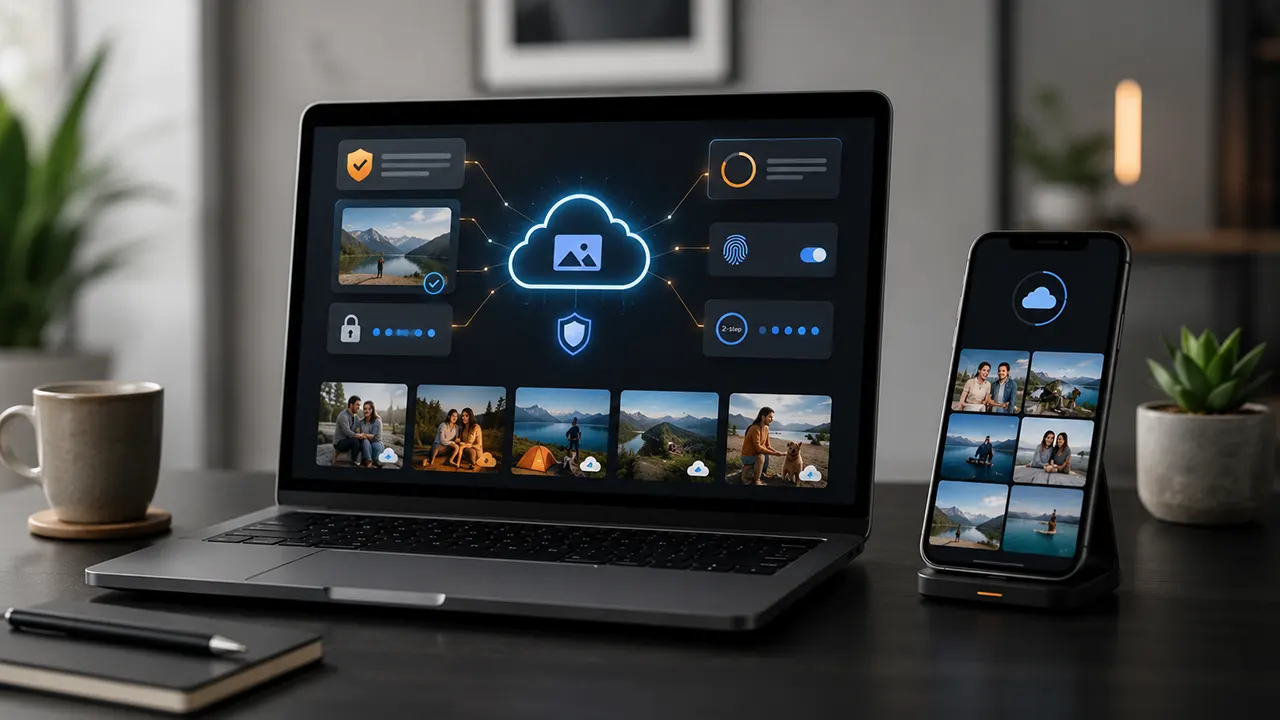
Is Amazon Photos Safe? Yes, Amazon Photos is generally safe for everyday photo storage and backup, but “safe” does not mean completely private or risk-free. Amazon uses security measures to protect your account and stored content, while your own password, two-step verification, sharing settings, and backup habits also affect how well your photos are protected.
If you are deciding whether to trust Amazon Photos with your personal memories, it helps to separate security, privacy, access, and backup reliability. A service can protect your files from many security threats without giving you the same level of privacy as a system designed around end-to-end encryption.
Is Amazon Photos Safe for Storing Your Photos?
For most people, Amazon Photos is a reasonable option for storing and backing up everyday photos. Amazon Photos uses Amazon S3 infrastructure, and Amazon says the service stores customer photos and videos at large scale with security and durability as key requirements. AWS says Amazon Photos stores hundreds of petabytes of customer content and billions of images and videos on Amazon S3.
Amazon also protects Amazon account sign-ins with secure connections and recommends two-step verification. With two-step verification enabled, someone who obtains your password still needs the additional verification step to sign in.
That matters because your Amazon account is the gateway to your photo library. Even strong cloud security cannot protect your photos if someone gains control of your account.
For everyday pictures such as family events, vacations, pets, and ordinary personal memories, Amazon Photos can therefore be a practical cloud backup. Prime members also get a major storage benefit: Amazon says Amazon Photos provides unlimited photo storage and 5 GB of video storage for Prime members in supported markets.
The bigger question is whether Amazon Photos is private enough for the type of photos you want to store.
How Secure Is Amazon Photos?
Amazon Photos benefits from the security infrastructure behind Amazon’s cloud services. Amazon says it uses encryption to protect information during transmission, while Amazon also provides account-level security tools such as two-step verification.
Amazon Photos itself runs on Amazon S3. AWS describes Amazon S3 as the storage infrastructure used by Amazon Photos and says Amazon Photos uses S3 to store its large volume of customer media.
Encryption protects your data in transit
When information travels between your device and Amazon’s systems, Amazon uses secure connections. Amazon’s account security documentation identifies TLS/SSL as the technology used for secure server connections.
This helps protect information while it moves across the internet.
But encryption alone does not answer every privacy question.
It is important to distinguish encryption in transit from end-to-end encryption. With end-to-end encryption, the service provider generally cannot decrypt the content because the user controls the necessary keys. Do not assume that a service offers this stronger privacy model simply because it uses encryption.
Your Amazon account is part of the security system
Your photo library is only as secure as the account protecting it.
Amazon recommends using a strong password and keeping it confidential. It also recommends two-step verification, which adds another authentication step when you sign in.
That gives you a simple rule:
Protect your Amazon account as carefully as you would protect the photos themselves.
If you reuse your Amazon password on other websites, an unrelated data breach could put your Amazon account at risk. A unique password and two-step verification reduce that risk.
Amazon’s infrastructure does not remove every risk
No cloud storage service can promise that your account will never be compromised, that you will never lose access, or that an accidental deletion will never happen.
Your own devices and account settings still matter.
For example, someone who gains access to an unlocked computer, phone, or signed-in Amazon account may be able to access your photos without breaking Amazon’s cloud infrastructure.
That is why photo safety has several layers:
Secure cloud infrastructure + secure account + careful sharing + a separate backup.
Amazon’s own security guidance stresses the importance of protecting your password and recommends two-step verification.
Is Amazon Photos Private?
Amazon Photos is designed to let you control who can access and share your photos, but privacy depends on more than the default sharing settings. Your Amazon account, shared content, Family Vault, and Amazon’s broader data practices all matter. That is why private by default should not be confused with end-to-end encrypted.
Who Can Normally See Your Photos?
Your Amazon Photos library is intended for your account unless you choose to share content with other people.
That gives you an important layer of control. You decide when to share individual photos, albums, or other content instead of automatically making your entire library public.
The bigger risk is usually not a random person finding your private library. It is account access or intentional sharing.
If someone gets access to your Amazon account, they may also gain access to services connected to that account. This is why your Amazon password and two-step verification matter as much as the cloud storage itself.
Can Amazon Access Your Photos?
This is where the difference between security and privacy becomes important.
Amazon protects information with security measures such as encryption during transmission. But you should not assume that this means Amazon Photos gives you the same privacy model as a service where your photos are end-to-end encrypted and the provider does not hold the keys.
For people storing ordinary family photos, vacation pictures, or personal memories, this distinction may not be a deal-breaker.
For highly sensitive images, however, it deserves more attention.
A useful way to think about it is:
Cloud security protects your data from many threats. End-to-end encryption limits who can decrypt the content in the first place.
Those are different protections.
Sharing, Shared Albums, and Family Vault
Sharing features make Amazon Photos more useful, but they also create another privacy consideration.
If you intentionally share a photo or album, the people you share it with may be able to view that content. Family Vault adds another layer because it is designed for sharing photos with family members.
So before adding someone to a shared photo space, ask a simple question:
Would I be comfortable with this person having ongoing access to these photos?
If the answer is no, keep the photos in your private library instead.
You should also review old sharing arrangements from time to time. A photo you shared months ago may still be available to someone who no longer needs access.
Is Amazon Photos Private Enough for Sensitive Photos?
For ordinary personal photos, Amazon Photos can provide a reasonable balance between convenience and privacy.
For highly sensitive photos, the answer is more complicated.
If your main concern is preventing the cloud provider itself from being able to decrypt your photos, look for a service or setup that offers end-to-end encryption for the type of content you are storing.
Apple provides a useful example of how much this can change the privacy model. With Advanced Data Protection enabled, Apple says iCloud Photos is protected with end-to-end encryption, with encryption keys retained by trusted devices rather than Apple.
That does not automatically make iCloud the right choice for everyone. It simply shows why the phrase “encrypted” is not enough to compare cloud storage services.
Can Anyone Access My Amazon Photos?
Not normally. Your photos are not supposed to be publicly accessible simply because you upload them to Amazon Photos. The bigger risks are unauthorized access to your Amazon account, sharing settings, and access through devices where your account is already signed in.
Think of your Amazon account as the front door to your photo library. A strong password and two-step verification make that door harder to break through.
What Happens If Someone Gets Your Amazon Password?
If an attacker gets your Amazon password and can complete the required sign-in checks, your photo library could be at risk.
That is why you should never reuse your Amazon password on other websites.
Turn on two-step verification and use a unique password. Amazon specifically recommends two-step verification as an additional layer of account protection. (pay.amazon.com)
Also be careful with devices where your Amazon account remains signed in. A shared computer, old phone, or device you no longer control can become an overlooked access point.
How Sharing Can Expose Photos
You can deliberately share photos with other people, which means privacy can change without your entire account being compromised.
This is a common cloud-storage trade-off:
More sharing convenience means more access points to manage.
If you no longer want someone to see an album or photo, review the sharing controls and remove access where possible.
Do not assume that deleting a photo from your own view automatically removes every copy someone else may have already downloaded.
What Happens When You Delete Photos From Amazon Photos?
Deleting a photo from Amazon Photos does not necessarily mean deleting the original photo from your phone.
Amazon’s current help documentation says deleted items are moved to Trash, and Amazon Photos handles the cloud copy separately from photos stored on your device. Deleted items can remain in Trash for a period before permanent deletion. This distinction matters if you are cleaning up your cloud library and still want the original files on your phone or computer.
Before permanently deleting an important photo, check where else you have a copy.
That is especially important for irreplaceable family photos.
Does Deleting From Amazon Photos Delete the Phone Copy?
No. Deleting a photo from Amazon Photos should not be treated as the same action as deleting the original file from your phone’s local storage.
The two locations can have different copies.
This is useful when you want to remove photos from cloud storage but keep them on your device.
It also means you should not assume that deleting a photo from the app will free up all local storage space on your phone.
What Happens to Deleted Photos?
Amazon Photos uses a Trash system for deleted content.
That gives you an opportunity to recover something you removed accidentally, but Trash should not be treated as a permanent backup.
If a photo matters to you, keep another copy before deleting it from your cloud library.
This is one of the simplest ways to reduce the damage caused by accidental deletion.
What Happens to Your Amazon Photos If You Cancel Prime?
Canceling Prime does not mean you should assume your photos instantly disappear.
The important issue is your storage level after the membership ends.
Amazon currently provides Prime members with unlimited photo storage. Amazon also provides 5 GB of storage for customers who do not have the Prime photo-storage benefit. If your library exceeds the available limit after cancellation, you can become over your storage allowance.
That makes Prime cancellation a storage-management issue, not simply a deletion event.
If you are planning to cancel Prime and have a large Amazon Photos library, check your storage usage first and make sure you have another copy of important photos.
What Happens If You Are Over the Storage Limit?
Being over the limit can affect your ability to continue adding content.
The safest approach is to decide what you want to keep in Amazon Photos before your Prime membership ends.
You can:
- Download important photos.
- Move copies to another cloud service.
- Store another copy on an external drive.
- Reduce the amount of data stored in Amazon Photos.
- Keep Prime if unlimited photo storage remains valuable to you.
Do not wait until you need a photo to discover that your storage situation has changed.
How to Protect Your Photos Before Canceling Prime
Before canceling:
- Check how much storage your Amazon Photos library uses.
- Download your most important photos and videos.
- Confirm that your downloaded copies open correctly.
- Keep at least one additional backup of irreplaceable photos.
- Review Amazon’s current storage rules before the membership ends.
This gives you control over your files instead of making the subscription decision at the same time as a backup decision.
Is Amazon Photos a Good Backup for Your Photos?
Yes, it can be a useful backup layer, but it should not be your only copy of irreplaceable photos.
Cloud storage protects you from some problems, such as losing your phone or having a device fail. But it does not eliminate every risk.
You could lose access to an account, accidentally delete content, misunderstand a storage policy, or encounter a problem with a device or service.
A better strategy is to keep important photos in more than one place.
Why Cloud Storage Helps
If your phone is lost, stolen, or damaged, a properly backed-up cloud library can give you access to your photos from another device.
That is one of the strongest reasons to use Amazon Photos.
It also makes photos easier to organize, search, share, and download when needed.
Why Amazon Photos Should Not Be Your Only Copy
A cloud library is still one service controlled through one account.
For irreplaceable photos, keep an independent copy.
A simple setup could be:
Phone → Amazon Photos → External drive
You do not need an elaborate backup system for ordinary family photos. The key idea is redundancy.
If one copy fails or becomes inaccessible, another copy remains available.
A Safer Three-Copy Approach
For your most important photos, consider keeping:
- One copy on your phone or computer.
- One cloud copy.
- One separate backup, such as an external hard drive.
You can adjust this based on how valuable the photos are.
The important lesson is simple:
Amazon Photos can be part of a backup strategy. It does not need to be the entire strategy.
Amazon Photos vs Google Photos: Which Is Safer?
There is no universal winner.
Both services provide security and privacy controls, but they differ in features and privacy options. Google says Google Photos protects stored information, gives users control over sharing and privacy settings, and does not sell personal information or use Photos content for advertising.
Google Photos also provides Locked Folder for sensitive photos. On supported devices, those photos are hidden from the main Photos view, search, albums, and other apps, and access is protected by the device screen lock.
Security
Both services provide security protections, so the choice should not be reduced to which company is “secure.”
Your account security remains important with either service.
Use a unique password, enable the strongest available account protection, and review connected devices and sharing settings regularly.
Privacy
Google provides detailed privacy controls and states that it does not sell personal information or use content stored in Photos for advertising.
Amazon also provides privacy and security protections, but users who care strongly about provider access should look beyond marketing terms such as “secure” and examine the actual encryption and privacy model of each service.
Storage and Account Benefits
Amazon Photos can be especially attractive to US Amazon Prime members because of its unlimited photo-storage benefit.
Google Photos, meanwhile, may appeal more to people already invested in Google’s ecosystem and its photo-management tools.
So the better choice depends on what matters most to you.
Which Service Is Better for Different Users?
Choose Amazon Photos if: you already use Amazon Prime and want convenient photo backup with unlimited photo storage.
Consider Google Photos if: you prefer Google’s photo-management ecosystem and its privacy and sharing controls.
Look beyond both if: your top priority is a cloud service designed around stronger end-to-end privacy for your photo library.
That last distinction becomes especially important for highly sensitive images. Read full comparison on amazon photos vs google photos.
Amazon Photos vs iCloud: Which Is More Secure?
There is no simple winner for everyone. Amazon Photos can be attractive for Prime members who want convenient photo storage, while iCloud can be a stronger fit for people already using Apple devices and those who prioritize Apple’s advanced data-protection options. The important difference is not just whether each service uses encryption, but which data can receive end-to-end encryption and how the account is protected.
Privacy and Encryption
Apple offers Advanced Data Protection for iCloud, an optional feature that expands end-to-end encryption to more iCloud data, including iCloud Photos. Apple says that when the feature is enabled, only trusted devices have access to the encryption keys for protected data.
That gives privacy-focused users an important option.
Amazon Photos also uses security protections, but you should not treat the word “encrypted” as proof that two services offer the same privacy model.
If your main concern is protecting everyday family photos from ordinary account and security threats, Amazon Photos can be a practical choice.
If your priority is reducing the provider’s ability to decrypt your stored photos, an end-to-end encryption model deserves more weight in your decision.
Account Security
Your account remains a major part of the equation with either service.
For Amazon, two-step verification adds another authentication factor to your Amazon account. Amazon says this means a compromised password alone should not be enough to sign in when two-step verification is enabled.
So do not judge photo security only by the cloud provider.
A poorly protected account can undermine otherwise strong cloud security.
Which Ecosystem Fits You Better?
Amazon Photos makes more sense if:
- You already use Amazon Prime.
- You mainly want convenient photo backup.
- You want a large photo-storage allowance as part of your Prime membership.
- You use a mix of devices and do not need your photo library centered on Apple’s ecosystem.
iCloud Photos may make more sense if:
- You mainly use Apple devices.
- You want tight integration with Apple’s Photos app.
- Advanced Data Protection is important to you.
- You are comfortable with Apple’s account-recovery requirements for stronger data protection.
The best choice is therefore not simply the service with the biggest storage number.
It is the one whose security model, privacy controls, ecosystem, and backup approach match your needs.
How to Make Amazon Photos Safer and More Private
You can improve the security of your Amazon Photos library without changing services. Start with your Amazon account because it controls access to the library.
Turn On Two-Step Verification
This is one of the most useful steps you can take.
Amazon recommends two-step verification for its accounts. It adds another verification step after your password, using a code delivered through a supported method or generated by an authenticator app.
Amazon also says that sharing your password can compromise your account security.
So:
- Open your Amazon account settings.
- Go to Login & Security.
- Find Two-Step Verification.
- Set up an authenticator app or another supported verification method.
- Add a backup method so you can recover access if you lose your primary device.
An authenticator app can be useful if you do not want to depend entirely on receiving text messages.
Use a Unique Amazon Password
Do not use your Amazon password on other websites.
If another website suffers a password breach and you reused that same password, an attacker could try it against your Amazon account.
Amazon’s own password guidance recommends using a password that is not already used on another account.
A password manager can make this easier because you do not need to remember every unique password yourself.
Review Sharing and Family Vault Access
Sharing is useful when you want family or friends to see selected photos.
But every person you give access to creates another place where your photos can be viewed.
Review your shared albums and Family Vault membership from time to time. Remove access that is no longer needed.
This is especially important for older albums. You may remember sharing an album for a particular event but forget that the access still exists months or years later.
Be Careful With Shared Links
Treat a photo-sharing link as something that can leave your control once you give it to someone.
Do not post private photo links publicly unless you intend the content to be public.
For sensitive photos, direct sharing with the intended recipient is preferable to distributing a link broadly.
Also remember that someone who can view a photo may be able to save or copy it. Removing your own copy later does not guarantee that another person no longer has a copy.
Keep Another Copy of Important Photos
This is one of the most important recommendations in the entire article.
Do not let your Amazon Photos account become the only place where irreplaceable memories exist.
For important photos, keep an additional copy on an external drive or another suitable storage service.
A second copy protects you from problems that account security alone cannot solve.
For example, if you accidentally delete a photo, lose access to your account, or later change storage services, an independent copy gives you another way to recover it.
Review What Your Devices Automatically Upload
Automatic backup is convenient, but it can also upload more than you intended.
Check which folders, devices, or media types Amazon Photos is backing up.
This matters if your phone contains screenshots, downloaded images, work files, or other pictures that you do not want in your cloud library.
A good backup system should save what you need without quietly creating a second copy of everything on your device.
Is Amazon Photos Worth Using?
For many people, yes. Amazon Photos can be worth using if you want convenient cloud photo storage and especially if you already pay for Amazon Prime.
The strongest case is simple: you get a practical way to keep photos available beyond your phone, while Prime can provide substantial photo-storage value.
But Amazon Photos is not the best fit for every situation.
Who Should Consider Amazon Photos?
Amazon Photos is a good fit if you:
- Already have Amazon Prime.
- Have a large collection of photos.
- Want automatic cloud backup.
- Want to access photos from multiple devices.
- Prefer keeping your photo storage within the Amazon ecosystem.
- Want an additional copy of your personal photos.
For a typical family photo library, these benefits can outweigh the limitations.
Who May Want a More Privacy-Focused Option?
You may want to look more closely at alternatives if your highest priority is end-to-end privacy for stored photos.
This matters more for highly sensitive images than for ordinary vacation or family photos.
You should also compare services if you already rely heavily on Apple’s ecosystem or Google’s photo tools.
Do not choose a service based only on its storage allowance.
Ask:
Who can access my data? How is it encrypted? What account protections are available? What happens if I cancel? And can I keep an independent copy?
Those questions tell you much more about whether a photo-storage service is right for you.
The Final Decision
Amazon Photos is best viewed as a secure and convenient cloud photo-storage option, not an absolute privacy guarantee or a complete backup strategy by itself.
For everyday photos, it can be a sensible choice, particularly for Prime members who value the storage benefit.
For highly sensitive photos, pay closer attention to the service’s encryption model and privacy controls. And for irreplaceable memories, keep another copy outside the service.
That approach gives you something more valuable than simply asking whether Amazon Photos is “safe”: you know what risks the service reduces, what risks remain, and what you can do about them.
Is Amazon Photos Worth Using?
Yes, Amazon Photos is worth using for many people, especially US Amazon Prime members who want convenient photo backup. Prime members get unlimited photo storage, while non-Prime customers get 5 GB of free storage. But Amazon Photos should be treated as one part of a backup strategy, not as the only copy of irreplaceable photos.
Who Should Consider Amazon Photos?
Amazon Photos makes the most sense if you already use Amazon Prime and have a large photo collection.
It is also useful if you want automatic uploads, access from different devices, and an easy way to organize and share your photos. Amazon currently supports photo upload, download, editing, search, and sharing across compatible devices.
For a typical family photo library, the combination of convenience and storage can make Amazon Photos a practical choice.
Who May Want a More Privacy-Focused Option?
You may want to compare other services if your main concern is keeping highly sensitive photos under a stronger end-to-end encryption model.
For example, Apple says its optional Advanced Data Protection for iCloud extends end-to-end encryption to iCloud Photos and other categories of iCloud data.
That does not make iCloud automatically better for every user. It simply shows why you should look at the actual encryption model instead of judging a service by the word “secure” alone.
Google Photos also offers a Locked Folder for sensitive photos. It hides those items from the main photo grid, search, albums, and other apps, with access protected by the device screen lock or Google Account credentials.
So if privacy is your top concern, compare the specific protections that matter to you rather than choosing based only on storage space.
The Final Decision
Amazon Photos is a reasonable and convenient cloud photo-storage service, but it is not a substitute for good account security and a separate backup.
For most everyday photos, the service offers useful storage and organization features. Prime members get unlimited photo storage, while Family Vault can let up to six people, including the Prime account owner, participate in a shared photo space.
For highly sensitive photos, look more closely at privacy and encryption. And for irreplaceable memories, keep another copy outside Amazon Photos.
That is the safest way to use any cloud photo service.
Frequently Asked Questions About Amazon Photos Safety
1. Is Amazon Photo storage safe to use?
Yes. Amazon Photos is a legitimate cloud storage service with security protections and account controls. Amazon describes it as a secure online storage service and provides tools for uploading, managing, downloading, and sharing photos. Your own account security also matters, so use a strong, unique password and two-step verification.
2. Can Amazon Photos be trusted?
For ordinary personal photos, Amazon Photos can be a reasonable service to trust. But trust does not mean zero risk. You should still protect your Amazon account, review sharing settings, and keep another copy of important photos. If you have unusually high privacy requirements, compare Amazon Photos with services that offer stronger end-to-end encryption options.
3. Can anyone access my Amazon Photos?
Not simply because you upload them. Your photos are associated with your Amazon Photos account, while sharing features let you give other people access to selected content. Family Vault also allows invited members to contribute to and access shared photos.
4. Is Amazon Photos private?
Amazon Photos provides privacy and access controls, but privacy and security are different questions. Your account and sharing settings determine who you give access to, while the service’s technical architecture determines how your stored data is protected. If you need the strongest possible provider-level privacy, compare the service’s encryption model with end-to-end encrypted alternatives.
5. How long does Amazon Photos keep your photos?
For deleted photos, Amazon Photos currently keeps items in Trash for 90 days before permanent deletion unless you permanently delete them sooner.
Amazon also has a broader file-retention policy. Accounts that remain over their storage quota for 180 days can have files deleted, while accounts considered abandoned after two years of inactivity can have all files deleted. Amazon says it notifies account holders before these deletions.
6. Does deleting photos from Amazon Photos delete them from my phone?
No, not necessarily. Amazon’s current iOS documentation specifically says deleting an item from the Amazon Photos app does not delete it from the device’s local storage at the same time.
That means you can remove a cloud copy while keeping the local copy on your phone.
7. Do Amazon Prime members get free photo storage?
Yes. Amazon currently gives Prime customers unlimited photo storage plus 5 GB of video storage. Customers without Prime get 5 GB of free storage for photos and videos.
8. What happens to my Amazon Photos if I cancel Prime?
Canceling Prime changes the storage benefit. Prime customers receive unlimited photo storage, while the standard free allowance is 5 GB. If your account is above its available storage after the change, Amazon’s retention policy says an over-quota account can download existing files but cannot upload, sync, or share until the storage problem is resolved. After 180 days over quota, Amazon may delete files, starting with the most recent uploads, with notification beforehand.
9. Is Amazon Photos better than iCloud?
It depends on what you need. Amazon Photos can be especially attractive to Prime members because of its unlimited photo-storage benefit. iCloud may be a better fit for people deeply invested in Apple’s ecosystem. Apple also offers Advanced Data Protection, which can provide end-to-end encryption for iCloud Photos when enabled.
10. Is Amazon Photos safer than Google Photos?
Neither should be declared universally “safer.” Both offer security and privacy controls, but they have different features and privacy models. Google Photos, for example, has a Locked Folder for sensitive photos and videos.
The better choice depends on your priorities, including storage, account security, privacy controls, ecosystem, and how you handle backups.
11. Is Google Photos safe?
Yes, Google Photos has security and privacy protections, including standard encryption practices. It also offers Locked Folder for sensitive photos and videos. However, like Amazon Photos, it should not be treated as a guarantee against every form of account loss, accidental deletion, or unauthorized access.
12. What is the safest app to store photos?
There is no single app that is safest for everyone. Look for strong account security, appropriate encryption, good privacy controls, reliable backup, and a way to recover or export your files. If end-to-end encryption is your highest priority, pay particular attention to whether the service offers it for your photo library and whether it is enabled by default.
13. What is the most secure place to store photos?
For important photos, the safest approach is usually more than one storage location. Keep a cloud copy and at least one separate backup, such as an external drive. For highly sensitive photos, consider an encryption model that gives you stronger control over who can decrypt the files.
14. Can I delete all my photos if they are on Amazon Photos?
You can delete photos from Amazon Photos, but do not assume that deleting the cloud copy is the same as deleting every other copy. Amazon Photos places deleted items in Trash, where they are permanently deleted after 90 days unless you remove them sooner.
Before deleting everything, confirm that your important photos exist somewhere else.
15. Can I transfer photos from Amazon Photos to a hard drive?
Yes. Amazon Photos supports downloading photos and videos, so you can create a separate local copy. Amazon’s current help documentation includes browser and mobile download options.
For a large library, downloading a separate archive is a useful precaution before changing services or canceling a subscription.
16. What happened to my photos on Amazon Photos?
If photos appear to be missing, first check your Trash, account, filters, folders, and upload status. Amazon provides a specific recovery process for items that are still in Trash.
Also check whether you are signed into the Amazon account that originally uploaded the photos.
17. Is Amazon Photos good for long-term storage?
It can be, but do not treat any single cloud account as your only long-term copy. Amazon’s retention policy includes rules for accounts that exceed their storage quota and accounts that remain inactive for two years.
For photos you cannot replace, keep an independent backup.
Conclusion: Is Amazon Photos Safe?
Yes, Amazon Photos is generally safe for everyday photo storage, but it is not risk-free and it should not be treated as your only backup.
For Amazon Prime members, the unlimited photo-storage benefit makes it particularly useful.
The most important steps are simple:
- Protect your Amazon account with a strong, unique password.
- Turn on two-step verification.
- Review sharing and Family Vault access.
- Be careful about what your devices automatically upload.
- Keep another copy of irreplaceable photos.
- Check your storage status before canceling Prime.
- Consider stronger privacy-focused options for highly sensitive images.
The key takeaway is that Amazon Photos can be safe to use without being the most private possible place for every type of photo.
If your photos are ordinary family memories, vacations, pets, or everyday pictures, Amazon Photos can be a practical choice. If you need stronger privacy guarantees, compare its encryption and privacy model with alternatives before deciding.

Belayet Hossain is a Senior Tech Expert and Certified AI Marketing Strategist. Holding an MSc in CSE (Russia) and over a decade of experience since 2011, he combines traditional systems engineering with modern AI insights. Specializing in Vibe Coding and Intelligent Marketing, Belayet provides forward-thinking analysis on software, digital trends, and SEO, helping readers navigate the rapidly evolving digital landscape. Connect with Belayet Hossain on Facebook, Twitter, Linkedin or read my complete biography.