


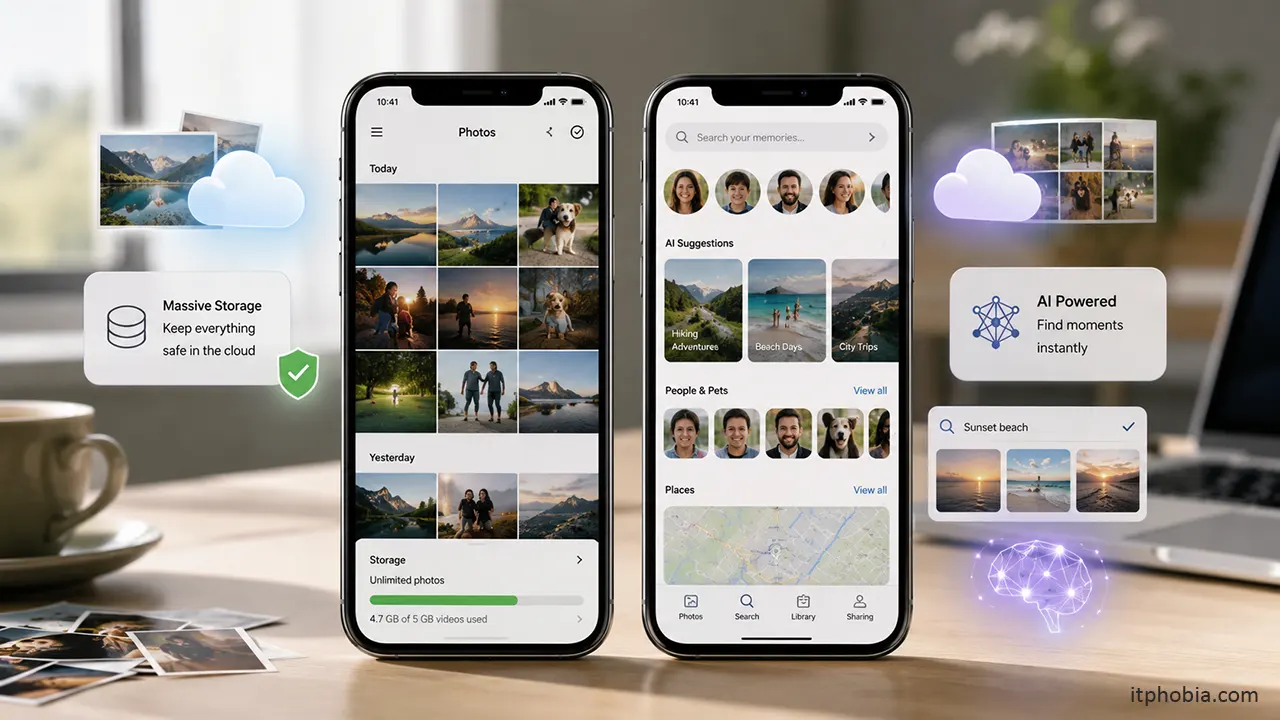
Amazon Photos is usually the better value for U.S. Amazon Prime members who have a large photo library, because Prime includes unlimited full-resolution photo storage. Google Photos is the stronger all-around choice for users who value advanced search, AI features, editing, and Google’s wider ecosystem. Your choice also depends on how much video you store.
Amazon Photos vs Google Photos: Which Is Better?
If you are choosing between Amazon Photos and Google Photos, the biggest difference is not simply the app or the interface. It is what you get for your existing subscription and how you use your photo library.
For a U.S. Amazon Prime member, Amazon Photos can be hard to beat for photo storage. Prime includes unlimited full-resolution photo storage, while video storage is limited to 5 GB.
Google Photos takes a different approach. Every Google Account includes up to 15 GB of storage, but that space is shared across Google Photos, Gmail, and Google Drive. If you need more, you can add Google One storage.
That makes the answer less obvious than “Amazon is cheaper” or “Google has more features.”
If you already pay for Amazon Prime and mainly need to store lots of photos, Amazon Photos has a major advantage. If you want powerful search, AI-assisted features, editing tools, and tight integration with Google’s services, Google Photos may be the better fit.
The rest of this comparison breaks down where each service wins, where its limits appear, and which one makes more sense for different types of users.
How Amazon Photos and Google Photos Differ
Amazon Photos and Google Photos both let you back up, access, organize, and share photos from multiple devices. But they are built around different ecosystems and subscription models.
Amazon Photos is strongest for Prime members
Amazon Photos becomes much more attractive when you already have an eligible U.S. Amazon Prime membership.
Prime includes unlimited full-resolution photo storage and 5 GB of video storage. Amazon also provides enhanced search and organization features for Prime customers.
That distinction matters.
Imagine you have accumulated 300 GB of family photos over the years. If most of that library consists of still images, Amazon Photos can store those photos without using a normal storage quota under the Prime benefit.
But that does not mean Prime gives you unlimited cloud storage for everything.
Your videos still count toward the 5 GB allowance. Amazon offers separate storage plans when you need more video capacity.
So Amazon Photos is particularly appealing to a Prime member with a large photo library but relatively modest video storage needs.
There is another useful Prime feature: Amazon says Prime members can use Family Vault to share photo storage with up to five family members.
Google Photos is built around the Google ecosystem
Google Photos fits naturally into a Google Account.
The basic account includes up to 15 GB of cloud storage, but this is not 15 GB reserved only for your photos. Gmail, Google Drive, and Google Photos all use the same storage pool.
That creates an important trade-off.
Suppose your Google Drive contains large work files and your Gmail account has years of attachments. Your available Google Photos storage may be much lower than the headline 15 GB suggests.
You can upgrade through Google One. In the U.S., Google currently lists a 100 GB plan at $1.99 per month.
Google Photos also puts more emphasis on intelligent photo management. Google’s current AI features include Ask Photos, which uses Gemini models to search through a photo library using natural-language questions. The newer Ask button can also help users understand images and describe edits they want to make. These features are available to eligible users in the U.S. on Android and iOS.
That makes Google Photos more than a place to park your pictures. For many users, it acts as a searchable visual library.
The biggest difference is how storage works
Here is the simplest way to think about it:
| Amazon Photos | Google Photos | |
|---|---|---|
| Free storage | 5 GB for non-Prime customers | Up to 15 GB |
| Prime benefit | Unlimited full-resolution photos + 5 GB video | Not applicable |
| Storage shared with other services | No Google-style shared pool | Yes, with Gmail and Google Drive |
| Paid expansion | Available for additional storage | Google One |
| Main advantage | Photo-storage value for Prime members | Broader photo-management and Google ecosystem |
Amazon’s model is especially strong for people who already pay for Prime. Google’s model is more flexible if you want one storage pool across Photos, Drive, and Gmail.
The important point is that storage capacity alone does not tell you which service is better.
Your existing subscriptions, photo-to-video ratio, and preferred ecosystem matter just as much.
Amazon Photos vs Google Photos: Storage and Cost
For most people, storage is the first comparison to make because it can determine the long-term cost of keeping a large photo library online.
Amazon Photos storage for Prime members

Amazon gives eligible U.S. Prime members unlimited full-resolution photo storage. The included video allowance is 5 GB. Non-Prime Amazon Photos customers get 5 GB of combined photo and video storage.
This creates a very different value proposition from Google Photos.
If your library contains hundreds of gigabytes of photos but only a small amount of video, you may be able to keep that entire photo collection in Amazon Photos without buying a separate photo-storage plan.
That is one of Amazon Photos’ biggest strengths.
Google Photos starts with 15 GB
Google gives each account up to 15 GB of storage at no charge.
The catch is that this space is shared with Gmail and Google Drive. Photos and videos backed up to Google Photos can therefore compete with your other Google data for the same storage quota.
Google supports both Original quality and Storage saver backup options. Original-quality photos and videos count toward your Google storage, while current Storage saver uploads also count toward the quota.
Once your account reaches its storage limit, you cannot continue backing up new photos and videos until you free space or add storage.
The real cost depends on what you already pay for
This is where many simple comparisons miss the point.
If you already have Amazon Prime for shipping, Prime Video, or other benefits, Amazon Photos is an included benefit rather than a separate photo-storage subscription.
If you already pay for Google One, the additional Google Photos storage may also fit naturally into your existing setup.
So the better question is not:
“Which service has the cheaper storage plan?”
It is:
“Which service gives me the storage I need without paying for something I would not otherwise use?”
That distinction will matter throughout this comparison.
Photo and Video Storage Compared
Amazon Photos has a major advantage if your library is mostly photos: eligible U.S. Prime members get unlimited full-resolution photo storage. But that benefit does not extend to unlimited video. Prime includes up to 5 GB of video storage.
Google Photos gives you more general-purpose cloud storage, but its free 15 GB is shared with Gmail and Google Drive. Photos and videos stored in Google Photos can use that same quota.
That creates an important difference: Amazon Photos is unusually generous for photos, while Google Photos gives you a more unified storage system.
Full-resolution photo storage
If preserving your original photo files matters, Amazon Photos has a strong case for Prime members.
Amazon says Prime includes unlimited high-resolution photo storage. That makes it useful for people with years of family pictures, travel photos, or other large collections.
Google Photos also supports Original quality, but those uploads count toward your Google Account storage. Once your available space is used, you need to free up storage or upgrade your Google One plan.
So if you have a 300 GB photo library, the difference can become significant.
With Amazon Prime, the photo portion of that library can fit within the unlimited photo benefit. With Google Photos, that same library requires substantially more than the free 15 GB allowance.
Video storage is where Amazon has a catch
This is the limitation you should not overlook.
Prime does not mean unlimited Amazon Photos storage for videos.
Amazon includes up to 5 GB of video storage with Prime. If your phone contains years of 4K clips, family videos, or long travel recordings, 5 GB can disappear quickly.
That changes the calculation for people whose libraries contain a lot of video.
A photographer with 500 GB of photos and only a few gigabytes of video may find Amazon Photos extremely attractive.
Someone with 200 GB of photos and 300 GB of video has a different problem. Unlimited photo storage does not solve the video-storage requirement.
Google Photos does not separate the allowance this way. Your photos and videos use the same Google storage pool, with the amount depending on your Google Account and Google One plan.
Decision rule: If your library is photo-heavy, Amazon’s Prime benefit can be a major advantage. If it is video-heavy, compare the total storage cost instead of focusing on Amazon’s “unlimited photos” headline.
What happens to your storage when your subscription changes?
Subscription changes deserve attention because your photo library may outlive the plan you use to store it.
Google One adds storage to your existing Google Account, and the subscription renews until you cancel it.
Amazon’s Prime photo benefit is tied to Prime membership. If your Prime status changes, you should check your current Amazon Photos storage situation rather than assuming the unlimited photo benefit continues indefinitely.
For either service, do not treat cloud storage as your only copy of irreplaceable photos. A separate local or offline copy gives you another layer of protection.
Google Photos Has the Stronger AI and Search Toolkit
Google Photos has traditionally been known for strong photo search and organization. In 2026, that difference is becoming more important because Google is adding conversational and generative AI features to the service.
Amazon Photos is also adding smarter search, so this is no longer a simple “Amazon has basic search, Google has AI” comparison. The real difference is the breadth of Google’s AI-powered photo-management tools.
Searching your photo library
Both services can help you find photos without manually creating an album for everything.
Amazon says Prime members can search their library by describing what they are looking for. Its newer experience is designed around natural-language descriptions rather than requiring you to remember exactly when or where a photo was taken.
Google Photos has a mature search system and continues to expand it with AI.
This matters more as your library grows.
Finding one photo among 5,000 images is easy enough with albums. Finding a particular photo among 50,000 or 100,000 images is a different problem.
The more you depend on search instead of manual organization, the more important the quality of these tools becomes.
Ask Photos and natural-language search
Google has pushed conversational search further with Ask Photos, powered by Google’s Gemini models.
Instead of entering a simple keyword, eligible users can ask questions about their photo library in natural language. Google says Ask Photos can help users find specific memories and answer questions using information contained in their photos.
That changes how you can interact with a large library.
You might think in terms of:
- a family trip
- a particular person
- a birthday
- a place
- a type of food
- a particular period of your life
rather than remembering the exact album or filename.
Amazon is moving in the same direction with natural-language search, so Google does not have an exclusive claim to AI-powered photo discovery. Amazon’s current Photos experience also emphasizes describing the photos you want to find.
The difference is that Google’s photo ecosystem currently offers a broader set of AI-powered discovery and editing tools.
AI-powered photo editing
Google Photos also has a stronger AI editing story.

Google has expanded AI-assisted editing features that can help users make changes to images with less manual work. Its current Photos experience includes tools such as Magic Editor and other AI-powered editing features, while newer conversational editing capabilities are being introduced.
This matters if you want your photo-storage service to also function as a lightweight photo editor.
Amazon Photos is more compelling when your main priority is storing and accessing your photo library. Google Photos becomes more attractive when you want storage, search, organization, and increasingly sophisticated editing in the same ecosystem.
That does not mean Google is automatically better for every user.
If you rarely edit photos and already have Prime, paying extra for Google’s AI features may not solve a problem you actually have.
Organization, Albums, Sharing, and Editing
Both services can organize and share photos, but their strengths are different.
Amazon Photos is closely connected to the Amazon ecosystem. Google Photos is more deeply integrated into Google’s broader services and has invested heavily in intelligent organization and editing.
Organizing large photo libraries
Manual albums still have value, especially for trips, birthdays, weddings, and family events.
But good search reduces the amount of manual work you need to do.
Amazon Photos provides automatic organization and search features for Prime members. Amazon also promotes Family Vault, which lets Prime members share photo storage with family members.
Google Photos combines albums with automated organization and search. Its AI features can make a large collection easier to explore without creating an album for every event.
The practical difference becomes clearer as your library grows.
For a few thousand photos, either service can work well.
For tens of thousands of photos, search quality becomes more important than the ability to create another album.
Creating and sharing albums
Both platforms support sharing and collaborative ways to access selected photos.
Google Photos is a natural choice if most of your family or friends already use Google services. Amazon Photos can make sense for households already using Prime and Amazon’s wider ecosystem.
The best choice here often depends less on a technical specification and more on where the people you share with already live.
Editing photos
Google Photos has the stronger case if editing is part of your normal workflow.
Its AI editing tools are a major part of the current product direction, alongside traditional editing controls.
Amazon Photos is better viewed primarily as a storage, backup, organization, and sharing service.
That distinction helps prevent a common mistake: choosing a photo-storage platform only because it offers more storage when what you actually want is a complete photo-management and editing environment.
Amazon Photos vs Google Photos on iPhone and Android
Both services work across major mobile platforms, so the choice is not simply about whether your phone is an iPhone or Android device. The bigger question is which ecosystem you want your photo library to live in and which app fits your backup habits.
Using Amazon Photos on iPhone
Amazon Photos has a dedicated iPhone and iPad app that can back up photos and videos from Apple devices.
For a Prime member, the main attraction is still the storage model: unlimited photo storage, with 5 GB included for videos.
This can make Amazon Photos useful for an iPhone owner who already pays for Prime but does not want their growing photo collection to consume Google storage or another cloud plan.
There is one practical point to remember: Amazon Photos does not replace iCloud Photos simply because it backs up your pictures.
If you use Apple’s ecosystem heavily, you may still want iCloud for device synchronization and other Apple services. Amazon Photos can instead serve as an additional photo backup and storage destination.
Using Google Photos on iPhone
Google Photos also works on iPhone and can automatically back up your camera library to your Google Account.
Its biggest advantage on iOS is that you do not have to own an Android phone to benefit from Google’s photo-management features. Google continues to make its AI tools available across Android and iOS, although availability can depend on the specific feature, account, and region.
That makes Google Photos a useful choice for people who move between Apple and Google services.
It is also a strong option if you expect to search your library often or want Google’s expanding AI editing and discovery tools.
Android users
Google Photos has a natural advantage on Android because it sits inside Google’s broader mobile ecosystem.
Amazon Photos still works well as a separate cloud photo service, particularly if you already have Prime.
The decision therefore comes down to priorities:
- Android + Google ecosystem: Google Photos is usually the more natural fit.
- Android + existing Prime membership: Amazon Photos becomes much more compelling for large photo libraries.
- iPhone + Prime: Amazon Photos can provide valuable additional photo storage.
- iPhone + Google ecosystem: Google Photos may be the simpler cross-platform choice.
What matters if you use multiple devices?
Cross-platform access is one of the strongest reasons to use a dedicated cloud photo service.
If your household has iPhones, Android phones, Windows PCs, and other devices, choosing a service that works consistently across them can matter more than small differences in editing tools.
There is also a useful distinction between backup and synchronization.
A cloud photo app can give you another copy of your photos, but deleting a photo through an app does not always mean the same thing as removing only the copy on your phone. Before using any “free up space” or delete function, check exactly what the command does.
That is especially important when your photos exist in more than one service.
Can You Use Amazon Photos and Google Photos Together?
Yes. In fact, using both can make sense if you want the strengths of both services.
Amazon Photos can provide a large photo-storage destination for Prime members, while Google Photos can give you stronger search, AI tools, and editing features. Amazon currently offers unlimited photo storage to Prime members, while Google Photos operates within your Google Account storage quota.
But there is a catch.
Two cloud services do not automatically create a perfect backup strategy.
You now have two libraries to manage. Deleting, organizing, or editing photos in one service does not necessarily produce the same result in the other. Read the full guide on how to use amazon photos here.
When using both makes sense
Using both can be reasonable when:
- You already pay for Prime.
- Your photo library is large.
- You want Google Photos’ search and AI features.
- You want an additional cloud copy.
- Your family uses different ecosystems.
For example, you might keep your main photo library in Google Photos while also backing up important photos to Amazon Photos.
That gives you more flexibility if one service changes its pricing, features, or policies.
Using one as a second backup
This can be useful, but there is an important distinction:
A second cloud service is not the same as a complete backup strategy.
For irreplaceable photos, consider keeping another copy outside both cloud accounts, such as on an external drive or another properly maintained backup system.
That protects you from problems that cloud duplication alone may not solve, such as accidental deletion, account access problems, or synchronization mistakes.
Recent user discussions also show people considering Amazon Photos as a second destination for Google Photos, particularly because Prime includes unlimited photo storage. The recurring complaint is the 5 GB video limit.
The downside of maintaining two photo libraries
The main cost is not storage.
It is management.
You may end up with:
- Duplicate files
- Different albums in each service
- Different edits
- Different deletion states
- Confusion about which service contains the original
- More time spent checking backup status
If you use both, decide which service is your primary library and which one is the secondary copy.
That simple rule prevents a lot of confusion.
Common Amazon Photos and Google Photos Questions
Why am I being charged for Amazon Photos if I have Prime?
Prime includes unlimited photo storage, but it does not include unlimited storage for videos. Prime members receive 5 GB of video storage. If you need additional storage beyond the included allowance, Amazon offers paid storage plans.
So a charge does not necessarily mean Amazon is charging you for the unlimited photo benefit itself. Check whether you have purchased additional storage or another Amazon Photos-related plan.
Can I delete photos from my phone after uploading them to Amazon Photos?
Yes, once you have confirmed that the photos have successfully uploaded and are safely stored in Amazon Photos, you can free up space on your phone.
But do not delete first and verify later.
Open Amazon Photos and confirm that the files are actually backed up. If the photos are important, keep another copy before removing the originals from your device.
This is also a good reason to understand the difference between backup and sync before using any cloud service’s cleanup tools.
Will deleting a photo from Google Photos delete it from Amazon Photos?
Not necessarily.
Amazon Photos and Google Photos are separate services. Deleting a photo from one service does not normally mean you are instructing the other service to delete its independent copy.
The important exception is what happens on the device itself. If both apps are accessing the same local photo and you use a delete or “free up space” function, the local copy may be affected.
So if the goal is to keep a second cloud copy, verify the backup in both services before deleting anything.
What happens if I cancel Amazon Prime?
The unlimited photo-storage benefit is tied to Prime membership. If you cancel Prime, you should check your Amazon Photos storage status and the rules that apply to your account rather than assuming the unlimited allowance continues permanently.
If your stored data exceeds the available storage after a plan change, do not wait until you urgently need those files. Download important photos or move to an appropriate storage plan first.
What happens if I cancel Google One?
Google One provides additional storage for your Google Account. If you cancel, your account returns to its applicable storage limit after the paid period ends.
If your stored data is above that limit, you should not assume everything disappears immediately. But you may lose the ability to upload new content until you reduce your usage or restore sufficient storage.
That makes subscription changes something to plan for, especially if your photo library is large.
What is the biggest disadvantage of Google Photos?
For many users, the biggest drawback is the storage model.
The free 15 GB sounds generous until you realize that it is shared with Gmail and Google Drive.
Heavy Google users can therefore reach the limit faster than expected.
Another consideration is that some of Google’s newest AI features are not equally available to everyone. Availability can depend on country, language, device, account type, and rollout status.
So Google Photos’ stronger feature set does not automatically make it the better choice for every user.
Which Should You Choose: Amazon Photos or Google Photos?
There is no single winner for everyone.
The better service depends on what you already pay for, how large your photo library is, how much video you store, and whether you care more about storage or intelligent photo management.
Choose Amazon Photos if…
Amazon Photos is the stronger choice when most of these statements describe you:
- You already pay for U.S. Amazon Prime.
- You have a large photo collection.
- You care about full-resolution photo storage.
- Your video library is relatively small.
- You want to avoid paying separately for photo storage.
- You are comfortable using Amazon’s ecosystem.
The strongest reason is simple: Prime’s unlimited photo storage is difficult to match if you already have the membership.
Choose Google Photos if…
Google Photos is likely the better fit if you:
- Want stronger AI-powered photo discovery.
- Use Gmail, Google Drive, Android, or other Google services heavily.
- Want more advanced editing tools.
- Search your photo library frequently.
- Need a cloud photo service that feels more like a complete photo-management platform.
- Do not already have Prime.
Google’s current investment in Gemini-powered photo features gives it an important advantage for people who want to do more than simply store pictures.
Consider using both if…
Using both makes sense when you want Amazon’s photo-storage advantage and Google’s photo-management tools.
It can also be useful for people who already pay for Prime and want an additional cloud copy.
Just decide which service is your primary library and which is your backup destination.
That matters more than having two apps installed on your phone.
Frequently Asked Questions
1. Is Amazon Photos better than Google Photos?
For U.S. Amazon Prime members with large photo libraries, Amazon Photos can offer better storage value because Prime includes unlimited full-resolution photo storage. Google Photos is often the better choice for users who care more about advanced search, AI features, editing, and Google’s wider ecosystem. The better service depends on your storage needs and existing subscriptions.
2. Is Amazon Photos cheaper than Google Photos?
It depends on what you already pay for. Amazon Photos can be the better value if you already have Amazon Prime because unlimited photo storage is included. Google gives you up to 15 GB free, shared across Google Photos, Gmail, and Drive, with larger storage available through Google One.
3. Does Amazon Prime give unlimited video storage?
No. Amazon Prime includes unlimited photo storage but only 5 GB of video storage in Amazon Photos. Additional Amazon Photos storage plans are available if you need more video capacity.
4. How much free storage does Google Photos provide?
Google Photos is part of the Google Account storage system. A standard Google Account provides up to 15 GB, shared between Google Photos, Google Drive, and Gmail. You can buy additional storage through Google One.
5. Can I use Amazon Photos and Google Photos at the same time?
Yes. You can use both services. This can be useful if you want Amazon’s Prime photo-storage benefit while also using Google’s search, editing, and AI features. If you do this, decide which service is your primary library and which is your secondary backup so you do not create unnecessary confusion.
6. Can I delete photos from my phone after backing them up?
Yes, but verify the backup first. Google Photos specifically provides a Free up space feature that removes backed-up copies from your device while keeping them available in Google Photos.
For important photos, do not rely on a delete button alone. Confirm that the cloud copy is complete before removing the local file.
7. Will deleting a photo from Google Photos delete it from Amazon Photos?
Deleting a photo from Google Photos does not by itself tell Amazon Photos to delete its separate copy. However, deletion behavior can affect the copy stored on your device and other devices depending on your backup and sync settings. Google itself warns that deleting from its app can also remove backed-up copies from devices with backup enabled.
8. What is the biggest disadvantage of Google Photos?
The biggest issue for many users is the shared storage limit. The free 15 GB is not dedicated to photos. Gmail and Google Drive use the same storage pool. When the account reaches its limit, Google Photos can no longer back up new photos and videos until you free space or add storage.
9. What happens if I stop paying for Google One?
Google One adds storage to your Google Account. If you cancel and your account later exceeds its applicable storage limit, you may be unable to upload new photos and other files until you reduce your usage or restore enough storage. Google also states that content can be deleted after an account remains over its storage limit for two years.
10. Does Google Photos have better AI features than Amazon Photos?
Google currently has a broader AI feature set in Google Photos, including Ask Photos and AI-assisted editing features. Amazon Photos has also added natural-language photo search for Prime members. So Google has the broader AI ecosystem, while Amazon has narrowed the gap with its newer search capabilities.
Final Verdict: Amazon Photos vs Google Photos
Amazon Photos wins on photo-storage value for U.S. Prime members. Google Photos wins on the broader photo-management experience.
That is the clearest way to understand this comparison.
If you already pay for Amazon Prime and have thousands of photos, Amazon Photos is hard to ignore. Its unlimited full-resolution photo storage can save you from paying for a separate photo-storage plan. The catch is the 5 GB video allowance, so heavy video users need to look beyond the “unlimited” label.
Google Photos makes more sense when your priority goes beyond storage. Its search, AI features, editing tools, and connection with Google services make it a stronger all-around photo-management platform. But its 15 GB free allowance is shared with Gmail and Google Drive, so large libraries can require a Google One subscription.
The simplest decision
Choose Amazon Photos if you already have Prime and mainly need lots of photo storage.
Choose Google Photos if advanced search, AI, editing, and the Google ecosystem matter more to you.
Use both if you want Amazon’s photo-storage advantage and Google’s photo-management tools.
There is no need to pick a winner based only on a feature checklist. Look at your existing subscriptions, the size of your photo and video library, and how you actually use your photos.
That will tell you which service is the better fit.

Belayet Hossain is a Senior Tech Expert and Certified AI Marketing Strategist. Holding an MSc in CSE (Russia) and over a decade of experience since 2011, he combines traditional systems engineering with modern AI insights. Specializing in Vibe Coding and Intelligent Marketing, Belayet provides forward-thinking analysis on software, digital trends, and SEO, helping readers navigate the rapidly evolving digital landscape. Connect with Belayet Hossain on Facebook, Twitter, Linkedin or read my complete biography.