
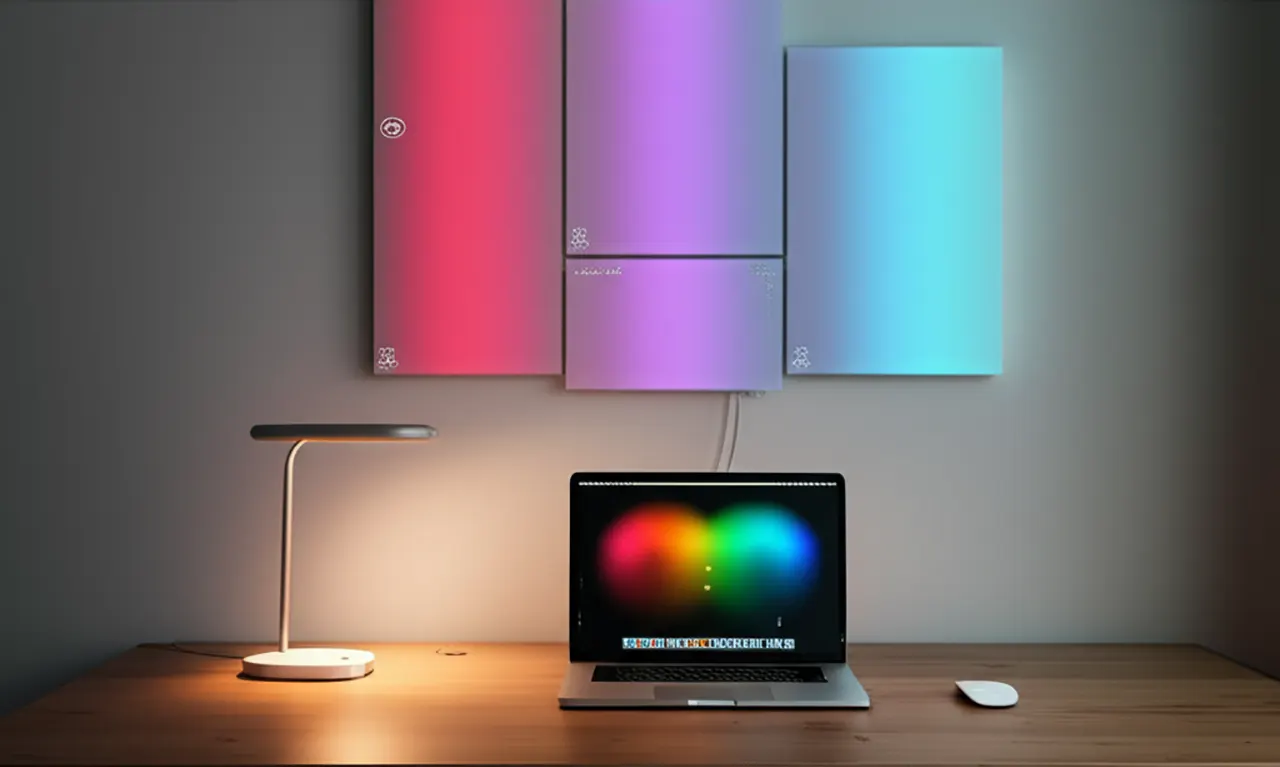
Smart light panels for workspace can transform your setup, boosting productivity and adding a stunning visual element to your desk.
Working from home or in a dedicated office space means we spend a lot of time at our desks. The lighting in this space matters a lot. Poor lighting can make you feel tired. It can also give you headaches. Good lighting helps you focus better. It makes your workspace look nicer too. Smart light panels are a modern solution. They offer more than just light. They can change colors and brightness. This article will show you why smart light panels are essential and stunning for your workspace.
Why Smart Light Panels for Workspace is Game-Changer
Smart light panels offer a flexible and visually appealing way to illuminate your workspace. They go beyond basic illumination by providing customizable lighting experiences. This adaptability is key for modern work environments.
Smart light panels are more than just fancy desk lamps; they are intelligent lighting systems that can be controlled via apps or voice commands. They allow you to adjust brightness, color temperature, and even colors to match your mood or task. This level of control can significantly impact your productivity and overall well-being.
The Essential Benefits of Smart Light Panels for Productivity
The right lighting can directly influence your focus and energy levels throughout the workday. Smart panels allow you to tailor your environment to support these needs. They help reduce eye strain and combat fatigue.
Smart light panels can be set to mimic natural daylight cycles, which helps regulate your body’s internal clock. This can lead to better focus and reduced tiredness. You can also choose specific lighting scenes for different tasks, like bright, cool light for concentration or warmer, softer light for breaks. This deliberate control makes your workspace more functional.
Reducing Eye Strain and Improving Focus

Extended screen time is common for most professionals. This can lead to tired eyes and headaches. Smart light panels can mitigate this by providing balanced, glare-free illumination.
Many panels offer features like flicker-free technology and adjustable brightness. You can position them to avoid direct glare on your monitor. This creates a more comfortable visual experience, allowing you to work for longer periods without discomfort. This is crucial for maintaining concentration.
Enhancing Mood and Energy Levels
The color of light can affect your mood and energy. Cool, blue-toned light can make you feel more alert. Warm, red-toned light can be more relaxing. Smart panels let you switch between these easily.
For example, you might use a bright, cool white light in the morning to feel energized. Later, you could switch to a warmer, dimmer light as the day winds down. This ability to match lighting to your needs helps maintain a positive and productive mood. It makes your workspace feel more dynamic.
Stunning Aesthetics: Elevating Your Workspace Design
Beyond their functional benefits, smart light panels add a unique visual flair to any desk setup. They can become a central design element. They transform a utilitarian space into something more inspiring.
These panels come in various shapes and sizes. You can arrange them in creative patterns on your wall or desk. This allows for personalization and a touch of artistic expression. They can make your workspace feel less sterile and more like a reflection of your personality.
Creating Ambiance and Personalization
Your workspace should be a place you enjoy spending time in. Smart light panels help you create that desired atmosphere. You can match the lighting to your personal style or even to your favorite colors.
Imagine setting a calming blue hue for focused work or a vibrant, energetic RGB color for creative brainstorming. Many systems allow you to save custom lighting profiles. This means you can instantly switch between different moods and aesthetics with a tap. This personalization makes your desk uniquely yours.
Visual Appeal and Conversation Starters
Unique desk setups often attract attention. Smart light panels, especially when arranged in interesting designs, can be a real statement piece. They can make your home office stand out.
These panels are not just functional; they are decorative. They add a modern, sleek look to your workspace. Friends or colleagues who see your setup might be impressed by the visual appeal. They can also spark conversations about technology and design.
Key Features to Look for in Smart Light Panels
When choosing smart light panels, consider what features will best suit your needs. Not all panels are created equal. Understanding the options helps you make the best choice.
Look for ease of installation, app control, and integration with other smart home devices. The quality of light and color reproduction is also important. Think about how you plan to use them.
Control Options: App, Voice, and Physical
The most common way to control smart light panels is through a dedicated mobile app. This app usually lets you adjust brightness, color, and set schedules. Some panels also work with voice assistants like Alexa or Google Assistant. This allows for hands-free control.
Consider if you prefer app control, voice commands, or even physical remote controls. Having multiple control options can add convenience. You want a system that is easy and intuitive to use.
Connectivity and Integration
Most smart light panels connect to your home Wi-Fi network. This allows them to be controlled remotely and integrated with other smart devices. Check if the panels are compatible with platforms like Apple HomeKit, Google Home, or Amazon Alexa.
Integration means you can control your lights along with other smart devices. For instance, you could set a routine that turns on your lights and starts your favorite music when you say “Good morning.” This creates a seamless smart home experience.
Light Quality and Color Options
The quality of the light is paramount. Look for panels that offer a wide range of color temperatures, from warm white to cool white. This flexibility is key for different tasks and times of day. High-quality panels will also offer vibrant and accurate colors if they are RGB-enabled.
Consider the brightness levels available. Ensure the panels can get bright enough for focused work but also dim down for a more relaxed atmosphere. Good color rendering index (CRI) means colors appear more natural.
Top Smart Light Panel Brands and Models to Consider
The market for smart light panels is growing. Several brands offer excellent products. Each has its own strengths.
When selecting, think about your budget and the features that are most important to you. Reading reviews can also help.
Here are a few popular options:
Nanoleaf: Known for their innovative shapes (triangles, hexagons, lines) and advanced features like music sync.
Govee: Offers a wide range of smart lighting, including panels, often at competitive price points.
Philips Hue: A well-established brand in smart lighting, known for its reliable ecosystem and high-quality light.
Let’s compare some of their popular panel offerings.
| Brand | Product Line | Key Features | Price Range (Approx.) |
|---|---|---|---|
| Nanoleaf | Nanoleaf Shapes Triangles | Modular design, millions of colors, music sync, smart home integration | $$$ |
| Govee | Govee Glide Wall Lights | App-controlled, customizable scenes, rhythm sync | $$ |
| Philips Hue | Philips Hue Signe Gradient | Seamless color transitions, tunable white, smart home sync | $$$ |
Installation and Setup: Making It Easy
Setting up smart light panels is generally straightforward. Most systems are designed for DIY installation. They usually involve mounting the panels and connecting them to power and your Wi-Fi.
The process typically doesn’t require advanced technical skills. Many panels come with adhesive mounting strips. This means you can often install them without drilling holes.
Mounting Options: Walls, Desks, and Beyond
Smart light panels can be mounted in various ways. The most common is on a wall behind your desk or monitor. This creates an ambient backlighting effect. Some people also mount them directly on their desk.
Manufacturers often provide templates or guides to help you plan your layout. You can arrange them in geometric patterns or more freeform designs. The modular nature allows for endless creative possibilities.
Connecting to Your Network and App
Once mounted, you’ll need to connect the panels to your power source. Then, you’ll use the manufacturer’s app to connect them to your Wi-Fi network. This usually involves following on-screen instructions in the app.
The app will guide you through naming your panels. You can also group them if you have multiple sets. This step is crucial for enabling app and voice control. It usually takes just a few minutes.
Creative Ways to Use Smart Light Panels in Your Workspace
Think beyond just general illumination. Smart light panels can be used in many creative ways to enhance your workspace. They can serve both functional and aesthetic purposes.
Consider how you can use them to improve your workflow. You can also use them to simply make your desk a more enjoyable place to be.
Task-Specific Lighting Scenes
You can create custom lighting scenes for different tasks. For example, a “Focus Mode” could be a bright, cool white light. A “Relax Mode” could be a warm, dim amber light.
These scenes can be activated with a single tap in the app or a voice command. This helps you transition between different work activities more smoothly. It cues your brain to the task at hand.
Visual Cues and Notifications
Some smart light panels can be programmed to act as visual cues. For instance, you could set them to turn red if a meeting is about to start. Or they could pulse green when you receive an important email.
This can be a subtle yet effective way to stay informed without constant screen checking. It helps you manage your time and attention better. It’s a smart way to integrate technology into your workflow.
Enhancing Video Calls and Streaming
If you do a lot of video calls or streaming, smart light panels can improve your appearance. They provide soft, diffused lighting that can make you look better on camera. You can set them to a flattering white balance.
Many panels also have music synchronization features. This can be fun for personal use or if you use your workspace for creative projects that involve music. It adds an dynamic element to your setup.
Smart Light Panels vs. Traditional Lighting
Traditional lighting, like desk lamps or overhead lights, is functional but lacks flexibility. Smart light panels offer a significant upgrade in terms of customization and aesthetic potential.
While a desk lamp provides a direct light source, smart panels can create ambient backlighting or accent lighting. They offer dynamic control that traditional lights simply cannot match.
Here’s a quick comparison:
| Feature | Traditional Lighting | Smart Light Panels |
|---|---|---|
| Control | On/Off switch, dimmer | App, voice control, scheduling, scene creation |
| Color | Fixed (warm/cool white) | Millions of colors, tunable white temperature |
| Aesthetics | Functional, can be bulky | Modern, modular, customizable designs |
| Integration | Limited | Smart home ecosystems, IFTTT, music sync |
| Eye Strain | Can cause glare, flicker | Flicker-free, glare reduction, customizable |
| Price | Generally lower | Higher initial investment, but more features |
Traditional lights serve a basic purpose, but smart panels offer a far richer experience. They combine functionality with personalized design. This makes them an excellent investment for a modern workspace.
Frequently Asked Questions About Smart Light Panels
Q1: Are smart light panels worth the money for a home office?
Yes, they can be worth it if you value productivity and aesthetics. They reduce eye strain and can boost your mood. Their customizable nature makes your workspace more enjoyable and functional.
Q2: Can I use smart light panels as my main light source?
It depends on the panels and your room size. Some brighter panels can provide adequate ambient light. However, they are often best used as supplementary or accent lighting. You might still need a primary light source.
Q3: Do smart light panels require a lot of technical setup?
No, most are designed for easy DIY setup. Installation usually involves mounting them and connecting to your Wi-Fi via a user-friendly app. No complex wiring is typically needed.
Q4: Can I change the colors on my smart light panels?
Absolutely. Most smart light panels offer millions of color options. You can also adjust the white light to be warm or cool. This allows for extensive personalization.
Q5: Are smart light panels safe for my eyes?
When used correctly, they can be safer. Many feature flicker-free technology and adjustable brightness to reduce eye strain. Avoid direct glare on your screen. Position them strategically.
Q6: How do smart light panels connect to my devices?
They typically connect via Wi-Fi to your home network. You then control them through a mobile app or voice assistants like Alexa or Google Assistant. Some also come with physical remotes.
Conclusion: Illuminate Your Workspace for Success
Smart light panels are more than just a trendy desk accessory; they are essential tools for enhancing your workspace. They offer a powerful combination of improved productivity, reduced eye strain, and stunning visual appeal. By allowing you to customize your lighting environment, these panels can transform your desk from a functional area into an inspiring and comfortable hub for work and creativity.
Whether you’re a remote worker, a student, or a professional spending long hours at your desk, investing in smart light panels is a smart move. They help you create a workspace that is not only beautiful but also optimized for your well-being and performance. Consider integrating them into your setup to experience the difference.

Belayet Hossain is a Senior Tech Expert and Certified AI Marketing Strategist. Holding an MSc in CSE (Russia) and over a decade of experience since 2011, he combines traditional systems engineering with modern AI insights. Specializing in Vibe Coding and Intelligent Marketing, Belayet provides forward-thinking analysis on software, digital trends, and SEO, helping readers navigate the rapidly evolving digital landscape. Connect with Belayet Hossain on Facebook, Twitter, Linkedin or read my complete biography.