


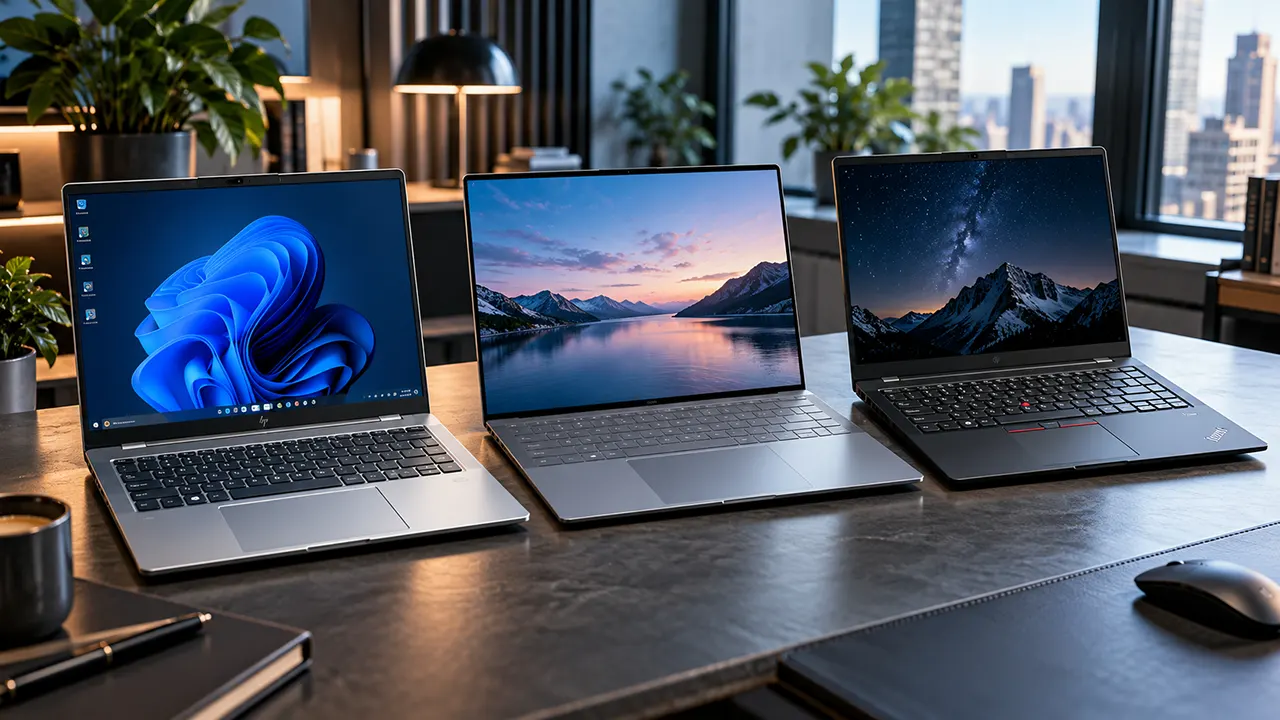
HP, Dell and Lenovo all make competitive laptops, but they serve different priorities. Lenovo ThinkPad is a strong choice for business users who value keyboard design and repairability. Dell offers compelling premium and business options, while HP provides a broad selection for professionals, students and everyday users. The best choice depends on the specific model, configuration and support plan.
Choosing between HP, Dell and Lenovo is not as simple as comparing three logos. A premium ThinkPad and an entry-level IdeaPad are very different products, just as an HP EliteBook differs from an inexpensive HP laptop.
For US buyers, the more useful question is which manufacturer offers the best combination of build quality, performance, keyboard comfort, warranty coverage and long-term ownership value.
This guide compares six representative laptop families across business and premium consumer categories. It also examines reliability evidence, repairability, customer support and the differences between the manufacturers’ current product ranges.
Affiliate disclosure: ItPhobia may earn a commission when you purchase through qualifying affiliate links in this article. This does not increase your purchase price. Product recommendations are based on published information rather than hands-on testing.
HP vs Dell vs Lenovo at a glance
There is no single winner across every laptop category. The following table summarizes the practical differences buyers should investigate before choosing a manufacturer.
| Comparison factor | HP | Dell | Lenovo |
|---|---|---|---|
| Business lineup | EliteBook, ProBook | Dell Pro, Precision | ThinkPad, ThinkBook |
| Premium consumer | OmniBook | XPS | Yoga |
| Budget consumer | Essential and Pavilion-era alternatives, current OmniBook entry tiers | Mainstream Dell | IdeaPad |
| Keyboard | Varies by family | Varies by family | ThinkPad is a strong option |
| Business security | HP Wolf Security on eligible models | Dell business security and management tools | ThinkShield on eligible models |
| Upgradeability | Model-dependent | Model-dependent | Model-dependent |
| Enterprise support | HP business support | Dell ProSupport | Lenovo Premier Support |
| Best reason to consider | Broad product selection | Business deployment and premium design | ThinkPad productivity and business heritage |
The table describes product families, not guaranteed features on every configuration. A specific model’s service manual and specification sheet should determine whether its RAM, battery and storage can be replaced.
Understanding the three manufacturers’ product families
HP: EliteBook targets business professionals and enterprise buyers. ProBook serves mainstream business users. OmniBook covers the consumer and premium productivity market, while OMEN and Victus target gamers.
Dell: XPS is Dell’s premium consumer family. Dell Pro covers business laptops, and Dell Pro Precision targets professional workstation workloads. Mainstream Dell models address everyday consumers.
Lenovo: ThinkPad focuses on business computing, while ThinkBook targets small businesses and professionals. Yoga covers premium convertible and productivity devices. IdeaPad serves mainstream consumers, and Legion targets gaming.
Dell’s 2026 branding change is particularly important. Buyers comparing older Latitude laptops should identify their current Dell Pro equivalents instead of assuming the old naming system still applies. Dell USA+1
HP vs Dell vs Lenovo business laptops
For business buyers, the most relevant comparison is HP EliteBook vs Dell Pro vs Lenovo ThinkPad. These families offer features that matter to organizations, including business operating-system options, security, device management and service contracts.
HP EliteBook and ProBook
The HP EliteBook is designed for professionals who need business-focused hardware and security options.
The 2026 EliteBook 8 G2i 14-inch specifications include:
- Intel Core Ultra 5 and Core Ultra 7 processor options.
- Configurations with up to 64GB memory.
- PCIe NVMe storage options.
- Optional privacy-focused Sure View displays.
- Thunderbolt 4, HDMI 2.1 and USB-A connectivity.
- Optional Ethernet and smart card reader configurations.
One important detail is its memory design. HP offers both upgradeable SODIMM configurations and onboard memory options. Buyers should check the exact SKU before purchasing. HP® Support
The EliteBook is a good candidate for corporate employees, consultants and professionals who want Windows 11 Pro and business-oriented hardware.
However, HP’s product range includes many configurations. A lower-cost ProBook may offer better value for a small business that does not need premium enterprise features.
Dell Pro and Dell Pro Precision
Dell’s updated commercial lineup makes the Dell Pro 5 14 a useful representative of mainstream business computing.
Its official US specifications include:
- Intel Core Ultra 5 and Core Ultra 7 options.
- 16GB and 32GB memory configurations.
- 512GB and 1TB SSD options.
- 14-inch WUXGA display choices.
- Thunderbolt 4 connectivity.
- HDMI 2.1, USB-A and optional SIM connectivity.
- Windows 11 Pro configurations.
Dell also offers ProSupport with onsite service after remote diagnosis as a support upgrade. Standard basic hardware service is not the same as this premium coverage. Dell USA
Independent Notebookcheck testing of the Dell Pro 5 14 highlighted its strong battery efficiency, chassis design, integrated ports and serviceability. The review also noted that certain components can throttle under sustained workloads. Notebookcheck Review
For businesses managing multiple computers, Dell’s commercial support and management ecosystem deserves consideration alongside the hardware.
Lenovo ThinkPad and ThinkBook
The Lenovo ThinkPad is particularly relevant to professionals who spend much of their working day typing.
The 2026 ThinkPad X1 Carbon Gen 14 Aura Edition introduces Lenovo’s Space Frame design. Its configuration and regional specifications vary.
One published configuration includes:
- Intel Core Ultra 7 355 processor.
- 24GB soldered LPDDR5X memory.
- 1TB PCIe 5.0 SSD.
- 14-inch WUXGA touchscreen.
- 58Wh battery.
- Three Thunderbolt 4 ports and one USB-A port.
- Starting weight around 2.20 pounds.
The RAM is soldered and cannot be upgraded in this particular configuration. The SSD is replaceable.
This is an important buying consideration. ThinkPad’s business reputation does not mean every ThinkPad has upgradeable memory.
Lenovo’s 2026 design also shows that repairability is becoming a more important part of premium laptop engineering.
Which business laptop family should you choose?
| Buyer requirement | Strong candidate |
|---|---|
| Traditional business typing experience | ThinkPad |
| Enterprise deployment and support | Dell Pro or HP EliteBook |
| Lightweight executive laptop | ThinkPad X1 Carbon |
| Configurable business hardware | HP EliteBook or Dell Pro |
| Mainstream small-business computing | HP ProBook, Dell Pro or ThinkBook |
| Professional workstation workloads | Dell Pro Precision or appropriate HP/Lenovo workstation |
The best business laptop brand is not necessarily the one with the highest customer satisfaction score. IT departments also need predictable support, consistent configurations, manageable repair costs and long-term fleet availability.
Build quality, keyboard and durability
A laptop’s build quality affects more than its appearance. It influences portability, everyday comfort, repair costs and how well the machine handles regular use.
Chassis and hinge construction
HP, Dell and Lenovo use different materials across their product families. Aluminum, magnesium alloy, carbon fiber and reinforced plastic all appear in their respective ranges.
A premium aluminum chassis can feel more rigid than an inexpensive plastic model, but material alone does not establish long-term durability.
Look at the following details before buying:
- Hinge movement and screen stability.
- Keyboard deck flex.
- Lid rigidity.
- Bottom-panel construction.
- Port placement and reinforcement.
- Manufacturer repair documentation.
Lenovo’s ThinkPad X1 Carbon Gen 14 uses a carbon-fiber top cover and aluminum bottom cover in the published configuration. Dell’s Pro 5 14 offers aluminum or glass-fiber chassis options depending on configuration. HP’s EliteBook offers multiple display and chassis configurations.
Keyboard and typing comfort
The keyboard is one area where ThinkPad deserves particular attention.
ThinkPad laptops are known for their traditional business-oriented keyboard layout and TrackPoint pointing device. These features can appeal to people who write reports, manage spreadsheets or work with documents throughout the day.
Dell and HP also offer comfortable keyboards, but the experience changes considerably between their budget and premium models.
For example, the keyboard on a premium XPS laptop should not automatically represent the experience of a basic Dell model.
Before purchasing, check:
- Key travel and feedback.
- Keyboard layout.
- Function-row design.
- Backlighting.
- Dedicated navigation keys.
- TrackPoint availability, if important.
Practical advice: If you type for six or eight hours daily, keyboard comfort may matter more to you than a small processor performance advantage.
Repairability and upgradeability
Upgradeability can make a laptop more economical over several years.
However, manufacturers increasingly use soldered memory in thin laptops. This saves space but prevents users from adding RAM later.
| Component | What buyers should check |
|---|---|
| RAM | SODIMM slots or soldered memory |
| SSD | Replaceable M.2 storage |
| Battery | Availability and replacement procedure |
| Keyboard | Whether replacement requires major disassembly |
| Wireless card | Replaceable or soldered |
| Ports | Modular or integrated design |
HP EliteBook offers both SODIMM and onboard memory configurations. Dell Pro models have configuration-dependent memory options. The ThinkPad X1 Carbon Gen 14 configuration referenced earlier has soldered RAM but a replaceable SSD.
The useful lesson is simple: compare the service manual and exact machine configuration, not the brand’s general reputation for repairability.
Performance, battery life and display quality
Performance depends more on the processor, memory, cooling system and configuration than the manufacturer’s logo.
A Dell laptop with a higher-tier processor may outperform an HP model with an entry-level CPU. The same applies to Lenovo.
Processor and memory configurations
For everyday office work, web browsing, video meetings and document editing, a modern processor with 16GB RAM is a reasonable starting point.
For heavier multitasking, programming, large spreadsheets and creative applications, consider 32GB RAM.
For local AI workloads, video editing and GPU-intensive applications, evaluate the actual GPU and memory bandwidth rather than relying on the Copilot+ PC label alone.
Also consider processor architecture:
- Intel Core Ultra: Available across several HP, Dell and Lenovo families.
- AMD Ryzen AI: Available in selected configurations.
- Qualcomm Snapdragon X: Available in selected thin-and-light models.
Software compatibility matters. Some professional applications, drivers and specialized utilities may behave differently on ARM-based Windows laptops than on traditional x86 systems.
Battery life and charging
Battery life varies with display resolution, processor, brightness, workload and battery capacity.
Dell’s 2026 XPS 14 demonstrates how much the display can influence battery performance.
Tom’s Hardware recorded 20 hours and 41 minutes on its lower-resolution LCD configuration in its standardized battery test. Its tandem OLED configuration lasted 12 hours and 23 minutes in the same publication’s testing.
That is a substantial difference between configurations of the same laptop.
When comparing HP, Dell and Lenovo, look for independent battery tests using similar brightness and workloads. Manufacturer estimates are useful, but they should not be treated as directly comparable real-world results.
Display quality for office work and creative tasks
Display selection can change the value of a laptop significantly.
| Display type | Best use |
|---|---|
| WUXGA IPS | Office work and general productivity |
| 2.5K IPS | Sharper text and additional workspace |
| 2.8K OLED | Media, creative work and premium visuals |
| 3K OLED | High-resolution content and creative productivity |
| Privacy display | Working with sensitive information in public |
HP’s OmniBook Ultra 14 offers a 3K OLED touchscreen with a 120Hz refresh rate in its documented 2026 configuration. Dell’s XPS 14 offers IPS and OLED options. Lenovo’s Yoga 9i 2-in-1 Aura Edition uses a premium OLED touchscreen.
A high-quality display is valuable for creators, but it may increase the purchase price and reduce battery runtime.
For general office work, a good low-power IPS display can be the more sensible purchase.
Warranty, customer support and repair services
Warranty coverage is an important part of laptop ownership, especially for business users.
HP, Dell and Lenovo offer different service arrangements. Their standard coverage and premium support options should not be confused.
Standard laptop warranties
A standard limited warranty generally covers eligible hardware defects during the coverage period. It does not automatically cover accidental damage, liquid spills or every form of physical damage.
Check these details before purchasing:
- Warranty duration.
- Parts and labor coverage.
- Carry-in or mail-in repair.
- Onsite service eligibility.
- International warranty conditions.
- Battery coverage.
- Accidental damage protection.
A laptop advertised with a one-year warranty is not necessarily a worse purchase than one with longer coverage. The exact service terms and upgrade costs matter.
Premium support and onsite repairs
All three manufacturers offer upgraded support arrangements.
| Manufacturer | Business support option |
|---|---|
| HP | HP Care Pack |
| Dell | ProSupport |
| Lenovo | Premier Support |
Dell ProSupport can include onsite service after remote diagnosis, depending on the purchased plan. HP Care Pack coverage depends on the selected service. Lenovo Premier Support offers enhanced technical assistance and eligible service options.
For US buyers, onsite service availability can depend on the laptop model, service contract, location and parts availability.
Official warranty resources:
What US buyers should check before purchasing
Do not assume that a laptop purchased from Amazon has exactly the same warranty arrangement as a laptop purchased directly from the manufacturer.
Check the seller, warranty provider, product region and whether the device is new, refurbished or renewed.
For business purchases, request the warranty terms in writing. This is particularly important when purchasing several laptops for employees.
HP vs Dell vs Lenovo: Which brand is best for your needs?
The best laptop brand depends on how you plan to use your computer. Here are practical recommendations for different buyers.
Best for business professionals: Lenovo ThinkPad
ThinkPad is a strong option for professionals who prioritize typing comfort, business-oriented design and a familiar productivity experience.
The X1 Carbon is particularly attractive to executives and frequent travelers who need a lightweight laptop.
However, buyers who need upgradeable RAM should check other ThinkPad configurations before choosing the X1 Carbon.
Best for enterprise deployment: Dell
Dell deserves serious consideration for businesses managing multiple laptops.
Its commercial product families, support arrangements and IT management ecosystem make it a strong candidate for organizations that need consistent deployment and maintenance.
The Dell Pro 5 14 is worth examining for mainstream business workloads.
Best for a broad range of users: HP
HP offers a wide product selection, from mainstream consumer laptops to premium business computers.
EliteBook is suitable for professional environments, while OmniBook targets consumers who want premium productivity hardware.
Buyers should compare HP’s specific configurations carefully because display, memory and warranty options can vary substantially.
Best for students: Compare HP and Lenovo value models
Students usually benefit more from a balanced configuration than from an expensive flagship laptop.
Consider:
- 16GB RAM as a practical starting point.
- 512GB SSD storage.
- A comfortable keyboard.
- A good-quality 14-inch or 15-inch display.
- Reasonable battery life.
- A warranty that suits your budget.
HP and Lenovo both offer several options in mainstream price categories. Dell is also worth considering when its configuration and promotional pricing are competitive.
Best for remote workers: Dell XPS or HP OmniBook
Remote workers often need a good webcam, comfortable keyboard, reliable Wi-Fi, long battery life and a quality display.
The Dell XPS 14 and HP OmniBook Ultra 14 are two premium candidates.
The better choice depends on your preference for display, battery endurance, processor architecture and price.
Best for creators: Compare GPU and display specifications
Creators should not select a laptop based only on brand reputation.
For photo editing, color accuracy and display quality are important. Video editors and 3D designers may also need a dedicated GPU, more memory and better cooling.
An integrated graphics laptop may be sufficient for basic editing but unsuitable for demanding professional workflows.
Specific HP, Dell and Lenovo laptop models worth comparing
The following six models represent two different purchasing categories. They are candidates for comparison, not a universal ranking.
Business laptop comparison
HP EliteBook 8 G2i 14
Best suited to organizations and professionals seeking configurable business hardware, Windows 11 Pro and optional privacy features.
Official US listing: $4,157 MSRP for the specific customized configuration retrieved. This is not a representative entry price.
View HP EliteBook configuration
Dell Pro 5 14
A good candidate for mainstream corporate productivity, configurable hardware and commercial support.
Dell’s retrieved US configurations ranged from approximately $2,204 to $3,597.
Lenovo ThinkPad X1 Carbon Gen 14 Aura Edition
A premium lightweight business laptop for professionals who value portability and ThinkPad features.
Lenovo US listings showed configurations around $2,815-$3,439 in the retrieved results.
View ThinkPad X1 Carbon Gen 14
Premium consumer laptop comparison
HP OmniBook Ultra 14
A premium productivity laptop with a 3K OLED touchscreen and Intel Core Ultra options.
Retrieved HP US promotional price: $1,319.99, reduced from $1,819.99, for the listed 16GB/512GB configuration. Promotions can change.
Dell XPS 14 (2026)
A premium thin-and-light laptop with a choice of IPS or OLED display configurations.
Retrieved Dell US starting configuration: $1,989.99 for 16GB RAM and 512GB SSD.
Lenovo Yoga 9i 2-in-1 Aura Edition
A premium convertible for people who want touchscreen interaction, tablet mode and productivity features.
Lenovo US listings showed prices starting around $1,849.99 for the current family.
View Lenovo Yoga 2-in-1 laptops
Which model offers the best value?
There is no defensible winner from the listed prices alone.
The HP OmniBook Ultra 14 has an attractive retrieved promotional price, but its 16GB RAM configuration may not suit buyers who need 32GB or more.
The Dell XPS 14 offers premium hardware, but the OLED configuration costs more and may reduce battery endurance.
The Lenovo Yoga 9i provides convertible flexibility, but its soldered memory means you should choose the RAM capacity carefully before buying.
For business users, the EliteBook, Dell Pro and ThinkPad comparison is more relevant than the consumer models.
How to choose between HP, Dell and Lenovo
Before purchasing, use this checklist to avoid paying extra for features you will not use.
- Choose your laptop category. Decide whether you need a business laptop, premium consumer laptop, gaming laptop or workstation.
- Set your budget. Compare the actual purchase price, not the manufacturer’s estimated retail value.
- Select your processor. Match the processor to your applications and workload.
- Choose sufficient RAM. Consider 16GB for everyday work and 32GB for heavier multitasking.
- Check upgradeability. Confirm whether RAM and SSD storage can be replaced.
- Compare display options. Look at brightness, resolution, color accuracy and refresh rate.
- Check warranty coverage. Understand what the standard warranty includes and what premium support costs.
- Read independent reviews. Look for battery tests, performance measurements, repairability assessments and recurring owner complaints.
One buying mistake deserves particular attention: choosing a laptop with insufficient soldered RAM. You may be able to replace its SSD later, but you cannot necessarily increase its memory.
Frequently asked questions
1. Is HP better than Dell?
HP can be a better choice when you want a broad selection of consumer and business laptops. Dell is particularly attractive for buyers interested in its XPS premium range and commercial support ecosystem. The better option depends on the exact models, specifications, warranty and price.
2. Is Lenovo better than HP?
Lenovo is worth considering if you prioritize ThinkPad keyboards, business-oriented designs and portable professional laptops. HP offers a wider selection across several consumer and business categories. Neither manufacturer is universally better, so compare equivalent configurations.
3. Is Dell better than Lenovo?
Dell has strong commercial laptop and support options, while Lenovo offers attractive ThinkPad business laptops and premium Yoga devices. Independent 2026 IT-buyer survey results show strengths for both brands. Your preferred keyboard, service plan and budget should influence the decision.
4. Which laptop brand is the most reliable?
There is no universally reliable winner across all laptop models. Consumer Reports’ January 2026 research analyzed owner experiences involving 75,923 portable computers purchased between 2019 and 2025. Its findings show that reliability varies across manufacturers and individual products.
5. Which laptop brand has the best keyboard?
Lenovo ThinkPad is a strong candidate for people who prioritize traditional business keyboard layouts and TrackPoint functionality. However, keyboard comfort is subjective. Try the exact model whenever possible because different laptop families use different keyboard designs.
6. Which laptop brand is easiest to repair?
There is no universal answer. Repairability depends on the exact model and the availability of replacement components and service documentation. Check whether the RAM, SSD, battery, keyboard and other components can be replaced independently.
7. Are business laptops worth the extra cost?
Business laptops can justify their higher prices through security features, commercial support options, enterprise management and serviceability. However, a student or home user may not need these features. A well-configured consumer laptop can provide better value for ordinary everyday work.
Final verdict: HP vs Dell vs Lenovo
If I had to narrow the decision down, I would start with Lenovo ThinkPad for keyboard-focused professional work, Dell for commercial deployment and support, and HP for its broad selection of consumer and business configurations.
But do not buy a laptop simply because its manufacturer has a strong reputation. Compare the exact processor, memory, display, battery, upgradeability and warranty.
For most buyers, choosing the right configuration from the right product family will matter more than choosing between HP, Dell and Lenovo.
Ready to compare prices? Check the current manufacturer configurations and compare them with equivalent Amazon US listings before purchasing. Pay particular attention to memory capacity, SSD storage, display type and warranty coverage.

Belayet Hossain is a Senior Tech Expert and Certified AI Marketing Strategist. Holding an MSc in CSE (Russia) and over a decade of experience since 2011, he combines traditional systems engineering with modern AI insights. Specializing in Vibe Coding and Intelligent Marketing, Belayet provides forward-thinking analysis on software, digital trends, and SEO, helping readers navigate the rapidly evolving digital landscape. Connect with Belayet Hossain on Facebook, Twitter, Linkedin or read my complete biography.