
Published on: 30/09/2025 | Updated on: September 30, 2025
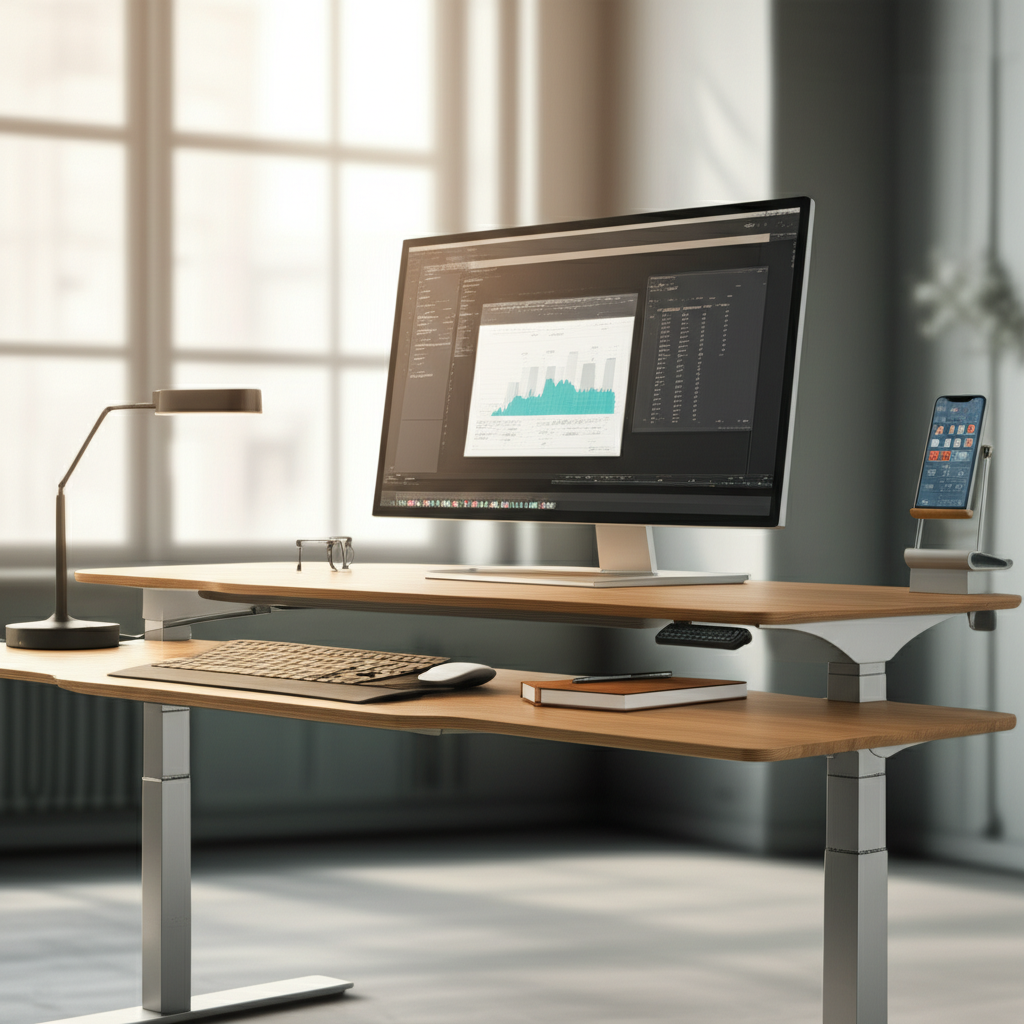
Unlock your potential with standing desks: discover how integrating this simple yet revolutionary tool can transform your workday, boost focus, and redefine your definition of productivity. It’s more than just furniture; it’s a gateway to a healthier, more efficient you.
Feeling that familiar midday slump? Staring at a screen for hours often leads to fatigue, scattered focus, and a general sense of being stuck. Many of us search for the next big app or software update to solve our productivity woes, but sometimes, the most profound breakthroughs come from a fundamental shift in our physical environment. This is where the standing desk enters the picture, not just as a trend, but as a genuine, science-backed essential for enhancing your daily output and overall well-being. Let’s explore how this simple change can be your ultimate productivity game-changer.
Why Standing Desks Are More Than Just a Trend
The standing desk revolution is driven by a growing understanding of how our physical state directly impacts our mental performance. It’s not merely about avoiding prolonged sitting; it’s about actively engaging your body to foster a more alert and dynamic mind. This shift addresses the very core of sedentary work’s limitations, offering a tangible solution for those seeking a noticeable boost in their workflow and cognitive function.
The Science Behind Standing and Focus

Standing desks are more than just furniture; they are tools designed to leverage physiological responses for enhanced cognitive function. By encouraging gentle movement and improved circulation, they combat the lethargy that often creeps in with prolonged sitting. This physical engagement can lead to increased oxygen flow to the brain, directly contributing to sharper focus and better concentration. It’s a simple yet powerful way to keep your mind sharp throughout the day.
When you stand, your body naturally engages more muscles and promotes better blood flow. This increased circulation means more oxygen reaches your brain, which is crucial for optimal cognitive performance. Studies have shown that even short periods of standing can improve alertness and reduce feelings of fatigue, directly impacting your ability to concentrate on tasks. This makes the standing desk a powerful ally for anyone looking to maximize their mental output.
Combating Sedentary Work’s Productivity Drain
Prolonged sitting is a silent productivity killer, leading to physical discomfort and mental fogginess. This sedentary lifestyle can significantly hinder your ability to focus, solve problems, and maintain high energy levels throughout the workday. By incorporating a standing desk, you actively counter these negative effects, creating an environment that supports sustained attention and efficiency.
The modern workday often demands hours spent seated, a posture that can lead to a cascade of issues affecting productivity. Reduced circulation, muscle stiffness, and the infamous “brain fog” are common culprits that sabotage concentration and energy. A standing desk provides a simple yet effective antidote, encouraging movement and keeping your body and mind more engaged. This active posture helps combat the lethargy that often accompanies long periods of inactivity.
The Tangible Benefits of Standing for Productivity
The advantages of using a standing desk extend far beyond physical health, directly translating into significant productivity gains. By fostering better energy levels, improved mood, and enhanced concentration, standing desks create an optimal environment for deep work and sustained performance. These benefits are not just anecdotal; they are supported by a growing body of research and countless user testimonials.
Boosting Energy Levels and Reducing Fatigue
One of the most immediate and noticeable benefits of using a standing desk is the significant boost in energy levels. Standing naturally increases your metabolic rate and improves blood circulation, preventing the sluggishness and fatigue often associated with sitting for extended periods. This sustained energy means you can power through your tasks with greater vigor and less reliance on caffeine.
When you switch from sitting to standing, your body subtly increases its activity. This gentle exertion helps to keep your blood flowing efficiently, delivering more oxygen to your brain and muscles. As a result, you’re likely to feel more awake and less prone to the energy dips that can derail your afternoon. This enhanced vitality translates directly into more productive work hours.
Enhancing Focus and Concentration
The physical act of standing can lead to a more alert and focused state of mind. Improved blood flow to the brain, coupled with reduced physical discomfort, allows for sustained concentration. This means fewer distractions, deeper engagement with your work, and a higher quality of output. For professionals and students alike, this improved focus is invaluable.
Many users report a marked improvement in their ability to concentrate when using a standing desk. The subtle physical engagement required to stand can act as a mild stimulant, keeping your mind sharp and attentive. By reducing the physical distractions of discomfort and fatigue, you free up mental resources to focus more intently on the task at hand. This can lead to completing tasks more efficiently and with fewer errors.
Improving Mood and Motivation
Beyond the physical and cognitive advantages, standing desks can also have a positive impact on your mood and overall motivation. Increased physical activity, even in small doses, is linked to the release of endorphins, which can elevate your mood and reduce stress. A happier, less stressed you is naturally a more motivated and productive you.
The connection between physical activity and mental well-being is well-established, and standing desks tap into this effectively. By integrating more movement into your day, you can experience a natural uplift in your mood and a greater sense of accomplishment. This positive emotional state can fuel your motivation, making it easier to tackle challenging tasks and maintain enthusiasm for your work.
Choosing the Right Standing Desk for Your Needs
With the growing popularity of standing desks, the market offers a wide array of options, from manual crank models to fully electric, feature-rich workstations. Selecting the right one involves considering your budget, available space, desired features, and how you envision integrating it into your daily workflow. A well-chosen standing desk will seamlessly support your productivity goals.
Manual vs. Electric Standing Desks
Manual standing desks, often operated by a crank or lever, are typically more budget-friendly. They require a bit more effort to adjust the height, which might be a minor inconvenience if you plan to switch positions frequently. Electric standing desks, on the other hand, offer effortless, push-button height adjustments, making transitions smooth and quick, but they come at a higher price point.
- Manual Desks:
- Pros: More affordable, no power required.
- Cons: Slower to adjust, requires physical effort.
- Electric Desks:
- Pros: Fast and effortless adjustments, often programmable height settings, smoother transitions.
- Cons: More expensive, requires power outlet.
The choice between manual and electric largely depends on your budget and how often you anticipate changing your desk height. If you’re new to standing desks and want to test the waters, a manual option can be a great starting point. For those who value convenience and frequent adjustments, an electric desk is a worthwhile investment.
Ergonomic Considerations and Features
When selecting a standing desk, prioritize ergonomic design. Look for adjustable height ranges that accommodate your specific needs, ensuring your monitor is at eye level and your keyboard allows for neutral wrist posture in both sitting and standing positions. Features like memory presets on electric desks can further enhance convenience, allowing you to quickly return to your preferred heights.
Beyond basic height adjustment, consider the desk’s surface area and stability. A sturdy desk that doesn’t wobble is essential for comfortable typing and placing equipment. Look for features that enhance usability, such as built-in cable management systems or integrated power outlets. These details contribute to a cleaner, more organized, and ultimately more productive workspace.
Standing Desk Converters vs. Full Desks
If you’re not ready to commit to a full standing desk, a standing desk converter can be an excellent alternative. These units sit atop your existing desk and allow you to raise your monitor and keyboard. They are generally more affordable and easier to set up, making them a flexible option for trying out the standing work style. Full standing desks, however, offer a more integrated and often more stable solution, providing a dedicated workspace that can be fully customized.
Standing desk converters offer a fantastic entry point into the world of ergonomic workspaces. They are perfect for those who want to experience the benefits of standing without replacing their current furniture. These converters are typically less expensive and simpler to install, providing a quick way to assess your preference for standing while working. Full standing desks, conversely, provide a more permanent and often more robust solution for a dedicated ergonomic setup.
Integrating the Standing Desk into Your Daily Routine
Simply owning a standing desk isn’t enough; the key to unlocking its full productivity potential lies in its thoughtful integration into your daily routine. Start gradually, listen to your body, and establish a rhythm that balances sitting and standing to maximize benefits without causing strain. This mindful approach ensures you reap the rewards without overdoing it.
The Importance of Gradual Transition
Jumping into standing for eight hours straight is a recipe for discomfort and can be counterproductive. It’s crucial to ease into it, starting with short periods of standing interspersed with sitting. Gradually increase your standing time over days or weeks as your body adapts. This gentle transition helps prevent fatigue and allows you to discover what standing duration feels most comfortable and beneficial for your workflow.
Your body needs time to adjust to the new demands of standing for extended periods. Begin by standing for just 30 minutes at a time, a few times a day. As you feel more comfortable, gradually extend these periods and reduce your sitting time. This approach minimizes the risk of soreness and ensures that standing becomes a sustainable part of your workday, rather than a temporary experiment.
Finding Your Ideal Sit-Stand Balance
The optimal sit-stand ratio is highly personal and can vary based on your tasks, energy levels, and physical comfort. Experiment to find a balance that keeps you feeling energized and focused without fatigue. Some find a 1:1 ratio (e.g., 30 minutes sitting, 30 minutes standing) works best, while others prefer shorter, more frequent transitions. Pay attention to how you feel and adjust accordingly.
There’s no one-size-fits-all answer to the perfect sit-stand balance. The goal is to find a rhythm that promotes movement and prevents prolonged static postures. Listen to your body’s signals; if you start feeling tired or uncomfortable, it’s time to switch positions. Many users find that alternating every 30-60 minutes strikes a good balance, keeping them alert and reducing strain.
Setting Up Your Ergonomic Workspace
Proper setup is vital for maximizing the benefits of your standing desk. Ensure your monitor is at eye level, your keyboard and mouse are positioned so your elbows are at a 90-degree angle, and your wrists remain straight. Anti-fatigue mats can provide cushioning and support, making longer standing periods more comfortable. A well-configured space reduces physical strain and enhances focus.
An ergonomically sound setup is just as important when standing as it is when sitting. Position your monitor at a height where the top of the screen is at or slightly below eye level. Your keyboard and mouse should be close enough that your elbows can remain bent at roughly a 90-degree angle, with your wrists in a neutral position. Investing in an anti-fatigue mat can significantly improve comfort during standing periods.
Standing Desks and AI: A Synergistic Productivity Boost
The integration of Artificial Intelligence (AI) is rapidly transforming how we work, and standing desks can play a surprisingly synergistic role in this evolution. AI-powered tools can optimize workflows, automate tasks, and provide insights, while standing desks ensure you have the physical and mental energy to leverage these advancements effectively. Together, they create a powerful combination for peak productivity.
AI Tools for Enhanced Workflow Management
AI is revolutionizing task management, scheduling, and information processing. Tools like AI-powered project management software can predict bottlenecks, optimize resource allocation, and automate repetitive tasks, freeing you up for more strategic work. AI assistants can transcribe meetings, summarize long documents, and even draft emails, significantly streamlining your daily operations. Staying on top of these AI innovations can amplify your productivity when paired with a dynamic workspace.
AI is no longer just a futuristic concept; it’s a practical suite of tools that can actively boost your efficiency. From intelligent calendar management that finds optimal meeting times to AI writing assistants that help overcome writer’s block, these technologies are designed to make your work smoother. Exploring and adopting relevant AI applications can unlock new levels of productivity, especially when you’re feeling physically and mentally sharp.
Leveraging AI for Personalized Productivity Insights
AI can analyze your work patterns and provide personalized recommendations for improving productivity. Some AI tools can track your focus times, identify your most productive hours, and even suggest optimal break times. This data-driven approach, combined with the physical benefits of a standing desk, allows for a holistic strategy to maximize your output. Understanding your peak performance times is key to structuring your day effectively.
Imagine an AI system that learns your unique work habits and offers tailored advice on how to optimize your schedule. This is becoming a reality with advanced productivity apps. By integrating these insights with the physical benefits of alternating between sitting and standing, you create a powerful feedback loop. This synergy helps you work smarter, not just harder, by aligning your energy levels with your most demanding tasks.
The Future: Smart Desks and AI Integration
The future points towards “smart desks” that integrate AI capabilities directly into the furniture itself. These desks could automatically adjust height based on your calendar, activity levels, or even biometric data. AI could also monitor your posture and provide real-time feedback, creating a truly adaptive and health-conscious workspace. This level of integration promises an unprecedented level of personalized productivity support.
The convergence of smart home technology and workplace ergonomics is leading to exciting innovations. Future standing desks, powered by AI, will likely offer personalized adjustments, posture correction, and even health monitoring features. This proactive approach to workspace design aims to create environments that not only enhance productivity but also actively promote long-term well-being. The standing desk is evolving into an intelligent partner in your daily work.
Standing Desk Accessories to Enhance Productivity
While the standing desk itself is the primary tool, a few well-chosen accessories can further optimize your experience and boost your productivity. These additions are designed to enhance comfort, organization, and overall efficiency, making your standing workstation even more effective. Investing in the right accessories can transform your desk into a highly functional command center.
Anti-Fatigue Mats: Comfort is Key
Standing for extended periods can be taxing on your feet, legs, and back without proper support. An anti-fatigue mat provides cushioning, encourages subtle movements, and improves blood circulation, significantly enhancing comfort. This comfort is crucial for maintaining focus and energy, allowing you to stand for longer periods without discomfort. A good mat is an essential companion to any standing desk.
The difference an anti-fatigue mat makes is remarkable. It transforms the hard floor surface into a supportive and comfortable platform, reducing strain on your joints and muscles. This enhanced comfort directly translates into your ability to stay standing longer and more comfortably, which is key to reaping the full productivity benefits of your standing desk. It’s a small investment for a significant improvement in daily well-being.
Monitor Arms: Ergonomic Versatility
Adjustable monitor arms allow you to position your screen(s) at the optimal height and distance, whether you’re sitting or standing. This flexibility is crucial for maintaining good posture and reducing eye strain. Many arms offer multiple mounting options and easy adjustability, allowing for quick changes as you transition between postures. This ensures your screen is always perfectly positioned for comfort and clarity.
Monitor arms offer a level of ergonomic flexibility that fixed monitor stands cannot match. They allow you to fine-tune your screen placement precisely, which is essential when alternating between sitting and standing. This ensures optimal viewing angles and distances in both positions, reducing neck and eye strain and contributing to a more comfortable and productive workday. They are a smart addition for anyone using multiple displays or frequently adjusting their setup.
Cable Management Solutions: A Tidy Workspace
A cluttered workspace can be a significant distraction and hinder productivity. Effective cable management solutions, such as under-desk trays, cable sleeves, or ties, can keep your wires organized and out of sight. This not only creates a cleaner, more aesthetically pleasing environment but also makes it easier to move your desk or clean your workspace. An organized desk leads to a more organized mind.
Keeping your cables neat and tidy is more than just an aesthetic choice; it’s a productivity booster. A tangle of wires can be visually distracting and even create trip hazards. Implementing simple cable management solutions ensures a clean, organized, and safe workspace, allowing you to focus entirely on your tasks without unnecessary clutter. This attention to detail contributes to a more streamlined and efficient work experience.
Addressing Common Concerns and Myths
Despite the growing evidence, some individuals still harbor reservations or misconceptions about standing desks. Addressing these common concerns head-on can help clarify their benefits and ease the transition for potential users. Understanding these points ensures a realistic and positive experience with your standing desk setup.
“Standing All Day Will Be Exhausting”
This is perhaps the most common concern, but it stems from the idea of standing rigidly for long periods. The goal of a standing desk isn’t to stand all day, but to alternate between sitting and standing. By incorporating movement and using an anti-fatigue mat, standing becomes comfortable and energizing, not exhausting. Gradual transition is key to building stamina.
The misconception that you must stand all day is easily debunked. A standing desk is designed to facilitate alternating between sitting and standing, promoting movement. By listening to your body and transitioning regularly, you can avoid fatigue and discomfort. The key is balance, not endurance in a single posture.
“Standing Desks Are Too Expensive”
While high-end electric models can represent a significant investment, there are many affordable options available. Manual standing desks and standing desk converters offer budget-friendly ways to experience the benefits. Furthermore, consider the long-term costs associated with poor health and reduced productivity that can be mitigated by a standing desk. The return on investment in terms of health and output can be substantial.
The market for standing desks has expanded dramatically, offering a range of price points to suit various budgets. From simple converters that can be placed on an existing desk to more basic manual models, accessible options abound. When considering the cost, it’s also worth factoring in the potential long-term health benefits and productivity gains, which can offer a significant return on investment.
“I Need to Stand to Be Productive”
This is a myth. Productivity is a complex outcome influenced by many factors, including focus, energy, and environment. While standing can certainly enhance these factors for many, it’s not a universal prerequisite for productivity. The key is finding what works best for you, which may involve a combination of sitting, standing, and regular movement. The standing desk is a tool to support your personal productivity style.
It’s important to clarify that productivity isn’t solely dependent on standing. While standing can be a powerful catalyst for many, it’s one piece of the puzzle. The ultimate goal is to create a work environment that supports your unique needs, which might include a mix of postures and activities. A standing desk is a flexible tool to help you achieve that optimal state.
Measuring the Impact: Tracking Your Productivity Gains
To truly appreciate the breakthrough a standing desk offers, it’s beneficial to track your productivity before and after implementation. This objective measurement can help you understand the tangible benefits and identify areas for further optimization. Data-driven insights can reinforce the value of your new setup and motivate continued use.
Setting Productivity Benchmarks
Before you switch to a standing desk, take a week to establish baseline metrics. Track key performance indicators relevant to your role, such as tasks completed per day, time spent on focused work, error rates, or even subjective measures like energy levels and perceived focus. These benchmarks will serve as your comparison point for evaluating the impact of standing.
To effectively measure the impact, start by establishing clear benchmarks. For a week, diligently record metrics like the number of tasks completed, the duration of your focused work sessions, or even your self-assessed energy levels. These baseline figures will provide a concrete foundation for comparing your productivity once you begin using a standing desk.
Tools for Tracking Progress
Numerous apps and software tools can help you monitor your productivity. Time-tracking applications, task management software with progress reporting, and even simple digital journals can be used to record your daily achievements and challenges. Some standing desk manufacturers also offer apps that can remind you to switch positions or track your standing time.
Leveraging technology can make tracking your progress both easy and insightful. Consider using time-tracking software like Toggl Track or Clockify to monitor how you spend your work hours. Project management tools such as Asana or Trello can provide insights into task completion rates. These digital aids simplify the process of gathering data on your productivity shifts.
Interpreting Your Results
Analyze the data collected over several weeks. Look for consistent improvements in your established metrics. Did you complete more tasks? Did your focused work sessions lengthen? Did you report higher energy levels? Compare these findings to your baseline data to quantify the impact. Remember that improvements may be gradual, so patience is key.
Once you’ve gathered your data, take time to interpret it objectively. Look for trends that indicate positive changes, such as an increase in completed tasks or improved concentration duration. Correlate these quantitative findings with your qualitative experience – how do you feel overall? This holistic view will provide a clear picture of the standing desk’s contribution to your productivity.
Frequently Asked Questions
Is a standing desk really worth the investment?
For many, yes. The potential benefits for physical health, energy levels, focus, and overall productivity can significantly outweigh the cost, especially when considering affordable options and the long-term impact on well-being.
How long should I stand each day?
There’s no strict rule, but the general recommendation is to alternate between sitting and standing. Start with short standing intervals (e.g., 30 minutes) and gradually increase as comfortable. Aim for a balance that prevents fatigue and keeps you energized.
What’s the difference between a standing desk converter and a full standing desk?
A converter sits on top of your existing desk to raise your monitor and keyboard, offering a flexible and often more affordable solution. A full standing desk replaces your entire desk, providing a dedicated and often more stable ergonomic workspace.
Can standing too much be bad?
Yes, standing rigidly for excessively long periods without breaks can lead to fatigue, leg discomfort, and other issues. The key is to incorporate movement and alternate between sitting and standing to maintain comfort and reap benefits.
What are the best standing desk accessories?
Essential accessories include anti-fatigue mats for comfort, monitor arms for ergonomic positioning, and cable management solutions for a tidy workspace. These enhance the functionality and comfort of your standing setup.
Do standing desks actually improve productivity?
Many users report significant improvements in focus, energy, and task completion. By reducing fatigue and enhancing alertness, standing desks can create an environment more conducive to sustained, high-quality work.
When is the best time to stand versus sit?
Listen to your body! Many people find standing beneficial during tasks requiring high concentration or when feeling a midday energy dip. Sitting can be more comfortable for tasks requiring fine motor skills or when you need to relax. The ideal is a flexible rhythm.
Conclusion: Embracing the Standing Desk for a Productive Revolution
The standing desk is more than just a piece of furniture; it represents an essential breakthrough in how we approach productivity and well-being in the modern workplace. By seamlessly integrating movement into our daily routines, we can combat the detrimental effects of prolonged sitting, unlock higher energy levels, sharpen our focus, and ultimately achieve a more dynamic and fulfilling workday. The journey to enhanced productivity often involves simple, yet profound, changes to our environment, and the standing desk stands as a prime example of this transformative potential. Embrace the change, experiment with your ideal sit-stand balance, and discover the remarkable impact a standing desk can have on your overall output and health.

Belayet Hossain is a Senior Tech Expert and Certified AI Marketing Strategist. Holding an MSc in CSE (Russia) and over a decade of experience since 2011, he combines traditional systems engineering with modern AI insights. Specializing in Vibe Coding and Intelligent Marketing, Belayet provides forward-thinking analysis on software, digital trends, and SEO, helping readers navigate the rapidly evolving digital landscape. Connect with Belayet Hossain on Facebook, Twitter, Linkedin or read my complete biography.