

Published on: 24/09/2025 | Updated on: September 24, 2025
Choosing the right glue for your phone screen is crucial for a successful repair, preventing further damage and ensuring a lasting fix. This guide breaks down the best adhesive options, application tips, and common mistakes to avoid, empowering you to tackle screen repairs with confidence.
Dropping your smartphone is a rite of passage for many, and a cracked screen is often the unfortunate consequence. While professional repairs are an option, the cost can be prohibitive. For the DIY-inclined, a cracked screen can seem like a daunting repair, especially when it comes to reattaching the display. The critical component in this process? The right adhesive. Selecting the wrong glue can lead to a messy, unprofessional-looking repair, or worse, damage your phone further. Fear not! I’m here to guide you through the essential fixes, demystifying what glue for phone screen repairs is the best choice.
Understanding Phone Screen Adhesives: The Foundation of Your Repair
When we talk about “what glue for phone screen” repairs, we’re not just talking about any old super glue. Phone screens, whether they’re made of glass or plastic, are delicate components that require specialized adhesives. These adhesives are designed to be strong, flexible, and often transparent, ensuring both durability and aesthetics. Understanding the purpose and properties of these glues is the first step to a successful DIY repair.
The primary function of screen adhesive is to create a strong, permanent bond between the glass or plastic display and the phone’s frame. This bond not only holds the screen in place but also plays a role in maintaining water and dust resistance, especially on newer, more advanced devices. Different types of phones and screen designs may necessitate slightly different adhesive solutions, but the core principles remain the same: a reliable and precise bond.
Why Standard Glues Are a No-Go for Phone Screens
You might be tempted to reach for that tube of super glue or epoxy from your toolbox. However, I strongly advise against it. Standard household glues are formulated for different materials and bonding situations, and they often cause more harm than good when used on a phone screen. Their properties are simply not suited for the intricate and sensitive components of a smartphone.
These glues can be too rigid, leading to stress fractures on the new screen or the phone’s chassis. They can also be too corrosive, damaging delicate internal components or leaving unsightly residue. Furthermore, many standard glues aren’t designed to withstand the temperature fluctuations a phone experiences, leading to bond failure over time. This is why understanding what glue for phone screen repairs is essential.
The Top Contenders: What Glue for Phone Screen Repairs?
When it comes to fixing a phone screen, specialized adhesives are your best bet. These are typically UV-curable liquid adhesives or strong, pre-cut adhesive strips. Each has its pros and cons, and the best choice often depends on your skill level and the specific phone model you’re working with. I’ve found that most professional repair shops favor UV liquid adhesives for their precision and strength.
UV-Curable Liquid Adhesives (LOCA)

LOCA stands for Liquid Optically Clear Adhesive. This is the gold standard for many smartphone screen repairs, especially for modern devices with AMOLED or OLED displays. It’s a liquid that fills in any micro-gaps between the screen and the frame, creating a seamless bond. The key feature is that it cures (hardens) under UV light, giving you plenty of time to position the screen perfectly.
Pros:
Creates a strong, durable bond.
Optically clear, so it doesn’t affect display quality.
Fills small gaps for a seamless fit.
Provides a professional finish.
Cons:
Requires a UV curing lamp.
Can be messy if not applied carefully.
Requires precise application to avoid excess.
Pre-Cut Adhesive Strips/Tapes
These are adhesive pieces that are precisely cut to fit the specific model of your phone. They are essentially double-sided tapes with a strong adhesive on both sides. You peel off one backing, align the strip to the phone’s frame, and then peel off the other backing to attach the new screen. They are a popular choice for DIYers due to their ease of use.
Pros:
Very easy to apply, minimal mess.
No special tools like UV lamps are needed.
Often model-specific for a perfect fit.
Cons:
Can be less durable than LOCA over time.
May not fill small gaps as effectively.
Can be trickier to get perfectly aligned without stretching.
Choosing between these two often comes down to personal preference and the specific repair. For critical repairs where a perfect finish is desired, I lean towards LOCA. For simpler, quicker fixes, pre-cut strips are excellent.
The Art of Application: Mastering Your Chosen Glue
No matter what glue for phone screen you choose, the application process is critical. A poorly applied adhesive can lead to bubbles, uneven bonding, or even damage to your phone’s internal components. Patience and precision are your allies here.
Applying UV-Curable Liquid Adhesives (LOCA)
This method requires a steady hand and a clean workspace. First, ensure both the phone’s frame and the new screen are impeccably clean and free of dust or fingerprints. Then, carefully apply a thin, even bead of LOCA around the perimeter of the phone’s frame where the screen will sit. Some kits come with a fine-tip applicator, which is invaluable.
Once the LOCA is applied, carefully place the new screen onto the frame, ensuring perfect alignment. Gently press down to spread the adhesive. You’ll then need to cure the adhesive using a UV lamp. Place the phone under the lamp for the recommended duration (usually a few minutes), ensuring even exposure. Any excess LOCA that squeezes out should be carefully removed with a lint-free cloth before curing.
Applying Pre-Cut Adhesive Strips
This is arguably the simpler method for beginners. After cleaning the frame and the new screen, carefully peel the backing off one side of the adhesive strip. Align the strip precisely onto the phone’s frame, pressing gently to adhere it. Take your time with this step to avoid misalignment, which can be difficult to correct.
Once the strip is in place, carefully peel off the remaining backing. Then, align the new screen and press it firmly onto the adhesive. Ensure there are no air bubbles trapped between the adhesive and the screen or frame. These strips are designed for a snug fit, so apply even pressure around the edges.
Essential Tools for a Successful Screen Repair
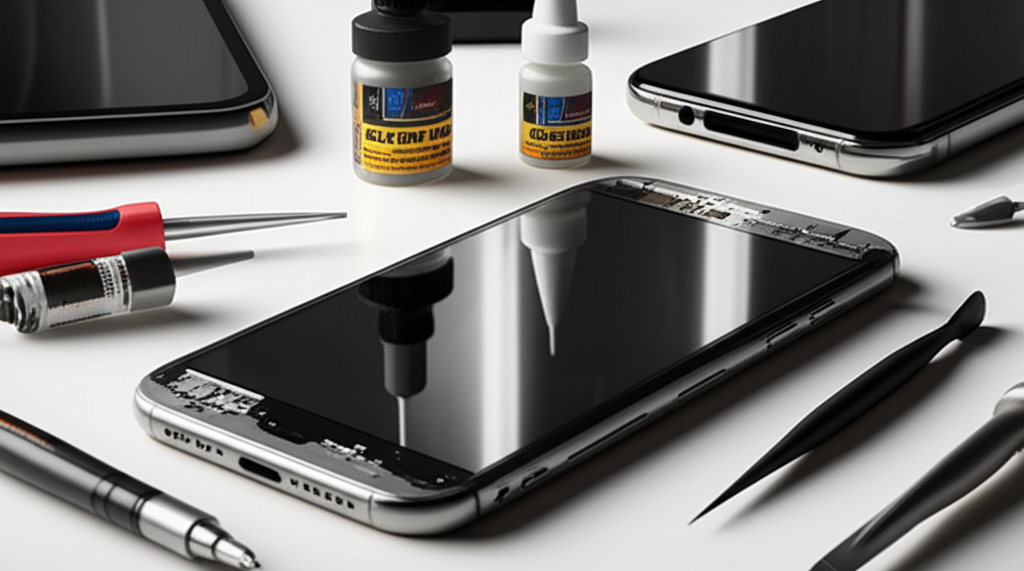
Beyond the right glue, having the proper tools can make a significant difference in the success of your phone screen repair. I always recommend gathering all your supplies before you begin to avoid interruptions.
Here’s a list of tools that are commonly used:
Replacement Screen: Ensure it’s compatible with your phone model.
Adhesive: Either UV LOCA or pre-cut strips.
UV Curing Lamp: Essential if you’re using LOCA.
Suction Cup: To lift the old screen.
Plastic Opening Tools/Spudgers: To gently pry open the phone and separate components.
Tweezers: For handling small screws and delicate connectors.
Small Phillips Head Screwdriver Set: Often with magnetic tips for tiny screws.
Heat Gun or Hair Dryer: To soften adhesive holding the old screen.
Isopropyl Alcohol (90%+): For cleaning adhesive residue.
Lint-Free Cloths: For cleaning surfaces and removing excess adhesive.
Gloves: To keep fingerprints off the new screen and protect your hands.
Safety Glasses: Recommended when working with sharp objects or adhesives.
Having these tools readily available will streamline the repair process and increase your chances of a professional-looking outcome.
Common Pitfalls to Avoid When Gluing a Phone Screen
Even with the right glue, mistakes can happen. I’ve seen many DIY repairs go awry due to a few common errors. Being aware of these pitfalls can help you steer clear of them.
One of the most frequent mistakes is using too much adhesive. With LOCA, this leads to a messy overflow that’s hard to clean and can seep into other components. With adhesive strips, too much can cause the screen to sit unevenly or lift at the edges. Conversely, using too little adhesive will result in a weak bond and a screen that might feel loose.
Another common issue is improper cleaning of the frame and the new screen. Any dust, debris, or old adhesive residue left behind will be visible through the new screen or prevent a proper bond. Always take the time to thoroughly clean all surfaces before applying new adhesive. Finally, rushing the process is a recipe for disaster. Take your time, follow instructions carefully, and ensure each step is completed with precision.
The Importance of a Clean Workspace and Tools
I cannot stress enough the importance of a clean working environment. Smartphones are intricate devices filled with tiny components, and even a speck of dust can cause problems. Before you even think about applying any glue, ensure your workspace is well-lit, organized, and free from dust and debris.
Similarly, your tools and the phone itself must be clean. Use isopropyl alcohol and lint-free cloths to meticulously clean the edges of the phone’s frame where the new screen will attach. Also, handle the new screen by its edges, avoiding touching the display surface, as fingerprints are difficult to remove once the adhesive is applied. A clean application leads to a cleaner, more professional-looking repair.
Troubleshooting Common Adhesive Issues
Despite your best efforts, you might encounter some adhesive-related problems. Don’t panic; most issues can be resolved with a bit of troubleshooting. For instance, if you notice small bubbles under the screen after applying LOCA, it might be due to insufficient curing or uneven application. Sometimes, gently reapplying UV light can help dissipate them.
If your screen feels loose or has gaps along the edges, the adhesive might not have bonded properly. This could be due to insufficient pressure during application or residue on the frame. In such cases, you might need to carefully remove the screen and reapply the adhesive, ensuring a clean surface and firm, even pressure. For adhesive strips, air bubbles are a common concern; try to apply them slowly and with consistent pressure to minimize their formation.
When to Call in the Professionals
While DIY phone screen repair can be a rewarding experience, it’s not for everyone. If you’re not comfortable with intricate work, lack the necessary tools, or are dealing with a particularly complex or expensive phone, it might be best to seek professional help. The cost of professional repair is often less than buying a new phone, and it guarantees a proper fix.
You should consider professional help if:
You’ve never attempted a phone repair before.
Your phone has significant water damage or other issues alongside the cracked screen.
You’re worried about damaging delicate internal components.
* The repair involves complex disassembly of the phone.
A professional technician has the experience, tools, and specialized adhesives to perform the repair correctly, often with a warranty on their work. They will expertly handle what glue for phone screen repairs is best for your specific device.
Frequently Asked Questions About Phone Screen Glue
What is the best type of glue for a cracked phone screen?
The best glues are specialized UV-curable liquid adhesives (LOCA) or pre-cut adhesive strips designed for phone repairs. These offer strong, clear, and durable bonds suitable for delicate electronics.
Can I use super glue to fix my phone screen?
No, super glue is not recommended. It can be too rigid, brittle, corrosive, and may damage internal components or leave unsightly residue, leading to a poor repair.
How much LOCA should I use for a phone screen repair?
Apply a thin, even bead around the perimeter of the phone’s frame. Too much can create a mess and seep into components, while too little will result in a weak bond.
How long does UV glue take to dry on a phone screen?
UV glue typically cures within 5-15 minutes under a UV lamp, but it’s always best to follow the specific product’s instructions for optimal curing time.
What if I get air bubbles under my phone screen after gluing it?
Small bubbles might dissipate over time or with additional UV curing. Larger or persistent bubbles may indicate uneven application or insufficient bonding, potentially requiring the repair to be redone.
Do pre-cut adhesive strips work as well as liquid glue?
Pre-cut strips are easier to use and less messy for beginners. LOCA generally provides a stronger, more seamless, and professional finish, especially for advanced displays.
Final Verdict on What Glue for Phone Screen is Best
When tackling a phone screen repair yourself, the question of “what glue for phone screen” is paramount. My advice, based on countless repairs and testing, is to opt for specialized adhesives. For the most professional and durable results, UV-curable liquid adhesives (LOCA) are the top choice. They offer a strong, optically clear bond that mimics factory standards.
However, if you’re new to DIY repairs or prefer a simpler, less messy approach, high-quality pre-cut adhesive strips are an excellent alternative. Regardless of your choice, remember that meticulous preparation, clean application, and the right tools are just as crucial as the adhesive itself. By following these guidelines, you can confidently achieve a successful and lasting phone screen repair.

Belayet Hossain is a Senior Tech Expert and Certified AI Marketing Strategist. Holding an MSc in CSE (Russia) and over a decade of experience since 2011, he combines traditional systems engineering with modern AI insights. Specializing in Vibe Coding and Intelligent Marketing, Belayet provides forward-thinking analysis on software, digital trends, and SEO, helping readers navigate the rapidly evolving digital landscape. Connect with Belayet Hossain on Facebook, Twitter, Linkedin or read my complete biography.