
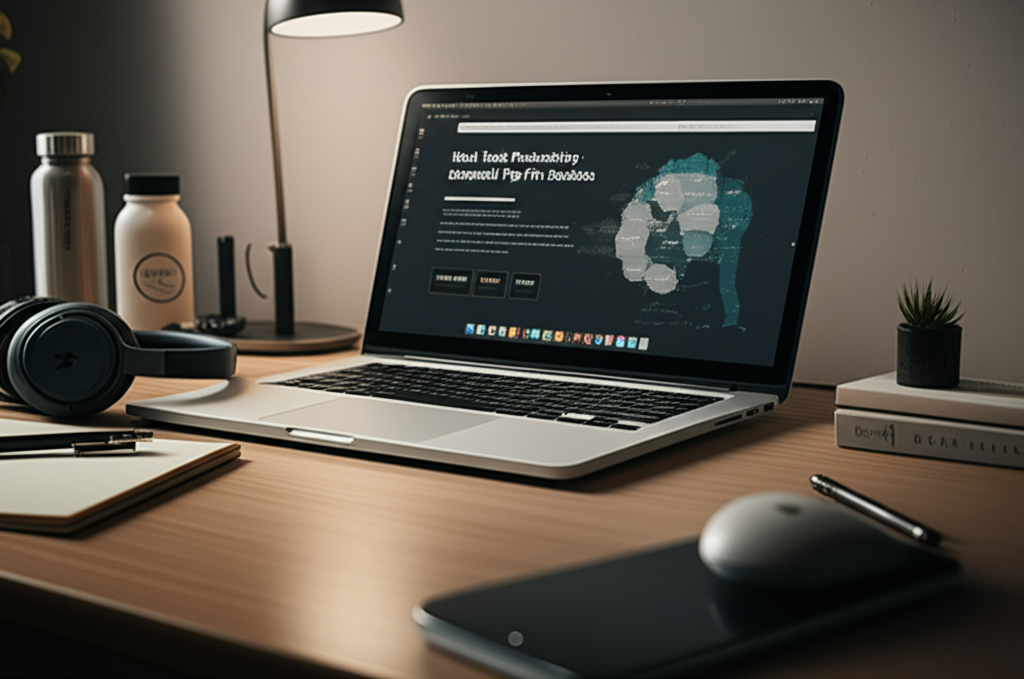
Published on: 30/09/2025 | Updated on: September 30, 2025
Work Desk Productivity: Essential Tips For Students
Boost your student work desk productivity with smart organization, tech integration, and mindful habits. Discover how to create an efficient and inspiring workspace that fuels academic success.
Getting your study space just right can feel like a constant battle. Many students find themselves overwhelmed by clutter, distractions, and inefficient setups, leading to frustration and lower grades. But achieving peak work desk productivity for students isn’t a distant dream; it’s a practical goal. With the right strategies, you can transform your desk into a powerhouse of focus and efficiency. This guide will walk you through actionable steps, from optimizing your physical space to leveraging digital tools.
What is Work Desk Productivity for Students?
Work desk productivity for students refers to the ability to efficiently and effectively complete academic tasks at their designated workspace. It encompasses creating an environment and adopting habits that minimize distractions, maximize focus, and facilitate learning and task completion. This involves organizing physical and digital spaces, utilizing appropriate tools, and managing time wisely.
The Foundation: Creating an Organized and Inspiring Physical Workspace
A cluttered desk often leads to a cluttered mind, especially for students juggling multiple assignments and subjects. Investing time in organizing your physical workspace is the first crucial step towards enhanced work desk productivity. Think of it as setting the stage for focused study sessions.
Declutter and Conquer: The Power of a Tidy Desk

Eliminate anything that doesn’t directly contribute to your current study task. Regularly clear away old notes, unnecessary stationery, and personal items that can divert your attention. A clean surface makes it easier to find what you need, reducing wasted time searching for materials.
Ergonomics: Your Body’s Best Friend for Long Study Sessions
Proper ergonomics is vital for comfort and preventing strain during extended periods of study. Ensure your chair and desk are at the correct height, your monitor is at eye level, and you have adequate lighting. This prevents physical discomfort from becoming a productivity killer.
Lighting Matters: Natural and Artificial Solutions
Good lighting can significantly impact mood and focus. Position your desk near a natural light source if possible, and supplement with a good desk lamp. Avoid harsh overhead lights that can cause glare and eye strain.
Personalize Your Space (Wisely)
Add a few personal touches like a plant or motivational quotes, but avoid over-decorating. The goal is to create an inspiring environment, not a distracting one. A few well-chosen items can make your workspace feel more welcoming and less sterile.
Leveraging Technology for Enhanced Work Desk Productivity
Technology is an indispensable ally for modern students. Smart use of gadgets, apps, and software can revolutionize your approach to studying and task management, directly impacting your work desk productivity.
Essential Gadgets for the Student Work Desk
Beyond a reliable laptop or tablet, consider investing in accessories that enhance your workflow. Noise-canceling headphones can create a personal bubble of quiet, while an external monitor can expand your digital workspace. A comfortable keyboard and mouse can also make a difference in long typing sessions.
Smart Software and Apps for Organization and Focus
Numerous applications are designed to boost student productivity. Task management apps like Todoist or Asana can help you break down assignments and track progress. Note-taking software such as Notion or Evernote allows for organized digital notebooks, and focus apps like Forest can gamify staying off distracting websites. Explore these tools to find what best suits your learning style.
AI Tools: Your New Study Superpowers
Artificial intelligence is rapidly transforming how we learn and work. AI-powered writing assistants can help with drafting essays, grammar checks, and research summaries. AI-driven learning platforms can offer personalized study plans and practice questions. Integrating these tools can free up your time for deeper understanding and critical thinking. For instance, tools like Grammarly offer advanced writing suggestions, and platforms like ChatGPT can help brainstorm ideas or explain complex concepts.
Digital Note-Taking and Organization
Moving from paper to digital notes can streamline your workflow immensely. Apps like OneNote or GoodNotes allow you to organize notes by subject, add multimedia, and search your entire archive instantly. This makes reviewing for exams or finding specific information incredibly efficient.
Mastering Digital Organization: Taming the Virtual Chaos
Just as physical clutter hinders productivity, digital disorganization can be a major bottleneck. Implementing a robust digital organization system is as crucial as keeping your physical desk tidy.
File Management: A Place for Everything
Adopt a consistent naming convention for your files and folders. Create clear hierarchies for different subjects, projects, and assignment types. Regularly back up your work to cloud storage services like Google Drive or Dropbox to prevent data loss.
Email and Communication Management
Set specific times to check and respond to emails rather than letting them interrupt your flow. Utilize folders and labels to categorize incoming messages. Unsubscribe from unnecessary newsletters to reduce inbox clutter.
Browser Tab Management
Too many open tabs can be a significant distraction and consume system resources. Use browser extensions like OneTab to group and save tabs for later. Develop a habit of closing tabs that are no longer relevant to your current task.
Time Management Techniques for Peak Work Desk Productivity
Even with the perfect setup, effective time management is the linchpin of student success. Learning to allocate your study time wisely will make a substantial difference in what you can accomplish.
The Pomodoro Technique: Focused Bursts of Study
This popular method involves working in focused 25-minute intervals, followed by a 5-minute break. After four “pomodoros,” take a longer break. This technique helps maintain high concentration and prevents burnout.
Time Blocking and Scheduling
Allocate specific blocks of time in your calendar for different tasks and subjects. Treat these blocks like appointments you cannot miss. This structured approach ensures that all your academic responsibilities receive adequate attention.
Prioritization Strategies: Eat That Frog!
Identify your most important or challenging task for the day (your “frog”) and tackle it first. Completing the hardest task early can create momentum and reduce procrastination for the rest of your day. Tools like the Eisenhower Matrix can help you categorize tasks by urgency and importance.
Minimizing Distractions: Creating Your Focus Zone
Distractions are the arch-nemesis of work desk productivity for students. Actively identifying and mitigating them is a critical skill to develop.
Digital Distraction Blockers
Utilize website and app blockers during study sessions. Apps like Freedom or Cold Turkey can temporarily block access to distracting websites and social media platforms. This creates a digital barrier to temptation.
Creating a Quiet Environment
If your living situation is noisy, explore options like using noise-canceling headphones or finding quiet spots in libraries or study halls. Informing roommates or family members about your study times can also help minimize interruptions.
Mindfulness and Single-Tasking
Practice single-tasking by focusing on one activity at a time. Multitasking often leads to reduced efficiency and increased errors. Mindfulness exercises can help you train your brain to stay present and focused on your current task.
Health and Well-being: Fueling Your Productivity Engine
Your physical and mental health are directly linked to your ability to concentrate and perform. Neglecting these aspects will inevitably impact your work desk productivity.
The Importance of Breaks
Regular breaks are not a sign of slacking off; they are essential for sustained focus. Step away from your desk, stretch, walk around, or do something completely unrelated to your studies. This helps refresh your mind and prevent mental fatigue.
Hydration and Nutrition
Staying hydrated and eating balanced meals are crucial for cognitive function. Keep a water bottle at your desk and opt for brain-boosting snacks like fruits, nuts, and vegetables over sugary treats that lead to energy crashes.
Sleep: The Ultimate Productivity Booster
Adequate sleep is non-negotiable for academic success. Aim for 7-9 hours of quality sleep per night. A well-rested brain is better equipped for learning, problem-solving, and maintaining focus.
Ergonomic Setup: Comfort for Sustained Focus
Your desk setup directly impacts your comfort and ability to concentrate for extended periods. An ergonomic workspace is an investment in your academic health and productivity.
Chair and Posture
Invest in a supportive chair that allows your feet to rest flat on the floor, with your knees at a 90-degree angle. Maintain good posture with your back straight and shoulders relaxed. This prevents back pain and fatigue.
Monitor Placement
Position your monitor at arm’s length and so the top of the screen is at or slightly below eye level. This reduces neck strain and eye fatigue. If you use a laptop, consider a stand and an external keyboard/mouse for better ergonomics.
Desk Height and Keyboard/Mouse Placement
Your desk should be at a height that allows your forearms to be parallel to the floor when typing, with your wrists straight. Ensure your keyboard and mouse are close enough to avoid reaching. Proper placement minimizes repetitive strain injuries.
Smart Lighting for Optimal Study Conditions
The right lighting can significantly enhance your mood, reduce eye strain, and improve your ability to focus. It’s a often-overlooked but crucial element of work desk productivity.
Leveraging Natural Light
Position your desk to take advantage of natural daylight whenever possible. Natural light is best for reducing eye strain and boosting mood. Avoid direct glare from windows by using blinds or curtains.
Task Lighting
A good desk lamp is essential for focused work, especially during evenings or on cloudy days. Choose a lamp that provides adjustable brightness and can direct light onto your workspace without creating glare on your screen. Consider a lamp with a warm or neutral color temperature for a more comfortable ambiance.
Ambient Lighting
Supplement task lighting with ambient lighting that fills the room. This creates a more balanced and less harsh lighting environment, reducing the contrast between your screen and the surrounding area, which can lead to eye fatigue.
Building Sustainable Habits for Long-Term Work Desk Productivity
Technology and organization are fantastic tools, but true work desk productivity for students comes from consistent, healthy habits. Cultivating these routines will serve you well beyond your academic career.
Daily Review and Planning
Start each study day with a quick review of your tasks and a plan for what you want to accomplish. End your day by tidying your desk and making a to-do list for the next day. This creates structure and closure.
Regular System Maintenance
Dedicate a few minutes each week to decluttering your physical desk and organizing your digital files. This prevents small messes from becoming overwhelming obstacles to your productivity.
Self-Reflection and Adaptation
Periodically assess what’s working and what’s not in your study routine. Are you consistently getting distracted by social media? Is your current note-taking system effective? Be willing to adapt your strategies as your needs change.
Frequently Asked Questions (FAQ)
What is the most important factor for work desk productivity for students?
While many factors contribute, consistent organization and minimizing distractions are paramount. A tidy space and a focused mindset enable efficient learning and task completion.
How can I make my study desk more ergonomic?
Ensure your chair supports good posture, your monitor is at eye level, and your keyboard/mouse allow for neutral wrist positions. Proper ergonomics prevent discomfort and long-term strain.
Are AI tools really helpful for students, or just a crutch?
AI tools can be incredibly helpful when used as assistive technologies. They can speed up research, improve writing, and explain complex topics, allowing students to focus on higher-level understanding and critical thinking.
How often should I take breaks when studying?
Aim for short breaks every 25-50 minutes, followed by a longer break after a few study intervals. Regular breaks prevent burnout and help maintain focus.
What if my study environment is inherently noisy or distracting?
Utilize noise-canceling headphones, find alternative quiet study locations like libraries, and communicate your need for focus time to housemates or family.
Can I use my phone productively at my desk, or should it be off?
It’s best to turn off non-essential notifications or even put your phone in another room during focused study sessions. Designated times for checking your phone can prevent constant interruptions.
Conclusion
Mastering work desk productivity as a student is an achievable goal that requires a multifaceted approach. By meticulously organizing your physical and digital spaces, strategically integrating technology and AI tools, implementing effective time management techniques, and prioritizing your well-being, you can cultivate an environment conducive to deep learning and academic success. Remember, your work desk is more than just a surface; it’s your command center for learning. Continuously refine your setup and habits, and you’ll unlock your full potential, making your student journey both more efficient and more rewarding.

Belayet Hossain is a Senior Tech Expert and Certified AI Marketing Strategist. Holding an MSc in CSE (Russia) and over a decade of experience since 2011, he combines traditional systems engineering with modern AI insights. Specializing in Vibe Coding and Intelligent Marketing, Belayet provides forward-thinking analysis on software, digital trends, and SEO, helping readers navigate the rapidly evolving digital landscape. Connect with Belayet Hossain on Facebook, Twitter, Linkedin or read my complete biography.