
Published on: 10/10/2025 | Updated on: October 10, 2025
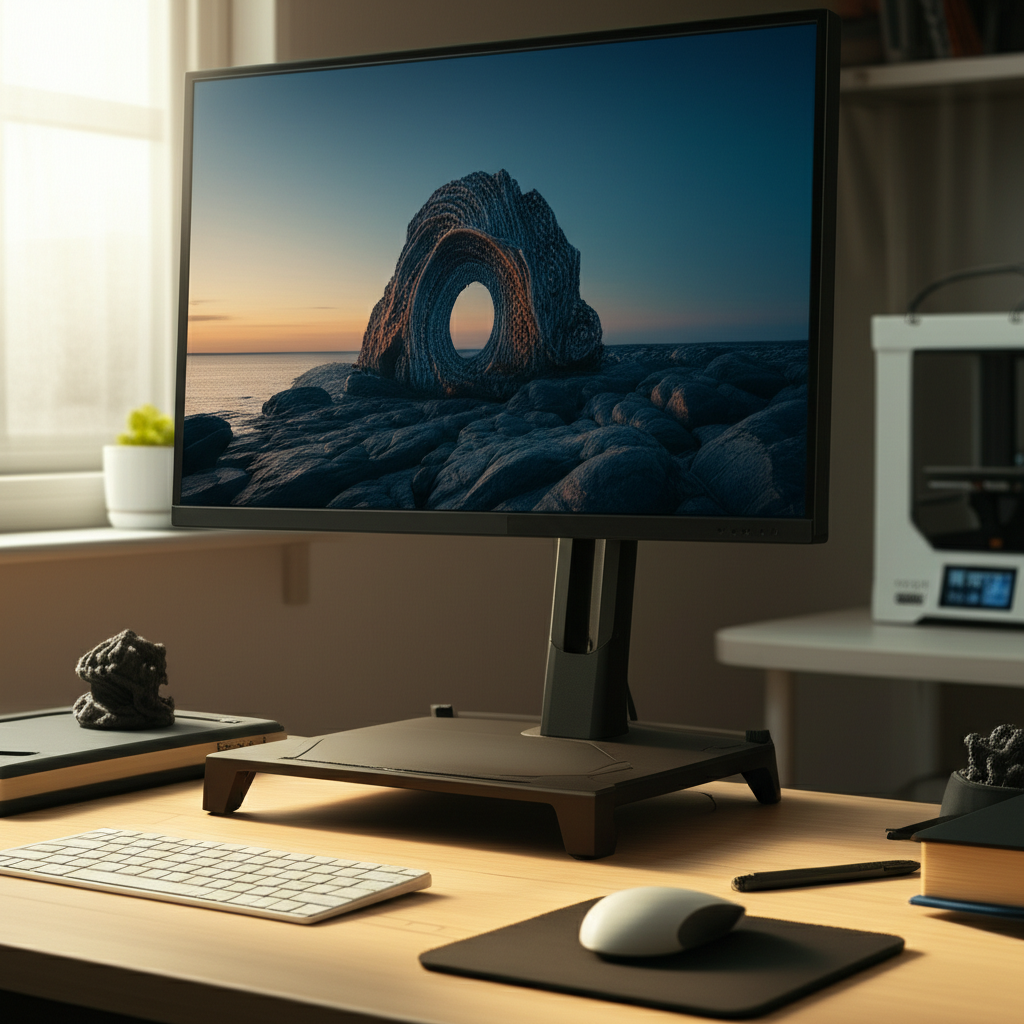
A 3D print monitor stand can revolutionize your study setup, elevating your screen for better posture and reducing neck strain. This guide explores essential designs tailored for students, ensuring comfort and efficiency in your workspace.
Are you tired of hunching over your desk, feeling the strain in your neck and shoulders? A poorly positioned monitor can turn study sessions into a pain. It might seem like a small detail, but your monitor’s height significantly impacts your comfort and focus. We’ll walk you through how to design and create the perfect 3D printed monitor stand, transforming your study space into an ergonomic haven. Get ready to learn how to build a custom solution that fits your needs perfectly.
Why a 3D Printed Monitor Stand is Key for Your Study Space
A 3D printed monitor stand offers unparalleled customization for your study needs. It allows you to create a stand perfectly suited to your monitor size, desk height, and personal ergonomic preferences. This means no more awkward propping with books or flimsy boxes. You can design it to include extra features too, like storage for pens or a spot for your phone.
This customizability is a huge advantage over off-the-shelf solutions. You’re not limited by pre-set heights or designs. A well-designed 3D printed monitor stand can significantly improve your posture, reduce eye strain, and make long study hours more comfortable and productive.
Understanding Ergonomics: The Foundation of Your Design
Ergonomics is all about designing your workspace to fit you, not the other way around. For monitor stands, this means ensuring your screen is at the right height. Your eyes should be level with the top third of your monitor. This position helps maintain a neutral neck posture, preventing strain.
Proper ergonomics also considers your viewing distance. You should be an arm’s length away from your screen. A 3D printed monitor stand can help achieve this ideal setup, creating a healthier and more efficient study environment. Investing in good ergonomics is investing in your long-term health and academic success.
Key Design Considerations for Your 3D Print Monitor Stand
When designing your 3D print monitor stand, several factors are crucial. You need to consider the weight of your monitor to ensure the stand is strong enough. The dimensions of your monitor and desk are also vital for proper placement and fit. Think about the aesthetic you want for your workspace too.
Beyond basic support, consider added functionalities. Do you want space for storing notebooks, pens, or even a keyboard underneath? Perhaps a small shelf for your phone or a cable management solution? These thoughtful additions can make your 3D print monitor stand a truly indispensable part of your study setup.
Material Strength and Stability

The strength of your chosen 3D printing material is paramount. For a monitor stand, you need a filament that can bear significant weight without deforming or breaking. Common choices like PLA are good for lighter loads, but for heavier monitors, consider stronger materials.
Materials like PETG or ABS offer greater durability and heat resistance. Even better, reinforced filaments like carbon fiber-filled nylon can provide exceptional strength. Always check the tensile strength and impact resistance of your filament to ensure your stand is robust and safe for your valuable equipment.
Dimensions and Fit for Your Monitor
Accurately measuring your monitor is the first step. Note its width, depth, and, most importantly, its weight. You’ll also need to measure the available space on your desk. This ensures your 3D print monitor stand fits perfectly without taking up too much precious desk real estate.
Your design should accommodate the monitor’s base or mounting points. Consider the screen’s height from its bottom edge to where you want your eye level to be. This measurement will dictate the required height of your stand. Precise measurements prevent a wobbly or ill-fitting stand.
Aesthetic and Workspace Integration
Your study space should be inspiring and functional. Your 3D print monitor stand can contribute to this. You can choose colors that match your desk, accessories, or personal style. The design itself can be sleek and minimalist, or it can incorporate decorative elements.
Think about how the stand will look from different angles. A well-designed stand can declutter your desk visually and physically. It can become a statement piece that enhances the overall ambiance of your study area. Personalization is where 3D printing truly shines.
Essential Design Features for a Study-Focused Monitor Stand
A monitor stand for studying needs more than just height. It should enhance productivity and comfort. Features like cable management, storage compartments, and even integrated charging ports can make a big difference. These elements help keep your workspace tidy and functional.
Consider the ventilation for your monitor as well. Some designs can improve airflow, keeping your device cooler. The best stands are those that anticipate your needs during long study sessions. They become more than just a platform; they become a productivity tool.
Cable Management Solutions
Tangled cables can be a major source of desk clutter and visual distraction. Your 3D print monitor stand is the perfect place to incorporate cable management. You can design channels, clips, or even a rear compartment to neatly route and hide your monitor’s power and display cables.
This feature not only makes your desk look cleaner but also prevents cables from snagging or getting damaged. Imagine a workspace free from messy wires, allowing you to focus entirely on your studies. It’s a small detail that has a big impact on your environment.
Integrated Storage Compartments
Maximizing desk space is crucial for students. A 3D print monitor stand can offer valuable storage solutions. You can design compartments underneath the monitor to store keyboards, notebooks, or other study essentials. Smaller cubbies can hold pens, USB drives, or sticky notes.
These storage areas help keep your desk organized and everything you need within easy reach. A tidy workspace often leads to a tidier mind, which is invaluable when tackling complex subjects. Think of it as a built-in organizer for your academic life.
Phone/Tablet Holder Integration
Many students use their phones or tablets for quick reference, online lectures, or note-taking. Integrating a holder for these devices into your monitor stand is a smart design choice. This keeps your secondary screens conveniently placed without adding more clutter.
The holder can be designed at an angle for easy viewing. It can be positioned beside or in front of the monitor. This feature ensures your phone or tablet is always accessible, helping you seamlessly switch between tasks and stay organized.
Popular 3D Modeling Software for Stand Design
Designing your custom 3D print monitor stand requires software. Fortunately, many user-friendly options are available, even for beginners. These tools allow you to create precise digital models that can then be sent to a 3D printer. Learning to use them opens up a world of custom creation.
From free, open-source programs to professional-grade suites, there’s a tool for every skill level. The key is to find one that suits your comfort and the complexity of the design you envision. Many offer excellent tutorials to get you started quickly.
TinkerCAD: The Beginner’s Choice
TinkerCAD is a fantastic starting point for anyone new to 3D modeling. It’s web-based, free, and uses a simple drag-and-drop interface. You can easily combine basic shapes to build complex objects. Its intuitive nature makes learning the fundamentals of 3D design accessible.
Even with its simplicity, TinkerCAD is powerful enough to design functional items like a monitor stand. You can create precise dimensions, add cutouts, and export your design for printing. It’s the perfect tool to bring your initial ideas to life without a steep learning curve.
Fusion 360: For More Advanced Designs
For those who want more control and advanced features, Fusion 360 is an excellent option. It offers powerful parametric modeling tools, allowing for intricate designs and precise adjustments. While it has a steeper learning curve than TinkerCAD, it provides professional-level capabilities.
Fusion 360 is free for hobbyists and startups, making it accessible. It’s ideal for creating robust, complex structures with features like fillets, chamfers, and detailed component integration. If you plan on making many custom 3D printed items, investing time in learning Fusion 360 pays off. You can explore its capabilities on the Autodesk Fusion 360 website.
Blender: Versatile and Powerful
Blender is another powerful, free, and open-source software. While it’s often associated with animation and rendering, its modeling tools are exceptionally capable. It excels at organic shapes and complex surface modeling, but it can also handle precise engineering designs.
Its extensive feature set can be overwhelming initially, but numerous online tutorials can guide you. Blender offers incredible flexibility for creative designs. If you’re looking for a tool that can do almost anything in 3D, Blender is worth exploring for your monitor stand project.
Choosing the Right Filament for Durability
The filament you choose directly impacts the strength and longevity of your 3D print monitor stand. While PLA is common and easy to print, it can become brittle and warp under heat or stress, which isn’t ideal for supporting a monitor. You need something more robust.
Consider filaments that offer a better balance of strength, flexibility, and temperature resistance. Your choice will depend on your printer’s capabilities and the weight of your monitor. Getting this right ensures your stand is safe and reliable for years of study.
PLA: The Easy-to-Print Option
Polylactic Acid (PLA) is the most popular 3D printing filament. It’s derived from renewable resources like corn starch, making it eco-friendly. PLA is known for its ease of printing, vibrant color options, and low warping. It’s a great choice for prototypes and less demanding applications.
However, for a monitor stand, PLA might not be the best choice for the final product, especially for larger monitors. It has a lower glass transition temperature, meaning it can soften and deform in warmer environments or under sustained load. It’s also more brittle than other options.
PETG: A Stronger, More Flexible Alternative
Polyethylene Terephthalate Glycol (PETG) offers a significant upgrade in strength and durability over PLA. It’s more resistant to heat and impact, making it a more suitable material for supporting weight. PETG is also more flexible, meaning it can bend slightly under load rather than snapping.
Printing with PETG can be slightly trickier than PLA, requiring higher temperatures and careful retraction settings. However, the added strength and durability are well worth the effort for a functional item like a monitor stand. It provides a good balance of printability and performance.
ABS: Heat Resistant and Tough
Acrylonitrile Butadiene Styrene (ABS) is known for its toughness and high-temperature resistance. It’s the material used in many everyday plastic items, like LEGO bricks. ABS prints are strong and can withstand more stress than PLA or even PETG.
The main drawbacks of ABS are its tendency to warp during printing, requiring a heated bed and often an enclosure. It also emits fumes that require good ventilation. If your study area can accommodate these printing needs, ABS offers a very durable monitor stand.
Reinforced Filaments: For Maximum Strength
For the ultimate in strength and rigidity, consider reinforced filaments. These are base materials like nylon or PLA infused with carbon fiber or fiberglass particles. These additives dramatically increase the stiffness and load-bearing capacity of the printed part.
Carbon fiber-filled nylon, for example, is incredibly strong and lightweight. These materials can be more abrasive, so using a hardened steel nozzle on your 3D printer is recommended. They are ideal for supporting heavier monitors or for designs that require maximum stability.
Designing for Stability and Load Bearing
A monitor stand must be stable and capable of bearing your monitor’s weight without wobbling or collapsing. This involves careful consideration of the stand’s base, its structural integrity, and how it distributes the load. A well-designed stand provides peace of mind.
Think about the forces at play: gravity pulling down and potential nudges from your desk. Your design needs to counteract these forces effectively. Simple geometric shapes and strategic reinforcement can make a huge difference in stability.
Base Design: The Foundation of Stability
The base of your 3D print monitor stand is critical for stability. It needs to be wide enough to prevent tipping. A larger footprint distributes the monitor’s weight over a wider area, reducing pressure points and increasing stability.
Consider adding rubber feet or a non-slip surface to the base. This prevents the stand from sliding on your desk, especially if you have a smooth or glass surface. A stable base ensures your monitor remains secure.
Structural Reinforcement Techniques
To enhance the load-bearing capacity, you can incorporate structural reinforcements into your design. Ribs, gussets, and internal honeycombing can add significant strength without adding excessive weight or print time. These elements act like the beams and supports in a building.
For example, adding triangular supports where vertical legs meet the top surface greatly increases rigidity. Think about how engineers build bridges or aircraft wings; they use shapes and structures that distribute stress effectively. These principles apply directly to 3D print design.
Load Distribution Analysis
Consider how the weight of your monitor will be distributed across the stand. If your monitor has a narrow base, the stand needs to provide a wider, more stable platform. If the monitor is front-heavy, the stand needs to be balanced accordingly.
In your 3D modeling software, you can often visualize stress points. This helps you identify areas that might need extra material or reinforcement. Understanding load distribution is key to preventing failure and ensuring safety.
Printing Your Monitor Stand: Settings and Tips
Once your design is ready, the next step is printing. The success of your print depends on selecting the right printer settings. These settings ensure your stand is strong, accurate, and has a good surface finish. Don’t rush this process; careful calibration is key.
Using the correct print settings for your chosen filament is crucial. It ensures the structural integrity of the stand. Small adjustments can make a big difference in the final outcome.
Slicer Settings for Strength
Your slicer software (like Cura, PrusaSlicer, or Simplify3D) is where you translate your 3D model into instructions for the printer. For a strong monitor stand, focus on these settings:
Infill Density: Increase infill density (e.g., 40-60% or higher) to make the print solid and strong.
Wall/Perimeter Count: Use more walls (e.g., 4-6) as they contribute significantly to the part’s strength, especially in resisting bending.
Layer Height: A smaller layer height (e.g., 0.15mm – 0.2mm) can create a stronger bond between layers, though it increases print time.
Print Speed: Slower speeds often result in better layer adhesion and overall part quality, especially for structural components.
Temperature: Ensure your nozzle and bed temperatures are set correctly for your filament to achieve optimal layer bonding.
These settings ensure the printed object is dense and resilient. Proper slicing is as important as a good design.
Print Orientation for Optimal Strength
The orientation of your print on the build plate matters for strength. Parts are strongest along their layered axis. For a monitor stand, you generally want the layers to be oriented in a way that resists the primary forces it will experience.
For a stand, printing it upright is often the most straightforward and can yield good strength if infill and walls are sufficient. However, if you anticipate significant bending forces on a specific part of the stand, orienting it so that the layers run parallel to the stress can improve strength. Always consider how the forces will act on the part during its use.
Post-Processing for a Finished Look
After printing, some post-processing can improve the look and feel of your stand. This might include:
Removing Supports: Carefully remove any support structures used during printing.
Sanding: Sanding can smooth out layer lines and create a more polished finish. Start with a coarser grit and move to finer grits.
Filling and Painting: For a truly custom look, you can use filler to smooth imperfections and then paint the stand to match your decor.
* Adding Feet: Attach rubber or silicone feet to the base for added grip and stability.
These steps transform a functional print into a professional-looking piece. They make your 3D print monitor stand a seamless addition to your study.
Case Study: A Student’s Ergonomic Transformation
Sarah, a university student, struggled with neck pain during long study sessions. Her laptop screen was too low, forcing her to hunch. She decided to design and 3D print a monitor stand using TinkerCAD and PLA filament.
She designed a simple, two-tiered stand with a space underneath for her keyboard. She added a small groove to hold her phone upright. After printing and assembling it, Sarah noticed an immediate difference. Her posture improved, and the neck pain significantly decreased. The integrated storage also decluttered her desk. Her 3D print monitor stand became an essential part of her study routine.
Integrating Your 3D Print Monitor Stand into Your Workflow
Once your 3D print monitor stand is ready, integrating it into your workflow is simple. Place it on your desk, position your monitor on top, and arrange your accessories. You’ll likely find that the improved ergonomics lead to longer, more comfortable study periods.
Take a moment to appreciate the custom solution you’ve created. It’s a testament to how technology can solve everyday problems. The benefits of a properly positioned monitor extend beyond comfort; they contribute to better focus and reduced fatigue.
Frequently Asked Questions (FAQ)
Q1: Can any 3D printer make a monitor stand?
Yes, most standard FDM (Fused Deposition Modeling) 3D printers can print a monitor stand. The key is choosing the right filament and print settings for strength. Even smaller printers can create robust stands if designed correctly.
Q2: How strong does a 3D print monitor stand need to be?
This depends on your monitor’s weight. For typical laptop screens or smaller monitors (under 10 lbs), PLA with good infill and walls might suffice. For larger or heavier monitors, PETG, ABS, or reinforced filaments are recommended. Always check your monitor’s weight.
Q3: What is the best software for designing a monitor stand?
For beginners, TinkerCAD is excellent due to its simplicity. For more complex and precise designs, Fusion 360 or Blender are powerful options. All offer free versions for personal use.
Q4: How tall should my monitor stand be?
Your monitor stand should be tall enough so that the top third of your screen is at or slightly below eye level when you are sitting upright. This ensures a neutral neck position. Measure from your desk surface to your eye level and subtract the distance to the top third of your screen.
Q5: Can I make a monitor stand that holds more than one monitor?
Absolutely! Dual or even triple monitor stands can be 3D printed. These designs require careful consideration of weight distribution and structural integrity, so using stronger filaments and more robust designs is crucial.
Q6: Is it safe to use a 3D printed monitor stand?
Yes, it is safe if designed and printed correctly. Using strong materials, sufficient infill, multiple walls, and ensuring the design can handle the monitor’s weight are essential. Always test the stand’s stability before placing your monitor on it.
Conclusion: Elevate Your Study Experience with a Custom Stand
Creating a 3D print monitor stand is a rewarding project that directly enhances your study environment. By focusing on ergonomic principles, choosing appropriate materials, and utilizing accessible design software, you can build a personalized solution. This custom stand will not only improve your posture and reduce physical strain but also declutter your desk and boost your overall productivity. Embrace the power of 3D printing to craft the perfect study companion for your academic journey.
If you found this guide helpful, consider exploring more 3D printing projects for your workspace.

Belayet Hossain is a Senior Tech Expert and Certified AI Marketing Strategist. Holding an MSc in CSE (Russia) and over a decade of experience since 2011, he combines traditional systems engineering with modern AI insights. Specializing in Vibe Coding and Intelligent Marketing, Belayet provides forward-thinking analysis on software, digital trends, and SEO, helping readers navigate the rapidly evolving digital landscape. Connect with Belayet Hossain on Facebook, Twitter, Linkedin or read my complete biography.