
Published on: 11/10/2025 | Updated on: October 11, 2025
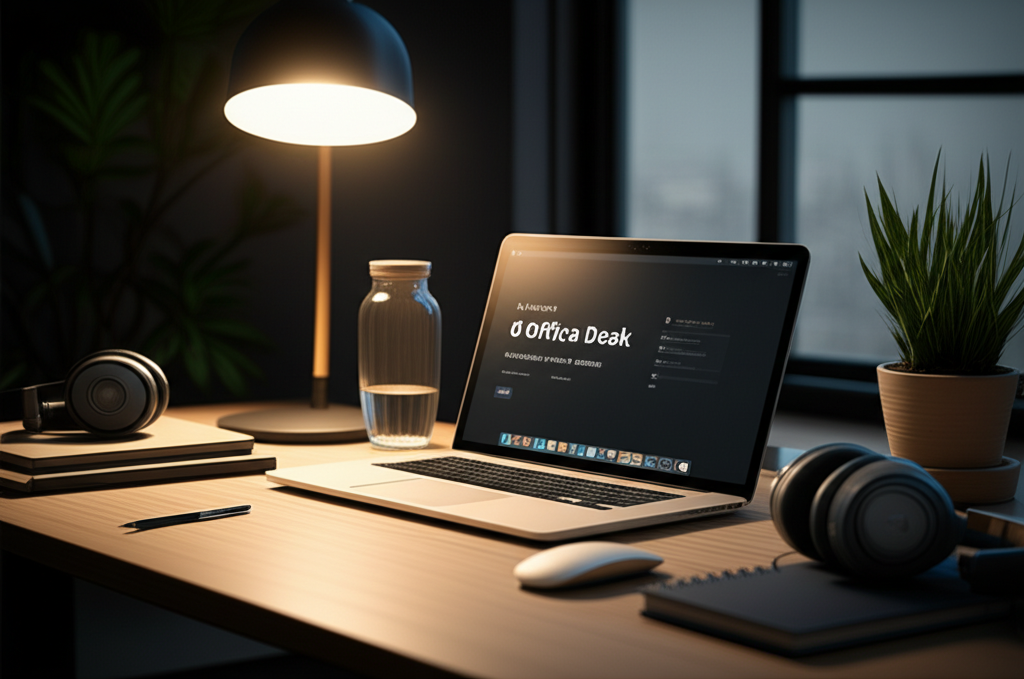
Upgrade your workspace with 6 essential office desk items to create the ultimate study solution, boosting focus and productivity. Discover smart tech and simple tools that transform your desk into a command center for learning and success.
The modern study environment demands more than just a quiet room. Your office desk is your command center, the hub where ideas form and work gets done. Yet, a cluttered or uninspired desk can actively hinder your progress. Many students and professionals struggle with finding the right setup, leading to distractions and wasted time. This article is your guide to building the perfect study sanctuary. We’ll explore six key office desk essentials, chosen for their ability to enhance focus, organization, and overall efficiency. Prepare to transform your workspace into a powerhouse of productivity.
Why Your Office Desk Setup Matters for Study Success
Your office desk is more than just a surface; it’s a critical component of your study routine. A well-organized and ergonomically sound desk can significantly impact your concentration and learning speed. Conversely, a messy or uncomfortable setup can lead to physical strain and mental fatigue. Investing time in optimizing your desk space is an investment in your academic or professional achievements. This thoughtful arrangement helps minimize distractions and keeps necessary tools within easy reach.
1. The Ergonomic Chair: Your Foundation for Comfort and Focus
An ergonomic chair is perhaps the most crucial office desk essential for anyone spending significant time studying. Poor posture leads to back pain, neck strain, and general discomfort, all of which are major productivity killers. A good chair supports your spine, encourages proper alignment, and allows you to sit comfortably for longer periods. This sustained comfort is vital for deep concentration and absorbing information effectively.
Key Features to Look For in an Ergonomic Chair

When selecting an ergonomic chair, prioritize these features for optimal support and adjustability.
Lumbar Support: This is essential for maintaining the natural curve of your lower back. Look for chairs with adjustable lumbar support that you can position to fit your specific needs.
Adjustable Height and Armrests: Being able to adjust the chair’s height ensures your feet are flat on the floor. Adjustable armrests relieve pressure on your shoulders and neck.
Seat Depth and Tilt: A seat depth that allows for a few fingers between the edge of the seat and the back of your knees is ideal. A tilt function allows for dynamic sitting, reducing static posture.
Breathable Material: Mesh or breathable fabric options prevent overheating, keeping you comfortable during long study sessions.
The right ergonomic chair supports your body and mind, enabling you to focus on your tasks without physical distractions. It’s the cornerstone of a productive and healthy study environment.
2. The Smart Lighting Solution: Illuminating Your Study Zone
Proper lighting is often overlooked but plays a massive role in reducing eye strain and boosting alertness. Harsh overhead lights can cause glare and fatigue, while dim lighting can lead to drowsiness. A smart desk lamp offers customizable illumination, adapting to your needs throughout the day and night. This adaptability helps maintain focus and reduces the visual stress associated with prolonged screen time or reading.
Benefits of Smart Desk Lighting
Smart lighting goes beyond simple illumination, offering features that enhance your study experience.
Adjustable Brightness and Color Temperature: You can fine-tune the light’s intensity and warmth. Brighter, cooler light is good for focus, while warmer light is relaxing.
Reduced Glare and Eye Strain: Many smart lamps are designed to diffuse light evenly, minimizing harsh shadows and reflections on your screen. This protects your eyes from fatigue.
Energy Efficiency: Most modern smart lamps use LED technology, which is much more energy-efficient than traditional bulbs. They also last longer, saving you money over time.
Programmable Features: Some smart lamps can be programmed to turn on and off automatically or adjust their settings based on the time of day. This adds convenience and can help regulate your study schedule.
Investing in a smart lighting solution ensures your study area is always perfectly lit, supporting your well-being and cognitive performance.
3. The High-Definition Monitor: Clarity for Complex Tasks
A high-definition monitor is indispensable for modern study, especially for tasks involving detailed visuals, extensive reading, or multitasking. A larger screen with a higher resolution provides more clarity and space for your applications. This makes it easier to view documents, code, or design elements without constant zooming or scrolling. A good monitor minimizes visual clutter and allows you to see more information at once.
Choosing the Right Monitor for Your Studies
Consider these factors when selecting a monitor to enhance your office desk setup.
Resolution: Aim for at least Full HD (1920×1080). QHD (2560×1440) or 4K (3840×2160) offer even greater detail, especially for design or data-heavy work.
Screen Size: Larger screens (24 inches and above) are generally better for productivity. Ultrawide monitors offer exceptional multitasking capabilities.
Refresh Rate and Response Time: For tasks involving quick visual changes, like gaming or video editing, a higher refresh rate is beneficial. For standard study, this is less critical.
Ergonomic Adjustments: Look for monitors with adjustable stands that allow for tilt, swivel, and height adjustments. This helps you position the screen perfectly for comfort.
A quality monitor makes your study materials easier to see and interact with, reducing frustration and improving comprehension.
4. The Noise-Canceling Headphones: Your Personal Focus Zone
In today’s often noisy environments, noise-canceling headphones are a game-changer for focused study. Whether you’re in a bustling library, a shared workspace, or a home with distractions, these headphones create a quiet bubble. They actively block out ambient sounds, allowing you to immerse yourself fully in your work without interruption. This isolation is crucial for deep work and retaining complex information.
How Noise-Canceling Headphones Boost Productivity
The technology behind noise-canceling headphones offers significant advantages for students and professionals.
Active Noise Cancellation (ANC): Microphones detect external noise and generate opposing sound waves to cancel it out. This significantly reduces low-frequency background noise like hums or chatter.
Improved Concentration: By eliminating distractions, ANC headphones help you enter a state of flow more easily. This leads to more efficient study sessions and better learning outcomes.
Enhanced Audio Quality: Even if you’re not listening to music, ANC can improve the clarity of online lectures or conference calls. It also makes ambient white noise or focus-enhancing soundscapes more effective.
Portability: They are easy to carry and deploy anywhere, transforming any noisy space into a personal study zone.
Noise-canceling headphones are an essential tool for anyone who needs to create their own quiet space for optimal concentration.
5. The Smart Organizer and Cable Management System: Declutter Your Mind, Declutter Your Desk
A cluttered desk leads to a cluttered mind, hindering focus and efficiency. A smart organizer and effective cable management system bring order to your workspace. This means less time searching for lost pens or untangling wires and more time dedicated to your actual studies. Keeping your essentials tidy and accessible creates a calmer, more functional environment.
Creating an Organized and Efficient Workspace
Implementing a good organization system is simpler than you might think.
Desk Organizers: Use drawer dividers, pen holders, and document trays to keep items categorized and within reach. Vertical organizers can save valuable desk surface space.
Cable Management Solutions: Cable clips, sleeves, and boxes can neatly bundle and hide unsightly wires. This not only looks better but also prevents accidental disconnections.
Digital Organization: Complement your physical setup with digital tools. Cloud storage and task management apps like Notion can help keep your digital life as organized as your physical desk.
Regular Decluttering: Schedule a few minutes each day or week to tidy up your desk. This prevents clutter from building up again.
A well-organized office desk reduces stress and frees up mental energy, allowing you to concentrate better on your study tasks.
6. The Productivity App Suite: Your Digital Study Companion
In the digital age, a powerful suite of productivity apps is as essential as any physical item on your office desk. These tools help you manage tasks, take notes, collaborate, and stay organized. They extend the capabilities of your physical workspace, providing digital solutions for complex academic or professional challenges. The right apps streamline your workflow and keep you on track.
Top Productivity Apps to Consider
Here are some categories and examples of apps that can significantly boost your study efficiency.
| App Category | Popular Examples | Key Features for Study |
| :——————– | :————————————————— | :—————————————————————————————- |
| Note-Taking | Evernote, OneNote, Bear | Organize notes, web clippings, checklists; sync across devices. |
| Task Management | Todoist, Asana, Microsoft To Do | Create to-do lists, set deadlines, track progress, prioritize tasks. |
| Collaboration | Google Workspace (Docs, Sheets, Drive), Slack | Share documents, co-edit in real-time, communicate with study groups or colleagues. |
| Focus & Time Mgmt | Forest, Pomodoro timers, Freedom | Block distracting websites, use timed work intervals, track study hours. |
| Reference Mgmt | Zotero, Mendeley | Organize research papers, citations, and bibliographies for academic writing. |
These digital tools, when integrated effectively with your physical office desk setup, create a comprehensive system for success. They ensure you are prepared for any study challenge.
Bringing It All Together: Creating Your Ultimate Study Solution
Your office desk is the central point of your study efforts. By carefully selecting these six essentials—an ergonomic chair, smart lighting, a high-definition monitor, noise-canceling headphones, smart organizers, and a productivity app suite—you create a powerful ecosystem for learning. Each item plays a specific role in enhancing comfort, reducing distractions, and improving efficiency.
The journey to an optimized study space is ongoing. As technology advances and your needs change, be open to refining your setup. A well-equipped and organized office desk is not just about aesthetics; it’s about creating an environment that supports your cognitive functions and promotes sustained focus. This thoughtful approach to your workspace will undoubtedly lead to more productive study sessions and better results.
Frequently Asked Questions
What is the most important office desk essential for studying?
The most important essential is the ergonomic chair, as it directly impacts your physical comfort and ability to focus for extended periods. Good posture prevents pain and fatigue, which are major study blockers.
How can I improve my office desk lighting without buying new equipment?
You can improve existing lighting by positioning your desk near a natural light source. Also, ensure overhead lights are not causing glare on your screen. Using a simple desk lamp with an adjustable head can also make a big difference.
Are noise-canceling headphones worth the investment for students?
Yes, noise-canceling headphones are highly recommended for students. They create a focused environment anywhere, helping you concentrate on lectures or study material amidst distractions. This investment pays off in improved learning efficiency.
How often should I declutter my office desk?
It’s best to declutter your desk at least once a week. A quick tidy-up at the end of each study session can also prevent clutter from accumulating. Consistency is key to maintaining an organized workspace.
Can a simple desk organizer really improve my productivity?
Absolutely. A good organizer reduces time spent searching for items and minimizes visual distractions. Knowing where everything is allows you to transition between tasks more smoothly and stay focused.
What are the benefits of using a productivity app suite?
Productivity apps help manage tasks, organize notes, track progress, and collaborate with others. They provide digital tools to streamline your workflow and ensure you don’t miss deadlines or important information.
How do I choose the right monitor size for my study needs?
For general study, a 24-inch monitor is a good starting point. If you work with multiple documents or detailed visuals, consider a larger screen or an ultrawide monitor for more workspace.
Conclusion: Your Path to a Smarter Study Space
Transforming your office desk into an ultimate study solution is an achievable goal. By integrating these six essentials—a supportive ergonomic chair, intelligent lighting, a clear high-definition monitor, immersive noise-canceling headphones, efficient organizers, and a robust productivity app suite—you equip yourself for success. Each element works in synergy to foster concentration, reduce physical strain, and streamline your workflow.
Remember, your workspace is a dynamic tool. Continuously evaluate and adapt your office desk setup to meet your evolving needs. Investing in these key components will not only enhance your study sessions but also contribute to a more positive and productive learning experience. Start building your ultimate study solution today.

Belayet Hossain is a Senior Tech Expert and Certified AI Marketing Strategist. Holding an MSc in CSE (Russia) and over a decade of experience since 2011, he combines traditional systems engineering with modern AI insights. Specializing in Vibe Coding and Intelligent Marketing, Belayet provides forward-thinking analysis on software, digital trends, and SEO, helping readers navigate the rapidly evolving digital landscape. Connect with Belayet Hossain on Facebook, Twitter, Linkedin or read my complete biography.