
Published on: 11/10/2025 | Updated on: October 11, 2025
Upgrade Your Workspace: A 60 Inch Home Office Desk is Your Essential Next Step for Productivity and Comfort.
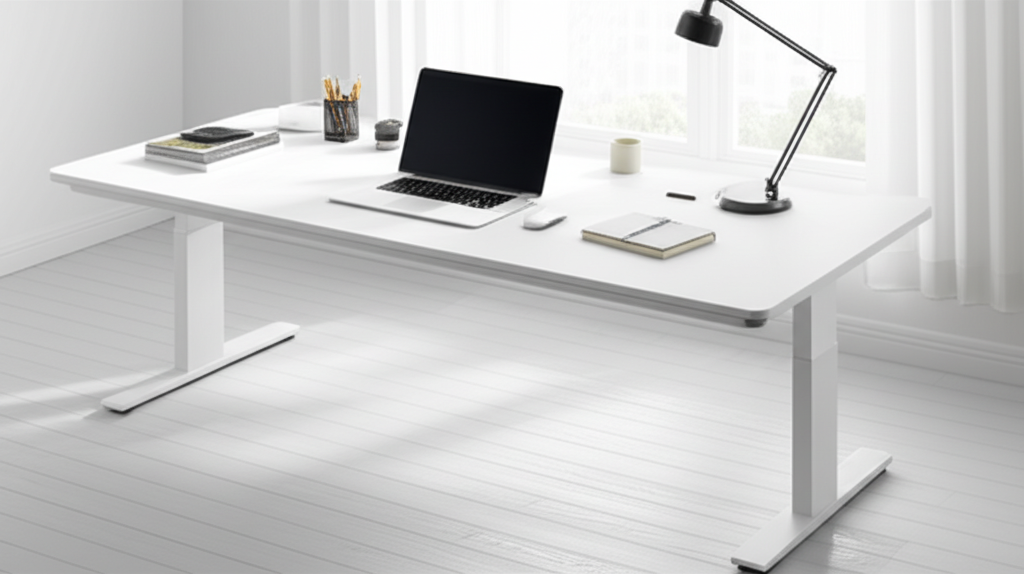
The home office has become a staple for many, and a cluttered, cramped workspace can hinder your focus and well-being. A 60 inch home office desk offers a generous amount of space, transforming a chaotic area into an organized, efficient hub. This guide will help you understand why this size is a game-changer and what to look for to find the perfect fit for your needs. Get ready to boost your productivity and comfort.
The way we work has shifted dramatically, with many of us now spending significant time in a home office. If your current desk feels too small, you’re not alone. A lack of space can lead to disorganization, stress, and reduced productivity. It might feel like a small issue, but the right desk can make a huge difference. We’ll explore why a 60 inch home office desk is an essential upgrade, covering everything from space to ergonomics. Let’s make your workspace work for you.
Why a 60 Inch Home Office Desk is Your Productivity Powerhouse
A 60 inch home office desk provides a substantial surface area that can significantly boost your work efficiency. It offers ample room for multiple monitors, essential gadgets, and all your paperwork. This spacious setup reduces clutter, allowing for a more organized and focused work environment.
More Space for Your Tech and Tools

A larger desk means you can spread out your technology. Imagine having space for two or even three monitors without them feeling cramped. You can easily fit your keyboard, mouse, microphone, and even a drawing tablet. This arrangement keeps your essential tools within easy reach, minimizing interruptions.
Multiple Monitors: Easily accommodate two or three large displays for enhanced multitasking.
Peripherals: Plenty of room for keyboards, mice, webcams, and speakers.
Accessories: Store stationery, chargers, and other work essentials without feeling crowded.
This expanded real estate helps you create a setup that’s tailored to your workflow. It supports the integration of various smart tech and gadgets that can further enhance your productivity.
Enhanced Organization and Reduced Clutter
When you have enough space, it’s easier to keep things tidy. A 60 inch home office desk allows you to designate specific zones for different tasks. You can have a clear area for typing, another for writing or sketching, and still have room for reference materials. This organization reduces visual distractions and the time spent searching for items.
A tidy desk environment has been linked to improved mental clarity. Studies have shown that clutter can increase stress levels and decrease our ability to focus. Investing in a larger desk is an investment in your mental well-being and work performance.
Improved Ergonomics and Comfort
Ergonomics is crucial for long work hours. A wider desk allows you to position your monitor at the correct viewing distance, typically an arm’s length away. This prevents eye strain and neck pain. You can also set up your keyboard and mouse at an optimal height, promoting better posture and reducing the risk of repetitive strain injuries.
Proper ergonomic setup is vital for long-term health. A 60 inch home office desk provides the foundation for achieving this. It gives you the flexibility to arrange your setup in a way that supports your body, not hinders it.
Key Features to Look for in a 60 Inch Home Office Desk
Not all desks are created equal, even within the same size category. When choosing your 60 inch home office desk, consider these important features to ensure it meets your needs. These elements will impact its durability, functionality, and how well it integrates into your smart home setup.
Material and Durability
The material of your desk will affect its appearance, durability, and price. Common materials include solid wood, particleboard with veneer, MDF, and metal. Solid wood desks are the most durable and attractive but also the most expensive. Particleboard and MDF desks are budget-friendly options but may be less resistant to damage.
Solid Wood: Strong, beautiful, and long-lasting.
MDF/Particleboard: Affordable, but less durable and susceptible to moisture.
Metal Frame: Adds stability and a modern look, often combined with wood or laminate tops.
Consider how much weight your desk will need to support. If you have multiple heavy monitors or other equipment, a sturdier build is essential.
Stability and Build Quality
A wobbly desk is a major annoyance and can be a sign of poor construction. Look for desks with robust legs and a sturdy frame. Features like crossbars or thicker leg designs can enhance stability. Read reviews to see if users report any issues with wobbling.
A stable desk provides a reliable surface for all your tasks. It ensures your equipment, like delicate gadgets or sensitive microphones, remains secure. This is especially important if you’re using vibration-sensitive devices.
Storage Solutions
While a large surface is key, integrated storage can further enhance organization. Look for desks with built-in drawers, shelves, or cubbies. These can house your files, stationery, or even smaller tech gadgets.
Some desks offer cable management solutions, such as grommets or trays. These are invaluable for keeping wires tidy and out of sight, contributing to a cleaner, more professional look. This is a small detail that greatly impacts the overall user experience.
Design and Aesthetics
Your desk is a central piece of your home office. Choose a design that complements your existing decor. Options range from minimalist modern styles to more traditional or industrial looks. Consider the finish and color to match your personal taste and the room’s ambiance.
The visual appeal of your workspace can influence your mood and motivation. A desk that you find attractive will make spending time in your office more enjoyable. This aesthetic choice can tie into the overall smart tech integration of your home.
Types of 60 Inch Home Office Desks
The category of a 60 inch home office desk encompasses various styles, each offering unique benefits. Understanding these types can help you narrow down your choices based on your specific needs and workspace layout.
Standard Flat Desks
These are the most common and versatile desks. They offer a large, flat surface area with no inherent obstructions, making them ideal for a wide range of uses. You can easily arrange multiple monitors and accessories on a flat desk.
Many flat desks also come with optional hutch or shelf attachments. These provide vertical storage space without taking up additional desk surface. They are a great way to keep frequently used items accessible.
L-Shaped Desks
An L-shaped desk utilizes corner space efficiently and provides an expansive work surface. This design allows you to divide your workspace into different zones, such as a computer area and a writing or reference area. It’s perfect for those who need a lot of surface area for diverse tasks.
The extended surface area of an L-shaped desk is particularly beneficial for managing multiple projects simultaneously. You can keep research materials on one side and your main workstation on the other, streamlining your workflow.
Standing Desks (Adjustable Height)
Standing desks, also known as sit-stand desks, are becoming increasingly popular for their health benefits. A 60 inch adjustable height desk allows you to switch between sitting and standing positions throughout the day. This can improve circulation, reduce back pain, and boost energy levels.
Many electric standing desks offer memory presets for your preferred heights. This makes transitioning between sitting and standing quick and effortless. They represent a significant upgrade in ergonomic technology.
Corner Desks
Similar to L-shaped desks, corner desks are designed to fit into room corners. They can be more compact than L-shaped models but still offer a good amount of surface area. These are excellent for maximizing space in smaller rooms.
A well-placed corner desk can make a room feel more spacious. It’s a smart solution for making the most of often-underutilized areas of your home.
Ergonomic Considerations for Your 60 Inch Home Office Desk Setup
Setting up your 60 inch home office desk correctly is just as important as choosing the right desk. Proper ergonomics can prevent discomfort and long-term health issues. This involves positioning your equipment thoughtfully.
Monitor Placement
Your monitor should be positioned directly in front of you. The top of the screen should be at or slightly below eye level. You should be able to look at the screen without tilting your head up or down.
Maintain an arm’s length distance between your eyes and the screen. This reduces eye strain and headaches. If you use multiple monitors, arrange them so you don’t have to turn your head excessively.
Keyboard and Mouse Position
Your keyboard should be placed so that your elbows are bent at roughly a 90-degree angle when you type. Your wrists should be straight and not bent up or down. This prevents strain on your wrists and forearms.
The mouse should be kept close to the keyboard to minimize reaching. Consider using an ergonomic mousepad or wrist rest for added comfort. These small additions can make a big difference over time.
Chair and Desk Height
The height of your chair and desk should work together. When sitting, your feet should be flat on the floor, with your knees bent at about 90 degrees. If your chair is too high, use a footrest.
Your 60 inch home office desk should allow your arms to rest comfortably at your sides while typing. If the desk is too high, consider a keyboard tray or a more adjustable chair. Achieving the right balance is key to comfort.
Integrating Smart Tech and Gadgets with Your New Desk
A 60 inch home office desk is the perfect canvas for integrating modern smart technology. With ample space, you can create a truly connected and efficient workspace. This is where the “AI-first” aspect really shines.
Cable Management Systems
With more devices, comes more cables. Invest in good cable management solutions like cable clips, sleeves, or under-desk trays. This keeps your workspace looking clean and prevents tripping hazards. Many modern desks come with built-in solutions.
Well-managed cables reduce clutter and make it easier to move or add new gadgets. It also protects your equipment from accidental unplugging or damage. This is a fundamental step in building a smart workspace.
Smart Lighting and Audio
Consider smart lighting options like adjustable LED desk lamps. These can change color temperature and brightness to suit your mood or task, reducing eye strain. Smart speakers can provide background music or act as voice assistants for controlling other devices.
Integrating smart lighting can create a more pleasant and productive work atmosphere. It’s an easy way to add a touch of AI-driven convenience to your daily routine.
Wireless Charging and Power Solutions
Many new desks come with built-in wireless charging pads or USB ports. This eliminates the need for extra chargers and keeps your devices powered up conveniently. Look for desks that offer power strips or surge protectors integrated into their design.
Wireless charging is a seamless way to keep your phone and other compatible devices topped up. It contributes to a cleaner desk surface and easier access to power.
Choosing the Right Material for Your 60 Inch Home Office Desk
The material of your 60 inch home office desk significantly impacts its longevity, appearance, and cost. Understanding the pros and cons of different materials will help you make an informed decision that suits your budget and needs.
Solid Wood Desks
Solid wood, such as oak, maple, or walnut, offers superior durability and a premium look. These desks are robust, can withstand heavy use, and often develop a beautiful patina over time. They are a long-term investment for your home office.
Pros:
Extremely durable and long-lasting.
Aesthetically pleasing with a natural, warm look.
Can be refinished if damaged.
Cons:
Most expensive option.
Can be very heavy, making assembly and moving difficult.
Susceptible to scratches if not cared for properly.
Engineered Wood (MDF, Particleboard) with Veneer or Laminate
These are more budget-friendly alternatives. MDF (Medium-Density Fiberboard) and particleboard are composite wood materials. When covered with a veneer (a thin layer of real wood) or laminate (a printed pattern), they can mimic the look of solid wood at a lower cost.
Pros:
More affordable than solid wood.
Lighter weight, making assembly easier.
Available in a wide variety of finishes.
Cons:
Less durable than solid wood; prone to chipping and scratching.
Susceptible to water damage and swelling.
Cannot typically be refinished.
Metal Desks
Metal desks, often with metal frames and a wood or laminate top, offer a modern, industrial aesthetic. They are generally very stable and durable, especially the frames. These desks can be a good choice for a minimalist or contemporary office.
Pros:
Very stable and strong.
Modern and sleek appearance.
Often resistant to scratches and wear.
Cons:
Can feel cold or industrial to some users.
Metal surfaces can be noisy if items are placed on them.
Weight can still be a factor depending on design.
When selecting a material, consider your daily usage and aesthetic preferences. A desk that looks good and feels solid will enhance your overall work experience.
Assembly and Setup of Your 60 Inch Home Office Desk
Setting up your new 60 inch home office desk can seem daunting, but with a systematic approach, it’s quite manageable. Most desks come with assembly instructions, and many are designed for straightforward DIY setup. Taking your time ensures a stable and correctly assembled final product.
Unpacking and Inventory
Once your desk arrives, carefully unpack all the components. Lay them out on a protected surface, like a blanket or the cardboard packaging, to prevent scratches. Compare the parts against the inventory list in the manual to ensure everything is present and undamaged.
Tip: Keep all packaging materials until assembly is complete, in case you need to return the item or if any parts are found to be missing or defective.
Following the Instructions
Read the assembly manual thoroughly before you begin. Pay close attention to diagrams and the order of operations. Some steps might require two people, especially for larger or heavier components.
Use the correct tools as specified in the manual. Many desks include basic tools, but a good set of screwdrivers and possibly a rubber mallet can be very helpful. Avoid overtightening screws, which can strip the threads or damage the material.
Securing and Stabilizing
Once assembled, ensure all connections are secure. If your desk has adjustable feet, use them to level the desk on uneven flooring. A stable desk is crucial for preventing wobbling and ensuring the longevity of your equipment.
Test the desk for stability by gently pushing on different sides. If there’s any noticeable wobble, recheck the assembly steps and tighten any loose connections. This is the final check before you start organizing your tech and workspace.
Popular Brands and Models for 60 Inch Home Office Desks
The market offers a wide array of 60 inch home office desks, with various brands catering to different needs and budgets. Researching popular options can help you identify reliable choices. Here are a few examples of what you might find:
| Brand Example | Typical Material | Key Features | Price Range (USD) |
| :——————– | :———————- | :—————————————– | :—————- |
| FlexiSpot | Metal, Wood/Laminate | Standing desk options, cable management | $200 – $600 |
| Sauder | Engineered Wood | Affordable, various styles, some storage | $150 – $400 |
| Realspace | Engineered Wood, Metal | Budget-friendly, functional designs | $100 – $300 |
| IKEA (e.g., LAGKAPTEN) | Particleboard, Metal | Customizable, affordable, minimalist | $50 – $200 |
| Branch Furniture | Wood, Metal | Ergonomic, modern, durable | $400 – $900 |
Note: Prices are approximate and can vary based on retailers, sales, and specific model features.
When looking at brands, consider their warranty policies and customer reviews. Many brands now focus on ergonomic solutions and smart integrations, reflecting the evolving needs of home office users. For instance, brands like FlexiSpot are leading the charge in adjustable height desks.
Maintaining Your 60 Inch Home Office Desk for Longevity
Proper care will ensure your 60 inch home office desk remains a functional and attractive part of your workspace for years to come. Regular maintenance prevents damage and keeps it looking its best. This is especially true for desks with smart features or delicate finishes.
Cleaning and Care
Dust your desk regularly with a soft, dry cloth. For spills or smudges, use a slightly damp cloth, and dry the surface immediately. Avoid harsh chemical cleaners, especially on veneer or laminate surfaces, as they can cause discoloration or damage.
For solid wood desks, occasional polishing with a wood-specific cleaner can help maintain the finish. For metal components, a mild soap and water solution is usually sufficient.
Protecting the Surface
Use coasters for drinks and placemats or a desk pad for items that might scratch the surface, like keyboards or hard-bottomed mugs. If you frequently use sharp objects, consider a protective desk mat or a clear acrylic desk protector.
These protective measures are simple but highly effective in preserving the appearance of your desk. They ensure that your 60 inch home office desk continues to look as good as new.
Checking for Stability
Periodically check that all screws and fasteners are tight, especially if the desk is moved or subjected to frequent use. If your desk has adjustable feet, ensure they are properly set to keep the desk level and stable.
A stable desk is a safe desk. It protects your valuable equipment and ensures a comfortable working environment. This small but important check can prevent future problems.
Frequently Asked Questions About 60 Inch Home Office Desks
Here are some common questions people have when considering a 60 inch home office desk.
What is the ideal depth for a 60 inch home office desk?
While 60 inches refers to the width, the depth is also important. A common and comfortable depth is around 24 to 30 inches. This allows enough space for monitors and peripherals while keeping them within easy reach.
Can a 60 inch desk fit in a small room?
Yes, a 60 inch desk can fit in a small room, especially if it’s a flat or corner design. It can often make a small room feel more functional by providing ample workspace without overwhelming the area. Measure your space carefully before purchasing.
Are standing desks worth the extra cost?
Standing desks offer significant health benefits by promoting movement. If you spend long hours at your desk, the investment can lead to improved well-being and reduced physical discomfort. Many find the ability to switch positions invaluable.
How much weight can a 60 inch home office desk typically support?
This varies greatly by material and construction. A sturdy solid wood or metal-framed desk can often support 100-200 pounds or more. Engineered wood desks might have lower weight capacities. Always check the manufacturer’s specifications.
What is the best material for a desk if I have pets or children?
For homes with pets or children, durable and easy-to-clean materials like laminate-covered engineered wood or metal are often recommended. They can withstand spills and minor impacts better than solid wood or delicate finishes.
Should I choose a desk with built-in storage?
It depends on your needs. If you have many items to store, built-in drawers or shelves can be very convenient. If you prefer a minimalist look or use external storage solutions, a desk without storage might be better.
Conclusion: Elevate Your Workspace with a 60 Inch Home Office Desk
Upgrading to a 60 inch home office desk is more than just buying furniture; it’s a strategic investment in your productivity, comfort, and overall well-being. The ample surface area provides the freedom to organize your workspace effectively, accommodate essential technology, and reduce clutter. Whether you opt for a sleek standing desk or a spacious L-shaped model, the benefits are undeniable.
By considering material, stability, and ergonomic setup, you can ensure your new desk becomes the foundation of an efficient and healthy work environment. Embrace the upgrade and transform your home office into a space where you can truly thrive. Find the 60 inch home office desk that fits your style and needs, and experience the difference it makes.

Belayet Hossain is a Senior Tech Expert and Certified AI Marketing Strategist. Holding an MSc in CSE (Russia) and over a decade of experience since 2011, he combines traditional systems engineering with modern AI insights. Specializing in Vibe Coding and Intelligent Marketing, Belayet provides forward-thinking analysis on software, digital trends, and SEO, helping readers navigate the rapidly evolving digital landscape. Connect with Belayet Hossain on Facebook, Twitter, Linkedin or read my complete biography.