
Published on: 11/10/2025 | Updated on: October 11, 2025
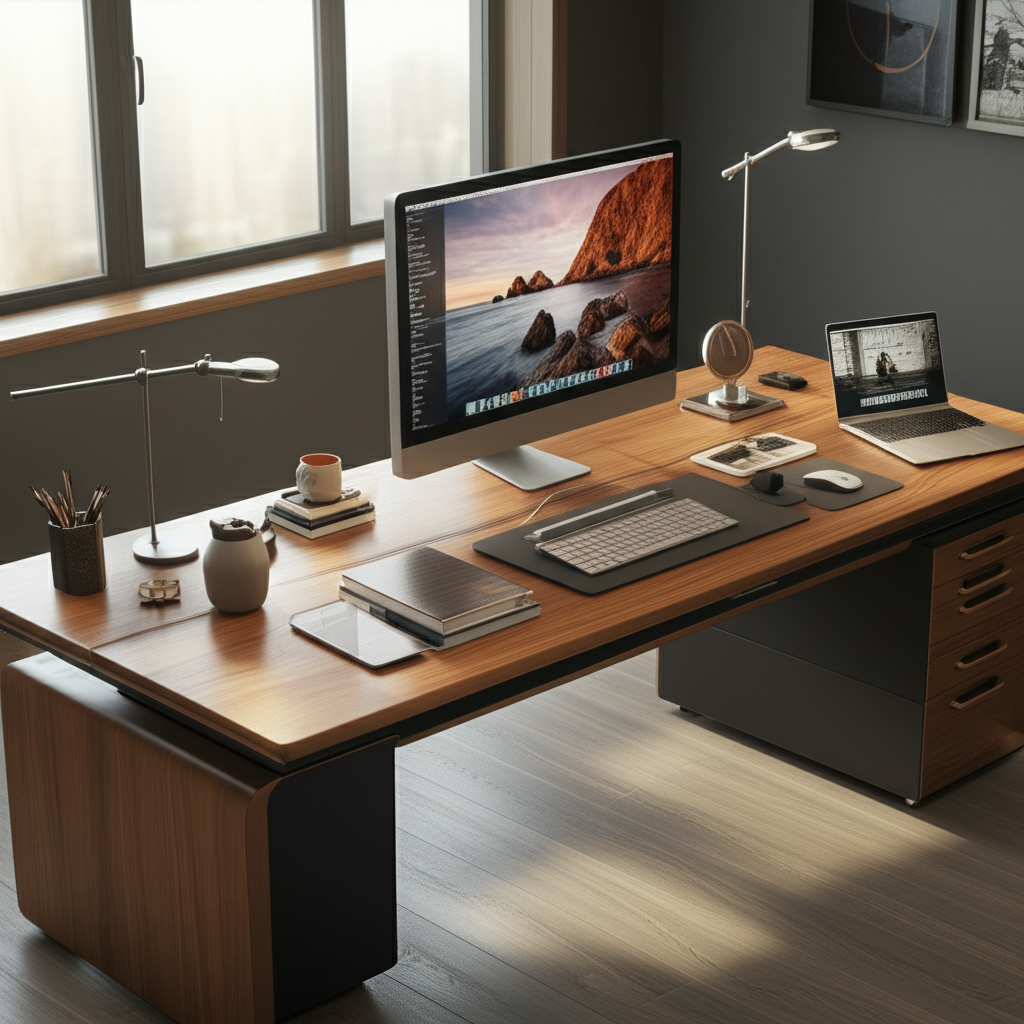
A 7 foot office desk offers vast workspace for multiple monitors, creative projects, or collaborative setups, transforming your home office into a command center for peak productivity and organization.
The modern workspace is constantly evolving, and so are our needs for it. As we integrate more technology and digital tools into our daily routines, the demands on our physical desk space grow. You might find yourself juggling multiple monitors, needing room for brainstorming notes, or simply wishing for more breathing room to spread out and focus. This is where the power of a generously sized workspace comes into play. A 7 foot office desk isn’t just a piece of furniture; it’s a strategic investment in your productivity and well-being. Let’s explore why this expansive desk is an essential choice and how to create a genius setup that works for you.
Why a 7 Foot Office Desk is a Game-Changer
A 7 foot office desk provides an unparalleled amount of surface area, which can significantly boost productivity and organization. It offers the flexibility to arrange multiple devices, spread out documents, and maintain a clutter-free environment. This ample space can reduce stress and make your workday more enjoyable.
Designing Your Ultimate 7 Foot Office Desk Setup
Creating an effective setup for your 7 foot office desk involves thoughtful planning. You need to consider ergonomics, workflow, and aesthetics. A well-designed space can enhance focus and reduce physical strain.
Maximizing Screen Real Estate

With a 7 foot desk, you can comfortably accommodate multiple monitors. This is crucial for tasks requiring extensive data analysis, coding, or graphic design. Having several displays allows you to view more information at once, saving you time switching between windows.
Triple Monitor Setup: Easily fit three standard or even ultrawide monitors side-by-side. This configuration is ideal for serious multitaskers and professionals.
Ergonomic Positioning: Ensure your monitors are at eye level to prevent neck strain. Adjustable monitor arms are excellent for this.
Cable Management: A large desk offers more space to hide cables, keeping your setup clean and professional. Investing in cable trays or sleeves is highly recommended.
Ergonomic Considerations for Long Workdays
An ergonomic setup is vital for comfort and health, especially when spending many hours at your desk. A 7 foot desk allows for more freedom in positioning your equipment to achieve optimal ergonomics. This can help prevent repetitive strain injuries and improve overall well-being.
Chair Placement: Ensure you have enough space to pull your ergonomic chair in close. Your feet should be flat on the floor, and your knees at a 90-degree angle.
Keyboard and Mouse Comfort: Position your keyboard and mouse at a height that allows your elbows to be at a 90-degree angle with relaxed shoulders. This reduces stress on your wrists and arms.
Adjustable Accessories: Consider an adjustable monitor stand or a sit-stand desk converter for your 7 foot office desk. These allow you to change your posture throughout the day.
Storage and Organization Solutions
Even with a large desk, effective organization is key to maintaining a productive environment. A 7 foot desk provides ample room for smart storage solutions that keep essentials within reach but out of the way. Clutter can be a major distraction, so smart storage is a must.
Drawer Units: Place small rolling drawer units under or beside your desk for easy access to supplies.
Shelving: Wall-mounted shelves above your desk can hold books, reference materials, or decorative items.
Desk Organizers: Utilize trays, pen holders, and document sorters to keep smaller items tidy. A spacious desk makes it easier to dedicate specific zones for different types of items.
Popular 7 Foot Office Desk Styles and Materials
Choosing the right style and material for your 7 foot office desk can significantly impact its durability, aesthetics, and functionality. Different materials offer unique benefits and appeal to various design preferences.
Solid Wood Desks: Timeless Elegance and Durability
Solid wood desks, like those made from oak, walnut, or maple, offer a classic look and exceptional durability. They are robust and can last for many years, often becoming a statement piece in your office. The natural beauty of wood adds warmth to any workspace.
Pros: Highly durable, aesthetically pleasing, can be refinished.
Cons: Can be expensive, heavier to move, susceptible to scratches if not properly maintained.
Metal and Laminate Desks: Modern Functionality
Metal frames combined with laminate or composite wood surfaces offer a modern, often more affordable, option. These desks are typically lighter and easier to assemble, making them a practical choice for many. They often feature clean lines and a minimalist design.
Pros: Cost-effective, lighter, often easier to assemble, wide range of styles.
Cons: May be less durable than solid wood, can show wear over time.
Glass Top Desks: Sleek and Contemporary
Glass-top desks provide a sleek, modern aesthetic that can make a space feel more open and airy. They are easy to clean and offer a sophisticated look. However, they can be prone to fingerprints and scratches.
Pros: Modern look, easy to clean surfaces.
Cons: Can show fingerprints, prone to scratches, potential for breakage if not careful.
Essential Gadgets and Accessories for Your 7 Foot Desk
To truly harness the potential of your 7 foot office desk, a curated selection of gadgets and accessories can elevate your productivity and comfort. Think about tools that enhance your workflow and integrate seamlessly into your space.
The Power of Multiple Displays
As mentioned, a large desk is perfect for multi-monitor setups. This is a key element for many professionals looking to boost their output. Consider looking into the latest monitor technologies that offer high resolution and faster refresh rates.
Ultrawide Monitors: These offer an immersive viewing experience, great for multitasking.
4K or 5K Displays: For crisp visuals, especially in design or video editing.
Monitor Arms: Essential for positioning multiple screens ergonomically and freeing up desk space.
Smart Lighting Solutions
Proper lighting is crucial for reducing eye strain and improving focus. With a large desk, you have more options for strategic lighting placement. Ambient and task lighting can work together to create an optimal work environment.
LED Desk Lamps: Adjustable brightness and color temperature options are beneficial. Many modern lamps also offer wireless charging pads.
Bias Lighting: Placing LED strips behind your monitors can reduce eye fatigue by minimizing the contrast between the bright screen and dark surroundings.
Wireless Charging and Connectivity
A clutter-free desk is a productive desk. Wireless charging pads and docks can eliminate the need for multiple cables, keeping your workspace tidy. Many devices now support wireless charging, making it a convenient feature.
Wireless Charging Pads: Place one on your desk for your smartphone and compatible accessories.
USB Hubs: A good USB hub can consolidate your peripheral connections, minimizing cable mess. Look for hubs with fast data transfer speeds.
Productivity-Enhancing Software and Apps
Beyond hardware, the right software can transform how you use your 7 foot office desk. Digital tools can help you manage projects, organize notes, and collaborate more effectively. Think of these as the intelligence layer of your setup.
Project Management Tools: Asana, Trello, or Monday.com can help you keep track of tasks and deadlines.
Note-Taking Apps: Evernote or Notion allow you to capture ideas and information digitally.
Cloud Storage: Services like Google Drive or Dropbox ensure your files are accessible from anywhere.
Optimizing Your Workflow with a 7 Foot Desk
A 7 foot office desk provides the physical space to implement advanced workflow strategies. You can dedicate zones for different tasks, which helps in maintaining focus and efficiency. Think of it as creating mini-workstations within your larger desk.
Zone-Based Productivity
Divide your desk into distinct zones for specific activities. For example, one area for your computer setup, another for writing or sketching, and a third for reference materials. This physical separation can mentally prepare you for different types of work.
Computer Zone: House your monitors, keyboard, and mouse here.
Creative Zone: A clear space for notebooks, drawing pads, or physical documents.
Reference Zone: Keep books, binders, or frequently used items within easy reach.
Collaborative Workspaces
If you often work with others, either in person or remotely, a 7 foot desk can be an excellent hub for collaboration. The ample space allows for shared documents, whiteboarding sessions, or comfortable seating for a partner. This makes it easier to brainstorm and share ideas visually.
Shared Document Area: A clear space where multiple people can view and interact with documents.
Video Conferencing Setup: Position your webcam and microphone centrally for clear communication.
The AI Integration: Smart Desks and Future Trends
The concept of the “smart desk” is rapidly emerging, and a 7 foot office desk provides the perfect canvas for integrating AI-powered features. These desks go beyond simple furniture, offering enhanced functionality and automation. The future of work is increasingly connected and intelligent.
Smart Desk Features
Modern desks are beginning to incorporate features like integrated wireless charging, automated height adjustments, and even biometric authentication. Some advanced models can learn your preferences and adjust settings automatically. This level of integration can significantly enhance user experience.
Automated Adjustments: Sit-stand desks that remember your preferred heights for sitting and standing.
Integrated Tech: Built-in power outlets, USB ports, and wireless chargers streamline connectivity.
AI for Workspace Optimization
AI can analyze your work habits and suggest improvements to your setup. Imagine a system that monitors your posture and alerts you to adjust, or one that optimizes lighting based on the time of day and your task. These AI-driven insights can lead to a healthier and more productive workspace.
Ergonomic Monitoring: Sensors that track your sitting posture and provide feedback.
Task-Based Automation: AI that adjusts desk settings or launches relevant apps based on your current task.
Frequently Asked Questions About 7 Foot Office Desks
Here are answers to common questions about choosing and setting up a large desk.
What is the ideal depth for a 7 foot office desk?
A common and comfortable depth for a 7 foot office desk is around 30 inches. This provides enough space for monitors and peripherals while keeping them at an ergonomic distance from your eyes. Deeper desks, around 36 inches, offer even more room if needed.
How much weight can a 7 foot office desk typically support?
Most sturdy 7 foot office desks can support anywhere from 100 to over 300 pounds, depending on the material and construction. Solid wood desks are generally the strongest. Always check the manufacturer’s specifications for precise weight limits.
Is a 7 foot desk too large for a small home office?
A 7 foot desk can work in a smaller room if it’s the primary furniture piece and well-organized. Placing it against a wall can maximize floor space. However, ensure there is enough room to walk around comfortably.
What are the benefits of a sit-stand 7 foot office desk?
A sit-stand 7 foot office desk allows you to alternate between sitting and standing throughout the day. This promotes better circulation, reduces back pain, and can boost energy levels. The large surface area ensures you have ample space in both positions.
How do I manage cables on a large desk like this?
Cable management is essential. Use cable trays, raceways, ties, or sleeves to keep wires organized and hidden. Many large desks come with built-in cable management features.
What kind of monitor setup works best on a 7 foot desk?
You can comfortably fit three 27-inch monitors or two larger ultrawide monitors. Using monitor arms is highly recommended to optimize space and adjust positioning for ergonomic viewing.
Conclusion: Your Command Center Awaits
The 7 foot office desk is more than just furniture; it’s a strategic tool for boosting productivity, enhancing organization, and creating a comfortable, inspiring workspace. By carefully considering design, ergonomics, and the right accessories, you can transform this expansive surface into your personal command center. Whether you’re a creative professional, a multitasking expert, or simply someone who craves more room to work, a 7 foot office desk offers the space and flexibility to meet your demands. Embrace the potential of this generous workspace and build a setup that empowers your best work.
Follow us for more insights on creating the ultimate tech-friendly workspace and optimizing your daily productivity.

Belayet Hossain is a Senior Tech Expert and Certified AI Marketing Strategist. Holding an MSc in CSE (Russia) and over a decade of experience since 2011, he combines traditional systems engineering with modern AI insights. Specializing in Vibe Coding and Intelligent Marketing, Belayet provides forward-thinking analysis on software, digital trends, and SEO, helping readers navigate the rapidly evolving digital landscape. Connect with Belayet Hossain on Facebook, Twitter, Linkedin or read my complete biography.