


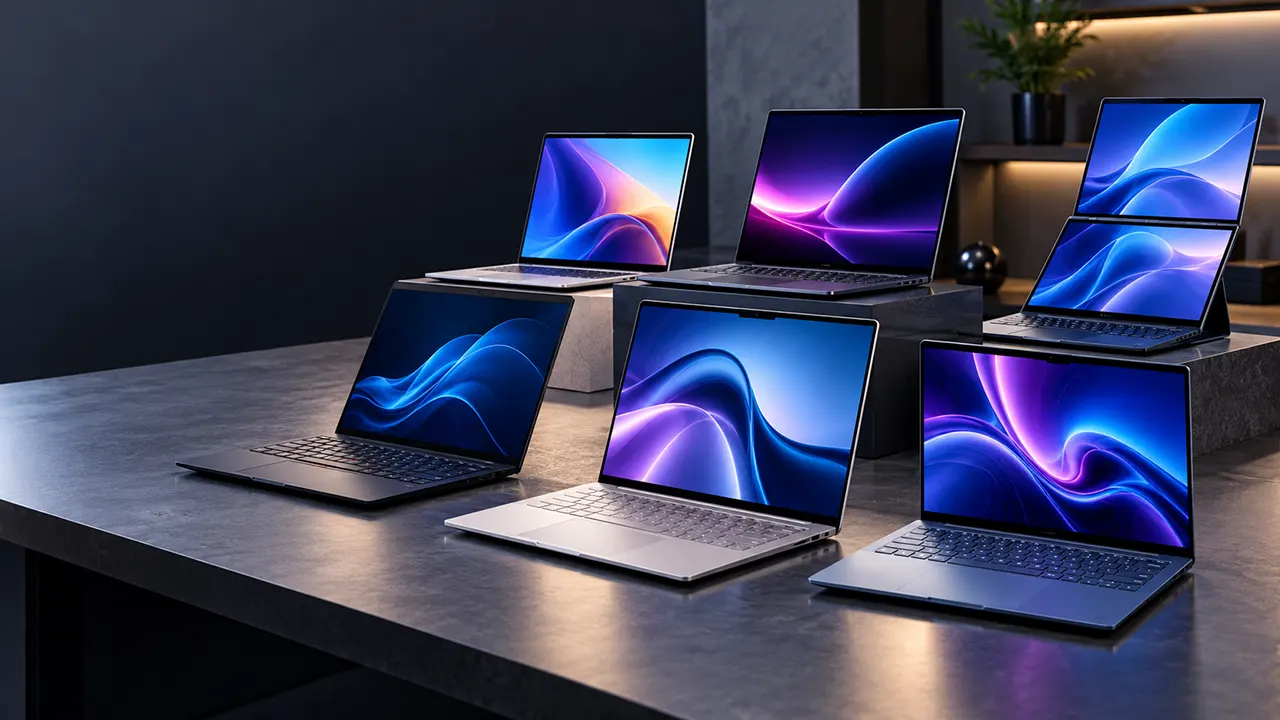
Choosing the best Windows laptop in 2026 is not just about buying the fastest processor or the most expensive model. The right laptop depends on how you work, which applications you use, how much performance you need, and how often you travel.
Today’s Windows laptops offer several processor choices, including Intel Core Ultra Series 3, AMD Ryzen AI and Qualcomm Snapdragon X platforms. You can also choose between traditional laptops, OLED touchscreen models, dual-screen systems and powerful machines with dedicated NVIDIA graphics.
We reviewed seven Windows laptop candidates from Dell, Lenovo, Samsung, ASUS and Microsoft to identify the best options for different needs and budgets. Our recommendations cover everyday productivity, business, portability, creative work and multitasking.
Whether you need a reliable laptop for office work, a powerful machine for demanding applications or a lightweight computer for travel, this guide will help you find the right option.
Our top Windows laptop picks:
- Best overall: Dell XPS 14 (2026)
- Best for business: Lenovo ThinkPad X9 15 Aura Edition
- Best for demanding creative work: Samsung Galaxy Book6 Ultra
- Best dual-screen laptop: ASUS Zenbook Duo (2026)
- Best premium business laptop: Microsoft Surface Laptop for Business (2026)
- Best budget Windows laptop: ASUS Vivobook 16
- Best ARM-based laptop for everyday work: Lenovo IdeaPad Slim 5X (2026)
Quick Comparison: Best Windows Laptops in 2026
| Laptop | Processor | RAM / Storage | Best For |
|---|---|---|---|
| Dell XPS 14 (2026) | Core Ultra 7 358H | 32GB / 1TB | Overall |
| ThinkPad X9 15 Aura | Core Ultra 7 258V | 32GB / 1TB | Business |
| Galaxy Book6 Ultra | Core Ultra 7 356H | 32GB / 1TB | Creative work |
| ASUS Zenbook Duo | Core Ultra 9 386H | 32GB / 1TB | Dual-screen productivity |
| Surface Laptop Business | Core Ultra 7 Series 3 | 32GB / 512GB | Business productivity |
| ASUS Vivobook 16 | Snapdragon X | 16GB / 512GB | Budget |
| IdeaPad Slim 5X | Snapdragon X2 Plus | 16GB / 512GB | Everyday ARM computing |
Specifications refer to the selected configurations. Check the retailer’s listing before purchasing, as configurations can vary.
1. Dell XPS 14 (2026): Best Overall Windows Laptop
Recommended configuration: Intel Core Ultra 7 358H, 32GB RAM, 1TB SSD and 2.8K OLED touchscreen.
The Dell XPS 14 (2026) is our top recommendation for most Windows laptop buyers. It combines modern Intel processing power, a premium design, a high-quality OLED display and a compact 14-inch form factor.
The 2026 model carries the DA14260 model number. It represents a new generation of the XPS family, with Intel Core Ultra Series 3 processors based on the Panther Lake platform.
For this recommendation, choose the Core Ultra 7 358H configuration with 32GB memory and a 1TB SSD. Its integrated Intel Arc graphics also make it more capable for graphics-intensive everyday tasks than a basic office laptop.
Key specifications
| Specification | Details |
|---|---|
| Model | Dell XPS 14 DA14260 |
| Processor | Intel Core Ultra 7 358H |
| Graphics | Intel Arc integrated graphics |
| Display | 14-inch 2.8K OLED |
| Resolution | 2880 × 1800 |
| RAM | 32GB LPDDR5X |
| Storage | 1TB SSD |
| Operating system | Windows 11 Home |
| Weight | Starting around 3 lbs for OLED configuration |
Why we recommend it
Strong everyday performance: The 16-core Core Ultra 7 358H processor is suitable for demanding multitasking, office applications, programming, research and compatible creative workloads.
Excellent OLED display: The 2.8K OLED touchscreen provides deep blacks, rich colors and sharp details. It is a particularly attractive choice for people who spend long hours working with visual content.
Good graphics capability: Intel Arc integrated graphics can handle everyday graphics tasks, light gaming and some creative applications. However, it is not a replacement for a dedicated high-performance GPU.
Portable premium design: At approximately 3 pounds in the OLED configuration, the XPS 14 is practical for commuting and business travel.
What to consider
The premium configuration is expensive. Also, the RAM is soldered, so choose 32GB or more when configuring the laptop if your workload requires it.
The OLED display may consume more power than the basic LCD option, depending on brightness and usage.
Our verdict: The Dell XPS 14 is the best overall Windows laptop in this selection. It provides a strong combination of performance, portability, display quality and modern connectivity.
Check the Dell XPS 14 (2026): View the DA14260 on Dell US
2. Lenovo ThinkPad X9 15 Aura Edition: Best Windows Laptop for Business
Recommended configuration: Intel Core Ultra 7 258V, 32GB RAM and 1TB SSD.
The Lenovo ThinkPad X9 15 Aura Edition is designed for professionals who value a comfortable typing experience, a premium display and a portable business laptop.
Its combination of an Intel Core Ultra 7 processor, 32GB memory and a 15.3-inch OLED display makes it suitable for consultants, managers, business owners and office professionals.
Unlike gaming-focused laptops, the ThinkPad X9 prioritizes everyday productivity, mobility and professional usability.
Key specifications
| Specification | Details |
|---|---|
| Model | ThinkPad X9 15 Aura Edition |
| Processor | Intel Core Ultra 7 258V |
| Graphics | Intel Arc 140V |
| Display | 15.3-inch 2.8K OLED |
| Refresh rate | 120Hz |
| RAM | 32GB LPDDR5X |
| Storage | 1TB SSD |
| Operating system | Windows 11 Pro |
| Weight | Approximately 3 lbs |
Why we recommend it
Comfortable typing experience: ThinkPad laptops have a strong reputation for keyboard usability. This matters for professionals who spend much of their day writing emails, preparing reports and working with documents.
Premium OLED display: The 120Hz OLED panel provides sharp text, rich colors and smooth scrolling.
Portable business design: Its slim chassis and approximately 2.74-pound weight make it convenient for business travel.
Business-focused features: Windows 11 Pro, fingerprint authentication and an IR camera support a more professional working environment.
What to consider
The memory is soldered to the motherboard and cannot be upgraded. The selected 32GB configuration is therefore a sensible choice for long-term use.
It is also expensive compared with mainstream business laptops.
Our verdict: Choose the ThinkPad X9 if keyboard comfort, professional productivity and a premium business experience are more important than dedicated graphics performance.
Check the Lenovo ThinkPad X9 15 Aura Edition: View on Amazon
3. Samsung Galaxy Book6 Ultra: Best Windows Laptop for Demanding Creative Work
Recommended configuration: Intel Core Ultra 7 356H, NVIDIA GeForce RTX 5070, 32GB RAM and 1TB SSD.
The Samsung Galaxy Book6 Ultra is the most graphics-focused laptop in our shortlist.
Unlike the Dell XPS 14 and ThinkPad X9, the selected configuration includes a dedicated NVIDIA GeForce RTX 5070 laptop GPU. This makes it a more suitable choice for users who regularly work with graphics-intensive applications.
Its 16-inch Dynamic AMOLED 2X display also provides plenty of screen space for editing photos, reviewing video timelines and managing multiple creative applications.
Key specifications
| Specification | Details |
|---|---|
| Model | Samsung Galaxy Book6 Ultra |
| Processor | Intel Core Ultra 7 356H |
| Graphics | NVIDIA GeForce RTX 5070, 8GB GDDR7 |
| Display | 16-inch Dynamic AMOLED 2X |
| Resolution | 2880 × 1800 |
| Refresh rate | Up to 120Hz |
| RAM | 32GB LPDDR5X |
| Storage | 1TB SSD |
| Operating system | Windows 11 Home |
Why we recommend it
Dedicated NVIDIA graphics: The RTX 5070 is useful for GPU-accelerated creative applications, video editing, 3D workflows and demanding graphics tasks.
Beautiful AMOLED display: The 16-inch display provides excellent contrast and vivid colors. Its 120Hz refresh rate also makes scrolling and visual interactions smoother.
Advanced cooling: Samsung uses a redesigned cooling system with a vapor chamber, fans and ventilation improvements to manage heat.
Galaxy ecosystem: Users with compatible Samsung Galaxy phones can take advantage of features such as file sharing, phone connectivity and cross-device workflows.
What to consider
This is an expensive laptop. Its price is considerably higher than the other productivity-focused models in this guide.
The dedicated GPU also makes it less appropriate for buyers who primarily use Microsoft Office, browsers and video conferencing.
Our verdict: The Galaxy Book6 Ultra is our choice for professionals who need dedicated GPU performance and a premium large OLED display. Make sure you select the RTX 5070 configuration rather than the integrated graphics version.
Check the Samsung Galaxy Book6 Ultra: View the RTX 5070 version on Amazon
4. ASUS Zenbook Duo (2026): Best Dual-Screen Windows Laptop
Recommended configuration: Intel Core Ultra 9 386H, 32GB RAM and 1TB SSD.
The ASUS Zenbook Duo offers something different from traditional Windows laptops: two OLED displays.
Its dual-screen design provides additional workspace without requiring a separate external monitor. You can keep a document on one screen and a browser, spreadsheet or communication application on the other.
This design is particularly useful for researchers, developers, content creators and professionals who frequently work across multiple applications.
Key specifications
| Specification | Details |
|---|---|
| Model | ASUS Zenbook Duo (2026) |
| Processor | Intel Core Ultra 9 386H |
| Graphics | Intel integrated graphics |
| Display | Dual 14-inch 3K OLED |
| Refresh rate | Up to 144Hz |
| RAM | 32GB LPDDR5X |
| Storage | 1TB SSD |
| Operating system | Windows 11 Home |
| Connectivity | Thunderbolt 4, USB and HDMI |
Why we recommend it
Two OLED screens: The dual-display arrangement gives you more working space. You can organize different applications across both panels.
Flexible working modes: Its magnetic keyboard and integrated kickstand allow you to switch between conventional laptop and dual-screen configurations.
Powerful processor: The Core Ultra 9 386H is designed for demanding multitasking and productivity workloads.
Stylus support: The included ASUS Pen 3.0 adds value for people who annotate documents, sketch ideas and work with touch-based applications.
What to consider
The dual-screen design is not necessary for everyone. It also costs more than a conventional laptop with similar memory and storage.
Battery consumption depends heavily on how many displays you use and their brightness.
Our verdict: If you regularly manage multiple windows, documents and communication applications, the Zenbook Duo offers a genuinely different productivity experience.
Check the ASUS Zenbook Duo (2026): View on Amazon
5. Microsoft Surface Laptop for Business (2026): Best Premium Business Laptop
Recommended configuration: Intel Core Ultra 7 Series 3, 32GB RAM and 512GB SSD.
The Microsoft Surface Laptop for Business combines a clean design, a high-quality touchscreen and business-oriented Windows features.
The 13.8-inch version is a good option for professionals who want a smaller laptop without sacrificing too much screen space.
Its PixelSense Flow display has a 3:2 aspect ratio, which provides useful vertical space for reading documents, editing spreadsheets and working with web applications.
Key specifications
| Specification | Details |
|---|---|
| Model | Surface Laptop for Business, 8th Edition |
| Processor | Intel Core Ultra 7 Series 3 |
| Display | 13.8-inch PixelSense Flow HDR touchscreen |
| Resolution | 2304 × 1536 |
| Refresh rate | Up to 120Hz |
| RAM | 32GB |
| Storage | 512GB SSD |
| Operating system | Windows 11 Pro |
Why we recommend it
Business-focused Windows experience: Windows 11 Pro provides features such as BitLocker, Remote Desktop and Group Policy support.
Excellent touchscreen: Its 3:2 display is practical for working with documents and business applications.
Comfortable keyboard: Microsoft provides a signature typing experience and a precision haptic touchpad.
Modern Intel platform: The Series 3 processors offer modern CPU and NPU capabilities for compatible AI workloads.
What to consider
The 512GB SSD is smaller than the 1TB storage offered by several competitors. Consider whether you need additional storage for large projects.
Also, check the exact processor SKU. Microsoft offers multiple Series 3 processors across its Surface business configurations.
Our verdict: The Surface Laptop is a strong choice for professionals who prefer a compact, premium business laptop with Windows Pro and a high-quality touchscreen.
Check the Microsoft Surface Laptop for Business: View on Amazon
6. ASUS Vivobook 16: Best Budget Windows Laptop
Recommended configuration: Qualcomm Snapdragon X, 16GB RAM and 512GB SSD.
Not everyone needs an expensive premium laptop. For everyday computing, the ASUS Vivobook 16 offers a more affordable entry into the Windows 11 ecosystem.
Its 16-inch WUXGA display provides a larger workspace than most compact laptops. The Snapdragon X processor also brings an ARM-based architecture designed to deliver efficient performance.
Key specifications
| Specification | Details |
|---|---|
| Model | ASUS Vivobook 16 X1607QA-DS54 |
| Processor | Qualcomm Snapdragon X X1-26-100 |
| Graphics | Qualcomm Adreno |
| Display | 16-inch WUXGA IPS |
| Resolution | 1920 × 1200 |
| Refresh rate | 60Hz |
| RAM | 16GB |
| Storage | 512GB SSD |
| Operating system | Windows 11 Home |
Why we recommend it
Affordable price: Its listed Amazon price of around $666 makes it one of the more accessible options in this selection.
Large display: The 16-inch screen provides enough room for spreadsheets, documents, browsing and online meetings.
16GB memory: This is a sensible starting point for everyday multitasking.
Efficient ARM platform: Snapdragon processors can provide good performance per watt and are worth considering if your applications are compatible.
What to consider
The Snapdragon X platform uses Windows on ARM. Some specialist applications, older software and device drivers may not work as expected.
There is also an inconsistency in the supplied Amazon listing’s processor metadata. Check that the actual product is equipped with the Snapdragon X X1-26-100 before purchasing.
Our verdict: The Vivobook 16 is a reasonable budget choice for everyday work, browsing, online learning and office applications. It is not the right option if you depend on specialist x86 software or hardware.
Check the ASUS Vivobook 16: View on Amazon
7. Lenovo IdeaPad Slim 5X (2026): Best ARM-Based Windows Laptop for Everyday Work
Recommended configuration: Snapdragon X2 Plus X2P-42-100, 16GB RAM and 512GB SSD.
The Lenovo IdeaPad Slim 5X is another ARM-based Windows laptop, but it uses Qualcomm’s newer Snapdragon X2 Plus platform.
It is designed for users who want a modern, portable Windows computer for everyday productivity.
The 15.3-inch display provides a comfortable workspace, while the Snapdragon processor brings modern AI capabilities and power-efficient computing.
Key specifications
| Specification | Details |
|---|---|
| Model | Lenovo IdeaPad Slim 5X (2026) |
| Processor | Snapdragon X2 Plus X2P-42-100 |
| Graphics | Integrated Qualcomm graphics |
| Display | 15.3-inch IPS WQXGA |
| RAM | 16GB |
| Storage | 512GB SSD |
| Operating system | Windows 11 Home |
| Color | Cloud Grey |
Why we recommend it
Newer Snapdragon platform: The X2 Plus is a newer generation than the Snapdragon X platform in the Vivobook 16.
Large display: Its 15.3-inch display provides a comfortable working area for documents, spreadsheets and web browsing.
Everyday productivity: It is suitable for office applications, research, online meetings and general multitasking, subject to software compatibility.
AI capabilities: The Snapdragon platform includes an NPU for compatible on-device AI features.
What to consider
The 16GB memory configuration is suitable for everyday work but may be limiting for demanding creative workloads.
The product listing currently has a relatively small number of customer reviews, so buyers should not treat its 3.4-star rating as a definitive measure of long-term reliability.
As with other ARM-based Windows laptops, check your essential software and peripheral compatibility before purchasing.
Our verdict: The IdeaPad Slim 5X is worth considering if you want a newer Snapdragon-based Windows laptop for everyday productivity. It is not a replacement for an Intel or AMD workstation.
Check the Lenovo IdeaPad Slim 5X: View on Amazon
How to Choose the Best Windows Laptop in 2026
Before buying a Windows laptop, consider your daily workload. A laptop designed for office applications may not be suitable for professional video editing, 3D rendering or software development.
Here are the most important factors to consider.
1. Choose the Right Processor: Intel, AMD or Qualcomm
The processor affects application performance, multitasking, power consumption and compatibility.
Intel Core Ultra Series 3
Intel’s Panther Lake processors are suitable for users who want modern CPU performance, integrated graphics and broad compatibility with traditional Windows applications.
The Dell XPS 14 DA14260 is a good example.
AMD Ryzen AI
AMD Ryzen AI processors combine CPU, GPU and NPU capabilities. They are worth considering for productivity, creative applications and compatible AI workloads.
Qualcomm Snapdragon X and X2
Snapdragon processors use ARM architecture. They can provide efficient performance and strong battery potential, but compatibility needs more attention.
If you use specialist Windows software, check whether the developer supports Windows on ARM natively.
2. How Much RAM Do You Need?
Memory affects how many applications and browser tabs you can keep open comfortably.
| RAM | Recommended workload |
|---|---|
| 8GB | Basic browsing and light office work |
| 16GB | Everyday multitasking and business applications |
| 32GB | Heavy multitasking, programming and creative work |
| 64GB | Advanced professional workloads and large projects |
For most buyers in 2026, 16GB is a sensible minimum. Choose 32GB if you regularly work with demanding software or want more room for future workloads.
Also, check whether the memory is upgradeable. Many premium ultrabooks use soldered RAM.
3. Choose the Right Storage
A 512GB SSD is sufficient for many everyday users. However, people who store large media files, software projects and creative assets may benefit from 1TB or more.
Prefer an internal SSD over a bundle that advertises additional storage through an external docking station.
For example, a seller listing that advertises 1.5TB as a 512GB SSD plus a 1TB docking station does not provide the same experience as a laptop with a genuine 1.5TB internal SSD.
4. OLED vs IPS: Which Display Should You Choose?
The display affects comfort, color quality and the overall working experience.
OLED: Best for deep blacks, high contrast, rich colors and visual content.
IPS: Often more affordable and available in practical configurations for everyday office work.
Touchscreen: Useful for navigation, annotation and creative applications, but not essential for everyone.
If you edit photos or videos, also check color coverage and calibration rather than choosing a display based on resolution alone.
5. Check Ports and Peripheral Compatibility
A thin laptop may offer only USB-C ports. This can become inconvenient if you regularly connect external monitors, storage devices, printers and other accessories.
Before buying, check:
- USB-A and USB-C availability
- Thunderbolt support
- HDMI output
- External monitor support
- Wi-Fi and Bluetooth versions
- Docking station compatibility
ARM-based laptops deserve additional attention because some older peripherals may lack compatible drivers.
ARM vs x86 Windows Laptops: What Should You Buy?
One of the most important buying decisions in 2026 is choosing between ARM-based and traditional x86 Windows laptops.
Intel and AMD processors use the x86 architecture. Qualcomm Snapdragon processors use ARM architecture.
Both can run Windows 11, but their application compatibility is not identical.
| Factor | Intel / AMD x86 | Qualcomm ARM |
|---|---|---|
| Traditional Windows software | Broad compatibility | Compatibility varies |
| Specialist applications | Generally safer choice | Check developer support |
| Older peripherals | Generally broader support | Driver support varies |
| Battery efficiency | Depends on model | Often a strong advantage |
| AI acceleration | Available on selected models | Available on selected models |
| Best for | Broad professional workloads | Compatible everyday workloads |
Windows on ARM supports native ARM applications and can emulate many traditional x86 and x64 applications.
However, emulation does not guarantee that every program or device will work perfectly.
Before choosing a Snapdragon laptop, check compatibility with:
- Professional accounting software
- Engineering and CAD applications
- Virtualization software
- Older business applications
- Printers and scanners
- Audio interfaces and specialist USB devices
- Games and anti-cheat systems
Our advice: If compatibility is your priority, choose Intel or AMD. If your daily applications are supported and you value efficient portable computing, Snapdragon is worth considering.
Frequently Asked Questions
Which is the best Windows laptop in 2026?
The Dell XPS 14 DA14260 is our overall recommendation. Its Core Ultra 7 358H processor, 32GB RAM, 1TB SSD and 2.8K OLED display provide a strong combination for productivity and creative work.
Which Windows laptop is best for business?
The Lenovo ThinkPad X9 15 Aura Edition is our business recommendation. It combines a comfortable keyboard, OLED display, 32GB RAM and Windows 11 Pro.
The Microsoft Surface Laptop for Business is another strong option for professionals who prefer a smaller 13.8-inch laptop.
Is 16GB RAM enough for a Windows laptop in 2026?
Yes. 16GB is sufficient for everyday multitasking, office work, web browsing and video conferencing. However, 32GB is preferable for demanding applications, programming, content creation and heavier multitasking.
Are Snapdragon Windows laptops worth buying?
Yes, if your applications and peripherals are compatible. Snapdragon laptops can offer efficient performance and strong battery life. However, users who depend on specialist applications or older hardware should verify compatibility before purchasing.
Is an OLED laptop better than an IPS laptop?
OLED generally provides deeper blacks and higher contrast. IPS can be a more affordable choice and may be preferable for users who are sensitive to OLED flicker. Your choice should depend on display quality, brightness, color accuracy and budget.
Do I need a dedicated graphics card?
No. Integrated graphics are sufficient for office work, browsing, streaming and many everyday applications.
A dedicated GPU such as the NVIDIA RTX 5070 is worth considering for demanding gaming, 3D rendering and GPU-accelerated creative workflows.
Which Windows laptop is best for students?
The ASUS Vivobook 16 and Lenovo IdeaPad Slim 5X are worth considering for students who need a larger screen and everyday productivity. Choose the Vivobook for a lower entry price, provided its ARM software compatibility meets your needs.
How long should a good Windows laptop last?
A quality laptop can remain useful for several years, depending on its hardware, build quality, battery condition and workload. Choosing 16GB or 32GB RAM, an SSD and a processor with sufficient performance headroom can help extend its useful life.
Final Verdict: Which Windows Laptop Should You Buy?
There is no single Windows laptop that is ideal for everyone. Your best choice depends on your workload, budget and portability requirements.
Here is our final recommendation:
- For most people: Dell XPS 14 (2026).
- For business professionals: Lenovo ThinkPad X9 15 Aura Edition.
- For creative professionals: Samsung Galaxy Book6 Ultra with RTX 5070.
- For multitasking: ASUS Zenbook Duo (2026).
- For premium office productivity: Microsoft Surface Laptop for Business.
- For a lower budget: ASUS Vivobook 16.
- For ARM-based everyday computing: Lenovo IdeaPad Slim 5X.
Before ordering, compare the exact processor, RAM, storage, display and operating system configuration. Laptop manufacturers and retailers often sell several versions under the same model name.
The best purchase is not necessarily the most expensive one. It is the laptop that provides the right performance, compatibility and features for the work you actually do.
Research sources used for editorial verification
- Tom’s Guide – Best Windows Laptops in 2026
- RTINGS – Best Windows Laptops of 2026
- Tom’s Hardware – Best Laptops 2026
- Microsoft – Surface Laptop Business Specifications
- ASUS – Zenbook Duo Official Specifications

Belayet Hossain is a Senior Tech Expert and Certified AI Marketing Strategist. Holding an MSc in CSE (Russia) and over a decade of experience since 2011, he combines traditional systems engineering with modern AI insights. Specializing in Vibe Coding and Intelligent Marketing, Belayet provides forward-thinking analysis on software, digital trends, and SEO, helping readers navigate the rapidly evolving digital landscape. Connect with Belayet Hossain on Facebook, Twitter, Linkedin or read my complete biography.