


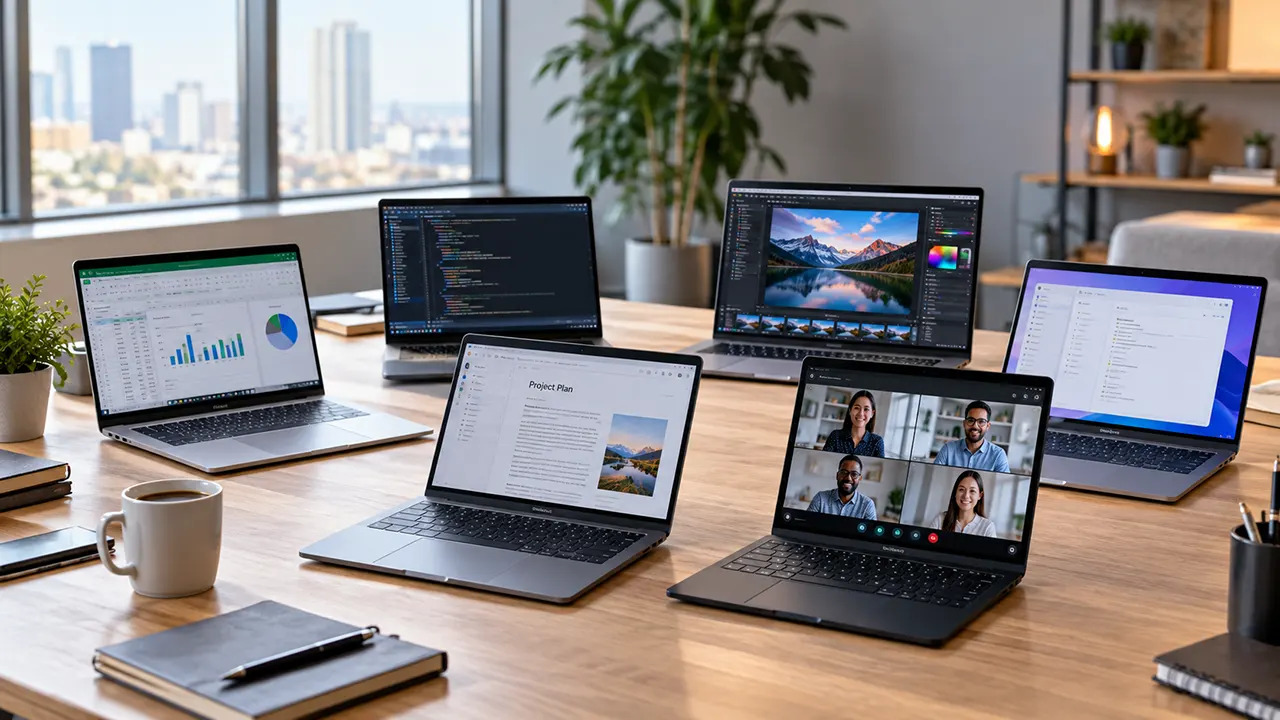
The best laptop for work in 2026 depends on what you do every day, how much you travel, and which applications you need. The Apple MacBook Air 13-inch M5 is a strong candidate for everyday productivity, the Lenovo ThinkPad X1 Carbon Gen 14 Aura Edition suits premium Windows business users, and the HP OmniBook 5 16 offers a larger workspace. Developers and creative professionals may benefit more from a MacBook Pro or a suitably configured Windows laptop.
This guide compares six laptops by work scenario, specifications, limitations, and purchase considerations. The recommendations are based on manufacturer documentation and published third-party research, not hands-on testing by ItPhobia. Prices and configurations should be checked again before purchase.
Which laptop is best for work in 2026?
For most professionals who want a portable laptop for documents, browser tabs, email, video calls, and general productivity, start with the MacBook Air 13-inch M5 if macOS suits your software needs. Choose the ThinkPad X1 Carbon Gen 14 for a premium Windows business experience, the HP OmniBook 5 16 for a larger screen, or the MacBook Pro 14-inch for demanding creative and development work.
| Laptop | Best for | Operating system | Main consideration |
|---|---|---|---|
| Apple MacBook Air 13-inch M5 | Everyday productivity | macOS | Portability and quiet operation |
| Lenovo ThinkPad X1 Carbon Gen 14 Aura Edition | Premium business | Windows | Business features and connectivity |
| Dell Pro 7 14 | Enterprise work | Windows | Corporate deployment and support |
| HP OmniBook 5 16 (2026) | Large-screen office work | Windows | More workspace on the built-in display |
| Apple MacBook Neo | Budget everyday work | macOS | Entry-level memory and workload limits |
| Apple MacBook Pro 14-inch | Developers and creative professionals | macOS | Higher performance at a higher price |
The best choice is not necessarily the fastest or most expensive laptop. A person who spends the day writing reports and joining video calls has different needs from a developer running virtual machines or a video editor working with large media files.
The 6 best laptops for work in 2026
1. Apple MacBook Air 13-inch M5: Best for everyday productivity
The Apple MacBook Air 13-inch M5 is a compelling option for freelancers, writers, remote employees, and office workers who want a lightweight computer without a cooling fan. It combines Apple’s M5 processor with a sharp display, a modern webcam, and a compact design.
Apple’s published specifications list a 10-core CPU, 16GB of unified memory, a 512GB SSD, and a 13.6-inch display with 500 nits of brightness in the standard configuration. Memory and storage can be configured higher at purchase. Apple Support
Why it suits everyday work
- The fanless design keeps operation quiet during writing, meetings, and routine office tasks.
- The display offers enough detail for documents, spreadsheets, and multitasking.
- The standard 16GB memory and 512GB storage configuration provide a practical starting point for many professionals.
- Two Thunderbolt 4 ports support charging, data transfer, and compatible external displays.
Limitations to consider
The MacBook Air has fewer built-in ports than many business-oriented Windows laptops. Users who regularly connect USB-A accessories, wired presentation equipment, or several peripherals may need a hub or dock. It also lacks a built-in Windows environment, which matters if your employer requires Windows-only software.
Who should buy it? Choose the MacBook Air if your work centers on documents, web applications, writing, project management, email, and video calls, and you prefer macOS.
Who should skip it? Consider a different machine if your daily workflow requires Windows-specific applications, extensive built-in connectivity, or sustained high-performance workloads better suited to a workstation-class laptop.
Buying advice: The base configuration is a sensible starting point. Consider 24GB or 32GB of memory if you routinely keep many demanding applications open or work with larger creative projects.
2. Lenovo ThinkPad X1 Carbon Gen 14 Aura Edition: Best premium business laptop
The Lenovo ThinkPad X1 Carbon Gen 14 Aura Edition is designed for professionals who prioritize portability, keyboard usability, business connectivity, and Windows compatibility. It is a strong candidate for consultants, executives, frequent travelers, and employees who use corporate software.
RTINGS reviewed a configuration with an Intel Core Ultra 7 355 processor, 32GB RAM, a 1920 × 1200 touchscreen, and a 256GB SSD. Lenovo offers other configurations, so those specifications should not be assumed to apply to every model. RTINGS.com
What makes it useful for business
- The 14-inch form factor balances portability and screen space.
- The keyboard, TrackPoint, fingerprint reader, and facial-recognition options support a business-focused workflow.
- USB-A, Thunderbolt 4, HDMI, and an audio jack reduce dependence on adapters.
- Windows configurations can be better suited to organizations that rely on Microsoft business software and established Windows workflows.
The trade-off: The ThinkPad’s premium price may be difficult to justify for basic office work. Its RAM is not replaceable, so choosing sufficient memory at purchase matters. RTINGS reports that the SSD and battery are replaceable in its reviewed configuration. RTINGS.com
Who should buy it? Consider this model when portability, business features, Windows compatibility, and professional connectivity matter more than the lowest purchase price.
Buying advice: Check the display, operating system edition, RAM, and SSD before comparing offers. A 32GB configuration with a suitable SSD may be a better long-term purchase for heavy multitasking than a cheaper configuration with less memory.
3. Dell Pro 7 14: Best for enterprise work
The Dell Pro 7 14 is worth considering for companies and professionals who need a Windows business laptop rather than a consumer-oriented machine. Enterprise buyers may place greater value on deployment, security management, support arrangements, and compatibility with an existing IT environment than on entertainment features.
Dell’s Pro line targets business use. However, the exact processor, memory, storage, display, security features, and warranty depend on the model and configuration. Verify the current US listing before comparing it with a ThinkPad or a consumer laptop.
Why it belongs on a business shortlist
- It is designed for professional computing and business purchasing requirements.
- Windows configurations can integrate with organizations that already use Microsoft business applications and management tools.
- Business support and warranty options may be relevant for teams purchasing multiple devices.
Limitations to consider
Enterprise features do not automatically make a laptop the best value for a freelancer or home-office user. A less expensive consumer laptop may be sufficient if you do not need corporate deployment, specialized support, or specific security-management capabilities.
Who should buy it? Consider the Dell Pro 7 14 when your organization has established Windows requirements or needs a laptop that fits its IT support and procurement process.
Buying advice: Compare the complete business configuration, including Windows edition, memory, storage, warranty, and support terms. Do not judge it by the processor name or starting price alone.
4. HP OmniBook 5 16 (2026): Best large-screen laptop for office work
The HP OmniBook 5 16 is worth considering if you spend much of your day working with spreadsheets, documents, research tabs, and multiple application windows. A 16-inch display gives you more room to work without immediately requiring an external monitor.
HP’s published specifications for the 16-inch 2026 series list AMD Ryzen 5 230 and Ryzen 7 250 processor options, 16GB or 32GB of onboard memory, and SSD configurations from 256GB to 1TB. Selected versions offer a 3K OLED display with a refresh rate of up to 120Hz. Exact configurations vary.
Why it works for office productivity
- The larger screen is useful for comparing documents and viewing wide spreadsheets.
- The available memory configurations accommodate different levels of multitasking.
- The higher-resolution OLED option may appeal to users who want more screen detail and richer colors.
- A USB-C power adapter can be convenient for a shared home-office setup.
Limitations to consider
The larger chassis is less convenient for frequent travel than a compact 13- or 14-inch laptop. Some configurations also have relatively modest display brightness, so check the exact panel rather than assuming all versions offer the same visual quality.
Who should buy it? Choose the OmniBook 5 16 if you primarily work at a desk and prefer a larger built-in display for productivity.
Buying advice: Compare the standard IPS or lower-resolution option against the OLED configuration. If your work involves ordinary documents and spreadsheets, paying extra for OLED may offer less practical value than investing in more memory or storage.
5. Apple MacBook Neo: Best budget option for everyday work
The Apple MacBook Neo offers an entry point into macOS for freelancers, writers, and home-office users with modest computing needs. It is suitable for everyday tasks such as web browsing, email, document editing, online meetings, and lightweight project management.
Apple’s US store lists the MacBook Neo from $699, with education pricing available separately. Its A18 Pro chip, 8GB of unified memory, and 256GB or 512GB SSD options define its intended entry-level position. Apple advertises up to 16 hours of battery life, but actual endurance depends on workload and configuration.
Why consider it
- It has a lower starting price than the MacBook Air.
- The 13-inch display and compact design suit basic mobile work.
- It runs macOS and supports common productivity applications.
- Its relatively simple hardware configuration may be sufficient for people who do not run demanding applications.
Limitations to consider
The 8GB of unified memory is the main compromise for professional multitasking. Heavy browser use, large spreadsheets, demanding creative software, and multiple memory-intensive applications can make this configuration less suitable. The port selection is also limited, and the laptop supports only one external display in addition to its built-in screen.
Who should buy it? Consider the MacBook Neo if you primarily write, browse, manage email, and use cloud-based applications, and your budget is more important than performance headroom.
Who should skip it? Developers working with large projects, creative professionals, and users who routinely keep many demanding applications open should compare higher-memory alternatives.
Buying advice: Do not assume the least expensive laptop is the least expensive long-term choice. If you already know that your workload needs more memory or external displays, compare the total cost of a better-equipped laptop before purchasing.
6. Apple MacBook Pro 14-inch (M5): Best for demanding development and creative work
Best for: Software developers, programmers, video editors, photographers, and professionals who need powerful performance in a portable laptop.
The Apple MacBook Pro 14-inch with the M5 chip is a strong choice for professionals who need more performance and a better display than a typical everyday work laptop can offer. It combines Apple’s 10-core CPU and 10-core GPU with a 14.2-inch Liquid Retina XDR display, making it suitable for demanding multitasking, software development, photo editing, and many video-editing workflows.
Unlike a basic laptop designed mainly for email, documents, and web browsing, the MacBook Pro is built to handle heavier workloads. Developers can use it for coding, running development tools, and managing complex projects. Creative professionals can benefit from its detailed, high-quality display when editing photos, working with visual content, or reviewing video footage.
Key Specifications
- Processor: Apple M5 chip with a 10-core CPU and 10-core GPU
- Display: 14.2-inch Liquid Retina XDR
- Memory: 16GB unified memory
- Storage: 1TB SSD
- Operating system: macOS
- Color: Space Black
- Graphics: Integrated Apple GPU
Why We Recommend It
Powerful performance for professional work: The M5 chip provides the processing and graphics capabilities needed for many development and creative applications. It is a practical option for professionals who regularly work with large files, demanding software, or several applications at once.
An excellent display for creative tasks: The 14.2-inch Liquid Retina XDR display offers sharp detail, rich contrast, and support for a refresh rate of up to 120Hz. These features make it appealing for photo editing, video review, design work, and everyday productivity.
1TB of fast storage: The included 1TB SSD provides useful room for development projects, applications, creative files, and local media libraries. This can be especially helpful for people who prefer keeping active projects on their laptop rather than relying entirely on external storage.
Portable enough for a professional workflow: Despite its powerful hardware, the 14-inch design is suitable for working at a desk, moving between meetings, or taking your development setup on the road. Its built-in ports—including Thunderbolt 4, HDMI, an SD card slot, and MagSafe charging—also help support a range of professional accessories and external displays.
What to Consider Before Buying
The MacBook Pro is expensive, and the M5 version is not necessarily the best-value option for every professional. If your work mainly involves documents, spreadsheets, meetings, and browser tabs, a MacBook Air or another productivity laptop may be enough.
The 16GB memory configuration is suitable for many development and creative workflows, but professionals working with large virtual machines, extensive development environments, complex 3D projects, or intensive 4K and 8K video editing may benefit from a configuration with 24GB or 32GB of unified memory—or a MacBook Pro with a higher-tier chip. Memory is not user-upgradeable after purchase, so choose carefully.
Also, check the selected processor, memory, and storage options before ordering. MacBook Pro listings may group several configurations together, and prices can vary significantly between them.
Price and Availability
The Amazon listing details provided for this configuration show a price of $1,839 for the Space Black model with the M5 chip, 16GB unified memory, and 1TB SSD. Prices and available configurations can change, so confirm the exact specifications and current price on the product page before purchasing.
Our Verdict
The Apple MacBook Pro 14-inch (M5) is an excellent option for professionals who want a premium laptop for software development, photo editing, video production, and demanding everyday work. Its strong performance, high-quality display, and generous 1TB storage make it a compelling choice for a portable professional setup.
However, people with especially heavy workloads should compare memory and processor options before buying. For many professionals, this M5 configuration offers more than enough power; for the most demanding creative or development tasks, a higher-memory or higher-tier model may be the smarter long-term investment.
Best choice if: You want a premium 14-inch MacBook for professional development or creative work and value performance, display quality, and portability over the lowest possible price.
Which work laptop is right for your job?
The best laptop for productivity depends on the work you do, not simply the processor badge on the lid.
Office workers and Microsoft 365 users
For documents, spreadsheets, email, presentations, and routine browser work, a laptop with 16GB RAM and a 512GB SSD is a sensible starting point. A comfortable keyboard, a readable display, and sufficient ports can improve the daily experience more than an expensive processor upgrade.
The MacBook Air is a strong option for people comfortable with macOS. The ThinkPad, Dell Pro, and HP OmniBook are alternatives for users who prefer Windows or need Windows-specific business software.
If you rely on advanced Excel features, Microsoft Access, custom macros, or proprietary corporate applications, confirm compatibility before purchasing a Mac.
Remote employees and hybrid workers
A laptop for remote work should handle video meetings, messaging, shared documents, and multiple browser tabs without becoming difficult to carry. Pay particular attention to the webcam, microphone quality, battery performance, Wi-Fi, and the ability to connect external displays.
The ThinkPad X1 Carbon is a good candidate for a premium Windows setup, while the MacBook Air is worth considering for people who prioritize quiet operation and portability. The Dell Pro 7 may be more suitable when corporate IT support and managed Windows configurations matter.
A useful tip: if you work at home most days, budget for a monitor, a comfortable keyboard, and a suitable docking solution before spending the entire budget on a more expensive laptop.
Freelancers and writers
Freelancers often switch between writing tools, email, browser research, client calls, and project-management software. Keyboard comfort, portability, and reliable everyday performance matter more than workstation-class graphics.
The MacBook Air is a strong all-round candidate. The MacBook Neo may be adequate for a tighter budget if 8GB memory and its limited connectivity fit your workflow.
For more writing-specific recommendations, see how to choose the best laptop for writers.
Software developers
Developers should choose hardware based on their tools and project size. Lightweight web development may run well on a mainstream laptop, while Android development, virtual machines, container workloads, large codebases, and local AI models can benefit from more memory and storage.
A 32GB RAM configuration is a useful target for demanding development work, although the right amount depends on the tools you use. Before buying a MacBook, ThinkPad, or Dell, check whether your development environment supports its operating system and processor architecture.
Designers and creative professionals
Designers and creative professionals should evaluate display quality, application compatibility, GPU performance, memory, and storage together. Photo editing and graphic design may work well on an integrated GPU, while complex 3D scenes and demanding video workflows can require dedicated graphics or a higher-performance system.
The MacBook Pro is a candidate for Mac-based professional workflows. The HP OmniBook’s OLED options may suit some display-focused tasks, but its integrated graphics are not a substitute for a workstation GPU in demanding 3D applications.
For social media management, content scheduling, image editing, and routine video work, compare the actual software requirements before paying for high-end graphics.
What specifications matter most for a work laptop?
The best work laptop balances processor performance, memory, storage, display quality, battery life, and connectivity. You do not need the highest specification in every category. Instead, choose the configuration that supports your current workload and gives you enough room to grow.
CPU: Match processor performance to your applications
A modern midrange processor is generally sufficient for office work, web applications, and video meetings. More demanding development, data processing, and creative applications may benefit from higher sustained CPU performance.
When comparing laptops, look beyond the processor name. Consider the exact chip, power limits, cooling system, and performance reported by independent reviewers. Two laptops with similarly named processors can perform differently because of their design and thermal constraints.
RAM: Is 16GB enough for work?
For many office workers, 16GB RAM is enough for documents, spreadsheets, video meetings, and normal multitasking. Consider 32GB if you regularly use virtual machines, large development projects, complex creative applications, or many demanding applications simultaneously.
Memory upgradeability also matters. Some laptops use soldered memory that cannot be expanded after purchase. In those cases, selecting enough RAM at the beginning is especially important.
SSD storage: 512GB or 1TB?
A 512GB SSD is a reasonable starting point for many professionals who store most documents in the cloud and do not keep large media libraries locally. A 1TB SSD is more useful for people who work with video, photography, large project files, virtual machines, or substantial offline archives.
Check whether the laptop has an upgradeable SSD. A laptop with a smaller replaceable drive may offer a better long-term upgrade path than one with more storage that cannot be expanded.
Display: Choose for the work you do
A 13- or 14-inch display is usually convenient for travel. A 16-inch screen provides more room for wide spreadsheets, code, and side-by-side documents.
Display resolution is only one factor. Brightness, scaling, glare, color accuracy, and refresh rate can all affect usability. OLED panels may offer excellent contrast and color, but they can cost more and may use more power in some workloads. A good IPS display can be perfectly adequate for ordinary business tasks.
Battery life: Manufacturer estimates are not independent test results
Battery life varies with screen brightness, wireless activity, applications, video meetings, and processor workload. Manufacturer claims often reflect specific test conditions, so they should not be treated as a guarantee of a full workday.
When comparing laptops, prioritize independent tests that describe their methodology. Results from the same reviewer using a similar workload are generally more useful than comparing headline figures from different manufacturers.
Keyboard, webcam, and ports
These features affect everyday work but often receive less attention than processor speed.
- Keyboard: Look for comfortable key spacing, a layout that suits your work, and a reliable trackpad.
- Webcam and microphone: Important if you spend hours in remote meetings.
- USB-C and Thunderbolt: Useful for charging, fast storage, and compatible docks.
- USB-A and HDMI: Helpful when connecting older accessories or presentation equipment.
- External-monitor support: Check the maximum number, resolution, and refresh rate of supported displays.
Work laptop specification matrix
Use this matrix as a starting point when comparing configurations. The figures are practical recommendations, not universal minimum requirements.
| Workload | RAM target | SSD target | Graphics needs |
|---|---|---|---|
| Documents, email, office apps | 16GB | 512GB | Integrated graphics |
| Remote work and multitasking | 16GB | 512GB | Integrated graphics |
| Writing and freelancing | 16GB | 512GB | Integrated graphics |
| Software development | 16GB-32GB or more | 512GB-1TB | Depends on development tools |
| Photo and video editing | 32GB for demanding projects | 1TB or more | Depends on application and workload |
| 3D, CAD, and GPU-heavy work | 32GB or more where needed | 1TB or more | Dedicated or otherwise suitable supported GPU |
The practical lesson: Upgrade the component that limits your actual workload. More RAM can help a multitasking developer, while a larger screen may benefit an accountant more than a faster processor.
MacBook vs. Windows laptop for work
Neither operating system is automatically better for every professional. The right choice depends on application compatibility, workplace requirements, hardware preferences, and how you use your laptop.
When a MacBook is a better fit
MacBooks are worth considering if you prefer macOS, use compatible creative tools, and want a cohesive laptop experience. The MacBook Air is aimed at everyday productivity, while the MacBook Pro offers higher-performance configurations for demanding work.
Before buying, confirm support for your required applications, peripherals, and external displays. Business users should also verify their organization’s device-management and security requirements.
When a Windows laptop is the safer choice
Windows laptops are often a practical choice for organizations that rely on Windows-specific software, established Microsoft workflows, and corporate management tools. Models such as the ThinkPad X1 Carbon and Dell Pro 7 target different parts of this market.
Windows laptops also offer a broad range of hardware configurations. That flexibility can help buyers choose a particular screen size, port selection, memory capacity, or support package.
Check application compatibility before buying
Make a list of the applications you must use, then verify their operating-system and processor requirements. Pay particular attention to specialist accounting software, engineering applications, corporate VPNs, device-management tools, and development environments.
A laptop that is excellent on paper can still be a poor purchase if it cannot run a required application.
How to choose a work laptop without overspending
A sensible buying decision starts with your workload, then narrows the choices by budget, portability, and essential features.
Which upgrades are worth paying for?
Prioritize memory if you routinely multitask, storage if you handle large files, and display quality if you work with images or spend long hours reading. Better connectivity can also be worthwhile if you regularly use multiple monitors or specialist equipment.
Battery capacity, weight, keyboard quality, and warranty deserve attention when you travel frequently. Their value depends on how you work, rather than on whether a laptop belongs to a premium product line.
Features most office workers can skip
You may not need a high-end dedicated GPU, a top-tier processor, a high-refresh-rate OLED screen, or 32GB-plus memory for basic office applications. Paying for features that your applications cannot use does not necessarily improve productivity.
However, avoid cutting costs in areas that will constrain your daily work. An undersized SSD or insufficient memory can become a more frustrating limitation than a modest processor.
Consider repairability, warranty, and ownership costs
Compare the purchase price with the cost of keeping the laptop useful over time. Check the warranty, availability of service, replacement options for the battery and SSD, and whether memory can be upgraded.
The Framework Laptop 12 vs. 13 vs. 16 comparison may help if repairability and modular hardware are important to your buying decision.
For a broader shortlist, see the best laptops in 2026 and the best lightweight laptops for business.
Frequently asked questions
1. What is the best laptop for remote work?
The best laptop for remote work combines reliable performance, a good webcam and microphone, comfortable typing, suitable battery life, and support for your external monitors. The MacBook Air is a strong candidate for macOS users, while the ThinkPad X1 Carbon is worth considering for people who prefer a premium Windows business laptop. Your company’s application requirements should guide the final choice.
2. What is the best laptop for office work?
For everyday office work, look for a modern processor, 16GB RAM, a 512GB SSD, a comfortable keyboard, and a clear display. The MacBook Air, HP OmniBook 5 16, and suitable ThinkPad or Dell Pro configurations are candidates for different budgets and operating-system preferences. You do not need a workstation-class laptop for documents, email, and ordinary spreadsheets.
3. How much RAM do I need for a work laptop?
Sixteen gigabytes of RAM is a practical starting point for most office workers, writers, and remote employees. Thirty-two gigabytes is worth considering for demanding development work, virtual machines, complex creative applications, and heavy multitasking. Your actual software requirements matter more than a universal memory rule, especially when a laptop’s RAM cannot be upgraded later.
4. Is 16GB RAM enough for business use?
Yes, 16GB RAM is enough for many business workloads, including office applications, browser-based tools, email, and video meetings. It may be less comfortable when running multiple virtual machines, large datasets, or memory-intensive applications. If you expect your workload to grow, compare the price of a 32GB configuration before purchasing a laptop with non-upgradeable memory.
5. Is a MacBook good for business?
A MacBook can be an excellent business laptop when its applications, security requirements, and peripherals are compatible with macOS. The Air suits everyday productivity, while the Pro targets more demanding workloads. However, some organizations require Windows-specific applications or management systems. Confirm compatibility and support requirements with your employer before committing to a platform.
6. Is a business laptop better than a regular laptop?
Not always. Business laptops may offer features such as Windows Pro configurations, enterprise management, specialized support, security options, and business-oriented connectivity. A consumer laptop can still be a better purchase for freelancers or home-office users who do not need those capabilities. Compare the actual configuration and warranty instead of relying on the product category alone.
7. Is 512GB SSD enough for work?
A 512GB SSD is usually sufficient for office documents, applications, and ordinary business files, particularly if you use cloud storage. A 1TB SSD or larger may be more suitable for video editing, photography, virtual machines, and large project archives. Also check whether the SSD can be replaced or upgraded if your storage needs increase.
8. Do I need a dedicated graphics card for work?
Most office workers, writers, and remote employees do not need a dedicated graphics card. Integrated graphics are generally adequate for documents, presentations, browsing, and many everyday creative tasks. Dedicated graphics can be important for demanding 3D work, certain CAD applications, and GPU-intensive video or AI workflows. Check the requirements of your specific software before paying for additional graphics power.
Choose the right work laptop for your daily workload
For everyday productivity, start with the MacBook Air 13-inch M5 if you prefer macOS and its application ecosystem. For premium Windows business use, compare the ThinkPad X1 Carbon Gen 14 Aura Edition with the Dell Pro 7 14. If you work mainly at a desk, the HP OmniBook 5 16 deserves consideration, while the MacBook Neo is best suited to lighter workloads and tighter budgets.
For demanding creative and development work, evaluate the current MacBook Pro configurations alongside compatible Windows alternatives. Before purchasing, verify the exact model, memory, storage, warranty, and current US price. Those details will often make a bigger difference to your daily experience than the laptop’s headline specifications.
Affiliate disclosure: ItPhobia may earn a commission from qualifying purchases made through affiliate links. This draft does not contain affiliate links. Product recommendations are based on manufacturer information and published third-party research; ItPhobia has not performed hands-on testing of these laptops.

Belayet Hossain is a Senior Tech Expert and Certified AI Marketing Strategist. Holding an MSc in CSE (Russia) and over a decade of experience since 2011, he combines traditional systems engineering with modern AI insights. Specializing in Vibe Coding and Intelligent Marketing, Belayet provides forward-thinking analysis on software, digital trends, and SEO, helping readers navigate the rapidly evolving digital landscape. Connect with Belayet Hossain on Facebook, Twitter, Linkedin or read my complete biography.