


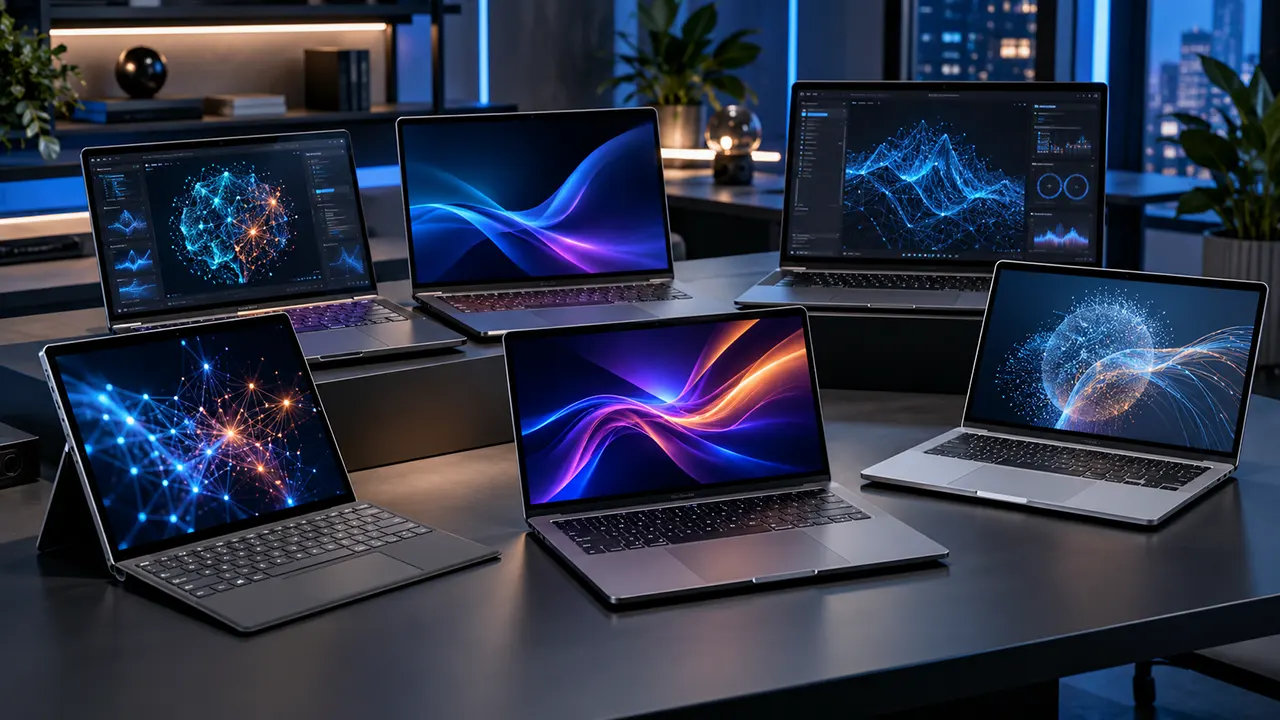
The best AI laptop in 2026 depends on the AI software you plan to run. For local language models, prioritize GPU performance, VRAM, and unified memory. For everyday on-device AI, an NPU helps run supported features efficiently. For ChatGPT and other cloud AI tools, you do not need a specialized AI laptop.
Choosing an AI laptop is not as simple as looking for an AI badge or the highest NPU TOPS rating. A developer running local LLMs has very different hardware needs from a professional using ChatGPT, an image editor, or an AI video tool.
Some laptops use powerful integrated graphics and shared memory. Others rely on dedicated NVIDIA GPUs. Apple uses its own unified memory architecture and GPU-based Neural Accelerators. Each approach has different strengths.
This guide compares six AI-capable laptops and explains which hardware matters for each workload. Recommendations are based on manufacturer specifications, current product information, and published independent testing, not hands-on testing by IT Phobia.
Affiliate disclosure: IT Phobia may earn a commission from qualifying purchases made through affiliate links, at no additional cost to you. This draft currently uses official manufacturer product links. Affiliate tracking links have not yet been supplied.
6 Best AI Laptops in 2026 for Different Workloads
These six laptops serve different AI requirements. The recommendations are based on their hardware architecture, memory capacity, graphics capabilities, software ecosystem, and intended use.
| AI laptop | Best for | Important hardware | US price |
|---|---|---|---|
| ASUS ROG Flow Z13-KJP | Portable local AI | Ryzen AI Max+ 395, 128GB unified memory | $3,699.99 |
| HP ZBook Ultra G1a 14 | Large local models | Ryzen AI Max+ PRO 395, 128GB memory | From $12,050.10 for a specific configuration |
| HP OmniBook Ultra 16 | RTX Spark AI workloads | NVIDIA RTX Spark N1X, 64GB memory in linked SKU | Check HP store |
| Dell Pro Max 18 Plus | Professional GPU-based AI | Up to RTX PRO 5000 Blackwell, 24GB VRAM | From $4,190 base |
| Apple MacBook Pro M5 Pro | Mac-based AI and creative work | M5 Pro, up to 64GB unified memory | From $2,899 for new PROLED model |
| Dell XPS 16 (2026) | Everyday AI productivity | Intel Core Ultra platform, optional RTX graphics | From $1,999.99 |
Prices are US manufacturer-listed prices or configurations observed during research on October 30, 2026. Configurations, promotions, and availability can change.
1. ASUS ROG Flow Z13-KJP: Best for Portable Local AI
The ASUS ROG Flow Z13-KJP is an interesting choice for developers and AI enthusiasts who want substantial local AI memory in a compact device.
Its biggest advantage is the AMD Ryzen AI Max+ 395 platform. Instead of relying on a conventional dedicated NVIDIA GPU, this system combines powerful integrated Radeon graphics with a large unified memory pool.
Key specifications
- Processor: AMD Ryzen AI Max+ 395.
- CPU: 16 cores and 32 threads.
- Graphics: AMD Radeon 8060S.
- NPU: AMD XDNA, up to 50 TOPS.
- Memory: 128GB LPDDR5X unified memory.
- Storage: 1TB PCIe 4.0 NVMe SSD.
- Display: 13.4-inch 2.5K touchscreen, 180Hz.
- Operating system: Windows 11 Pro.
The combination of 128GB memory and Radeon 8060S graphics makes this configuration interesting for local LLM experimentation. The graphics processor can use system memory, allowing it to accommodate models that would not fit inside a conventional laptop GPU with limited VRAM.
AMD specifies up to 50 NPU TOPS for the Ryzen AI Max+ 395. However, the NPU figure should not be confused with the GPU’s AI processing performance. amd.com+1
Why consider it?
- Large unified memory capacity.
- Compact 2-in-1 design.
- Strong integrated graphics architecture.
- Suitable for developers who want to experiment with local models.
- Useful for productivity and creative work.
Limitations
- Memory is onboard and cannot be upgraded.
- The integrated GPU does not provide the same software ecosystem as NVIDIA CUDA.
- The 1TB SSD may become limiting when storing several large models.
- The small display is less comfortable for extended workstation use.
Price: ASUS lists the ROG Flow Z13-KJP at $3,699.99 in its US store. Availability should be checked before purchase.
Verdict: Choose this laptop if portability and large shared memory matter more than having a dedicated NVIDIA GPU. It is particularly interesting for local AI experimentation, but buyers should check compatibility with their preferred AI frameworks before purchasing.
2. HP ZBook Ultra G1a 14: Best for Large Local Language Models
The HP ZBook Ultra G1a 14 is a professional mobile workstation designed for demanding computing and creative workloads.
Its main attraction is the AMD Ryzen AI Max+ PRO platform, particularly configurations with 128GB of unified memory.
Key specifications of the selected configuration
- Processor: AMD Ryzen AI Max+ PRO 395.
- Graphics: AMD Radeon 8060S.
- Memory: 128GB unified memory.
- Storage: 2TB NVMe SSD.
- Display: 14-inch OLED option.
- Operating system: Windows 11 Pro or other available configurations.
The large memory pool makes this workstation particularly relevant to developers experimenting with local language models.
For example, StorageReview reports that its tested ZBook Ultra G1a configuration loaded DeepSeek-R1 70B and generated Gemma 3 27B at 9 tokens per second. These are results from that specific tested configuration, not guaranteed performance for every ZBook model. storagereview.com+1
Why consider it?
- Up to 128GB unified memory.
- Professional workstation configuration.
- Large local AI model experimentation.
- Suitable for software development and demanding multitasking.
- 2TB storage configuration available.
Limitations
- Very expensive compared with conventional laptops.
- Integrated graphics have different performance characteristics from discrete NVIDIA GPUs.
- Large models may generate responses more slowly than on powerful dedicated GPU workstations.
- Memory configuration must be selected before purchase.
Price: Use HP’s US configurator and get the price for your selected configuration. This is not a general starting price, and other configurations have different prices. Check the final configuration and operating system before checkout.
Verdict: The ZBook Ultra G1a is worth considering when memory capacity is a priority. It is not a sensible purchase for someone who primarily uses ChatGPT or browser-based AI tools. Its workstation price makes sense only when the additional local computing capability supports a real professional workload.
3. HP OmniBook Ultra 16: Best for NVIDIA RTX Spark AI Workloads
The HP OmniBook Ultra 16 introduces a different approach to laptop-based AI computing.
Instead of combining a conventional Intel or AMD laptop processor with a separate GeForce GPU, this system uses NVIDIA’s RTX Spark N1X platform, combining CPU and Blackwell GPU capabilities in an integrated architecture.
Specifications of the HP-linked configuration
- Processor: NVIDIA RTX Spark N1X.
- CPU: 20 cores.
- Graphics: NVIDIA Blackwell, 6,144 GPU cores.
- Memory: 64GB LPDDR5X onboard.
- Storage: 2TB PCIe Gen 5 NVMe SSD.
- Display: 16-inch 3K OLED touchscreen.
- Battery: 99Wh.
- Operating system: Windows 11 Home.
One important detail: the linked HP retail SKU specifies 64GB of memory. Do not confuse this configuration with other RTX Spark systems or reported 128GB configurations. hp.com+1
The NVIDIA architecture makes the laptop relevant to developers working with local generative AI, coding agents, and GPU-accelerated applications.
StorageReview’s RTX Spark testing reported 89.5 tokens per second in a Qwen-based coding-agent workload on its tested HP OmniBook Ultra 16 configuration. Benchmark results should always be interpreted alongside the exact memory and hardware configuration.
Why consider it?
- Dedicated NVIDIA Blackwell GPU architecture.
- Integrated CPU and GPU platform.
- Fast PCIe Gen 5 storage.
- Large OLED display.
- Relevant to GPU-oriented local AI development.
Limitations
- Memory is onboard.
- The 64GB configuration has less memory capacity than some 128GB unified-memory alternatives.
- The platform is new, so application and driver compatibility deserve attention.
- Buyers should verify which RTX Spark configuration they are ordering.
Price: HP’s product page provides current configuration and purchasing information, current retail price MSRP $4,999.99. Check the manufacturer’s store for the live quote.
Verdict: Consider the OmniBook Ultra 16 if you specifically want the RTX Spark architecture and its NVIDIA software ecosystem. Compare its actual retail configuration against the 128GB AMD alternatives before making a decision.
4. Dell Pro Max 18 Plus: Best for Professional GPU-Accelerated AI
The Dell Pro Max 18 Plus is a different kind of AI laptop. It targets professionals who need dedicated GPU performance, workstation capabilities, and NVIDIA’s software ecosystem.
Unlike integrated graphics systems, its higher-end configuration supports an NVIDIA RTX PRO 5000 Blackwell GPU with 24GB GDDR7 memory.
Important specifications
- Display: 18-inch WQXGA.
- Base processor: Intel Core Ultra 5 245HX.
- Graphics options: Integrated graphics or NVIDIA RTX PRO Blackwell GPUs.
- Highest listed GPU option: RTX PRO 5000 Blackwell, 24GB GDDR7.
- Storage and memory: Configuration-dependent.
- Workstation platform with configurable components.
The GPU options include RTX PRO 1000, 2000, 3000, 4000 and 5000 Blackwell. This gives buyers flexibility to choose a configuration based on their AI workloads.
Dedicated GPU memory is particularly useful for software that relies on CUDA and NVIDIA-compatible AI frameworks.
StorageReview measured 185.1 tokens per second on its Dell Pro Max 18 Plus test configuration using Phi in UL Procyon AI Text Generation. Its tested configuration used an RTX PRO 5000 Blackwell with 24GB GDDR7 and 128GB CAMM2 memory.
Why consider it?
- Powerful dedicated NVIDIA GPU options.
- 24GB GDDR7 VRAM on the RTX PRO 5000 configuration.
- Professional workstation design.
- Suitable for GPU-accelerated AI development.
- Large display for complex workflows.
Limitations
- Heavy and less portable than smaller laptops.
- High-end configurations become expensive.
- Dedicated GPU memory limits the size of models that fit entirely in VRAM.
- A base configuration with integrated graphics is not equivalent to the RTX PRO 5000 version.
Price: Dell lists a starting price of $4,190 for the Pro Max 18 Plus. The RTX PRO 5000 upgrade is listed at an additional $3,560. That upgrade alone would bring the listed base price to $7,750 before other configuration changes. The independent benchmark configuration also used 128GB system memory, so it should not be confused with the base model.
Verdict: Choose the Dell Pro Max 18 Plus if your work benefits from dedicated NVIDIA GPU acceleration, professional drivers, and substantial VRAM. It is a better architectural fit for many CUDA-dependent workloads than an NPU-focused ultrabook.
5. Apple MacBook Pro M5 Pro: Best for Mac-Based AI and Creative Work
The Apple MacBook Pro M5 Pro is a strong option for developers, designers, photographers, and video professionals who work within Apple’s ecosystem.
Apple’s M5 Pro architecture uses GPU cores with integrated Neural Accelerators, alongside its Neural Engine and unified memory architecture.
This is important because the MacBook Pro does not need to follow the same NPU-versus-discrete-GPU design used by many Windows laptops.
Key specifications
- Processor: Apple M5 Pro.
- CPU: Up to 18 cores.
- GPU: Up to 20 cores.
- Unified memory: Up to 64GB.
- Memory bandwidth: Up to 307GB/s.
- Storage: Starts at 1TB.
- Display: 14-inch or 16-inch Liquid Retina XDR, with the new PROLED XDR display generation announced in October 2026.
- Operating system: macOS Tahoe.
Apple states that the M5 Pro architecture includes Neural Accelerators in its GPU cores and supports demanding on-device AI workflows. Apple also reports up to 3.9x faster LLM prompt processing compared with the M4 Pro in its own testing. This is a manufacturer-reported comparison, not an independent benchmark. Apple
Why consider it?
- Unified memory architecture.
- Strong integration with macOS creative applications.
- Neural Accelerators in GPU cores.
- Good fit for supported local AI applications.
- High-quality professional display.
- Long battery life.
Limitations
- CUDA-dependent software is not natively supported.
- Memory is not user-upgradeable.
- Some local AI tools have different feature support on macOS.
- Higher-memory configurations increase the purchase price.
Price: Apple’s October 28 announcement lists the new PROLED XDR M5 Pro MacBook Pro starting at $2,899 for the 14-inch model and $3,399 for the 16-inch model in the US. Preorders began October 28, with availability scheduled to begin November 6, 2026. Apple
Verdict: The MacBook Pro M5 Pro is worth considering if you work with macOS-compatible creative applications, development tools, and local AI software. If your workflow depends heavily on NVIDIA CUDA, a Windows workstation with a discrete RTX GPU is a more suitable choice.
6. Dell XPS 16 (2026): Best for Premium Everyday AI Productivity
The Dell XPS 16 (2026) is a premium Windows laptop for professionals who want a modern system for productivity, creative applications, and supported on-device AI features.
It is available in different hardware configurations, so buyers should pay attention to the processor and graphics options rather than assuming every XPS 16 delivers the same AI performance.
Important specifications
- Processor options include Intel Core Ultra Series 3.
- Higher configurations include Intel Core Ultra X7 358H.
- Graphics options include Intel Arc integrated graphics and NVIDIA GeForce RTX 5070.
- Memory options vary by configuration.
- Storage options include 512GB and 1TB SSD configurations.
- 16-inch display options include OLED.
The higher-end configurations are more interesting for demanding AI work. However, the entry-level configuration should not be treated as a local AI workstation.
Dell’s US store listed an XPS 16 configuration at $1,999.99 during research. That configuration included an Intel Core Ultra 5 325 processor, 16GB memory, integrated Intel Arc graphics, and a 512GB SSD. Higher configurations cost more. Dell USA+1
Why consider it?
- Premium design.
- Modern Intel processor platform.
- Optional dedicated NVIDIA graphics.
- Suitable for productivity and cloud-based AI.
- OLED display options.
Limitations
- The entry-level configuration is not suitable for demanding local LLM workloads.
- Integrated graphics and RTX 5070 configurations offer very different AI capabilities.
- Memory configuration should be checked before purchase.
- Higher-end versions can become expensive.
Verdict: The XPS 16 makes sense for professionals who want a premium Windows laptop with modern AI features. If you plan to run large local models, select a configuration with enough RAM and dedicated GPU memory rather than buying the least expensive version.
AI Laptop Comparison: Specifications, Memory and Hardware
The six recommendations use three distinct hardware approaches: integrated CPU/GPU/NPU platforms, dedicated NVIDIA GPUs, and Apple’s unified memory architecture.
The following comparison helps identify the practical differences without treating all AI performance measurements as equivalent.
| Laptop | Memory | Graphics architecture | NPU |
|---|---|---|---|
| ASUS ROG Flow Z13-KJP | 128GB | Radeon 8060S integrated | 50 TOPS |
| HP ZBook Ultra G1a | 128GB selected configuration | Radeon 8060S integrated | Up to 50 TOPS |
| HP OmniBook Ultra 16 | 64GB linked SKU | NVIDIA Blackwell | Verify platform specifications |
| Dell Pro Max 18 Plus | 128GB tested configuration | RTX PRO 5000, 24GB VRAM | Configuration-dependent |
| MacBook Pro M5 Pro | Up to 64GB | Apple GPU with Neural Accelerators | Apple Neural Engine |
| Dell XPS 16 | Configuration-dependent | Intel Arc or RTX 5070 | Processor-dependent |
One important purchasing detail: a product name does not guarantee a particular memory or GPU configuration. Always check the exact model number before ordering.
Recommended read: Best budget laptops in this year.
What Makes a Laptop an AI Laptop?
An AI laptop is a computer designed to accelerate artificial intelligence workloads through specialized processing hardware and compatible software.
However, the term does not describe one universal hardware configuration. Some AI laptops focus on efficient on-device processing, while others provide the graphics power and memory needed for local AI models.
What Is an NPU?
An NPU, or Neural Processing Unit, is a specialized processor designed to accelerate neural network operations.
It handles supported AI workloads more efficiently than a general-purpose CPU in many situations.
Examples include:
- Background noise removal during video calls.
- Real-time camera effects.
- Supported speech recognition.
- Live transcription.
- Image processing.
- Selected Windows AI features.
An NPU is particularly useful when a laptop needs to run supported AI features while keeping power consumption low.
Microsoft’s Copilot+ PC requirements specify an NPU capable of at least 40 TOPS. However, this is a qualification requirement for Copilot+ experiences, not a universal requirement for all AI software. Microsoft Windows
What Is a GPU?
A GPU, or Graphics Processing Unit, is designed to process many operations simultaneously.
Modern GPUs are especially useful for workloads involving large numbers of mathematical operations, including:
- Local language model inference.
- AI image generation.
- Video processing.
- Machine learning development.
- Deep learning experiments.
- GPU-accelerated creative applications.
For demanding local AI workloads, GPU memory can become a major limitation. A model must fit within the available memory or use an alternative memory-management approach.
NVIDIA GPUs also support CUDA, which is important because many AI frameworks and applications are optimized for NVIDIA hardware.
What Makes a Copilot+ PC Different?
A Copilot+ PC is a Windows computer that meets Microsoft’s specific hardware requirements for Copilot+ experiences.
The published requirements include:
| Component | Minimum requirement |
|---|---|
| NPU | 40+ TOPS |
| RAM | 16GB |
| Storage | 256GB SSD or UFS |
| Operating system | Compatible Windows 11 installation |
These requirements do not guarantee that every AI application will run locally. Individual applications can have additional hardware, software, and compatibility requirements. Microsoft Windows
How CPU, GPU and NPU Work Together
Think of these processors as different specialists rather than competing replacements.
- CPU: General computing, operating system tasks and application logic.
- GPU: Parallel processing, graphics and demanding AI computations.
- NPU: Efficient execution of supported neural network operations.
A laptop can use all three processors for different parts of the same workflow.
For example, a video editing application might use the CPU for general operations, the GPU for rendering, and the NPU for supported AI effects.
NPU vs GPU: Which Matters More for AI?
A GPU generally matters more for demanding local generative AI workloads, while an NPU is useful for supported on-device AI features that benefit from efficient, low-power processing.
Neither processor is universally better. The correct choice depends on the software and model you intend to use.
| Comparison | NPU | GPU |
|---|---|---|
| Main purpose | Neural network acceleration | Parallel computing |
| Power efficiency | Often excellent for supported tasks | Depends on workload and GPU |
| Local LLMs | Software-dependent | Widely used |
| Image generation | Limited to supported implementations | Strong capability |
| Creative AI | Supported features | Broad GPU acceleration |
| CUDA support | No | NVIDIA GPUs |
| Memory | Platform-dependent | Dedicated VRAM or shared memory |
When an NPU Is the Better Choice
An NPU makes sense when you primarily use supported AI features integrated into your operating system or applications.
For example, an office professional might use transcription, webcam effects, supported AI search, and other background AI functions throughout the workday.
In these cases, a powerful discrete GPU may provide little practical benefit.
When a Dedicated GPU Is More Important
A dedicated GPU becomes more important when you run demanding local AI models or applications that use GPU acceleration.
Consider these examples:
- Running compatible LLMs through Ollama or LM Studio.
- Generating images using Stable Diffusion.
- Developing machine learning applications.
- Running CUDA-based AI frameworks.
- Processing AI-assisted video effects.
A dedicated GPU also gives you a clearly specified VRAM capacity. This makes it easier to determine whether a model can fit into GPU memory.
Why TOPS Alone Cannot Determine AI Performance
TOPS means trillions of operations per second. It describes a processor’s theoretical or specified processing capability under particular conditions.
However, TOPS does not tell you how quickly a laptop will generate AI responses.
Actual performance also depends on:
- Processor architecture.
- Memory bandwidth.
- Available memory.
- Model precision and quantization.
- Software optimization.
- Thermal limits.
- Power configuration.
A laptop with a 50 TOPS NPU is not automatically faster than a laptop with a powerful NVIDIA GPU for local LLM inference.
AI Laptop Requirements: What Hardware Do You Actually Need?
There is no single AI laptop specification that works best for every workload.
A person using cloud AI needs much less computing power than someone running a large language model locally. Creative professionals also have different requirements depending on their applications.
Requirements for Cloud-Based AI
Cloud-based AI services perform most of their demanding computation on remote servers.
Examples include ChatGPT, Claude, Gemini and many browser-based image generation services.
A practical laptop configuration for this type of work is:
- 8GB RAM for basic use.
- 16GB RAM for comfortable multitasking.
- Modern Intel, AMD or Apple processor.
- Integrated graphics.
- 256GB to 512GB SSD.
You do not need a dedicated GPU or a 40 TOPS NPU just to use these services.
Requirements for Everyday On-Device AI
For supported Windows AI experiences and other local AI features, an NPU-equipped laptop can provide useful advantages.
A sensible starting configuration is:
- 16GB RAM.
- 512GB SSD.
- Compatible processor with an NPU.
- At least 40 TOPS NPU for Copilot+ PC qualification.
- Compatible operating system and applications.
The important word is compatible. Having an NPU does not mean every AI application will automatically use it.
Requirements for Local Language Models
Local language models need memory to store model weights, context and other working data.
The amount required depends on model parameters, quantization, context length, runtime and the number of simultaneous requests.
The following table is a practical buying guide, not a guaranteed model-compatibility chart.
| Local AI workload | Suggested system RAM | GPU memory or shared memory | SSD |
|---|---|---|---|
| Small quantized models | 16-32GB | 8GB VRAM or suitable shared memory | 512GB-1TB |
| Medium local models | 32-64GB | 12-16GB VRAM or suitable shared memory | 1TB |
| Larger quantized models | 64-128GB | 24GB VRAM or large shared memory pool | 1-2TB |
| Large experimental workloads | 128GB+ | High-capacity GPU or unified memory | 2TB+ |
These categories overlap. A model may run with less memory through CPU offloading or other techniques, but performance can become considerably slower.
An important distinction: System RAM and GPU VRAM are not interchangeable in every application. A laptop with 64GB system RAM and an 8GB dedicated GPU does not automatically provide 72GB of usable GPU memory.
Requirements for AI Image and Video Generation
AI image generation and video production can demand substantial GPU resources.
A practical configuration for someone regularly working with local image generation or demanding creative AI tools is:
- 32GB RAM as a sensible starting point.
- Dedicated GPU with 8GB or more VRAM.
- 12GB-16GB VRAM for more demanding projects.
- 1TB SSD or more.
- Good cooling and sustained GPU performance.
For larger image models, high-resolution generation, complex workflows or local video generation, additional GPU memory can be valuable.
Always check the specific software’s hardware requirements. Cloud-based image and video tools have different local hardware needs.
Requirements for AI Development
AI developers should consider more than processor specifications.
A suitable development laptop should offer:
- 32GB RAM or more.
- Dedicated GPU when using GPU-accelerated frameworks.
- 1TB or larger SSD.
- Compatible GPU drivers and development tools.
- Good thermal management.
- Linux or Windows compatibility, depending on the development environment.
For serious local model experimentation, 64GB or 128GB memory can be useful.
However, a laptop is not necessarily a replacement for a desktop AI workstation or cloud GPU server. Training larger models can require resources beyond what a portable system can provide.
Also read: Best work laptops for you
Do You Need an AI Laptop to Use ChatGPT?
No. You do not need an AI laptop to use ChatGPT. ChatGPT is primarily a cloud-based service, so its demanding AI computation happens on remote infrastructure rather than your laptop.
You can use ChatGPT through a browser or compatible application on an ordinary modern laptop with an internet connection.
How Cloud-Based AI Tools Work
When you send a question to ChatGPT, your laptop sends the request over the internet. The service processes the request on remote computing infrastructure and returns the response.
Your laptop mainly handles:
- Displaying the interface.
- Sending and receiving data.
- Running the browser or application.
- Managing local files and other applications.
This means a regular laptop can provide an excellent experience with ChatGPT, Claude and Gemini.
When Local AI Hardware Becomes Useful
Local AI hardware becomes important when you want to run models directly on your computer.
For example, you might install Ollama or LM Studio and download a compatible language model.
You can then interact with the model without sending each prompt to a cloud AI service.
Local processing can be useful for privacy-sensitive workflows, offline access, experimentation and development. However, the model must be downloaded first, and performance depends on your hardware.
The buying lesson: Do not spend thousands of dollars on an AI workstation just to access ChatGPT. Invest in specialized hardware only when your actual applications need it.
How to Choose the Right AI Laptop Without Overspending
Buying an AI laptop requires more attention to workload compatibility than marketing terminology.
Before choosing a model, consider these purchasing factors.
Match the Hardware to Your AI Software
Start by identifying the software you plan to use.
| Software or platform | Important hardware consideration |
|---|---|
| ChatGPT | Internet connection and normal laptop hardware |
| Microsoft Copilot | Compatible Windows installation |
| Windows Copilot+ features | Supported NPU and hardware requirements |
| Ollama | Compatible CPU/GPU and sufficient memory |
| LM Studio | Supported processor and GPU acceleration |
| Stable Diffusion | Compatible GPU, VRAM and drivers |
| PyTorch | Compatible development environment and accelerator |
| Adobe Creative Cloud | Application-specific CPU, RAM and GPU requirements |
For CUDA-dependent applications, NVIDIA graphics hardware is particularly relevant.
For Apple-based development, check whether the application supports Apple Silicon and Metal acceleration.
Check Memory Requirements Before Buying
Memory is one of the most important long-term purchasing decisions.
A laptop with 16GB RAM may be sufficient for office work and cloud AI services. However, it can become restrictive when running development tools, virtual machines, local models and creative applications together.
For local AI experimentation, consider 32GB as a practical starting point. Move toward 64GB or 128GB when your models and workflows justify it.
Also check whether the memory is soldered or upgradeable. Many modern AI laptops use onboard memory that cannot be replaced later.
Consider Battery Life, Cooling and Portability
AI workloads can keep processors and GPUs busy for extended periods.
A laptop may deliver excellent short benchmark results but reduce performance under sustained workloads because of temperature and power limits.
Before purchasing, check:
- Independent sustained-performance tests.
- Battery life under realistic workloads.
- Cooling system design.
- Fan noise.
- Weight and portability.
- Power adapter size.
- Warranty and service availability.
A large workstation can be an excellent desk-based AI machine but a poor choice for someone who travels frequently.
Avoid Paying for AI Features You Will Not Use
Consider these common buying mistakes:
- Buying a 50 TOPS NPU laptop when all your AI tools run in the cloud.
- Choosing a laptop with 16GB RAM for demanding local AI development.
- Assuming integrated graphics and dedicated GPU performance are equivalent.
- Ignoring software compatibility.
- Purchasing a model based on its advertised AI TOPS alone.
- Choosing a small SSD when you plan to store multiple local models.
The best purchase is the laptop that satisfies your actual workload without unnecessary hardware expenses.
Frequently Asked Questions About AI Laptops
1. What is the best AI laptop in 2026?
There is no universal winner. The ASUS ROG Flow Z13-KJP offers a large unified memory pool in a portable design, while the Dell Pro Max 18 Plus is more suitable for demanding NVIDIA GPU workloads. The MacBook Pro M5 Pro is a strong option for supported Mac-based AI and creative applications.
2. Can a regular laptop run ChatGPT?
Yes. A regular modern laptop can run ChatGPT through a web browser or compatible application. You need an internet connection and a supported browser or application, not a dedicated NPU or powerful graphics card. ChatGPT’s demanding model computation happens remotely.
3. Is 16GB RAM enough for AI?
16GB RAM is sufficient for cloud-based AI services and many everyday on-device AI features. It can also handle some smaller local models, depending on their size and quantization. For more demanding local AI development, 32GB or more provides greater flexibility.
4. How much VRAM do I need for local AI?
It depends on the model and workload. An 8GB GPU can support some smaller quantized models and AI applications. A 12GB-16GB GPU provides more room, while 24GB VRAM can accommodate larger models and more demanding workloads. Model weights, context and runtime memory all affect the actual requirement.
5. Can I run Ollama on a laptop?
Yes. Ollama supports local language model execution on compatible laptops. You can use CPU-based execution or supported GPU acceleration, depending on the operating system, hardware and model. Available memory is important because larger models require more resources.
6. Is an NPU necessary for local AI?
No. An NPU is not universally necessary for local AI. Many local language models use CPU or GPU execution. Some applications support NPU acceleration, but others depend on different processing frameworks. Check the software’s supported hardware before buying a laptop specifically for its NPU.
7. Is a MacBook better than a Windows laptop for AI?
It depends on the software ecosystem. MacBooks offer unified memory and Apple GPU acceleration for compatible applications. Windows laptops offer a wider range of NVIDIA GPU configurations and CUDA compatibility. Developers should select the platform that best supports their frameworks, models and development environment.
8. Can AI models run without an internet connection?
Yes. Compatible local AI models can run without an internet connection after you download the model and install the required software. However, cloud-based services such as ChatGPT require internet access for their normal operation. Local models also have hardware and software limitations.
Choose an AI Laptop That Matches Your Actual Workload
The smartest AI laptop purchase is not necessarily the most expensive one or the model with the highest advertised TOPS rating.
For portable local AI experimentation, the ASUS ROG Flow Z13-KJP deserves attention. For large-memory professional workloads, consider the HP ZBook Ultra G1a. If your applications depend on NVIDIA GPU acceleration, the Dell Pro Max 18 Plus offers a more suitable workstation architecture. Mac-based professionals should consider the MacBook Pro M5 Pro.
If you mainly use ChatGPT, Claude, Gemini and other cloud AI tools, a good conventional laptop is usually enough.
Before buying, check the exact processor, GPU, memory configuration, software compatibility and official product specifications. These details will have a much greater effect on your experience than an AI label on the laptop.
Ready to compare your options? Visit the official manufacturer pages linked above, check the latest US configurations and prices, and choose the hardware that fits your actual AI workload.

Belayet Hossain is a Senior Tech Expert and Certified AI Marketing Strategist. Holding an MSc in CSE (Russia) and over a decade of experience since 2011, he combines traditional systems engineering with modern AI insights. Specializing in Vibe Coding and Intelligent Marketing, Belayet provides forward-thinking analysis on software, digital trends, and SEO, helping readers navigate the rapidly evolving digital landscape. Connect with Belayet Hossain on Facebook, Twitter, Linkedin or read my complete biography.