


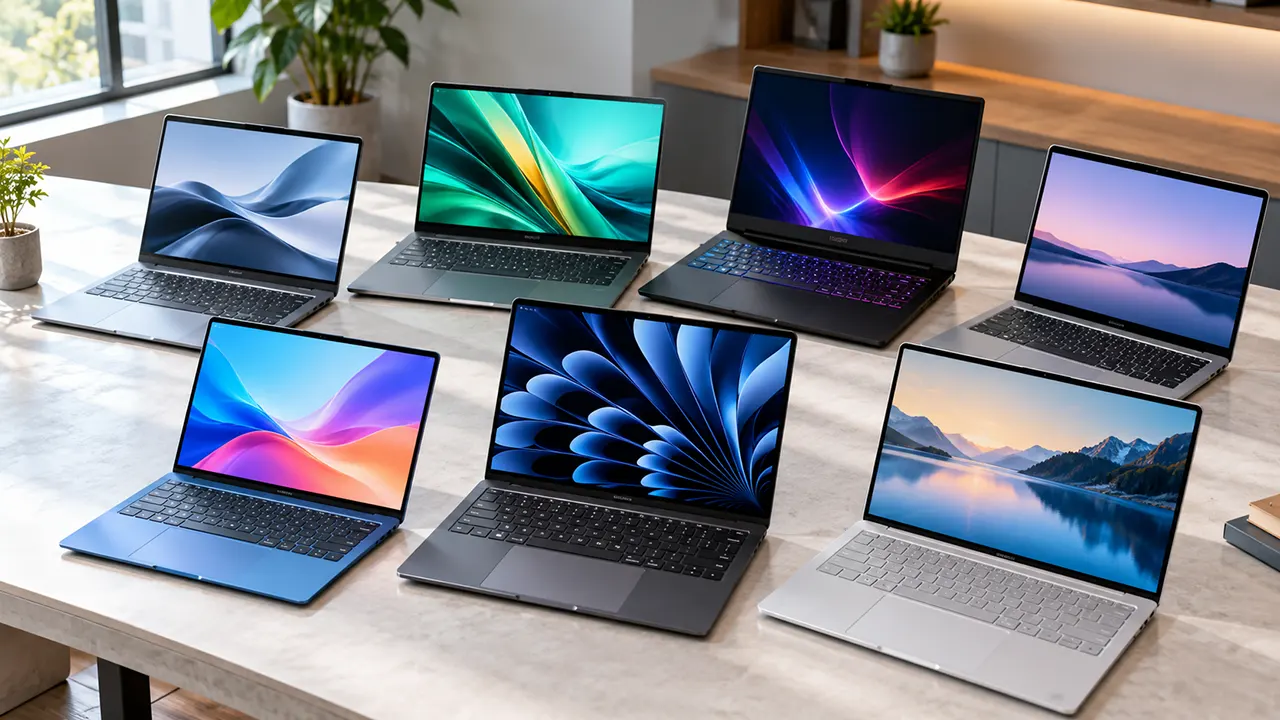
The best laptops in 2026 include the Apple MacBook Air M5 for everyday use, the MacBook Neo for budget-conscious buyers, the Dell XPS 13 for compact Windows computing, and the Alienware 16X Aurora for gaming. The right choice depends on your budget, workload, memory needs, battery life, and preferred operating system.
Buying a laptop is easier when you start with the work you need it to do. A student writing assignments has different needs from a developer running several applications or a gamer who needs dedicated graphics. Paying more does not automatically mean getting a better laptop for your situation.
This guide compares seven laptop candidates using manufacturer specifications, independent reviews, and available retailer information. It explains the strengths, limitations, and buying considerations for each model so you can make an informed decision.
Affiliate disclosure: This article contains Amazon affiliate links. If you purchase through these links, ItPhobia may earn a commission at no additional cost to you. Recommendations are based on available research, not hands-on testing by our team.
The Best Laptops in 2026 at a Glance
These seven laptops cover different buying needs. The categories are intended to help you narrow your choices, not suggest that every model is suitable for every buyer.
| Laptop | Best suited for | Configuration to check | Main trade-off |
|---|---|---|---|
| Apple MacBook Air M5 | Most everyday users | 16GB RAM, 512GB SSD | Higher cost than entry-level laptops |
| Apple MacBook Neo | Budget macOS users | 8GB RAM, 256GB SSD | Limited memory and storage |
| Dell XPS 13 | Compact Windows computing | Core 5 320, 8GB RAM, 512GB SSD | The supplied 8GB configuration may constrain multitasking |
| HP OmniBook 5 16 | Larger-screen productivity | Core Ultra 7 255U, 32GB RAM, 1TB SSD | Exact configuration and price need confirmation |
| Acer Swift 16 AI | Premium productivity | Core Ultra X7 358H, 3K OLED touchscreen | Premium pricing and configuration differences |
| Alienware 16X Aurora | Gaming | Core Ultra 9 290HX, RTX 5070 | Gaming-focused size, weight, and power use |
| ASUS Chromebook Plus CX34 | Browser-based work and study | Core i5-1334U, 8GB RAM, 128GB storage | ChromeOS and limited storage may not suit everyone |
Prices and availability vary by seller and configuration. The Amazon links above are the approved listings for these recommendations, but the exact live price and availability of each listing have not been independently confirmed. Check the current offer before buying.
The Best Laptops in 2026 by Category
1. Apple MacBook Air M5: Best Overall Laptop
The Apple MacBook Air M5 is a strong choice for everyday productivity, study, business tasks, and light creative work. Its combination of Apple silicon, a lightweight design, and a fanless cooling system makes it an appealing option for people who want a capable computer without a bulky chassis.
The approved Amazon configuration includes 16GB of unified memory, a 512GB SSD, a 13.6-inch Liquid Retina display, a 12MP Center Stage camera, and Wi-Fi 7. Apple’s official specifications confirm the main hardware details. Apple Support+1
Why consider it
- Strong performance for everyday productivity, programming, and light content creation.
- A 13.6-inch display in a portable design.
- 16GB memory and 512GB storage in the specified configuration.
- A fanless design that avoids conventional cooling-fan noise.
What to consider: The memory and internal storage are not user-upgradeable. The limited port selection may also require a hub or dock if you regularly connect multiple accessories.
Independent testing supports its all-round appeal. Tom’s Hardware identifies the M5 MacBook Air as its overall recommendation and reports strong processor performance and long battery life. However, it also notes that sustained demanding workloads can reduce performance because the laptop lacks an active cooling fan. Tom’s Hardware+1
Verdict: Choose the MacBook Air M5 if you want a versatile laptop for work, study, and everyday computing and can comfortably afford its price. For lighter tasks and a lower budget, compare it with the MacBook Neo before purchasing.
2. Apple MacBook Neo: Best Budget MacBook
The Apple MacBook Neo is designed for buyers who want a macOS laptop at a lower entry price. It is worth considering for browsing, writing, online classes, office documents, and other routine tasks.
Your approved configuration includes an A18 Pro chip, 8GB of unified memory, 256GB of storage, and a Liquid Retina display. Independent buying guides have highlighted the Neo as a value-oriented option, while distinguishing it from the more capable MacBook Air. Forbes+1
Strengths
- A lower-cost entry into the macOS ecosystem.
- Suitable for everyday tasks that do not demand substantial memory or processing resources.
- A compact 13-inch form factor.
Limitations
The 8GB memory and 256GB storage are important compromises. Buyers who keep many applications open, work with large files, or need substantial local storage should evaluate their requirements carefully. Also check the available ports and keyboard features before assuming the Neo offers the same experience as the Air.
Verdict: The MacBook Neo is a sensible candidate for students and everyday users who want macOS without paying for the Air. If your work involves heavy multitasking or you plan to keep the laptop for demanding professional tasks, compare the total cost of moving to the MacBook Air.
3. Dell XPS 13: Best Compact Windows Laptop
The Dell XPS 13 (2026) is a candidate for professionals, students, and frequent travelers who prefer Windows in a compact premium design.
The supplied Amazon listing describes a 13.4-inch 120Hz touchscreen, Intel Core 5 320, 8GB DDR5 RAM, 512GB SSD, Wi-Fi 7, Windows 11 Pro, and a bundled WOWPC 8-in-1 dock. Independent coverage of the 2026 XPS 13 supports its positioning as a portable productivity laptop, but the exact Amazon bundle still needs verification. WIRED+1
Why it may fit your needs
- A compact design for travel and everyday work.
- A high-refresh-rate touchscreen according to the supplied listing.
- Windows compatibility for office software and desktop applications.
- A bundled dock that may add useful connectivity if it is included as described.
The important trade-off: The specified configuration has only 8GB of RAM. WIRED reports that this capacity limited performance in its testing and recommends considering the 16GB version for most users. WIRED
Before buying, verify the exact processor, display resolution and refresh rate, weight, battery claim, included dock, warranty, and memory configuration. Do not assume that specifications from a different XPS 13 configuration apply to the Amazon bundle.
Verdict: Consider the XPS 13 if portability and Windows compatibility matter more than heavy workloads. For a laptop you expect to use for demanding multitasking over several years, investigate a 16GB configuration if your budget allows.
4. HP OmniBook 5 16: Best Larger-Screen Productivity Candidate
The HP OmniBook 5 16 is worth considering if you prefer a larger workspace for spreadsheets, documents, research, and multitasking.
The supplied listing specifies an Intel Core Ultra 7 255U, 32GB of RAM, and a 1TB SSD. That memory and storage combination would provide more room for multitasking and local files than the 8GB/128GB Chromebook configuration in this guide.
However, HP offers different OmniBook configurations, and the exact memory type and model number for the supplied Amazon listing remain unconfirmed. Independent reviews of related OmniBook 5 16 variants are useful context, but their results should not automatically be applied to this specific unit. RTINGS.com
Potential advantages
- A larger screen for side-by-side documents and spreadsheets.
- A specified 32GB memory configuration for more demanding multitasking.
- A 1TB SSD for larger local files and applications.
What to verify: Confirm the exact processor, RAM technology, screen type and resolution, weight, ports, and current Amazon price. The supplied description calls the memory DDR5, but the related official configuration previously identified uses LPDDR5x. These are not interchangeable claims, so the precise SKU matters.
Verdict: Keep the OmniBook 5 16 on your shortlist if screen space and multitasking matter more than portability. Compare its verified price with the Acer Swift 16 AI before deciding whether a premium display or a larger memory configuration offers better value.
5. Acer Swift 16 AI: Best Premium Large-Screen Productivity Candidate
The Acer Swift 16 AI S16 is a candidate for people who want a large display and a premium productivity experience.
The supplied listing identifies an Intel Core Ultra X7 358H processor and a 3K OLED touchscreen. A high-resolution OLED panel can be useful for detailed visual work, media, and multitasking, but the display specification alone does not establish that the laptop is better value than less expensive alternatives.
Tom’s Hardware has reviewed a Swift 16 AI configuration with an OLED touchscreen and the same processor family. Its reviewed unit had 32GB of RAM and a stated launch price of $1,799.99. That price and memory configuration should not be attributed to your Amazon listing without verification. Tom’s Hardware
Potential advantages
- A large OLED touchscreen for visual work and media.
- A processor aimed at modern productivity workloads.
- A larger workspace than a compact 13-inch laptop.
Limitations: OLED quality, resolution, memory, storage, and battery performance depend on the exact configuration. A high-resolution display can also consume more power than a lower-resolution alternative under some conditions.
Verdict: Consider the Swift 16 AI if display quality and a large workspace are priorities. Before buying, confirm the exact screen resolution, RAM, SSD capacity, and Amazon price. Compare those details with the HP OmniBook 5 16 rather than relying on the model name alone.
6. Alienware 16X Aurora: Best Gaming Laptop in This Shortlist
The Alienware 16X Aurora is the gaming-focused option in this group. The supplied listing specifies an Intel Core Ultra 9 290HX processor and NVIDIA GeForce RTX 5070 graphics.
Dedicated graphics can make a substantial difference in modern games and GPU-intensive applications. However, the exact GPU, graphics power limits, cooling design, display, and memory configuration all influence real-world performance.
Tom’s Hardware reviewed an Alienware 16X Aurora configuration with an RTX 5060 and reported strong performance and an attractive OLED display, while noting that weight and battery life make it less suitable for frequent travel. Those test results are useful for understanding the laptop family, but they are not direct performance measurements of the RTX 5070 listing. Tom’s Hardware
What to check before purchasing
- Confirm the RTX 5070 GPU on the exact Amazon listing.
- Verify the processor designation and memory configuration.
- Check the display resolution and refresh rate.
- Compare the total price with similarly configured gaming laptops.
- Consider the size, weight, power requirements, and expected time away from an outlet.
Verdict: Choose the Alienware if gaming performance is your priority and you are comfortable with a larger, gaming-oriented laptop. For office work, classes, or frequent travel, a lighter general-purpose model is likely a more practical choice.
7. ASUS Chromebook Plus CX34: Best ChromeOS Candidate
The ASUS Chromebook Plus CX34 is a candidate for students and users whose work mainly happens in a browser.
Your supplied listing specifies a Core i5-1334U processor, 8GB LPDDR5X memory, 128GB storage, a 14-inch Full HD touchscreen, Wi-Fi 6E, Bluetooth 5.4, and ChromeOS. The exact model code and storage type still need confirmation.
Where it may fit
- Web browsing, email, online classes, and cloud-based documents.
- Users who rely on supported web applications.
- Buyers who prefer ChromeOS over Windows or macOS.
Where it may not fit: Specialized Windows desktop software, demanding local creative workflows, and applications that require a different operating system may not work as expected. The specified 128GB storage also leaves less room for large local files than the 512GB and 1TB options in this comparison.
Before purchasing, check the exact storage type, touchscreen specification, included warranty, and current offer. Confirm that the applications you need are supported by ChromeOS.
Verdict: The CX34 is worth considering if your work is browser-based and the price is right. If you need full desktop applications or extensive local storage, compare it with a Windows laptop before committing.
How to Choose the Right Laptop for Your Needs
The best laptop is the one that handles your regular workload without forcing you to pay for hardware you will rarely use. Start with the applications you run every week, then choose the performance, memory, storage, and portability that support them.
Match the Laptop to Your Workload
| Workload | What to prioritize | Candidates to investigate |
|---|---|---|
| Browsing, email, documents | Reliable everyday performance and sufficient memory | MacBook Neo, MacBook Air M5, ASUS Chromebook Plus CX34 |
| Business and office productivity | Comfortable keyboard, portability, connectivity | MacBook Air M5, Dell XPS 13 |
| Heavy multitasking | More memory and suitable processor performance | HP OmniBook 5 16, Acer Swift 16 AI |
| Visual work and media | Display quality, memory, storage | Acer Swift 16 AI, MacBook Air M5 |
| Modern PC gaming | Dedicated graphics, cooling, display | Alienware 16X Aurora |
These are shortlist suggestions, not definitive winners for every task. Check application requirements and independent results before deciding.
Choose a Realistic Budget
Compare the final price of the exact configuration, including any dock or accessories, rather than the lowest advertised price for a model family.
The MacBook Neo is the entry-level macOS candidate here. The MacBook Air M5 offers a more capable configuration, while the larger HP and Acer options need to justify their cost through features that matter to your workload. The Alienware belongs in a separate gaming comparison because its dedicated graphics and cooling requirements serve a different purpose.
Do not assume a laptop is good value simply because it is discounted. A low-priced configuration with insufficient memory or storage can be a poor long-term purchase.
Pick the Right Screen Size and Weight
A compact laptop is easier to carry, but a larger screen can make spreadsheets, research, editing, and side-by-side documents more comfortable. If you work at a desk most of the day, the larger HP or Acer may be worth considering. If you travel frequently, investigate the XPS 13 or MacBook Air.
Verify the weight of the exact configuration, especially if a retailer bundle adds a dock or other accessories.
Choose the Right Operating System
macOS: Consider a MacBook if your applications support macOS and you prefer Apple’s ecosystem.
Windows: Consider the Dell, HP, Acer, or Alienware when you need Windows applications, broader hardware choices, or dedicated gaming graphics.
ChromeOS: Consider the ASUS Chromebook if supported web applications cover your work. Check compatibility before buying if you rely on specialized desktop software.
Your existing software requirements matter more than broad claims that one operating system is always better.
Check Ports, Webcam, Keyboard, and Connectivity
Look beyond the processor and display. Confirm that the laptop supports the external monitors, USB devices, charging, wireless connections, and video calls you need.
The MacBook Air configuration listed here includes a 12MP Center Stage camera and Wi-Fi 7. The Dell listing claims Wi-Fi 7 and includes a dock, but that bundle requires verification. The ASUS listing specifies Wi-Fi 6E. These differences matter only in the context of your existing network and accessories.
How Much RAM and Storage Do You Need?
Memory and storage affect how comfortably a laptop handles your workload and how long its original configuration remains useful.
8GB vs 16GB vs 32GB RAM
- 8GB: May be adequate for basic browsing, documents, and light tasks, but can limit heavier multitasking.
- 16GB: A sensible starting point for many everyday users, students, and productivity workloads.
- 32GB: Worth considering for demanding multitasking, larger development projects, and memory-intensive creative applications.
Actual needs depend on your software and workload. Independent laptop guides commonly recommend 16GB as a practical target for general productivity, while more demanding work can benefit from additional memory. Tom’s Guide+1
The MacBook Neo and supplied Dell XPS 13 configurations both have 8GB. The MacBook Air has 16GB, while the supplied HP configuration lists 32GB. Check whether the memory can be upgraded before deciding to save money on a lower-capacity model.
256GB vs 512GB vs 1TB SSD
A 256GB SSD may work for basic applications and cloud-based files, but it leaves less room for locally stored media, large projects, and games. A 512GB SSD gives many everyday users more flexibility. A 1TB SSD is worth considering if you store large files or install substantial applications and games.
Remember that usable capacity is lower than the advertised capacity because the operating system and preinstalled software also occupy space.
Upgradeable vs Soldered Memory
Some laptops allow you to replace or expand memory and storage; others use components that cannot be upgraded by the user. Apple lists unified memory in its MacBook Air and Neo specifications, so buyers should select a suitable memory configuration before purchase. Apple Support+1
If you want a laptop that can adapt to future needs, research the exact model’s service documentation rather than assuming every component is replaceable.
How the 2026 RAM Shortage May Affect Laptop Value
Memory supply and pricing can influence laptop prices, available configurations, and promotional offers. However, the effect varies by manufacturer and product.
For a broader explanation of the market, read our guide to the 2026 RAM shortage and its effect on hardware prices. Use that article for market context, then compare the actual laptop configurations available when you are ready to buy.
MacBook vs Windows Laptop vs Chromebook
The right operating system depends on the software you need, your existing devices, and how you prefer to work.
When a MacBook Makes Sense
A MacBook is worth considering if you use applications that support macOS and value Apple’s hardware and software integration. The MacBook Air M5 is the more capable all-round candidate here, while the Neo targets buyers with simpler needs and a lower budget.
When to Choose Windows
Windows is a practical choice when you need Windows-specific applications, a broad range of hardware, or dedicated gaming graphics. The Dell, HP, Acer, and Alienware models in this guide cover different Windows use cases, from portability to gaming.
When a Chromebook Is Enough
ChromeOS can suit people whose work relies on a browser and supported cloud applications. It is not a universal replacement for Windows or macOS, so check compatibility with your essential programs first.
How Software Compatibility Changes the Decision
Before choosing a platform, list the applications you cannot work without. Check whether each application supports your preferred operating system, whether it requires a subscription, and whether you need a local desktop version. This simple step can prevent an expensive purchase that does not fit your workflow.
What Battery Life, Performance, and Portability Should You Expect?
Manufacturer specifications are useful, but independent testing provides better context for comparing laptops.
Manufacturer Battery Estimates vs Independent Test Results
Apple lists up to 18 hours of video streaming and up to 15 hours of wireless web use for the 13-inch MacBook Air M5. These are manufacturer estimates under specified conditions, not guarantees of everyday battery life. Apple Support
Tom’s Hardware measured strong battery performance for the MacBook Air M5, while RTINGS also identifies it as a capable everyday productivity laptop. Test results depend on display brightness, workload, wireless activity, and testing methodology. Tom’s Hardware+1
Compare independent results from the same publication when possible. A video playback test and a demanding mixed-workload test measure different things.
Everyday Speed vs Sustained Workloads
A laptop can feel fast when opening applications and browsing the web but behave differently during long rendering or processing tasks. Cooling, power settings, and workload duration can affect sustained performance.
This distinction matters when comparing a fanless MacBook Air with a gaming laptop that uses active cooling. The best design depends on the work you perform, not just a processor’s name.
Why Display Resolution, Refresh Rate, and Cooling Matter
A high-resolution or high-refresh-rate screen may improve the experience for detailed work or smoother motion. OLED can provide strong contrast, while IPS displays can still be suitable for everyday productivity.
Higher specifications do not automatically make a laptop better value. Consider whether you will notice the difference in your actual workload and whether the associated price and power trade-offs are worthwhile.
How We Evaluated These Laptop Recommendations
These recommendations are based on manufacturer specifications, published independent reviews, available retailer information, and editorial analysis. Our team has not personally conducted hands-on tests of these seven laptops.
Manufacturer Specifications and Configuration Checks
Official product documentation is used where available to verify processors, memory, storage, display specifications, and supported features. Retailer descriptions are treated separately because bundled accessories and third-party configurations can differ from the manufacturer’s standard models.
Independent Reviews and Performance Evidence
Independent reviews help establish context for battery life, performance, display quality, portability, and usability. For example, Tom’s Hardware and RTINGS publish laptop testing and comparisons, while WIRED provides recommendations based on its own review process. Their findings are attributed to those publishers rather than presented as our own measurements. Tom’s Hardware+2
Price, Availability, Value, and Limitations
Prices and stock can change, and an advertised model family may include multiple configurations. We avoid assigning a confirmed current price when the exact linked offer cannot be verified. Before publication and purchase, confirm the current offer, seller, warranty, return policy, and specifications on the linked page.
What We Have Not Personally Tested
We have not independently measured battery life, benchmark performance, thermals, display accuracy, or keyboard comfort on these seven specific Amazon units. Where independent reviews cover a different configuration, their findings are used only as context and are not treated as direct test results for the linked unit.
Laptop Buying Checklist Before You Order
Before purchasing any laptop, check these details on the exact listing:
- Confirm the model number and processor.
- Verify RAM capacity and whether it can be upgraded.
- Confirm SSD capacity and storage type.
- Check the screen size, resolution, refresh rate, and touchscreen support.
- Verify the seller, stock status, delivery estimate, return policy, and warranty.
- Confirm any bundled dock, charger, or accessory is included.
- Compare the final price with similar configurations.
- Check operating-system compatibility with your essential applications.
For business users who need a lighter computer, our guide to the best lightweight laptops for business offers a more focused comparison. Readers interested in modular hardware can also explore our Framework Laptop 12 vs. 13 vs. 16 comparison.
Frequently Asked Questions
1. What is the best laptop to buy in 2026?
The Apple MacBook Air M5 is a strong all-round choice for people who want a capable laptop for everyday work and study. The MacBook Neo is worth comparing if your budget is lower. Windows users should evaluate the Dell XPS 13 or HP OmniBook 5 16 according to their workload, while gamers should focus on the Alienware’s verified graphics configuration.
2. Is 16GB RAM enough for a laptop in 2026?
For many everyday users, students, and office professionals, 16GB is a sensible starting point. It provides more room for multitasking than 8GB, although demanding development, creative, and specialized workloads may benefit from 32GB or more. Check the requirements of your actual applications before paying for additional memory.
3. Is a MacBook better than a Windows laptop?
Neither is universally better. A MacBook may suit buyers who prefer macOS and Apple’s ecosystem, while Windows offers a broad range of hardware and compatibility with Windows-specific software. Choose the system that supports your essential applications, peripherals, and work habits.
4. How much should you spend on a good laptop?
Your budget should reflect your workload rather than a fixed price target. Basic browsing and document work may not require a premium laptop, while demanding creative applications or modern games can justify more powerful hardware. Compare complete configurations, including RAM and storage, instead of judging value by the advertised starting price.
5. How many years should a laptop last?
Laptop lifespan depends on build quality, workload, maintenance, software support, and repairability. A well-chosen laptop may remain useful for several years, but battery capacity declines with use and demanding applications can outgrow older hardware. Selecting enough memory and storage at purchase can reduce the need for an early replacement.
6. Should you buy a laptop during a sale or wait for a new model?
Buy when the current laptop meets your needs and the exact configuration is available at a price you consider fair. Waiting may bring new features or discounts, but future prices and release dates are uncertain. If your current computer is unreliable or no longer supports your work, the cost of waiting may outweigh the potential savings.
Choose the Laptop That Fits Your Work
The best buying decision starts with your workload, not the most impressive specification sheet. The MacBook Air M5 is a strong all-round candidate, the Neo provides a lower-cost macOS option, and the Windows and ChromeOS alternatives serve different needs.
Before placing an order, verify the exact configuration and current offer. A well-matched laptop is a better investment than paying for features you will rarely use or choosing a configuration that you will quickly outgrow.

Belayet Hossain is a Senior Tech Expert and Certified AI Marketing Strategist. Holding an MSc in CSE (Russia) and over a decade of experience since 2011, he combines traditional systems engineering with modern AI insights. Specializing in Vibe Coding and Intelligent Marketing, Belayet provides forward-thinking analysis on software, digital trends, and SEO, helping readers navigate the rapidly evolving digital landscape. Connect with Belayet Hossain on Facebook, Twitter, Linkedin or read my complete biography.