Close Menu
itphobia.com
  • Home
  • Free Tools
    • Free Readability Checker
    • Free Search Engine Index Checker
    • Free Meta Tag Checker
  • Services
    • Article writing
    • Lead Generation
    • Link Building
  • Blog
    • Reviews
      • iPhone Reviews
      • Android
      • Camera
      • iPad
      • Tablet
      • Desktop
      • Laptop
      • Gadget
    • Desk Productivity Tech
      • Desk Setup Ideas
      • Tech Reviews
        • Keyboards
      • Desk Accessories
      • Ergonomics & Comfort
      • Smart Desk Tools
      • WFH Setups
      • Buyer’s Guides
    • Apple
    • Apps
    • Business
      • Finance
        • Investing
          • Currencies & Foreign Exchange
      • Business & Industrial
        • Advertising & Marketing
          • Marketing
        • Business Operations
          • Management
        • Business Services
          • E-Commerce Services
            • Food delivery
          • Fire Security Services
          • Hospitality Industry
          • Warehousing
          • Editing & Writing Services
        • Chemicals Industry
          • Coatings & Adhesives
      • Retail Trade
      • Retail Equipment & Technology
    • Computers & Electronics
      • Computer Security
        • Network Security
      • Consumer Electronics
        • Electronics Repair
        • TV & Video Equipment
      • Electronics & Electrical
        • Electronic Components
    • Digital Marketing
      • SEO
      • Social Media
      • Affiliate Marketing
    • Software
    • Gadget
    • Mobile & Smartphones
    • Windows Phone
    • Domain & Hosting
    • Make Money
    • Graphic Design
    • Blogging
    • Content
    • Data Science
    • Programming
    • Crypto
    • Robotics
    • Metaverse
    • Security
    • Networking
    • Tech support
    • Technology
    • Web Design
    • WordPress
    • Windows
    • More

Subscribe to Updates

Get the latest creative news from FooBar about art, design and business.

loader

Email Address*

First Name

Last Name

What's Hot

Amazon My Account Guide: Login, Security & Order Management

01/03/2026

Best AI 3d modeling tool 2026: Tripo vs Meshy vs Hyper Reviewed

25/02/2026

How to Switch from a Non-IT Job to a Business Analyst in 6 Months

24/02/2026
Facebook X (Twitter)
itphobia.com
  • Home
  • Free Tools
    • Free Readability Checker
    • Free Search Engine Index Checker
    • Free Meta Tag Checker
  • Services
    • Article writing
    • Lead Generation
    • Link Building
  • Blog
    • Reviews
      • iPhone Reviews
      • Android
      • Camera
      • iPad
      • Tablet
      • Desktop
      • Laptop
      • Gadget
    • Desk Productivity Tech
      • Desk Setup Ideas
      • Tech Reviews
        • Keyboards
      • Desk Accessories
      • Ergonomics & Comfort
      • Smart Desk Tools
      • WFH Setups
      • Buyer’s Guides
    • Apple
    • Apps
    • Business
      • Finance
        • Investing
          • Currencies & Foreign Exchange
      • Business & Industrial
        • Advertising & Marketing
          • Marketing
        • Business Operations
          • Management
        • Business Services
          • E-Commerce Services
            • Food delivery
          • Fire Security Services
          • Hospitality Industry
          • Warehousing
          • Editing & Writing Services
        • Chemicals Industry
          • Coatings & Adhesives
      • Retail Trade
      • Retail Equipment & Technology
    • Computers & Electronics
      • Computer Security
        • Network Security
      • Consumer Electronics
        • Electronics Repair
        • TV & Video Equipment
      • Electronics & Electrical
        • Electronic Components
    • Digital Marketing
      • SEO
      • Social Media
      • Affiliate Marketing
    • Software
    • Gadget
    • Mobile & Smartphones
    • Windows Phone
    • Domain & Hosting
    • Make Money
    • Graphic Design
    • Blogging
    • Content
    • Data Science
    • Programming
    • Crypto
    • Robotics
    • Metaverse
    • Security
    • Networking
    • Tech support
    • Technology
    • Web Design
    • WordPress
    • Windows
    • More
Facebook X (Twitter)
0 Shopping Cart
itphobia.com
Home»Blog»Save Money on Food Delivery: App Deals, Subscriptions, & Hacks

Save Money on Food Delivery: App Deals, Subscriptions, & Hacks

Blog
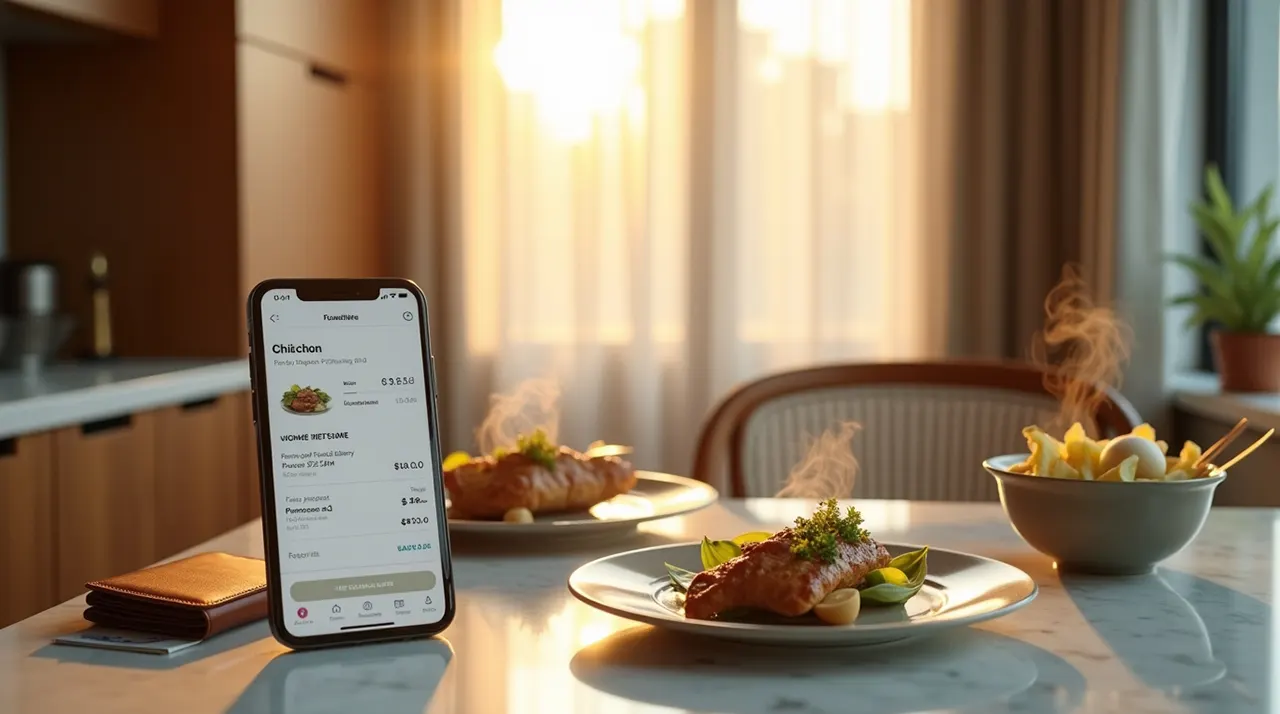
Save Money on Food Delivery
Share
Facebook Twitter Pinterest Email
Published on: 16/12/2025 | Updated on: December 16, 2025

Cutting down the high costs of convenient food delivery is simple with the right strategies: compare app fees, hunt for exclusive promo codes, use referral credits, and maximize subscription benefits to make takeout affordable again.

Food delivery apps are a lifesaver when you’re busy, tired, or just craving a restaurant meal at home. The problem? Delivery fees, service charges, and tips can quickly turn a budget-friendly dinner into a surprisingly expensive splurge. It’s frustrating to see a $15 meal cost $25 or more by the time it reaches your door.

Don’t worry—you don’t have to give up the convenience. As a seasoned industry analyst and foodie, I’ve tested every major app and found the best, most practical hacks to keep your takeout budget in check. This step-by-step guide will show you exactly how to save money on food delivery, giving you the power to enjoy your favorite meals without the guilt of overspending. Ready to order smarter? Let’s get started.

How can comparing food delivery apps save you money?

Checking multiple food delivery platforms is the single most effective way to save cash because the menu price, delivery fee, and service fee for the exact same restaurant and order can be different on each app. Before placing an order, take a minute to look at the total cost on major platforms like DoorDash, Uber Eats, and Grubhub. Many people forget that restaurants often set different base prices on each app to cover the high commission fees charged by the delivery services.

By comparing the final price—including all fees and taxes—you can easily find the cheapest option for that specific order. This small step can save you anywhere from $3 to $10 per order, which adds up fast. Always look at the full breakdown; sometimes a lower delivery fee is offset by a higher service charge.

Fee TypeWhat It IsSavings Tip
Delivery FeeA fixed or variable charge for the driver’s service. Often based on distance.Search for restaurants offering $0 delivery or use a subscription service.
Service FeeA percentage of the food subtotal that goes directly to the app for platform maintenance.This fee is harder to avoid, but often lower on the restaurant’s own ordering system.
Small Order FeeA fee added when your order total is below a minimum amount (e.g., $10).Add a small item like a drink or side to meet the minimum and avoid this charge.

Comparing apps takes seconds, but the payoff is immediate and ensures you are making a smart, cost-effective choice every time.

What are the best ways to find food delivery promo codes and discounts?

The easiest way to save money on food delivery is by aggressively seeking and using promo codes, especially first-time user and referral offers. All major apps, like Uber Eats and Grubhub, offer significant discounts to new customers to get them hooked on the service.

To maximize savings, rotate between apps to take advantage of these deals, and always check for daily or weekly promotions listed directly within the app’s banner section. For regular users, subscribe to the app’s email newsletter; they frequently send out exclusive discounts, especially around holidays or slow ordering times. Also, don’t forget the power of “re-engagement” codes; if you stop using an app for a few weeks, it will often send you a personalized offer, like 20% off your next order, to win you back.

  • First-Time User Codes: Get $5 to $15 off your first order on a new platform.
  • Referral Bonuses: Send your unique link to a friend and get a credit (e.g., $10) when they place their first order.
  • Email and Push Notifications: Turn on app notifications for limited-time offers and flash sales, such as “Free Delivery Friday.”
  • Credit Card Perks: Many credit cards, particularly premium ones, offer monthly or annual credits for specific delivery services (The Points Guy has great comparisons).

Becoming a coupon master is your fast track to making food delivery a sustainable part of your budget, not a costly luxury.

Are food delivery subscription services worth the cost?

Food delivery subscription services, like DoorDash’s DashPass or Uber Eats Pass, are absolutely worth the cost if you order takeout more than twice a month. These memberships offer unlimited $0 delivery fees on eligible orders and often reduce the service fee, paying for themselves quickly. For example, if your average delivery fee is $5, and you order three times a month, you spend $15 just on delivery fees; a subscription costing $9.99 per month saves you $5 and gives you access to exclusive member deals.

The key is to track your usage and make sure the savings from waived fees exceed the monthly membership cost. Many credit cards or wireless providers include a free or discounted delivery subscription as a perk, so always check if you already qualify before paying. This is a smart way to lock in the lowest possible cost per delivery.

How can I order strategically to reduce food delivery costs?

The best way to save on delivery costs is to change when and how much you order, moving away from impulsive, single-meal transactions. Ordering outside of peak meal times—like 4 PM or 9 PM—often means lower surge pricing and delivery fees, which fluctuate based on demand. Furthermore, focus on combining orders with friends, family, or roommates; splitting a single $7 delivery fee three ways is much cheaper than paying it alone.

You can also be strategic with the amount you order by choosing family-size portions or combo deals, which are typically a better value than ordering individual entrees. By ordering a slightly larger portion, you not only meet any minimum order requirements to avoid a small order fee but also get leftovers for a second, future meal, effectively cutting your cost per meal in half. Planning your meals ahead of time helps you take advantage of these savings and stop ordering out of sudden hunger.

Why is picking up my order so much cheaper than delivery?

Picking up your order, or opting for the “carryout” option, is the ultimate way to save money because it completely eliminates the two biggest costs: the delivery fee and the driver’s tip. When you choose pick up, you only pay for the cost of the food and the service fee (which is often lower or non-existent for pickup orders). Restaurants also prefer this, as they don’t pay a commission on the delivery portion, and their staff can manage the order directly.

For a short drive or walk, this can save you $8 to $15 per order, a massive difference in your monthly budget. If the restaurant is nearby, it’s a no-brainer to walk over and grab your order.

Why should I order directly from the restaurant instead of the app?

Ordering directly from a restaurant’s own website or app is a fantastic cost-saving hack because it bypasses the high commission fees charged by third-party services. To encourage direct business, many restaurants offer their own loyalty programs, unique coupons, and significantly lower (or $0) delivery fees compared to the major apps. For instance, a local pizza shop might charge a $2 delivery fee on their own site, but a $5 fee plus a 15% service charge on Uber Eats.

Additionally, the menu prices themselves are sometimes lower when you order direct, as the restaurant doesn’t need to inflate them to cover the 15-30% platform commission. Always check the restaurant’s own website for an “Order Online” button before opening your delivery app. You save money, and you are also giving the restaurant more profit, making it a win-win for everyone (CNBC Select highlights this benefit).

How does better budgeting help me save money on food delivery?

Smart budgeting and mindful ordering are the foundation for long-term savings, shifting food delivery from an uncontrolled expense to a planned treat. Start by setting a specific, non-negotiable monthly budget for all takeout and delivery orders, treating it like any other entertainment cost. This forces you to be more selective and less impulsive.

Use budgeting apps to track every order and categorize it as “Food Delivery” for a clear view of where your money is going. The emotional trigger for expensive delivery is often a lack of prepared food at home, so keep a stash of simple, quick-fix meals like frozen pizzas or easy-to-cook pasta. This simple strategy addresses the root cause of the overspending, making it easier to stick to your goal of saving money on food delivery.

FAQ: Your Top Questions on Saving Money on Takeout

Is it cheaper to order directly from the restaurant or use an app like DoorDash?

It is almost always cheaper to order directly from the restaurant. Restaurants pay high commission fees (up to 30%) to the apps, and they often pass some of that cost onto the customer through higher menu prices, service fees, or delivery fees on the app. Ordering direct removes these extra layers of cost.

How can I avoid the delivery fee on food apps?

You can avoid the delivery fee by either: 1) signing up for a subscription service like DashPass or Eats Pass, 2) choosing a restaurant that offers free delivery, 3) finding a promo code for free delivery, or 4) selecting the “pick up” or “carryout” option.

What is the best day or time to order food to get a discount?

The best times to order are usually outside of peak lunch (11:30 AM – 1:30 PM) and dinner (6:00 PM – 8:00 PM) hours. Ordering in the mid-afternoon (3 PM – 5 PM) or late at night (after 9 PM) often results in lower surge pricing and more frequent “off-peak” promotions or happy hour deals from restaurants.

Do I still need to tip if I have free delivery?

Yes, you should still tip. The “free delivery” only covers the platform’s delivery fee, which is a payment to the app. The tip is a separate, direct payment to your driver for their service and is their main source of income, regardless of the delivery fee status.

Is it cheaper to order a combo or a la carte items?

It is almost always cheaper to order a combo meal or a family-size option, as restaurants bundle these items at a discounted rate compared to ordering them individually (a la carte). Look for deals like “feed-a-family” or “lunch specials” to maximize your value.

Final Words: Take Control of Your Takeout Budget

Saving money on food delivery is not about giving up the convenience you enjoy; it’s about being an informed, strategic consumer. The secret to lowering the cost of “how to save money on food delivery” lies in making small, intentional choices—checking multiple apps, leveraging subscriptions, ordering during off-peak hours, and utilizing every available promo code. Start by implementing just one or two of these hacks on your very next order. You’ll quickly see your total cost drop, allowing you to enjoy your favorite meals from the comfort of home while keeping your budget perfectly balanced. Happy ordering!

Belayet Hossain
Belayet Hossain

Belayet Hossain is a Senior Tech Expert and Certified AI Marketing Strategist. Holding an MSc in CSE (Russia) and over a decade of experience since 2011, he combines traditional systems engineering with modern AI insights. Specializing in Vibe Coding and Intelligent Marketing, Belayet provides forward-thinking analysis on software, digital trends, and SEO, helping readers navigate the rapidly evolving digital landscape. Connect with Belayet Hossain on Facebook, Twitter, Linkedin or read my complete biography.

Share. Facebook Twitter Pinterest LinkedIn Tumblr Email

Recommened for You

Best AI 3d modeling tool 2026: Tripo vs Meshy vs Hyper Reviewed

25/02/2026

How to Switch from a Non-IT Job to a Business Analyst in 6 Months

24/02/2026

How to Get Verified on TikTok (2026): Requirements, Steps, and Real Criteria

15/02/2026

Personal Branding Mistakes: 7 Errors Sabotaging Your Career

09/02/2026

How to Build and Manage Remote Tech Projects in 2026

09/02/2026

Vexinat Smart RGB LED Corner Lamp Review: Pros, Cons & Setup Guide

05/02/2026
Leave A Reply Cancel Reply

This site uses Akismet to reduce spam. Learn how your comment data is processed.

BIG Discounts at Amazon !
Save 50.0% on select products from TECKNET with promo code F7E6Q3GE, through 2/16 while supplies last.
Save 50.0% on select products from KIGJU with promo code KIGJU150, through 2/20 while supplies last.
Latest Updates
  • Amazon My Account Guide: Login, Security & Order Management
  • Best AI 3d modeling tool 2026: Tripo vs Meshy vs Hyper Reviewed
  • How to Switch from a Non-IT Job to a Business Analyst in 6 Months
  • How to Get Verified on TikTok (2026): Requirements, Steps, and Real Criteria
  • Personal Branding Mistakes: 7 Errors Sabotaging Your Career
  • How to Build and Manage Remote Tech Projects in 2026
  • Vexinat Smart RGB LED Corner Lamp Review: Pros, Cons & Setup Guide
  • Dell Dual Monitor Setup: The Complete Guide to Two Screens
  • AI for Kids: Why AI Literacy Beats Expensive Schools
  • The AI Chip Supply Chain: NVIDIA, TSMC, and Global Risk
Subscribe for Updates
loader

Email Address*

First Name

Last Name

Top Reviews
Blog

5 Best Underwater Camera for Ice Fishing in 2026

The best underwater camera for ice fishing lets you see fish in real time, even…

4 Cost-Effective Smart Home Upgrades for Your Rental Unit

10/07/2024

Exploring the Topmost 5 Ultrasonic Parts Cleaner

27/05/2024

Boosting Social Media Management with Best Laptop for Social Media Manager

24/10/2023
Business Tech

Comprehensive Tutorial on Sending Bitcoin via Cash App

18/02/2024

Building Bridges for Seamless Cross-Chain Connectivity

25/01/2024

Exploring Free CPT Code Lookup for Curious Minds

24/01/2024

Advancing Urgent Care and Internal Medicine Billing Services in 2026

24/01/2024
All Categories
  • Accounting & Auditing (3)
  • Advertising & Marketing (11)
  • Affiliate Marketing (26)
  • Agriculture & Forestry (1)
  • Android (21)
  • Apple (32)
  • Apps (24)
  • Aquaculture (1)
  • Autos & Vehicles (1)
  • Beaches & Islands (1)
  • Billing & Invoicing (3)
  • Blog (1,697)
  • Blogging (17)
  • Business (202)
  • Business & Industrial (33)
  • Business & Productivity Software (11)
  • Business Operations (11)
  • Business Services (8)
  • Business Travel (1)
  • Camera (9)
  • Chemicals Industry (1)
  • Cloud Storage (3)
  • Coatings & Adhesives (1)
  • Colleges & Universities (1)
  • Computer Drives & Storage (3)
  • Computer Hardware (9)
  • Computer Peripherals (2)
  • Computer Science (2)
  • Computer Security (10)
  • Computer Servers (1)
  • Computers & Electronics (65)
  • Consumer Electronics (17)
  • Consumer Resources (2)
  • Content (51)
  • Crypto (106)
  • Currencies & Foreign Exchange (16)
  • Customer Services (1)
  • Data Management (7)
  • Data Science (6)
  • Desk Accessories (1)
  • Desk Productivity Tech (2,250)
  • Desktop (6)
  • Development Tools (2)
  • Digital Culture (1)
  • Digital Marketing (173)
  • Domain & Hosting (27)
  • E-Commerce Services (4)
  • Earn money (1)
  • Editing & Writing Services (4)
  • Editor's Choice (1)
  • Education (3)
  • Education (2)
  • Educational Software (1)
  • Electronic Accessories (2)
  • Electronic Components (2)
  • Electronic Spam (1)
  • Electronics & Electrical (4)
  • Electronics Repair (16)
  • Email & Messaging (2)
  • Engineering & Technology (1)
  • Enterprise Technology (11)
  • Ergonomics & Comfort (1)
  • ERP (1)
  • Finance (19)
  • Food delivery (3,457)
  • Gadget (58)
  • Graphic Design (13)
  • HealthTech (2)
  • Helpdesk & Customer Support Systems (1)
  • Home Automation (3)
  • Hospitality Industry (1)
  • Hotels & Accommodations (1)
  • How-To (8)
  • Human Resources (4)
  • Identity Theft Protection (1)
  • Internet & Telecom (22)
  • Internet Software (3)
  • Investing (16)
  • iPad (6)
  • iPhone (15)
  • iPhone Reviews (2)
  • IT Careers (2)
  • Java (1)
  • Jobs & Education (5)
  • Keyboards (2)
  • Laptop (9)
  • Laptops & Notebooks (3)
  • Latest Posts (2)
  • Linux (3)
  • Machine Learning & Artificial Intelligence (5)
  • Make Money (25)
  • Management (5)
  • Marketing (17)
  • Mathematics (1)
  • Medical Devices & Equipment (1)
  • Metals & Mining (1)
  • Metaverse (1)
  • Mobile & Smartphones (1,576)
  • Monitor Stand (1)
  • Monitoring Software (1)
  • More (72)
  • Multimedia Software (1)
  • Multimedia Software (3)
  • Network Security (10)
  • Networking (10)
  • Networking Equipment (1)
  • Online Communities (1)
  • Open Online Courses (1)
  • Operating Systems (1)
  • Operating Systems (1)
  • Outsourcing (1)
  • Packaging (1)
  • Power Supplies (2)
  • Printing & Publishing (1)
  • Programming (58)
  • Retail Equipment & Technology (1)
  • Reviews (47)
  • Robotics (2)
  • Science (5)
  • Scripting Languages (1)
  • Search Engine Optimization & Marketing (9)
  • Security (39)
  • Senior Living & Care Technology (1)
  • SEO (89)
  • Shipping & Logistics (6)
  • Shopping (2)
  • Social Media (71)
  • Social Networks (1)
  • Software (121)
  • Specialty Travel (1)
  • Statistics (1)
  • Tablet (2)
  • Tech News (15)
  • Tech Reviews (2)
  • Tech support (77)
  • Technology (2,340)
  • Text & Instant Messaging (1)
  • Tools (3)
  • Tourist Destinations (1)
  • Training & Certification (1)
  • Travel & Transportation (4)
  • TV & Video Equipment (2)
  • Vacation Rentals & Short-Term Stays (1)
  • Vehicle Codes & Driving Laws (1)
  • Vehicle Licensing & Registration (1)
  • Video (3)
  • Vocational & Continuing Education (1)
  • Warehousing (1)
  • Web Design (40)
  • Web Design & Development (9)
  • Web services (19)
  • Windows (19)
  • Windows Phone (3)
  • WordPress (12)
  • Writers Resources (10)
Navigation
  • Blog
  • Subscribe now
  • Write For Us | Become A Contributor
  • Our Partners
  • Affiliate Disclaimer
  • Contact us
About Us
About Us

IT Phobia is a comprehensive technology media hub and digital solutions provider. We deliver expert insights across SEO, Web Development, Crypto, and Digital Marketing while offering in-depth troubleshooting guides for Android, Windows, and Enterprise Tech. From the latest industry news to actionable tutorials, we empower businesses and tech enthusiasts to navigate the digital landscape with confidence.

Email Us: admin@itphobia.com

Learn More About Us

Get Tech Tips Straight to Your Inbox
loader

Email Address*

First Name

Last Name

© 2015 - 2026 IT Phobia. All Rights Reserved.
  • Home
  • Tech Blogs Trending Now!
  • Write For Us | Become A Contributor
  • Privacy Policy
  • Terms of use

Type above and press Enter to search. Press Esc to cancel.