


Published on: 27/10/2025 | Updated on: October 27, 2025
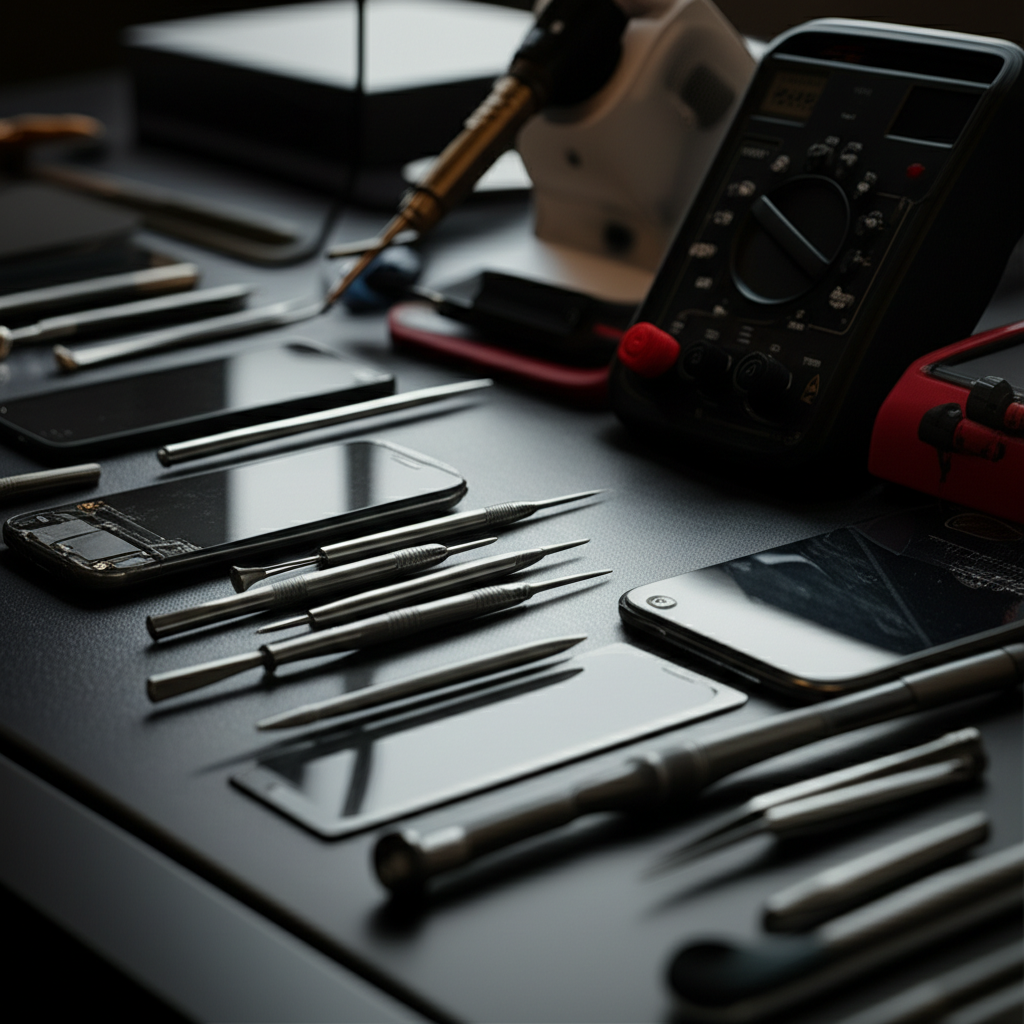
Mastering cell phone repair starts with the right cell phone repair shop tools. From precision screwdrivers to advanced diagnostic equipment, this guide covers the essential and genius gear every repair technician needs to succeed. Learn what tools are critical for efficient, accurate, and safe device repairs, ensuring customer satisfaction and business growth.
Dropping your phone feels like a mini disaster. Cracked screens and unresponsive buttons are common frustrations for everyone. But what happens when these gadgets need fixing? Skilled technicians use special tools to bring them back to life. This guide will walk you through the most important cell phone repair shop tools. We’ll explore everything from basic kits to advanced gadgets that make repairs easier and faster. Get ready to learn about the gear that powers the world of smartphone repair.
Why the Right Cell Phone Repair Shop Tools Matter
Having the correct cell phone repair shop tools is crucial for effective and safe repairs. Using the wrong tools can damage delicate components, leading to more costly repairs or even making a phone unfixable. Professionals need specialized equipment to handle the small, intricate parts inside modern smartphones. This ensures every repair is done with precision and care, building trust with customers.
The right tools help technicians work faster and more accurately. This efficiency is key for running a successful repair business. It also means customers get their phones back sooner, which is always a good thing. Investing in quality cell phone repair shop tools is an investment in your business and its reputation.
The Foundation: Essential Hand Tools

Every cell phone repair shop needs a solid set of basic hand tools. These are the workhorses that handle most common repairs. They might seem simple, but their quality makes a big difference. Precision is key when dealing with tiny screws and fragile connectors found in phones.
A good set includes various screwdrivers. These are often magnetized to help hold tiny screws. You’ll also need spudgers and pry tools for safely opening phone casings without scratching them. Tweezers are essential for manipulating small wires and components.
Precision Screwdriver Set: Look for sets with multiple magnetic bits, including Phillips, Torx, and Pentalobe (for iPhones).
Spudgers and Pry Tools: Made from plastic or nylon to avoid damaging phone bodies.
Anti-static Tweezers: For handling delicate flex cables and small parts.
Suction Cup: To lift screens or back panels gently.
Opening Picks: Thin plastic tools to slice through adhesive seals.
These foundational tools allow technicians to disassemble and reassemble phones with confidence. They are the first step in any repair process, setting the stage for more complex tasks. Without these, even simple repairs become a significant challenge.
Screwdrivers: The Tiny Titans of Repair
Screwdrivers are perhaps the most critical hand tool for any cell phone repair shop. Modern phones use a variety of tiny screw types, and a standard screwdriver set won’t cut it. You need specialized precision screwdrivers with magnetic tips. These tips help prevent screws from falling into the phone’s internal workings, which can be a nightmare to retrieve.
The most common types include Phillips (PH000, PH00), Torx (T2, T3, T4, T5, T6), and Pentalobe (P2, P5) for iPhones. A good set will have interchangeable bits to cover most phone models. Investing in high-quality, durable screwdrivers ensures they won’t strip screws, a common and frustrating problem.
Pry Tools and Spudgers: Gentle Persuasion
Opening a smartphone without causing damage requires the right prying tools. These are typically made from plastic or nylon, which are softer than metal and less likely to scratch or gouge the phone’s casing. Spudgers have flat ends for prying and pointed ends for manipulating small connectors. Opening picks are thin, flexible pieces that can slide into tight gaps to break adhesive seals.
These tools allow technicians to safely separate phone components, like the screen from the frame, without bending or breaking delicate plastic clips. Proper use of these tools is essential for maintaining the aesthetic integrity of the device. It’s all about applying just enough force to open without causing harm.
Heating Tools: Melting the Adhesive Glue
Many modern smartphones are sealed with strong adhesive to keep out dust and water. To open these devices safely, technicians often need to apply heat. This softens the adhesive, making it easier to pry the phone apart. Using the right heating tool is crucial to avoid overheating and damaging internal components like the battery or screen.
There are several types of heating tools available for cell phone repair. Each has its pros and cons, but they all serve the same purpose: controlled heat application. Understanding how to use them effectively is a vital skill for any repair technician. It prevents damage and makes the repair process much smoother.
Heat Gun: Offers adjustable temperature and airflow, but requires careful use to avoid overheating.
Heating Pad/Mat: Provides consistent, even heat across a larger area, often preferred for its safety.
Heating Blower: Similar to a heat gun but often smaller and more precise.
The key is to apply heat gently and evenly around the edges of the phone. This allows the adhesive to soften without damaging the internal electronics. Always monitor the temperature to ensure it stays within safe limits for the device.
Choosing the Right Heat Source
For most common repairs, a dedicated heating pad or mat is an excellent choice. These devices provide a stable, even temperature, minimizing the risk of hot spots that could damage the phone. They are relatively safe and easy to use, making them ideal for both beginners and experienced technicians.
A heat gun offers more power and control, which can be useful for more stubborn adhesives or when speed is important. However, they require more skill to operate safely. It’s easy to apply too much heat with a heat gun, potentially damaging the battery or display. If you use a heat gun, always start on a low setting and increase it gradually, keeping it moving.
Magnification and Lighting: Seeing the Unseen
The components inside a smartphone are incredibly small. To work on them effectively, good magnification and lighting are absolutely essential. Trying to repair tiny circuits or replace minute screws without proper visibility is a recipe for errors. Technicians need tools that let them see every detail clearly.
Magnifying lamps are a staple in any repair workstation. They combine a bright light source with a magnifying lens, allowing you to see intricate details up close. Some lamps have adjustable arms and heads for perfect positioning. This ensures comfort and accuracy during long repair sessions.
Magnifying Lamp: A desk-mounted lamp with a built-in magnifying glass.
Head-mounted Magnifiers: Magnifying glasses worn on the head, offering hands-free magnification.
Microscope: For highly detailed work on circuit boards, though less common for basic repairs.
Good lighting prevents eye strain and reduces the chance of mistakes. When you can see exactly what you’re doing, your repairs will be more precise and successful. This is especially important for micro-soldering or working with very small connectors.
Illuminating the Workspace
Beyond magnification, adequate lighting is crucial. A well-lit workspace reduces shadows and glare, making it easier to see components. LED lamps are often preferred for their brightness and energy efficiency. Many magnifying lamps also incorporate powerful LED lights.
Positioning the light source correctly is also important. It should illuminate the work area directly without causing glare on the screen or components. This allows for accurate identification of parts and clear visibility of solder joints or connections. A good setup means less squinting and more successful repairs.
Diagnostic Tools: Pinpointing the Problem
Before you can fix a phone, you need to know what’s wrong with it. Diagnostic tools help technicians quickly identify hardware and software issues. This saves time and prevents unnecessary part replacements. A good diagnostic process ensures you address the root cause of the problem.
Software diagnostic tools can check battery health, screen responsiveness, and sensor functionality. Hardware testers can verify if specific components, like the charging port or speakers, are working correctly. These tools are invaluable for providing accurate quotes and explaining issues to customers.
Diagnostic Software: Apps or programs that test various phone functions.
Battery Testers: Measure battery health and performance.
Multimeters: Measure electrical properties like voltage and resistance, useful for checking power issues.
USB Testers: Check power delivery and data transfer speeds for charging ports.
Using diagnostic tools upfront streamlines the repair process. It allows technicians to be more confident in their diagnosis and the parts they need to order. This accuracy builds customer trust and leads to better repair outcomes.
Software Diagnostics: The First Step
Many common phone issues can be diagnosed using software. Built-in diagnostic tools on phones themselves can often reveal problems with the screen, speakers, or microphones. Third-party diagnostic apps can provide more detailed reports on battery health, CPU performance, and network connectivity. These are often the first tools a technician will use.
These software checks can quickly confirm if a problem is hardware-related or a simple software glitch. For instance, a software test might reveal a touchscreen issue that requires a screen replacement. This information is vital for guiding the repair strategy. It helps avoid opening the phone unnecessarily.
Specialized Tools for Specific Repairs
While basic tools handle many repairs, some jobs require specialized equipment. For instance, screen replacements often involve dealing with strong adhesives and delicate cables. Similarly, battery replacements need careful handling to avoid damage. Having the right specialized tools makes these complex tasks manageable.
These tools are designed for specific operations, making them more efficient and safer. They address the unique challenges presented by different phone models and repair types. Investing in a few key specialized tools can significantly broaden the range of repairs you can offer.
Screen Replacement Kits: Often include specific jigs, alignment frames, and specialized adhesive.
Battery Tools: Prying tools designed to safely remove batteries without puncturing them.
ESD (Electrostatic Discharge) Protection: Mats, wrist straps, and smocks to prevent static damage.
Soldering Station: For micro-soldering repairs on circuit boards.
Component Testing Fixtures: To test individual components like screens or batteries before installation.
These specialized tools are not always necessary for every shop, but they become critical as you handle more advanced repairs. They represent an upgrade in capability and professionalism. They allow for repairs that might otherwise be impossible.
Handling Delicate Displays and Batteries
Replacing a cracked smartphone screen is one of the most common repairs. This often involves carefully removing the old screen, which is usually glued in place. Specialized jigs and frames help align the new screen perfectly, ensuring a clean fit. Tools designed for lifting and separating screens are also vital to prevent damage to the display itself.
Battery replacements require extreme caution. Lithium-ion batteries can be dangerous if punctured or mishandled. Specialized battery removal tools, like thin, flexible spatulas, help lift batteries safely without damaging their casing. It’s always best to follow manufacturer guidelines and use tools designed for battery work.
Cleaning and Organization: The Unsung Heroes
A clean workspace and organized tools are just as important as the tools themselves. Dust and debris can get into phone components during repair, causing issues. Organized tools mean you can find what you need quickly, saving time and reducing frustration. Good organization also reflects professionalism to your customers.
Cleaning supplies are essential for removing old adhesive, fingerprints, and dust. Isopropyl alcohol (90% or higher) is commonly used for cleaning. Microfiber cloths are perfect for wiping surfaces without scratching. Anti-static brushes help remove dust from sensitive components.
Isopropyl Alcohol (99%): For cleaning adhesive residue and grime.
Microfiber Cloths: Lint-free cloths for cleaning screens and components.
Anti-static Brushes: For dusting sensitive electronic parts.
Compressed Air: To blow away dust from hard-to-reach areas.
Tool Organizers: Trays, magnetic mats, and cases to keep parts and tools sorted.
Maintaining a tidy repair bench isn’t just about looks. It directly impacts the quality and efficiency of your repairs. A well-organized shop minimizes the risk of losing small parts or cross-contaminating components. It’s a sign of a meticulous technician.
Keeping Your Workspace Tidy
A magnetic project mat is a game-changer for organizing small screws and parts. You can place screws on the mat, and they’ll stay put, preventing them from rolling away. Labeling parts and compartments also helps immensely, especially when disassembling complex devices. Good labeling ensures everything goes back in the right place.
Using drawer organizers or small bins for different types of screws, cables, and components is highly recommended. This systematic approach saves significant time during reassembly. It also reduces the chances of using the wrong screw in the wrong hole, which can cause damage.
ESD Protection: Safeguarding Delicate Electronics
Modern smartphones contain sensitive electronic components that can be easily damaged by static electricity. Electrostatic Discharge (ESD) is an invisible threat that can cause immediate failure or latent damage to circuits. Therefore, proper ESD protection is non-negotiable for any cell phone repair shop. It’s a critical safety measure.
An ESD-safe workstation includes an anti-static mat, a wrist strap, and sometimes ESD-safe tools. The wrist strap connects you to the mat, grounding you and preventing static buildup. This protects the phone’s internal components from harmful discharges. It’s a small investment that can save costly repairs.
Anti-static Mat: Creates a static-free work surface.
ESD Wrist Strap: Grounds the technician to the mat.
ESD-safe Tools: Tools made from materials that do not generate static.
Ionizer: Neutralizes static charges in the air.
Without proper ESD protection, even experienced technicians risk damaging components. This can lead to phones that don’t work correctly after repair, or fail later on. Implementing ESD safety protocols is a hallmark of a professional repair service. It’s about preventing damage before it happens.
The Importance of Grounding
The primary goal of ESD protection is to keep both the technician and the device at the same electrical potential. When you wear an ESD wrist strap connected to an anti-static mat, any static electricity you might generate is safely channeled away. This prevents a sudden, damaging discharge from reaching the sensitive circuitry of the phone. Think of it like safely draining water instead of letting it overflow.
This simple grounding process is vital for working with any modern electronic device. The smaller and more complex the components, the more vulnerable they are to ESD. Ensuring your workspace is properly equipped for ESD protection is a fundamental step in professional repair. It demonstrates a commitment to quality and device longevity.
Advanced Tools and Future Tech
As technology advances, so do the tools used for cell phone repair. Beyond the basics, there are advanced tools that can handle more complex diagnostics and repairs. These tools often leverage newer technologies to improve accuracy and efficiency. Staying updated with these innovations is key for a forward-thinking repair shop.
Automated testing equipment and specialized jigs are becoming more common. For example, screen calibrators ensure new displays function perfectly. Advanced soldering stations allow for micro-component repair. Some shops even use 3D printers to create custom tools or replacement parts.
Screen Testers: Verify the functionality of new screens before installation.
Automated Testers: Run comprehensive diagnostic checks automatically.
Reballing Stations: For repairing faulty graphics chips or processors on motherboards.
* UV Curing Lamps: For quickly setting specialized adhesives used in screen repairs.
These advanced cell phone repair shop tools allow technicians to tackle more challenging repairs. They can extend the lifespan of devices and offer more comprehensive services. Keeping an eye on emerging repair technologies can give a business a competitive edge.
Embracing Technological Advancements
The smartphone repair industry is constantly evolving. New phone models come out with different designs and internal layouts. This means repair techniques and tools must also adapt. For instance, the increasing use of water resistance seals means specialized tools for breaking and re-applying these seals are becoming more important.
Investing in advanced diagnostic software and hardware testers can significantly improve a repair shop’s capabilities. These tools can often diagnose issues that are not apparent through basic checks. This leads to more accurate repairs and higher customer satisfaction. It also allows businesses to offer services that competitors cannot.
FAQ: Your Cell Phone Repair Tool Questions Answered
What are the most crucial cell phone repair shop tools for beginners?
For beginners, focus on a good precision screwdriver set, plastic pry tools (spudgers, opening picks), a reliable suction cup, and an ESD wrist strap. These are the essential tools for safely opening phones and handling basic repairs like screen or battery replacements. Good lighting is also very important.
Do I need a heat gun or a heating pad for phone repairs?
A heating pad is generally safer and provides more even heat, ideal for beginners. A heat gun offers more power but requires careful handling to avoid damaging components. For most common repairs, a good heating pad is sufficient and less risky.
How important is ESD protection in a cell phone repair shop?
ESD protection is extremely important. Static electricity can easily damage sensitive internal components of smartphones, leading to malfunctions. An anti-static mat and wrist strap are crucial to prevent this damage and ensure successful repairs.
Can I use regular household tools for phone repair?
No, regular household tools are usually too large and not precise enough for phone repair. They can easily scratch or damage the phone’s delicate casing and internal parts. Specialized precision tools are designed for the small screws and components found in smartphones.
What tools are needed for screen replacement specifically?
For screen replacement, you’ll need your basic toolkit plus a suction cup to lift the screen, opening picks to separate it from the frame, and potentially a heating tool to soften adhesive. Specialized screen alignment jigs can also be very helpful for ensuring a perfect fit of the new screen.
Are there any tools that can diagnose phone problems automatically?
Yes, there are advanced diagnostic tools and software available. These can automate the process of testing various phone functions like the screen, battery, cameras, and sensors. This speeds up the diagnosis process and improves accuracy.
Conclusion: Gear Up for Success in Cell Phone Repair
Equipping your cell phone repair shop with the right tools is fundamental to providing efficient, accurate, and safe repairs. From the foundational precision screwdrivers and pry tools to specialized heating devices and crucial ESD protection, each piece of gear plays a vital role. Investing in quality cell phone repair shop tools not only enhances your capabilities but also builds customer trust and ensures the longevity of the devices you service.
As technology continues to advance, so will the tools required for smartphone repair. By staying informed and equipping yourself with the essential and innovative gear, you’ll be well-prepared to tackle any challenge. Mastering the use of these cell phone repair shop tools is your direct path to becoming a highly skilled and sought-after technician.

Belayet Hossain is a Senior Tech Expert and Certified AI Marketing Strategist. Holding an MSc in CSE (Russia) and over a decade of experience since 2011, he combines traditional systems engineering with modern AI insights. Specializing in Vibe Coding and Intelligent Marketing, Belayet provides forward-thinking analysis on software, digital trends, and SEO, helping readers navigate the rapidly evolving digital landscape. Connect with Belayet Hossain on Facebook, Twitter, Linkedin or read my complete biography.