


Published on: 29/10/2025 | Updated on: October 29, 2025
Cheap iPhone Repair: Proven, Affordable Solutions for Your Cracked Screen and Dying Battery
Don’t let a broken iPhone drain your wallet! This guide reveals the most affordable and trustworthy ways to fix your iPhone, from cracked screens to battery issues. We’ll explore DIY tricks, budget-friendly shops, and smart ways to save money. Get your iPhone working like new without overspending.
So, your iPhone has a cracked screen, a battery that dies too fast, or maybe a button that just won’t work anymore. It happens to the best of us! Seeing that familiar Apple logo on a damaged screen can be frustrating, and the thought of an expensive repair bill can be even worse. But what if I told you that getting your iPhone fixed doesn’t have to cost a fortune? I’ve spent years testing gadgets and looking into repair options, and I’ve found some truly effective and budget-friendly ways to solve these common iPhone problems. We’ll go through everything from understanding the costs to finding the best deals. Let’s get your iPhone back in top shape without breaking the bank!
Why iPhone Repairs Can Seem So Expensive
Apple’s official repair services are known for quality, but they often come with a high price tag. This is usually because they use genuine Apple parts and certified technicians. For many, especially those with older iPhone models, the cost of an official repair can be close to buying a new, budget-friendly phone. This pushes people to look for cheaper alternatives.
Understanding Common iPhone Issues and Their Costs
Most iPhone repairs stem from a few common problems. Cracked screens and worn-out batteries are the most frequent. Other issues include problems with charging ports, cameras, or speakers. The cost varies greatly depending on the iPhone model and the severity of the damage.
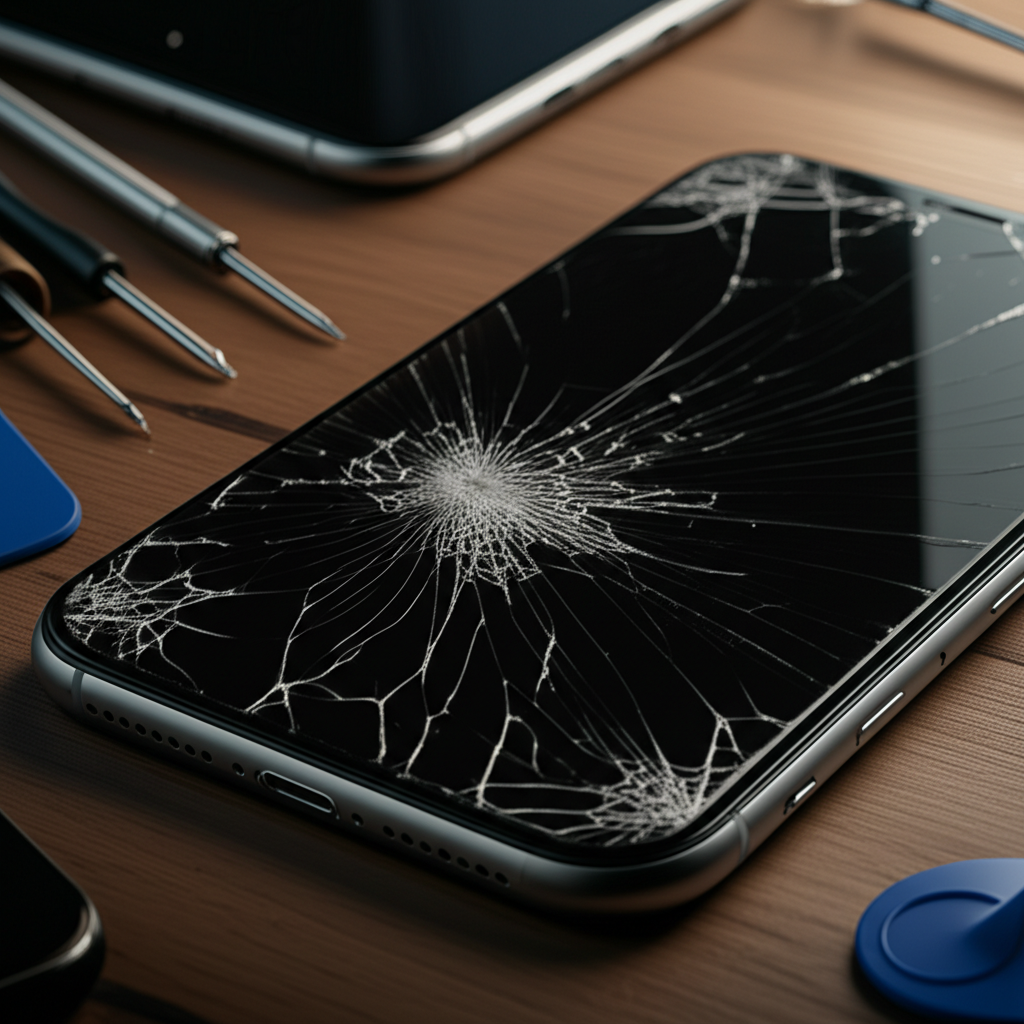
Cracked Screen: This is the most common issue. Costs can range from $100 to over $300 for official repairs, depending on the model.
Battery Replacement: As batteries age, they hold less charge. Official replacements can cost $50 to $80.
Charging Port Issues: A faulty charging port can prevent your phone from charging. Repairs might cost $50 to $150.
Water Damage: This is often the most expensive and unpredictable repair. It can range from $150 to over $600.
Exploring Affordable iPhone Repair Options
When you need a cheap iPhone repair, you have several avenues to explore beyond the official Apple Store. Each option has its own benefits and potential drawbacks, so it’s important to weigh them carefully based on your needs and budget.
Third-Party Repair Shops: The Budget-Friendly Choice

Independent repair shops can offer significant savings compared to Apple. Many use high-quality aftermarket parts that perform very similarly to original ones. You can often find these shops in local strip malls or as standalone businesses.
Pros: Lower prices, faster turnaround times, often convenient locations.
Cons: Part quality can vary, may void Apple warranty (if still active), less standardized training for technicians.
When choosing a third-party shop, look for ones with good reviews online. Check their websites or ask them about the type of parts they use. A reputable shop will be transparent about this. Many offer warranties on their repairs, which is a good sign of their confidence in their work.
Apple’s Out-of-Warranty Repairs: A Middle Ground
If your iPhone is no longer under warranty, Apple offers out-of-warranty repairs. These are typically less expensive than if you had accidental damage covered by AppleCare+, but still more than most third-party options. They use genuine parts and maintain Apple’s quality standards.
Pros: Genuine Apple parts, certified technicians, preserves phone integrity.
Cons: Can still be pricey, may require mailing your device in, longer repair times.
This option is a good choice if you want the peace of mind that comes with official service but can’t justify the full AppleCare+ cost for an older device. You can get a repair estimate directly from Apple’s website.
Insurance and Warranty Claims: Check Your Coverage First
Before paying for any repair, always check if you have existing coverage. Some credit cards offer extended warranties or accidental damage protection on electronics purchased with them. If you have AppleCare+ or another third-party insurance plan, a repair might be covered or have a much lower deductible.
Pros: Can significantly reduce or eliminate repair costs.
Cons: May have deductibles, claim processes can take time, coverage limitations.
It’s always worth a quick call to your credit card company or insurance provider to see what options are available. This simple step can save you a lot of money.
DIY iPhone Repair: For the Brave and Resourceful
For the technically inclined, a DIY repair can be the cheapest iPhone repair option. Kits are available online with all the tools and parts you need. However, this path requires patience and precision.
When DIY Makes Sense
DIY repair is best for simple fixes like battery replacement or screen repair on older models. If you’re comfortable with small electronics and follow instructions carefully, you can save a lot of money. Websites like iFixit offer detailed guides and quality parts.
Pros: Lowest cost, sense of accomplishment, learn about your device.
Cons: High risk of further damage if done incorrectly, can void any remaining warranty, requires specialized tools.
Before attempting a DIY repair, watch video tutorials of the process. This will give you a realistic idea of the difficulty and the steps involved.
Essential Tools for DIY iPhone Repair
You’ll need a specific set of tools to tackle most iPhone repairs. These usually include:
Precision Screwdriver Set: For the tiny screws inside the iPhone.
Prying Tools: To safely separate iPhone components.
Suction Cup: To lift the screen.
Tweezers: For handling small parts.
Spudger: A non-conductive tool for disconnecting cables.
You can buy these as part of a repair kit. Always ensure the kit is designed for your specific iPhone model.
Finding Reputable Independent Repair Shops
Not all third-party repair shops are created equal. Finding a reliable one is key to getting a good cheap iPhone repair without compromising quality. Look for shops that specialize in iPhones and have a strong online presence.
What to Look For in a Repair Shop
When researching local shops, pay attention to:
Online Reviews: Check Google, Yelp, and other platforms for customer feedback.
Warranty: Do they offer a warranty on parts and labor?
Parts Quality: Ask if they use OEM (Original Equipment Manufacturer) parts or high-quality aftermarket ones.
Technician Experience: Inquire about their technicians’ training and experience.
Transparency: A good shop will be upfront about costs and the repair process.
A shop that offers a warranty on their work is usually a good indicator of quality service. This protects you if something goes wrong after the repair.
Comparing Prices and Services
Don’t settle for the first shop you find. Call around or check websites for price quotes for your specific repair. This allows you to compare costs and services. Some shops might offer a discount if you mention finding them through an online search.
Example Price Comparison (Hypothetical for iPhone 11 Screen Repair):
| Service Provider | Estimated Cost | Warranty Included | Genuine Parts | Turnaround Time |
| :———————— | :————- | :—————- | :———— | :————– |
| Apple Store | $199 | Yes | Yes | 3-5 business days |
| Reputable Third-Party Shop A | $120 | 90 days | Aftermarket | 1-2 business days |
| Local Independent Shop B | $100 | 30 days | Aftermarket | Same-day |
This table shows how prices can vary significantly. Always ask for specifics about the parts and warranty offered.
The Role of Used and Refurbished iPhones
Sometimes, the cheapest solution isn’t repairing an old phone but buying a pre-owned one. Used iPhones, especially older models, can be found at very low prices. Refurbished iPhones offer an even better value, as they’ve been inspected, repaired (if necessary), and cleaned.
Where to Find Quality Used and Refurbished iPhones
Look for reputable sellers like Apple Certified Refurbished, Amazon Renewed, or well-known electronics resellers. Buying from these sources usually provides a warranty and a guarantee of quality. Avoid buying from unknown individuals on auction sites without any buyer protection.
Pros: Significant cost savings, environmentally friendly, often come with a warranty.
Cons: Battery health might be lower than new, cosmetic imperfections possible, older models may not support the latest software updates.
Refurbished iPhones can be a fantastic way to get a premium device at a fraction of the original cost. They are a great alternative if your current iPhone repair costs are approaching the price of a replacement.
Checking iPhone Condition Before Buying Used
When buying a used iPhone, always check its condition thoroughly. Look for:
Physical Damage: Scratches, dents, or cracks on the screen and body.
Battery Health: Go to Settings > Battery > Battery Health to check the maximum capacity. Aim for 80% or higher.
Functionality: Test the screen, buttons, cameras, speakers, and charging port.
Activation Lock: Ensure the phone is not locked to a previous owner’s Apple ID.
A quick inspection can save you from buying a lemon. If possible, ask the seller for recent photos or videos of the phone working.
Software Glitches: The Easiest and Cheapest Fixes
Before you even consider a hardware repair, make sure the problem isn’t software-related. Many common iPhone issues, like freezing, slow performance, or app crashes, can be fixed with simple software troubleshooting. These fixes are free and can be done at home.
Restarting Your iPhone: The Universal Fix
The first and simplest step is often a restart. This clears temporary glitches and refreshes the system. For most iPhones, press and hold the side button and either volume button until the slider appears, then drag the slider. For older models, press and hold the top or side button until the slider appears.
Updating iOS: Keeping Your iPhone Healthy
Apple regularly releases iOS updates that include bug fixes and performance improvements. Ensure your iPhone is running the latest version of iOS. Go to Settings > General > Software Update. A software update can often resolve issues that seem like hardware problems.
Resetting Settings and Network Settings
If your iPhone has connectivity issues (Wi-Fi, Bluetooth), resetting network settings can help. Go to Settings > General > Transfer or Reset iPhone > Reset > Reset Network Settings. This will erase all saved Wi-Fi passwords and Bluetooth pairings, so you’ll need to set them up again. You can also reset all settings without erasing your data.
Protecting Your iPhone to Avoid Future Repairs
The best way to get a cheap iPhone repair is to avoid needing one in the first place! Investing in protective accessories and practicing good habits can significantly extend your iPhone’s lifespan and keep it in good condition.
The Importance of a Good Case and Screen Protector
A sturdy case and a quality screen protector are your first line of defense against drops and scratches. Cases absorb impact, while screen protectors shield the display. These are relatively inexpensive compared to screen repair costs.
Cases: Look for cases with raised edges to protect the screen and camera. Materials like TPU and polycarbonate offer good shock absorption.
Screen Protectors: Tempered glass protectors offer the best protection against cracks and scratches. They are designed to shatter before your iPhone’s screen does.
I personally always use a tempered glass screen protector and a durable case on my iPhones. It’s a small investment that has saved me from countless costly repairs.
Battery Care for Longevity
To keep your iPhone’s battery healthy longer, follow these tips:
Avoid Extreme Temperatures: Don’t leave your iPhone in very hot or very cold conditions.
Optimize Charging: Avoid draining your battery to 0% or charging it to 100% constantly. Aim to keep it between 20% and 80%.
* Use Optimized Battery Charging: This iOS feature learns your daily charging routine and waits to finish charging past 80% until you need it. Find it in Settings > Battery > Battery Health.
Proper battery care can significantly slow down battery degradation, delaying the need for a replacement.
When to Call It Quits: Repair vs. Replace
There comes a point where repairing an old iPhone might not be cost-effective. If the repair cost is more than half the price of a new or significantly better used model, it’s usually time to consider upgrading.
Assessing the Cost-Benefit of Repair
Calculate the total cost of repair. Then, research the price of a newer iPhone model or a good quality refurbished device. If the repair cost is a large percentage of a replacement device’s price, replacement might be the smarter long-term financial decision.
Consider the age of your iPhone. Older models may no longer receive the latest iOS updates, limiting their functionality and security. Repairing a very old phone might not be worth it if it’s nearing its end-of-life for software support.
The Environmental Impact of Repairing
Repairing electronics is a more sustainable choice than constantly buying new devices. It reduces e-waste and conserves the resources needed to manufacture new phones. Choosing to repair your iPhone, even if it costs a bit more than replacing it, contributes to a healthier planet. Organizations like the iFixit advocacy page highlight the importance of repairability.
Frequently Asked Questions About Cheap iPhone Repair
Q1: Can I get a cheap iPhone repair at the Apple Store?
Apple Store repairs are generally not the cheapest option. They use genuine parts and offer certified service, which is pricier. You can explore out-of-warranty repairs for older models, but independent shops are usually more affordable for a cheap iPhone repair.
Q2: What’s the difference between an Apple repair and a third-party repair?
Apple uses genuine Apple parts and certified technicians, ensuring quality and maintaining your warranty. Third-party shops often use high-quality aftermarket parts and have their own warranties. Third-party repairs are typically less expensive and faster.
Q3: How do I know if a third-party repair shop is trustworthy?
Look for shops with excellent online reviews, clear pricing, and a warranty on their work. Ask about the quality of parts they use and the experience of their technicians. Reputable shops are transparent about their services.
Q4: Is it safe to buy a refurbished iPhone for a cheap replacement?
Yes, buying a refurbished iPhone from reputable sources like Apple Certified Refurbished or major retailers is usually safe. They are inspected, repaired, and often come with a warranty, offering good value at a lower cost than new.
Q5: What should I do if my iPhone is water damaged?
Do NOT try to turn it on or charge it. Turn it off immediately. Dry the exterior and then take it to a professional repair service as soon as possible. Water damage is complex and often requires specialized cleaning and part replacement.
Q6: Can I fix my iPhone screen myself?
Yes, if you are technically inclined and careful. You can buy DIY repair kits online. However, there’s a risk of causing further damage if you’re not experienced. Watch detailed video guides first and proceed with caution.
Conclusion: Smart Solutions for Your iPhone Woes
Finding a cheap iPhone repair doesn’t mean settling for poor quality. By understanding your options, from reputable independent shops and DIY kits to careful consideration of used devices, you can get your iPhone fixed affordably. Always start with simple software fixes and protective measures to prevent future issues. Remember, a little research goes a long way in finding the best value and ensuring your iPhone gets the care it needs without emptying your pockets.
Keep your iPhone running smoothly and affordably! If you found this guide helpful, consider subscribing for more tech tips and budget-friendly gadget advice.

Belayet Hossain is a Senior Tech Expert and Certified AI Marketing Strategist. Holding an MSc in CSE (Russia) and over a decade of experience since 2011, he combines traditional systems engineering with modern AI insights. Specializing in Vibe Coding and Intelligent Marketing, Belayet provides forward-thinking analysis on software, digital trends, and SEO, helping readers navigate the rapidly evolving digital landscape. Connect with Belayet Hossain on Facebook, Twitter, Linkedin or read my complete biography.