


Published on: 01/11/2025 | Updated on: November 1, 2025
Emergency Cell Phone Repair: Proven, Essential Fixes for When Life Happens
When your phone breaks unexpectedly, finding reliable emergency cell phone repair is crucial. This guide offers proven, essential fixes for common problems like cracked screens, dead batteries, and water damage, helping you get your device back in action fast and affordably.
Ever dropped your phone and felt that sinking feeling in your stomach? It’s a common problem. Your cell phone is more than just a gadget; it’s your connection to work, friends, and family. When it breaks, especially unexpectedly, it can disrupt your whole day. But don’t worry, there are often quick and effective solutions for emergency cell phone repair. This guide will walk you through the most common issues and how to fix them, so you can get back to your life without missing a beat.
Why Does My Phone Need Emergency Repair?
Many things can cause a phone to break suddenly. The most frequent culprits are accidental drops leading to cracked screens or internal damage. Water exposure is another major cause, as even a small amount of liquid can short-circuit delicate components. Battery issues, like a phone that won’t charge or drains too quickly, can also feel like an emergency. Software glitches can sometimes freeze your phone, making it unusable.
These sudden issues often require immediate attention. Ignoring them can lead to more severe and costly damage. Understanding the common causes helps you prevent future problems and know when you need professional help.
Common Cell Phone Emergencies

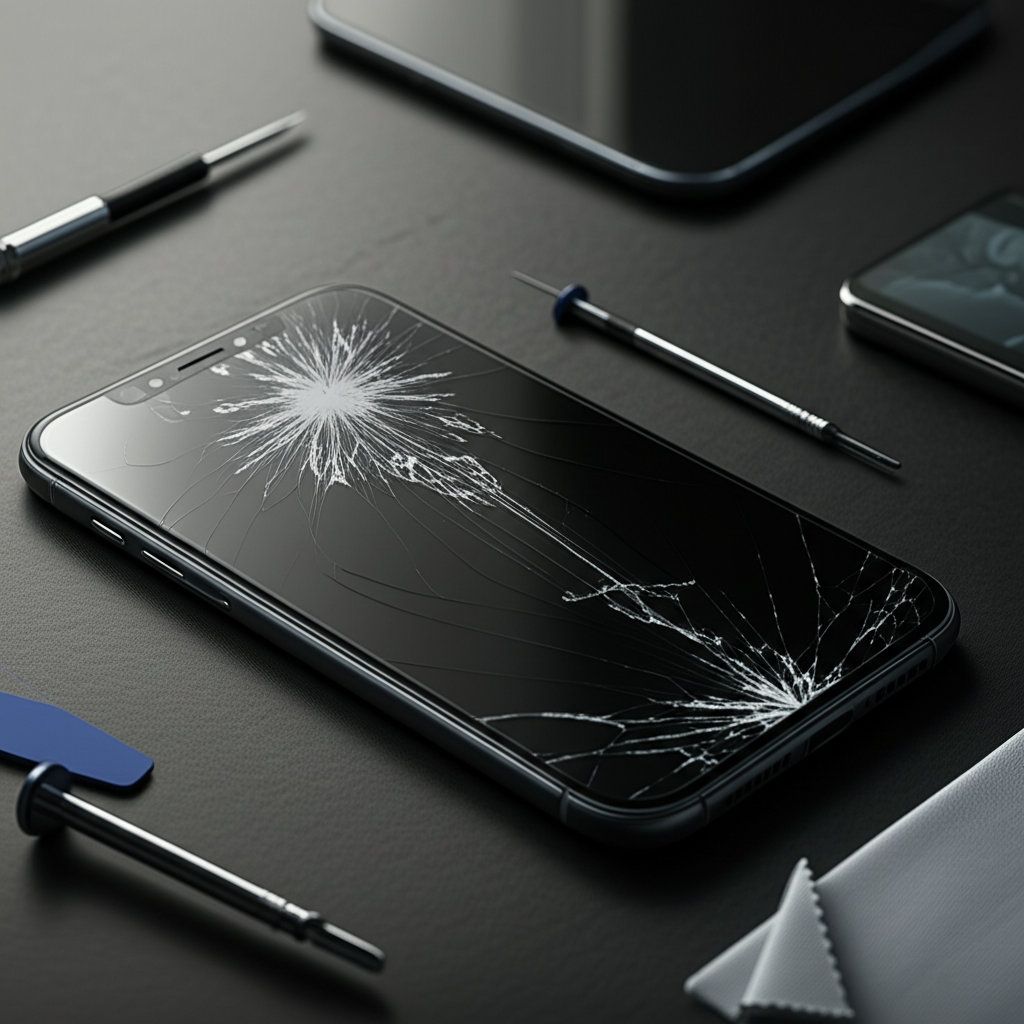
Cracked Screens: This is probably the most common issue. A drop can shatter the glass, making it hard to see or use your phone.
Water Damage: Spills, rain, or dropping your phone in the toilet can cause severe problems.
Battery Failure: Phones that won’t charge or die very quickly can leave you stranded.
Unresponsive Touchscreen: Sometimes, the screen just stops responding to your touch.
Software Glitches: Your phone might freeze, restart constantly, or refuse to boot up.
The Dreaded Cracked Screen: Your First Steps
A cracked screen is frustrating, but it’s often not a complete disaster. Your first thought might be to keep using it, but this can be risky. Small glass shards can cut your fingers, and the underlying damage might worsen over time. For minor cracks, a screen protector can offer temporary relief and prevent further damage.
However, for significant cracks or if the touchscreen is affected, you’ll need a more permanent solution. Ignoring a cracked screen can lead to dust and moisture entering the phone, causing more internal problems. It’s best to address it sooner rather than later.
DIY vs. Professional Screen Repair
Deciding whether to fix it yourself or go to a professional depends on your comfort level and the severity of the damage. DIY kits are available, but they require precision and the right tools. If you’re not experienced, you risk damaging your phone further.
Professional repair shops have the expertise and specialized equipment to replace screens quickly and accurately. For most people, especially in an emergency, professional repair is the safer and more reliable option. Many offer same-day service for common repairs.
Water Damage: What to Do Immediately
If your phone takes a swim, act fast. The key is to minimize electrical activity to prevent short circuits. The very first thing you should do is turn the phone off immediately. Do not try to turn it on to see if it works, and do not plug it in to charge.
Next, remove the SIM card and memory card if possible. Gently wipe down the exterior of the phone with a soft cloth. Avoid using heat, like a hairdryer, as this can push water further inside or damage components.
The Rice Myth and What Really Works
You’ve probably heard of putting a wet phone in rice. While rice can absorb some moisture, it’s not the most effective method and can leave dust particles inside your phone. A better approach is to use silica gel packets if you have them, as they are designed to absorb moisture.
The most crucial step is to let the phone dry completely. This can take 24–48 hours. After drying, you can try turning it on. If it doesn’t work or behaves strangely, it’s time for professional help. Many repair services specialize in water damage restoration.
Battery Problems: Quick Fixes and When to Replace
A phone that won’t charge or dies too quickly is a major inconvenience. First, try a different charger and cable. Sometimes, the problem is with the accessories, not the phone itself. Ensure the charging port is clean; debris can prevent a good connection.
If a new charger doesn’t help, the issue might be with the battery or the charging port. Modern smartphones have non-removable batteries, making replacement a job for professionals. A battery that drains unusually fast can also indicate a failing battery or a software issue.
Identifying a Failing Battery
Signs of a failing battery include rapid draining, the phone shutting down unexpectedly even when it shows charge, or the battery swelling. A swollen battery is a serious safety hazard and needs immediate attention. You should stop using the phone and get it serviced right away.
Replacing a battery is a common repair. Reputable repair shops can often do this within an hour or two. This is usually much cheaper than buying a new phone and can give your current device a new lease on life.
Unresponsive Touchscreen: Troubleshooting Steps
An unresponsive touchscreen can be incredibly frustrating. Sometimes, a simple restart can fix temporary software glitches. If the screen is wet or dirty, clean it gently with a microfiber cloth. Ensure your fingers are clean and dry, as moisture or dirt can interfere with touch sensitivity.
If a restart and cleaning don’t work, the problem might be more serious. It could be a software issue requiring a factory reset (back up your data first!), or it could be hardware damage to the screen or internal connections.
When to Seek Professional Help
If your phone has been dropped or exposed to water, an unresponsive touchscreen is likely due to hardware damage. In such cases, professional diagnosis and repair are necessary. A technician can determine if the screen needs replacement or if there’s an issue with the digitizer or internal cables.
Many places offer quick turnaround times for screen and digitizer replacements. This is often a more affordable solution than purchasing a new device. You can often find local shops that offer same-day service for this common emergency repair.
Software Glitches: Restart, Reset, Reinstall
Software issues can manifest in many ways, from freezing to constant restarting. The first and simplest fix is often a hard reset. This is different from a normal restart and can resolve deeper software problems. The method varies by phone model, so check your manufacturer’s instructions.
If a hard reset doesn’t help, you might consider a factory reset. Crucially, back up all your important data before doing this, as it will erase everything on your phone. A factory reset restores your phone to its original settings, clearing out corrupted files or conflicting apps.
When Software Isn’t the Culprit
If your phone continues to have problems after a factory reset, the issue is likely hardware-related. This could be anything from a faulty component to damage caused by a previous incident like a drop or water exposure. At this point, professional diagnosis is your best bet.
Technicians can perform advanced diagnostics to pinpoint hardware failures. They can then advise on repair options, which might include replacing specific components rather than the entire device. This can save you significant money compared to buying a new phone.
Finding Reliable Emergency Cell Phone Repair Near You
When you need an emergency cell phone repair, time is often of the essence. Look for repair shops that offer quick turnaround times, ideally same-day service for common issues like screen or battery replacement. Online reviews are your best friend here; check platforms like Google Maps or Yelp for local businesses with consistently good ratings.
Ask about their warranty policy. A reputable repair shop will offer a warranty on parts and labor, giving you peace of mind. Don’t be afraid to ask questions about the repair process and the parts they use.
What to Look for in a Repair Service
Reputation: Check online reviews and ask for recommendations.
Speed: Do they offer same-day or express service?
Warranty: Do they stand behind their work with a guarantee?
Expertise: Are they experienced with your specific phone model?
Pricing: Get a clear quote upfront to avoid surprises.
Many national chains and local independent shops offer reliable emergency cell phone repair services. For example, uBreakiFix by Asurion has numerous locations and is known for quick repairs on various devices. You can often check their website for pricing and service availability in your area.
Cost of Emergency Cell Phone Repair
The cost of emergency cell phone repair varies greatly depending on the type of damage, the phone model, and the repair service you choose. A simple screen protector replacement might cost around $10-$20, while a full screen replacement can range from $80 to $300 or more for high-end devices. Battery replacements are typically less expensive, often in the $50-$100 range.
Water damage repair costs are harder to predict, as they depend on the extent of internal damage. Some shops offer diagnostic services for a fee, which can then be applied towards the repair cost if you proceed. Always get a quote before authorizing any work.
When is Repair Worth It?
It’s generally worth repairing a phone if the cost of repair is significantly less than the cost of a new phone. For older devices, weigh the repair cost against the phone’s remaining useful life and performance. Newer, high-end phones often justify the cost of repair, especially for issues like cracked screens or battery replacement.
Consider the value of your data. If your phone has irreplaceable photos or important work information, repairing it to retrieve that data might be worth it even if the phone itself is older.
Preventative Measures: Avoiding Future Emergencies
The best emergency cell phone repair is the one you never need! Investing in preventative measures can save you time, money, and stress. A good quality protective case and a tempered glass screen protector are essential. These physical barriers can absorb the impact of drops and prevent screen damage.
Be mindful of where you place your phone. Avoid keeping it near water sources, in direct sunlight for extended periods, or in environments with extreme temperatures. These conditions can degrade battery life and damage internal components over time.
Smart Habits for Phone Longevity
Use Protective Accessories: A sturdy case and screen protector are your first line of defense.
Avoid Water Exposure: Keep your phone away from sinks, toilets, pools, and rain.
Charge Wisely: Avoid draining your battery completely and using cheap, uncertified chargers.
Update Software Regularly: Updates often include performance improvements and bug fixes.
* Be Cautious: Handle your phone with care to prevent accidental drops or damage.
Following these simple tips can significantly reduce the likelihood of needing emergency cell phone repair. Protecting your investment ensures it stays functional for longer.
Frequently Asked Questions About Emergency Cell Phone Repair
What is the fastest way to fix a broken phone screen?
The fastest way is usually to visit a reputable local repair shop that offers same-day service. Many chains and independent stores can replace a screen in under an hour.
Can water-damaged phones be fixed?
Often, yes. The success depends on how quickly you act and the extent of the damage. Immediate power-off and professional drying/cleaning are crucial.
How much does an emergency phone repair typically cost?
Costs vary widely. Screen replacements can range from $80-$300+, while battery replacements are often $50-$100. Diagnostics might have a separate fee.
Should I back up my phone before repair?
Yes, always! Even if the repair is minor, it’s best practice to back up your data in case of unforeseen issues or if a factory reset is needed.
Is it cheaper to repair or replace a phone?
It’s usually cheaper to repair a phone than to replace it, especially for newer models or common issues like cracked screens or battery problems. However, for very old or severely damaged phones, replacement might be more cost-effective.
What should I do if my phone won’t turn on after dropping it?
Turn it off immediately if it’s on. Do not try to charge it. Take it to a professional repair service for diagnosis as soon as possible.
Conclusion: Getting Your Phone Back in Your Hands
Facing an emergency cell phone repair situation can be stressful, but it’s often manageable with the right approach. From cracked screens and water damage to battery woes and software glitches, proven fixes exist. Understanding your options, acting quickly, and choosing a reliable repair service can save you time and money. Always consider preventative measures to keep your device safe.
If your phone needs attention, don’t hesitate to seek professional help. Many repair services offer fast, affordable solutions to get your essential device back in your hands.
Disclaimer: Information provided is for general guidance. Always consult with a qualified professional for specific device issues.

Belayet Hossain is a Senior Tech Expert and Certified AI Marketing Strategist. Holding an MSc in CSE (Russia) and over a decade of experience since 2011, he combines traditional systems engineering with modern AI insights. Specializing in Vibe Coding and Intelligent Marketing, Belayet provides forward-thinking analysis on software, digital trends, and SEO, helping readers navigate the rapidly evolving digital landscape. Connect with Belayet Hossain on Facebook, Twitter, Linkedin or read my complete biography.