


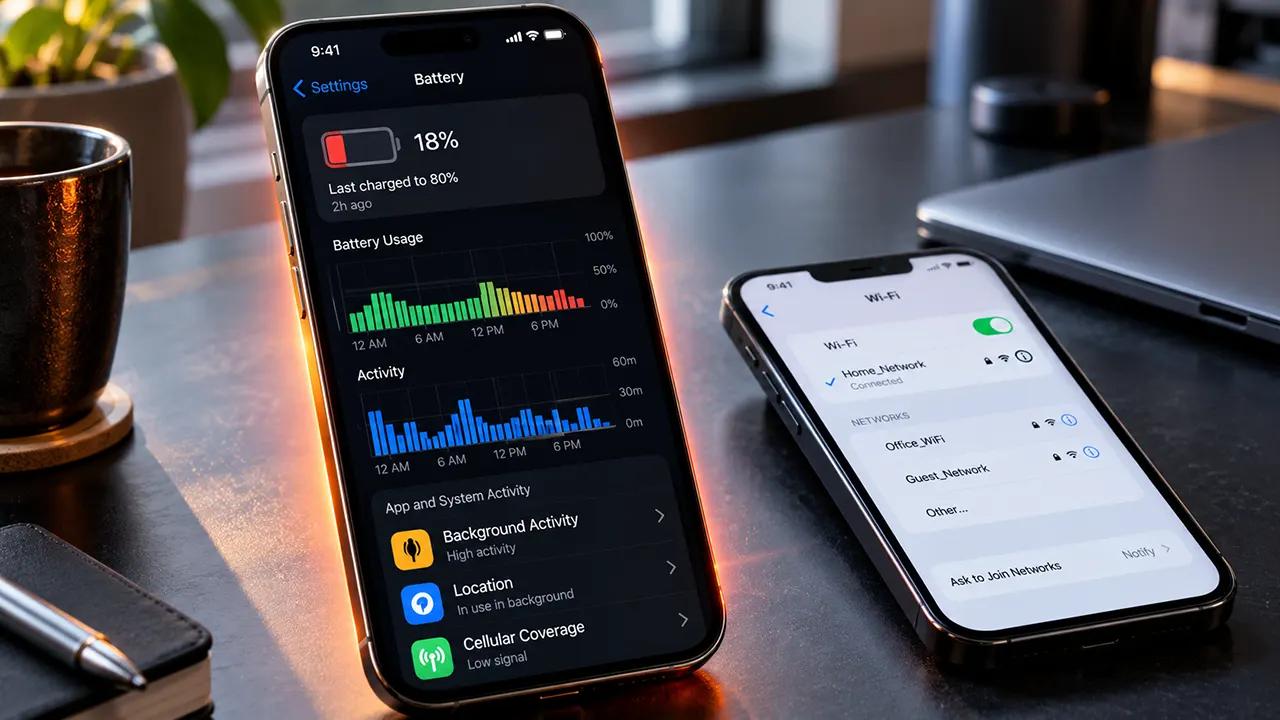
If you are seeing iOS 27 battery drain, your iPhone getting warmer than usual, or the battery percentage dropping faster after the update, do not assume the battery is damaged. Apple says a major iOS update can continue performing background tasks after installation, temporarily affecting battery life and thermal performance. The first step is to determine whether your iPhone is still finishing update-related work or whether an app, network condition, setting, or aging battery is responsible.
Quick Answer: Why Is iOS 27 Draining My iPhone Battery?
iOS 27 battery drain can temporarily happen because the iPhone continues update-related tasks in the background after installation. Apple recommends waiting a few days and then checking Settings > Battery for unusual app activity, background activity, low signal, or an “Ongoing iOS Update” insight. If the drain continues, update your apps, investigate the biggest battery users, check Battery Health, and troubleshoot network or overheating issues.
Why Does iOS 27 Battery Drain Happen?
The most important point is that not every battery drop after an iOS update has the same cause. iOS 27 can trigger background activity while the iPhone completes tasks related to the update, but persistent drain can also come from apps, poor cellular coverage, notifications, settings, or battery health.
Background tasks after the iOS 27 update
Apple says some tasks related to an iOS update continue in the background after you can already use the iPhone normally. These tasks can temporarily affect battery life and thermal performance. In Battery settings, you may see an Ongoing iOS Update insight while this work is still taking place.
This means a sudden increase in battery consumption immediately after installing iOS 27 does not automatically indicate a battery fault.
Apps doing more work in the background
An app can consume more battery because it is syncing data, fetching information, processing media, using location services, or performing another background task. A major iOS update can also expose compatibility or optimization issues in individual apps.
Instead of disabling every battery-related feature, first identify whether one app is responsible for an unusual share of the consumption.
Weak cellular coverage
Your iPhone can use more battery when operating in an area with poor cellular coverage. Apple’s current Battery documentation specifically identifies low signal and no mobile coverage as factors that can affect battery life.
This matters when diagnosing unexplained drain. If battery consumption is much higher in one location than another, network conditions may be part of the explanation.
Battery Health and aging
Software updates do not automatically mean that an iPhone battery has become defective. However, rechargeable batteries naturally lose capacity as they age.
If Battery Health already shows significant capacity loss, an iOS update may make an existing limitation more noticeable because your phone’s software, apps, and hardware continue to demand power.
Heat and demanding activity
Gaming, video processing, navigation, camera use, charging, direct sunlight, and other demanding activities can increase temperature and power consumption.
The important distinction is whether the heat appears during a demanding task or continues during light use and idle periods.
How to Tell Normal iOS 27 Battery Drain From a Real Problem
A temporary increase in battery consumption is different from persistent abnormal drain.
What temporary post-update drain looks like
A temporary pattern may include:
- Faster battery loss shortly after installing iOS 27
- Mild warmth during background activity
- Increased activity while apps and system data are being processed
- Battery usage gradually returning toward your normal pattern
- An Ongoing iOS Update insight appearing in Battery settings
Apple recommends waiting a few days and checking again if battery life decreases after an update because update-related tasks can continue in the background.
The key lesson is simple: do not judge the long-term battery behavior of an iPhone immediately after a major software update.
Signs the battery drain may need investigation
Look more closely when:
- Battery consumption remains unusually high after the initial update period
- The iPhone loses a significant amount of charge while doing very little
- One app consistently dominates battery usage
- The iPhone becomes unusually hot during light use
- Battery usage is much higher in locations with poor cellular coverage
- Battery Health shows substantial capacity loss
- Wi-Fi or cellular connectivity problems occur at the same time
These signs do not prove a particular cause. They tell you that it is time to diagnose the problem rather than simply waiting.
When iPhone overheating after iOS 27 needs attention
Some warmth after a major update can be expected. Persistent excessive heat is different.
If the phone repeatedly becomes very hot during ordinary light use, especially after the initial post-update activity has settled, investigate Battery and app activity rather than assuming the temperature is normal.
How to Diagnose iOS 27 Battery Drain Before Changing Settings
The fastest way to waste time is to change ten settings at once and then have no idea which change mattered.
Start with evidence.
Check Battery usage by app and system activity
Open Settings > Battery.
Apple’s current Battery interface provides daily usage information and lets you inspect battery activity for individual apps and system tasks. It can show whether an app has been active on screen or in the background and can identify factors such as low signal, notifications, and other activity.
Look for an obvious outlier.
If one app suddenly accounts for much more battery usage than usual, investigate that app before changing unrelated iPhone settings.
Look for unusual background activity
Tap an app in Battery usage to examine its activity.
Background activity can include tasks such as playing music or tracking location. A long period of background activity can explain higher battery consumption. Apple specifically identifies Background Activity as one of the activity types shown in Battery usage.
This is more useful than simply asking whether an app is “battery hungry.” You want to know what the app was doing.
Check cellular coverage and connectivity
If battery drain appears mainly when you are away from home or in a location with weak signal, cellular coverage deserves attention.
You can also compare battery behavior on a reliable Wi-Fi connection with behavior in a location where cellular reception is poor.
This simple comparison can help separate a device problem from a network-related problem.
Check Battery Health
Open Settings > Battery > Battery Health on supported iPhone models.
On iPhone 14 and earlier, Apple uses Battery Health & Charging. On iPhone 15 and later, supported models use Battery Health.
Battery Health provides information about your battery’s capacity. If you see Service next to Battery Health, Apple recommends considering battery replacement to restore full performance and capacity.
iOS 27 Battery Drain Fixes That Are Worth Trying
Once you have checked the evidence, move from diagnosis to action.
Give the update time to finish its background work
If you just installed iOS 27 and the only symptoms are increased battery use and mild warmth, give the iPhone some time.
Apple specifically recommends waiting a few days and checking battery life again after an update.
This is one of the few battery fixes where doing nothing immediately can be the correct troubleshooting step.
Restart the iPhone
A normal restart is a simple troubleshooting step when an app or system process appears to be behaving unusually.
Do not repeatedly restart the phone hoping to solve every battery problem. Use the restart as one controlled troubleshooting step, then check Battery usage again.
Update your apps
Open the App Store and check for pending app updates.
An app that has not been updated for the current iOS environment can potentially behave differently after a major operating-system update. Keeping apps current also removes an easy compatibility variable from the diagnosis.
Review apps with excessive background activity
If Battery settings identify a particular app with unusually high background activity, investigate that app first.
Depending on the app, you may be able to reduce unnecessary background activity through its settings or through iPhone privacy and background controls.
Do not disable background activity for every app simply because battery life is poor. Some apps need background access for useful functions.
Review Location Services
Location access can be useful for navigation, weather, transportation, fitness, and other services. But apps do not all need the same level of location access.
Review which apps have location permission and whether each permission still makes sense for how you use the app.
The goal is not to eliminate Location Services. It is to remove unnecessary access.
Use Low Power Mode when you need longer battery life
Low Power Mode reduces the amount of power that your iPhone uses by reducing or disabling certain settings and features, including Mail fetch, Hey Siri, Background App Refresh, and some visual effects.
It is particularly useful when you need the remaining battery to last longer. It should not be treated as proof that something is wrong with your battery.
Consider Adaptive Power on supported iPhones
Apple’s current battery guidance also documents Adaptive Power on supported iPhone models. It can automatically make performance adjustments to help extend battery life when power consumption is higher than usual.
If your iPhone supports Adaptive Power, it can be useful when your priority is extending battery life without manually changing many settings.
How to Fix iPhone Overheating After iOS 27
Heat should be treated as a symptom, not automatically as the cause.
Separate update-related warmth from persistent overheating
A newly updated iPhone may temporarily work harder while it completes background processing.
If the phone becomes warm shortly after the update and then returns to normal, that pattern is different from an iPhone that remains hot during light use several days later.
Avoid charging in excessive heat
Avoid charging the iPhone in direct sunlight, inside a hot car, or in another excessively hot environment.
If the phone repeatedly heats up while charging, remove unnecessary sources of heat and check whether the problem continues.
Check which app or activity is responsible
When the iPhone feels unusually hot, look at Battery usage rather than guessing.
A demanding game, video processing, navigation session, camera activity, or another intensive process can explain temporary heat.
If no obvious activity explains the temperature, continue troubleshooting instead of assuming that iOS 27 itself is the cause.
Take temperature warnings seriously
If the iPhone displays a temperature warning or repeatedly stops charging because of temperature, allow it to return to a normal temperature before continuing to use or charge it.
Persistent temperature problems deserve further investigation.
How to Troubleshoot iOS 27 Wi-Fi Problems
Wi-Fi problems are worth addressing separately when they occur alongside unusual battery consumption.
When iOS 27 Wi-Fi problems can matter for battery life
A poor or unstable network connection can change how the iPhone communicates with services and apps. Apple also identifies low signal and no mobile coverage as factors that can affect battery life.
That does not mean every Wi-Fi problem causes battery drain. Instead, network behavior should be considered when the battery problem appears mainly in certain locations or alongside repeated connection problems.
Forget and reconnect to the Wi-Fi network
If the problem affects one Wi-Fi network, forgetting the network and reconnecting can be a useful troubleshooting step.
Go to Settings > Wi-Fi, select the network, and use the option to forget it. Then reconnect and enter the password again.
Restart the router and test another network
If other devices also have trouble connecting, the problem may be with the router or internet connection rather than the iPhone.
Restart the router and test the iPhone on another Wi-Fi network.
This comparison can quickly tell you whether the problem follows the iPhone or stays with a particular network.
Check VPN or security software
VPN and security software can affect network connectivity. If you use one and the Wi-Fi problem started after the iOS 27 update, temporarily testing without it can help identify whether it is involved.
Reset network settings only when necessary
Network reset should not be your first response.
Resetting network settings removes saved Wi-Fi networks and passwords as well as certain mobile, VPN, and APN settings.
Use it when simpler troubleshooting steps have failed and you are prepared to configure your network connections again.
What Not to Do When Your iPhone Battery Drains After iOS 27
Battery troubleshooting works better when you avoid unnecessary changes.
- Do not assume the battery is permanently damaged immediately after updating.
- Do not disable every battery-related feature without checking Battery usage first.
- Do not blame one iOS feature without evidence.
- Do not repeatedly restart the iPhone as your only troubleshooting method.
- Do not reset all network settings before testing simpler Wi-Fi fixes.
- Do not ignore persistent overheating.
- Do not confuse battery consumption with battery health.
- Do not treat an isolated user report as proof that every iPhone has the same problem.
The goal is to identify the cause, not simply make the iPhone do less.
When the iOS 27 Battery Drain Needs Further Help
If battery behavior does not improve after the post-update activity has settled, use the evidence you collected from Battery settings.
Further investigation is appropriate when:
- Battery drain remains unusually high for several days.
- The iPhone loses substantial charge while idle.
- A specific app repeatedly shows excessive activity.
- The device becomes very hot during light use.
- Charging repeatedly slows or pauses because of temperature.
- Battery Health indicates a service issue.
- Wi-Fi or cellular connectivity repeatedly fails.
- Multiple troubleshooting steps produce no meaningful improvement.
At this point, Apple Support or an Apple Authorized Service Provider may be appropriate, especially when Battery Health indicates a service recommendation or the device shows persistent hardware-related symptoms.
iOS 27 Battery Drain FAQ
Does iOS 27 drain battery?
Temporary battery drain can occur after installing iOS 27 because the iPhone may continue performing update-related tasks in the background. Apple recommends waiting a few days and checking Battery usage again before deciding that the drain is persistent.
How long does iOS 27 battery drain last after an update?
There is no universal duration for every iPhone. Apple says to wait a few days and check again because background update tasks can temporarily affect battery life and thermal performance. The amount of time can vary with the device and the work it needs to complete.
Why is my iPhone overheating after iOS 27?
A major iOS update can temporarily increase background processing and heat. Other causes include demanding apps, charging, navigation, gaming, media processing, and environmental temperature. Persistent overheating during light use should be investigated rather than automatically attributed to the update.
How do I fix iOS 27 battery drain?
First check Settings > Battery to identify unusual app or system activity. If the update was recent, allow background processing to finish. Then update apps, investigate excessive background activity, review unnecessary location access, and use Low Power Mode when needed.
Can Wi-Fi problems cause faster iPhone battery drain?
Network problems can be relevant to battery diagnosis, particularly when poor connectivity or weak cellular coverage occurs alongside increased battery use. However, a Wi-Fi problem does not automatically mean it is the cause of battery drain.
Should I reset my iPhone if iOS 27 is draining the battery?
A complete iPhone reset should not be your first step. Start with Battery usage data, app updates, a restart, and targeted setting changes. For Wi-Fi problems, try simpler network troubleshooting before using Reset Network Settings.
Does iOS 27 battery drain mean my battery is damaged?
Not necessarily. Temporary battery drain after a major update can result from background processing. Check Battery Health and usage patterns before concluding that the physical battery is damaged. Apple recommends considering battery service when Battery Health shows a Service indication.
The Smartest Way to Handle iOS 27 Battery Drain
If your iPhone battery suddenly drops faster after installing iOS 27, start with diagnosis rather than panic. Give the update time to finish its background work, then use the Battery screen to identify whether an app, system activity, network condition, or battery-health issue explains the change.
If the problem persists, make one targeted change at a time. That approach gives you a much better chance of finding the real cause instead of simply turning off useful iPhone features.
For more battery troubleshooting, see our guides on whether a bad SIM card can drain your battery, iOS battery drain tips and tricks, and how to reduce phone idle battery usage.

Belayet Hossain is a Senior Tech Expert and Certified AI Marketing Strategist. Holding an MSc in CSE (Russia) and over a decade of experience since 2011, he combines traditional systems engineering with modern AI insights. Specializing in Vibe Coding and Intelligent Marketing, Belayet provides forward-thinking analysis on software, digital trends, and SEO, helping readers navigate the rapidly evolving digital landscape. Connect with Belayet Hossain on Facebook, Twitter, Linkedin or read my complete biography.