


Published on: 01/11/2025 | Updated on: November 1, 2025
The right equipment for mobile phone repair is crucial for quick, accurate fixes. From advanced diagnostic tools to precision tools, this guide covers the essential breakthroughs making repairs easier and more effective for professionals and hobbyists alike.
The world runs on smartphones, and when they falter, it’s a big deal. Cracked screens, dead batteries, or software glitches can disrupt our daily lives. Knowing what tools are needed to fix these common issues is key. This article will walk you through the essential equipment for mobile phone repair. We’ll cover everything from basic tools to the latest innovations. Get ready to understand what makes a repair shop tick and how you can equip yourself for success.
Why the Right Equipment Matters in Mobile Phone Repair
Choosing the correct tools for fixing phones isn’t just about having the right gear. It ensures that repairs are done safely and effectively. Using the wrong tools can damage a phone further, leading to more costly repairs or even making the device unfixable. This can frustrate customers and hurt a repair business’s reputation. The right equipment helps technicians work faster and more accurately.
This precision is vital for delicate components like tiny screws and fragile screens. Professional tools also speed up the diagnostic process. They help pinpoint the exact problem quickly. This saves time for both the technician and the customer. Ultimately, investing in quality equipment is an investment in successful, reliable repairs.
Essential Hand Tools for Every Repair Kit
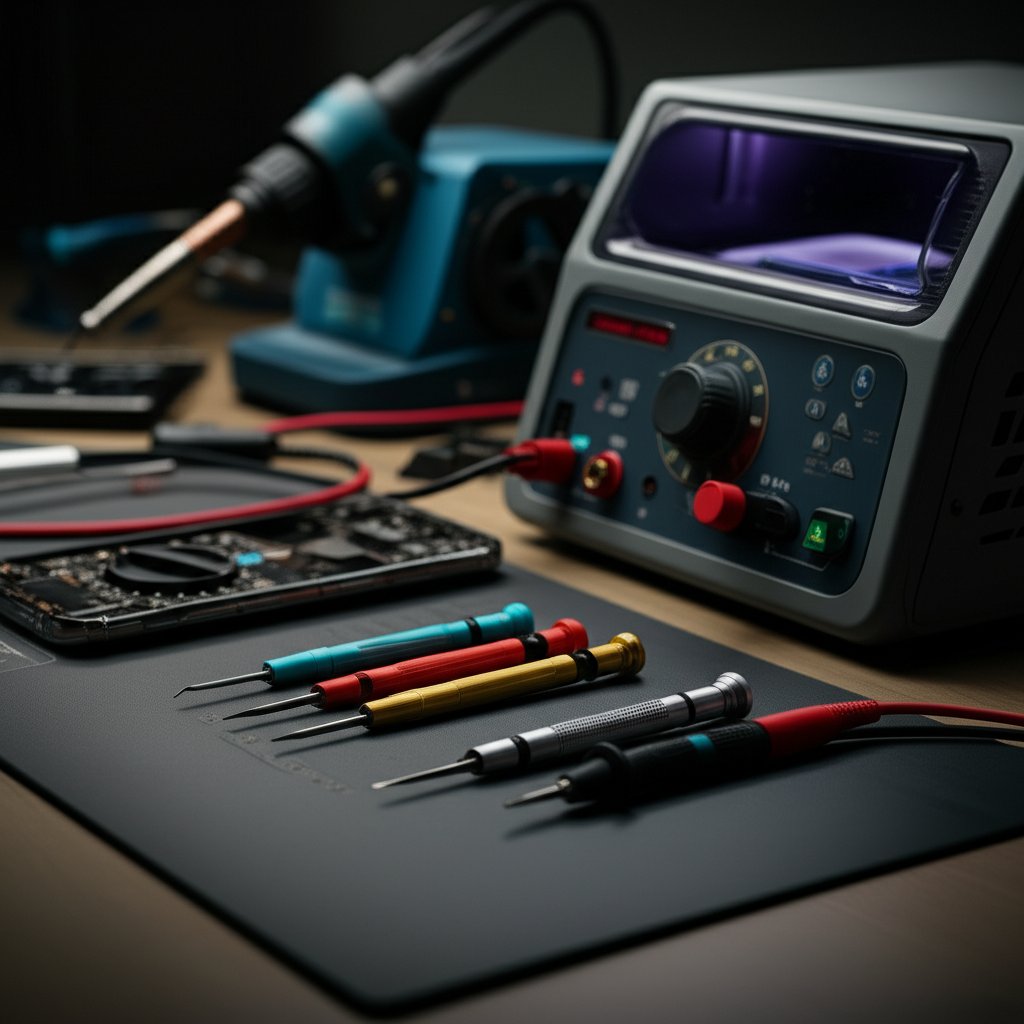
Every mobile phone repair technician needs a solid set of hand tools. These are the workhorses that handle most common repairs. A good toolkit starts with a quality screwdriver set. Modern phones use very small screws, often in unique shapes.
Precision screwdrivers with magnetic tips are invaluable. They help prevent losing tiny screws during disassembly. Prying tools, like plastic spudgers and opening picks, are also essential. These allow you to safely separate phone casings and screens without scratching or damaging them. Tweezers, especially anti-static ones, are needed for handling small connectors and components.
Screwdriver Sets: The Foundation of Repair

A comprehensive screwdriver set is the bedrock of any mobile phone repair kit. Many phones use specialized screws like Pentalobe (Apple), Torx, and Tri-point. A good set will include a variety of these bits. It should also feature a comfortable, rotating handle for better control.
Magnetic tips are a game-changer. They hold screws securely, preventing them from falling into the phone’s interior. This is especially helpful for the smallest screws. Look for sets made from durable steel, like S2 steel, for longevity. These bits resist stripping and wear.
Prying Tools and Opening Picks: Safely Unlocking Devices
Opening a modern smartphone requires care. The casings are often sealed tightly with adhesive. Plastic spudgers and opening picks are designed for this task. They have thin, flexible edges that can slide between seams.
These tools help to gently lift and separate parts. This avoids the metal tools that can easily scratch or bend phone components. Some kits include suction cup openers. These help lift screens off the device’s frame. They provide a secure grip without causing damage.
Tweezers and Forceps: Handling Tiny Components
Inside a phone, everything is incredibly small. Delicate flex cables and tiny screws require precise handling. Fine-tipped tweezers are indispensable for this. Anti-static tweezers are even better. They prevent electrostatic discharge, which can damage sensitive electronic components.
Forceps can also be useful for gripping and manipulating parts in tight spaces. Having a variety of sizes and tip shapes (straight, curved, angled) ensures you have the right tool for any situation. These small tools make a big difference in preventing accidental damage.
The Importance of ESD Protection
Electrostatic discharge, or ESD, is a silent killer of electronics. Our bodies can build up static electricity. When we touch electronic components, this static can jump and destroy them. This is why ESD protection is not optional; it’s essential for mobile phone repair.
Proper ESD precautions protect both the technician and the devices being repaired. Without them, you risk causing invisible damage that may lead to future failures. This can lead to customer dissatisfaction and costly replacements. Investing in ESD protection is a crucial step.
Anti-Static Wrist Straps: Your First Line of Defense
An anti-static wrist strap is a simple yet vital piece of equipment. It connects to your wrist and a grounded surface. This creates a continuous path for static electricity to dissipate safely. It ensures that your body never holds a charge that could harm the phone’s internals.
The strap should be comfortable to wear for extended periods. The grounding cord should be long enough to allow freedom of movement. Always ensure the strap is properly connected to a reliable grounding point. This is usually a metal workbench or a dedicated grounding mat.
ESD Mats and Grounding Cords: Creating a Safe Workspace
An anti-static mat provides a safe surface for working on electronics. It’s designed to prevent static buildup on your workbench. When you place components or the phone on the mat, any static charge is safely dispersed. These mats often come with a grounding cord.
This cord connects the mat to a common ground point. This ensures that both you and your workspace are grounded. This dual protection is critical for preventing ESD. It’s like creating a safe zone for delicate electronics.
Diagnostic Tools: Pinpointing Problems Accurately
Once you’ve opened a phone, you need to figure out what’s wrong. Diagnostic tools help you identify the root cause of the problem quickly. This is far more efficient than guesswork. Advanced diagnostic tools can test individual components and circuits.
These tools can save hours of troubleshooting time. They help technicians confirm their suspicions or discover hidden issues. Accurate diagnosis leads to more successful repairs. It also builds confidence with customers.
Multimeters: Measuring Electrical Properties
A multimeter is a fundamental diagnostic tool for electronics. It can measure voltage, current, and resistance. This allows you to test battery health, check for short circuits, and verify power flow. A good digital multimeter (DMM) is essential for any serious repair work.
Look for a DMM with auto-ranging capabilities. This makes it easier to select the correct measurement range. It also has overload protection. This prevents damage to the meter if you accidentally try to measure a higher value than expected.
Battery Testers: Assessing Power Health
Smartphone batteries degrade over time. A battery tester can accurately measure a battery’s capacity and health. This helps determine if a battery needs replacement. It’s more reliable than just looking at the phone’s battery percentage.
Some advanced testers can also check for internal resistance. High resistance can indicate a battery is failing. This tool is crucial for diagnosing power-related issues. It ensures you replace a battery only when necessary.
Diagnostic Software and Dongles: Deeper Insights
Modern smartphones are complex computers. Specialized diagnostic software can access error logs and run internal tests. These programs can reveal software conflicts or hardware malfunctions. Many phone manufacturers offer their own diagnostic tools for service centers.
There are also third-party diagnostic dongles. These plug into the phone’s charging port. They can perform a wide range of tests. They check everything from screen responsiveness to sensor functionality. These tools offer a deeper level of insight than manual inspection.
Specialized Repair Equipment: For Advanced Fixes
Beyond the basics, certain specialized equipment is needed for more complex repairs. These tools address specific issues like screen replacements or intricate component soldering. They often require a higher level of skill and precision.
Investing in these tools allows you to tackle a wider range of repair jobs. This expands your service offerings. It also means you can handle common, high-demand repairs efficiently.
Screen Repair and Replacement Tools
Screen repairs are among the most common phone fixes. Specialized equipment makes this process much easier and cleaner. A screen separator machine uses heat to soften adhesive. This allows the cracked screen to be safely removed.
Vacuum laminating machines are used to apply new screen protectors or replace glass. They ensure a bubble-free, factory-quality finish. These machines are particularly useful for OLED and other delicate display types. They require precision to avoid damaging the new screen.
Soldering Stations and Rework Tools: Micro-Repairs
For repairs involving damaged circuit boards or components, a good soldering station is necessary. These stations allow for precise temperature control. This is critical when working with tiny electronic components. They enable you to solder or desolder chips, connectors, and other small parts.
Hot air rework stations are also vital. They use a stream of hot air to remove and replace surface-mount components. These tools require practice and skill. They allow for repairs that were once impossible outside of factory settings.
Refurbishing Machines: Giving Devices New Life
For businesses that handle a high volume of repairs, refurbishing machines can be a significant investment. These machines can clean, polish, and restore the physical appearance of devices. They can remove scratches from screens and casings. This makes older phones look new again.
These machines are not for basic repairs but for upgrading the cosmetic condition of a phone. They help maximize the value of traded-in or older devices. They are a key part of a larger refurbishment process.
The Role of Magnification and Lighting
Working on tiny phone components demands excellent visibility. Without proper magnification and lighting, you’re likely to make mistakes. Small parts can be easily missed or mishandled. This is where magnification tools and good lighting become critical.
These aids not only help you see better but also reduce eye strain. This allows you to work more comfortably for longer periods. They are essential for detailed work.
Magnifying Lamps and Microscopes: Seeing the Details
A good magnifying lamp with an LED light is a must-have. It illuminates your workspace while providing magnification. This allows you to see intricate details on circuit boards or small connectors. The flexible arm lets you position the light and lens exactly where you need it.
For even finer detail, a digital microscope can be invaluable. These connect to a computer or screen. They offer high magnification levels. This allows you to inspect solder joints, check for hairline cracks, or identify tiny debris.
Bright LED Lighting: Illuminating Your Workspace
Beyond magnification, proper lighting is crucial. Your workbench should be well-lit to reduce shadows. Bright, cool-toned LED lights are ideal. They provide clear visibility without generating excessive heat.
Consider adjustable work lights. These can be positioned to target specific areas. Good lighting reduces eye strain and improves accuracy. It makes the entire repair process safer and more efficient.
Software and Digital Tools: The Smart Approach
The repair process isn’t just about physical tools. Software and digital resources play an increasingly important role. They help with diagnostics, finding repair guides, and managing repair workflows. These digital tools streamline the entire operation.
Having access to up-to-date software and information is crucial. The mobile phone landscape changes rapidly. New models and software updates require constant learning.
Repair Manuals and Databases: Accessing Information
Access to comprehensive repair manuals and databases is vital. These resources provide step-by-step instructions for disassembling and repairing specific phone models. They often include schematics and parts diagrams. Websites like iFixit offer a vast library of repair guides.
Having access to this information ensures you follow the correct procedure. This minimizes the risk of damage. It helps you understand how each phone model is constructed. This knowledge is power in the repair world.
Diagnostic Apps and Online Tools: Quick Checks
Many diagnostic apps are available for smartphones. These apps can run tests on various hardware components. They can check screen touch functionality, speaker quality, and sensor accuracy. Some are free, while others require a subscription for advanced features.
Online diagnostic tools and forums can also be helpful. They provide a community of technicians who share knowledge and solutions. If you encounter a unique problem, chances are someone else has faced it and found a solution.
The Future of Mobile Phone Repair Equipment
The field of mobile phone repair is constantly advancing. New technologies are making repairs faster, easier, and more precise. We are seeing a move towards more automated and intelligent tools. These innovations aim to improve efficiency and accuracy.
The trend is towards greater precision and less invasive repair methods. This is driven by the increasing complexity of smartphones. The goal is to maintain device integrity while fixing issues.
Robotic and Automated Systems
While still emerging, robotic systems are starting to appear in high-volume repair centers. These systems can perform repetitive tasks like screw removal or component placement with extreme precision. They reduce human error and increase speed. As these technologies become more affordable, they may become more accessible.
Automated testing equipment is also becoming more sophisticated. These systems can run through hundreds of diagnostic tests in minutes. They provide detailed reports on a device’s condition. This speeds up the initial assessment of a phone.
Advanced Materials and Adhesives
The materials and adhesives used in phones are also changing. New adhesives are stronger and more difficult to remove. This requires new tools and techniques for disassembly. Similarly, advancements in screen technology may require new repair methods.
Research is ongoing into more easily repairable materials and modular designs. The industry is looking for ways to make repairs more sustainable. This includes using eco-friendly materials and improving recyclability.
Choosing the Right Equipment for Your Needs
The best equipment for mobile phone repair depends on your specific situation. Are you a hobbyist fixing your own phone? Or do you run a professional repair business? Your needs will dictate the level of investment and the types of tools you require.
For personal use, a basic toolkit with essential hand tools and ESD protection might suffice. For a business, investing in higher-end diagnostic and specialized equipment is crucial. Consider the volume of repairs you expect and the types of devices you will service.
For the DIY Enthusiast
If you’re fixing your own phone or for friends and family, focus on quality basics. A good precision screwdriver set, plastic prying tools, and an anti-static wrist strap are essential. A magnifying lamp will also be very helpful. You don’t need the most expensive tools, but avoid the cheapest ones, as they can be frustrating to use and may damage your phone.
Consider a repair kit that bundles many of these essentials. This can be a cost-effective way to get started. Learning to use each tool properly is as important as having it.
For the Professional Repair Business
Professional repair businesses need a comprehensive suite of tools. This includes a wide range of screwdrivers, ESD protection, and advanced diagnostic equipment like multimeters and battery testers. Specialized tools for screen replacement, like a separator and laminator, are also vital.
A good soldering station and hot air rework station are necessary for board-level repairs. Investing in access to repair databases and diagnostic software will also improve efficiency. The goal is to be able to handle any repair quickly and effectively.
Frequently Asked Questions
What is the most important tool for mobile phone repair?
The most important tool is arguably the precision screwdriver set. Modern phones use very small and specific screws, and having the right bit is essential for disassembly without damage. Proper ESD protection is also critically important.
Do I need a microscope for phone repair?
While not strictly necessary for basic repairs like battery or screen replacement, a microscope is highly beneficial for advanced repairs. It allows you to see tiny components, check solder joints, and diagnose intricate circuit board issues with much greater accuracy.
How much does essential mobile phone repair equipment cost?
A basic toolkit for a DIY enthusiast can range from $50 to $150. For a professional repair business, the investment can be several thousand dollars, depending on the sophistication of the diagnostic and specialized equipment.
Is it worth buying specialized screen repair machines?
For professional repair businesses, specialized screen repair machines like vacuum laminators and hot separators are often worth the investment. They improve the quality of repairs, increase efficiency, and allow you to offer a wider range of services, ultimately boosting revenue.
Where can I find reliable repair guides and schematics?
Websites like iFixit are excellent resources for detailed repair guides and parts diagrams for a vast array of devices. Manufacturer service manuals and online technician forums can also provide valuable schematics and troubleshooting information.
How can I protect myself and the phone from static electricity?
Always use an anti-static wrist strap connected to a grounded point and work on an anti-static mat. Avoid repairing in carpeted areas or on static-prone surfaces. Regularly touch a grounded metal object to discharge any static buildup before handling phone components.
Conclusion: Equipping Yourself for Success in Mobile Phone Repair
Mastering mobile phone repair requires more than just technical skill; it demands the right equipment. From the foundational precision screwdrivers and ESD protection to advanced diagnostic tools and specialized repair machines, each piece of equipment plays a vital role. By understanding the function and importance of these tools, you can approach repairs with confidence. Whether you’re a hobbyist or a professional, investing in quality equipment ensures efficiency, accuracy, and successful outcomes. Keep learning and stay updated with the latest innovations to excel in this dynamic field.

Belayet Hossain is a Senior Tech Expert and Certified AI Marketing Strategist. Holding an MSc in CSE (Russia) and over a decade of experience since 2011, he combines traditional systems engineering with modern AI insights. Specializing in Vibe Coding and Intelligent Marketing, Belayet provides forward-thinking analysis on software, digital trends, and SEO, helping readers navigate the rapidly evolving digital landscape. Connect with Belayet Hossain on Facebook, Twitter, Linkedin or read my complete biography.