Close Menu
itphobia.com
  • Home
  • Free Tools
    • Free Readability Checker
    • Free Search Engine Index Checker
    • Free Meta Tag Checker
  • Services
    • Article writing
    • Lead Generation
    • Link Building
  • Blog
    • Reviews
      • iPhone Reviews
      • Android
      • Camera
      • iPad
      • Tablet
      • Desktop
      • Laptop
      • Gadget
    • Desk Productivity Tech
      • Desk Setup Ideas
      • Tech Reviews
        • Keyboards
      • Desk Accessories
      • Ergonomics & Comfort
      • Smart Desk Tools
      • WFH Setups
      • Buyer’s Guides
    • Apple
    • Apps
    • Business
      • Finance
        • Investing
          • Currencies & Foreign Exchange
      • Business & Industrial
        • Advertising & Marketing
          • Marketing
        • Business Operations
          • Management
        • Business Services
          • E-Commerce Services
            • Food delivery
          • Fire Security Services
          • Hospitality Industry
          • Warehousing
          • Editing & Writing Services
        • Chemicals Industry
          • Coatings & Adhesives
      • Retail Trade
      • Retail Equipment & Technology
    • Computers & Electronics
      • Computer Security
        • Network Security
      • Consumer Electronics
        • Electronics Repair
        • TV & Video Equipment
      • Electronics & Electrical
        • Electronic Components
    • Digital Marketing
      • SEO
      • Social Media
      • Affiliate Marketing
    • Software
    • Gadget
    • Mobile & Smartphones
    • Windows Phone
    • Domain & Hosting
    • Make Money
    • Graphic Design
    • Blogging
    • Content
    • Data Science
    • Programming
    • Crypto
    • Robotics
    • Metaverse
    • Security
    • Networking
    • Tech support
    • Technology
    • Web Design
    • WordPress
    • Windows
    • More

Subscribe to Updates

Get the latest creative news from FooBar about art, design and business.

loader

Email Address*

First Name

Last Name

What's Hot

Amazon Order History: How to Find, Download & Archive Orders

18/04/2026

Amazon Prime Student: Cost, Free Trial & Sign Up Guide

18/04/2026

Amazon Prime Membership: True Costs, Discounts & Cancellation

18/04/2026
Facebook X (Twitter)
itphobia.com
  • Home
  • Free Tools
    • Free Readability Checker
    • Free Search Engine Index Checker
    • Free Meta Tag Checker
  • Services
    • Article writing
    • Lead Generation
    • Link Building
  • Blog
    • Reviews
      • iPhone Reviews
      • Android
      • Camera
      • iPad
      • Tablet
      • Desktop
      • Laptop
      • Gadget
    • Desk Productivity Tech
      • Desk Setup Ideas
      • Tech Reviews
        • Keyboards
      • Desk Accessories
      • Ergonomics & Comfort
      • Smart Desk Tools
      • WFH Setups
      • Buyer’s Guides
    • Apple
    • Apps
    • Business
      • Finance
        • Investing
          • Currencies & Foreign Exchange
      • Business & Industrial
        • Advertising & Marketing
          • Marketing
        • Business Operations
          • Management
        • Business Services
          • E-Commerce Services
            • Food delivery
          • Fire Security Services
          • Hospitality Industry
          • Warehousing
          • Editing & Writing Services
        • Chemicals Industry
          • Coatings & Adhesives
      • Retail Trade
      • Retail Equipment & Technology
    • Computers & Electronics
      • Computer Security
        • Network Security
      • Consumer Electronics
        • Electronics Repair
        • TV & Video Equipment
      • Electronics & Electrical
        • Electronic Components
    • Digital Marketing
      • SEO
      • Social Media
      • Affiliate Marketing
    • Software
    • Gadget
    • Mobile & Smartphones
    • Windows Phone
    • Domain & Hosting
    • Make Money
    • Graphic Design
    • Blogging
    • Content
    • Data Science
    • Programming
    • Crypto
    • Robotics
    • Metaverse
    • Security
    • Networking
    • Tech support
    • Technology
    • Web Design
    • WordPress
    • Windows
    • More
Facebook X (Twitter)
0 Shopping Cart
itphobia.com
Home»Blog»Computers & Electronics»Consumer Electronics»Mobile & Smartphones»How Fix iPhone Ringer: Proven Essential Fixes

How Fix iPhone Ringer: Proven Essential Fixes

Mobile & Smartphones
Share
Facebook Twitter Pinterest Email

Published on: 04/11/2025 | Updated on: November 4, 2025

Struggling with a silent iPhone? Learn how to fix your iPhone ringer with these proven, essential fixes. We cover simple software checks and hardware solutions. Get your ringer working again fast.

Is your iPhone silent when you need it most? It’s a common frustration. You miss calls, alerts, and important notifications. This guide will help you fix your iPhone ringer. We will go through simple steps first. Then, we’ll look at more involved fixes. You can get your iPhone ringing again.

Why Your iPhone Ringer Might Be Silent

Your iPhone ringer can stop working for many reasons. Sometimes it’s a simple setting. Other times, it might be a hardware problem. Understanding the cause helps you fix it faster. This guide covers common issues and solutions.

Checking the Basics: Simple Software Fixes

Before diving deep, let’s check the easy things. These often solve the problem quickly. Make sure your iPhone isn’t just on silent mode.

Is the Ring/Silent Switch in the Right Position?

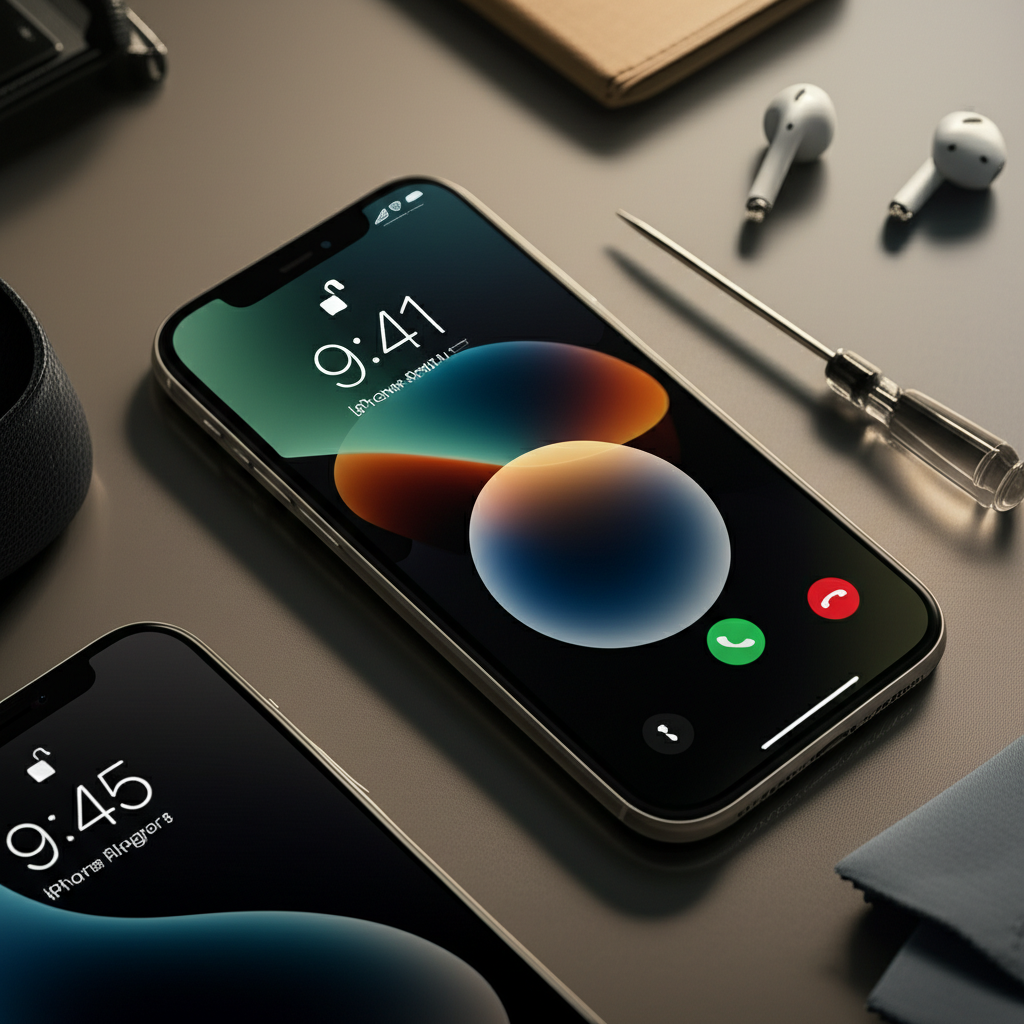
Generate an ultra-luxurious, modern, photorealistic 16:9 featured image for a blog article on the to

Your iPhone has a physical switch. It’s on the side. It controls whether your phone rings or stays silent.

Check the Switch: Look at the switch. If you see orange, it’s on silent mode. Flip it the other way. You should feel a click.
Test It: Make a test call. See if your iPhone rings. This simple step fixes many ringer issues.

Adjusting Volume Settings

Your ringer volume might be set too low. Or it could be off completely. You need to check your sound settings.

Go to Settings: Open the Settings app.
Tap Sounds & Haptics: Find and tap “Sounds & Haptics.”
Adjust Ringer Volume: Look for “Ringer and Alerts.” There is a slider. Move it to the right to increase the volume.
Check “Change with Buttons”: If this is on, your side buttons change the ringer volume. If it’s off, only the slider changes it.

Is “Do Not Disturb” Mode On?

“Do Not Disturb” silences calls and alerts. It’s useful, but can be forgotten. Make sure it’s off.

Swipe Down from Top Right: On newer iPhones, swipe down from the top right corner. On older ones, swipe up from the bottom.
Look for the Moon Icon: If the moon icon is lit up, “Do Not Disturb” is on. Tap it to turn it off.
Check Settings: You can also go to Settings > Focus > Do Not Disturb. Turn it off there.

Ensure “Silent Mode” Isn’t Mistaken for a Broken Ringer

Sometimes, users confuse silent mode with a broken ringer. Silent mode is a feature. It stops all sounds.

Silent Mode Explained: It’s controlled by the Ring/Silent switch. When orange shows, it’s in silent mode.
How to Tell: If you flip the switch and see orange, it’s on silent. If you flip it and don’t see orange, it’s set to ring.

Troubleshooting Software Glitches

Sometimes, software bugs can affect your ringer. A simple restart can often fix these.

Restart Your iPhone

Restarting clears temporary glitches. It’s a quick fix for many iPhone issues.

Press and Hold Buttons: Press and hold the side button. Also hold one of the volume buttons. Keep holding them until the power off slider appears.
Slide to Power Off: Drag the slider. Wait for your iPhone to turn off.
Turn Back On: Press and hold the side button. Do this until you see the Apple logo.

Reset All Settings

This resets system settings. It won’t delete your data. But it resets Wi-Fi passwords and other preferences.

Go to Settings: Open the Settings app.
Tap General: Scroll down and tap “General.”
Tap Transfer or Reset iPhone: Scroll to the bottom. Tap “Transfer or Reset iPhone.”
Tap Reset: Select “Reset All Settings.” You will need to enter your passcode.
Confirm: Tap “Reset All Settings” again to confirm.

This process can resolve deeper software conflicts. These conflicts might be preventing your ringer from working.

Checking Specific App Notification Settings

Some apps might be set to not make sound. This is not a ringer issue. But it can make it seem like your phone is silent.

Go to Settings: Open the Settings app.
Tap Notifications: Find and tap “Notifications.”
Select an App: Choose an app like Messages or Phone.
Check Alert Style: Make sure “Sounds” is turned on. If it’s off, the app won’t make noise.

Understanding iPhone Speaker Functionality

Your iPhone has two speakers. One is for calls (earpiece speaker). The other is for media and ringtones (bottom speaker). The ringer uses the bottom speaker.

Bottom Speaker: This speaker is usually on the bottom edge of your iPhone. It handles music, videos, and your ringtone.
Earpiece Speaker: This speaker is at the top. It’s used for phone calls. If your ringer doesn’t work but calls do, the bottom speaker is likely the issue.

Diagnosing Hardware Problems

If software fixes don’t work, it might be a hardware issue. This means a part inside your iPhone might be broken.

Inspect the Bottom Speaker Grille

Dust or debris can block the speaker. This stops sound from coming out.

Look Closely: Use a bright light. Look at the small holes on the bottom edge.
Clean Gently: Use a dry, soft brush. A soft toothbrush works well. Gently brush the grille. Avoid pushing debris further in. Compressed air can also help. Use short bursts.

Test the Speaker with Other Sounds

Play music or a video. Does sound come from the bottom speaker?

Play Music: Open the Music app. Play a song.
Watch a Video: Go to YouTube or another video app. Play a video.
Listen Carefully: If you hear no sound or very muffled sound, the speaker might be faulty. This confirms a hardware problem.

Water Damage Indicator

Water damage can ruin internal components. iPhones have liquid contact indicators (LCIs).

Locate the Indicator: For most iPhones, the LCI is in the SIM card tray slot.
Check the Color: If the indicator is white or silver, there’s no water damage. If it’s red or pink, water has likely entered the phone. Water damage often requires professional repair. You can check Apple’s support site for LCI locations on your specific model.

When to Consider Professional Repair

If you’ve tried all the software steps and basic hardware checks, it’s time for expert help. Professional repair shops can diagnose and fix complex issues.

Professional Diagnostics

Repair technicians have special tools. They can test individual components. They can check the logic board for faults. This is often beyond DIY capabilities.

Replacing the Speaker Module

If the speaker is indeed faulty, it needs replacement. This is a common repair.

Repair Process: A technician will open your iPhone. They will carefully disconnect the old speaker. Then, they install a new one.
Tool Requirements: This requires specialized tools. These include small screwdrivers, spudgers, and prying tools. You also need proper ESD (Electrostatic Discharge) protection. This prevents static electricity from damaging sensitive parts.

Logic Board Issues

Less commonly, the problem could be with the iPhone’s logic board. This is the main circuit board. Repairing logic board issues is complex. It often requires micro-soldering. This is a job for highly skilled technicians.

Essential Tools for iPhone Repair (DIY or Professional)

If you decide to attempt a repair yourself, having the right tools is crucial. For professional work, these are standard.

| Tool Name | Purpose |
| :—————————- | :———————————————————————- |
| Precision Screwdriver Kit | For removing tiny screws inside the iPhone. |
| Spudger/Pry Tool | For safely separating components and prying open the iPhone. |
| Suction Cup | To lift the screen or back panel without damaging seals. |
| Tweezers | For handling small cables and parts. |
| Heat Gun/Hair Dryer | To soften adhesive for opening the iPhone. |
| ESD Wrist Strap | To prevent static electricity from damaging internal components. |
| Replacement Speaker | The actual part needed to fix a broken speaker. |

Using the wrong tools can cause more damage. Always use tools designed for iPhone repair.

Important Safety Precautions: ESD Protection

When working inside an iPhone, static electricity is a major risk. Electrostatic Discharge (ESD) can fry delicate components.

What is ESD?: It’s a sudden flow of electricity between two objects. It happens when you touch something. Static builds up on your body.
How to Protect: Always wear an ESD wrist strap. Connect it to a grounded object. This safely channels static away. Work on an anti-static mat if possible.

Frequently Asked Questions About iPhone Ringer Issues

Q1: My iPhone ringer suddenly stopped working. What’s the first thing I should check?

A: Check the Ring/Silent switch on the side of your iPhone. If you see orange, it’s on silent. Flip it to the ring position.

Q2: I can’t hear calls, but my music is loud. What does this mean?

A: This usually means your bottom speaker is working for media. The issue might be with the earpiece speaker or a software setting specific to calls. However, ringtones also use the bottom speaker, so this is unusual.

Q3: Can water damage affect my iPhone ringer?

A: Yes, water damage can easily damage the speaker. It can also affect the logic board. Check the liquid contact indicator.

Q4: How much does it cost to fix an iPhone ringer?

A: If it’s a software issue, it’s free. If it’s a hardware problem like a broken speaker, the cost varies. Apple repairs can be expensive. Independent repair shops are often more affordable. Expect to pay anywhere from $30 to $100.

Q5: Will resetting all settings delete my photos?

A: No, resetting all settings will not delete your personal data. This includes photos, videos, contacts, and apps. It only resets system preferences and network settings.

Q6: My iPhone ringer works sometimes and not others. What could be wrong?

A: This often points to a loose connection inside the phone. It could also be an intermittent hardware fault. A professional diagnosis is recommended.

Conclusion: Get Your iPhone Ringing Again

Fixing a silent iPhone ringer can range from simple settings adjustments to hardware repair. We’ve covered checking the Ring/Silent switch, volume levels, and “Do Not Disturb” mode. We also explored software resets and speaker diagnostics. If these steps don’t work, professional repair is likely needed. Remember to always use proper tools and safety precautions, especially ESD protection, if you attempt any internal repairs. Don’t let a silent phone disrupt your life. Try these steps and get your iPhone back to making noise.

Belayet Hossain
Belayet Hossain

Belayet Hossain is a Senior Tech Expert and Certified AI Marketing Strategist. Holding an MSc in CSE (Russia) and over a decade of experience since 2011, he combines traditional systems engineering with modern AI insights. Specializing in Vibe Coding and Intelligent Marketing, Belayet provides forward-thinking analysis on software, digital trends, and SEO, helping readers navigate the rapidly evolving digital landscape. Connect with Belayet Hossain on Facebook, Twitter, Linkedin or read my complete biography.

Share. Facebook Twitter Pinterest LinkedIn Tumblr Email

Recommened for You

Is Cell Phone Repair Worth It? Cost vs. Buying New

24/01/2026

Is a Cell Phone Repair Business Profitable? 2026 Growth Guide

22/12/2025

iPhone Repair DeKalb IL: Trusted Local Experts & Pricing

10/12/2025

iPhone Repair Shop Open On Sunday: Essential Sunday Fix

08/12/2025

iPhone Repair Broken Back Glass: Ultimate Fix

02/12/2025

iPhone Repair Door to Door Service: Effortless & Essential

02/12/2025

Leave a ReplyCancel reply

This site uses Akismet to reduce spam. Learn how your comment data is processed.

BIG Discounts at Amazon !
Save 50.0% on select products from TECKNET with promo code F7E6Q3GE, through 2/16 while supplies last.
Save 50.0% on select products from KIGJU with promo code KIGJU150, through 2/20 while supplies last.
Latest Updates
  • Amazon Order History: How to Find, Download & Archive Orders
  • Amazon Prime Student: Cost, Free Trial & Sign Up Guide
  • Amazon Prime Membership: True Costs, Discounts & Cancellation
  • Uncovering Overlooked Threats: Finding the Hidden Cybersecurity Risks in Plain Sight
  • Your Guide to the Top Buccal Fat Removal Surgeon in Sydney
  • Trusted Art Classes for Teens in Vaughan to Develop Strong Artistic Foundations
  • Cancel Amazon Prime: Step-by-Step Guide to Unsubscribe Fast
  • Top Tax Mistakes Young Entrepreneurs Make (And How to Avoid Them)
  • Smart Call Management with an AI Receptionist: Complete Guide
  • Amazon My Account Guide: Login, Security & Order Management
Subscribe for Updates
loader

Email Address*

First Name

Last Name

Top Reviews
Blog

5 Best Underwater Camera for Ice Fishing in 2026

The best underwater camera for ice fishing lets you see fish in real time, even…

4 Cost-Effective Smart Home Upgrades for Your Rental Unit

10/07/2024

Exploring the Topmost 5 Ultrasonic Parts Cleaner

27/05/2024

Boosting Social Media Management with Best Laptop for Social Media Manager

24/10/2023
Business Tech

Top Tax Mistakes Young Entrepreneurs Make (And How to Avoid Them)

18/03/2026

Comprehensive Tutorial on Sending Bitcoin via Cash App

18/02/2024

Building Bridges for Seamless Cross-Chain Connectivity

25/01/2024

Exploring Free CPT Code Lookup for Curious Minds

24/01/2024
All Categories
  • Accounting & Auditing (3)
  • Advertising & Marketing (11)
  • Affiliate Marketing (26)
  • Agriculture & Forestry (1)
  • Android (21)
  • Apple (32)
  • Apps (24)
  • Aquaculture (1)
  • Autos & Vehicles (1)
  • Beaches & Islands (1)
  • Billing & Invoicing (3)
  • Blog (1,697)
  • Blogging (17)
  • Business (203)
  • Business & Industrial (33)
  • Business & Productivity Software (11)
  • Business Operations (11)
  • Business Services (8)
  • Business Travel (1)
  • Camera (9)
  • Chemicals Industry (1)
  • Cloud Storage (3)
  • Coatings & Adhesives (1)
  • Colleges & Universities (1)
  • Computer Drives & Storage (3)
  • Computer Hardware (9)
  • Computer Peripherals (2)
  • Computer Science (2)
  • Computer Security (12)
  • Computer Servers (1)
  • Computers & Electronics (65)
  • Consumer Electronics (17)
  • Consumer Resources (2)
  • Content (51)
  • Crypto (106)
  • Currencies & Foreign Exchange (16)
  • Customer Services (1)
  • Data Management (7)
  • Data Science (6)
  • Desk Accessories (1)
  • Desk Productivity Tech (2,221)
  • Desktop (6)
  • Development Tools (2)
  • Digital Culture (1)
  • Digital Marketing (173)
  • Domain & Hosting (27)
  • E-Commerce Services (4)
  • Earn money (1)
  • Editing & Writing Services (4)
  • Editor's Choice (1)
  • Education (2)
  • Education (4)
  • Educational Software (1)
  • Electronic Accessories (2)
  • Electronic Components (2)
  • Electronic Spam (1)
  • Electronics & Electrical (4)
  • Electronics Repair (16)
  • Email & Messaging (2)
  • Engineering & Technology (1)
  • Enterprise Technology (11)
  • Ergonomics & Comfort (1)
  • ERP (1)
  • Finance (19)
  • Food delivery (3,418)
  • Gadget (58)
  • Graphic Design (13)
  • HealthTech (3)
  • Helpdesk & Customer Support Systems (1)
  • Home Automation (3)
  • Hospitality Industry (1)
  • Hotels & Accommodations (1)
  • How-To (8)
  • Human Resources (4)
  • Identity Theft Protection (1)
  • Internet & Telecom (22)
  • Internet Software (3)
  • Investing (16)
  • iPad (6)
  • iPhone (15)
  • iPhone Reviews (2)
  • IT Careers (2)
  • Java (1)
  • Jobs & Education (5)
  • Keyboards (2)
  • Laptop (9)
  • Laptops & Notebooks (3)
  • Latest Posts (2)
  • Linux (3)
  • Machine Learning & Artificial Intelligence (6)
  • Make Money (25)
  • Management (5)
  • Marketing (17)
  • Mathematics (1)
  • Medical Devices & Equipment (1)
  • Metals & Mining (1)
  • Metaverse (1)
  • Mobile & Smartphones (1,540)
  • Monitor Stand (1)
  • Monitoring Software (1)
  • More (72)
  • Multimedia Software (3)
  • Multimedia Software (1)
  • Network Security (10)
  • Networking (10)
  • Networking Equipment (1)
  • Online Communities (1)
  • Open Online Courses (1)
  • Operating Systems (1)
  • Operating Systems (1)
  • Outsourcing (1)
  • Packaging (1)
  • Power Supplies (2)
  • Printing & Publishing (1)
  • Programming (58)
  • Retail Equipment & Technology (1)
  • Reviews (47)
  • Robotics (2)
  • Science (5)
  • Scripting Languages (1)
  • Search Engine Optimization & Marketing (9)
  • Security (38)
  • Senior Living & Care Technology (1)
  • SEO (89)
  • Shipping & Logistics (6)
  • Shopping (2)
  • Social Media (71)
  • Social Networks (1)
  • Software (121)
  • Specialty Travel (1)
  • Statistics (1)
  • Tablet (2)
  • Tech News (15)
  • Tech Reviews (2)
  • Tech support (78)
  • Technology (2,319)
  • Text & Instant Messaging (1)
  • Tools (3)
  • Tourist Destinations (1)
  • Training & Certification (1)
  • Travel & Transportation (4)
  • TV & Video Equipment (2)
  • Vacation Rentals & Short-Term Stays (1)
  • Vehicle Codes & Driving Laws (1)
  • Vehicle Licensing & Registration (1)
  • Video (3)
  • Vocational & Continuing Education (1)
  • Warehousing (1)
  • Web Design (40)
  • Web Design & Development (9)
  • Web services (19)
  • Windows (19)
  • Windows Phone (3)
  • WordPress (12)
  • Writers Resources (10)
Navigation
  • Blog
  • Subscribe now
  • Write For Us | Become A Contributor
  • Our Partners
  • Affiliate Disclaimer
  • Contact us
About Us
About Us

IT Phobia is a comprehensive technology media hub and digital solutions provider. We deliver expert insights across SEO, Web Development, Crypto, and Digital Marketing while offering in-depth troubleshooting guides for Android, Windows, and Enterprise Tech. From the latest industry news to actionable tutorials, we empower businesses and tech enthusiasts to navigate the digital landscape with confidence.

Email Us: admin@itphobia.com

Learn More About Us

Get Tech Tips Straight to Your Inbox
loader

Email Address*

First Name

Last Name

© 2015 - 2026 IT Phobia. All Rights Reserved.
  • Home
  • Tech Blogs Trending Now!
  • Write For Us | Become A Contributor
  • Privacy Policy
  • Terms of use

Type above and press Enter to search. Press Esc to cancel.