
Published on: 04/11/2025 | Updated on: November 4, 2025
Learn how to fix your phone with this genius guide, covering common problems, essential tools, and step-by-step solutions to get your device working again.
Cracked screens, dead batteries, and unresponsive touchscreens are frustrating. Many phone problems seem impossible to fix. But with the right knowledge and tools, you can often repair your phone yourself. This guide will show you how to diagnose issues. We will cover the tools you need. You will learn safe repair steps. Get your phone working like new again.
Understanding Common Phone Problems
Phones are complex devices. They can develop many issues. Knowing the common problems helps you fix them. Some issues are simple software glitches. Others involve hardware failures. Recognizing the symptom is the first step. This helps you choose the right fix.
Software Glitches and Freezes

Your phone might freeze or become slow. Apps may crash unexpectedly. This often happens due to too many apps running. It can also be caused by corrupted app data. Sometimes, a simple restart fixes these issues. A software update can also resolve bugs.
Battery Drain and Charging Issues
A phone that dies quickly is annoying. This is usually a battery problem. Batteries wear out over time. Heavy app usage also drains the battery fast. Charging problems mean the phone won’t power up. This could be a faulty charger or charging port.
Cracked or Damaged Screens
A broken screen is very common. Dropping your phone can cause cracks. The touchscreen might stop working. Sometimes, only the glass is broken. Other times, the display underneath is also damaged. Screen replacement is a frequent repair.
Water Damage and Other Physical Issues
Accidents happen. Spilling water on your phone is serious. Other physical damage can also occur. Buttons might stop working. Speakers can sound muffled. These problems require careful diagnosis.
Essential Tools for Phone Repair
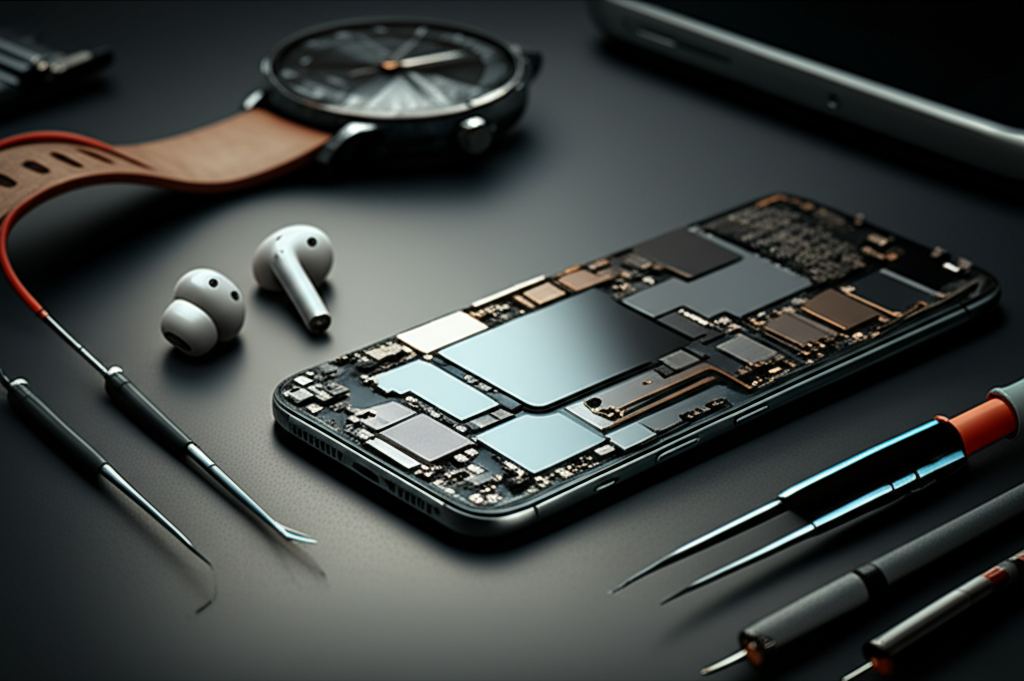
Having the right tools makes phone repair easier. You don’t need a whole workshop. A few key items are essential. These tools help you open your phone safely. They also help you handle small parts. Always use the correct tools for the job.
The Basic Repair Toolkit
A good toolkit includes several items. You will need small screwdrivers. These come in different sizes and types. Prying tools are also important. They help you separate phone parts. Tweezers are useful for tiny screws. A suction cup can lift screens.
Specialized Tools for Advanced Repairs
For more complex repairs, you might need more. A heat gun or hairdryer can loosen adhesive. An ESD wrist strap protects parts from static. A multimeter helps test electrical components. A microscope can be useful for motherboard work.
Where to Get Quality Repair Tools
You can buy toolkits online. Many websites sell phone repair parts and tools. Look for reputable suppliers. iFixit is a well-known source for tools and guides. Ensure the tools are designed for electronics. Poor quality tools can damage your phone.
Diagnosing Your Phone’s Problem
Before fixing, you must know what’s wrong. This is called diagnostics. It’s like being a detective for your phone. You look for clues. You test different possibilities. This saves time and prevents further damage.
Step-by-Step Diagnostic Process
Start with simple checks. Is the phone turning on? Does the screen light up? Are there any visible cracks or damage? Try restarting the phone. If it’s a charging issue, try a different cable and charger.
Common Symptoms and Their Likely Causes
| Symptom | Likely Cause |
| :———————— | :—————————————— |
| Phone won’t turn on | Dead battery, faulty power button, software crash |
| Screen is black but phone is on | Display issue, loose internal cable |
| Touchscreen not responding | Damaged digitizer, software glitch, loose cable |
| Poor battery life | Old battery, background app activity, software bug |
| Charging slowly or not at all | Dirty charging port, faulty cable/adapter, battery issue |
Using Software for Diagnosis
Some phones have built-in diagnostic tools. You can also find diagnostic apps. These apps can test various phone functions. They check Wi-Fi, speakers, sensors, and more. They can help pinpoint hardware problems.
Fixing Common Software Issues
Many phone problems are software-related. These are often the easiest to fix. You don’t need to open your phone. Simple steps can often resolve them. Always back up your data first. This protects your important files.
Restarting and Force Restarting Your Phone
A simple restart can fix many glitches. Turn your phone off completely. Wait a few seconds. Then turn it back on. If your phone is frozen, you might need a force restart. The method varies by phone model. Search online for your specific phone.
Clearing App Cache and Data
Apps can cause problems if their data gets corrupted. Clearing an app’s cache can help. This removes temporary files. Clearing app data resets the app. You will lose app settings and logins. Do this for apps that are crashing.
Factory Reset: The Last Resort
A factory reset erases everything on your phone. It returns the phone to its original settings. This can fix persistent software issues. Only do this if other methods fail. Make sure you have backed up all your data. You will need to set up your phone again.
Repairing Screen and Display Problems
A damaged screen is a common and visible issue. Replacing a phone screen can seem daunting. However, it is a very common repair. With the right guide and tools, you can do it. Always work in a clean, well-lit area.
Assessing Screen Damage
First, check the extent of the damage. Is it just the glass? Is the display itself broken? Do you see lines or dead spots? If the touchscreen doesn’t work, the digitizer is likely damaged. This is usually part of the screen assembly.
Replacing a Cracked Screen
This process involves several steps. You need to carefully open the phone. This often involves removing screws and prying open the casing. Disconnect the old screen assembly. Connect the new screen. Secure everything back together. Specific guides for your phone model are crucial here. You can find many video tutorials online.
Troubleshooting Display Issues
If the new screen doesn’t work, check connections. Ensure the display cable is seated properly. Sometimes, the issue is with the phone’s logic board. This requires more advanced troubleshooting. If you are unsure, seek professional help.
Battery Replacement Guide
Phone batteries degrade over time. A worn-out battery won’t hold a charge. Replacing it is a good way to revive an older phone. This repair is generally straightforward for many models. However, some phones make it harder.
Signs Your Battery Needs Replacing
Your phone might shut down suddenly. Even when it shows charge, it dies. Battery health indicators on your phone can confirm this. If the battery life is significantly shorter than before, it’s time. Be aware that batteries can swell, which is dangerous.
The Battery Replacement Process
Similar to screen replacement, you need to open the phone. Batteries are usually held in place with adhesive. Carefully pry the old battery out. Be gentle to avoid puncturing it. Connect the new battery. Secure it in place. Reassemble the phone.
Where to Buy Replacement Batteries
Source batteries from trusted vendors. Cheap, unbranded batteries can be dangerous. Look for batteries specifically made for your phone model. Check reviews for the seller and the battery. A good battery should have a warranty.
Addressing Charging Port and Connectivity Issues
A phone that won’t charge or connect properly is useless. The charging port is a common point of failure. Lint and debris can block the connection. Sometimes, the port itself is damaged.
Cleaning the Charging Port
Often, the issue is just a dirty port. Use a wooden or plastic toothpick. Gently clean out any debris. Never use metal objects. Compressed air can also help. If the port looks damaged, cleaning won’t fix it.
Replacing a Faulty Charging Port
If cleaning doesn’t work, the port might need replacement. This is a more advanced repair. It often involves soldering components onto the motherboard. If you are not comfortable with soldering, it’s best to get professional help.
Wi-Fi and Bluetooth Problems
Connectivity issues can also arise. If Wi-Fi or Bluetooth isn’t working, try resetting network settings. If that fails, it could be a hardware problem. This might involve antenna replacement or internal connections.
Water Damage: What to Do and What Not to Do
Water damage is one of the most serious issues. Quick action is critical. The goal is to prevent corrosion. Do not try to turn the phone on. Do not plug it in to charge.
Immediate Steps After Water Exposure
Turn the phone off immediately. Remove the SIM card and any external storage. Wipe down the exterior with a soft cloth. Submerge the phone in uncooked rice or silica gel packets. This helps draw out moisture. Leave it for at least 48 hours.
Professional Water Damage Repair
Even after drying, internal components can corrode. Professional cleaning of the logic board is often needed. This involves specialized equipment. Success rates vary depending on the type of liquid and how long it was submerged.
Preventing Water Damage
Use waterproof cases or pouches. Avoid using your phone near water. Be careful with drinks around your devices. Taking simple precautions can save you a lot of trouble.
Motherboard and Internal Component Repairs
Motherboard repairs are the most complex. These involve tiny components. They often require advanced skills. This is usually for experienced technicians.
Understanding the Motherboard
The motherboard is the phone’s main circuit board. It connects all the components. Problems here can affect many functions. Common issues include damaged connectors or faulty chips.
Soldering and Component-Level Repair
Soldering is used to fix or replace small parts. This requires precision tools and steady hands. ESD (Electrostatic Discharge) protection is vital. Static electricity can easily destroy sensitive components. You can learn more about ESD safety from the ESD Association.
When to Seek Professional Help
If you are not experienced with microsoldering, do not attempt these repairs. Motherboard issues often require specialized diagnostic equipment. It’s usually more cost-effective to replace the phone than to repair a severely damaged motherboard.
Maintaining Your Phone for Longevity
Regular maintenance can prevent problems. It helps your phone last longer. Simple habits can make a big difference. Keep your phone clean and updated.
Software Updates and Optimization
Always install software updates. They often include security patches and performance improvements. Uninstall apps you don’t use. They take up space and can run in the background.
Physical Care and Protection
Use a screen protector and a protective case. This guards against drops and scratches. Keep your phone away from extreme temperatures. Avoid exposing it to dust and moisture.
Battery Health Management
Avoid fully draining your battery often. Try to keep the charge between 20% and 80%. Avoid charging overnight if possible. These practices can help extend battery lifespan.
Frequently Asked Questions (FAQ)
Can I fix my phone myself?
Yes, many common phone problems can be fixed at home. Simple issues like software glitches or charging port debris are often DIY fixes. For complex hardware problems, professional help might be better.
What are the most common phone repairs?
The most common repairs are cracked screen replacements and battery replacements. Charging port cleaning or repair is also very frequent.
How much does it cost to fix a phone?
Costs vary widely. A DIY screen repair might cost $50-$150 for parts. Professional screen repair can be $100-$300+. Battery replacements are usually less expensive.
Do I need special tools to fix my phone?
For basic repairs, a small toolkit with screwdrivers and prying tools is usually enough. More advanced repairs may require specialized equipment like a heat gun or soldering iron.
Is it worth fixing an old phone?
It depends on the cost of repair versus the cost of a new phone. If the repair is minor and your phone is still functional, it can be a cost-effective option. For major issues on older phones, a new device might be better.
How can I prevent my phone from breaking?
Use a good quality protective case and screen protector. Avoid dropping your phone. Keep it away from water and extreme temperatures. Install software updates regularly.
What is ESD and why is it important for phone repair?
ESD stands for Electrostatic Discharge. It’s a sudden flow of electricity between two objects. Static electricity can damage sensitive electronic components inside your phone. Using an ESD wrist strap is crucial to prevent this.
Final Words
Fixing your phone can be a rewarding experience. It saves money and reduces electronic waste. By understanding common issues, using the right tools, and following safe procedures, you can tackle many repairs. Remember to always back up your data before starting any major fix. For complex problems, don’t hesitate to seek expert assistance. With patience and the right approach, you can give your phone a new lease on life. If you found this guide helpful, consider subscribing for more repair tips and tool reviews.

Belayet Hossain is a Senior Tech Expert and Certified AI Marketing Strategist. Holding an MSc in CSE (Russia) and over a decade of experience since 2011, he combines traditional systems engineering with modern AI insights. Specializing in Vibe Coding and Intelligent Marketing, Belayet provides forward-thinking analysis on software, digital trends, and SEO, helping readers navigate the rapidly evolving digital landscape. Connect with Belayet Hossain on Facebook, Twitter, Linkedin or read my complete biography.