


Published on: 04/11/2025 | Updated on: November 4, 2025
Fix your phone speaker with these essential breakthrough steps, from simple cleaning to component replacement, ensuring clear sound and a functional device.
Is your phone speaker suddenly quiet or completely silent? It’s frustrating when you can’t hear calls, music, or notifications clearly. This common problem can happen for many reasons, from simple dirt buildup to a more complex internal issue. Don’t worry; many phone speaker problems are fixable. This guide will walk you through essential steps, helping you diagnose and fix your phone speaker like a pro. We’ll cover easy fixes and more advanced solutions, so you can get your sound back.
Common Signs Your Phone Speaker Needs Fixing
Your phone speaker might be failing if you notice specific issues. These signs tell you it’s time to investigate. A quiet or muffled sound is a big clue. You might also hear crackling or static. Sometimes, the speaker might cut in and out. In other cases, there’s no sound at all. These symptoms point to a speaker problem that needs attention.
Why Do Phone Speakers Stop Working?
Several things can cause your phone speaker to fail. Dust and debris are common culprits. They can block the speaker grill, muffling the sound. Water damage is another frequent cause. Moisture can corrode internal components. A software glitch can also sometimes affect sound output. Finally, the speaker component itself might be damaged or worn out.
Essential Tools for Phone Speaker Repair
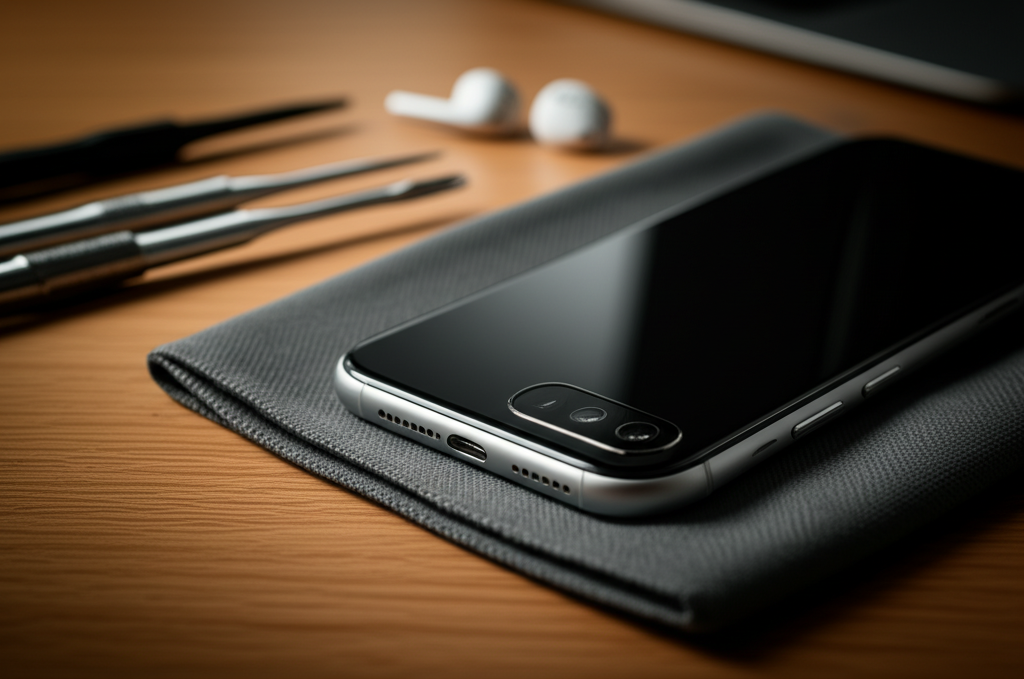
To fix your phone speaker, you’ll need a few basic tools. A small Phillips head screwdriver set is essential. You’ll also need a plastic spudger or opening tool. These help you pry open the phone without damage. Tweezers are useful for handling small screws and cables. An anti-static wrist strap is important for safety. It prevents static electricity from harming your phone’s sensitive parts.
For more advanced repairs, you might need a heat gun or hairdryer. This softens adhesive holding the phone together. A magnifying glass can help you see tiny components. If you plan on soldering, you’ll need a soldering iron and solder. Always ensure you have the correct replacement speaker part for your specific phone model.
Step-by-Step Guide: How to Fix Your Phone Speaker
This guide provides a clear path to fixing your phone speaker. Follow these steps carefully.
1. Clean the Speaker Grill

Often, dirt and lint clog the speaker grill. This is the easiest fix.
What to do:
Turn off your phone completely.
Use a soft-bristled brush, like a new toothbrush, to gently clean the speaker grill.
You can also use a can of compressed air. Hold it upright and spray short bursts into the grill.
Avoid poking sharp objects into the grill, as this can cause damage.
Why it works: This removes obstructions that block sound waves. It’s a safe first step for any speaker issue.
2. Test Your Phone in Safe Mode
Software glitches can sometimes affect speaker function. Safe Mode helps you check this.
What to do:
Restart your phone.
As it starts up, press and hold the volume down button.
Keep holding it until the phone boots up. You should see “Safe Mode” on the screen.
Test your speaker in Safe Mode.
Why it works: Safe Mode loads only essential system software. If the speaker works here, a third-party app is likely causing the problem. You can then uninstall recent apps to find the culprit.
3. Check Volume Settings and Bluetooth Connections
Simple settings can be overlooked. Ensure your volume is up and Bluetooth is off.
What to do:
Go to your phone’s Settings.
Tap on “Sound” or “Sound & Vibration.”
Make sure the media and ringtone volumes are turned up.
Check if your phone is connected to a Bluetooth device. If it is, sound might be playing through that device. Turn off Bluetooth if needed.
Why it works: This confirms that your phone is set to output sound correctly. It rules out accidental mute settings or audio redirection.
4. Restart Your Phone
A simple restart can fix many temporary software issues. It refreshes the phone’s system.
What to do:
Press and hold the power button.
Select “Restart” or “Reboot.”
Wait for your phone to turn back on.
Test your speaker again.
Why it works: This clears out temporary glitches in the phone’s operating system. It’s a quick fix for many minor software-related problems.
5. Reset All Settings (Last Resort for Software)
If software is suspected, resetting settings can help. This returns system settings to default.
What to do:
Go to Settings.
Search for “Reset” or “General Management.”
Choose “Reset all settings.”
Confirm the action. This will not delete your personal data like photos or apps.
Why it works: This step reverts any corrupted system settings without erasing your files. It can resolve deeper software conflicts affecting sound.
6. Physically Inspect the Speaker Component
If software fixes don’t work, the problem might be hardware. This involves opening your phone.
What to do:
Turn off your phone.
Use appropriate tools to carefully open your phone. Models vary greatly; consult a guide for your specific phone.
Locate the speaker module. It’s usually a small component near the bottom or top edge.
Check for any visible damage, corrosion, or debris stuck directly on the speaker itself.
Why it works: This allows you to visually inspect the physical speaker for any obvious faults. It’s a crucial step before considering replacement.
7. Replace the Speaker Module
If the speaker is visibly damaged or cleaning doesn’t help, replacement is the next step.
What to do:
After opening your phone, carefully disconnect the old speaker module. This usually involves removing a small connector.
Gently pry out the old speaker.
Install the new replacement speaker. Ensure it sits firmly in place.
Reconnect the new speaker’s cable.
Carefully reassemble your phone.
Turn on your phone and test the speaker.
Why it works: This directly addresses a faulty or damaged speaker component. A new speaker should restore proper sound function.
Important Safety Precautions During Repair
Working inside your phone requires care. Always prioritize safety.
ESD Protection: Electrostatic discharge (ESD) can permanently damage your phone’s components. Always wear an anti-static wrist strap. Connect it to a grounded metal object. This safely dissipates static electricity.
Battery Safety: If you need to disconnect the battery, do so carefully. Avoid puncturing or bending it. Damaged lithium-ion batteries can be a fire hazard.
Screw Management: Keep track of all screws. They are often different sizes. Use a magnetic mat or labeled containers. Putting the wrong screw back can cause internal damage.
Gentle Handling: Phone components are delicate. Use plastic tools instead of metal ones for prying. Apply steady, gentle pressure.
You can find detailed guides for specific phone models on websites like iFixit. These resources show you exactly how to open your device safely.
Troubleshooting Speaker Issues with Specific Phone Models
Different phone brands and models have unique designs. This can affect how you fix their speakers.
iPhone Speaker Repair
iPhones often have speaker assemblies located at the bottom. Water damage is a common issue. Replacing an iPhone speaker requires precise tools. You’ll need to remove the screen first for many models. Then, carefully detach the speaker module. Following an Apple-specific guide is essential for a successful repair.
Samsung Galaxy Speaker Repair
Samsung phones, like Galaxy models, typically have speakers accessible after removing the back panel or screen. Adhesive is often used to seal the phone. Heat is usually needed to soften it. Be mindful of the flexible display cables. Ensure you get the correct replacement speaker for your specific Galaxy model.
Google Pixel Speaker Repair
Google Pixel phones are also sealed with adhesive. Opening them requires careful use of heat and prying tools. The speaker is usually a separate module. Pay close attention to cable routing when reassembling. Always use a guide for your particular Pixel generation.
When to Seek Professional Help
Not all speaker problems can be fixed at home. Sometimes, professional help is best.
Complex Damage: If your phone has suffered significant water damage or a severe drop, professional repair is safer. Internal components might be compromised beyond simple replacement.
Lack of Confidence: If you’re not comfortable opening your phone, don’t risk it. A mistake could cause more damage.
Warranty: If your phone is still under warranty, attempt repairs only if the warranty allows it. Otherwise, professional repair or contacting the manufacturer is the way to go.
Specialized Tools: Some repairs require specialized tools not easily available to consumers.
A certified repair technician has the expertise and tools to handle complex issues. They can often diagnose and fix problems quickly.
Preventing Future Phone Speaker Problems
Taking simple steps can help protect your phone’s speaker. Prevention is always better than repair.
Keep it Clean: Regularly clean the speaker grill with a soft brush or compressed air. This prevents dust buildup.
Avoid Moisture: Keep your phone away from water and high humidity. Use a waterproof case if you’re often around water.
Handle with Care: Avoid dropping your phone. Use a protective case and screen protector.
Software Updates: Keep your phone’s operating system updated. This can fix software bugs that might affect sound.
* Safe Listening Habits: Avoid listening to music at maximum volume for extended periods. This can strain the speaker over time.
By following these tips, you can help ensure your phone speaker remains in good working order for longer.
Frequently Asked Questions About Fixing Phone Speakers
My phone speaker is crackling. What should I do?
Crackling can be due to debris, a loose connection, or a damaged speaker. First, clean the speaker grill thoroughly with compressed air and a soft brush. If that doesn’t help, the speaker might be damaged and need replacement.
Can I use a pin to clean my phone speaker?
It’s not recommended to use sharp objects like pins. They can easily puncture the speaker membrane or damage the grill. A soft brush or compressed air is much safer.
How do I know if it’s a software or hardware problem?
Test your speaker in Safe Mode. If it works fine in Safe Mode, it’s likely a software issue caused by an app. If it still doesn’t work in Safe Mode, it’s probably a hardware problem with the speaker itself.
Is it safe to replace my phone speaker myself?
It can be safe if you follow detailed instructions for your specific model and take ESD precautions. However, it requires patience and the right tools. If you’re unsure, professional repair is a better option.
How much does it cost to fix a phone speaker?
The cost varies. Cleaning is free. Replacing a speaker can range from $20 to $100 or more, depending on your phone model and whether you do it yourself or pay for professional service. Professional repairs often include a labor cost.
Will water damage always ruin my phone speaker?
Not always, but it’s a common cause of speaker failure. If your phone gets wet, turn it off immediately. Dry it as much as possible. Then, let it dry completely before turning it on. If the speaker still doesn’t work, it may need professional cleaning or replacement.
Conclusion
Fixing a silent or muffled phone speaker is often achievable with the right approach. From simple cleaning to component replacement, you have the power to restore your device’s sound. Remember to start with the easiest steps, like cleaning the grill and checking settings. If those don’t work, proceed cautiously with software resets or hardware repairs, always prioritizing safety. For many, especially DIY enthusiasts, this guide provides the essential breakthroughs needed. If the task seems too daunting or your phone has complex damage, don’t hesitate to seek professional assistance. Keeping your phone’s audio clear enhances your daily experience, making these troubleshooting steps well worth the effort.

Belayet Hossain is a Senior Tech Expert and Certified AI Marketing Strategist. Holding an MSc in CSE (Russia) and over a decade of experience since 2011, he combines traditional systems engineering with modern AI insights. Specializing in Vibe Coding and Intelligent Marketing, Belayet provides forward-thinking analysis on software, digital trends, and SEO, helping readers navigate the rapidly evolving digital landscape. Connect with Belayet Hossain on Facebook, Twitter, Linkedin or read my complete biography.