Close Menu
itphobia.com
  • Home
  • Free Tools
    • Free Readability Checker
    • Free Search Engine Index Checker
    • Free Meta Tag Checker
  • Services
    • Article writing
    • Lead Generation
    • Link Building
  • Blog
    • Reviews
      • iPhone Reviews
      • Android
      • Camera
      • iPad
      • Tablet
      • Desktop
      • Laptop
      • Gadget
    • Desk Productivity Tech
      • Desk Setup Ideas
      • Tech Reviews
        • Keyboards
      • Desk Accessories
      • Ergonomics & Comfort
      • Smart Desk Tools
      • WFH Setups
      • Buyer’s Guides
    • Apple
    • Apps
    • Business
      • Finance
        • Investing
          • Currencies & Foreign Exchange
      • Business & Industrial
        • Advertising & Marketing
          • Marketing
        • Business Operations
          • Management
        • Business Services
          • E-Commerce Services
            • Food delivery
          • Fire Security Services
          • Hospitality Industry
          • Warehousing
          • Editing & Writing Services
        • Chemicals Industry
          • Coatings & Adhesives
      • Retail Trade
      • Retail Equipment & Technology
    • Computers & Electronics
      • Computer Security
        • Network Security
      • Consumer Electronics
        • Electronics Repair
        • TV & Video Equipment
      • Electronics & Electrical
        • Electronic Components
    • Digital Marketing
      • SEO
      • Social Media
      • Affiliate Marketing
    • Software
    • Gadget
    • Mobile & Smartphones
    • Windows Phone
    • Domain & Hosting
    • Make Money
    • Graphic Design
    • Blogging
    • Content
    • Data Science
    • Programming
    • Crypto
    • Robotics
    • Metaverse
    • Security
    • Networking
    • Tech support
    • Technology
    • Web Design
    • WordPress
    • Windows
    • More

Subscribe to Updates

Get the latest creative news from FooBar about art, design and business.

loader

Email Address*

First Name

Last Name

What's Hot

Amazon Order History: How to Find, Download & Archive Orders

18/04/2026

Amazon Prime Student: Cost, Free Trial & Sign Up Guide

18/04/2026

Amazon Prime Membership: True Costs, Discounts & Cancellation

18/04/2026
Facebook X (Twitter)
itphobia.com
  • Home
  • Free Tools
    • Free Readability Checker
    • Free Search Engine Index Checker
    • Free Meta Tag Checker
  • Services
    • Article writing
    • Lead Generation
    • Link Building
  • Blog
    • Reviews
      • iPhone Reviews
      • Android
      • Camera
      • iPad
      • Tablet
      • Desktop
      • Laptop
      • Gadget
    • Desk Productivity Tech
      • Desk Setup Ideas
      • Tech Reviews
        • Keyboards
      • Desk Accessories
      • Ergonomics & Comfort
      • Smart Desk Tools
      • WFH Setups
      • Buyer’s Guides
    • Apple
    • Apps
    • Business
      • Finance
        • Investing
          • Currencies & Foreign Exchange
      • Business & Industrial
        • Advertising & Marketing
          • Marketing
        • Business Operations
          • Management
        • Business Services
          • E-Commerce Services
            • Food delivery
          • Fire Security Services
          • Hospitality Industry
          • Warehousing
          • Editing & Writing Services
        • Chemicals Industry
          • Coatings & Adhesives
      • Retail Trade
      • Retail Equipment & Technology
    • Computers & Electronics
      • Computer Security
        • Network Security
      • Consumer Electronics
        • Electronics Repair
        • TV & Video Equipment
      • Electronics & Electrical
        • Electronic Components
    • Digital Marketing
      • SEO
      • Social Media
      • Affiliate Marketing
    • Software
    • Gadget
    • Mobile & Smartphones
    • Windows Phone
    • Domain & Hosting
    • Make Money
    • Graphic Design
    • Blogging
    • Content
    • Data Science
    • Programming
    • Crypto
    • Robotics
    • Metaverse
    • Security
    • Networking
    • Tech support
    • Technology
    • Web Design
    • WordPress
    • Windows
    • More
Facebook X (Twitter)
0 Shopping Cart
itphobia.com
Home»Blog»Computers & Electronics»Consumer Electronics»Mobile & Smartphones»How Much Is Phone Repair With Apple Care: Essential Costs

How Much Is Phone Repair With Apple Care: Essential Costs

Mobile & Smartphones
Share
Facebook Twitter Pinterest Email

Published on: 07/11/2025 | Updated on: November 7, 2025

Understanding AppleCare+ costs for phone repair is crucial for budgeting, as it significantly reduces out-of-pocket expenses for accidental damage and extends warranty coverage for your iPhone.

A cracked iPhone screen or a battery that won’t hold a charge can be frustrating. Many people wonder about the cost of fixing these issues, especially with AppleCare+. This guide will break down exactly how much phone repair costs when you have AppleCare+. We’ll look at different types of repairs and what you can expect to pay. Knowing these costs helps you make smart decisions about protecting your device.

What is AppleCare+ and How Does It Work?

AppleCare+ is an insurance plan. It covers your iPhone for longer than the standard warranty. It also covers accidental damage. This is a big deal for common problems like drops and spills. You pay a monthly or yearly fee for this coverage. Then, if something happens, you pay a smaller service fee. This is much less than paying for a repair without AppleCare+.

Understanding Your AppleCare+ Coverage

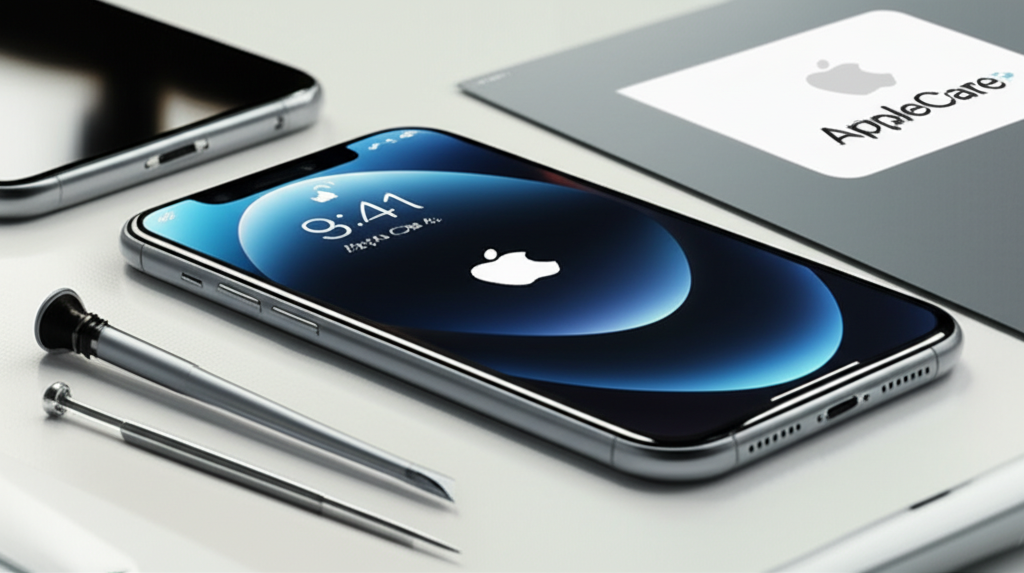
Generate an ultra-luxurious, modern, photorealistic 16:9 featured image for a blog article on the to

AppleCare+ includes two accidental damage incidents. Each incident has a service fee. This fee depends on what needs fixing. It also depends on your iPhone model. Screen repairs usually cost less than other damage. This plan extends your warranty too. It covers manufacturing defects beyond the first year.

How Much is Phone Repair With AppleCare+ for Screen Damage?

Screen repairs are very common. With AppleCare+, the cost is usually low. For most iPhone models, a screen repair costs $29. This is for accidental damage. This price is the same across many generations of iPhones. It’s a fixed service fee. You get a brand-new screen installed.

Screen Repair Costs Across iPhone Models

The $29 screen repair fee applies to most iPhones. This includes the latest models like the iPhone 14 and iPhone 15. Older models also fall under this. Even the iPhone SE has the same screen repair cost. This makes AppleCare+ a great value for screen protection. It avoids the much higher cost of an out-of-warranty screen replacement.

What About Other Accidental Damage Repairs with AppleCare+?

AppleCare+ covers more than just screens. It covers other accidental damage too. This includes damage from drops, spills, and cracks. For these types of repairs, the service fee is higher. It is usually $99 for most iPhone models. This covers issues like water damage or a broken back glass.

Service Fees for Non-Screen Damage

The $99 service fee is for major accidental damage. This applies to iPhones 15 Pro Max all the way down to older models. It covers repairs to the main body or internal components. If your iPhone has multiple issues from one incident, it might still count as one incident. Apple determines if a repair qualifies for the lower screen fee.

Battery Service Costs with AppleCare+

Batteries degrade over time. AppleCare+ covers battery issues. If your iPhone battery holds less than 80% of its original capacity, it’s covered. This is considered a manufacturing defect. For battery service, there is no service fee. It is covered under the extended warranty part of AppleCare+.

When Battery Replacement is Free

If your iPhone battery is faulty, Apple will replace it for free. This is true even if the battery health is above 80%. It depends on the specific issue. This battery service is not tied to the accidental damage incidents. It is part of the product warranty extension. You can check your iPhone’s battery health in Settings.

Out-of-Warranty Repair Costs vs. AppleCare+

Repairing an iPhone without AppleCare+ can be expensive. A screen replacement can cost $150-$350 or more. Other repairs can also be costly. Battery replacements without AppleCare+ might be around $70-$100. This shows the significant savings AppleCare+ offers. It protects you from unexpected high repair bills.

Comparing Your Financial Options

Let’s look at an example. A new iPhone 15 Pro Max screen costs about $300 to replace out-of-warranty. With AppleCare+, it’s only $29. That’s a saving of $271. Even the $99 accidental damage fee is much lower than the full repair cost. This makes AppleCare+ a wise investment for many users.

How to Get Your iPhone Repaired with AppleCare+

Getting service is straightforward. You can make an appointment at an Apple Store. You can also visit an Apple Authorized Service Provider. Online, you can start a repair request on Apple’s website. They will guide you through the process. You will need to provide your AppleCare+ plan details.

The Repair Process Step-by-Step

1. Check Eligibility: Ensure your AppleCare+ plan is active.
2. Initiate Service: Go to Apple’s Support website or app.
3. Choose Repair Option: Select in-store, mail-in, or express replacement.
4. Schedule Appointment: Book a time at an Apple Store or authorized provider.
5. Visit or Mail: Bring your iPhone or ship it as instructed.
6. Pay Service Fee: You’ll pay the applicable $29 or $99 fee.
7. Receive Repaired iPhone: Get your device back, usually within days.

What If My iPhone Isn’t Covered by AppleCare+?

If your iPhone is not covered by AppleCare+, you have options. You can pay for out-of-warranty repairs directly from Apple. These prices are listed on Apple’s support site. Alternatively, you can look for third-party repair shops. These shops might offer lower prices. However, using non-authorized repairers can sometimes void future Apple service.

Exploring Third-Party Repair Options

Third-party repair shops can be a good alternative. They often use compatible parts. Prices can be lower than Apple’s. Be sure to choose a reputable shop. Look for shops with good reviews. Some offer their own warranties on repairs. Always ask about the parts they use. This is important for phone repair tools and techniques.

Can You Buy AppleCare+ After Purchasing Your iPhone?

Yes, you can usually buy AppleCare+ after buying your iPhone. You have up to 60 days from the purchase date. You can buy it online, at an Apple Store, or over the phone. If you buy it after the initial purchase, Apple may inspect your iPhone first. This is to ensure it has no pre-existing damage.

Extending Coverage for Peace of Mind

Buying AppleCare+ later offers continued protection. It’s a good idea if you missed the initial window. Remember, it does not cover pre-existing damage. You can also extend AppleCare+ on some newer iPhones. This is often done monthly or yearly after the initial term.

Key Differences: AppleCare vs. AppleCare+

It is important to know the difference between AppleCare and AppleCare+. AppleCare was the older plan. It mainly extended the standard warranty. It did not cover accidental damage. AppleCare+ is the current offering. It includes accidental damage coverage with service fees. Most new iPhones come with AppleCare+ options.

Understanding Your Service Contract

Always read the terms of your service contract. This helps you understand what is covered. It also clarifies the service fees. Knowing your plan details prevents surprises. The AppleCare+ plan details are specific to your device and region.

Frequently Asked Questions About AppleCare+ Repair Costs

What does AppleCare+ cover for an iPhone?

AppleCare+ covers accidental damage like drops and spills. It also covers battery issues and manufacturing defects. It extends your warranty coverage.

How much does a screen repair cost with AppleCare+?

A screen repair with AppleCare+ typically costs $29. This is for most iPhone models.

What is the service fee for other accidental damage with AppleCare+?

For other accidental damage, like water damage or broken back glass, the service fee is usually $99.

Is battery replacement free with AppleCare+?

Yes, if your iPhone battery has degraded below 80% capacity, it is covered under AppleCare+ with no service fee.

Can I get my iPhone repaired if I don’t have AppleCare+?

Yes, you can pay for out-of-warranty repairs from Apple or use third-party repair shops.

How long does it take to get an iPhone repaired with AppleCare+?

Repair times vary. In-store repairs can often be done the same day. Mail-in repairs might take 3-5 business days.

Final Words on AppleCare+ Repair Costs

Understanding how much is phone repair with AppleCare+ is about knowing your options. AppleCare+ offers significant savings for accidental damage. Screen repairs are a low $29. Other damage costs $99. Battery replacements are often free. Without AppleCare+, repairs are much more expensive. This plan provides peace of mind and financial protection. It’s a valuable addition for most iPhone users.

To learn more about keeping your iPhone in top shape, explore our guides on iPhone maintenance tips and essential repair tools.

Belayet Hossain
Belayet Hossain

Belayet Hossain is a Senior Tech Expert and Certified AI Marketing Strategist. Holding an MSc in CSE (Russia) and over a decade of experience since 2011, he combines traditional systems engineering with modern AI insights. Specializing in Vibe Coding and Intelligent Marketing, Belayet provides forward-thinking analysis on software, digital trends, and SEO, helping readers navigate the rapidly evolving digital landscape. Connect with Belayet Hossain on Facebook, Twitter, Linkedin or read my complete biography.

Share. Facebook Twitter Pinterest LinkedIn Tumblr Email

Recommened for You

Is Cell Phone Repair Worth It? Cost vs. Buying New

24/01/2026

Is a Cell Phone Repair Business Profitable? 2026 Growth Guide

22/12/2025

iPhone Repair DeKalb IL: Trusted Local Experts & Pricing

10/12/2025

iPhone Repair Shop Open On Sunday: Essential Sunday Fix

08/12/2025

iPhone Repair Broken Back Glass: Ultimate Fix

02/12/2025

iPhone Repair Door to Door Service: Effortless & Essential

02/12/2025

Leave a ReplyCancel reply

This site uses Akismet to reduce spam. Learn how your comment data is processed.

BIG Discounts at Amazon !
Save 50.0% on select products from TECKNET with promo code F7E6Q3GE, through 2/16 while supplies last.
Save 50.0% on select products from KIGJU with promo code KIGJU150, through 2/20 while supplies last.
Latest Updates
  • Amazon Order History: How to Find, Download & Archive Orders
  • Amazon Prime Student: Cost, Free Trial & Sign Up Guide
  • Amazon Prime Membership: True Costs, Discounts & Cancellation
  • Uncovering Overlooked Threats: Finding the Hidden Cybersecurity Risks in Plain Sight
  • Your Guide to the Top Buccal Fat Removal Surgeon in Sydney
  • Trusted Art Classes for Teens in Vaughan to Develop Strong Artistic Foundations
  • Cancel Amazon Prime: Step-by-Step Guide to Unsubscribe Fast
  • Top Tax Mistakes Young Entrepreneurs Make (And How to Avoid Them)
  • Smart Call Management with an AI Receptionist: Complete Guide
  • Amazon My Account Guide: Login, Security & Order Management
Subscribe for Updates
loader

Email Address*

First Name

Last Name

Top Reviews
Blog

5 Best Underwater Camera for Ice Fishing in 2026

The best underwater camera for ice fishing lets you see fish in real time, even…

4 Cost-Effective Smart Home Upgrades for Your Rental Unit

10/07/2024

Exploring the Topmost 5 Ultrasonic Parts Cleaner

27/05/2024

Boosting Social Media Management with Best Laptop for Social Media Manager

24/10/2023
Business Tech

Top Tax Mistakes Young Entrepreneurs Make (And How to Avoid Them)

18/03/2026

Comprehensive Tutorial on Sending Bitcoin via Cash App

18/02/2024

Building Bridges for Seamless Cross-Chain Connectivity

25/01/2024

Exploring Free CPT Code Lookup for Curious Minds

24/01/2024
All Categories
  • Accounting & Auditing (3)
  • Advertising & Marketing (11)
  • Affiliate Marketing (26)
  • Agriculture & Forestry (1)
  • Android (21)
  • Apple (32)
  • Apps (24)
  • Aquaculture (1)
  • Autos & Vehicles (1)
  • Beaches & Islands (1)
  • Billing & Invoicing (3)
  • Blog (1,697)
  • Blogging (17)
  • Business (203)
  • Business & Industrial (33)
  • Business & Productivity Software (11)
  • Business Operations (11)
  • Business Services (8)
  • Business Travel (1)
  • Camera (9)
  • Chemicals Industry (1)
  • Cloud Storage (3)
  • Coatings & Adhesives (1)
  • Colleges & Universities (1)
  • Computer Drives & Storage (3)
  • Computer Hardware (9)
  • Computer Peripherals (2)
  • Computer Science (2)
  • Computer Security (12)
  • Computer Servers (1)
  • Computers & Electronics (65)
  • Consumer Electronics (17)
  • Consumer Resources (2)
  • Content (51)
  • Crypto (106)
  • Currencies & Foreign Exchange (16)
  • Customer Services (1)
  • Data Management (7)
  • Data Science (6)
  • Desk Accessories (1)
  • Desk Productivity Tech (2,221)
  • Desktop (6)
  • Development Tools (2)
  • Digital Culture (1)
  • Digital Marketing (173)
  • Domain & Hosting (27)
  • E-Commerce Services (4)
  • Earn money (1)
  • Editing & Writing Services (4)
  • Editor's Choice (1)
  • Education (4)
  • Education (2)
  • Educational Software (1)
  • Electronic Accessories (2)
  • Electronic Components (2)
  • Electronic Spam (1)
  • Electronics & Electrical (4)
  • Electronics Repair (16)
  • Email & Messaging (2)
  • Engineering & Technology (1)
  • Enterprise Technology (11)
  • Ergonomics & Comfort (1)
  • ERP (1)
  • Finance (19)
  • Food delivery (3,418)
  • Gadget (58)
  • Graphic Design (13)
  • HealthTech (3)
  • Helpdesk & Customer Support Systems (1)
  • Home Automation (3)
  • Hospitality Industry (1)
  • Hotels & Accommodations (1)
  • How-To (8)
  • Human Resources (4)
  • Identity Theft Protection (1)
  • Internet & Telecom (22)
  • Internet Software (3)
  • Investing (16)
  • iPad (6)
  • iPhone (15)
  • iPhone Reviews (2)
  • IT Careers (2)
  • Java (1)
  • Jobs & Education (5)
  • Keyboards (2)
  • Laptop (9)
  • Laptops & Notebooks (3)
  • Latest Posts (2)
  • Linux (3)
  • Machine Learning & Artificial Intelligence (6)
  • Make Money (25)
  • Management (5)
  • Marketing (17)
  • Mathematics (1)
  • Medical Devices & Equipment (1)
  • Metals & Mining (1)
  • Metaverse (1)
  • Mobile & Smartphones (1,540)
  • Monitor Stand (1)
  • Monitoring Software (1)
  • More (72)
  • Multimedia Software (1)
  • Multimedia Software (3)
  • Network Security (10)
  • Networking (10)
  • Networking Equipment (1)
  • Online Communities (1)
  • Open Online Courses (1)
  • Operating Systems (1)
  • Operating Systems (1)
  • Outsourcing (1)
  • Packaging (1)
  • Power Supplies (2)
  • Printing & Publishing (1)
  • Programming (58)
  • Retail Equipment & Technology (1)
  • Reviews (47)
  • Robotics (2)
  • Science (5)
  • Scripting Languages (1)
  • Search Engine Optimization & Marketing (9)
  • Security (38)
  • Senior Living & Care Technology (1)
  • SEO (89)
  • Shipping & Logistics (6)
  • Shopping (2)
  • Social Media (71)
  • Social Networks (1)
  • Software (121)
  • Specialty Travel (1)
  • Statistics (1)
  • Tablet (2)
  • Tech News (15)
  • Tech Reviews (2)
  • Tech support (78)
  • Technology (2,319)
  • Text & Instant Messaging (1)
  • Tools (3)
  • Tourist Destinations (1)
  • Training & Certification (1)
  • Travel & Transportation (4)
  • TV & Video Equipment (2)
  • Vacation Rentals & Short-Term Stays (1)
  • Vehicle Codes & Driving Laws (1)
  • Vehicle Licensing & Registration (1)
  • Video (3)
  • Vocational & Continuing Education (1)
  • Warehousing (1)
  • Web Design (40)
  • Web Design & Development (9)
  • Web services (19)
  • Windows (19)
  • Windows Phone (3)
  • WordPress (12)
  • Writers Resources (10)
Navigation
  • Blog
  • Subscribe now
  • Write For Us | Become A Contributor
  • Our Partners
  • Affiliate Disclaimer
  • Contact us
About Us
About Us

IT Phobia is a comprehensive technology media hub and digital solutions provider. We deliver expert insights across SEO, Web Development, Crypto, and Digital Marketing while offering in-depth troubleshooting guides for Android, Windows, and Enterprise Tech. From the latest industry news to actionable tutorials, we empower businesses and tech enthusiasts to navigate the digital landscape with confidence.

Email Us: admin@itphobia.com

Learn More About Us

Get Tech Tips Straight to Your Inbox
loader

Email Address*

First Name

Last Name

© 2015 - 2026 IT Phobia. All Rights Reserved.
  • Home
  • Tech Blogs Trending Now!
  • Write For Us | Become A Contributor
  • Privacy Policy
  • Terms of use

Type above and press Enter to search. Press Esc to cancel.