
Published on: 07/11/2025 | Updated on: November 7, 2025
Understanding how much phone repair costs involves assessing the issue, device model, and chosen repair method, with DIY solutions offering the most affordable path, typically ranging from $10 to $100 for parts and tools.
It’s frustrating when your phone stops working right. A cracked screen or a battery that dies too fast can feel like a disaster. You might wonder, “How much phone repair will cost me?” The good news is that fixing your phone doesn’t always break the bank. Many common issues have affordable solutions. We’ll guide you through the costs. You’ll learn how to diagnose problems and find the best way to get your phone back to life. We’ll cover everything from simple fixes to more complex repairs.
What Determines Phone Repair Costs?
The price of fixing your phone depends on several factors. These include the type of phone you have and what is broken. The cost also changes based on where you get it fixed. It also depends on the parts needed for the repair.
Device Model and Age

Newer phones with advanced technology are often more expensive to repair. This is because their parts are more specialized. Older phones might be cheaper to fix. However, finding parts for very old phones can sometimes be difficult.
Type of Damage
Simple fixes like replacing a cracked screen are usually less costly. More complex problems, such as water damage or motherboard issues, can be much more expensive. These repairs require more skill and time. They also need specialized tools.
Part Quality and Source
Using original manufacturer parts is usually the most expensive option. Aftermarket parts are often cheaper. However, their quality can vary. Reputable repair shops will offer different options. They can explain the pros and cons of each.
Repair Location
Going to an authorized service center is often the most costly. Independent repair shops are typically more affordable. Doing the repair yourself can be the cheapest option. This requires buying your own parts and tools.
Common Phone Repairs and Their Costs
Many phone problems are common. We can look at the typical costs for fixing them. This will give you a better idea of how much phone repair might be for you.
Cracked Screen Replacement
A cracked screen is very common. The cost to replace it varies a lot. For many Android phones, it can range from $80 to $250. For iPhones, it might be $129 to $329. This depends on the iPhone model. Cheaper phones will have cheaper screen replacements.
Battery Replacement
Phone batteries degrade over time. Replacing one is usually less expensive than a screen. For most Android phones, this costs between $40 and $70. For iPhones, it’s typically between $69 and $89. This price can be much lower if you do it yourself.
Charging Port Repair
If your phone won’t charge, the port might be the issue. This repair usually costs between $30 and $70. It involves opening the phone and replacing the small charging port component. Sometimes, the port can be cleaned instead of replaced.
Water Damage Repair
Water damage is tricky and costly. There’s no fixed price. It depends on what components are affected. Repair costs can range from $100 to over $500. Sometimes, the phone is beyond repair.
Camera Module Replacement
If your phone camera isn’t working, it might need replacement. This can cost between $50 and $200. It depends on the phone model and the camera’s complexity.
DIY Phone Repair: The Most Affordable Solution
Doing phone repairs yourself is often the cheapest way. You buy the parts and tools. Then, you follow a guide to fix it. This saves you labor costs.
Essential DIY Repair Tools
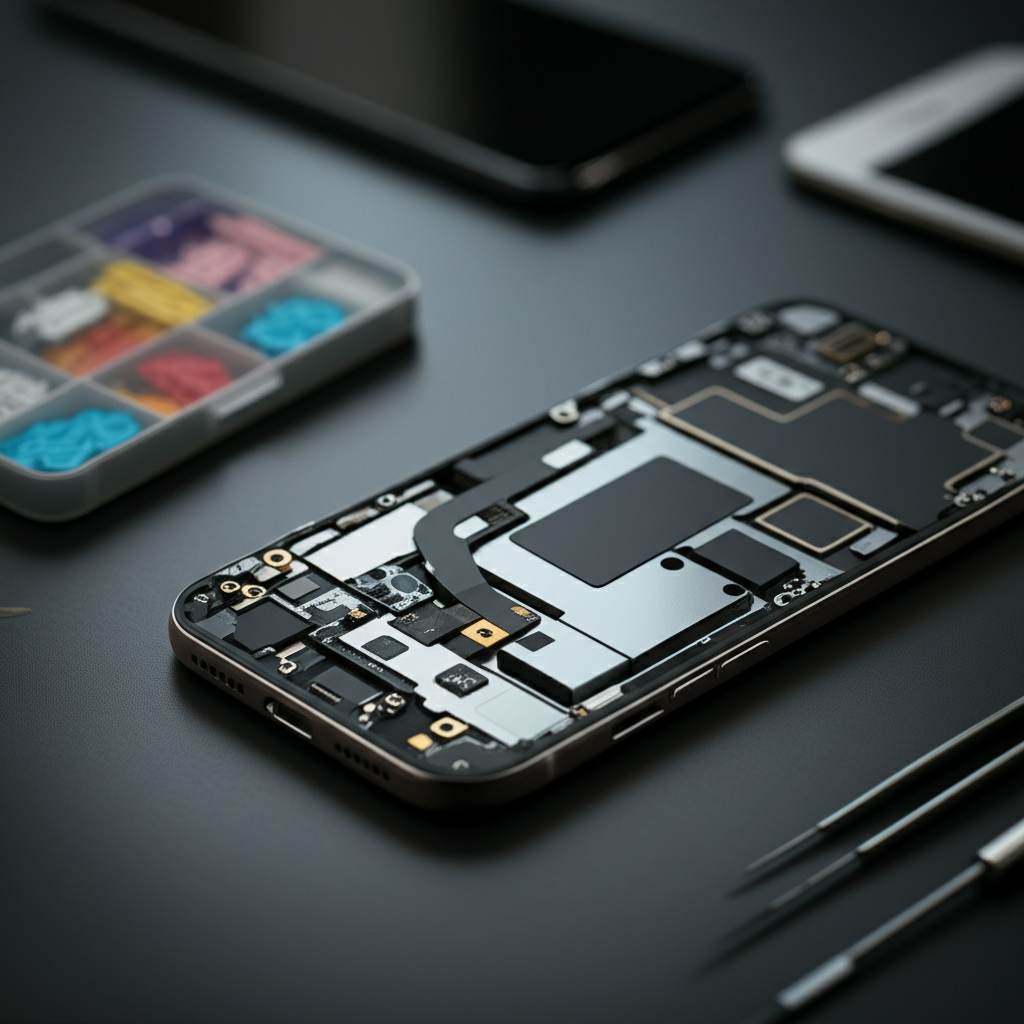
To start, you’ll need a good toolkit. A basic kit usually includes small screwdrivers. It also has prying tools and tweezers. Many kits also come with a suction cup. These tools help you open the phone safely. You can find good kits for $20 to $50.
Precision Screwdriver Set: For tiny screws.
Spudger and Opening Tools: To gently pry apart phone components.
Suction Cup: To lift the screen or back panel.
Tweezers: For handling small screws and cables.
Anti-static Wrist Strap: To prevent static damage.
Finding Quality Replacement Parts
You can buy replacement parts online. Websites like iFixit and Amazon sell them. Always check reviews. Make sure the parts are for your specific phone model. Buying parts can cost from $10 for a battery to $100 for a screen.
Following Repair Guides
Detailed guides are crucial. Websites like iFixit offer step-by-step instructions. They have photos and videos. Following these guides carefully is key to success. It prevents further damage.
Cost Savings with DIY
The savings can be significant. A DIY screen replacement might cost $30-$80 for parts. A professional repair could be $150-$300. For a battery, DIY parts might be $10-$30, versus $50-$100 professionally. This shows how much phone repair costs can be cut by doing it yourself.
Professional Repair Options: When to Choose Them
Sometimes, DIY isn’t the best choice. For complex issues, professional help is needed.
Authorized Service Centers
These are official repair providers for brands like Apple or Samsung. They use genuine parts. Repairs are often high quality. However, they are usually the most expensive option. A screen replacement might cost $200-$400.
Independent Repair Shops
These shops offer a middle ground. They are often cheaper than authorized centers. They may use a mix of original and aftermarket parts. Their quality can vary. It’s wise to choose a shop with good reviews. Many offer warranties on their work. Costs might be $100-$200 for a screen.
When to Seek Professional Help
For water damage, motherboard issues, or if you’re not comfortable opening your phone, go pro. Complex repairs require specialized skills and tools. They can ensure the repair is done correctly. This prevents more damage.
Diagnosing Your Phone Problem Accurately
Before you fix anything, you must know what’s wrong. Accurate diagnosis saves time and money.
Common Symptoms to Watch For
Screen: Cracks, dead pixels, touch unresponsiveness.
Battery: Drains quickly, won’t hold a charge, phone shuts down unexpectedly.
Charging: Phone doesn’t charge, charges slowly, port feels loose.
Sound: No sound from speaker or earpiece, microphone not working.
Buttons: Power or volume buttons stuck or not working.
Using Diagnostic Tools
Some phones have built-in diagnostic tools. You can also find apps. These can help identify hardware issues. For example, an app might test your screen’s touch response. Your phone’s manufacturer website often has support sections. These can help you troubleshoot common problems.
When to Call an Expert for Diagnosis
If you’re unsure about the problem, it’s best to get a professional opinion. They have advanced diagnostic equipment. They can pinpoint the exact cause. This avoids replacing parts that aren’t faulty.
Understanding Repair Costs for Different Phone Brands
The brand and model of your phone significantly impact repair costs. Some brands are known for being more expensive to fix.
iPhone Repair Costs
iPhones are premium devices. Their repairs often reflect this. Screen replacements can be costly, especially for newer models. Battery replacements are more affordable. However, motherboard repairs can be very expensive and often require specialized technicians. Apple’s own repair service is reliable but pricey.
Samsung Galaxy Repair Costs
Samsung phones are also popular. Repair costs vary by model. High-end Galaxy S or Note series phones will cost more. Cheaper A-series phones are generally less expensive to repair. Parts are widely available.
Google Pixel Repair Costs
Pixel phones have growing repair options. Costs are often comparable to Samsung. Their modular design can sometimes make repairs easier. This can lead to lower costs for some components.
Other Android Brands
For brands like OnePlus, Xiaomi, or Motorola, costs can be lower. Parts might be more accessible. Independent repair shops often have good experience with these brands.
The Role of ESD Protection in Repair Costs
Static electricity can damage phone components. This is called Electrostatic Discharge (ESD). Proper ESD protection is vital during repairs. It prevents costly mistakes.
What is ESD?
ESD is a sudden flow of electricity between two objects. Your body can build up static. Touching sensitive electronic parts without protection can fry them. This leads to needing more repairs.
Essential ESD Protection Gear
Anti-static Wrist Strap: Connects you to a grounded point.
Anti-static Mat: Provides a safe workspace.
ESD-safe Tools: Tools designed to not hold a charge.
Using these items is cheap insurance. A good anti-static strap costs about $5-$10. A mat might be $15-$30. Preventing one ESD failure saves hundreds of dollars. This makes it essential for any DIY repair.
How Much Phone Repair: A Cost-Benefit Analysis
Deciding whether to repair or replace your phone is important. Consider the cost of repair versus a new phone.
Repair vs. Replace Scenarios
Minor Damage (e.g., battery, charging port): Repair is usually much cheaper than buying a new phone. The cost is typically under $100.
Major Damage (e.g., severe water damage, broken motherboard): If repair costs exceed 50% of a new phone’s price, replacement might be better.
Age of Phone: If your phone is very old, repairs might not be worth it. New phones have better features and longer support.
Calculating the Value
A simple calculation helps. Cost of repair + value of current phone (if repaired) vs. cost of a new phone. If a $150 repair keeps a $400 phone working well for another year, it’s often a good deal. If a new phone costs $800, the repair makes sense.
Essential Tools for Motherboard Repair
Motherboard repair is advanced. It requires specialized tools. These tools are more expensive. They are for experienced technicians.
Soldering Equipment
For micro-soldering, you need a good soldering station. This includes a fine-tipped iron and hot air rework station. These can cost from $150 to over $500. You also need specialized solder and flux.
Microscopes
A powerful microscope is essential. It lets you see tiny components on the motherboard. Digital microscopes with good magnification start around $100 and go up significantly.
Diagnostic Tools for Motherboards
Advanced multimeters and diagnostic software are needed. These help trace circuits and find faults. These tools can be very expensive, often costing hundreds or thousands of dollars.
Cost Justification
Motherboard repairs are costly due to the tools and expertise required. If your phone’s motherboard is damaged, the repair cost can easily exceed $200-$300. This is why many opt for phone replacement in such cases. The investment in tools is only practical for professional repair businesses.
Maintaining Your Phone to Avoid Future Repairs
Good maintenance can prevent common issues. This saves you money and hassle.
Keep it Clean
Dust and debris can clog ports. Gently clean charging ports with compressed air or a non-metallic pick. Keep the screen clean with a microfiber cloth.
Protect from Drops
Use a sturdy phone case. A good case absorbs impact. Screen protectors can prevent cracks. These are small investments that prevent big repair bills. A case might cost $15-$40. A screen protector is $5-$20.
Battery Care
Avoid extreme temperatures. Don’t leave your phone in a hot car. Don’t drain the battery to 0% often. These practices help prolong battery life. This means fewer battery replacements.
Software Updates
Keep your phone’s operating system updated. Updates often include bug fixes. They can improve performance and stability. This can prevent software-related issues.
Frequently Asked Questions (FAQ)
Q1: How much phone repair typically costs for a cracked screen on an iPhone 13?
A: For an iPhone 13, a screen replacement at an authorized Apple service provider can cost around $279. Independent shops might charge $150-$250. DIY parts are typically $50-$100.
Q2: Is it cheaper to replace a phone battery myself or have it done professionally?
A: Yes, doing it yourself is usually cheaper. DIY battery replacement parts cost $10-$30. Professional replacement can cost $50-$100, including labor.
Q3: What is the average cost to repair water damage on a smartphone?
A: Water damage repair costs vary widely. There’s no set price. It can range from $100 to over $500. Sometimes, the phone cannot be saved.
Q4: How much does it cost to fix a phone’s charging port?
A: Repairing a faulty charging port usually costs between $30 and $70. This includes the cost of the small replacement part and the technician’s time.
Q5: Are third-party repair shops as reliable as authorized service centers?
A: Reliability can vary. Authorized centers use genuine parts and follow strict standards. Third-party shops can be cheaper and faster, but quality differs. Always check reviews for independent shops.
Q6: What tools do I need for basic phone repairs at home?
A: For basic repairs, you need a precision screwdriver set, plastic prying tools, tweezers, and a suction cup. An anti-static wrist strap is also recommended.
Q7: How much phone repair can I expect for motherboard issues?
A: Motherboard repairs are complex and costly. They often start around $200-$300. For many phones, replacement might be more economical than motherboard repair.
Conclusion
Understanding how much phone repair will cost is about knowing your options. From simple DIY fixes to complex professional services, there’s a solution for most budgets. By diagnosing issues correctly and choosing the right repair method, you can save money and extend your phone’s life. Always consider the age of your device and the cost of repair versus buying new. With the right tools and knowledge, many phone problems are affordable to fix. For more tips on maintaining your gadgets, explore our guides on phone maintenance and tool reviews.

Belayet Hossain is a Senior Tech Expert and Certified AI Marketing Strategist. Holding an MSc in CSE (Russia) and over a decade of experience since 2011, he combines traditional systems engineering with modern AI insights. Specializing in Vibe Coding and Intelligent Marketing, Belayet provides forward-thinking analysis on software, digital trends, and SEO, helping readers navigate the rapidly evolving digital landscape. Connect with Belayet Hossain on Facebook, Twitter, Linkedin or read my complete biography.