
Published on: 07/11/2025 | Updated on: November 7, 2025
The cost to repair an iPhone back typically ranges from $50 to $300, depending on the iPhone model, the extent of damage, and whether you choose an official Apple service, a third-party repair shop, or a DIY approach. This guide breaks down the factors influencing repair costs and helps you make an informed decision.
When your iPhone’s back glass cracks, it’s more than just a cosmetic issue. It can expose internal components to dust and moisture, potentially leading to further damage. It also makes the phone uncomfortable to hold. Many people wonder about the expense involved in fixing this common problem. This guide will walk you through everything you need to know about iPhone back glass repair costs. We’ll cover what affects the price, your different repair options, and how to get the best value.
Understanding iPhone Back Glass Repair Costs
The price to fix a cracked iPhone back varies a lot. Several key factors play a big role. These include your specific iPhone model and the type of damage. The repair service you choose also impacts the final cost significantly.
What Affects the Price of iPhone Back Repair?

Several elements determine how much you’ll pay to repair your iPhone’s back. The model of your iPhone is a primary driver of cost. Newer models with more complex designs often cost more to repair. The extent of the damage also matters. A simple crack might be cheaper than a shattered back requiring more extensive work.
iPhone Model: Newer iPhones like the iPhone 14 or 15 series have more advanced back glass materials and intricate construction. This makes their repairs more expensive than older models like the iPhone 8 or SE. For example, the cost to replace the back on an iPhone 13 Pro Max is generally higher than on an iPhone 11.
Type of Damage: A minor crack might be repairable by cleaning and sealing. However, if the glass is shattered into many pieces or if there’s underlying damage to the frame or internal components, the repair will be more complex and costly.
Repair Location: Prices differ between Apple’s official service, independent repair shops, and DIY kits. Official repairs are often the most expensive but guarantee genuine parts and warranty.
Parts Quality: The quality of the replacement back glass affects both cost and durability. Using high-quality, OEM-equivalent parts will cost more than cheaper aftermarket options.
iPhone Back Glass Repair Cost Breakdown by Model
The price range for iPhone back glass repair can be quite broad. This table gives you an idea of what to expect for different iPhone generations. These are estimates and can vary by repair provider and location.
| iPhone Model Series | Estimated Repair Cost (USD) | Notes |
| :—————— | :————————– | :—————————————————————– |
| iPhone 14 / 13 / 12 | $169 – $229 | Often requires more specialized equipment for laser removal. |
| iPhone 11 | $159 – $199 | Still a moderate cost due to integrated components. |
| iPhone X / XS / XR | $129 – $179 | Glass back is common, repair is moderately priced. |
| iPhone 8 / 8 Plus | $89 – $129 | Older models generally have lower repair costs. |
| iPhone SE (All Gen) | $79 – $119 | Typically the most affordable back glass repairs. |
This table highlights the general trend: newer, more advanced iPhones command higher repair prices. This is due to the complexity of their construction and the cost of genuine replacement parts.
Your Repair Options: Where to Get Your iPhone Back Fixed
When your iPhone’s back glass needs attention, you have a few main avenues. Each option offers different benefits regarding cost, convenience, and warranty. Understanding these choices helps you pick the best route for your situation.
Option 1: Official Apple Repair
Going through Apple offers peace of mind. They use genuine parts and their technicians are trained by Apple. This ensures the repair meets their high standards.
Pros: Genuine parts, Apple warranty on repair, expert technicians.
Cons: Often the most expensive option, can take longer if mailing in.
Cost: For iPhones out of warranty, Apple typically charges between $100 and $300 for back glass repair. This cost varies significantly by model. For instance, the iPhone 14 Pro Max back glass repair could be closer to the higher end of this range.
Apple’s service aims for perfection, using specialized tools to ensure a seamless fit and finish. Their pricing reflects this commitment to quality and authenticity. You can get a quote directly from Apple’s support website for your specific model.
Option 2: Third-Party Repair Shops
Independent repair shops are a popular alternative. They can offer faster service and often at a lower price than Apple. Many use high-quality aftermarket parts.
Pros: Potentially lower cost, faster turnaround times, more locations available.
Cons: Part quality can vary, warranty may be limited, risk of voiding Apple warranty if not done carefully.
Cost: Prices at third-party shops typically range from $50 to $200. This depends heavily on the shop’s overhead and the quality of parts they source. Some shops specialize in micro-soldering and can even repair the back glass without full replacement in certain cases, which can be cheaper.
When choosing a third-party shop, look for one with good reviews and clear pricing. Ask about the warranty they offer on their repairs. A reputable shop will be transparent about the parts they use.
Option 3: DIY iPhone Back Glass Repair
For the adventurous and technically inclined, a DIY repair is an option. You can buy replacement back glass kits online. These kits come with tools and instructions.
Pros: Lowest cost option, learning experience, satisfaction of fixing it yourself.
Cons: High risk of further damage, requires specialized tools and patience, no warranty on your work, can be time-consuming.
Cost: A DIY kit can cost as little as $20 to $60. This includes the replacement glass and a basic toolset. However, you must factor in the potential cost of mistakes.
DIY repairs require precision. You’ll need tools like a heat gun or iOpener, suction cups, and fine-tipped tweezers. Static electricity is a major concern during repairs; using an ESD-safe wrist strap is crucial to protect sensitive internal components.
Factors Influencing Repair Complexity and Cost
Beyond the basic model, several technical aspects make an iPhone back glass repair more or less complex, directly impacting the final bill. Understanding these can help you anticipate costs.
The Role of Integrated Components
Modern iPhones have components like wireless charging coils and antennas integrated into the back panel. This means replacing the back glass isn’t just about swapping a piece of glass. These components must be carefully transferred or reattached.
Wireless Charging Coil: This thin, circular component is usually adhered to the inside of the back glass. It needs to be gently heated and pried off the old glass and applied to the new one. Mishandling it can damage the coil, affecting wireless charging.
Antennas: Various antenna components are also often attached to or near the back glass. These must be disconnected and reconnected precisely. Damage to these can affect cellular or Wi-Fi signal strength.
The complexity of these integrated parts adds labor time and requires more delicate handling by the technician. This naturally increases the overall repair cost.
Laser Etching and Adhesive Techniques
Apple uses precise laser etching for component identification and strong, specialized adhesives to secure the back glass. Replicating this process requires advanced tools.
Laser Etching: Some newer iPhones have serial numbers or other markings laser-etched onto the back glass. Replicating this is often beyond the scope of independent repair shops, meaning the replacement back may lack these markings.
Adhesive: Apple uses very specific adhesive strips to ensure water resistance and a secure fit. Using aftermarket adhesives or improper application can compromise water resistance and lead to a less durable repair. Many professional shops use laser machines to perfectly clean the frame and apply new adhesive, which adds to the cost.
The use of laser machines for precise glass removal and frame cleaning is a significant factor in professional repair costs. These machines ensure a clean surface for new adhesive, mimicking Apple’s original build quality.
DIY Repair: Tools and Precautions
If you decide to tackle the repair yourself, having the right tools and taking proper precautions is essential. This minimizes the risk of causing more damage.
Essential Tools for Back Glass Replacement
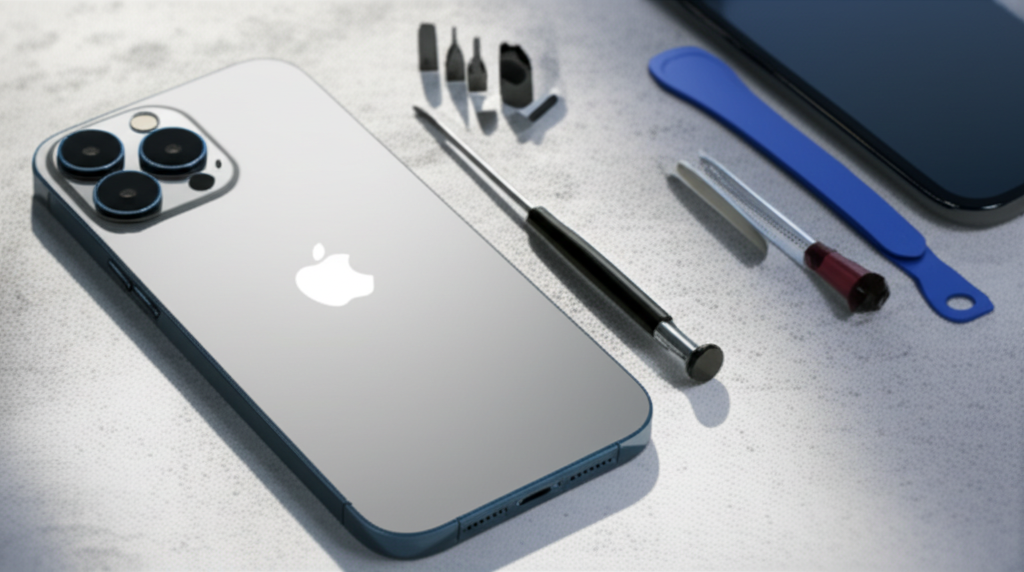
A successful DIY iPhone back glass repair requires a specific set of tools. These help you safely open the phone and replace the glass.
Heat Gun or iOpener: To soften the adhesive holding the back glass.
Suction Cups: To lift the back glass away from the frame.
Thin Pry Tools (Plastic Spudgers, Opening Picks): To carefully separate the glass.
Tweezers (Fine-tipped, Anti-static): For handling small components and screws.
Screwdriver Set (Pentalobe, Tri-point): For specific iPhone screws.
Replacement Back Glass: Ensure it’s for your exact iPhone model.
Adhesive Strips: New adhesive is crucial for reassembly.
ESD Wrist Strap: To prevent electrostatic discharge damage.
You can find comprehensive repair kits on sites like iFixit which often include most of these items. Always ensure you’re working in a clean, well-lit area.
Safety First: ESD Protection and Avoiding Damage
Working on electronics carries risks, especially electrostatic discharge (ESD). ESD can fry delicate internal components instantly.
ESD Protection Explained: Imagine tiny sparks of electricity jumping from your hand to the phone’s sensitive parts. These sparks are usually too small for you to feel, but they can damage chips inside. An ESD wrist strap connects you to ground, safely draining away any static electricity before it can harm the phone. This is a fundamental safety measure for any electronic repair.
Always wear an ESD wrist strap connected to a grounded surface.
Work on an anti-static mat.
Avoid repairing on carpet or in dry environments.
Handle components by their edges, not by touching circuits.
Keep track of all screws; they are different sizes and must go back in the correct place.
Following these steps diligently will significantly reduce the chances of causing further damage during your repair.
When Professional Repair is the Better Choice
While DIY is tempting for cost savings, there are times when professional help is not just recommended, but essential. Complex damage or a desire for a guaranteed, high-quality repair often points to professionals.
Assessing Damage Severity
If your iPhone back is severely shattered, or if the frame is bent or damaged, professional assessment is crucial. A bent frame can make fitting a new back glass impossible without frame repair. Technicians have tools to check for underlying damage.
Frame Damage: If the metal frame is warped, it needs to be straightened before a new back can be installed. This requires specialized jigs and techniques.
Internal Component Issues: Cracks might have caused damage to the battery, cameras, or logic board. Professionals can diagnose these issues.
Attempting to repair a severely damaged phone yourself can lead to costly mistakes. It’s often more economical to let a professional assess and repair such issues.
The Value of a Warranty and Expertise
Professional repair services, especially official ones, offer a warranty on their work. This provides a safety net if something goes wrong after the repair. Their expertise also ensures the job is done correctly the first time.
Apple’s Warranty: If your iPhone is still under AppleCare+, back glass repair might be covered or have a reduced service fee. Even out of warranty, their repair comes with a warranty.
Third-Party Warranties: Reputable independent shops offer warranties, typically 30-90 days, on parts and labor. This gives you confidence in the repair’s durability.
Relying on professionals saves you time and stress. It ensures your iPhone is handled by experienced individuals with the right equipment.
Comparing Repair Costs: Apple vs. Third-Party vs. DIY
To make an informed decision, let’s compare the typical costs across the different repair options. This gives a clear picture of the financial implications.
| Repair Option | Estimated Cost Range (USD) | Pros | Cons |
| :———————- | :————————- | :—————————————- | :———————————————- |
| Official Apple Repair | $100 – $300+ | Genuine parts, warranty, expert service | Highest cost, potentially longer turnaround |
| Third-Party Repair Shop | $50 – $200 | Lower cost, faster service, more options | Part quality varies, limited warranty |
| DIY Repair | $20 – $60 (for kit) | Cheapest option, learning experience | High risk of damage, no warranty, time-consuming |
The “how much repair iPhone back” question is best answered by looking at these ranges. For a budget-conscious repair, a reputable third-party shop often hits the sweet spot. For guaranteed quality and if cost is less of a concern, Apple is the way to go. DIY is for the skilled and risk-tolerant.
Factors Beyond Cost: Durability and Water Resistance
When choosing a repair method, consider more than just the upfront cost. The long-term durability and whether your iPhone retains its water resistance are critical.
Maintaining Water Resistance
Apple iPhones have seals that provide water resistance. When the back glass is replaced, these seals must be meticulously reapplied.
Official Apple Repair: Apple uses genuine seals and specialized equipment to ensure water resistance is restored as closely as possible to factory standards. However, Apple states that after any repair, water resistance may be diminished.
Third-Party Shops: Quality varies. Some shops use good adhesive and take care to restore seals. Others may not prioritize this, leaving your phone more vulnerable to water damage.
DIY Repair: Restoring factory-level water resistance is extremely difficult for DIY repairs. While new adhesive is included, the precision of application is key and often not achieved.
It’s important to manage expectations; most repairs, even professional ones, may not fully restore original water resistance. However, Apple and high-quality third-party shops do a better job than DIY.
Longevity of Replacement Parts
The lifespan of the replacement back glass also varies. Genuine Apple parts are designed to last. High-quality aftermarket parts can also be very durable.
Genuine Parts: These are engineered to the exact specifications of your iPhone, offering the best fit and durability.
* Aftermarket Parts: Quality can range from excellent to poor. Cheaper parts might be more prone to cracking or dislodging over time. Always look for reputable suppliers if going this route.
Choosing a repair option that prioritizes quality parts will save you money and hassle in the long run, even if the initial cost is slightly higher.
Expert Tips for iPhone Back Glass Repair
As a repair professional, I’ve seen many back glass issues. Here are a few tips to help you navigate the repair process smoothly and affordably.
Get Multiple Quotes
Don’t settle for the first price you hear. Call a few reputable third-party repair shops in your area. Compare their prices and the warranties they offer. This simple step can save you a significant amount of money.
Check for Insurance or Warranty
Before paying out of pocket, check if you have any accidental damage coverage. Some credit cards offer purchase protection. If you have AppleCare+, check its terms for repair costs.
Consider the Age of Your iPhone
If you have an older iPhone, weigh the repair cost against the phone’s overall value. Sometimes, the cost of repairing an older model might be close to buying a newer, refurbished device. This is a tough decision, but it’s often a practical one.
Frequently Asked Questions About iPhone Back Repair
Q1: How much does it cost to repair the back glass on an iPhone 12?
The cost to repair the back glass on an iPhone 12 typically falls between $169 and $229 at official Apple service centers. Third-party shops might charge between $70 and $150.
Q2: Can I still use my iPhone if the back glass is cracked?
Yes, you can usually still use your iPhone with a cracked back. However, it’s not recommended for long-term use. Cracks can worsen, expose internal components to damage, and make the phone unsafe to handle.
Q3: Does Apple replace just the back glass, or the whole phone?
For most models with cracked back glass, Apple replaces the entire enclosure. This means you get a new frame, new back glass, and new buttons. This service is often priced higher due to the extensive parts involved.
Q4: Is DIY iPhone back glass repair worth it?
DIY repair is the cheapest option, costing around $20-$60 for a kit. However, it’s very difficult and risky. You could cause further damage, leading to more expensive repairs or a non-functional phone. It’s only recommended if you have experience with electronics repair.
Q5: How long does iPhone back glass repair take?
An official Apple repair can take 3-5 business days if mailed in, or potentially same-day if done at an Apple Store (appointment required). Third-party shops can often perform the repair in 1-3 hours. DIY repair time varies greatly depending on your skill level.
Q6: Will my iPhone still be waterproof after back glass repair?
Restoring factory water resistance after back glass repair is challenging. While Apple aims to restore it, they advise that water resistance may be diminished. Most third-party repairs and DIY jobs do not fully restore water resistance.
Conclusion
The question of how much repair iPhone back glass costs has many answers, ranging from about $50 to over $300. Your final price depends heavily on your iPhone model, the extent of the damage, and the repair service you choose. Official Apple repairs offer the highest quality and warranty but come at a premium. Reputable third-party shops provide a good balance of cost and speed. DIY offers the lowest price but carries the highest risk. Carefully consider the factors of cost, durability, and water resistance to make the best choice for your iPhone.
If you found this guide helpful, consider subscribing for more expert repair tips and tool reviews.

Belayet Hossain is a Senior Tech Expert and Certified AI Marketing Strategist. Holding an MSc in CSE (Russia) and over a decade of experience since 2011, he combines traditional systems engineering with modern AI insights. Specializing in Vibe Coding and Intelligent Marketing, Belayet provides forward-thinking analysis on software, digital trends, and SEO, helping readers navigate the rapidly evolving digital landscape. Connect with Belayet Hossain on Facebook, Twitter, Linkedin or read my complete biography.