
Published on: 07/11/2025 | Updated on: November 7, 2025
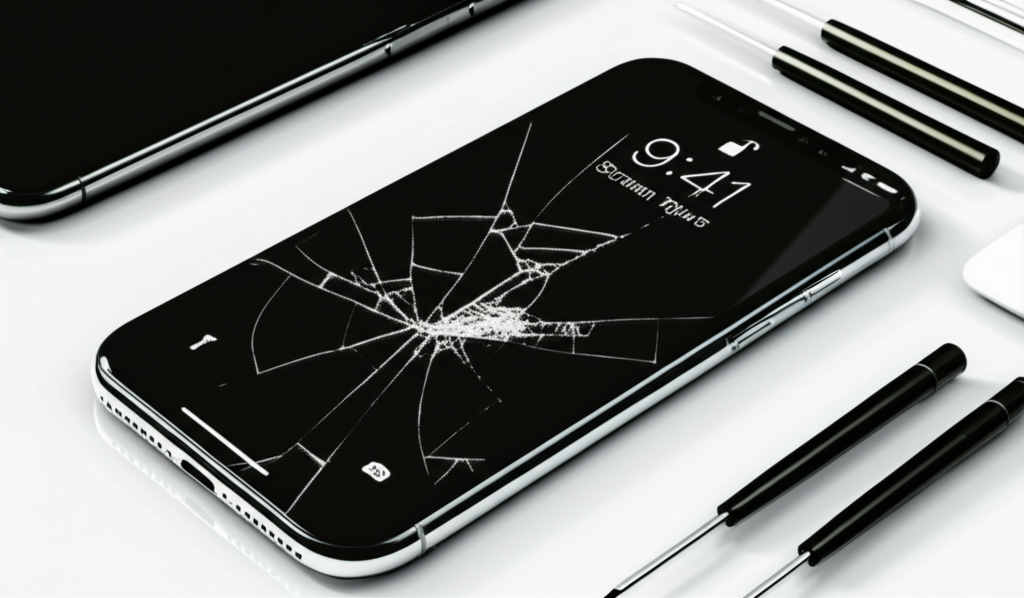
The cost to repair an iPhone X screen typically ranges from $150 to $300. This depends on whether you choose Apple, an independent repair shop, or attempt a DIY fix. Factors like part quality and labor fees influence the final price.
When your iPhone X screen cracks, it’s a frustrating moment. You rely on your phone for everything. Seeing that spiderweb of cracks can feel like a big problem. You want to know how much it will cost to fix it. This guide will break down all the options. We will look at the costs involved. You will learn what to expect. This will help you make the best choice for your iPhone X.
Understanding iPhone X Screen Repair Costs
The price for an iPhone X screen repair is not fixed. It changes based on several things. These include who does the repair and what parts they use. Apple offers original parts. Independent shops might use aftermarket parts. Both have different price points. We will explore these differences. This helps you find a repair that fits your budget.
Official Apple Repair: The Premium Option

Choosing Apple for your iPhone X screen repair means using genuine parts. This ensures the highest quality and maintains your warranty if it’s still active. Apple technicians are trained by Apple. They follow strict repair guidelines. This often results in a reliable fix. However, this service usually comes with a higher price tag. It’s a good choice if you want peace of mind and original quality.
Estimated Cost: Apple’s official screen repair for an iPhone X typically falls between $279 and $329. This price can vary slightly. It might be less if you have AppleCare+.
Independent Repair Shops: The Mid-Range Choice
Many local repair shops can fix your iPhone X screen. These shops often offer lower prices than Apple. They can be more convenient for quick repairs. The quality of parts can vary. Some use high-quality aftermarket screens. Others might use less durable ones. It’s wise to research the shop. Read reviews and ask about their warranty. This helps ensure you get a good repair.
Estimated Cost: Independent repair shops generally charge between $150 and $250 for an iPhone X screen replacement. This is a significant saving compared to Apple. Always ask for a quote beforehand.
DIY Repair: The Budget-Friendly (and Risky) Path
For those comfortable with electronics, a DIY screen replacement is the cheapest option. You can buy an iPhone X screen kit online. These kits often include tools. You will need to follow a guide carefully. This method requires patience and steady hands. There’s a risk of damaging your phone further if you make a mistake. It’s important to use quality parts and follow safety precautions.
Estimated Cost: A DIY iPhone X screen replacement kit can cost between $50 and $100. This is the most affordable route. However, it comes with the highest risk.
Factors Affecting Your iPhone X Screen Repair Price
Several elements influence how much you’ll pay. Knowing these can help you budget better. It also helps you understand why prices differ between repair options. We will look at part quality, labor, and additional damage.
Part Quality: Original vs. Aftermarket
The screen itself is the main component. Apple uses original, high-quality OLED displays. These offer the best color accuracy and touch response. Aftermarket screens can vary greatly. Some are very good. Others might have duller colors or less responsive touch. Cheaper screens can sometimes fail sooner. The quality of the part directly impacts the repair cost.
Labor Costs and Time
Repairing a phone involves skilled labor. Technicians need to carefully disassemble the phone. They must transfer components like the front camera and sensors. This takes time and expertise. Apple technicians are paid by Apple. Independent shops have their own labor rates. DIY repairs have no labor cost, but your time is valuable.
Additional Damage and Hidden Costs
Sometimes, a cracked screen is not the only problem. The impact that cracked the screen might have damaged other parts. This could include the battery, internal connectors, or the logic board. If these are also broken, the repair cost will increase. Always ask the technician to inspect for other issues. This prevents surprises later on.
What You Need for a DIY iPhone X Screen Repair
If you decide to go the DIY route, you’ll need specific tools. These are essential for safely opening your iPhone X. They help you remove the old screen and install the new one. Having the right tools makes the job much easier. It also reduces the chance of causing more damage.
Essential Tools for the Job
You can find iPhone X repair kits online. These usually contain the necessary tools. Key items include:
Pentalobe Screwdriver: For the screws at the bottom of the iPhone.
Tri-point Screwdriver: For internal screws.
Spudger and Plastic Opening Tools: To gently pry open the phone and disconnect cables.
Suction Cup: To lift the screen.
Tweezers: For handling small screws and connectors.
Heat Gun or Hair Dryer: To soften the adhesive holding the screen.
* New Adhesive Strips: To seal the phone after repair.
Where to Buy Quality Replacement Screens
You can find iPhone X replacement screens on sites like iFixit, Amazon, or eBay. Look for kits that mention “OEM quality” or have good customer reviews. Check if the digitizer (touch layer) and OLED panel are included. Some kits might only include the glass. Always read the product description carefully.
The iPhone X Screen Replacement Process: A Simplified Look
Replacing an iPhone X screen is a delicate procedure. It involves several steps. Here’s a basic overview of what happens. This is not a full guide but shows the complexity.
1. Power Down: Turn off your iPhone completely. This is a crucial safety step.
2. Remove Bottom Screws: Use the Pentalobe screwdriver to remove the two screws on either side of the charging port.
3. Heat the Edges: Gently heat the edges of the screen. This softens the adhesive.
4. Pry Open: Use a suction cup and opening tools to carefully separate the screen from the phone’s body. Be gentle. Do not insert tools too deep.
5. Disconnect Cables: Open the phone like a book. Disconnect the battery, display, and sensor cables.
6. Transfer Components: Move the earpiece speaker and sensor assembly from the old screen to the new one. This is a critical step.
7. Connect New Screen: Connect the new screen cables.
8. Test: Temporarily power on the phone to test the new screen. Check touch response and display quality.
9. Reassemble: Once tested, disconnect the battery again. Reconnect all cables. Apply new adhesive. Press the screen back into place.
10. Final Screws: Reinstall the bottom screws.
This process requires attention to detail. A wrong move can damage internal components. For a detailed guide, resources like iFixit’s detailed repair guides are invaluable.
Protecting Your iPhone X After Repair
After spending money on a screen repair, you’ll want to protect your investment. Even a new screen can crack again. Taking preventive measures is smart. It saves you from future repair costs.
Screen Protectors: Your First Line of Defense
A good screen protector is essential. Tempered glass protectors are highly recommended. They are much stronger than plastic films. They can absorb impact and prevent cracks. Many affordable options are available. Look for one with good reviews. Proper installation is key for best results.
Cases: Cushioning Against Drops
A protective case adds another layer of defense. Choose a case that has raised edges. These edges help protect the screen when the phone is placed face down. Cases made of shock-absorbent materials are best. Many stylish and durable options exist. Find one that fits your needs and style.
Comparing Repair Options: A Quick Glance
Here’s a table to help you see the differences at a glance. It summarizes the key aspects of each repair option. This can help you decide which path is best for you.
| Feature | Apple Repair | Independent Shop | DIY Repair |
| :—————— | :———————– | :———————- | :———————- |
| Cost | High ($279-$329) | Medium ($150-$250) | Low ($50-$100) |
| Part Quality | Original | Varies (Aftermarket) | Varies (Aftermarket) |
| Warranty | Yes (Apple warranty) | Varies (Shop warranty) | None (Manufacturer) |
| Convenience | Good (Mail-in or store) | Very Good (Local) | High (Your home) |
| Risk | Very Low | Low to Medium | High |
| Repair Time | Several days | Hours to 1-2 days | A few hours |
This table shows the trade-offs. You pay more for Apple’s reliability. Independent shops offer a balance. DIY is the cheapest but carries the most risk.
Common iPhone X Screen Issues Beyond Cracks
A cracked screen is the most common issue. But other problems can affect your iPhone X display. Understanding these helps in diagnosing problems. It can also inform repair decisions.
Touchscreen Not Responding
Sometimes, the screen might look fine. But the touch functionality stops working. This can be due to a faulty digitizer. It can also be caused by a loose or damaged internal cable. A repair shop can diagnose this. Often, a screen replacement fixes this.
Display Glitches or Dead Pixels
You might notice lines on the screen. Or perhaps parts of the display are black. These are signs of a damaged OLED panel. This is part of the screen assembly. It will need a full screen replacement. This is common after a hard drop.
Water Damage and Screen Issues
Water damage can cause many display problems. It can lead to discoloration, flickering, or complete failure. If your iPhone X has been exposed to water, screen issues are common. It’s best to get it professionally inspected. Water damage can affect many components.
When to Consider an iPhone X Upgrade Instead of Repair
Sometimes, repairing an older iPhone might not be the most cost-effective solution. If your iPhone X is quite old or has multiple issues, it might be time to upgrade. Consider the total cost of repairs. Compare it to the price of a newer or refurbished iPhone. You might find a newer model offers better performance. It could also have a longer lifespan.
Assessing the Value of Repair
If your iPhone X has a cracked screen and a failing battery, for example, the repair costs add up. You might be looking at $300-$400 in repairs. For that price, you could get a good refurbished iPhone or a budget-friendly new model. Always weigh the repair cost against the phone’s current value. You can check current market values on sites like Statista or by looking at used phone marketplaces.
Frequently Asked Questions About iPhone X Screen Repair
Here are some common questions people ask about iPhone X screen repairs.
Q1: How long does an iPhone X screen repair take?
A1: Apple repairs usually take 3-5 business days. Independent shops can often do it in a few hours to a day. DIY repair can take 1-3 hours depending on your skill.
Q2: Can I still use my iPhone X with a cracked screen?
A2: Yes, you can usually still use it. However, cracks can spread. They can also cause touch issues or cut your fingers. It’s best to get it fixed soon.
Q3: Will Apple repair a cracked screen if it’s under warranty?
A3: Accidental damage like a cracked screen is not covered by the standard Apple warranty. You would need AppleCare+ to get a reduced repair cost.
Q4: Are aftermarket iPhone X screens bad?
A4: Not all aftermarket screens are bad. Quality varies greatly. Some offer good performance at a lower cost. Others might have issues with color or touch sensitivity.
Q5: What is the cheapest way to fix an iPhone X screen?
A5: The cheapest way is to do a DIY repair yourself. Buying a screen kit online is more affordable than professional services.
Q6: Does screen repair affect Face ID on iPhone X?
A6: If the repair is done correctly, Face ID should not be affected. However, if the front sensor assembly is damaged during the repair, Face ID could stop working.
Final Words on iPhone X Screen Repair Costs
Repairing your iPhone X screen is a common necessity. Understanding the costs involved is key. You can expect to pay anywhere from $50 for a DIY fix to $329 for an official Apple repair. Independent shops offer a middle ground. Always consider the quality of parts and the warranty. Protecting your new screen with a protector and case is wise. This will help you avoid future repair costs. Choose the option that best suits your budget and comfort level.
If you found this guide helpful, consider subscribing to our newsletter for more repair tips and tech insights.

Belayet Hossain is a Senior Tech Expert and Certified AI Marketing Strategist. Holding an MSc in CSE (Russia) and over a decade of experience since 2011, he combines traditional systems engineering with modern AI insights. Specializing in Vibe Coding and Intelligent Marketing, Belayet provides forward-thinking analysis on software, digital trends, and SEO, helping readers navigate the rapidly evolving digital landscape. Connect with Belayet Hossain on Facebook, Twitter, Linkedin or read my complete biography.