


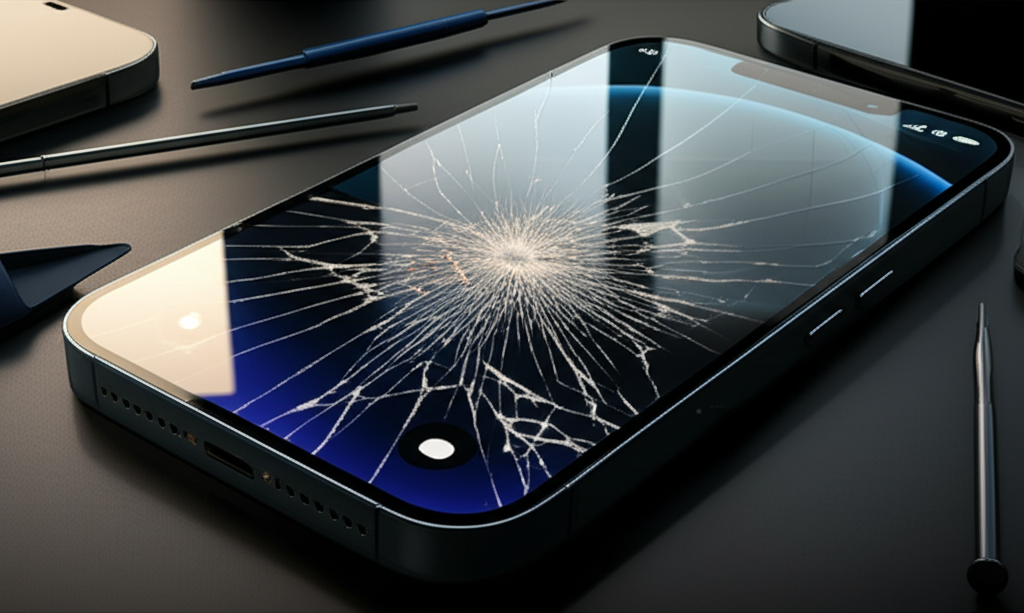
The cost to repair an iPhone 13 screen can range from around $170 to over $300, depending on whether you choose Apple, an independent repair shop, or a DIY approach. Factors like screen type, labor, and warranty status influence the final price.
A cracked iPhone 13 screen is a common headache. Seeing that spiderweb of lines across your display can be frustrating. It interrupts your daily tasks and can even make your phone harder to use. But don’t worry, fixing it is usually straightforward. This guide will break down exactly what you need to know about iPhone 13 screen repair costs. We’ll explore your options, what affects the price, and how to get the best value.
Understanding iPhone 13 Screen Repair Costs
The price you pay for an iPhone 13 screen repair depends on several key factors, including who does the repair, the specific parts used, and your device’s warranty status. These elements combine to create a range of costs, from more affordable options to premium services.
Factors Influencing iPhone 13 Screen Repair Prices
Several elements play a role in determining the final cost of your iPhone 13 screen repair. Understanding these can help you budget and make informed decisions.
Repair Provider: Apple offers genuine parts and certified service. Independent repair shops might use aftermarket parts but can be cheaper. DIY repairs involve buying parts yourself.
Screen Type: The iPhone 13 comes with a standard display. Repairs for models with ProMotion (Pro models) might differ slightly, though the base iPhone 13 screen repair cost is generally consistent.
Labor Costs: Skilled technicians charge for their time and expertise. This cost varies by location and service provider.
Warranty Status: If your iPhone 13 is still under AppleCare+ or its standard warranty, screen repairs are often much cheaper or even free, depending on accidental damage coverage.
Part Quality: Original Equipment Manufacturer (OEM) parts are usually more expensive than third-party or refurbished parts. However, OEM parts offer the best compatibility and performance.
Official Apple Repair Costs
Apple provides a reliable and high-quality screen repair service using genuine Apple parts, ensuring your iPhone 13 functions as intended after the fix. While often the most expensive option upfront, it comes with the assurance of certified technicians and a warranty on the repair itself.
When you go through Apple, you can expect a standardized pricing structure. For an iPhone 13 screen repair without AppleCare+, the cost typically falls within a specific range. You can get the most accurate quote directly from Apple’s support website or by visiting an Apple Store or authorized service provider. They will assess your device and provide a precise estimate. This service guarantees that only genuine Apple parts are used, maintaining the integrity and performance of your device.
Independent Repair Shop Costs
Independent repair shops offer a more budget-friendly alternative for iPhone 13 screen replacements, often using high-quality aftermarket parts. These shops can be a great option for those looking to save money.
Prices at independent shops can vary significantly. Some shops specialize in Apple devices and use high-quality compatible screens. Others might offer even lower prices with less premium parts. It’s wise to research local shops, check their reviews, and ask about the type of parts they use. Many independent shops also offer a warranty on their work, giving you added peace of mind. For instance, a reputable independent shop might charge anywhere from $130 to $200 for an iPhone 13 screen replacement.
DIY Screen Replacement Costs
The do-it-yourself (DIY) approach to iPhone 13 screen repair can be the most cost-effective method, provided you have the right tools and technical skill. This route requires careful attention to detail and a willingness to learn.
If you choose to replace the screen yourself, your primary expense will be the replacement screen kit and any necessary tools. A quality iPhone 13 screen replacement kit, including the display and digitizer, can cost between $60 and $120. You’ll also need a specific toolkit, which might include small screwdrivers, prying tools, and a suction cup. Many online retailers sell these kits. While saving money is a big plus, this method carries the highest risk. You could potentially damage other components of your iPhone if you’re not careful. Resources like iFixit offer detailed guides and part kits to help make the process manageable.
What Affects the Price of Your iPhone 13 Screen Repair?
Beyond the service provider, the specific screen technology and the quality of replacement parts are major drivers of the final cost for your iPhone 13 screen repair. Understanding these nuances helps justify price differences.
Part Quality: OEM vs. Aftermarket
The choice between Original Equipment Manufacturer (OEM) parts and aftermarket screens significantly impacts the cost and quality of your iPhone 13 screen repair. OEM parts are made by Apple, while aftermarket parts are produced by other companies.
OEM Parts: These are the original parts used in your iPhone. They offer the best color accuracy, touch sensitivity, and durability. However, they are also the most expensive. Apple officially uses these.
Aftermarket Parts: These parts are made by third-party manufacturers. They can be much cheaper. Quality can vary greatly, from very good to poor. Some may not have the same color vibrancy or touch response as OEM screens.
Screen Technology Differences
While the standard iPhone 13 screen uses a high-quality Liquid Retina IPS display, repairs for models with advanced OLED technology (like the Pro models) might differ in complexity and cost. The iPhone 13 features a robust display that is designed for excellent visual clarity and responsiveness.
The iPhone 13 itself uses a high-quality LCD panel. Repairs typically involve replacing the entire front assembly, which includes the glass, touch digitizer, and LCD. This integrated unit is what determines the price. Repairs for OLED displays found in the iPhone 13 Pro or Pro Max can sometimes be more costly due to the nature of OLED technology. However, for the standard iPhone 13, the screen repair cost is relatively consistent.
Labor and Service Fees
The cost of labor for an iPhone 13 screen repair can vary based on the technician’s expertise, the repair shop’s overhead, and geographical location. This is a significant component of the total repair bill.
Certified technicians have spent time learning and practicing these delicate repairs. Their expertise is valuable. Shops in major cities might have higher labor rates than those in smaller towns. When getting a quote, always ask if labor costs are included. This ensures there are no surprises when you go to pay.
AppleCare+ Coverage
If you have AppleCare+ for your iPhone 13, screen repair costs are significantly reduced, making it a highly cost-effective option for accidental damage. AppleCare+ is Apple’s extended warranty and accidental damage coverage plan.
With AppleCare+, a screen repair typically has a low service fee, often around $29. This applies as long as the damage is classified as accidental screen damage. If you don’t have AppleCare+, you’ll pay the full out-of-warranty repair price. It’s crucial to check your AppleCare+ status if you’re unsure. You can do this through your iPhone’s settings or Apple’s website.
Comparing Repair Options: Apple vs. Independent vs. DIY
Choosing between Apple, an independent repair shop, or a DIY fix for your iPhone 13 screen involves balancing cost, convenience, part quality, and warranty considerations. Each option has its unique advantages and disadvantages.
| Repair Option | Average Cost (Out-of-Warranty) | Part Quality | Warranty on Repair | Risk Level | Convenience |
| :———————— | :—————————– | :—————– | :—————– | :——— | :———- |
| Apple Authorized | $170 – $250 | Genuine Apple Parts| Yes | Low | High |
| Independent Repair Shop | $130 – $200 | OEM or Aftermarket | Varies | Medium | Medium |
| DIY (Do-It-Yourself) | $60 – $120 (parts only) | User Supplied | None | High | Low |
When to Choose Apple Repair
Opting for Apple’s official repair service is ideal if you prioritize genuine parts, maintain your device’s warranty, and seek the highest level of assurance for your iPhone 13. This is often the safest bet for ensuring your device is returned to optimal working condition.
If your iPhone 13 is still under its standard one-year warranty or you have AppleCare+, this is usually the best route. Apple technicians are specifically trained on iPhones. They use specialized tools and genuine Apple parts. This ensures perfect compatibility and preserves any remaining warranty. While it might cost more upfront without coverage, the peace of mind is often worth it.
When to Choose an Independent Repair Shop
Independent repair shops are a solid choice for iPhone 13 screen repairs when you need a balance between cost savings and reliable service. They can offer faster turnaround times and more flexible pricing than Apple.
Many independent shops are highly skilled and can perform excellent repairs. They often use high-quality aftermarket parts that mimic OEM performance closely. This can lead to significant savings compared to Apple’s prices. Always check reviews and ask about their warranty policy on repairs. A good independent shop can be a great resource for affordable phone maintenance. You can find reputable shops through online searches and customer testimonials.
When to Consider DIY Repair
A DIY screen replacement for your iPhone 13 is the most economical option, but it demands technical aptitude, patience, and the right tools. This path is best suited for tech-savvy individuals comfortable with intricate electronic repairs.
If you’re on a very tight budget and enjoy hands-on projects, DIY can be rewarding. Websites like provide detailed, step-by-step instructions and sell the necessary parts and tools. However, be aware of the risks. Mishandling small components or using incorrect tools can lead to further damage, potentially costing more in the long run. It also voids any remaining warranty from Apple.
The iPhone 13 Screen Repair Process Explained
Whether you choose a professional or DIY route, the iPhone 13 screen repair process involves several key steps, from initial diagnosis to final testing. Understanding this process can demystify the repair itself.
What Happens During a Professional Repair
Professional iPhone 13 screen repairs involve careful disassembly, component replacement, and thorough reassembly and testing by a trained technician. This ensures a safe and effective fix.
1. Diagnosis: The technician first confirms the screen is the issue and checks for other potential damage.
2. Disassembly: They carefully heat the edges of the phone to soften the adhesive. Then, they use specialized tools to gently pry open the iPhone 13.
3. Component Removal: Internal screws and brackets are removed to access the display cables. The old screen is disconnected and removed.
4. New Screen Installation: The new screen is connected, and the phone is briefly powered on to test functionality.
5. Reassembly: If the new screen works, the technician reattoms the phone, applying new adhesive to ensure water resistance.
6. Final Testing: The phone undergoes a full diagnostic check to ensure all functions, including touch, brightness, and Face ID, are working correctly.
What You’ll Need for a DIY Repair
For a successful DIY iPhone 13 screen repair, you’ll need a specific set of tools and a compatible replacement screen kit. Having everything ready beforehand makes the process smoother.
Replacement Screen: Ensure it’s specifically for the iPhone 13 model.
Repair Toolkit: This typically includes:
Pentalobe P2 screwdriver (for bottom screws)
Phillips #000 screwdriver (for internal screws)
Spudger and plastic opening tools
Suction cup
Tweezers
Heat gun or hair dryer (to soften adhesive)
New adhesive strips for reassembly
Anti-static Wrist Strap: Essential for preventing electrostatic discharge (ESD) damage to sensitive components. You can learn more about ESD safety at .
Small container or magnetic mat: To keep track of tiny screws, which are often different sizes.
Essential Tools for Screen Replacement
Having the right tools is crucial for a clean and successful iPhone 13 screen repair, minimizing the risk of further damage. Using incorrect tools can strip screws or damage delicate internal parts.
Screwdrivers: Pentalobe and Phillips head screwdrivers are necessary for removing the iPhone’s specific screws.
Opening Picks/Spudgers: These plastic tools are used to carefully separate the screen from the frame without scratching.
Suction Cup: This helps lift the screen enough to insert a prying tool.
Heat Gun/Hair Dryer: Gently warming the adhesive around the screen edges makes it easier to open the phone.
Tweezers: Fine-tipped tweezers are essential for handling small screws and delicate connectors.
Replacement Adhesive: New adhesive strips are needed to seal the phone properly after the repair, restoring water resistance.
Getting the Best Value for Your iPhone 13 Screen Repair
To ensure you get the best value when repairing your iPhone 13 screen, compare prices, check reviews, and consider the long-term implications of your choice. Smart decision-making can save you money and hassle.
Comparing Prices and Services
Before committing to a repair, take the time to compare prices and services offered by different providers. This research can lead to significant savings and ensure you receive quality service.
Get quotes from Apple, reputable local repair shops, and check the prices for DIY kits. Consider what each quote includes: the type of screen, warranty, and turnaround time. Don’t just choose the cheapest option without checking reviews or asking about part quality. A slightly higher price for a better part or a longer warranty can be more cost-effective in the long run.
Reading Reviews and Checking Reputation
A provider’s reputation is a strong indicator of the quality of service you can expect for your iPhone 13 screen repair. Look for consistent positive feedback regarding their work.
Search for online reviews on platforms like Google, Yelp, or specialized repair directories. Pay attention to comments about the quality of repairs, customer service, and how they handle warranty issues. A shop with many satisfied customers is generally a safe bet. For DIY kits, read product reviews to gauge the quality of the replacement screens and tools.
Understanding Warranties and Guarantees
A warranty on your iPhone 13 screen repair provides crucial protection against future issues with the replacement part or the repair itself. Always clarify the terms before proceeding.
Apple typically offers a 90-day warranty on out-of-warranty repairs or is covered by your AppleCare+ plan. Many independent shops offer a similar warranty, often ranging from 30 days to a year. A DIY repair usually comes with no warranty from a service provider. If the new screen fails or has issues shortly after a professional repair, a warranty ensures it can be fixed at no additional cost.
Common Issues After iPhone 13 Screen Repair
While screen repairs are common, sometimes issues can arise post-repair, affecting touch sensitivity, display quality, or Face ID functionality. Being aware of these potential problems helps in troubleshooting.
Touch Sensitivity Problems
If your iPhone 13’s touch screen isn’t responding correctly after a repair, it could be due to a loose connection or a faulty replacement part. This is a common, though usually fixable, issue.
Sometimes, the display or digitizer cable might not be seated perfectly during reassembly. This can lead to erratic touch behavior or dead spots. If you had the repair done professionally, contact them immediately. If it was a DIY repair, you might need to reopen the phone and carefully reseat the connectors. Ensure you are using an ESD-safe environment to prevent further damage.
Display Quality Variations
Differences in color accuracy, brightness, or viewing angles can occur if an aftermarket screen was used for the iPhone 13 repair. OEM screens generally offer superior visual fidelity.
Aftermarket screens vary widely in quality. Some may appear slightly washed out, have a blueish or yellowish tint, or not reach the same peak brightness as the original display. While these issues might not affect functionality, they can impact the user experience. If display quality is paramount, opting for an Apple repair or a high-quality aftermarket screen from a reputable supplier is recommended.
Face ID Malfunctions
A rare but serious issue after screen replacement can be the malfunction of Face ID. This is often due to damage to the delicate sensors connected to the display assembly.
Face ID relies on intricate sensors that are integrated with the front camera and earpiece assembly, which is connected to the display. If these components are damaged or not reconnected properly during the screen replacement, Face ID will stop working. Apple’s official repair process is designed to avoid this, but it can happen with less careful independent or DIY repairs. If Face ID stops working after a repair, it often requires specialized attention, and sometimes the phone is unrepairable by third parties without Apple’s calibration tools.
Frequently Asked Questions (FAQ) About iPhone 13 Screen Repair Costs
Here are answers to common questions about fixing your iPhone 13 screen and its associated costs. This section aims to clear up any lingering doubts you might have.
Q1: How much does it cost to replace an iPhone 13 screen at Apple?
A: Without AppleCare+, an iPhone 13 screen replacement at Apple typically costs between $170 and $250. With AppleCare+, the service fee is usually around $29 for accidental screen damage.
Q2: Can I fix my iPhone 13 screen myself?
A: Yes, you can fix your iPhone 13 screen yourself by purchasing a replacement kit and using online guides. However, this requires technical skill and carries a risk of damaging your phone further.
Q3: Are third-party iPhone 13 screens as good as Apple’s?
A: The quality of third-party screens varies. Some are very good, while others may have issues with color, brightness, or touch response compared to genuine Apple displays.
Q4: Will replacing my iPhone 13 screen void my warranty?
A: If you use Apple for the repair, your warranty is maintained or extended. If you opt for an independent shop or DIY repair, it will likely void any remaining manufacturer warranty.
Q5: How long does an iPhone 13 screen repair take?
A: Professional repairs, whether at Apple or an independent shop, often take 1-3 hours. DIY repairs can take anywhere from 30 minutes to 2 hours, depending on your experience.
Q6: Is it worth repairing a cracked iPhone 13 screen?
A: Generally, yes. The cost of repairing an iPhone 13 screen is significantly less than buying a new phone, especially if the damage is only to the display.
Q7: What is the cheapest way to fix an iPhone 13 screen?
A: The cheapest way is typically a DIY repair, costing only for the parts and tools ($60-$120). However, this carries the highest risk. Independent shops offer a middle ground in cost and risk.
Conclusion: Making the Smart Choice for Your iPhone 13 Screen Repair
Deciding how much to spend on your iPhone 13 screen repair involves weighing cost against quality, warranty, and your own technical comfort level. By understanding your options, you can achieve a satisfactory fix.
Ultimately, the best choice depends on your priorities. For guaranteed quality and warranty preservation, Apple is the way to go. If budget is a primary concern, a reputable independent repair shop offers a good balance. For the technically inclined and budget-conscious, DIY is an option with careful planning. Regardless of your choice, addressing a cracked screen promptly will ensure your iPhone 13 remains a reliable tool.

Belayet Hossain is a Senior Tech Expert and Certified AI Marketing Strategist. Holding an MSc in CSE (Russia) and over a decade of experience since 2011, he combines traditional systems engineering with modern AI insights. Specializing in Vibe Coding and Intelligent Marketing, Belayet provides forward-thinking analysis on software, digital trends, and SEO, helping readers navigate the rapidly evolving digital landscape. Connect with Belayet Hossain on Facebook, Twitter, Linkedin or read my complete biography.