


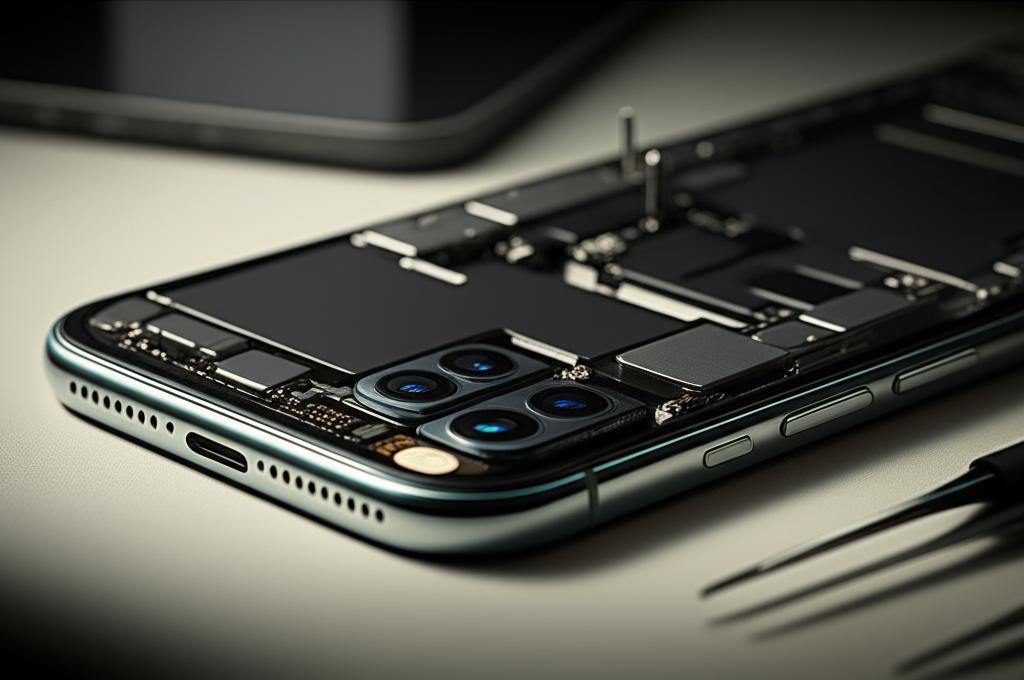
Published on: 10/11/2025 | Updated on: November 10, 2025
Get your iPhone camera fixed with these essential fixes and effortless solutions, covering common issues, necessary tools, and simple steps for reliable iPhone camera repair.
Is your iPhone camera not working right? Do you see blurry photos or a black screen when you open the camera app? This is a common problem for iPhone users. It can be frustrating when you can’t capture important moments. But don’t worry, most iPhone camera issues can be fixed. This guide will help you understand the common problems. We will also show you how to fix them. You’ll learn about the right tools and easy steps. We will cover everything you need for successful iPhone camera repair.
Why Your iPhone Camera Might Be Acting Up
Your iPhone camera can stop working for several reasons. Sometimes it’s a simple software glitch. Other times, it might be a hardware problem. Understanding the cause is the first step to fixing it. This helps you choose the right repair method.
Common iPhone Camera Problems You Might Face
Many users experience similar issues with their iPhone cameras. Knowing these common problems can help you identify what’s wrong. This makes the repair process much smoother.
Black Screen: When you open the camera app, you see only a black screen. The app might even crash.
Blurry Photos: Pictures come out fuzzy or out of focus. This can happen with both the front and rear cameras.
Frozen Camera App: The camera app opens but freezes. You cannot take pictures or record videos.
Overheating: The camera area gets very hot when using the camera app.
Error Messages: You might see specific error messages like “Unable to find camera” or “Overheating.”
Diagnosing the iPhone Camera Issue: Where to Start
Before you start any iPhone camera repair, you need to know what is broken. A good diagnosis saves time and prevents further damage. We will look at simple checks first. Then we will move to more complex steps.
Software Glitches: The Easiest Fixes

Often, camera problems are just temporary software bugs. These are usually the easiest to fix. A simple restart can clear many temporary issues.
Restart Your iPhone: Turn your iPhone off completely. Wait for 30 seconds. Then turn it back on. This is the first step for any iPhone camera repair.
Force Restart Your iPhone: For newer iPhones, you might need to force restart. Press and quickly release the Volume Up button. Press and quickly release the Volume Down button. Then press and hold the Side button until you see the Apple logo. This can clear deeper software issues.
Update iOS: Make sure your iPhone has the latest iOS version. Go to Settings > General > Software Update. Updates often contain bug fixes. This is a crucial part of keeping your iPhone in good shape.
Reset All Settings: If other steps don’t work, try resetting settings. Go to Settings > General > Transfer or Reset iPhone > Reset > Reset All Settings. This won’t delete your data. It will reset network settings, dictionary, and home screen layout.
Hardware Problems: When Software Isn’t Enough
If software fixes don’t work, the issue might be with the camera hardware itself. This could be a loose connection or a damaged component. Hardware issues require more care and often specific tools for iPhone camera repair.
Check for Physical Damage: Look closely at the camera lens. Is it cracked or dirty? Is there any visible damage to the phone’s body around the camera?
Loose Camera Module: Sometimes the camera module can become loose inside the iPhone. This often happens after a drop.
Essential Tools for iPhone Camera Repair
Having the right tools makes any repair job easier and safer. For iPhone camera repair, you need specialized tools. These help you open the device without causing more harm. Always use tools designed for iPhone repairs.
The Basic iPhone Repair Toolkit
A good toolkit will have everything you need for most iPhone repairs. This includes opening tools, screwdrivers, and prying tools.
Pentalobe Screwdriver: iPhones use special pentalobe screws. You need this to open the phone.
Tri-point Y000 Screwdriver: Many internal screws in iPhones are tri-point screws.
Phillips Screwdriver: Some models may still have small Phillips screws.
Spudger: A plastic tool for disconnecting cables and prying components.
Suction Cup: To lift the screen away from the phone body.
Opening Picks/Tools: Thin plastic tools to separate the screen or other parts.
Tweezers: For handling tiny screws and cables.
Heat Gun or iOpener: To soften the adhesive holding the screen in place.
Anti-Static Wrist Strap: To protect components from static electricity. This is vital for preventing damage.
ESD Protection: A Must-Have for Sensitive Electronics
ESD stands for Electrostatic Discharge. It’s like a tiny spark of electricity from your body. This spark can damage sensitive electronic parts inside your iPhone. Always wear an anti-static wrist strap. Connect it to a grounded metal object. This protects your iPhone’s delicate camera module and other components during repair. For more on protecting your device, check out iFixit’s guide on ESD safety.
Step-by-Step Guide: Fixing Common iPhone Camera Issues
Let’s walk through some common iPhone camera repair steps. Remember to work slowly and carefully.
Replacing a Faulty iPhone Camera Module
If you’ve diagnosed a hardware issue with the camera module, replacement is often the solution. This guide is general; specific steps vary by iPhone model.
Preparation and Safety First
1. Back up your iPhone: Always back up your data before any repair.
2. Power off your iPhone: Ensure the device is completely off.
3. Gather your tools: Have your repair kit ready.
4. Work on a clean surface: Use a well-lit, organized space.
5. Use ESD protection: Wear your anti-static wrist strap.
Opening the iPhone
1. Remove Pentalobe Screws: Use the Pentalobe screwdriver to remove the two screws at the bottom of the iPhone, near the charging port.
2. Heat the Edges: Gently heat the edges of the screen with a heat gun or iOpener. This softens the adhesive.
3. Lift the Screen: Place a suction cup on the lower part of the screen. Gently pull up while inserting an opening pick into the gap. Slide the pick around the edges to cut the adhesive. Be careful not to insert the pick too deep.
4. Open the iPhone: Carefully open the iPhone like a book, usually from the left side. Do not pull the screen completely off yet.
Disconnecting Components
1. Remove Shield Plates: You’ll see metal shield plates covering cable connectors. Remove the screws holding these plates with the appropriate screwdriver (Phillips or Tri-point). Keep track of which screw goes where.
2. Disconnect Battery: Use a plastic spudger to carefully pry up and disconnect the battery connector. This prevents short circuits.
3. Disconnect Camera Cables: Locate the camera cable connectors. Use the spudger to gently disconnect them from the logic board. There might be one or two cables for the rear camera.
4. Disconnect Screen Cables: Disconnect the display and digitizer cables.
Removing the Old Camera Module
1. Locate the Camera: The camera module is usually a small, distinct component.
2. Remove Screws: There might be small screws holding the camera module in place. Remove them carefully.
3. Lift Out the Camera: Gently lift the old camera module out of its housing.
Installing the New Camera Module
1. Place New Camera: Position the new camera module into the housing.
2. Secure with Screws: Reinstall any screws that held the old module.
3. Connect Camera Cables: Carefully connect the new camera module’s cables to the logic board. Ensure they click into place.
Reassembling the iPhone
1. Reconnect Screen Cables: Reconnect the display and digitizer cables.
2. Reconnect Battery: Reconnect the battery cable.
3. Replace Shield Plates: Reinstall the metal shield plates and their screws.
4. Close the iPhone: Carefully align the screen and press it down. Ensure the edges snap shut.
5. Reinstall Pentalobe Screws: Put the two bottom screws back in.
6. Test the Camera: Power on your iPhone and open the camera app to test.
Troubleshooting Common Camera Issues After Repair
Sometimes, even after a repair, issues can persist. Here are common problems and how to address them.
Camera Still Not Working or Showing Errors
If the camera still doesn’t work, double-check your connections.
Recheck Cables: Ensure all camera and battery cables are firmly seated. A slightly dislodged cable is a common culprit.
Inspect for Damage: Look for any bent pins or damage on the connectors.
Try a Different Camera: If possible, try a different replacement camera module. Sometimes new parts can be faulty.
Blurry Photos Persist
Blurry photos after a repair could mean a few things.
Lens Protection: Make sure you removed any protective film from the new camera lens.
Internal Debris: Tiny dust particles might have gotten inside during the repair. This can affect focus.
Camera Alignment: The new module might not be perfectly seated.
Protecting Your iPhone Camera for Longevity
Preventing damage is always better than repairing it. Here are tips to keep your iPhone camera in top shape.
Using Protective Cases and Screen Protectors
A good case protects the back of your iPhone and the camera bump. A screen protector can also protect the front camera lens.
Avoiding Water and Extreme Temperatures
Water can severely damage your iPhone’s camera and internal components. Extreme heat can also cause issues. Keep your phone out of direct sunlight for long periods.
Keeping the Lens Clean
Fingerprints and smudges on the lens are the most common cause of blurry photos. Clean it regularly with a microfiber cloth.
When to Seek Professional iPhone Camera Repair
Some repairs are complex. If you’re not comfortable opening your iPhone, it’s best to get professional help.
Understanding Professional Repair Options
Apple Authorized Service Provider: This is the safest option for warranty repairs. They use genuine Apple parts.
Independent Repair Shops: Many reputable shops can perform iPhone camera repair. Look for shops with good reviews. They often offer more affordable options.
Cost of iPhone Camera Repair
The cost varies depending on the iPhone model and the repair service. A professional repair for an iPhone camera module can range from $50 to $200 or more. DIY repair using aftermarket parts can be cheaper, but carries more risk.
Comparing Camera Repair Methods: DIY vs. Professional
Deciding between fixing it yourself or taking it to a pro involves trade-offs. Consider your skills, tools, and budget.
| Feature | DIY Repair | Professional Repair |
| :—————- | :——————————————— | :———————————————— |
| Cost | Lower (parts only) | Higher (parts + labor) |
| Time | Can be faster if experienced | Usually faster, handled by experts |
| Risk | Higher (potential for further damage) | Lower (experienced technicians, warranty) |
| Tools | Requires purchasing specialized tools | Tools are provided by the repair service |
| Parts Quality | Varies (aftermarket vs. OEM) | Often uses OEM or high-quality aftermarket parts |
| Warranty | Usually no warranty on parts or labor | Often includes a warranty on parts and labor |
Frequently Asked Questions About iPhone Camera Repair
Q1: Can I fix a blurry iPhone camera myself?
Yes, you can try. First, clean the lens. Then, restart your iPhone. If it’s still blurry, it might need a new camera module. This can be a DIY repair if you have the right tools and follow a guide.
Q2: How much does an iPhone camera repair cost?
The cost varies. For an iPhone 13, a new camera module might cost $70-$150 for the part. Professional repair could be $100-$250. Older models are usually cheaper.
Q3: What does “error 53” mean on an iPhone camera?
Error 53 typically means your iPhone detected an unauthorized repair. It often occurs when a non-Apple part is used for Touch ID or camera repair. It can lock your phone.
Q4: Will Apple repair my iPhone camera if I fixed it myself?
If you repair it yourself, Apple may refuse further service or charge more. They can often tell if the phone has been opened. However, if the camera failed on its own and is still under warranty, they will repair it.
Q5: Is it safe to buy replacement iPhone camera parts online?
Yes, but be cautious. Buy from reputable sellers like iFixit or other well-known parts suppliers. Check reviews for the seller and the parts. Poor quality parts can cause more problems.
Q6: How do I know if my iPhone camera needs replacement?
If software fixes don’t work and the camera shows a black screen, errors, or extreme blurriness, it likely needs replacement. Visible damage to the lens or internal components also indicates replacement is needed.
Conclusion
Dealing with a broken iPhone camera can be a real hassle. But with the right knowledge and tools, iPhone camera repair is often achievable. We’ve covered common issues, the essential tools you’ll need, and detailed steps for replacing a camera module. Remember that safety comes first, especially with ESD protection. If you’re not comfortable with the repair, professional help is always a good option. Keeping your iPhone camera clean and protected will help prevent future issues. For more repair guides and tool reviews, explore our site.

Belayet Hossain is a Senior Tech Expert and Certified AI Marketing Strategist. Holding an MSc in CSE (Russia) and over a decade of experience since 2011, he combines traditional systems engineering with modern AI insights. Specializing in Vibe Coding and Intelligent Marketing, Belayet provides forward-thinking analysis on software, digital trends, and SEO, helping readers navigate the rapidly evolving digital landscape. Connect with Belayet Hossain on Facebook, Twitter, Linkedin or read my complete biography.