


Published on: 10/11/2025 | Updated on: November 10, 2025
An iPhone repair accessories kit is your essential toolkit for fixing mobile devices. It contains the right tools to safely open your iPhone, handle small parts, and perform repairs. Having a good kit saves you money and frustration by empowering you to fix your own phone.
When your iPhone screen cracks or the battery dies, it’s easy to feel stuck. The cost of professional repairs can be high. But what if you had the right tools to fix it yourself? An iPhone repair accessories kit is your ticket to becoming a confident DIY phone fixer. We’ll guide you through the must-have tools. You’ll learn what makes a kit essential and how to use it safely. Let’s get your iPhone working like new again.
What is an iPhone Repair Accessories Kit?
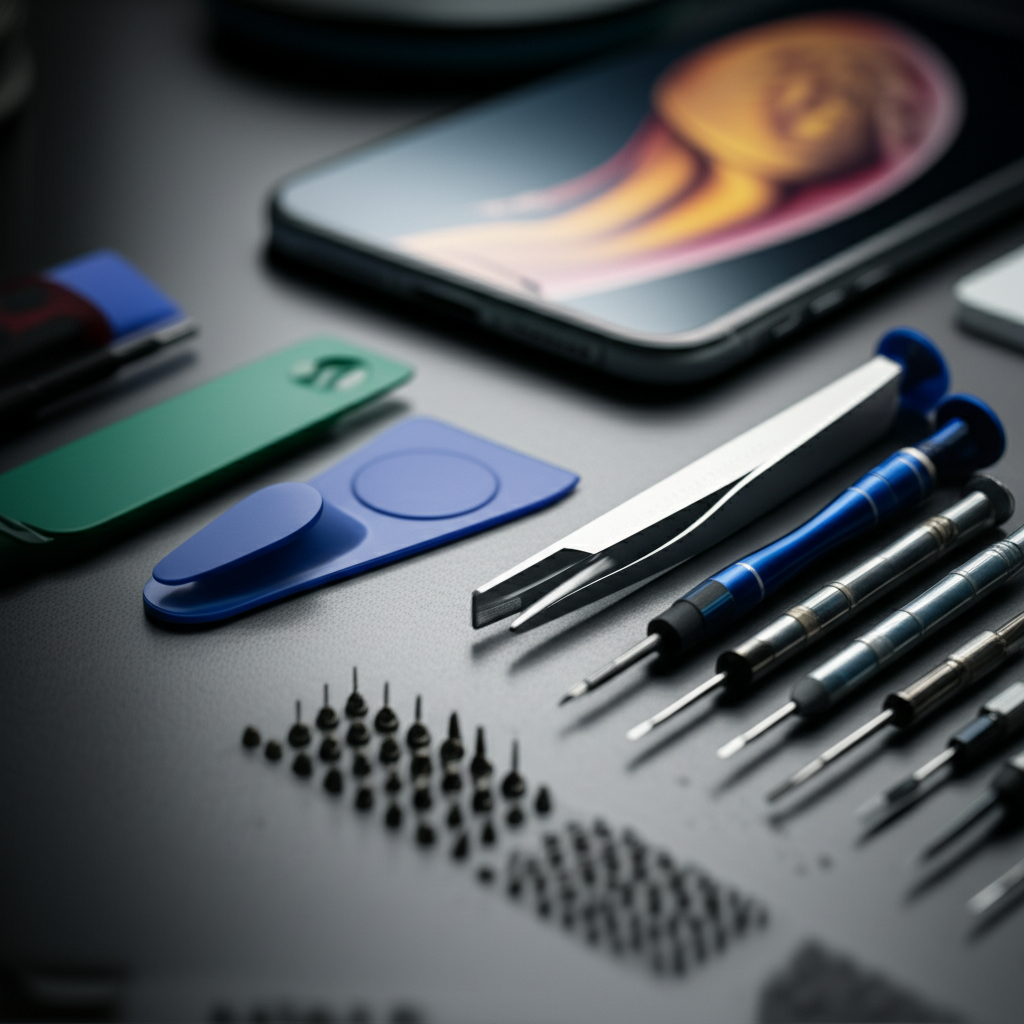
An iPhone repair accessories kit is a collection of specialized tools. These tools help you open, diagnose, and fix your iPhone. Think of it as a miniature toolbox just for your smartphone. It includes things like tiny screwdrivers, prying tools, and suction cups. These items are designed for the delicate nature of smartphone components. A good kit ensures you have what you need for common iPhone repairs.
Why You Need an iPhone Repair Accessories Kit
Repairing your iPhone yourself can save significant money. Professional repairs often cost more than the parts themselves. With the right kit, you can handle many common issues. This includes replacing a cracked screen or a worn-out battery. It gives you control over your device’s lifespan. You can fix it when you need to, without waiting. This empowers you to be self-sufficient.
Essential Tools in Every iPhone Repair Accessories Kit
A quality iPhone repair accessories kit should have several key items. These tools are designed for precision and safety. They help you avoid damaging your iPhone further. Let’s break down the most important tools you’ll find. Having these ensures you’re prepared for most minor repairs.
Precision Screwdriver Set

These are not your regular screwdrivers. They have very small, magnetic tips. This is crucial for iPhone screws. iPhones use various tiny screw types, like Pentalobe and Tri-point. A good set includes multiple bits for each. The magnetic tips help you keep track of these tiny screws. This prevents them from getting lost during a repair.
Spudger and Pry Tools
A spudger is a flat, plastic tool. It looks like a small, thin spatula. You use it to gently pry open the iPhone case. It can also disconnect fragile cables. Plastic pry tools are also included. These are safer than metal tools. They help prevent scratches or damage to the phone’s body.
Suction Cup
This tool is essential for lifting the iPhone screen. You place the suction cup on the screen. Then, you gently pull upwards. This creates a small gap. You can then insert a pry tool into that gap. It’s a simple yet effective way to start opening your device.
Tweezers
Fine-tipped tweezers are a must-have. They help you grab and place tiny screws and connectors. They are also useful for removing small debris. Precision tweezers allow for delicate manipulation of internal components. This is vital when working inside a small space.
Opening Picks and Guitar Picks
These thin plastic pieces are used to slice through adhesive. iPhones use adhesive to seal the screen and other parts. You slide these picks along the edges. This breaks the seal without damaging the phone. They are flexible yet strong enough for the job.
iOpener or Heat Gun (Optional but Recommended)
Some iPhone models use strong adhesive. This adhesive needs to be heated to soften. An iOpener is a small pouch you heat in a microwave. It provides gentle, consistent heat. A heat gun can also be used. However, use a heat gun with extreme caution. Overheating can damage internal components.
ESD Protection (Wrist Strap and Mat)
ESD stands for Electrostatic Discharge. This is static electricity that can damage electronics. An ESD wrist strap connects you to ground. This prevents static from building up on your body. An ESD mat also grounds your workspace. This protects your iPhone’s sensitive parts. This is a critical safety feature for any repair.
Understanding Different Types of iPhone Repair Kits
iPhone repair kits come in various forms. Some are basic, while others are comprehensive. The best kit for you depends on your needs. A beginner might start with a simple kit. An experienced technician will want a more advanced one.
Basic Kits
These kits usually include the essential screwdrivers, spudgers, and opening tools. They are great for simple tasks like battery replacement or screen repair. They are also more affordable. This is a good starting point for DIY enthusiasts.
Intermediate Kits
These kits add more specialized tools. They might include tweezers, suction cups, and sometimes an iOpener. They often have a wider range of screwdriver bits. These kits are suitable for more complex repairs. They offer more versatility.
Professional/Comprehensive Kits
These are the most complete kits available. They include everything from basic tools to advanced diagnostic equipment. They might also include soldering tools or magnification aids. These are designed for repair shops or very serious hobbyists. They offer the widest range of capabilities.
The Importance of ESD Protection in Phone Repair
Working on electronics requires care. Static electricity is a silent killer of components. Your body can build up static charge. Touching an iPhone’s internal parts with this charge can fry them. This is called ESD. ESD Association research shows the damage can be immediate or delayed.
An ESD wrist strap is a simple solution. It connects your body to a ground point. This safely discharges any static buildup. An ESD mat also provides a grounded work surface. This protects the phone and any components you place on it. Always use ESD protection when working inside your iPhone. It’s a small step with huge benefits.
How to Use Your iPhone Repair Accessories Kit Safely
Safety is paramount when repairing any electronic device. iPhones are complex and fragile. Using the wrong tool or technique can cause more damage. Always follow best practices to ensure a safe repair. This protects both you and your device.
Prepare Your Workspace
Find a clean, well-lit area. Use an ESD mat if you have one. Keep pets and children away. This prevents accidental interference. Remove any clutter that could get in the way. A clear space makes the repair process smoother.
Discharge Static Electricity
Before touching any internal components, put on your ESD wrist strap. Connect it to a grounded object or the ESD mat. This is your first line of defense against static damage. It’s a simple habit that saves headaches.
Use the Right Tools for the Job
Don’t force anything. If a screw is stuck, check if you have the right screwdriver bit. If the case is hard to open, ensure the adhesive is softened. Using excessive force can break plastic clips or tear cables. Patience is key.
Handle Components with Care
Internal iPhone components are very delicate. Avoid touching the gold connectors. These are sensitive to oils and static. Use tweezers to handle small parts. Keep track of where each screw goes. Using a magnetic mat can help organize them.
Test Before Reassembly
After replacing a part, test it before closing the phone. For example, if you replaced the screen, turn the phone on. Check if the touch function works. Ensure all cables are properly seated. This saves you from having to open the phone again.
Common iPhone Repairs You Can Do with Your Kit
With the right iPhone repair accessories kit, many common issues are fixable. You don’t always need to go to a repair shop. Let’s look at some frequent repairs. These are tasks you can tackle with confidence.
Screen Replacement
This is one of the most common repairs. iPhones, especially older models, are prone to cracked screens. Your kit’s screwdrivers, spudgers, and opening picks are essential here. You’ll carefully remove the old screen. Then, you’ll install the new one.
Battery Replacement
Over time, iPhone batteries degrade. They hold less charge and can swell. Battery replacement involves opening the iPhone. You then disconnect the old battery. You connect the new one and reassemble. This requires careful handling of internal cables.
Charging Port Repair
If your iPhone isn’t charging, the charging port might be the issue. Sometimes, debris can obstruct the port. Other times, the port itself may be damaged. Your kit helps you access the port. You can clean it or replace it if necessary.
Speaker or Microphone Replacement
If you have issues with sound, the speaker or microphone might be faulty. These are small components inside the iPhone. Your kit’s precision tools allow you to access and replace them. This is a delicate but achievable repair.
Choosing the Best iPhone Repair Accessories Kit for You
Not all kits are created equal. Consider your experience level and budget. Look for kits with good reviews. Many reputable brands offer quality tools. You can find these kits on online marketplaces. Some specialized electronics stores also carry them.
What to Look for in a Kit:
Tool Quality: Are the screwdrivers made of hardened steel? Are the pry tools durable plastic?
Completeness: Does it have all the tools for your intended repairs?
Organization: Does it come with a case or organizer? This helps keep tools tidy.
Brand Reputation: Are there positive reviews from other users?
Price: Does it fit your budget while still offering quality?
A reliable iPhone repair accessories kit is an investment. It pays for itself quickly. You gain the ability to fix your device. This saves money and reduces e-waste.
Advanced iPhone Repair Tools and Techniques
As you become more comfortable with basic repairs, you might explore advanced techniques. These require more specialized tools and knowledge. They can address more complex hardware issues. iFixit provides excellent guides on these.
Soldering Iron and Supplies
For motherboard-level repairs, a fine-tipped soldering iron is needed. You’ll also need solder, flux, and desoldering braid. This allows you to replace tiny components like chips or connectors. This is a skill that requires practice and a steady hand.
Multimeter
A multimeter measures voltage, current, and resistance. It’s invaluable for diagnosing electrical faults. You can test battery health or check for shorts. It’s a tool for serious troubleshooting.
Magnification Tools (Magnifying Lamp or Microscope)
Working with microscopic components requires magnification. A good magnifying lamp is essential. For very fine work, a digital microscope can be extremely helpful. It allows you to see details invisible to the naked eye.
Where to Buy Quality iPhone Repair Tools
You can find iPhone repair accessories kits in several places. Online retailers are a popular choice. They offer a wide selection and competitive prices. Some reputable brands also sell directly to consumers.
Amazon: Offers a vast array of kits at various price points. Read user reviews carefully.
iFixit: Known for high-quality tools and detailed repair guides. They offer complete kits and individual tools.
eBay: Can be a source for budget-friendly kits. Ensure the seller is reputable.
* Specialty Electronics Stores: Some local stores may carry repair tools.
Always buy from trusted sources. This ensures you get durable tools. Poor-quality tools can damage your iPhone.
Frequently Asked Questions about iPhone Repair Accessories Kits
What is the most important tool in an iPhone repair kit?
The most important tools are the precision screwdrivers. iPhones use unique screws. Having the correct screwdriver bits is essential to avoid stripping screws or damaging the iPhone.
Can I use regular household tools to repair my iPhone?
No, it is not recommended. iPhone screws are extremely small. Regular tools are too large. They can damage the screws and the phone. Specialized tools are designed for precision.
How do I know which kit to buy?
Consider what repairs you plan to do. For simple tasks like screen or battery replacement, a basic kit is fine. For more complex work, you’ll need a more comprehensive kit with specialized tools.
Is it safe to repair my iPhone myself?
Yes, it can be safe if you use the right tools and follow instructions carefully. Always use ESD protection. Be gentle with internal components. If you are unsure, seek professional help.
What are Pentalobe and Tri-point screws?
These are specific types of screws used by Apple in iPhones. Pentalobe screws are found on the bottom of the iPhone. Tri-point screws are used for internal components. Your repair kit needs bits for both.
Do I need a heat gun for iPhone repair?
For many repairs, especially screen and battery replacements, you need to soften adhesive. An iOpener or a gentle heat gun is often used. Be cautious not to overheat the device, as this can cause damage.
Conclusion
An iPhone repair accessories kit is an invaluable asset for any iPhone owner. It empowers you to handle common issues yourself. This saves money and extends your device’s life. By understanding the essential tools and practicing safe repair techniques, you can confidently tackle many repairs. From precision screwdrivers to ESD protection, each tool plays a vital role. Invest in a quality kit and gain the skills to keep your iPhone in top condition. You’ll be surprised at what you can fix.

Belayet Hossain is a Senior Tech Expert and Certified AI Marketing Strategist. Holding an MSc in CSE (Russia) and over a decade of experience since 2011, he combines traditional systems engineering with modern AI insights. Specializing in Vibe Coding and Intelligent Marketing, Belayet provides forward-thinking analysis on software, digital trends, and SEO, helping readers navigate the rapidly evolving digital landscape. Connect with Belayet Hossain on Facebook, Twitter, Linkedin or read my complete biography.