


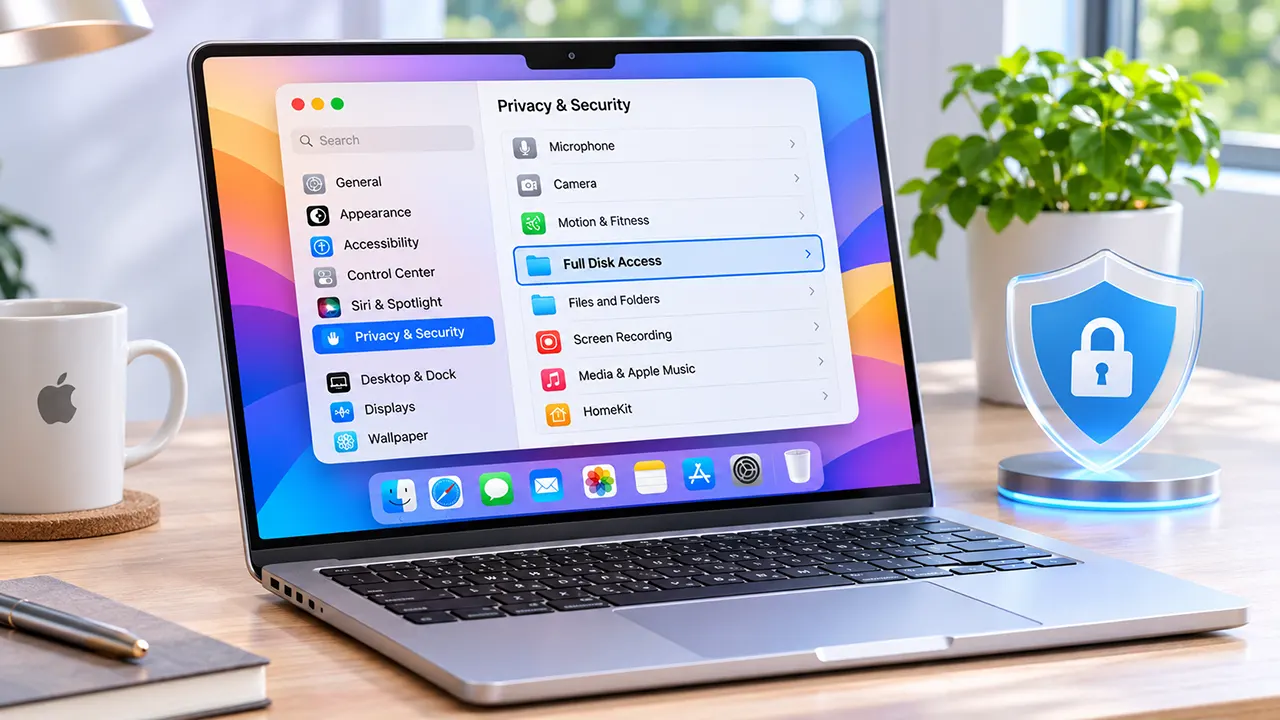
Apple announced plans on October 2, 2026, to introduce additional macOS Full Disk Access controls. The changes are intended to give users more explicit control over applications requesting broad access to personal data. Apple highlighted growing privacy risks from increasingly capable AI agents. However, it has not announced a specific macOS version or release date for these controls.
Apple is taking a closer look at one of the most powerful privacy permissions on the Mac. The reason goes beyond traditional applications. As AI agents become more capable of performing tasks independently, granting an application broad access to personal files can create new privacy concerns.
On October 2, 2026, Apple announced plans to introduce additional controls for Full Disk Access in macOS. The announcement signals a stronger approach to permission management, particularly when applications can access sensitive information or use that access while performing automated tasks.
For Mac users, this raises some important questions. What can Full Disk Access actually expose? Why does Apple connect it to AI agents? Could existing applications lose access?
Here is what Apple’s announcement means, what remains unknown, and how you can review your Mac’s existing permissions.
What Did Apple Announce on October 2, 2026?
Apple announced that it plans to introduce additional controls for Full Disk Access in macOS. The company wants users to take very explicit action before granting applications this sensitive permission.
The announcement appeared in Apple Developer News under the title Updates to Full Disk Access in macOS.
Apple’s concern is that some applications request broad access to user data without making the consequences sufficiently clear. This becomes more important as AI agents gain the ability to perform increasingly complex tasks with less direct human involvement.
Apple’s official statement explained
Full Disk Access is an existing macOS privacy permission. Apple originally designed it to support applications that need access to protected files and directories to perform functions such as backups.
However, the permission can provide access to much more information than a user might expect from an application’s primary purpose.
Apple’s October 2 announcement highlights several important points:
- Full Disk Access is a highly sensitive permission.
- Some applications use this permission beyond the original expectations of users.
- Broad access can expose personal information stored on a Mac.
- Increasingly autonomous AI agents create additional privacy concerns.
- Apple intends to introduce additional controls that require explicit user action.
The central message is that users should have a clearer understanding of what they are allowing before an application receives broad access to their information.
What the announcement does not confirm
It is important to distinguish Apple’s plans from changes that have already reached Mac computers.
| Question | What is currently confirmed |
|---|---|
| Has Apple announced additional controls? | Yes |
| Have the new controls been implemented? | Not established |
| Which macOS version will receive them? | Not announced |
| Is there a confirmed release date? | No |
| Will existing permissions be revoked? | Not specified |
| Is Apple banning AI agents? | No |
| Has Apple published a list of affected applications? | No |
Do not assume that your current Full Disk Access settings have already changed. Apple’s announcement describes planned controls, not a completed rollout.
Why Is Apple Changing Full Disk Access?
Apple is responding to the privacy implications of applications receiving broad access to protected user information. The concern becomes more significant when software can process that information automatically or use it while completing tasks on behalf of users.
To understand the issue, it helps to look at why macOS introduced Full Disk Access in the first place.
The original purpose of Full Disk Access
macOS includes several privacy permissions that control how applications interact with protected user information.
Some applications need access to files and directories outside their normal working areas. Backup software is a common example.
A backup application may need to read files from different locations to create a complete backup. Without sufficient permissions, it may be unable to protect all the information a user expects it to preserve.
Full Disk Access provides a way for users to authorize this broader access.
The problem is that a permission designed for legitimate system-level tasks can also create privacy risks when granted to applications that do not need such extensive access.
Why broad permissions create privacy risks
Consider a Mac user who installs an application to automate everyday work. The application requests Full Disk Access to perform its functions.
The user may understand that the application needs access to a particular folder. However, Full Disk Access is broader than permission to access one selected folder.
If the application receives this permission, its potential access to protected information increases considerably.
This creates three important concerns:
- Excessive permissions: An application may receive more access than its primary function requires.
- Unexpected data exposure: Sensitive information may become accessible to software that the user did not intend to give such broad access.
- Automated activity: Applications with autonomous capabilities may use their available permissions while completing tasks without requiring the user to approve every individual operation.
The important distinction is between giving an application permission and understanding everything that permission could allow it to do.
Apple’s planned controls aim to make that decision more deliberate.
What Information Can Full Disk Access Expose?
Full Disk Access can allow an application to access files across a Mac, including information stored by other applications. Apple’s announcement specifically identifies files, Mail, Messages, and browsing history as examples of potentially exposed information.
This is why Apple considers the permission particularly sensitive.
Files, Mail, Messages, and Safari data
According to Apple, Full Disk Access can expose several categories of information.
| Data category | Potential exposure |
|---|---|
| Personal files | Documents, photos, downloads, and other stored files |
| Apple Mail | Email data and related information |
| Apple Messages | Stored conversations and message data |
| Safari | Browsing history and related browser information |
| Home directory | Personal data stored in the user’s home folder |
| Time Machine | Backup data containing copies of personal information |
Apple’s Mac User Guide explains that Full Disk Access allows applications to access all files on the computer, including data from other applications such as Mail, Messages, Safari, and Home, as well as Time Machine backups and certain administrative settings.
You can read the details in Apple’s Mac User Guide.
One important concern involves communication privacy. When an application can access stored conversations, the exposure may involve information belonging to people who communicate with the Mac user, not just the person who installed the application.
Time Machine backups and other protected information
Time Machine backups can contain extensive personal information. Depending on the backup configuration, they may include documents, application data, photos, and other files from the Mac.
This explains why backup applications have historically needed broad access.
However, backup functionality is not the only possible use of this permission. Apple’s concern is that developers may use Full Disk Access for purposes that expose more information than users expect.
For example, an application designed to automate tasks may have access to stored information that is unrelated to the task a user requested.
The practical concern is not simply how much data an application can access. It is whether the permission is appropriate for its purpose.
Access permission versus actual data collection
There is an important difference between an application having access to information and actually collecting or transmitting that information.
Granting Full Disk Access does not automatically prove that an application has read every file on your Mac. It means the application receives a level of permission that can make those files accessible.
What the application subsequently does depends on its design, behavior, configuration, and other enabled permissions.
For example, an AI assistant might have access to stored information but only process messages when a user activates a particular integration. Another application might use its access for background maintenance.
This distinction matters when evaluating privacy reports. A permission request is a reason to examine an application’s behavior, not proof that the developer has collected or misused personal information.
How Are AI Agents Connected to the Changes?
AI agents make broad application permissions more consequential because they can perform multiple steps toward a goal rather than simply respond to individual commands.
An AI assistant might summarize a document, organize files, prepare emails, or coordinate information across applications. To complete some tasks, it may need access to information beyond a single file.
When an application combines these capabilities with Full Disk Access, the potential consequences of granting broad permission increase.
Why autonomous AI agents need careful permission controls
Traditional applications generally perform functions defined by their developers. AI agents introduce another layer because they can interpret instructions, choose actions, and execute multiple steps.
Consider a desktop AI agent asked to organize a user’s workday.
Depending on its integrations and permissions, it might need to:
- Find relevant documents.
- Review calendar information.
- Retrieve information from connected applications.
- Prepare messages or summaries.
- Complete approved actions.
The more information and system permissions an agent receives, the more carefully users need to consider its access.
A broad permission may allow an application to reach information beyond what a particular task requires. This is why Apple’s announcement specifically connects Full Disk Access with increasingly capable and autonomous AI agents.
The concern is not that every AI agent behaves maliciously. It is that broad access creates greater consequences when an application makes an unexpected decision, encounters a security vulnerability, or processes information in a way the user did not anticipate.
The Meta Muse privacy controversy
The announcement followed a dispute involving Meta and its AI agent, Muse.
In September 2026, technology columnist Jason Aten reported that Muse appeared to know the contents of private Apple Messages conversations. He said he had not knowingly granted the application permission to read those messages.
The report attracted attention because desktop AI agents can interact with local applications and personal information.
Meta disputed the interpretation of the incident.
According to Meta’s explanation, Muse needed two permissions to read Messages content:
- Full Disk Access enabled in macOS.
- The Messages connector enabled inside Muse.
Meta said its Messages integration was optional and that both permissions were required.
This distinction is important. Full Disk Access alone should not be presented as proof that Muse accessed a particular conversation or that the application bypassed macOS security.
What Meta said about Messages access
Meta’s explanation focused on the combination of system-level permission and its own application-level integration.
That means two separate authorization decisions were involved.
| Permission | Where it is managed | Purpose |
|---|---|---|
| Full Disk Access | macOS System Settings | Allows broad access to protected information |
| Messages connector | Muse application | Enables the Messages integration |
Meta CTO David Singleton said that Muse could read Messages content only when both permissions were granted.
Apple did not name Meta or Muse in its October 2 announcement. It also did not identify a particular developer as the reason for the planned changes.
Reporting from Ars Technica and Reuters provides additional context about the disagreement.
The broader issue is that users may not fully understand how operating-system permissions and application-specific integrations work together. A user might enable one setting for a particular feature without realizing the wider implications of the system-level permission.
Apple’s proposed changes address the need for more explicit user awareness before granting this type of access.
Which Mac Applications Could Be Affected?
Apple has not published a list of applications that will be affected by its planned changes. However, several application categories are relevant because they may request Full Disk Access to perform their functions.
The impact will depend on Apple’s eventual implementation and the permissions each application requires.
Backup and synchronization applications
Backup applications are the original use case Apple identifies for Full Disk Access.
These tools may need to access files across different locations to create complete backups or restore information.
Cloud synchronization applications may also request broad permissions for particular features.
Examples discussed in Macworld’s reporting include Microsoft OneDrive and other desktop utilities. These examples should not be interpreted as an official Apple list of applications targeted by the announcement.
For users, the important consideration is whether an application genuinely needs the permission for its intended functionality.
AI assistants and desktop agents
AI assistants and desktop agents are particularly relevant to Apple’s announcement.
Some desktop AI tools request broad access so they can work with local files or interact with other applications.
Examples include:
- Desktop AI assistants that process local documents.
- AI agents that automate computer tasks.
- Applications that integrate with local messages or email.
- Tools that organize files and retrieve information across applications.
However, not every AI application requires Full Disk Access. Some operate through selected files, limited integrations, browser-based services, or narrower macOS permissions.
An application should not receive broad access simply because it uses artificial intelligence.
System utilities and security applications
Other applications may request Full Disk Access for maintenance, monitoring, or security-related functions.
| Application category | Why broad access may be requested |
|---|---|
| Security software | Inspect files and identify potential threats |
| Backup utilities | Read files for backup and recovery |
| System maintenance tools | Perform certain system-level operations |
| Cloud synchronization | Access files selected for synchronization |
| Desktop automation | Interact with local information and applications |
These are potential application categories, not confirmed targets of Apple’s future controls.
Developers will need to pay attention to Apple’s implementation details when they become available. Some legitimate applications may need to explain their permission requirements more clearly to users.
When Will Apple’s New Controls Arrive?
Apple has not announced a specific release date or macOS version for the additional Full Disk Access controls.
The October 2, 2026, announcement confirms the company’s intention to introduce changes, but it does not provide an implementation schedule or detailed technical specifications.
What Apple has confirmed
Apple has committed to introducing additional controls that require very explicit user action before granting Full Disk Access.
The company also says users should clearly understand the risks associated with granting this permission.
However, Apple has not explained exactly how the new experience will work.
Possible implementation details, such as additional confirmation screens, clearer permission explanations, or changes to the authorization process, should not be treated as confirmed features.
Developers should follow Apple’s official announcements for implementation guidance.
What remains unknown about implementation
Several questions remain unanswered:
- Will users see a redesigned Full Disk Access permission screen?
- Will macOS provide additional warnings before granting access?
- Will existing applications need to request permission again?
- Will applications with previously granted access retain their permissions?
- Will Apple introduce different authorization requirements for AI agents and traditional applications?
Until Apple publishes further details, these questions remain open.
For the latest information, follow Apple Developer News.
What Should Mac Users Do Right Now?
Mac users do not need to wait for Apple’s future controls to review their existing privacy permissions.
You can already see which applications have Full Disk Access through macOS System Settings.
The goal is to identify unnecessary permissions while keeping applications that genuinely need broad access working correctly.
How to review Full Disk Access permissions
Follow these steps:
- Click the Apple menu in the top-left corner of your screen.
- Open System Settings.
- Select Privacy & Security.
- Scroll down to Full Disk Access.
- Review the applications listed in this section.
- Turn off access for applications that no longer need it.
The exact interface may vary slightly between macOS versions.
You can also consult Apple’s official guide: Change Privacy & Security settings on Mac.
Which permissions deserve closer attention?
Not every application requesting Full Disk Access is suspicious. Some legitimate tools depend on it.
However, you should take a closer look at applications that request broad access without a clear reason.
Pay particular attention to:
- Unfamiliar applications: Investigate software you do not recognize before allowing broad access.
- Unused applications: Remove permissions for applications you no longer use.
- AI agents: Check whether broad access is genuinely necessary for their features.
- Older utilities: Review applications that you installed a long time ago and no longer need.
- Unexpected permission requests: Be cautious when an application requests access that does not match its advertised purpose.
Avoid disabling permissions indiscriminately. Some backup, security, and maintenance applications may stop working correctly if you revoke access they genuinely require.
How to make safer decisions before approving access
Before granting Full Disk Access to any application, consider these questions:
| Question | What to check |
|---|---|
| Do I trust the developer? | Check the developer’s identity and reputation. |
| Does the application need broad access? | Compare the permission with its actual purpose. |
| Can I use a narrower permission? | Check whether selected files or folders are sufficient. |
| Does it process sensitive information? | Understand how the application handles personal data. |
| Can I disable the permission later? | Check the application’s documentation and macOS settings. |
For AI agents, also examine which integrations you enable inside the application. An operating-system permission and an application-specific connector can grant different levels of access.
A good privacy decision starts with understanding both.
FAQs: Apple Full Disk Access changes October 2026
1. Is Apple banning AI agents on Mac?
No. Apple has not announced a ban on AI agents for macOS. Its October 2, 2026, announcement concerns additional controls for Full Disk Access. Apple wants users to understand the consequences before granting applications this sensitive permission. AI agents are specifically mentioned because their increasing capabilities and autonomy can make broad access more consequential.
2. Can an application with Full Disk Access read Mac Messages?
Full Disk Access can allow applications to access protected information, including stored Messages data. However, actual access depends on the application’s behavior and any additional permissions or integrations it requires. For example, Meta said Muse requires both Full Disk Access and its optional Messages connector to read Messages content.
3. Can users revoke Full Disk Access?
Yes. Mac users can manage and revoke Full Disk Access through System Settings under Privacy & Security. Turning off an application’s permission can prevent it from performing functions that depend on that access. If you are unsure whether an application needs the permission, check its documentation before disabling it.
4. Do Mac backup applications need Full Disk Access?
Some backup applications need Full Disk Access to read protected files and create complete backups. Apple specifically identifies backup functionality as the original reason for allowing this broad permission. However, requirements vary between applications. Check the backup developer’s documentation rather than assuming every backup tool needs unrestricted access.
5. Will existing macOS permissions change automatically?
Apple has not explained how existing permissions will be handled when the additional controls arrive. Its October 2 announcement does not confirm whether previously authorized applications will need fresh approval or whether existing permissions will remain unchanged. Mac users should wait for Apple’s implementation guidance rather than assuming that all existing permissions will be reset.
Conclusion
Apple’s October 2 announcement highlights an important challenge for the next generation of desktop software: giving applications enough access to perform useful tasks without exposing more personal information than necessary.
AI agents make this issue more important because they can perform increasingly complex tasks using the permissions available to them.
For Mac users, the sensible step is to review existing Full Disk Access permissions and understand why each application needs them. You do not need to disable every application or stop using AI assistants.
Apple has promised additional controls, but their release details remain unknown. Until then, informed permission decisions remain one of the most practical ways to protect your information.
Keep following ItPhobia for updates on macOS privacy, Apple security changes, and AI agent developments.

Belayet Hossain is a Senior Tech Expert and Certified AI Marketing Strategist. Holding an MSc in CSE (Russia) and over a decade of experience since 2011, he combines traditional systems engineering with modern AI insights. Specializing in Vibe Coding and Intelligent Marketing, Belayet provides forward-thinking analysis on software, digital trends, and SEO, helping readers navigate the rapidly evolving digital landscape. Connect with Belayet Hossain on Facebook, Twitter, Linkedin or read my complete biography.